2011 LINCOLN TOWN CAR Driving
[x] Cancel search: DrivingPage 19 of 306
Info (Information menu)
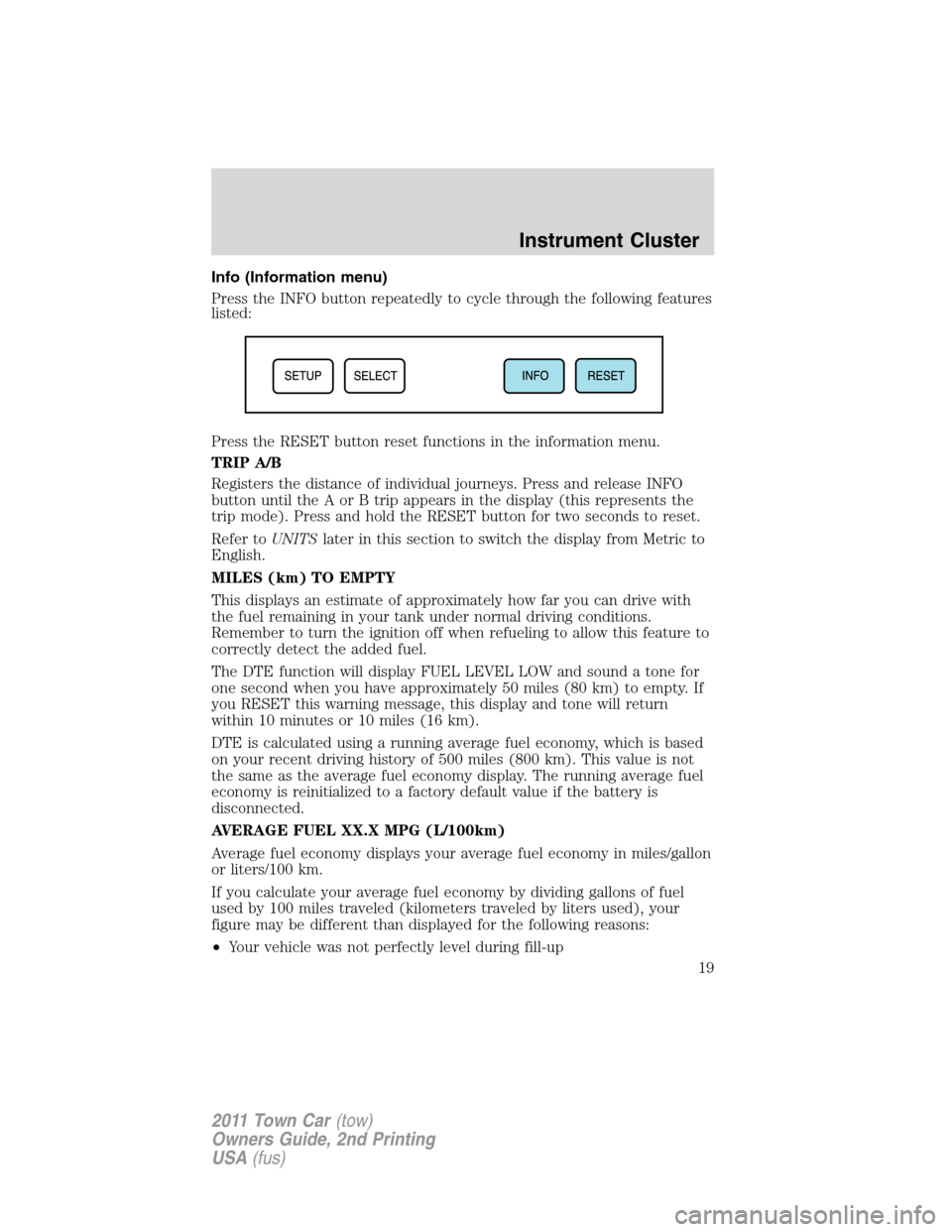
Press the INFO button repeatedly to cycle through the following features
listed:
Press the RESET button reset functions in the information menu.
TRIP A/B
Registers the distance of individual journeys. Press and release INFO
button until the A or B trip appears in the display (this represents the
trip mode). Press and hold the RESET button for two seconds to reset.
Refer toUNITSlater in this section to switch the display from Metric to
English.
MILES (km) TO EMPTY
This displays an estimate of approximately how far you can drive with
the fuel remaining in your tank under normal driving conditions.
Remember to turn the ignition off when refueling to allow this feature to
correctly detect the added fuel.
The DTE function will display FUEL LEVEL LOW and sound a tone for
one second when you have approximately 50 miles (80 km) to empty. If
you RESET this warning message, this display and tone will return
within 10 minutes or 10 miles (16 km).
DTE is calculated using a running average fuel economy, which is based
on your recent driving history of 500 miles (800 km). This value is not
the same as the average fuel economy display. The running average fuel
economy is reinitialized to a factory default value if the battery is
disconnected.
AVERAGE FUEL XX.X MPG (L/100km)
Average fuel economy displays your average fuel economy in miles/gallon
or liters/100 km.
If you calculate your average fuel economy by dividing gallons of fuel
used by 100 miles traveled (kilometers traveled by liters used), your
figure may be different than displayed for the following reasons:
•Your vehicle was not perfectly level during fill-up
Instrument Cluster
19
2011 Town Car(tow)
Owners Guide, 2nd Printing
USA(fus)
Page 24 of 306
WARNING:Never remove the coolant reservoir cap while the
engine is running or hot.
CHECK FUEL CAP— Displayed when the fuel filler cap is not
properly installed. Check the fuel filler cap for proper installation. Refer
toFuel filler capin theMaintenance and Specificationschapter.
CHECK AIR SUSPENSION— Displayed when the air suspension
system is not operating properly. If this message is displayed while
driving, pull off the road as soon as safely possible. For more
information, refer toAir suspension systemin theDrivingchapter.
AIR SUSP OFF— Displayed when the air suspension system is turned
off. For more information, refer toAir suspension systemin the
Drivingchapter.
FUEL LEVEL LOW— Displayed as an early reminder of a low fuel
condition. Warning message can be reset by pressing the RESET button,
but will return after 10 minutes. If any other button is pressed besides
RESET, the message ’’PRESS RESET TO CLEAR’’ will appear in the
message center. Once this message disappears (after approximately two
seconds), press RESET to clear the warning.
TRUNK AJAR— Displayed when the trunk is not completely closed.
OVERDRIVE OFF— Displayed when the overdrive is disabled.
OVERDRIVE ON— Displayed when the overdrive is enabled.
LOW TIRE PRESSURE— Displayed when one or more tires on your
vehicle have low tire pressure. Refer toInflating your tiresin theTires,
Wheels and Loadingchapter.
TIRE PRESSURE MONITOR FAULT— Displayed when the Tire
Pressure Monitoring System is malfunctioning. If the warning stays on or
continues to come on, contact your authorized dealer as soon as
possible.
TIRE PRESSURE SENSOR FAULT— Displayed when a tire pressure
sensor is malfunctioning, or your spare tire is in use (Note: this includes
the use of the optional full-sized matching spare tire and wheel). For
more information on how the system operates under these conditions,
refer toTire Pressure Monitoring System (TPMS)in theTires, Wheels
and Loadingchapter. If the warning stays on or continues to come on,
contact your authorized dealer as soon as possible.
Instrument Cluster
24
2011 Town Car(tow)
Owners Guide, 2nd Printing
USA(fus)
Page 26 of 306
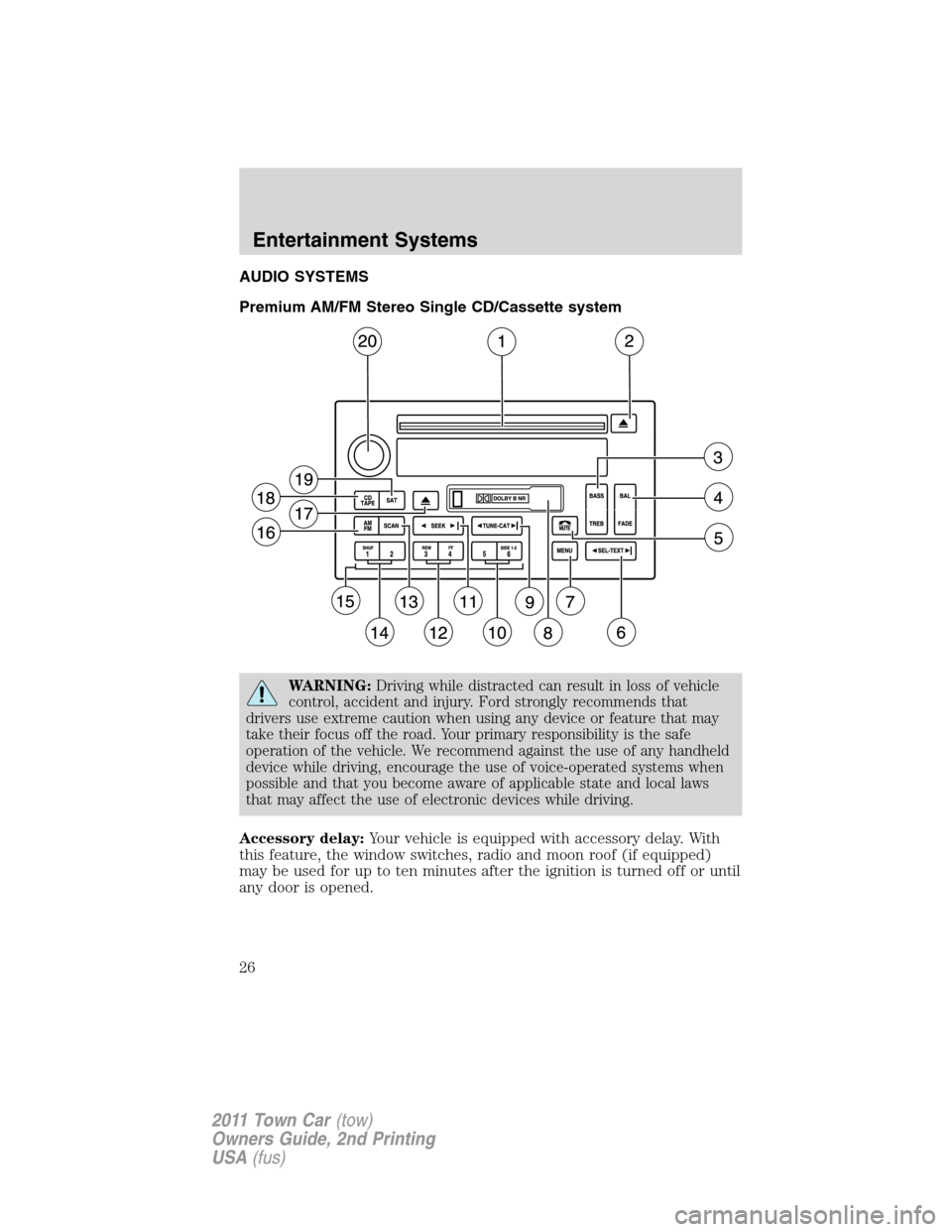
AUDIO SYSTEMS
Premium AM/FM Stereo Single CD/Cassette system
WARNING:Driving while distracted can result in loss of vehicle
control, accident and injury. Ford strongly recommends that
drivers use extreme caution when using any device or feature that may
take their focus off the road. Your primary responsibility is the safe
operation of the vehicle. We recommend against the use of any handheld
device while driving, encourage the use of voice-operated systems when
possible and that you become aware of applicable state and local laws
that may affect the use of electronic devices while driving.
Accessory delay:Your vehicle is equipped with accessory delay. With
this feature, the window switches, radio and moon roof (if equipped)
may be used for up to ten minutes after the ignition is turned off or until
any door is opened.
Entertainment Systems
26
2011 Town Car(tow)
Owners Guide, 2nd Printing
USA(fus)
Page 31 of 306
20.On/Off/Volume:Press to turn
on and off; turn to adjust the
volume levels.
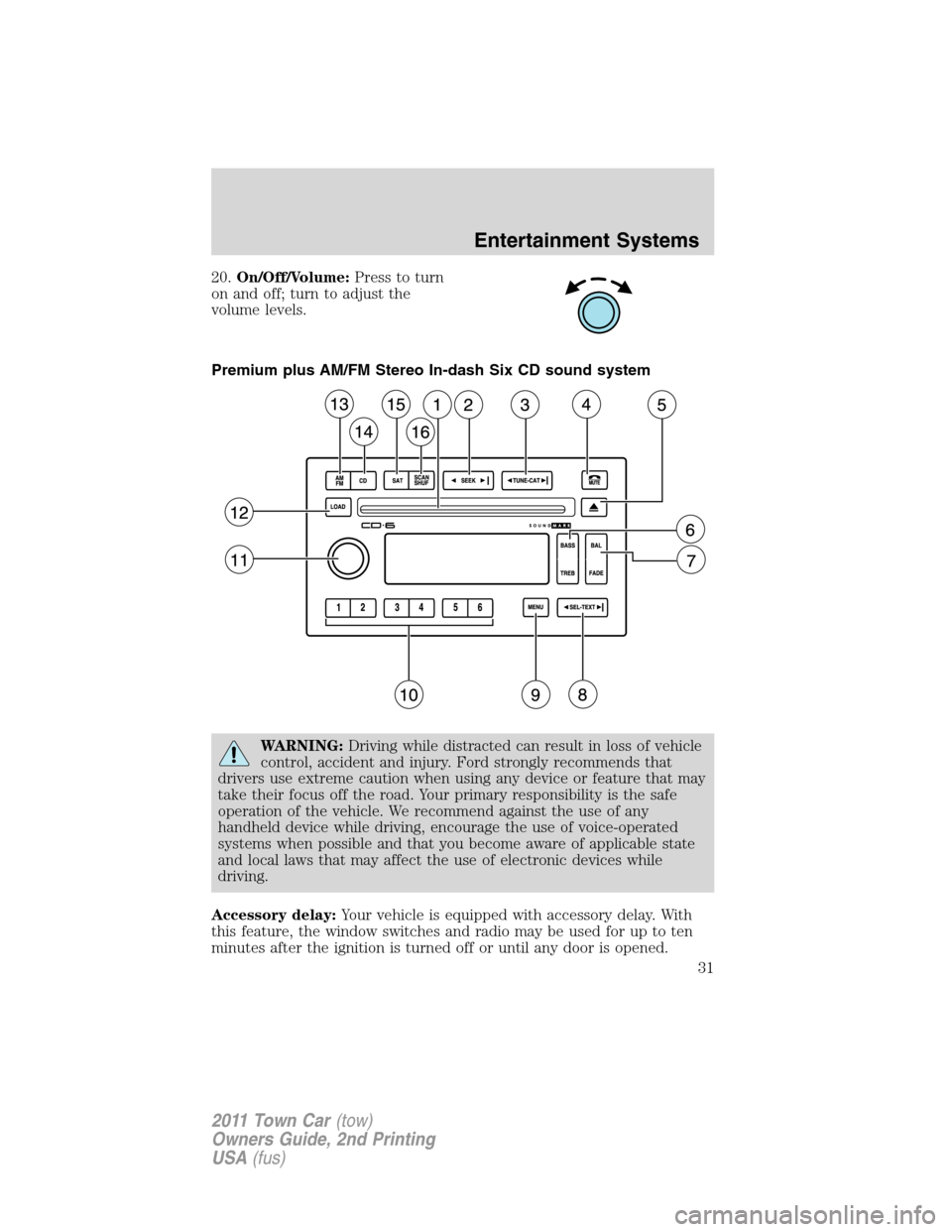
Premium plus AM/FM Stereo In-dash Six CD sound system
WARNING:Driving while distracted can result in loss of vehicle
control, accident and injury. Ford strongly recommends that
drivers use extreme caution when using any device or feature that may
take their focus off the road. Your primary responsibility is the safe
operation of the vehicle. We recommend against the use of any
handheld device while driving, encourage the use of voice-operated
systems when possible and that you become aware of applicable state
and local laws that may affect the use of electronic devices while
driving.
Accessory delay:Your vehicle is equipped with accessory delay. With
this feature, the window switches and radio may be used for up to ten
minutes after the ignition is turned off or until any door is opened.
Entertainment Systems
31
2011 Town Car(tow)
Owners Guide, 2nd Printing
USA(fus)
Page 60 of 306
Memory feature (if equipped)
The power side view mirror positions are saved when doing a memory
set function and can be recalled using the memory feature. Refer to
Seatingin theSeating and Safety Restraintschapter.
Automatic dimming feature (if equipped)
The driver’s side view mirror has an auto-dimming function. For more
information, refer toAutomatic dimming interior rear view mirrorin
this chapter.
Heated outside mirrors
(if equipped)
Both mirrors are heated automatically to remove ice, mist and fog when
the rear window defrost is activated.
Do not remove ice from the mirrors with a scraper or attempt to
readjust the mirror glass if it is frozen in place. These actions
could cause damage to the glass and mirrors.
Do not clean the housing or glass of any mirror with harsh
abrasives, fuel or other petroleum-based cleaning products.
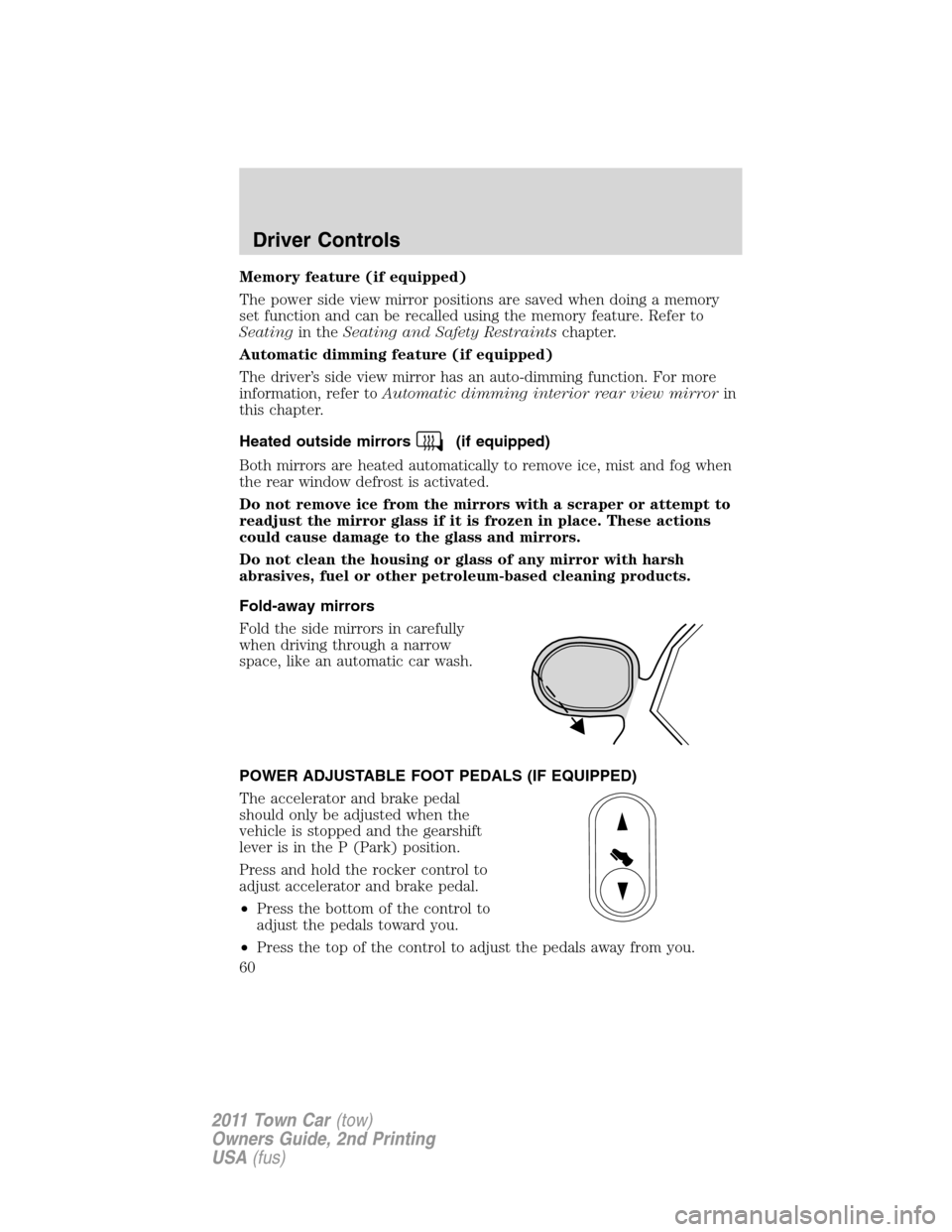
Fold-away mirrors
Fold the side mirrors in carefully
when driving through a narrow
space, like an automatic car wash.
POWER ADJUSTABLE FOOT PEDALS (IF EQUIPPED)
The accelerator and brake pedal
should only be adjusted when the
vehicle is stopped and the gearshift
lever is in the P (Park) position.
Press and hold the rocker control to
adjust accelerator and brake pedal.
•Press the bottom of the control to
adjust the pedals toward you.
•Press the top of the control to adjust the pedals away from you.
Driver Controls
60
2011 Town Car(tow)
Owners Guide, 2nd Printing
USA(fus)
Page 61 of 306
WARNING:Never adjust the accelerator and brake pedal with
feet on the pedals while the vehicle is moving.
SPEED CONTROL
With speed control set, you can maintain a set speed without keeping
your foot on the accelerator pedal.
WARNING:Do not use the speed control in heavy traffic or on
roads that are winding, slippery or unpaved.
Using speed control
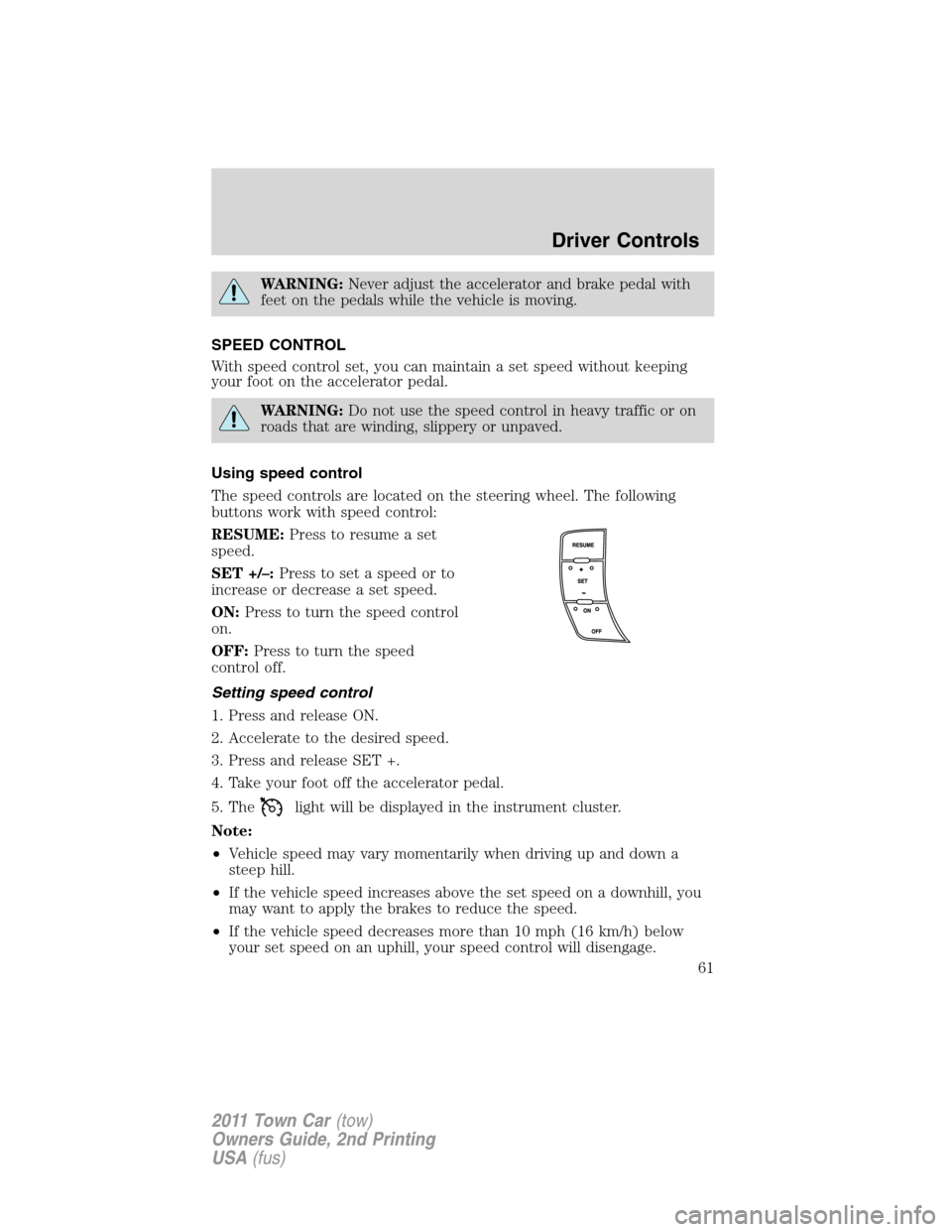
The speed controls are located on the steering wheel. The following
buttons work with speed control:
RESUME:Press to resume a set
speed.
SET +/–:Press to set a speed or to
increase or decrease a set speed.
ON:Press to turn the speed control
on.
OFF:Press to turn the speed
control off.
Setting speed control
1. Press and release ON.
2. Accelerate to the desired speed.
3. Press and release SET +.
4. Take your foot off the accelerator pedal.
5. The
light will be displayed in the instrument cluster.
Note:
•Vehicle speed may vary momentarily when driving up and down a
steep hill.
•If the vehicle speed increases above the set speed on a downhill, you
may want to apply the brakes to reduce the speed.
•If the vehicle speed decreases more than 10 mph (16 km/h) below
your set speed on an uphill, your speed control will disengage.
Driver Controls
61
2011 Town Car(tow)
Owners Guide, 2nd Printing
USA(fus)
Page 79 of 306
Pressand release again within five seconds to confirm that all the
doors are closed.Note:The doors will lock again, the horn will chirp
once and the park lamps will flash, if all the closures are closed. If any
closure is not closed, the horn will chirp twice and the park lamps will
notflash.
Car finder
Press
twice within three seconds. The horn will chirp and the park
lamps/tail lamps will flash. It is recommended that this method be used
to locate your vehicle, rather than using the panic alarm.
Opening the trunk
Pressonce to open the trunk.
If your vehicle is fitted with the optional power decklid, press
twice
to open the trunk and twice to close it.
WARNING:Before operating the power decklid, be sure that no
one, particularly a child, is in a position where he or she can be
injured by the trunk lid. NEVER leave the remote entry transmitter
where it can be inadvertently activated, as someone could be seriously
injured by a moving decklid.
•Ensure that the trunk is closed and latched before driving your
vehicle. Failure to properly latch the trunk may cause objects to fall
out or block the driver’s rear view.
The remote entry system allows you to open the trunk while the ignition
is in any position. However, if the ignition is in the on position and the
gearshift is in D (Drive), the trunk will only open if the vehicle is moving
3 mph (5 km/h) or slower.
Sounding a panic alarm
Press
on the remote transmitter to activate the alarm.Note:The
panic alarm only works with the ignition in the off position.
Press
a second time to deactivate the alarm. You may also deactivate
the alarm in the following ways:
•Turn the ignition to the on or start positions.
•Wait two minutes and 45 seconds for the alarm to time-out.
Locks and Security
79
2011 Town Car(tow)
Owners Guide, 2nd Printing
USA(fus)
Page 91 of 306
SEATING
Adjustable head restraints
Your vehicle is equipped with front row outboard head restraints that are
vertically adjustable.
WARNING:To minimize the risk of neck injury in the event of a
crash, the driver and passenger occupants should not sit in
and/or operate the vehicle, until the head restraint is placed in its
proper position. The driver should never adjust the head restraint
while the vehicle is in motion.
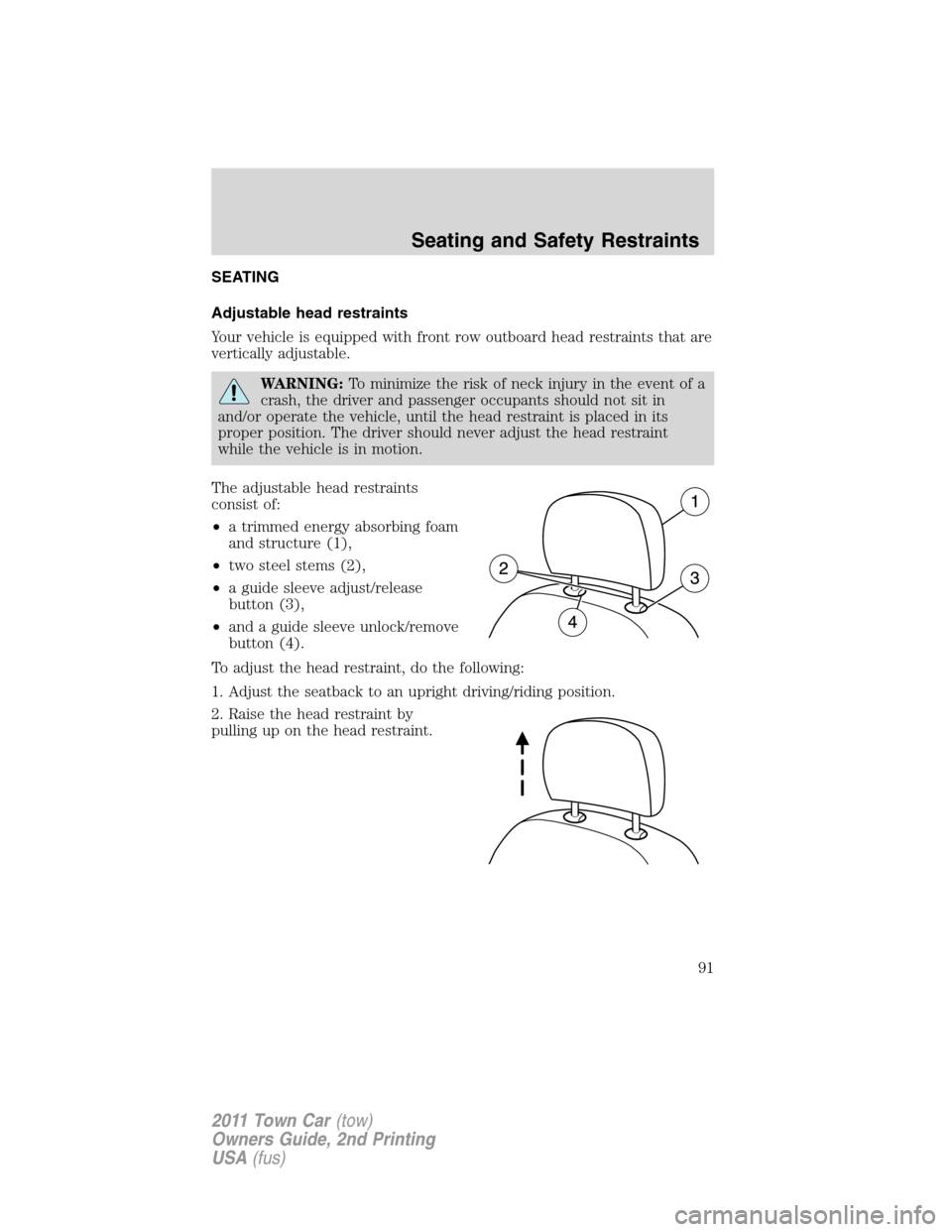
The adjustable head restraints
consist of:
•a trimmed energy absorbing foam
and structure (1),
•two steel stems (2),
•a guide sleeve adjust/release
button (3),
•and a guide sleeve unlock/remove
button (4).
To adjust the head restraint, do the following:
1. Adjust the seatback to an upright driving/riding position.
2. Raise the head restraint by
pulling up on the head restraint.
Seating and Safety Restraints
91
2011 Town Car(tow)
Owners Guide, 2nd Printing
USA(fus)