Page 95 of 377
•If the indicator lightstays on constantly, programming is complete
and your device should activate when the HomeLink�button is pressed
and released.
•If the indicator light blinksrapidly for two seconds and then turns
to a constant light continue with “Programming” Steps 4 through
6to complete programming of a rolling code equipped device (most
commonly a garage door opener).
4. At the garage door opener receiver (motor-head unit) in the garage,
locate the “learn” or “smart” button (usually near where the hanging
antenna wire is attached to the unit).
5. Firmly press and release the “learn” or “smart” button. (The name and
color of the button may vary by manufacturer.)
Note:There are 30 seconds in which to initiate Step 6.
6. Return to the vehicle and firmlypress, hold for two seconds and
releasethe programmed HomeLink�button. Repeat the
press/hold/releasesequence again and, depending on the brand of the
garage door opener (or other rolling code equipped device), repeat this
sequence a third time to complete the programming.
HomeLink�should now activate your rolling code equipped device. To
program additional HomeLink�buttons begin with Step 1 in this section.
For questions or comments, please contact HomeLink�at
www.homelink.comor1–800–355–3515.
Gate Operator & Canadian Programming
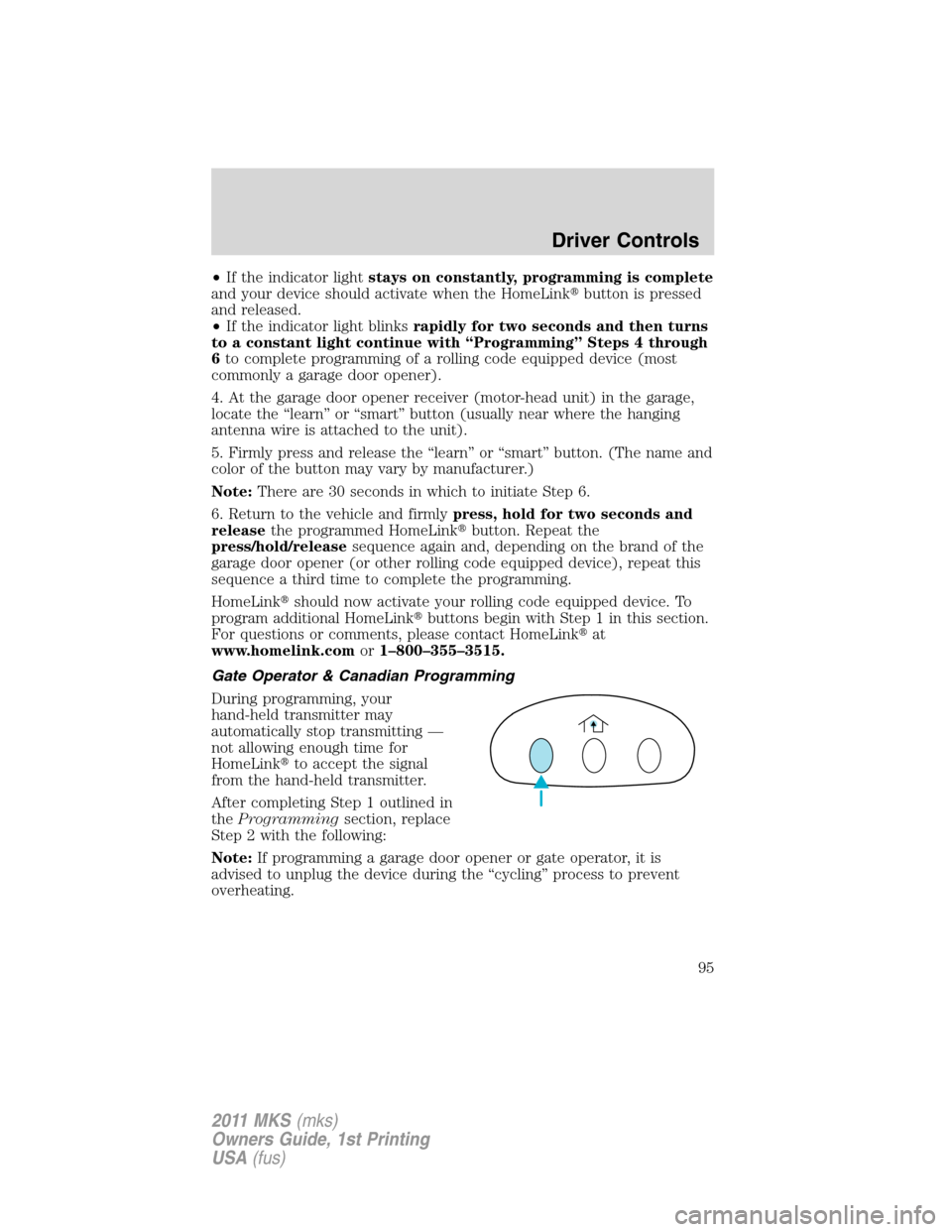
During programming, your
hand-held transmitter may
automatically stop transmitting —
not allowing enough time for
HomeLink�to accept the signal
from the hand-held transmitter.
After completing Step 1 outlined in
theProgrammingsection, replace
Step 2 with the following:
Note:If programming a garage door opener or gate operator, it is
advised to unplug the device during the “cycling” process to prevent
overheating.
Driver Controls
95
2011 MKS(mks)
Owners Guide, 1st Printing
USA(fus)
Page 96 of 377
•Continue to press and hold the HomeLink�button (note Step 2 in the
Programmingsection) while you press and release —every two
seconds(“cycle”) your hand-held transmitter until the frequency
signal has been accepted by the HomeLink�. The indicator light will
flash slowly and then rapidly after HomeLink�accepts the radio
frequency signal.
•Proceed with Step 3 in theProgrammingsection.
Operating the HomeLink�Wireless Control System
To operate, simply press and release
the appropriate HomeLink�button.
Activation will now occur for the
trained product (garage door, gate
operator, security system, entry
door lock, or home or office lighting
etc.). For convenience, the
hand-held transmitter of the device
may also be used at any time. In the event that there are still
programming difficulties, contact HomeLink�atwww.homelink.comor
1–800–355–3515.
Erasing HomeLink�buttons
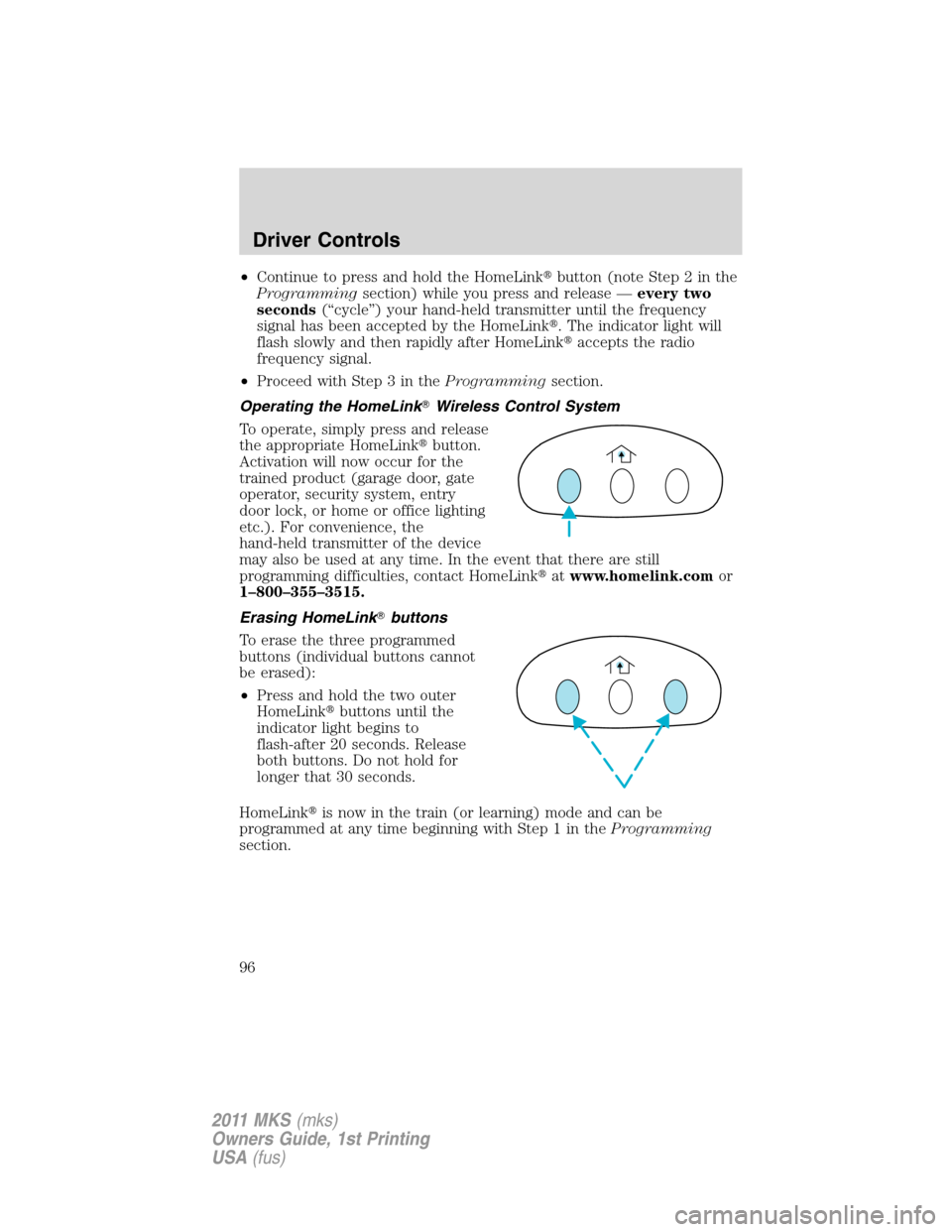
To erase the three programmed
buttons (individual buttons cannot
be erased):
•Press and hold the two outer
HomeLink�buttons until the
indicator light begins to
flash-after 20 seconds. Release
both buttons. Do not hold for
longer that 30 seconds.
HomeLink�is now in the train (or learning) mode and can be
programmed at any time beginning with Step 1 in theProgramming
section.
Driver Controls
96
2011 MKS(mks)
Owners Guide, 1st Printing
USA(fus)
Page 97 of 377

Reprogramming a single HomeLink�button
To program a device to HomeLink�using a HomeLink�button previously
trained, follow these steps:
1. Press and hold the desired HomeLink�button.Do NOTrelease the
button.
2. The indicator light will begin to flash after 20 seconds. Without
releasing the HomeLink�button, follow Step 1 in theProgramming
section.
For questions or comments, contact HomeLink�atwww.homelink.com
or1–800–355–3515.
POSITIVE RETENTION FLOOR MAT
WARNING:Do not install additional floor mats on top of the
factory installed floor mats as they may interfere with the
accelerator or the brake pedals.
Position the floor mat so that the
eyelet is over the retention post and
press down to lock in. Make sure
that the mat does not interfere with
the operation of the accelerator or
the brake pedal. To remove the floor
mat, reverse the installation
procedure.
TRUNK RELEASE
To open the trunk from inside
the vehicle:
Press the trunk release button
located in the glove box.
Driver Controls
97
2011 MKS(mks)
Owners Guide, 1st Printing
USA(fus)
Page 98 of 377
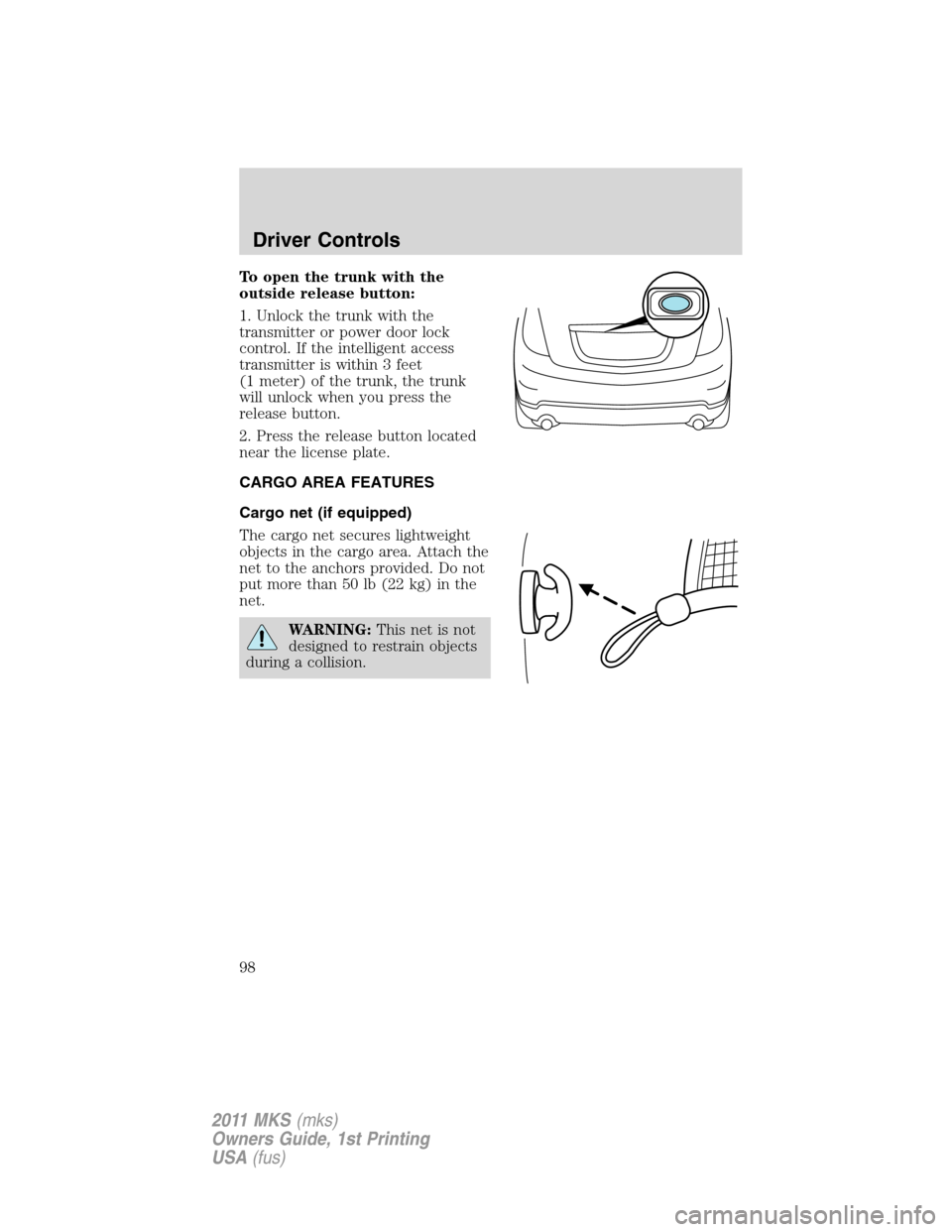
To open the trunk with the
outside release button:
1. Unlock the trunk with the
transmitter or power door lock
control. If the intelligent access
transmitter is within 3 feet
(1 meter) of the trunk, the trunk
will unlock when you press the
release button.
2. Press the release button located
near the license plate.
CARGO AREA FEATURES
Cargo net (if equipped)
The cargo net secures lightweight
objects in the cargo area. Attach the
net to the anchors provided. Do not
put more than 50 lb (22 kg) in the
net.
WARNING:This net is not
designed to restrain objects
during a collision.
Driver Controls
98
2011 MKS(mks)
Owners Guide, 1st Printing
USA(fus)
Page 101 of 377

Create a MyKey™
To program MyKey™ on one of the keys programmed to the vehicle,
insert the key that you want to make a MyKey™ into the ignition. For
vehicles equipped with push button start, put the intelligent access key
in the backup slot; see theDrivingchapter for the location of the
backup slot. Turn the ignition on. Use the message center buttons to do
the following:
1. Press SETUP until PRESS RESET TO CREATE MYKEY is displayed.
2. Press and release the RESET button. HOLD RESET TO CONFIRM
MYKEY will be displayed.
3. Press and hold the RESET button for two seconds until MARK THIS
AS RESTRICTED is displayed.
4. Wait until KEY RESTRICTED AT NEXT START is displayed.
MyKey™ is successfully programmed. Make sure you label it so you can
distinguish it from the admin keys.Note:To program the optional
settings go to Step 2 in theProgramming MyKey™ Optional Settings
section. If your vehicle is equipped with remote start, see theUsing
MyKey™ with Remote Start Systemssection.
Note:The MyKey™ can be cleared within the same key cycle that it was
created, otherwise a standard key (administrator key) is required to
clear the MyKey™ programming. To clear all MyKeys™ go to Step 2 in
theClear MyKey™section.
Programming MyKey™ Optional Settings
Turn the ignition on using an admin key. To program the optional
settings, use the message center buttons to do the following:
1. Press SETUP until RESET FOR MYKEY SETTINGS is displayed.
2. Press and release the RESET button to display MyKey setup menus.
The first menu shown is:
MYKEY MAX MPH <80 MPH> OFF
3. If you don’t want to change the maximum speed setting, press the
SETUP button to display the next menu. The remaining menus appear as
follows with the default settings shown:
MYKEY MPH TONES 45 55 65
MYKEY VOLUME LIMIT OFF
MYKEY ADVTRAC CTRL ON .
4. On any of the menus press RESET to highlight your choice with the
<…>.
Locks and Security
101
2011 MKS(mks)
Owners Guide, 1st Printing
USA(fus)
Page 111 of 377

INTERIOR LUGGAGE COMPARTMENT RELEASE
Your vehicle is equipped with a mechanical interior luggage compartment
release handle that provides a means of escape for children and adults in
the event they become locked inside the luggage compartment.
Adults are advised to familiarize themselves with the operation and
location of the release handle.
To open the luggage compartment
door (lid) from within the luggage
compartment, pull the illuminated
“T” shaped handle and push up on
the trunk lid. The handle is
composed of a material that will
glow for hours in darkness following
brief exposure to ambient light.
The “T” shaped handle will be
located either on the luggage
compartment door (lid) or inside
the luggage compartment near the
tail lamps.
WARNING:Keep vehicle
doors and luggage
compartment locked and keep
keys and remote transmitters out
of a child’s reach. Unsupervised
children could lock themselves in
the trunk and risk injury. Children
should be taught not to play in
vehicles.
Locks and Security
111
2011 MKS(mks)
Owners Guide, 1st Printing
USA(fus)
Page 117 of 377

2. Remove the old battery.
Note:Please refer to local
regulations when disposing of
transmitter batteries.
3. Insert the new battery. Refer to
the instructions inside the IA key
for the correct orientation of the
battery. Press the battery down to
ensure that the battery is fully
seated in the battery housing cavity.
4. Snap the battery cover back onto the transmitter and install the
backup key.
Note:Replacement of the battery willnotcause the IA key to become
de-programmed from your vehicle. They should operate normally after
battery replacement.
Replacing lost intelligent access keys (IA keys)
If you would like to have your IA keys reprogrammed because you lost
one, or would like to buy additional transmitters you can either
reprogram them yourself, or takeall transmittersto your authorized
dealer for reprogramming.
How to reprogram your intelligent access keys (IA keys)
To program new IA keys yourself, refer toSecuriLock�passive
anti-theftsection of this chapter.Note:At least two already
programmed transmitters are required to perform this procedure
yourself.
Illuminated entry
The interior lamps, parking lamps and puddle lamps (if equipped)
illuminate when the IA key or the keyless entry keypad is used to unlock
the door(s).
The illuminated entry system will turn off the lights if:
•the ignition is turned on, or
•the
control on the transmitter is pressed, or
•the vehicle is locked using the keyless entry keypad, or
•the vehicle is locked using the key in the driver door cylinder, or
•after 25 seconds of illumination.
Locks and Security
117
2011 MKS(mks)
Owners Guide, 1st Printing
USA(fus)
Page 118 of 377

The lights will not turn off if:
•they have been turned on with the dimmer control, or
•any door is open.
Illuminated exit
•When all vehicle doors are closed, the ignition is turned off , the
interior dome lamps, parking lamps and puddle lamps (if equipped)
will illuminate.
The lights will turn off if all the doors remain closed and
•25 seconds elapse, or
•the start button is pressed.
Battery saver
The battery saver will shut off the lamps 10 minutes after the ignition
has been turned off.
•If the dome lamps were turned on using the panel dimmer control, the
battery saver will shut them off 10 minutes after the ignition has been
turned off.
•If the courtesy lamps were turned on because one of the vehicle doors
or the trunk was opened, the battery saver will shut them off
10 minutes after the ignition has been turned off.
•The battery saver will shut off the headlamps 10 minutes after the
ignition has been turned off.
Accessory mode battery saver for intelligent access keys with
push button start
The battery saver will shut off the ignition approximately 45 minutes
after the vehicle is left in accessory mode, in order to preserve the
vehicle’s battery.
Locks and Security
118
2011 MKS(mks)
Owners Guide, 1st Printing
USA(fus)