2011 KIA VENGA battery
[x] Cancel search: batteryPage 491 of 761
Features of your vehicle
70
4
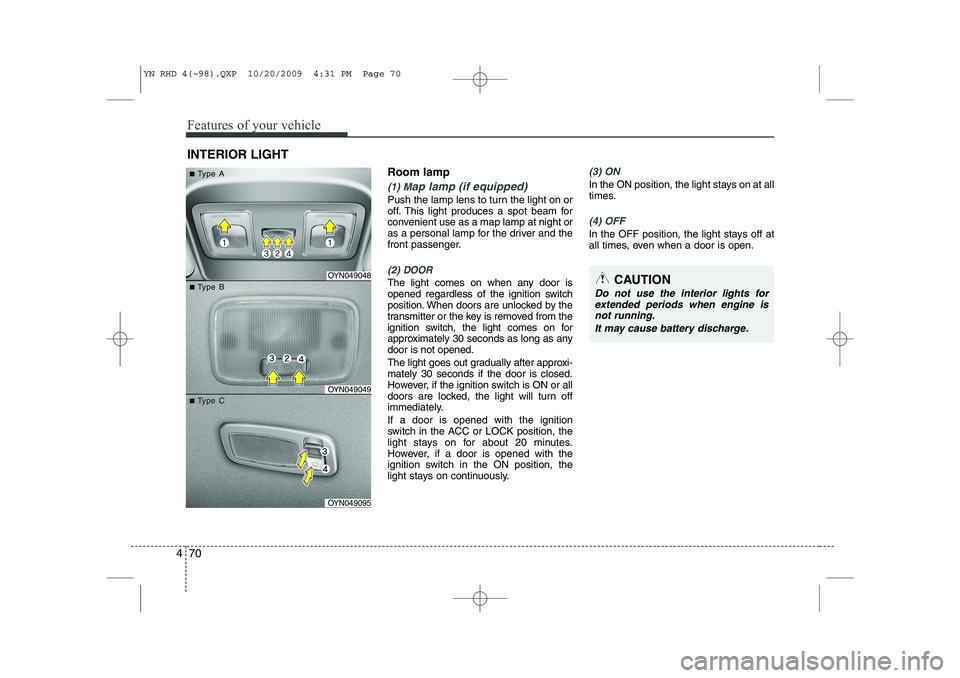
Room lamp
(1) Map lamp (if equipped)
Push the lamp lens to turn the light on or
off. This light produces a spot beam for
convenient use as a map lamp at night or
as a personal lamp for the driver and the
front passenger.
(2) DOOR
The light comes on when any door is
opened regardless of the ignition switch
position. When doors are unlocked by the
transmitter or the key is removed from the
ignition switch, the light comes on for
approximately 30 seconds as long as anydoor is not opened.
The light goes out gradually after approxi- mately 30 seconds if the door is closed.
However, if the ignition switch is ON or all
doors are locked, the light will turn off
immediately. If a door is opened with the ignition
switch in the ACC or LOCK position, the
light stays on for about 20 minutes.
However, if a door is opened with the
ignition switch in the ON position, the
light stays on continuously.
(3) ON
In the ON position, the light stays on at all
times.
(4) OFF
In the OFF position, the light stays off at
all times, even when a door is open.
INTERIOR LIGHT
CAUTION
Do not use the interior lights for
extended periods when engine is not running.
It may cause battery discharge.
OYN049048
OYN049049
OYN049095
■■TType Aype A
■■TType Bype B
■■TType Cype C
YN RHD 4(~98).QXP 10/20/2009 4:31 PM Page 70
Page 506 of 761
485
Features of your vehicle
Temperature conversion
If the battery has been discharged or dis-
connected, the temperature mode dis-
play will reset to Centigrade.
This is normal condition. You can switch the
temperature mode between Centigrade to
Fahrenheit as follows;
Whilst depressing the AUTO button,
depress the OFF button for 3 seconds or
more. The display will change from
Centigrade to Fahrenheit, or from
Fahrenheit to Centigrade.
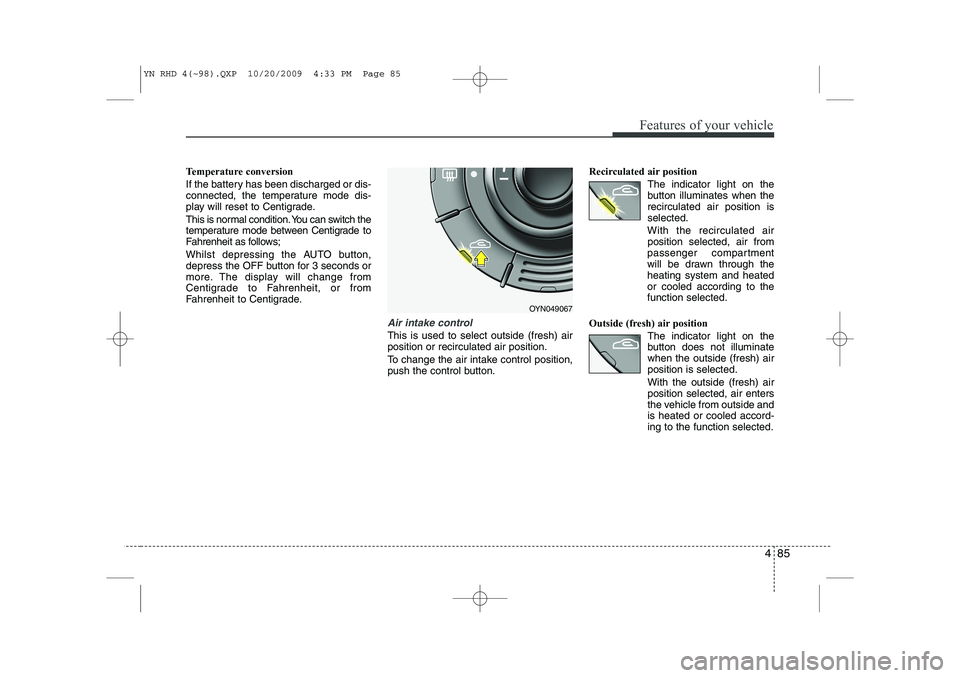
Air intake control
This is used to select outside (fresh) air position or recirculated air position.
To change the air intake control position,
push the control button.Recirculated air position
The indicator light on the
button illuminates when therecirculated air position isselected.
With the recirculated air position selected, air from
passenger compartment
will be drawn through theheating system and heatedor cooled according to thefunction selected.
Outside (fresh) air position The indicator light on the
button does not illuminatewhen the outside (fresh) airposition is selected. With the outside (fresh) air position selected, air enters
the vehicle from outside andis heated or cooled accord-ing to the function selected.
OYN049067
YN RHD 4(~98).QXP 10/20/2009 4:33 PM Page 85
Page 514 of 761

493
Features of your vehicle
INTERIOR FEATURES
LCD monitor (clock, outside tem-
perature, etc.) (if equipped)
The monitor will display the outside tem-
perature, date* and time.
If your vehicle enters into the icy road at
outside temperature range of -5°C to 3°C
(23°F to 37°F), the temperature digits will
blink five times and the symbol ( ) will
illuminate. The date display when the radio power is
turned off.
To change the date*, time, distance unit (km
↔ mi)* or temperature unit(°C ↔
°F), press the SET button for more than1 second.
Then you will enter the set-up mode and
mode changes in the following order as
you press the SET button less than 1second. YEAR* →MONTH* →DAY* →HOUR →
MINUTE →DISTANCE UNIT CHANGE*
→ TEMPERATURE UNIT CHANGE →
Escape set-up mode
Press the SET button less than 1 second to select the mode and set the data usingthe UP( ▲) and DOWN( ▼) button whilst
the selected setting mode blinks.
To cancel the SET UP mode, do one of
the following :
- Press the SET button less than 1 sec- ond in set-up temperature unit change mode
- Press the SET button more than 1 sec- ond in any set-up mode
- After 15 seconds without any key press
- Ignition is ON or OFF in set-up mode
- Battery is disconnected * if equipped Cigarette lighter (if equipped)
For the cigarette lighter to work, the igni-
tion switch must be in the ACC or ONposition.
To use the cigarette lighter, push it all the
way into its socket. When the element isheated, the lighter will pop out to the
“ready” position.
If it is necessary to replace the cigarette
lighter, use only a genuine KIA replace-
ment or its approved equivalent.
OYN049080R
OYN049106
OYN049132
■
Type A
■Type B
YN RHD 4(~98).QXP 10/20/2009 4:34 PM Page 93
Page 516 of 761
495
Features of your vehicle
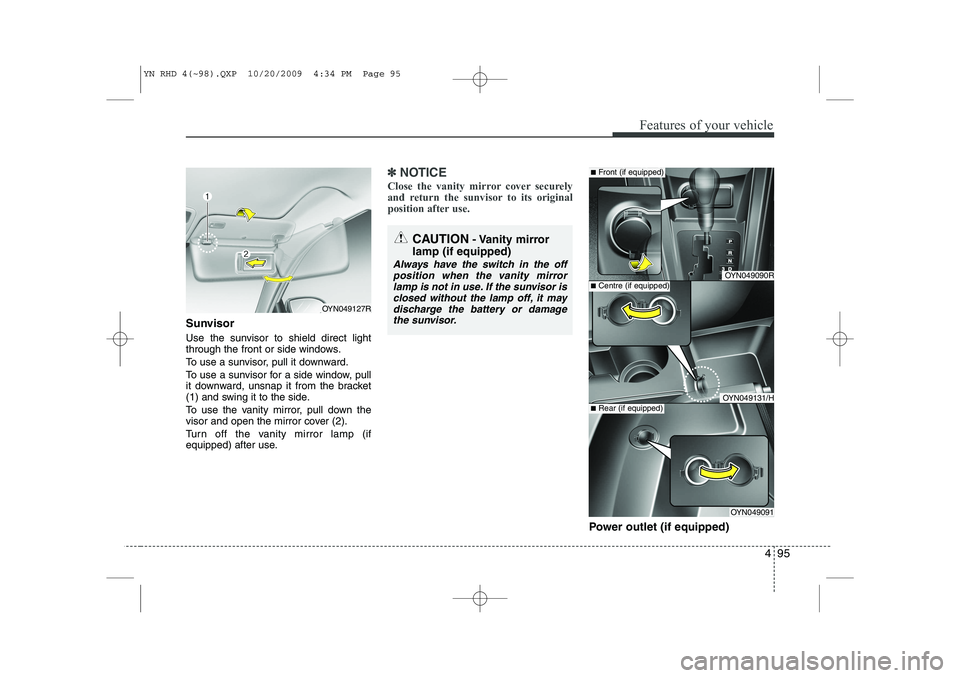
Sunvisor
Use the sunvisor to shield direct light
through the front or side windows.
To use a sunvisor, pull it downward.
To use a sunvisor for a side window, pull
it downward, unsnap it from the bracket
(1) and swing it to the side.
To use the vanity mirror, pull down the
visor and open the mirror cover (2).
Turn off the vanity mirror lamp (if
equipped) after use.
✽✽NOTICE
Close the vanity mirror cover securely
and return the sunvisor to its original
position after use.
Power outlet (if equipped)
OYN049127R
CAUTION - Vanity mirror
lamp (if equipped)
Always have the switch in the off position when the vanity mirrorlamp is not in use. If the sunvisor is closed without the lamp off, it may
discharge the battery or damage the sunvisor.OYN049090R
OYN049131/H
OYN049091
■ Centre (if equipped)
■Front (if equipped)
■Rear (if equipped)
YN RHD 4(~98).QXP 10/20/2009 4:34 PM Page 95
Page 549 of 761
Features of your vehicle
128
4
Security Code
The unit is equipped with a security code
option. This code can be used to protect
the Head Unit against theft. In case theHead Unit is being disconnected from the
car’s power supply and the security code
option being active you will be prompted
to enter the four digit security code. ‰ Any code except 0000 enables the
security code feature.
‰ Code 0000 disables the security code
feature.
Behavior of security code function ‰ Security Code will be prompted if
security code function is enabled and
battery is disconnected.
‰ radio functions are deactivated dur-
ing the Security Code Prompt
‰ User is given 2 attempts to enter the
correct security code.
‰ Upon correct entry of the security
code, all the radio functions will be
activated.
‰ Upon 2 attempts of incorrect entry of
the security code, radio will enter the
LOCKED state.
‰ Once in LOCKED state, radio will only
prompt for security code after 1 hour. Enabling the Security Code option
)
Short press the SETUPbutton to
enter the SETUP menu.
) Short press the or button to
access the Security Code mode.
✎ Now you have to enter the current
security code.
) 1.Short press the or button to
set the value for each digit of the cur-
rent security code.
) 2.Short press the or button to
select a specific digit.
) 3.Short press the OKbutton to con-
firm the security code.
9 Upon correct entry of the security
code, you will be asked to enter the
new security code that will replace the
previous code memorized in the HeadUnit.
) Repeat the steps 1., 2. and 3.to enter
the new code.
) To abort the Security Code Menu in
Setup mode, press either one of the
following buttons: , , FM, AM,
CD, AUX, MUTE, TA, 1 through 6,
AST, SCAN, INFO, SETUP, SOUND
or .
WARNING
If security code function is activat-
ed and battery was disconnected,
audio set will ask for the Security
code. Be careful and remember the
password that you have changed.
YN RHD 4(99~AUDIO).QXP 6/1/2010 4:03 PM Page 128
Page 556 of 761
Driving your vehicle
4
5
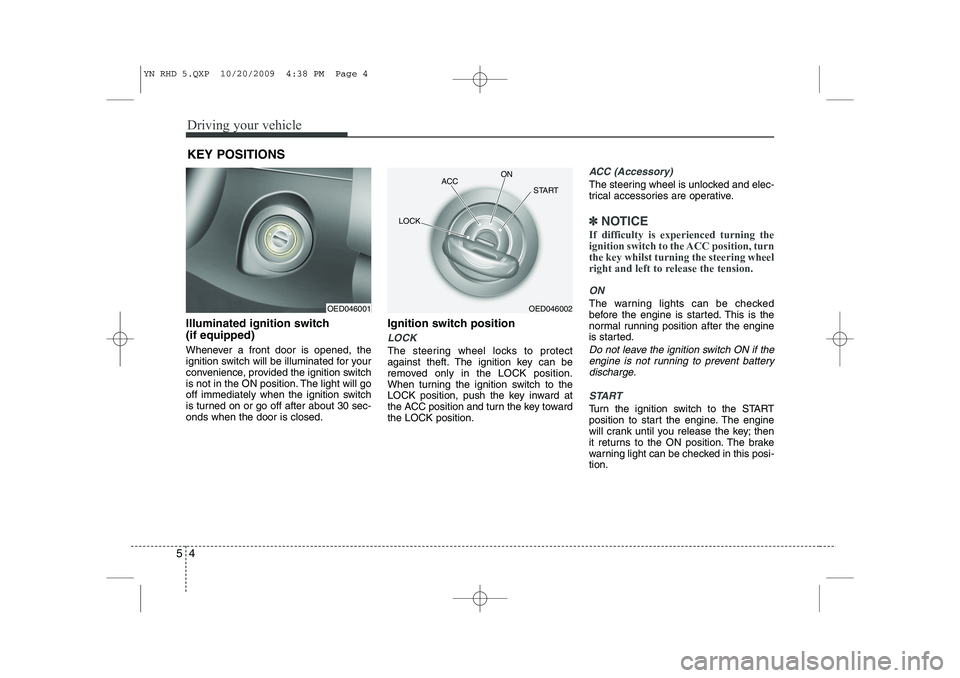
Illuminated ignition switch (if equipped)
Whenever a front door is opened, the
ignition switch will be illuminated for your
convenience, provided the ignition switch
is not in the ON position. The light will go
off immediately when the ignition switch
is turned on or go off after about 30 sec-onds when the door is closed. Ignition switch position
LOCK
The steering wheel locks to protect
against theft. The ignition key can be
removed only in the LOCK position.
When turning the ignition switch to the
LOCK position, push the key inward at
the ACC position and turn the key towardthe LOCK position.
ACC (Accessory)
The steering wheel is unlocked and elec-
trical accessories are operative.
✽✽
NOTICE
If difficulty is experienced turning the
ignition switch to the ACC position, turnthe key whilst turning the steering wheel
right and left to release the tension.
ON
The warning lights can be checked
before the engine is started. This is the
normal running position after the engine
is started.
Do not leave the ignition switch ON if the engine is not running to prevent battery discharge.
START
Turn the ignition switch to the START
position to start the engine. The engine
will crank until you release the key; then
it returns to the ON position. The brake
warning light can be checked in this posi-tion.
KEY POSITIONS
OED046001OED046002
ACC
ON
START
LOCK
YN RHD 5.QXP 10/20/2009 4:38 PM Page 4
Page 566 of 761
Driving your vehicle
14
5
Your vehicle may be equipped with the ISG system, which reduces fuel con-
sumption by automatically shutting down
the engine, when the vehicle is at astandstill.
(For example : red light, stop sign and
traffic jam)
The engine starts automatically as soon
as the starting conditions are met.
✽
✽ NOTICE
When the engine automatically starts by
the ISG system, some warning
lights(ABS, ESP, ESP OFF, EPS orParking brake warning light) may turn
on for a few seconds. This happens because of low batteryvoltage. It does not mean the system ismalfunctioning.
ISG(Idle Stop and Go) Operation
The ISG system is ON whenever the igni-
tion switch is turned on.
The engine will enter the idle stop (AUTO
STOP) mode automatically when all ofthe essential conditions are met.
For example;
The gear is not engaged & clutch not
pressed
The vehicle speed should be over 10km/h at least once after key starting
or idle starting.
The vehicle speed should be below 5km/h The outside temperature is between
2°C to 35°C
The engine coolant temperature is not too low
Battery charge status is adequately high
The driver's seat belt is fastened
The driver's door and bonnet are closed.
It could be different up to the vehicle con- dition.
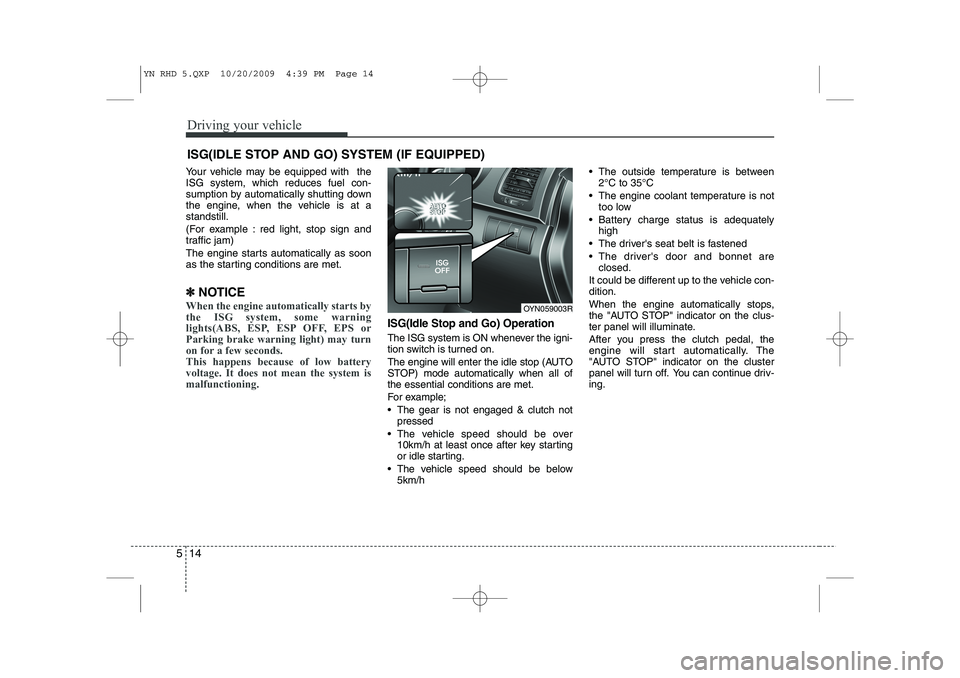
When the engine automatically stops,
the "AUTO STOP" indicator on the clus-
ter panel will illuminate.
After you press the clutch pedal, the
engine will start automatically. The
"AUTO STOP" indicator on the cluster
panel will turn off. You can continue driv-ing.
ISG(IDLE STOP AND GO) SYSTEM (IF EQUIPPED)
OYN059003R
YN RHD 5.QXP 10/20/2009 4:39 PM Page 14
Page 567 of 761
515
Driving your vehicle
ISG auto-starting
Before and after the engine enters the
idle stop mode, the ISG system will auto-
matically check all the necessary items
such as the safety of the vehicle and pas-
senger comfort.
The engine will start automatically with-
out the driver's action if any of the follow-ing occurs:
• If the brake vacuum pressure is low
If the fan speed of the manual climatecontrol system is set above the 3rd position when the air conditioning is on
If the fan speed of the automatic cli- mate control system is set above the6th position when the air conditioningis on
When a certain amount of time has passed with the climate control systemon
When the defroster is ON
When the battery charge status is low
If the vehicle speed is over 5km/h by rolling down a hill
It could be different up to the vehicle con-dition.
When the automatic starting occurs, the
"AUTO STOP" indicator on the cluster
will blink for 5 seconds. ISG(Idle Stop and Go) system
deactivation
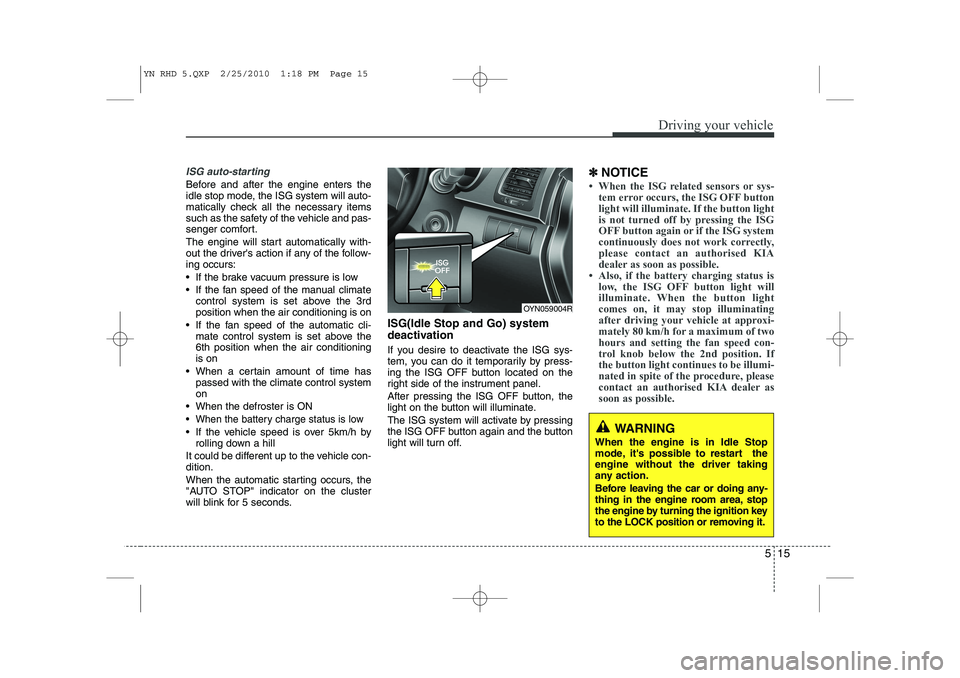
If you desire to deactivate the ISG sys-
tem, you can do it temporarily by press-
ing the ISG OFF button located on the
right side of the instrument panel.
After pressing the ISG OFF button, the
light on the button will illuminate.
The ISG system will activate by pressing
the ISG OFF button again and the button
light will turn off. ✽
✽
NOTICE