2011 KIA CADENZA steering
[x] Cancel search: steeringPage 201 of 352

Knowing your vehicle
140
4
When several phones are paired with theaudio system, the system attempts to
connect following order when theBluetooth ®
system is enabled:
1) “Priority” checked phone.
2) Previously connected phone
3) Gives up auto connection.
1. Press [SETUP] button to enter SETUP mode.
2. Select "PHONE" then "PRIORITY" in PHONE menu
3. Select desired phone name from the list shown.
Bluetooth ®
ON/OFF
Bluetooth ®
system can be enabled (ON)
or disabled (OFF) by this menu.
- If Bluetooth ®
is disabled, all the com-
mands related to Bluetooth ®
system
prompts whether you wish to turn Bluetooth ®
ON or not.
1. Press [SETUP] button to enter SETUP mode.
2. Select “PHONE”, then “BT OFF” in PHONE menu. ■
Receiving a Phone Call
When receiving a phone call, a ringtone
is audible from speakers and the audio
system changes into telephone mode.
When receiving a phone call, “Incoming”
message and incoming phone number
(if available) are displayed on the audio.
- Press bu t t o n on the steering wheel.
- Press button on the steering wheel.
- Use VOLUME buttons on the steering wheel.
Call):
- Press and hold button on the steer- ing wheel until the audio system trans-
fers a call to the phone. ■
Talking on the Phone
When talking on the phone, “Active Calls”
message and the other party’s phone
number (if available) are displayed on the
audio.
- Press [MUTE] button on the audio.
- Press button on the steering wheel.
Page 202 of 352

4141
Knowing your vehicle
■Making a Phone Call
A Call Back can be made by pressing button on the steering wheel.
- This is the same function as using the button solely on the cellular phone.
NOTE: Some phone models require pressing button twice to make a call.
✽✽NOTICE
In the following situations, you or the
other party may have difficulty hearing
each other:
1. Speaking at the same time, your voice
may not reach each other parties. (This
is not a malfunction.) Speak alternate-
ly with the other party on the phone.
2. Keep the Bluetooth(R) volume to a
low level. High-level volume may
result in distortion and echo.
3. When driving on a rough road.
4. When driving at high speeds.
5. When the window is open.
6. When the air conditioning vents are facing the microphone.
7. When the sound of the air condition- ing fan is loud.
■Using the head unit as Bluetooth
music
This audio system supports A2DP (Audio
Advanced Distribution Profile) and
AVRCP(Audio Video Remote ControlProfile).
Both profiles are available for listening to
the MP3 music via Bluetooth cellular phone
supporting above Bluetooth profiles.
To play MP3 music from the Bluetooth
cellular phone, press the [AUX] button
until “MP3 Play” is displayed on the LCD.
Then try playing music by phone.
When playing music from the Bluetooth
cellular phone, the head unit displays MP3 MODE. NOTE:
all the sounds that the phone supports can be
heard by the audio system.
feature A2DP and AVRCP functions.
cellular phones may not play music
through the head unit on first try.
Please try the below;
i.e : Menu ➟
Filemanager ➟Music ➟
Option ➟Play via Bluetooth
phone for more.
To stop music, try stop playing
music from the phone then change
the audio mode to other than “MP3
Play” mode (e.g. FM, AM, CD, etc.)
Page 207 of 352

Driving your vehicle
4
5
Illuminated ignition switch
Whenever a front door is opened, the
ignition switch will illuminate for your con-
venience, provided the ignition switch is
not in the ON position. The light will go off
immediately when the ignition switch is
turned on. It will also go off after about 30seconds when the door is closed. Ignition switch position
LOCK
The steering wheel locks to protect
against theft. The ignition key can be
removed only in the LOCK position.
When turning the ignition switch to the
LOCK position, push the key inward at
the ACC position and turn the key towardthe LOCK position.
ACC (Accessory)
The steering wheel is unlocked and elec-
trical accessories are operative.
✽✽
NOTICE
If difficulty is experienced turning the
ignition switch to the ACC position, turn
the key while turning the steering wheel
right and left to release the tension.
ON
The warning lights can be checked
before the engine is started. This is the
normal running position after the engine
is started.
Do not leave the ignition switch ON if the engine is not running to prevent the bat-tery from discharging.
KEY
OYF059017NOYF059016
Page 208 of 352

55
Driving your vehicle
START
Turn the ignition switch to the START
position to start the engine. The engine
will crank until you release the key; then
it returns to the ON position. The brake
warning lamp can be checked in thisposition.Starting the engine
WARNING -
Ignition
switch
Never turn the ignition switch to LOCK or ACC while the vehicle is
moving. This would result in loss
of directional control and braking
function, which could cause anaccident.
The anti-theft steering column lock is not a substitute for the parking
brake. Before leaving the driver’s
seat, always make sure the shift
lever is engaged in P (Park), set the
parking brake fully and shut the
engine off. Unexpected and sud-
den vehicle movement may occurif these precautions are not taken.
(Continued)
(Continued)
Never reach for the ignition switch,or any other controls through the
steering wheel while the vehicle is
in motion. The presence of yourhand or arm in this area could
cause a loss of vehicle control, an
accident and serious bodily injuryor death.
Do not place any movable objects around the driver’s seat as they
may move while driving, interferewith the driver and lead to an acci-dent.
WARNING
Always wear appropriate shoes
when operating your vehicle.
Unsuitable shoes (high heels, ski
boots,etc.) may interfere with yourability to use the brake and acceler-ator pedal.
Page 210 of 352

57
Driving your vehicle
Illuminated ENGINE START/STOP
button
Whenever the front door is opened, the
ENGINE START/STOP button will illumi-
nate for your convenience. The light willgo off after about 30 seconds when the
door is closed. It will also go off immedi-
ately when the theft-alarm system is
armed.ENGINE START/STOP button position
OFF
To turn off the engine (START/RUN posi-
tion) or vehicle power (ON position),
press the ENGINE START/STOP button
with the shift lever in the P (Park) posi-
tion. When you press the ENGINE
START/STOP button without the shift
lever in the P (Park) position, the
ENGINE START/STOP button will not
change to the OFF position but to the
ACC position.
Also, the steering wheel locks when the
ENGINE START/STOP button is in the
OFF position to protect you against theft.
It locks when the door is opened or when
you pull out the smart key from the smart
key holder.If the steering wheel is not locked prop-
erly when you open the driver's door, the
warning chime will sound. Try locking the
steering wheel again. If the problem is
not solved, have it checked by an author-
ized KIA dealer.
In addition, if the ENGINE START/STOP
button is in the OFF position after the dri-
ver's door is opened, the steering wheel
will not lock and the warning chime will
sound. In such a situation, close the door.
Then the steering wheel will lock and the
warning chime will stop.
✽✽
NOTICE
If the steering wheel doesn't unlock
properly, the ENGINE START/STOP
button will not work. Press the ENGINE
START/STOP button while turning the
steering wheel right and left to release
the tension.
ENGINE START/STOP BUTTON
OVG059005
Not illuminated
Page 211 of 352

Driving your vehicle
8
5
ACC(Accessory)
Press the ENGINE START/STOP button while it is in the OFF position without
depressing the brake pedal.
The steering wheel unlocks and electri-
cal accessories are operational.
If the ENGINE START/STOP button is in
the ACC position for more than 1 hour,
the button turns off automatically to pre-
vent battery discharge.
ON
Press the ENGINE START/STOP button
while it is in the ACC position without
depressing the brake pedal.
The warning lights can be checked
before the engine is started. Do not leave
the ENGINE START/STOP button in the
ON position for a long time. The battery
may discharge, because the engine is
not running.
Orange indicatorGreen indicator
CAUTION
You are able to turn off the engine
(START/RUN) or vehicle power
(ON), only when the vehicle is not inmotion. In an emergency situationwhile the vehicle is in motion, you are able to turn the engine off and
to the ACC position by pressing theENGINE START/STOP button formore than 2 seconds or 3 times
successively within 3 seconds. Ifthe vehicle is still moving, you canrestart the engine without depress-ing the brake pedal by pressing the
ENGINE START/STOP button withthe shift lever in the N (Neutral)position.
Page 212 of 352
59
Driving your vehicle
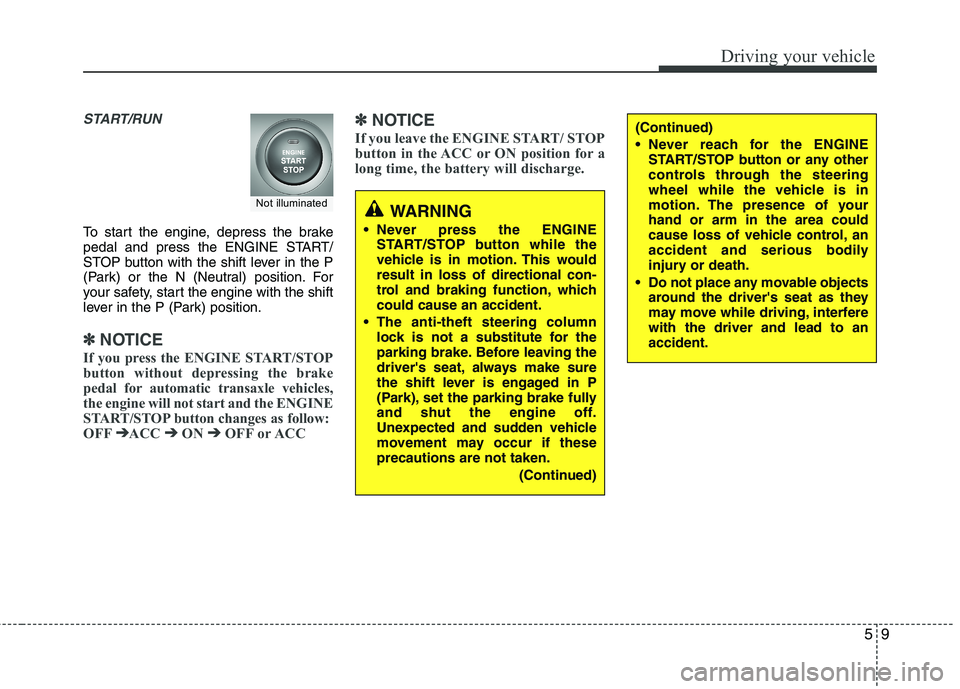
START/RUN
To start the engine, depress the brake
pedal and press the ENGINE START/
STOP button with the shift lever in the P
(Park) or the N (Neutral) position. For
your safety, start the engine with the shift
lever in the P (Park) position.
✽✽
NOTICE
If you press the ENGINE START/STOP
button without depressing the brake
pedal for automatic transaxle vehicles,
the engine will not start and the ENGINE
START/STOP button changes as follow:
OFF ➔
➔
ACC ➔➔
ON ➔➔
OFF or ACC ✽
✽
NOTICE
If you leave the ENGINE START/ STOP
button in the ACC or ON position for a
long time, the battery will discharge.
WARNING
Never press the ENGINE START/STOP button while the
vehicle is in motion. This wouldresult in loss of directional con-
trol and braking function, whichcould cause an accident.
The anti-theft steering column lock is not a substitute for the
parking brake. Before leaving the
driver's seat, always make sure
the shift lever is engaged in P
(Park), set the parking brake fully
and shut the engine off.
Unexpected and sudden vehicle
movement may occur if theseprecautions are not taken.
(Continued)
(Continued)
Never reach for the ENGINESTART/STOP button or any other
controls through the steering
wheel while the vehicle is in
motion. The presence of yourhand or arm in the area could
cause loss of vehicle control, an
accident and serious bodily
injury or death.
Do not place any movable objects around the driver's seat as they
may move while driving, interferewith the driver and lead to anaccident.
Not illuminated
Page 220 of 352

517
Driving your vehicle
Moving up a steep grade from a stand-ing start
To move up a steep grade from a stand-
ing start, depress the brake pedal, shift
the shift lever to D (Drive). Select the
appropriate gear depending on load
weight and steepness of the grade, and
release the parking brake. Depress the
accelerator gradually while releasing the
service brakes.
WARNING
If your vehicle becomes stuck in
snow, mud, sand, etc., then you
may attempt to rock the vehicle free
by moving it forward and backward.
Do not attempt this procedure if
people or objects are anywhere
near the vehicle. During the rocking
operation the vehicle may suddenly
move forward or backward as it
becomes unstuck, causing injury
or damage to nearby people orobjects.WARNING
Always buckle-up! In a collision, an unbelted occupant is signifi-
cantly more likely to be seriously
injured or killed than a properlybelted occupant.
Avoid high speeds when corner- ing or turning.
Do not make quick steering wheel movements, such as sharp
lane changes or fast, sharp turns.
The risk of rollover is greatly increased if you lose control of
your vehicle at highway speeds.
Loss of control often occurs if two or more wheels drop off the
roadway and the driver over-
steers to reenter the roadway.
In the event your vehicle leaves the roadway, do not steer sharply.
Instead, slow down before pulling
back into the travel lanes.
Never exceed posted speed lim- its.