Page 139 of 542
“Continue” (to continue recording)
“Delete” (to delete the recording)
•“Play Memos” (to play previously recorded memos)
— During the playback you may press the Voice
Command
button to stop playing memos. You
proceed by saying one of the following commands:
“Repeat” (to repeat a memo)
“Next” (to play the next memo)
“Previous” (to play the previous memo)
“Delete” (to delete a memo)
•“Delete All” (to delete all memos)
Setup
To switch to system setup, you may say on of the
following:
•“Change to setup”
•“Switch to system setup”
•“Change to setup”
•“Main menu setup” or
•“Switch to setup”
In this mode, you may say the following commands:
•“Language English”
•“Language French”
•“Language Spanish”
•“Tutorial”
•“Voice Training”
NOTE: Keep in mind that you have to press the Voice
Command
button first and wait for the beep
before speaking the “Barge In” commands.
3
UNDERSTANDING THE FEATURES OF YOUR VEHICLE 137
Page 142 of 542
Passenger Power Seat — If Equipped
Vehicle’s equipped with passenger power seats can only
be adjusted forward and backward.
WARNING!
•Adjusting a seat while driving may be dangerous.
Moving a seat while driving could result in loss of
control which could cause a collision and serious
injury or death.
•Seats should be adjusted before fastening the seat
belts and while the vehicle is parked. Serious
injury or death could result from a poorly adjusted
seat belt.
•Do not ride with the seatback reclined so that the
shoulder belt is no longer resting against your
chest. In a collision you could slide under the seat
belt, which could result in serious injury or death.
CAUTION!
Do not place any article under a power seat or
impede its ability to move as it may cause damage to
the seat controls. Seat travel may become limited if
movement is stopped by an obstruction in the seat’s
path.
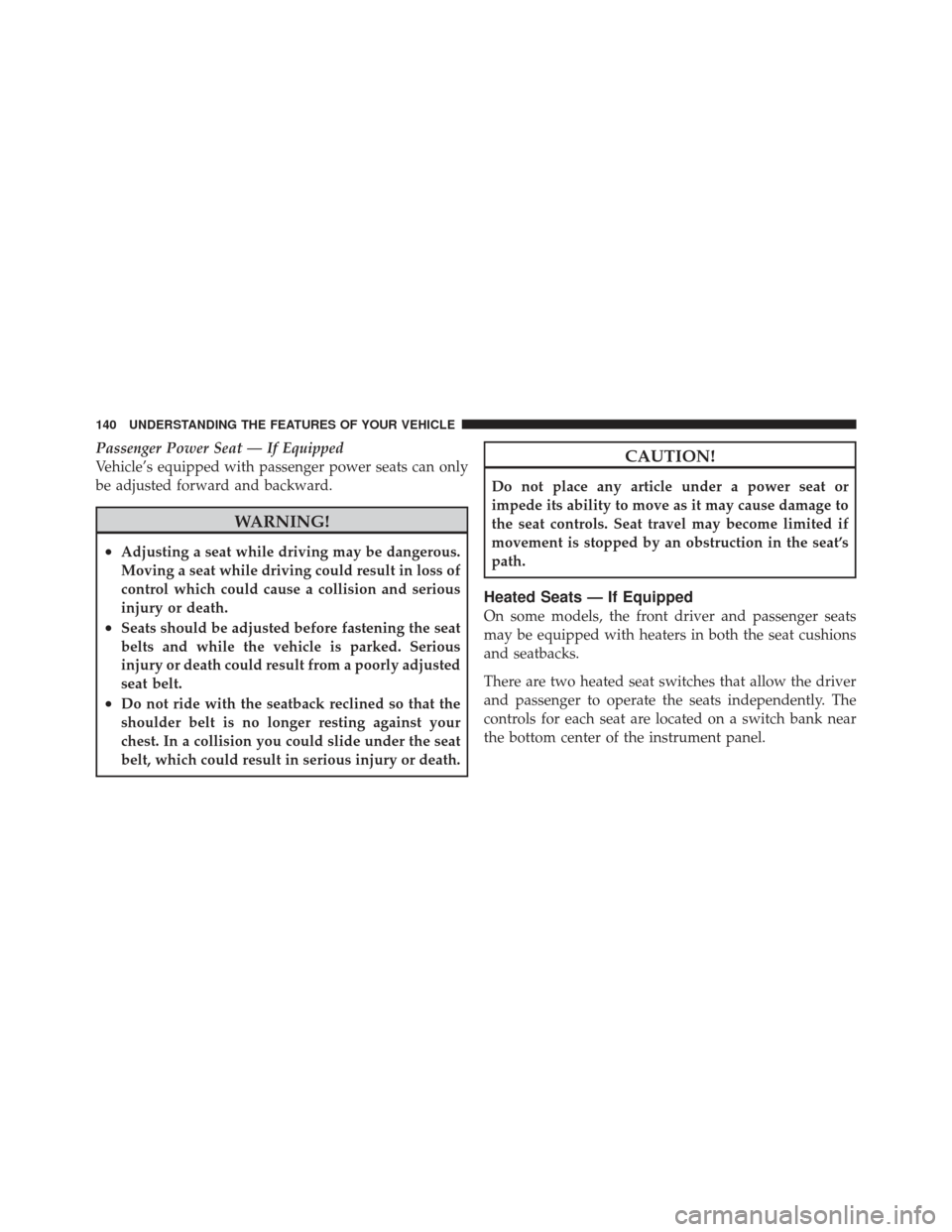
Heated Seats — If Equipped
On some models, the front driver and passenger seats
may be equipped with heaters in both the seat cushions
and seatbacks.
There are two heated seat switches that allow the driver
and passenger to operate the seats independently. The
controls for each seat are located on a switch bank near
the bottom center of the instrument panel.
140 UNDERSTANDING THE FEATURES OF YOUR VEHICLE
Page 161 of 542
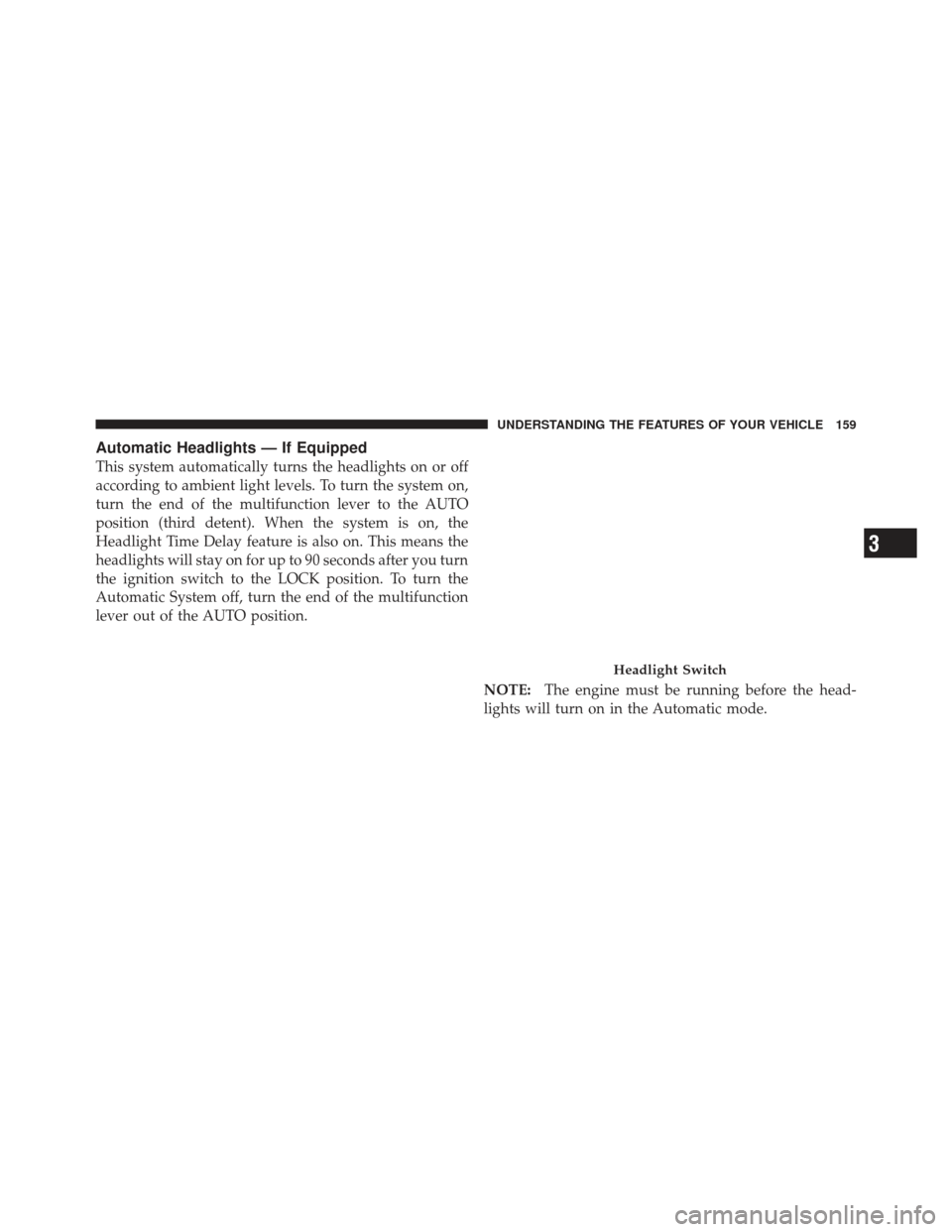
Automatic Headlights — If Equipped
This system automatically turns the headlights on or off
according to ambient light levels. To turn the system on,
turn the end of the multifunction lever to the AUTO
position (third detent). When the system is on, the
Headlight Time Delay feature is also on. This means the
headlights will stay on for up to 90 seconds after you turn
the ignition switch to the LOCK position. To turn the
Automatic System off, turn the end of the multifunction
lever out of the AUTO position.NOTE:The engine must be running before the head-
lights will turn on in the Automatic mode.
Headlight Switch
3
UNDERSTANDING THE FEATURES OF YOUR VEHICLE 159
Page 172 of 542
•Remote Start Wipe Inhibit (Vehicles Equipped with
Remote Start System)— The rain-sensing feature will
not operate when the vehicle is in remote start mode.
This feature will return to normal operation once
remote start mode is exited. Refer to “Remote Start
System” in “Things To Know Before Starting Your
Vehicle” for further information.
Headlights With Wipers
(Available With Automatic Headlights Only)
When this feature is active, the headlights will turn on
approximately 10 seconds after the wipers are turned on
if the multifunction lever (on the left side of the steering
column) is placed in the AUTO position. In addition, the
headlights will turn off when the wipers are turned off if
they were turned on by this feature. The Headlights with Wipers feature can be turned on or
off through the Electronic Vehicle Information Center
(EVIC) — if equipped. Refer to “Electronic Vehicle Infor-
mation Center (EVIC)/Personal Settings (Customer-
Programmable Features)” in “Understanding Your In-
strument Panel” for further information.
TILT STEERING COLUMN
This feature allows you to tilt the steering column
upward or downward. The tilt control handle is located
below the steering wheel at the end of the steering
column.
170 UNDERSTANDING THE FEATURES OF YOUR VEHICLE
Page 186 of 542
NOTE:HomeLink� is disabled when the Vehicle Secu-
rity Alarm is active.
WARNING!
•Your motorized door or gate will open and close
while you are training the Universal Transceiver.
Do not train the transceiver if people, pets or other
objects are in the path of the door or gate. Only use
this transceiver with a garage door opener that has
a “stop and reverse” feature as required by Federal
safety standards. This includes most garage door
opener models manufactured after 1982. Do not
use a garage door opener without these safety
features. Call toll-free 1–800–355–3515 or, on the
Internet at www.HomeLink.com for safety infor-
mation or assistance.
(Continued)
WARNING! (Continued)
•Vehicle exhaust contains carbon monoxide, a dan-
gerous gas. Do not run your vehicle in the garage
while training the transceiver. Exhaust gas can
cause serious injury or death.
Programming HomeLink�
Before You Begin
If you have not trained any of the HomeLink �buttons,
erase all channels before you begin training.
To do this, press and hold the two outside buttons for
20 seconds until the red indicator flashes.
It is recommended that a new battery be placed in the
handheld transmitter of the device that is being copied to
HomeLink� for more efficient training and accurate
transmission of the radio-frequency signal.
184 UNDERSTANDING THE FEATURES OF YOUR VEHICLE
Page 193 of 542
Opening Sunroof — Express
Press the switch rearward and release it within one-half
second and the sunroof will open automatically from any
position. The sunroof will open fully and stop automati-
cally. This is called “Express Open”. During Express
Open operation, any movement of the sunroof switch
will stop the sunroof.
Opening Sunroof — Manual Mode
To open the sunroof, press and hold the switch rearward
to full open. Any release of the switch will stop the
movement and the sunroof will remain in a partially
opened condition until the switch is pushed and held
rearward again.
Closing Sunroof — Express
Press the switch forward and release it within one-half
second and the sunroof will close automatically from anyposition. The sunroof will close fully and stop automati-
cally. This is called “Express Close”. During Express
Close operation, any movement of the switch will stop
the sunroof.
Closing Sunroof — Manual Mode
To close the sunroof, press and hold the switch in the
forward position. Any release of the switch will stop the
movement and the sunroof will remain in a partially
closed condition until the switch is pushed and held
forward again.
Pinch Protect Feature
This feature will detect an obstruction in the opening of
the sunroof during Express Close operation. If an ob-
struction in the path of the sunroof is detected, the
sunroof will automatically retract. Remove the obstruc-
tion if this occurs. Next, press the switch forward and
release to Express Close.
3
UNDERSTANDING THE FEATURES OF YOUR VEHICLE 191
Page 197 of 542
WARNING! (Continued)
•If potential danger exists while opening or closing
the Sky Slider™ in Automatic Mode, press and
release the switch immediately to interrupt the
operation.
•If potential danger exists while opening or closing
the Sky Slider™ in Operator Mode, release the
switch immediately to interrupt the operation.
•Do not allow small children to operate the Sky
Slider™.
•Never leave children in a vehicle, with the key in
the ignition switch. Occupants, particularly unat-
tended children, can become entrapped by the Sky
Slider™ while operating the Sky Slider™ switch.
Such entrapment may result in serious injury or
death.
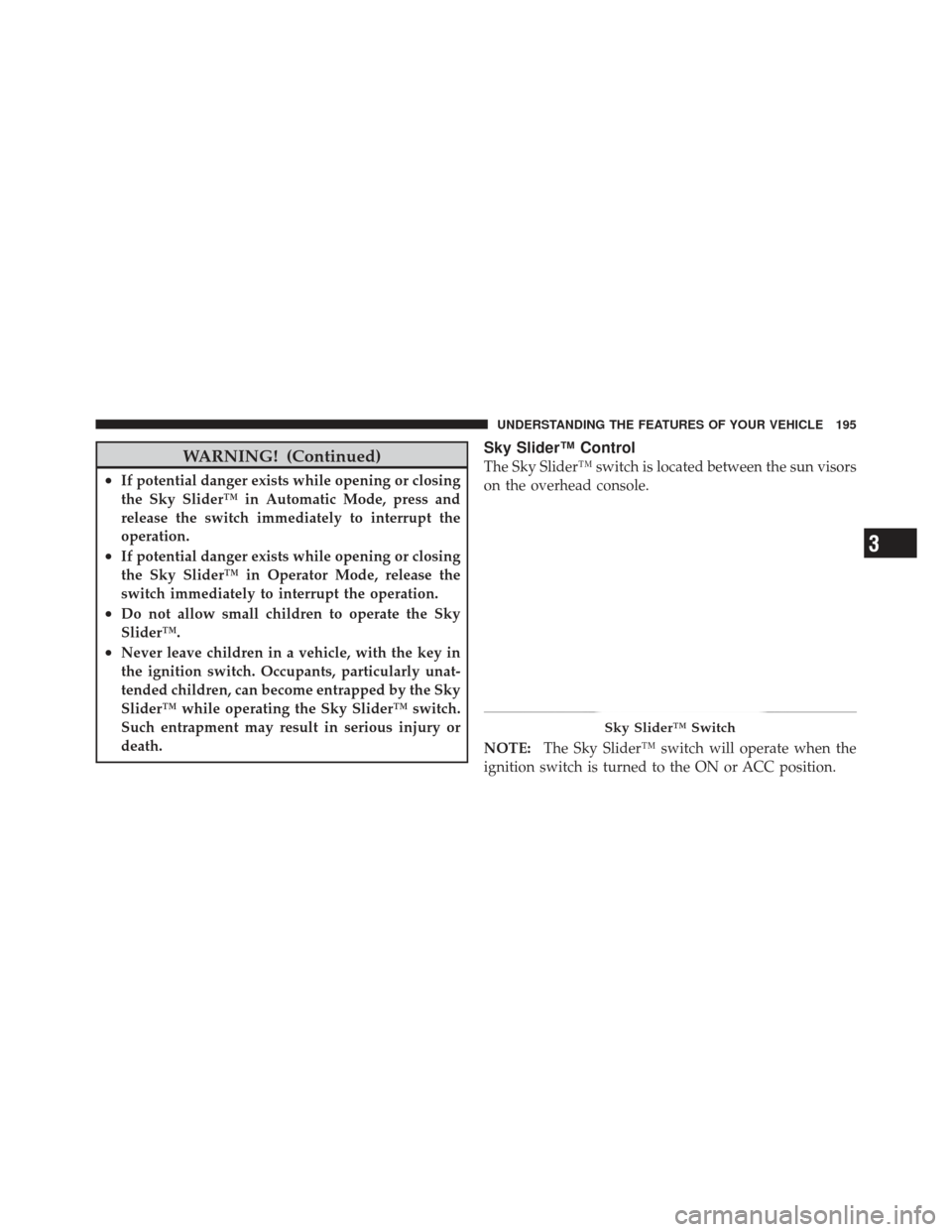
Sky Slider™ Control
The Sky Slider™ switch is located between the sun visors
on the overhead console.
NOTE:The Sky Slider™ switch will operate when the
ignition switch is turned to the ON or ACC position.
Sky Slider™ Switch
3
UNDERSTANDING THE FEATURES OF YOUR VEHICLE 195
Page 198 of 542
Opening The Sky Slider™
Using Automatic Mode
Press the switch rearward and release it within one-half
second and the Sky Slider™ will open from the front and
move automatically toward the rear of the vehicle.
Press the switch forward and release it within one-half
second and the Sky Slider™ will open from the rear and
move automatically toward the front of the vehicle.
NOTE:
•During operation, any movement of the Sky Slider™
switch will stop the Sky Slider™ roof.
•To resume the operation from a partially open posi-
tion, press and release the switch a second time.
•The Sky Slider™ will not open from the front and the
rear at the same time. The Sky Slider™ must close fully
before opening it from the opposite end.
Using Operator Mode
Press the switch rearward and hold it, the Sky Slider™
will open from the front and move toward the rear of the
vehicle.
Press the switch forward and hold it, the Sky Slider™
will open from the rear and move toward the front of the
vehicle.
NOTE:During operation, any movement of the Sky
Slider™ switch will stop the Sky Slider™ roof.
Closing The Sky Slider™
Using Automatic Mode
Press and release the button in the center of the switch
and the Sky Slider™ will close automatically from any
position.
196 UNDERSTANDING THE FEATURES OF YOUR VEHICLE