2011 HYUNDAI VERACRUZ lock
[x] Cancel search: lockPage 115 of 419

437
Features of your vehicle
D120000AEN
A driver position memory system is pro-
vided to store and recall the driver seat,
outside rearview mirror and steering
wheel positions with a simple button
operation. By saving the desired positions
into the system memory, different drivers
can reposition the driver seat, outside
rearview mirror and steering wheel based
upon their driving preference. If the bat-
tery is disconnected, the position memo-
ry will be lost and the driving positionsshould be restored in the system.
✽✽NOTICE
The buzzer sounds 10 times if there is a
malfunction of the memory system.
Have the driver position memory system
checked by an authorized HYUNDAI
dealer.
Storing positions into memory
using the buttons on the door D120101AEN
Storing driver’s seat positions
1. Shift the transaxle shift lever into P while the ignition switch is ON.
2. Adjust the driver seat, outside rearview mirror and steering wheel to
positions comfortable for the driver.
3. Press SET button on the control panel. The system will beep once.
4. Press one of the memory buttons (1 or 2) within 5 seconds after pressing the
SET button. The system will beep
twice when memory has been suc-cessfully stored. D120102BEN
Recalling positions from memory
1. Shift the transmission shift lever into P
(Park) under one of the followings:
The ignition switch is ON.
The driver’s door is opened while the ignition switch is in the LOCK or ACC position.
Within 30 seconds after the driver’s door is closed while the ignition switch
is in the LOCK or ACC position.
2. To recall the position in memory, press the desired memory button (1 or 2).
The system will beep once, then the
driver seat, outside rearview mirror
and steering wheel will automatically
adjust to the stored positions.
Adjusting one of the control knobs for the
driver seat, outside rearview mirror and
steering wheel while the system is recall-ing the stored positions will cause the
movement for that component to stop
and move in the direction that the control
knob is moved. Other components will
continue to the recalled position.
DRIVER POSITION MEMORY SYSTEM (IF EQUIPPED)WARNING
Never attempt to operate the driver
position memory system while the
vehicle is moving.
This could result in loss of control, and an accident causing death,
serious injury, or property damage.
WARNING
Use caution when recalling adjust-
ment memory while sitting in the
vehicle. Push the seat position con-
trol knob to the desired position
immediately if the seat moves too
far in any direction.
OEN036100
procarmanuals.com
Page 116 of 419

Features of your vehicle
38
4
D120300AEN-EE Easy access function (if equipped)
With the shift lever in P position, the sys-
tem will move the steering wheel forward
or rearward automatically so you can
comfortably enter and exit the vehicle.
Without smart key system
- It will move the steering wheel awayfrom the driver when the ignition key
is removed.
- It will move the steering wheel toward the driver when the ignition key is
inserted.
With smart key system - It will move the steering wheel awayfrom the driver when the ignition
switch is turned to the LOCK position.
- It will move the steering wheel toward the driver when the ignition switch is
turned to the ACC position.
✽✽ NOTICE
An authorized HYUNDAI dealer can
select the easy access function of the dri-
ver’s power seat. If you want this fea-
ture, consult an authorized HYUNDAI
dealer.
D120400AEN
Reverse parking aid function (if equipped)
While the vehicle is moving backward,
the outside rearview mirror(s) will move
downward to aid reverse parking.According to the position of the outside
rearview mirror switch (1), the outside
rearview mirror(s) will operate as follows: L / R
: When the remote control outside
rearview mirror switch is selectedto the L / R position, both outside
rearview mirrors will move down-
ward.
Neutral : When the remote control out-
side rearview mirror switch isplaced in the middle position,
the outside rearview mirrors
will not operate while the vehi-
cle is moving backward.✽✽ NOTICE
The outside rearview mirrors will auto-
matically revert to their original posi-
tions under the following conditions:
1. Ignition switch is in the LOCK posi- tion.
2. Shift lever is moved to any position except R.
3. Remote control outside rearview mir- ror switch is placed in the middle
position.
OEN037100
procarmanuals.com
Page 117 of 419

439
Features of your vehicle
D130100AEN
Power steering
Power steering uses energy from the
engine to assist you in steering the vehi-
cle. If the engine is off or if the power
steering system becomes inoperative,
the vehicle may still be steered, but it will
require increased steering effort.
Should you notice any change in the
effort required to steer during normal
vehicle operation, have the power steer-
ing checked by an authorized HYUNDAI
dealer.✽✽NOTICE
If the power steering drive belt breaks
or if the power steering pump malfunc-
tions, the steering effort will greatly
increase.
✽
✽ NOTICE
If the vehicle is parked for extended
periods outside in cold weather (below -
10°C/14°F), the power steering may
require increased effort when the engine
is first started. This is caused by
increased fluid viscosity due to the cold
weather and does not indicate a mal-
function.
When this happens, increase the engine
RPM by depressing accelerator until the
RPM reaches 1,500 rpm then release or
let the engine idle for two or three min-
utes to warm up the fluid.
D130300AEN Tilt steering
Tilt steering allows you to adjust the
steering wheel before you drive. You can
also raise it to give your legs more room
when you exit and enter the vehicle.
The steering wheel should be positioned
so that it is comfortable for you to drive,
while permitting you to see the instru-
ment panel warning lights and gauges.
STEERING WHEEL
CAUTION
Never hold the steering wheel
against a stop (extreme right or leftturn) for more than 5 seconds with
the engine running. Holding the steering wheel for more than 5 sec-onds in either position may causedamage to the power steering
pump.
WARNING
Never adjust the angle of the steering wheel while driving. You
may lose steering control and
cause severe personal injury,death or accidents.
After adjusting, push the steering wheel both up and down to be
certain it is locked in position.
procarmanuals.com
Page 118 of 419
Features of your vehicle
40
4
D130301AEN
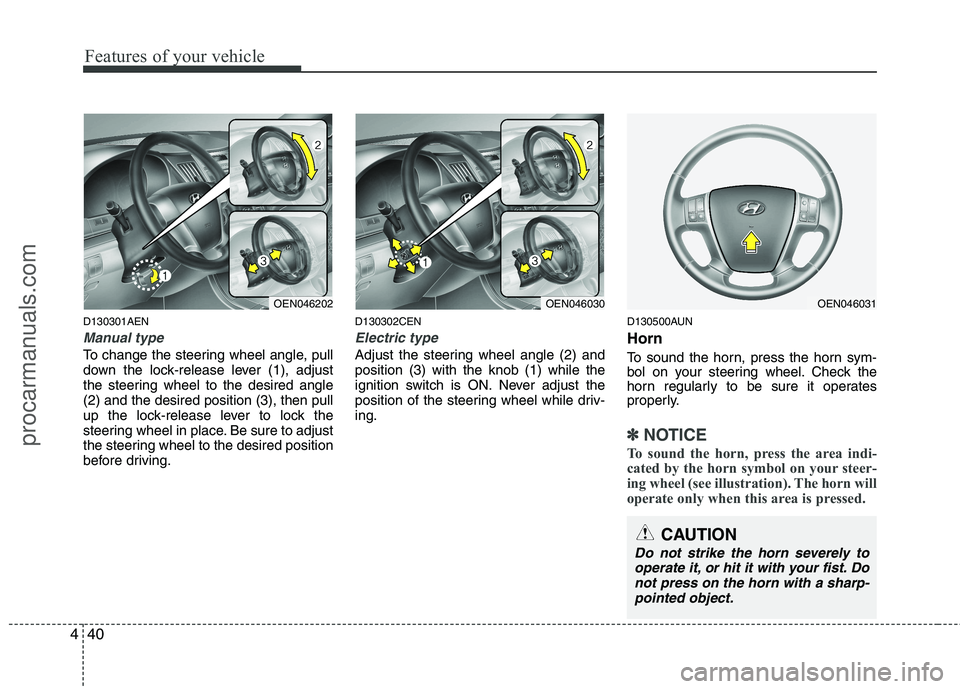
Manual type
To change the steering wheel angle, pull
down the lock-release lever (1), adjust
the steering wheel to the desired angle(2) and the desired position (3), then pull
up the lock-release lever to lock the
steering wheel in place. Be sure to adjust
the steering wheel to the desired position
before driving. D130302CEN
Electric type
Adjust the steering wheel angle (2) and position (3) with the knob (1) while the
ignition switch is ON. Never adjust the
position of the steering wheel while driv-ing.
D130500AUN Horn
To sound the horn, press the horn sym-
bol on your steering wheel. Check the
horn regularly to be sure it operates
properly.
✽✽
NOTICE
To sound the horn, press the area indi-
cated by the horn symbol on your steer-
ing wheel (see illustration). The horn will
operate only when this area is pressed.
OEN046202OEN046030OEN046031
CAUTION
Do not strike the horn severely to operate it, or hit it with your fist. Do
not press on the horn with a sharp-pointed object.
procarmanuals.com
Page 122 of 419

Features of your vehicle
44
4
4. With the compass heading displaying
normally, press and hold the button
(2) again for about 6~7 seconds untilthe "CAL" appears and release the
button.
5. Drive your vehicle in at least 2~3 com- plete circle (either clockwise or coun-
terclockwise) at less than 5 mph (8
km/h) until the "CAL" disappears, andthe compass heading appears then
calibration will be complete. If the compass mirror does not recog-
nize the terrestrial magnetism correct-
ly depending on the external circum-
stances, it may be delayed in the cal-
ibration procedure.
6. If the vehicle's compass headings become inaccurate again, repeat
above steps. Setting the compass zone
This compass must be set to compen-
sate for the variation between true north
and magnetic north. To set variation:
1. Find your current location and vari-
ance zone number on the zone map.
2. Press and hold the COMPASS button (2) for about 3 seconds until the
"ZONE" appears in the display, and
release the button. Then the zone
number will appear in the display.
3. Press the button (2) repeatedly until the correct zone number for your loca-
tion appears in the display. 4. If the desired zone number is selected,
release the button (2). After about 3
seconds, the "ZONE" disappears and
a compass direction will be shown in
the display.
5. If the new compass zone is set, per- form the "Calibration procedure".
✽✽ NOTICE
Do not install a ski rack, antenna, etc. that is attached to the vehicle using a
magnet as anything attached to the
roof of the vehicle with a magnet will
effect compass operation.
If the compass deviates from the cor-
rect indication after repeated adjust-
ment, have the compass checked at an
authorized dealer.
The compass may not indicate the
correct compass point in tunnels or
while driving up or down a steep hill.
(The compass returns to the correct
compass point when the vehicle moves
to an area where the geomagnetism is
stabilized.)
OEN046036OEN046035
procarmanuals.com
Page 126 of 419
Features of your vehicle
48
4
D140202AEN
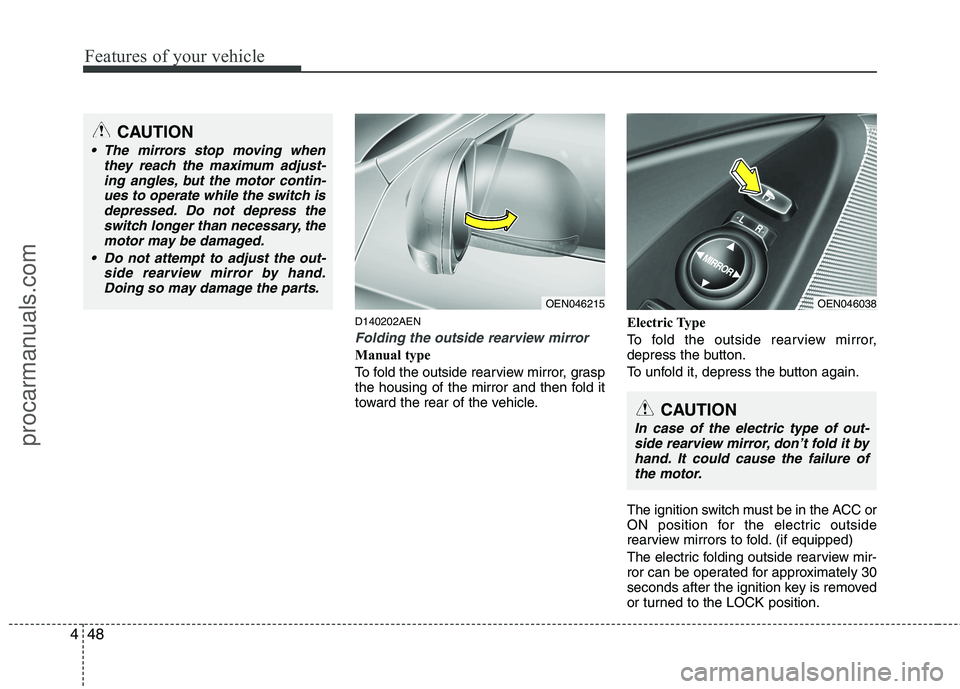
Folding the outside rearview mirror
Manual type
To fold the outside rearview mirror, grasp
the housing of the mirror and then fold it
toward the rear of the vehicle. Electric Type
To fold the outside rearview mirror,
depress the button.
To unfold it, depress the button again.
The ignition switch must be in the ACC or
ON position for the electric outside
rearview mirrors to fold. (if equipped)
The electric folding outside rearview mir-
ror can be operated for approximately 30
seconds after the ignition key is removed
or turned to the LOCK position.
CAUTION
The mirrors stop moving when
they reach the maximum adjust-
ing angles, but the motor contin-ues to operate while the switch isdepressed. Do not depress the switch longer than necessary, the
motor may be damaged.
Do not attempt to adjust the out- side rearview mirror by hand.Doing so may damage the parts.
OEN046215OEN046038
CAUTION
In case of the electric type of out-side rearview mirror, don’t fold it by
hand. It could cause the failure of the motor.
procarmanuals.com
Page 136 of 419
Features of your vehicle
58
4
D150303AEN
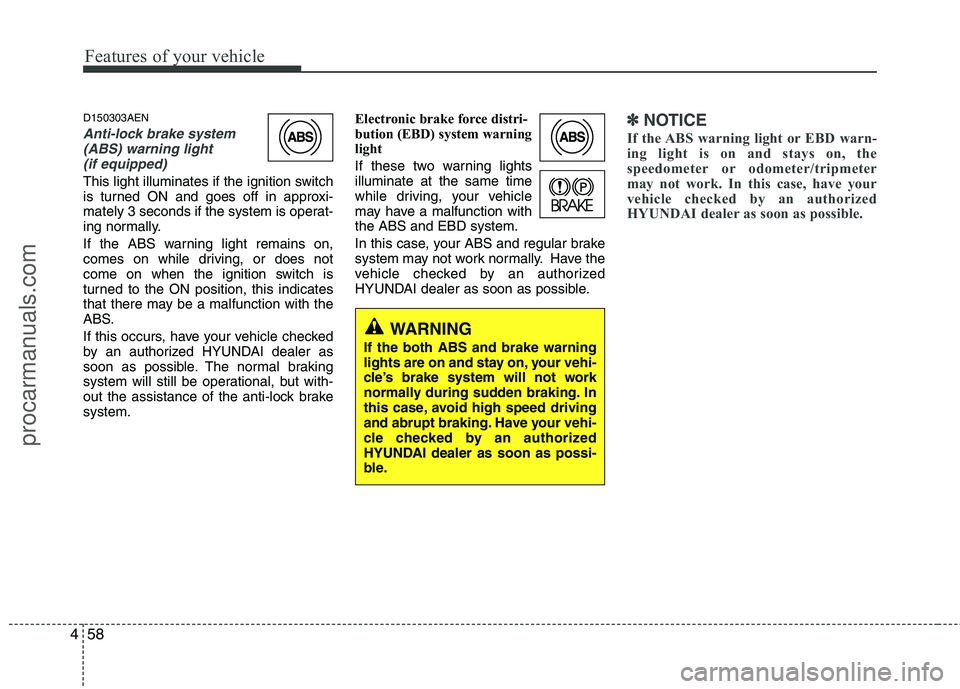
Anti-lock brake system
(ABS) warning light
(if equipped)
This light illuminates if the ignition switch
is turned ON and goes off in approxi-
mately 3 seconds if the system is operat-
ing normally.
If the ABS warning light remains on,
comes on while driving, or does not
come on when the ignition switch is
turned to the ON position, this indicates
that there may be a malfunction with the
ABS.
If this occurs, have your vehicle checked
by an authorized HYUNDAI dealer as
soon as possible. The normal braking
system will still be operational, but with-
out the assistance of the anti-lock brakesystem. Electronic brake force distri-
bution (EBD) system warning
light
If these two warning lights illuminate at the same time
while driving, your vehicle
may have a malfunction withthe ABS and EBD system.
In this case, your ABS and regular brake
system may not work normally. Have the
vehicle checked by an authorized
HYUNDAI dealer as soon as possible.
✽✽
NOTICE
If the ABS warning light or EBD warn-
ing light is on and stays on, the
speedometer or odometer/tripmeter
may not work. In this case, have your
vehicle checked by an authorized
HYUNDAI dealer as soon as possible.
WARNING
If the both ABS and brake warning
lights are on and stay on, your vehi-
cle’s brake system will not work
normally during sudden braking. In
this case, avoid high speed driving
and abrupt braking. Have your vehi-
cle checked by an authorized
HYUNDAI dealer as soon as possi-
ble.
procarmanuals.com
Page 144 of 419
Features of your vehicle
66
4
D150324AEN-EE
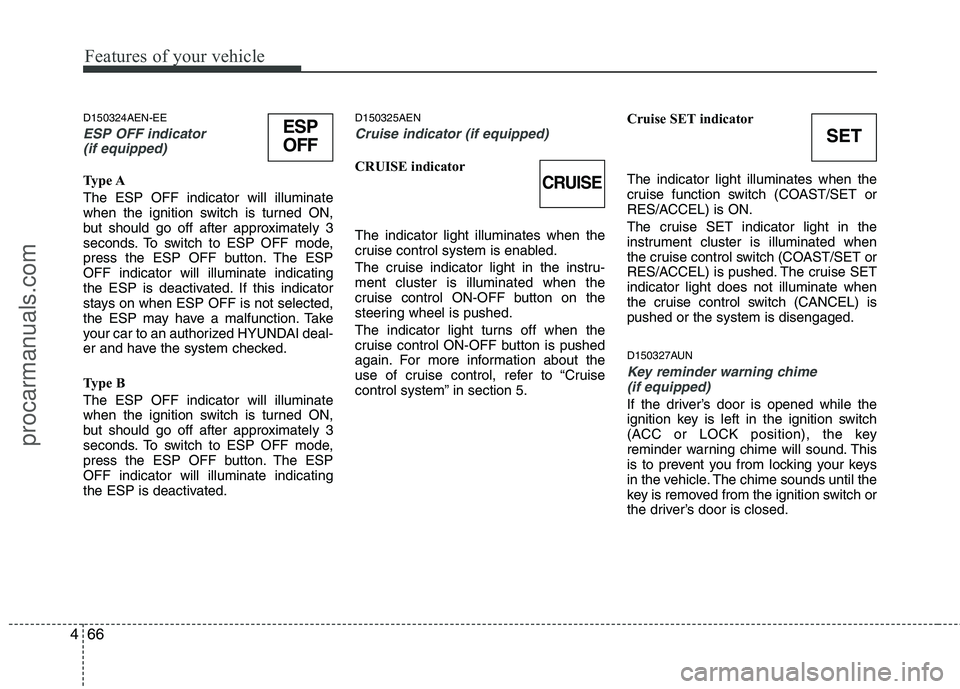
ESP OFF indicator
(if equipped)
Type A The ESP OFF indicator will illuminate
when the ignition switch is turned ON,
but should go off after approximately 3
seconds. To switch to ESP OFF mode,
press the ESP OFF button. The ESPOFF indicator will illuminate indicating
the ESP is deactivated. If this indicator
stays on when ESP OFF is not selected,
the ESP may have a malfunction. Take
your car to an authorized HYUNDAI deal-
er and have the system checked.
Type B The ESP OFF indicator will illuminate
when the ignition switch is turned ON,
but should go off after approximately 3
seconds. To switch to ESP OFF mode,
press the ESP OFF button. The ESPOFF indicator will illuminate indicating
the ESP is deactivated. D150325AEN
Cruise indicator (if equipped)
CRUISE indicator The indicator light illuminates when the
cruise control system is enabled.
The cruise indicator light in the instru- ment cluster is illuminated when the
cruise control ON-OFF button on the
steering wheel is pushed.
The indicator light turns off when the
cruise control ON-OFF button is pushed
again. For more information about the
use of cruise control, refer to “Cruise
control system” in section 5.
Cruise SET indicator The indicator light illuminates when the
cruise function switch (COAST/SET or
RES/ACCEL) is ON.
The cruise SET indicator light in the
instrument cluster is illuminated when
the cruise control switch (COAST/SET or
RES/ACCEL) is pushed. The cruise SETindicator light does not illuminate when
the cruise control switch (CANCEL) ispushed or the system is disengaged.
D150327AUN
Key reminder warning chime
(if equipped)
If the driver’s door is opened while the
ignition key is left in the ignition switch
(ACC or LOCK position), the key
reminder warning chime will sound. This
is to prevent you from locking your keys
in the vehicle. The chime sounds until the
key is removed from the ignition switch or
the driver’s door is closed.
CRUISE
SETESP
OFF
procarmanuals.com