2011 HYUNDAI VELOSTER USB
[x] Cancel search: USBPage 188 of 386
Features of your vehicle
114 4
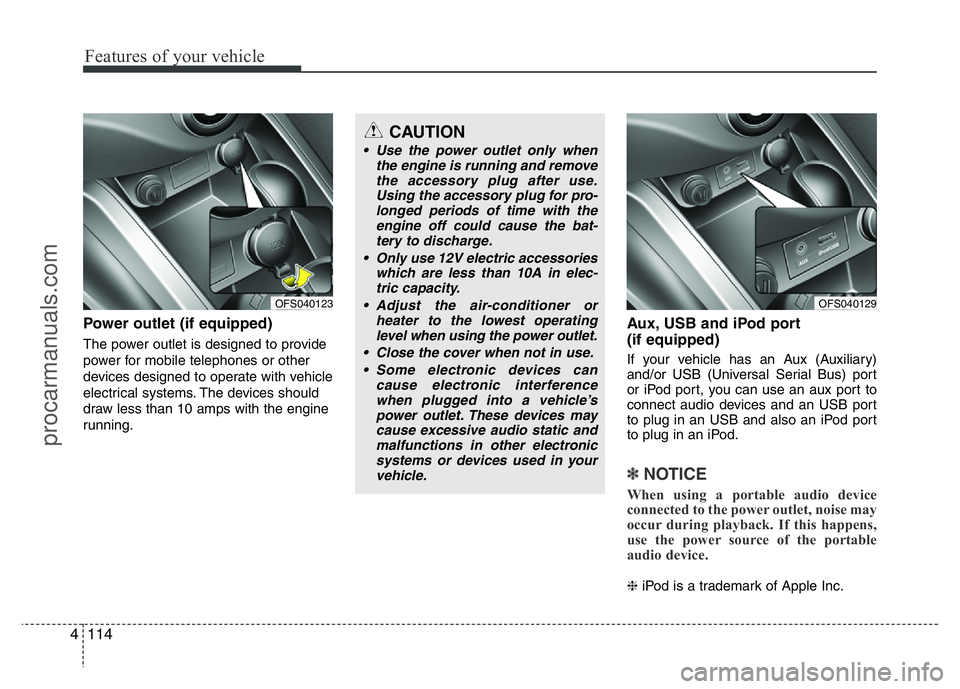
Power outlet (if equipped)
The power outlet is designed to provide
power for mobile telephones or other
devices designed to operate with vehicle
electrical systems. The devices should
draw less than 10 amps with the engine
running.
Aux, USB and iPod port
(if equipped)
If your vehicle has an Aux (Auxiliary)
and/or USB (Universal Serial Bus) port
or iPod port, you can use an aux port to
connect audio devices and an USB port
to plug in an USB and also an iPod port
to plug in an iPod.
✽NOTICE
When using a portable audio device
connected to the power outlet, noise may
occur during playback. If this happens,
use the power source of the portable
audio device.
❈iPod is a trademark of Apple Inc.
OFS040123
CAUTION
• Use the power outlet only when
the engine is running and remove
the accessory plug after use.
Using the accessory plug for pro-
longed periods of time with the
engine off could cause the bat-
tery to discharge.
• Only use 12V electric accessories
which are less than 10A in elec-
tric capacity.
• Adjust the air-conditioner or
heater to the lowest operating
level when using the power outlet.
• Close the cover when not in use.
• Some electronic devices can
cause electronic interference
when plugged into a vehicle’s
power outlet. These devices may
cause excessive audio static and
malfunctions in other electronic
systems or devices used in your
vehicle.
OFS040129
procarmanuals.com
Page 192 of 386

Features of your vehicle
118 4
Audio remote control
(if equipped)
The steering wheel audio remote control
switch is installed to promote safe driving.
VOL (VOL+/VOL-) (1)
Increases or decreases the volume level.
SEEK ( / ) (2)
• Press this button.
- Automatic tuning:
- Track up/down:
• Press and hold this button.
- Manual tuning:
- Search (FF/REW):
MODE (3)
Selects a source.
FM
➟AM ➟CD ➟USB (or iPod) ➟BT ➟AUX ➟FM...
(4)
Press this button briefly to reject a call
during a call.
(5)
• Press this button to start the voice
recognition mode.
• Press the button one more to cancel
voice commands while the voice
recognition is active.
(6)
Enables Bluetooth Hands-Free Phone.
• Press this button briefly to take a call
when there is an incoming call.
• Press this button briefly to make a call
from last calls.
• Press this button lengthy to switch the
sound path during a call.
(Hands free ↔phone)
BT
iPodCDUSB
RADIO
iPodCDUSB
RADIO
CAUTION
Do not operate the audio remote
control switches simultaneously.
OFS040128
procarmanuals.com
Page 197 of 386
4123
Features of your vehicle
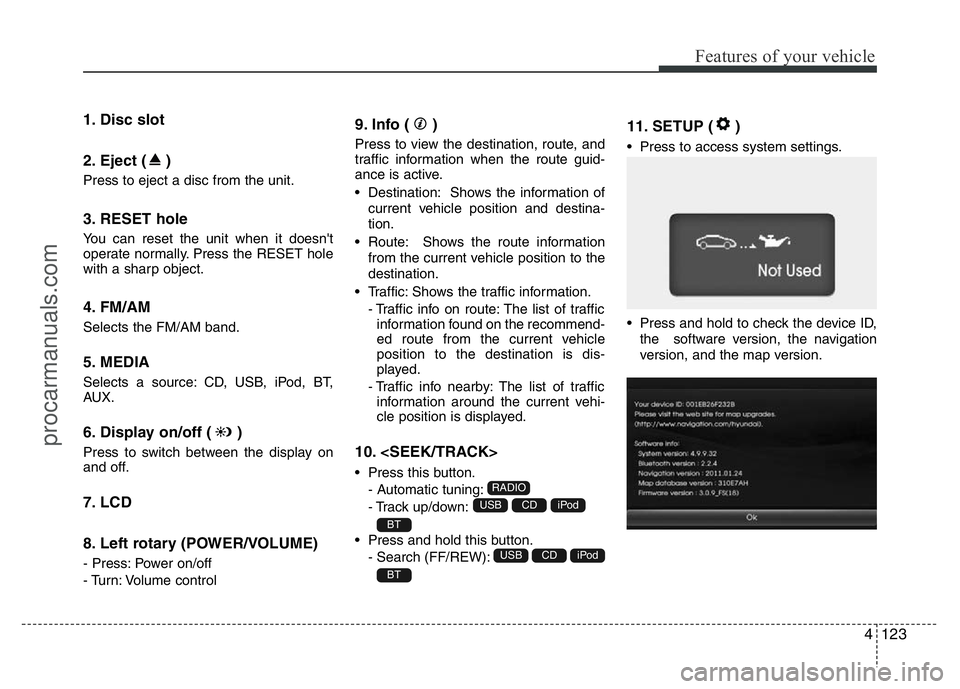
1. Disc slot
2. Eject ( )
Press to eject a disc from the unit.
3. RESET hole
You can reset the unit when it doesn't
operate normally. Press the RESET hole
with a sharp object.
4. FM/AM
Selects the FM/AM band.
5. MEDIA
Selects a source: CD, USB, iPod, BT,
AUX.
6. Display on/off ( )
Press to switch between the display on
and off.
7. LCD
8. Left rotary (POWER/VOLUME)
- Press: Power on/off
- Turn: Volume control
9. Info ( )
Press to view the destination, route, and
traffic information when the route guid-
ance is active.
• Destination: Shows the information of
current vehicle position and destina-
tion.
• Route: Shows the route information
from the current vehicle position to the
destination.
• Traffic: Shows the traffic information.
- Traffic info on route: The list of traffic
information found on the recommend-
ed route from the current vehicle
position to the destination is dis-
played.
- Traffic info nearby: The list of traffic
information around the current vehi-
cle position is displayed.
10.
• Press this button.
- Automatic tuning:
- Track up/down:
• Press and hold this button.
- Search (FF/REW):
11. SETUP ( )
• Press to access system settings.
• Press and hold to check the device ID,
the software version, the navigation
version, and the map version.
BT
iPodCDUSB
BT
iPodCDUSB
RADIO
procarmanuals.com
Page 203 of 386
4129
Features of your vehicle
4. Select the your device from the list of
phone.
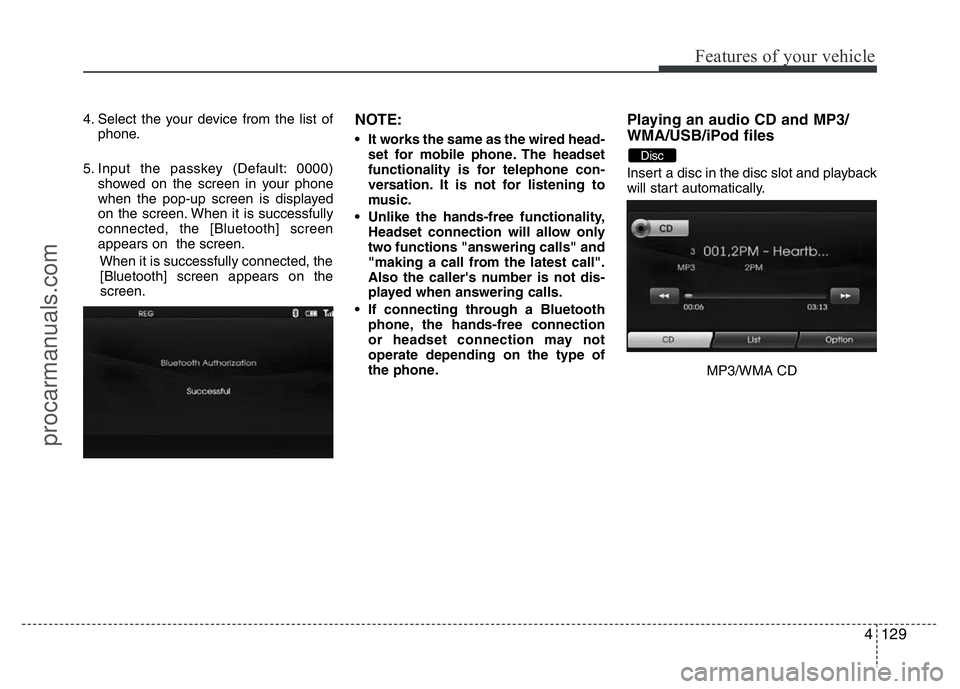
5. Input the passkey (Default: 0000)
showed on the screen in your phone
when the pop-up screen is displayed
on the screen. When it is successfully
connected, the [Bluetooth] screen
appears on the screen.
When it is successfully connected, the
[Bluetooth] screen appears on the
screen.NOTE:
• It works the same as the wired head-
set for mobile phone. The headset
functionality is for telephone con-
versation. It is not for listening to
music.
• Unlike the hands-free functionality,
Headset connection will allow only
two functions "answering calls" and
"making a call from the latest call".
Also the caller's number is not dis-
played when answering calls.
• If connecting through a Bluetooth
phone, the hands-free connection
or headset connection may not
operate depending on the type of
the phone.
Playing an audio CD and MP3/
WMA/USB/iPod files
Insert a disc in the disc slot and playback
will start automatically.
MP3/WMA CD
Disc
procarmanuals.com
Page 204 of 386
Features of your vehicle
130 4
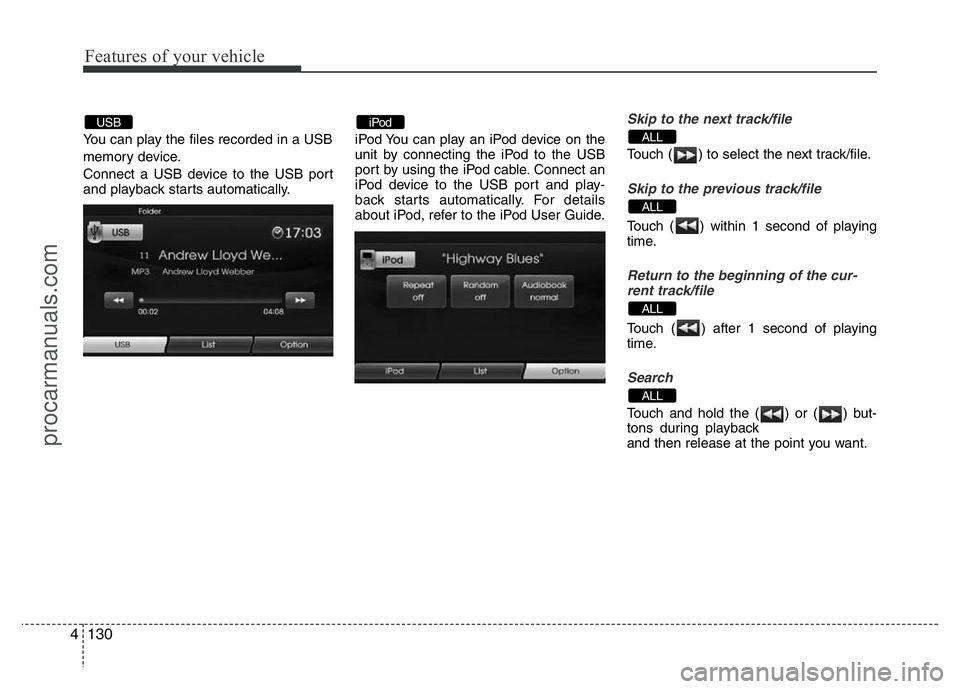
You can play the files recorded in a USB
memory device.
Connect a USB device to the USB port
and playback starts automatically.iPod You can play an iPod device on the
unit by connecting the iPod to the USB
port by using the iPod cable. Connect an
iPod device to the USB port and play-
back starts automatically. For details
about iPod, refer to the iPod User Guide.
Skip to the next track/file
Touch ( ) to select the next track/file.
Skip to the previous track/file
Touch ( ) within 1 second of playing
time.
Return to the beginning of the cur-
rent track/file
Touch ( ) after 1 second of playing
time.
Search
Touch and hold the ( ) or ( ) but-
tons during playback
and then release at the point you want.
ALL
ALL
ALL
ALLiPodUSB
procarmanuals.com
Page 206 of 386
Features of your vehicle
132 4
NOTE:
When a station is preset on the preset
station button number on which
another station of the same band has
already been preset, the previously
preset station is automatically erased.
Voice recognition
Voice recognition allows hands-free
operation of the AV system (RADIO, CD,
USB, iPod), navigation and other sys-
tems equipped on this vehicle, such as
the phone.
NOTE:
To get the best recognition perform-
ance out of voice recognition, observe
the following:
• Keep the interior of the vehicle as
quiet as possible. Close the win-
dows to eliminate the surrounding
noises (traffic noises, vibration
sounds, etc.), which may prevent
the system from recognizing the
voice commands correctly.
• Wait until a beep sounds before
speaking a command. Otherwise,
the command will not be recognized
properly.
• Speak in a natural voice without
pausing between words.
Giving voice commands
1. Press ( ) on the steering wheel
remote control.
2. After the beep sounds, say "Help". All
commands shall be listed which are
presented in active fields.
NOTE:
• If the command is not recognized,
the system announces, 1st time
"Pardon?", 2nd time "Please,
repeat", and 3rd time "Command is
not recognized".
• If you want to cancel the voice
recognition, press () one more time
or press the any button or touch
screen say "Cancel".
• If you want to adjust the volume of
the system feedback, press VOL+ or
VOL-on the steering wheel remote
control or use the volume knob
(VOLUME) on the control while the
voice recognition is active.
procarmanuals.com
Page 354 of 386

Maintenance
62 7
Symbol Fuse ratingProtected Component
10AECM
10AESP Control Module, ESP OFF Switch, E/R Fuse & Relay Box (RLY. 14, Multipurpose Check Connector)
20ADoor Lock Relay, Door Unlock Relay, Flasher Sound Relay, Tail Gate Latch Relay, Dead Lock Relay (RHD)
15APower Outside Mirror Switch, Rear Fog Lamp Relay
15AStop Lamp Switch, Key Solenoid, Stop Signal Relay, Smart Key Control Module
10AImmobilizer Module, Smart Key Control Module, ECM, Stop Lamp Switch
25AAMP, DC-DC Converter (AMP)
10A-
10ALuggage Lamp , Map Lamp, Room Lamp, Vanity Lamp LH/RH, Overhead Console Lamp, Glove Box Lamp
10ASmart Key Control Module, Immobilizer Module, Start Stop Button Switch
15ATCM
10A
Rear Combination Lamp LH, License Lamp LH/RH, ATM Lever Indicator,Instrument Cluster,
Multifunction Switch, Passenger Power Window Switch, Power Window Main Switch, AUX & USB Jack,
A/C Control Module, ESP OFF Switch, A/V & Navigation Head Unit, Crash Pad Switch, Driver/Passenger Seat
Warmer Switch, Head Lamp Leveling Device Switch, Head Lamp LH
20ADriver Seat Warmer Module, Driver/Passenger Seat Warmer
25ARear Power Window Switch LH, Power Window Main Switch
procarmanuals.com