2011 Hyundai Santa Fe ground
[x] Cancel search: groundPage 11 of 408
Introduction
4
1
A020104AUN
Use of MTBE
We recommend that fuels containing
MTBE (Methyl Tertiary Butyl Ether) over
15.0% vol. (Oxygen Content 2.7%
weight) should not be used in your vehi-
cle.
Fuel containing MTBE over 15.0% vol.
(Oxygen Content 2.7% weight) may
reduce vehicle performance and produce
vapor lock or hard starting.
A020105AUN
Do not use methanol
Fuels containing methanol (wood alco-
hol) should not be used in your vehicle.
This type of fuel can reduce vehicle per-
formance and damage components of
the fuel system.
A020106AUN
Gasolines for cleaner air
To help contribute to cleaner air, we rec-
ommend that you use gasolines treated
with detergent additives, which help pre-
vent deposit formation in the engine.
These gasolines will help the engine run
cleaner and enhance performance of the
Emission Control System.
A020107AUN
Operation in foreign countries
If you are going to drive your vehicle in
another country, be sure to:
Observe all regulations regarding reg-
istration and insurance.
Determine that acceptable fuel is avail- able. As with other vehicles of this type, failure
to operate this vehicle correctly may
result in loss of control, an accident or
vehicle rollover.
Specific design characteristics (higher
ground clearance, track, etc.) give this
vehicle a higher center of gravity than
other types of vehicles. In other words
they are not designed for cornering at the
same speeds as conventional 2-wheel
drive vehicles. Avoid sharp turns or
abrupt maneuvers. Again, failure to oper-
ate this vehicle correctly may result in
loss of control, an accident or vehicle
rollover.
Be sure to read the “Reducing
the risk of a rollover” driving guide-
lines, in section 5 of this manual.
CAUTION
Your New Vehicle Limited Warranty may not cover damage to the fuelsystem and any performance prob-lems that are caused by the use of fuels containing methanol or fuelscontaining MTBE (Methyl Tertiary Butyl Ether) over 15.0% vol.(Oxygen Content 2.7% weight.)
VEHICLE HANDLING
INSTRUCTIONS
Page 73 of 408

Safety system of your vehicle
56
3
Just before impact, drivers often brake
heavily. Such heavy braking lowers the
front portion of the vehicle causing it to
“ride” under a vehicle with a higher
ground clearance. Air bags may not
inflate in this "under-ride" situation
because deceleration forces that are
detected by sensors may be signifi-
cantly replaced by such “under-ride”
collisions. Front air bags may not inflate in
rollover accidents because front air
bag deployment would not provide
additional occupant protection.
However, if equipped with side impact
and curtain air bags, the air bags may
inflate in a rollover, when it is detected
by the rollover sensor.
Also, side and curtain air bags may
inflate when the vehicle is rolled over
by a side impact collision, if the vehicle
is equipped with side impact air bags
and curtain air bags. Air bags may not inflate if the vehicle
collides with objects such as utility
poles or trees, where the point of
impact is concentrated to one area and
the full force of the impact is not deliv-
ered to the sensors.
1VQA2090
1VQA2091
1VQA2092
Page 99 of 408
Features of your vehicle
20
4
(Continued)
Do not get back into a vehicle
once you have begun refueling
since you can generate static
electricity by touching, rubbing
or sliding against any item or fab-
ric (polyester, satin, nylon, etc.)
capable of producing static elec-
tricity. Static electricity discharge
can ignite fuel vapors resulting in
rapid burning. If you must re-
enter the vehicle, you should
once again eliminate potentially
dangerous static electricity dis-
charge by touching a metal part
of the vehicle, away from the fuel
filler neck, nozzle or other gaso-
line source.
When using a portable fuel con- tainer be sure to place the con-
tainer on the ground prior to refu-
eling. Static electricity discharge
from the container can ignite fuel
vapors causing a fire. Once refu-
eling has begun, contact with the
vehicle should be maintained
until the filling is complete.
(Continued)D100300BFD
WARNING - Refueling dan-
gers
Automotive fuels are flammable
materials. When refueling, please
note the following guidelines care-
fully. Failure to follow these guide-
lines may result in severe personal
injury, severe burns or death by fire
or explosion.
Read and follow all warning at thegas station facility.
Before refueling note the location of the Emergency Gasoline Shut-
Off, if available, at the gas station
facility.
Before touching the fuel nozzle, you should eliminate potentially
dangerous static electricity dis-
charge by touching another metal
part of the vehicle, a safe dis-
tance away from the fuel filler
neck, nozzle, or other gas source.
(Continued)
WARNING - Refueling
If pressurized fuel sprays out, itcan cover your clothes or skin
and thus subject you to the risk
of fire and burns. Always remove
the fuel cap carefully and slowly.
If the cap is venting fuel or if you
hear a hissing sound, wait until
the condition stops before com-
pletely removing the cap.
Do not "top off" after the nozzle automatically shuts off when
refueling.
Tighten the cap until it clicks, oth- erwise the Check Engine
light will illuminate.
Always check that the fuel cap is installed securely to prevent fuel
spillage in the event of an acci-
dent.
Page 108 of 408
429
Features of your vehicle
To operate Compass feature
Press and release the button, then the
vehicle's directional heading will be dis-
played. Pressing and releasing the button
again will turn off the display.
Heading display
- E : East
- W : West
- S : South
- N : North
ex) NE : North EastCalibration procedure
The compass may not indicate the cor-
rect compass direction if the electronic
compass has not been calibrated cor-
rectly, if the compass zone number is dif-
ferent from your current location, or when
you are driving in certain areas (tunnel,
parking garage, underground parking lot,
near transformer substation, etc.), and
the following may occur:
- “C” is displayed.
- The compass headings become inac-
curate.
- The compass heading does not change when the vehicle changes
direction.
- Some compass headings are not dis- played.
- The compass headings are inaccurate in long distance driving. If the vehicle’s compass headings
become inaccurate, the compass should
be calibrated as follows:
1. Ensure the vehicle is not located near
large steel structures or under electric
power lines.
2. Turn on the compass by pressing the button.
3. Press and hold the button for more than 6 but less than 9 seconds. The
current zone number will appear in the
display. Release then press the button
until your zone number appears in the
display.
4. Check the mirror angle by pressing and holding the button for more than
12seconds. Release then press the
button to “L”(for steering wheel on the
Left side of the vehicle). (if installed)
5. Press and hold the button between 9 and 12 seconds. Release the button
when a “C” appears in the display.
6. Drive the vehicle in 2 complete circles at less than 5mph(8km/h) or until the
compass heading appears.
CAUTION
Be sure the area is free of traffic,pedestrians, and obstructions.
Page 126 of 408
447
Features of your vehicle
✽
✽NOTICE
• If the vehicle is not on level ground or
the battery power has been interrupt-
ed, the “Distance to empty” function
may not operate correctly.
The trip computer may not register
additional fuel if less than 1.6 gallons
(6 liters) of fuel are added to the vehi-
cle.
• The fuel consumption and distance to empty values may vary significantly
based on driving conditions, driving
habits, and condition of the vehicle.
• The distance to empty value is an esti- mate of the available driving distance.
This value may differ from the actual
driving distance available.
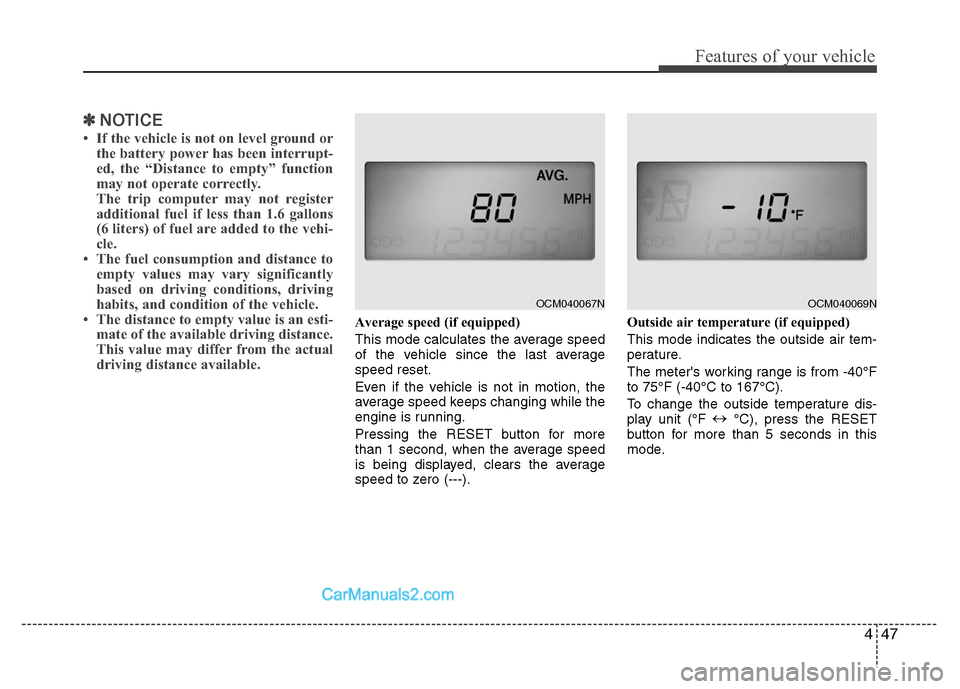
Average speed (if equipped)
This mode calculates the average speed
of the vehicle since the last average
speed reset.
Even if the vehicle is not in motion, the
average speed keeps changing while the
engine is running.
Pressing the RESET button for more
than 1 second, when the average speed
is being displayed, clears the average
speed to zero (---). Outside air temperature (if equipped)
This mode indicates the outside air tem-
perature.
The meter's working range is from -40°F
to 75°F (-40°C to 167°C).
To change the outside temperature dis-
play unit (°F
↔
°C), press the RESET
button for more than 5 seconds in this
mode.
OCM040067N
OCM040069N
Page 153 of 408
Features of your vehicle
74
4
Air conditioning system operation tips
If the vehicle has been parked in direct
sunlight during hot weather, open the
windows for a short time to let the hot
air inside the vehicle escape.
To help reduce moisture inside of the windows on rainy or humid days,
decrease the humidity inside the vehi-
cle by operating the air conditioning
system.
During air conditioning system opera- tion, you may occasionally notice a
slight change in engine speed as the
air conditioning compressor cycles.
This is a normal system operation
characteristic.
Use the air conditioning system every month only for a few minutes to ensure
maximum system performance. When using the air conditioning sys-
tem, you may notice clear water drip-
ping (or even puddling) on the ground
under the passenger side of the vehi-
cle. This is a normal system operation
characteristic.
Operating the air conditioning system in the recirculated air position provides
maximum cooling, however, continual
operation in this mode may cause the
air inside the vehicle to become stale.
During cooling operation, you may occasionally notice a misty air flow
because of rapid cooling and humid air
intake. This is a normal system opera-
tion characteristic.
D230300AFD
Climate control air filter
(if equipped)
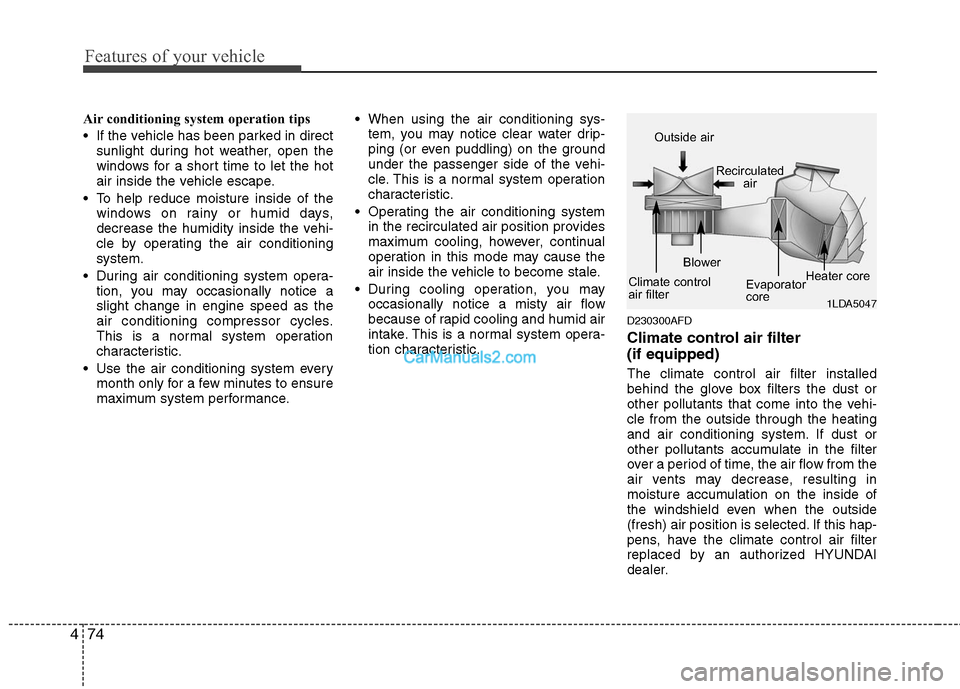
The climate control air filter installed
behind the glove box filters the dust or
other pollutants that come into the vehi-
cle from the outside through the heating
and air conditioning system. If dust or
other pollutants accumulate in the filter
over a period of time, the air flow from the
air vents may decrease, resulting in
moisture accumulation on the inside of
the windshield even when the outside
(fresh) air position is selected. If this hap-
pens, have the climate control air filter
replaced by an authorized HYUNDAI
dealer.
1LDA5047
Outside air
Recirculatedair
Climate control
air filter Blower
Evaporator
coreHeater core
Page 216 of 408
4137
Features of your vehicle
Connecting Other Devices to the
RSE
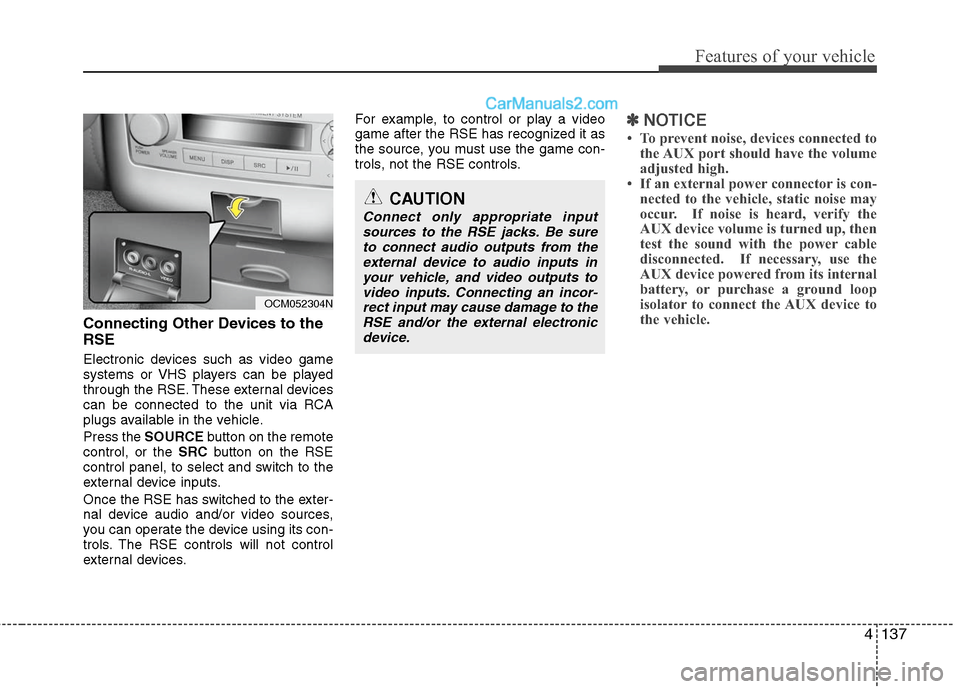
Electronic devices such as video game
systems or VHS players can be played
through the RSE. These external devices
can be connected to the unit via RCA
plugs available in the vehicle.
Press the SOURCE button on the remote
control, or the SRCbutton on the RSE
control panel, to select and switch to the
external device inputs.
Once the RSE has switched to the exter-
nal device audio and/or video sources,
you can operate the device using its con-
trols. The RSE controls will not control
external devices. For example, to control or play a video
game after the RSE has recognized it as
the source, you must use the game con-
trols, not the RSE controls.
✽ ✽
NOTICE
• To prevent noise, devices connected to
the AUX port should have the volume
adjusted high.
• If an external power connector is con- nected to the vehicle, static noise may
occur. If noise is heard, verify the
AUX device volume is turned up, then
test the sound with the power cable
disconnected. If necessary, use the
AUX device powered from its internal
battery, or purchase a ground loop
isolator to connect the AUX device to
the vehicle.
OCM052304N
CAUTION
Connect only appropriate input
sources to the RSE jacks. Be sureto connect audio outputs from theexternal device to audio inputs in your vehicle, and video outputs tovideo inputs. Connecting an incor- rect input may cause damage to theRSE and/or the external electronicdevice.
Page 253 of 408
519
Driving your vehicle
You must consciously take the effort tolearn how to corner in a AWD vehicle.
Do not rely on your experience in con-
ventional 2WD vehicles in choosing
safe cornering speed in AWD mode.
For starters, you must drive more slow-
ly in AWD.
Drive carefully off-road because your vehicle may be damaged by rocks or
roots of trees. Become familiar with the
off-road conditions where you are
going to drive before you begin driving.
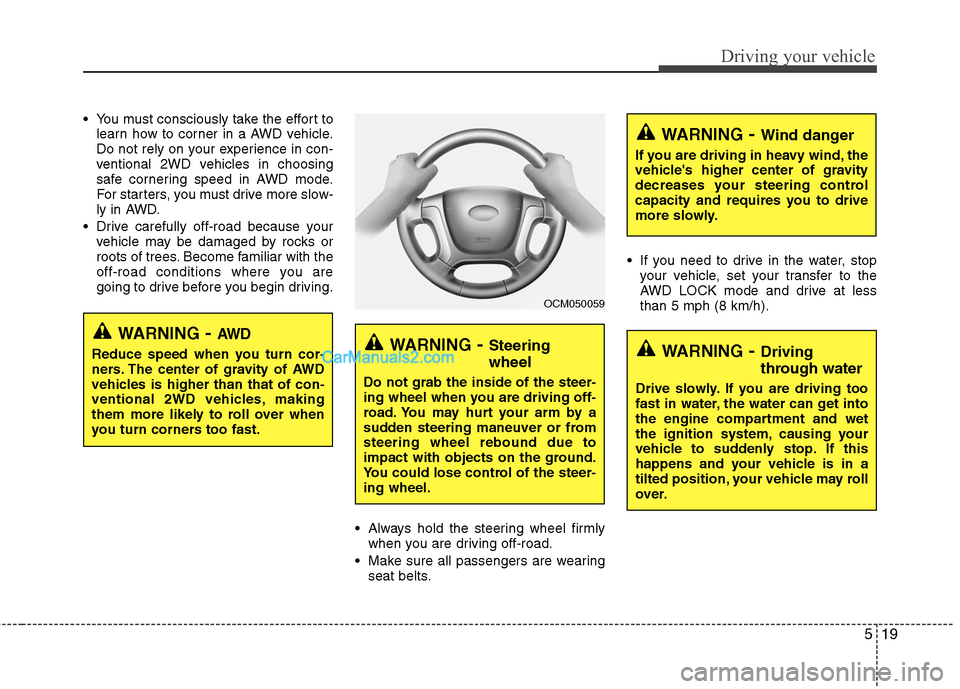
Always hold the steering wheel firmlywhen you are driving off-road.
Make sure all passengers are wearing seat belts. If you need to drive in the water, stop
your vehicle, set your transfer to the
AWD LOCK mode and drive at less
than 5 mph (8 km/h).
WARNING- Steering
wheel
Do not grab the inside of the steer-
ing wheel when you are driving off-
road. You may hurt your arm by a
sudden steering maneuver or from
steering wheel rebound due to
impact with objects on the ground.
You could lose control of the steer-
ing wheel.
WARNING- Wind danger
If you are driving in heavy wind, the
vehicle's higher center of gravity
decreases your steering control
capacity and requires you to drive
more slowly.
WARNING- Driving
through water
Drive slowly. If you are driving too
fast in water, the water can get into
the engine compartment and wet
the ignition system, causing your
vehicle to suddenly stop. If this
happens and your vehicle is in a
tilted position, your vehicle may roll
over.
OCM050059
WARNING- AW D
Reduce speed when you turn cor-
ners. The center of gravity of AWD
vehicles is higher than that of con-
ventional 2WD vehicles, making
them more likely to roll over when
you turn corners too fast.