2011 Hyundai Santa Fe section 7
[x] Cancel search: section 7Page 63 of 408

Safety system of your vehicle
46
3
The driver's seat track position sensor,
which is installed on the seat track, deter-
mines if the seat is fore or aft of a refer-
ence position. The seat belt buckle sen-
sors determine if the driver and front pas-
senger's seat belts are fastened. These
sensors provide the ability to control the
SRS deployment based on how close the
driver's seat is to the steering wheel,
whether or not the seat belts are fas-
tened, and how severe the impact is.
The advanced SRS offers the ability to
control the air bag inflation with two lev-
els. A first stage level is provided for mod-
erate-severity impacts. A second stage
level is provided for more severe impacts.
According to the impact severity, seating
position and seat belt usage, the SRSCM
(SRS Control Module) controls the air
bag inflation. Failure to properly wear
seat belts can increase the risk or sever-
ity of injury in an accident. Additionally, your vehicle is equipped
with an occupant classification system in
the front passenger's seat. The occupant
classification system detects the pres-
ence of a passenger in the front passen-
ger's seat and will turn off the front pas-
senger's air bag under certain condi-
tions. For more detail, see "Occupant
classification system" in this section.
WARNING
If a seat track position sensor or an
occupant classification system is
not working properly, the SRS air
bag warning light on the instrument
panel will illuminate because the
SRS air bag warning light is con-
nected with the seat track position
sensor and the occupant classifica-
tion system. If the SRS air bag
warning light does not illuminate
when the ignition switch is turned
to the ON position, remains illumi-
nated after approximately 6 sec-
onds when the ignition switch is
turned to the ON position, or if it
illuminates while the vehicle is
being driven, have an authorized
HYUNDAI dealer inspect the
advanced SRS air bag system as
soon as possible.
WARNING
Modification to the seat structure
can adversely affect the seat
track position sensor and cause
the air bag to deploy at a different
level than should be provided.
Do not place any objects under- neath the front seats as they
could damage the seat track
position sensor or interfere with
the occupant classification sys-
tem.
Do not place any objects that may cause magnetic fields near the
front seat. These may cause a
malfunction of the seat track
position sensor.
Page 100 of 408
421
Features of your vehicle
(Continued)Use only portable plastic fuel
containers designed to carry and
store gasoline.
Do not use cellular phones while refueling. Electric current and/or
electronic interference from cel-
lular phones can potentially
ignite fuel vapors causing a fire.
When refueling, always shut the engine off. Sparks produced by
electrical components related to
the engine can ignite fuel vapors
causing a fire. Once refueling is
complete, check to make sure the
filler cap and filler door are
securely closed, before starting
the engine.
DO NOT use matches or a lighter and DO NOT SMOKE or leave a lit
cigarette in your vehicle while at
a gas station especially during
refueling. Automotive fuel is
highly flammable and can, when
ignited, result in fire.
(Continued)(Continued)
If a fire breaks out during refuel-ing, leave the vicinity of the vehi-
cle, and immediately contact the
manager of the gas station and
then contact the local fire depart-
ment or 911. Follow any safety
instructions they provide.CAUTION
Make sure to refuel your vehicle according to the "Fuel require-ments" suggested in section 1.
If the fuel filler cap requires replacement, use only a genuineHYUNDAI cap or the equivalentspecified for your vehicle. An incorrect fuel filler cap can resultin a serious malfunction of the fuel system or emission controlsystem.
Do not spill fuel on the exterior surfaces of the vehicle. Any typeof fuel spilled on painted surfacesmay damage the paint.
After refueling, make sure the fuel cap is installed securely to pre-vent fuel spillage in the event ofan accident.
Page 116 of 408
437
Features of your vehicle
Erasing HomeLink®buttons
Individual buttons cannot be erased.
However, to erase all three programmed
buttons:
1. Press and hold the two outer HomeLink
®buttons until the indicator
light begins to flash-after 20 seconds.
2. Release both buttons. Do not hold for longer than 30 seconds.
The Integrated HomeLink
®Wireless
Control System is now in the training
(learn) mode and can be programmed at
any time following the appropriate steps
in the Programming sections above. FCC ID: NZLZTVHL3
IC: 4112A-ZTVHL3
This device complies with Part 15 of
the FCC Rules.
Operation is subject to the following two
conditions:
1. this device may not cause harmful
interference, and
2. This device must accept any interfer- ence received, including interference
that may cause undesired operation. NVS
®is a registered trademark and Z-
Nav™ is a trademark of the Gentex
Corporation, Zeeland, Michigan.
HomeLink
®is a registered trademark
owned by Johnson Controls,
Incorporated, Milwaukee, Wisconsin.
WARNING
The transceiver has been tested
and complies with FCC and
Industry Canada rules. Changes or
modifications not expressly
approved by the party responsible
for compliance could void the
user's authority to operate the
device.
Page 121 of 408
Features of your vehicle
42
4
WARNING
Never remove the radiator cap
when the engine is hot. The engine
coolant is under pressure and
could cause severe burns. Wait
until the engine is cool before
adding coolant to the reservoir.
D150203AUN
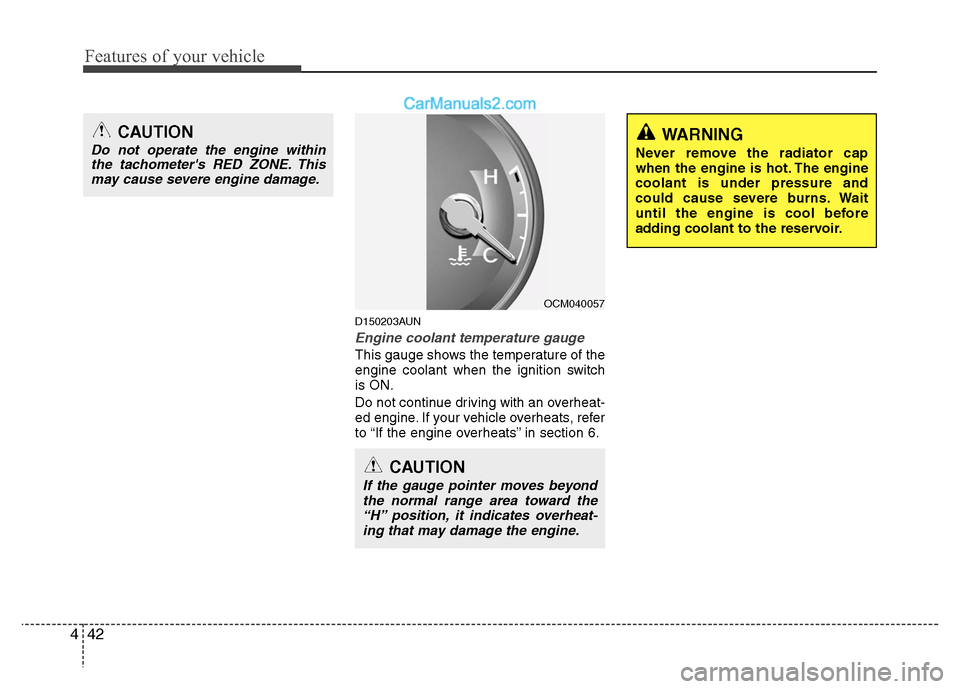
Engine coolant temperature gauge
This gauge shows the temperature of the
engine coolant when the ignition switch
is ON.
Do not continue driving with an overheat-
ed engine. If your vehicle overheats, refer
to “If the engine overheats” in section 6.
CAUTION
If the gauge pointer moves beyond
the normal range area toward the “H” position, it indicates overheat-ing that may damage the engine.
CAUTION
Do not operate the engine withinthe tachometer's RED ZONE. Thismay cause severe engine damage.
OCM040057
Page 122 of 408
443
Features of your vehicle
D150204AUN
Fuel gauge
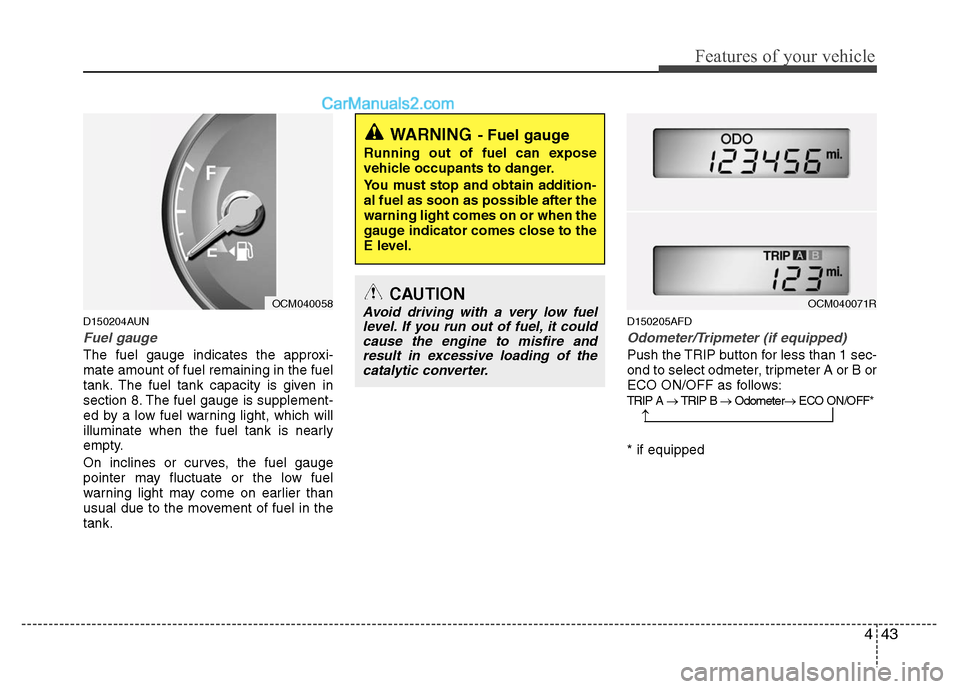
The fuel gauge indicates the approxi-
mate amount of fuel remaining in the fuel
tank. The fuel tank capacity is given in
section 8. The fuel gauge is supplement-
ed by a low fuel warning light, which will
illuminate when the fuel tank is nearly
empty.
On inclines or curves, the fuel gauge
pointer may fluctuate or the low fuel
warning light may come on earlier than
usual due to the movement of fuel in the
tank.
D150205AFD
Odometer/Tripmeter (if equipped)
Push the TRIP button for less than 1 sec-
ond to select odmeter, tripmeter A or B or
ECO ON/OFF as follows:
TRIP A → TRIP B → Odometer → ECO ON/OFF*
* if equipped
WARNING- Fuel gauge
Running out of fuel can expose
vehicle occupants to danger.
You must stop and obtain addition-
al fuel as soon as possible after the
warning light comes on or when the
gauge indicator comes close to the
E level.
CAUTION
Avoid driving with a very low fuel
level. If you run out of fuel, it couldcause the engine to misfire andresult in excessive loading of thecatalytic converter.
→
OCM040058OCM040071R
Page 133 of 408
Features of your vehicle
54
4
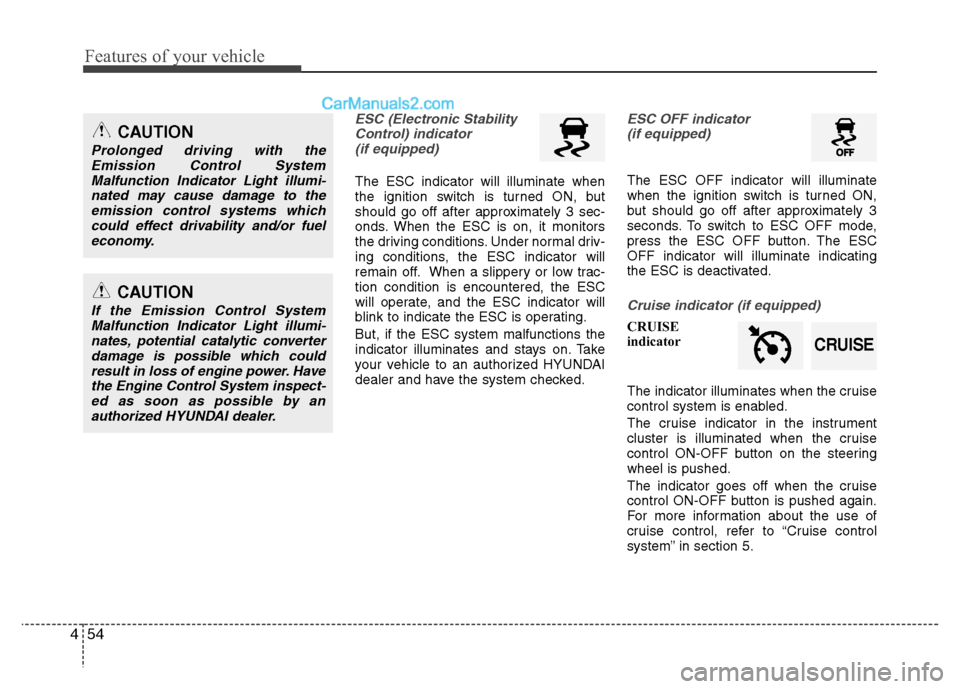
ESC (Electronic Stability
Control) indicator(if equipped)
The ESC indicator will illuminate when
the ignition switch is turned ON, but
should go off after approximately 3 sec-
onds. When the ESC is on, it monitors
the driving conditions. Under normal driv-
ing conditions, the ESC indicator will
remain off. When a slippery or low trac-
tion condition is encountered, the ESC
will operate, and the ESC indicator will
blink to indicate the ESC is operating.
But, if the ESC system malfunctions the
indicator illuminates and stays on. Take
your vehicle to an authorized HYUNDAI
dealer and have the system checked.
ESC OFF indicator (if equipped)
The ESC OFF indicator will illuminate
when the ignition switch is turned ON,
but should go off after approximately 3
seconds. To switch to ESC OFF mode,
press the ESC OFF button. The ESC
OFF indicator will illuminate indicating
the ESC is deactivated.
Cruise indicator (if equipped)
CRUISE
indicator
The indicator illuminates when the cruise
control system is enabled.
The cruise indicator in the instrument
cluster is illuminated when the cruise
control ON-OFF button on the steering
wheel is pushed.
The indicator goes off when the cruise
control ON-OFF button is pushed again.
For more information about the use of
cruise control, refer to “Cruise control
system” in section 5.
CAUTION
Prolonged driving with the
Emission Control SystemMalfunction Indicator Light illumi-nated may cause damage to theemission control systems whichcould effect drivability and/or fuel economy.
CAUTION
If the Emission Control SystemMalfunction Indicator Light illumi-nates, potential catalytic converterdamage is possible which couldresult in loss of engine power. Havethe Engine Control System inspect- ed as soon as possible by anauthorized HYUNDAI dealer.
CRUISE
Page 179 of 408
Features of your vehicle
100
4
MODE (1)
Press the button to select Radio, or CD
(compact disc).
SEEK ( / ) (2)
If the SEEK button is pressed for 0.8 sec-
ond or more, it will work as follows in
each mode.
RADIO mode
It will function as the AUTO SEEK select
button.
CD PLAYER (CDP) mode
It will function as the FF/REW button.
CD CHANGER (CDC) mode
It will function as the DISC UP/DOWN
button.
If the SEEK button is pressed for less
than 0.8 second, it will work as follows in
each mode. RADIO mode
It will function as the PRESET STATION
select buttons.
CD PLAYER (CDP) mode
It will function as the TRACK UP/DOWN
button.
CD CHANGER (CDC) mode
It will function as the TRACK UP/DOWN
button.
Detailed information for audio control
buttons is described in the following
pages in this section.
VOL (+/ -) (3)
• Press the up button (+) to increase vol-
ume.
Press the down button (-) to decease volume.
VOICE RECOGNITION (VR) mode (4)
Detailed information is described in the
following pages in this section.
D300800AFD
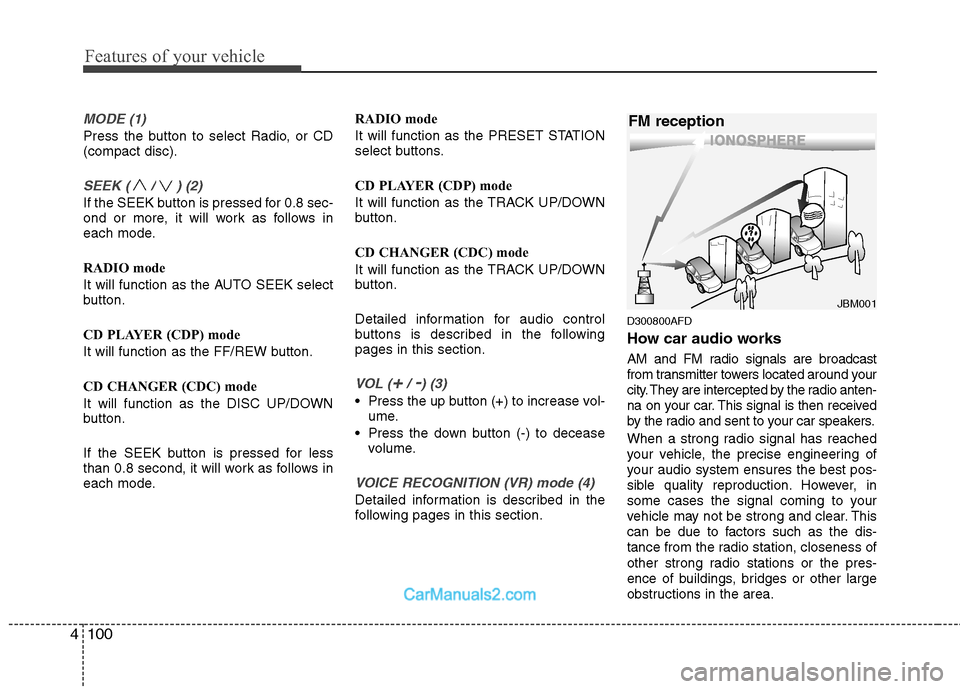
How car audio works
AM and FM radio signals are broadcast
from transmitter towers located around your
city. They are intercepted by the radio anten-
na on your car. This signal is then received
by the radio and sent to your car speakers.
When a strong radio signal has reached
your vehicle, the precise engineering of
your audio system ensures the best pos-
sible quality reproduction. However, in
some cases the signal coming to your
vehicle may not be strong and clear. This
can be due to factors such as the dis-
tance from the radio station, closeness of
other strong radio stations or the pres-
ence of buildings, bridges or other large
obstructions in the area.
¢¢¢
JBM001
FM reception
Page 219 of 408
Features of your vehicle
140
4
1. ON/OFF and Speaker Volume
Press the POWER/VOLUME knob to
turn the RSE on or off.
Rotate the knob to adjust the speaker
volume. Note that changing the volume
by using the POWER/VOLUME knob
affects only the vehicle speakers. The
wireless headset volume is not affected.
See the "Headphones" section of this
manual for more information.
2. RSE Display
This RSE control panel display indicates
the current selected source, mode of
operation in the current disc, and other
information. It will display FRONT to indi-
cate that the selected source is the front
vehicle radio and REAR to indicate that
the RSE player is the current source.
The display will indicate DISC IN when a
disc is in loaded the RSE player.
3. MENU Button
DVD can be controlled, and any special
programming or features accessed, by
using the DVD menu. To access the
menu while playing a DVD, press the
MENU button. Press the button a second
time to exit the menu and return to the
DVD program at the point it was being
viewed.
While viewing the menu, press the
NEXT button to move the cursor up and
the PREVbutton to move the cursor
down the menu. Press the FF >button
to move the cursor to the right, and the
< REW button to move the cursor to the
left.
❇ For more details, see the "DVD -
Menu" section of this manual.
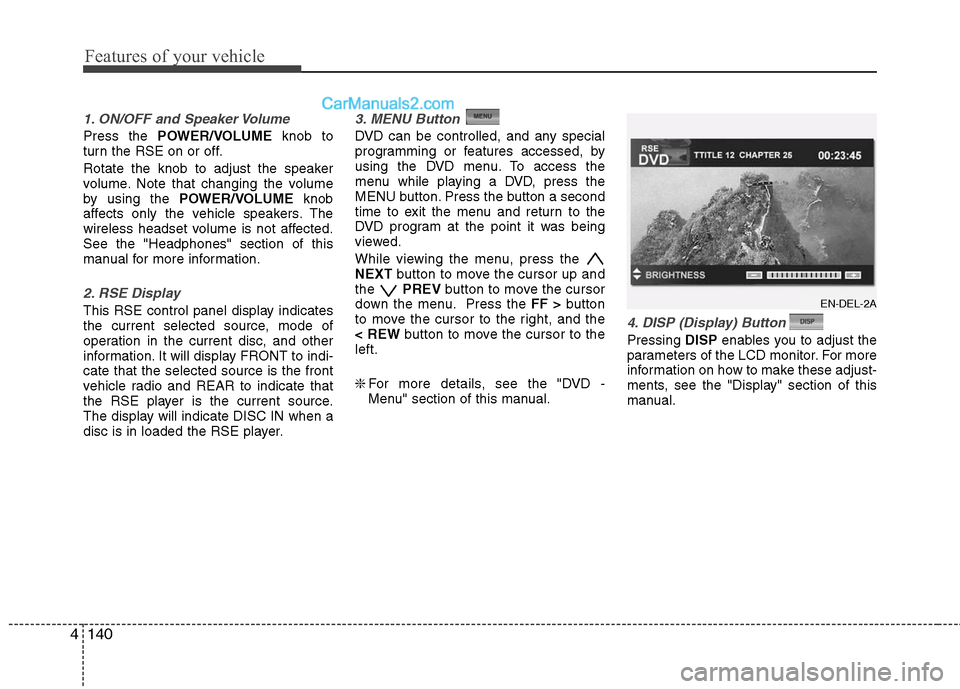
4. DISP (Display) Button
Pressing DISPenables you to adjust the
parameters of the LCD monitor. For more
information on how to make these adjust-
ments, see the "Display" section of this
manual.
EN-DEL-2A