2011 Hyundai Santa Fe fuse
[x] Cancel search: fusePage 15 of 312
Your vehicle at a glance
2
2
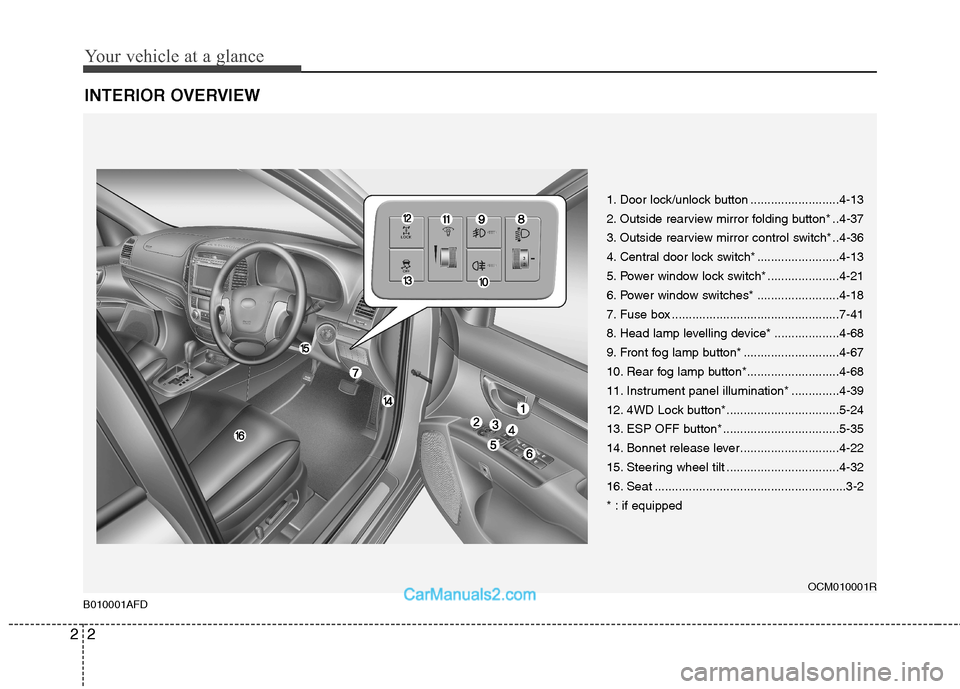
INTERIOR OVERVIEW
B010001AFD
1. Door lock/unlock button ..........................4-13
2. Outside rearview mirror folding button* ..4-37
3. Outside rearview mirror control switch* ..4-36
4. Central door lock switch* ........................4-13
5. Power window lock switch* .....................4-21
6. Power window switches* ........................4-18
7. Fuse box .................................................7-41
8. Head lamp levelling device* ...................4-68
9. Front fog lamp button* ............................4-67
10. Rear fog lamp button*...........................4-68
11. Instrument panel illumination* ..............4-39
12. 4WD Lock button*.................................5-24
13. ESP OFF button* ..................................5-35
14. Bonnet release lever.............................4-22
15. Steering wheel tilt .................................4-32
16. Seat ........................................................3-2
* : if equipped OCM010001R
Page 17 of 312
Your vehicle at a glance
4
2
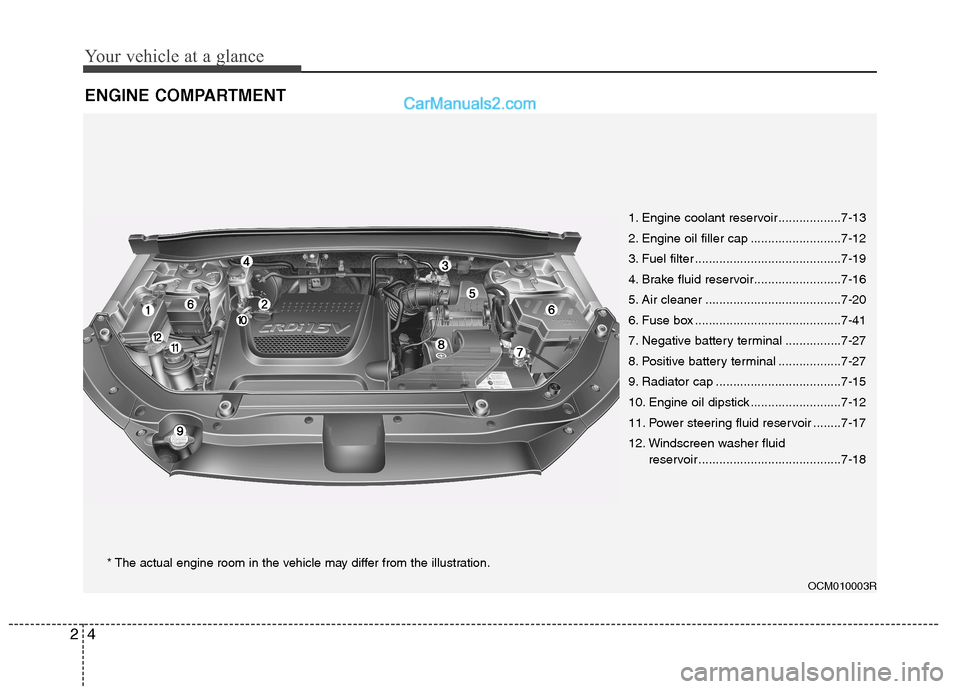
ENGINE COMPARTMENT
OCM010003R
1. Engine coolant reservoir ..................7-13
2. Engine oil filler cap ..........................7-12
3. Fuel filter ..........................................7-19
4. Brake fluid reservoir.........................7-16
5. Air cleaner .......................................7-20
6. Fuse box ..........................................7-41
7. Negative battery terminal ................7-27
8. Positive battery terminal ..................7-27
9. Radiator cap ....................................7-15
10. Engine oil dipstick ..........................7-12
11. Power steering fluid reservoir ........7-17
12. Windscreen washer fluid
reservoir .........................................7-18
* The actual engine room in the vehicle may differ from the illustration.
Page 57 of 312
Safety system of your vehicle
40
3
B240B05L/H
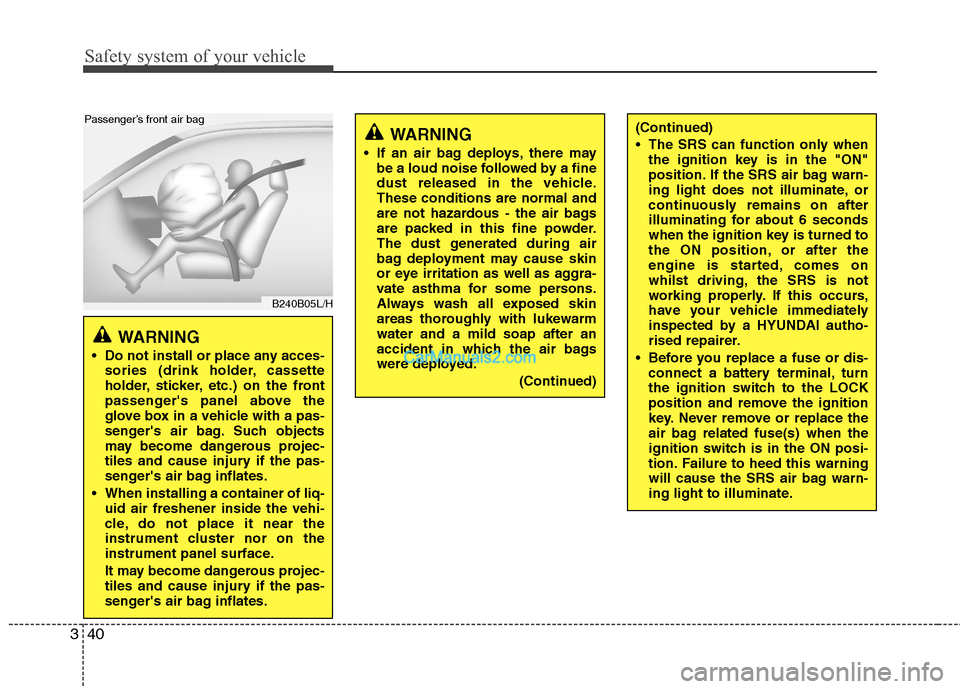
Passenger’s front air bag
WARNING
Do not install or place any acces- sories (drink holder, cassette
holder, sticker, etc.) on the front
passenger's panel above the
glove box in a vehicle with a pas-
senger's air bag. Such objects
may become dangerous projec-
tiles and cause injury if the pas-
senger's air bag inflates.
When installing a container of liq- uid air freshener inside the vehi-
cle, do not place it near the
instrument cluster nor on the
instrument panel surface.
It may become dangerous projec-
tiles and cause injury if the pas-
senger's air bag inflates.
WARNING
If an air bag deploys, there may be a loud noise followed by a fine
dust released in the vehicle.These conditions are normal and
are not hazardous - the air bags
are packed in this fine powder.
The dust generated during air
bag deployment may cause skin
or eye irritation as well as aggra-
vate asthma for some persons.
Always wash all exposed skin
areas thoroughly with lukewarmwater and a mild soap after an
accident in which the air bags
were deployed.
(Continued)(Continued)
The SRS can function only whenthe ignition key is in the "ON"
position. If the SRS air bag warn-
ing light does not illuminate, or
continuously remains on after
illuminating for about 6 seconds
when the ignition key is turned to
the ON position, or after the
engine is started, comes on
whilst driving, the SRS is not
working properly. If this occurs,
have your vehicle immediately
inspected by a HYUNDAI autho-
rised repairer.
Before you replace a fuse or dis- connect a battery terminal, turn
the ignition switch to the LOCK
position and remove the ignition
key. Never remove or replace the
air bag related fuse(s) when the
ignition switch is in the ON posi-
tion. Failure to heed this warning
will cause the SRS air bag warn-
ing light to illuminate.
Page 96 of 312
421
Features of your vehicle
D080104AUN
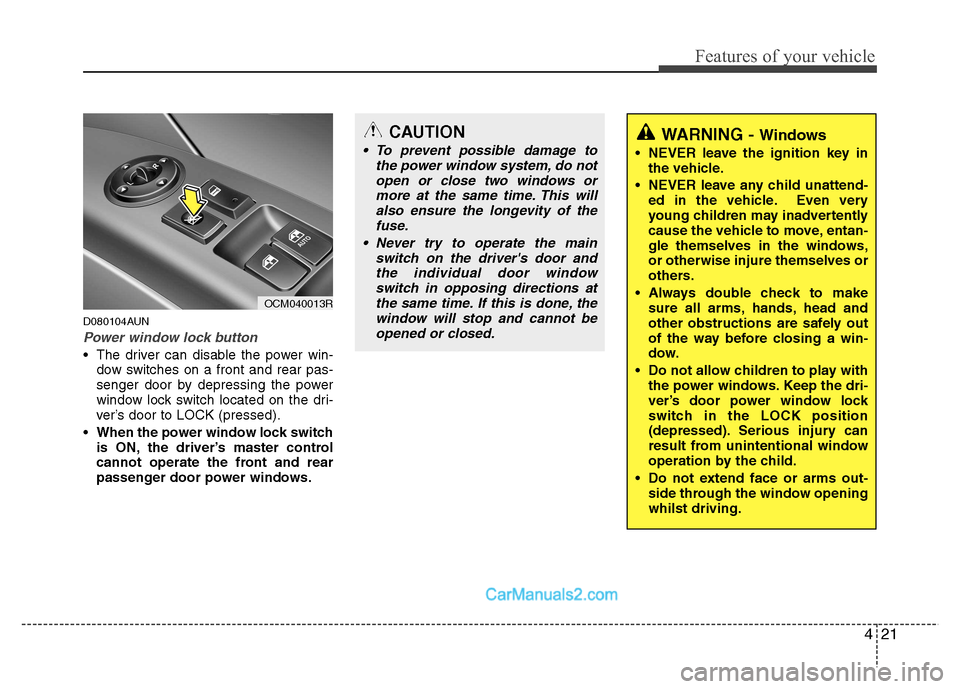
Power window lock button
The driver can disable the power win-dow switches on a front and rear pas-
senger door by depressing the power
window lock switch located on the dri-
ver’s door to LOCK (pressed).
When the power window lock switch is ON, the driver’s master control
cannot operate the front and rear
passenger door power windows.
CAUTION
To prevent possible damage to
the power window system, do not
open or close two windows or more at the same time. This willalso ensure the longevity of the fuse.
Never try to operate the main switch on the driver's door andthe individual door windowswitch in opposing directions at
the same time. If this is done, thewindow will stop and cannot beopened or closed.WARNING - Windows
NEVER leave the ignition key in the vehicle.
NEVER leave any child unattend- ed in the vehicle. Even very
young children may inadvertently
cause the vehicle to move, entan-
gle themselves in the windows,or otherwise injure themselves or
others.
Always double check to make sure all arms, hands, head and
other obstructions are safely out
of the way before closing a win-
dow.
Do not allow children to play with the power windows. Keep the dri-
ver’s door power window lock
switch in the LOCK position
(depressed). Serious injury can
result from unintentional window
operation by the child.
Do not extend face or arms out- side through the window openingwhilst driving.
OCM040013R
Page 106 of 312
431
Features of your vehicle
D110500AFD
Resetting the sunroof
Whenever the vehicle battery is discon- nected or discharged, or related fuse is
blown, you must reset your sunroof sys-
tem as follows:
1. Turn the ignition switch to the ONposition and close the sunroof com-
pletely.
2. Release the control button.
3. Tilt the sunroof by pressing the TILT- UP button.
4. Release the control button.
5. Press and hold the TILT-UP button until the sunroof tilt and slightly moves
up and down. Then, release the but-ton.
6. Press and hold the TILT-UP button until the sunroof is operated as fol-
lows;
TILT DOWN SLIDE OPEN
SLIDE CLOSE
Then, release the control button.
When this is complete, the sunroof sys- tem is reset. ❈
For more detailed information, contact
a HYUNDAI authorised repairer.
CAUTION
If the sunroof is not reset when the
vehicle battery is disconnected ordischarged, or related fuse isblown, the sunroof may operate improperly.
Page 180 of 312
4105
Features of your vehicle
D280600AUN
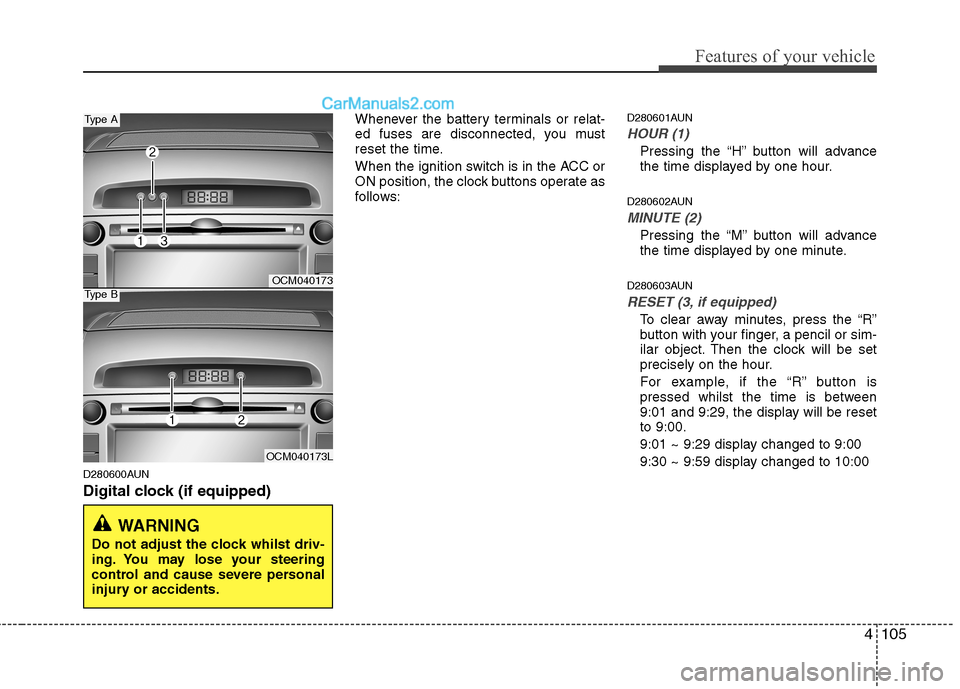
Digital clock (if equipped)Whenever the battery terminals or relat-
ed fuses are disconnected, you must
reset the time.
When the ignition switch is in the ACC or
ON position, the clock buttons operate as
follows:
D280601AUN
HOUR (1)
Pressing the “H” button will advance
the time displayed by one hour.
D280602AUN
MINUTE (2)
Pressing the “M” button will advance
the time displayed by one minute.
D280603AUN
RESET (3, if equipped)
To clear away minutes, press the “R”
button with your finger, a pencil or sim-
ilar object. Then the clock will be set
precisely on the hour.
For example, if the “R” button is
pressed whilst the time is between
9:01 and 9:29, the display will be resetto 9:00.
9:01 ~ 9:29 display changed to 9:00
9:30 ~ 9:59 display changed to 10:00
WARNING
Do not adjust the clock whilst driv-
ing. You may lose your steering
control and cause severe personal
injury or accidents.
OCM040173
OCM040173L
Type A
Type B
Page 216 of 312
513
Driving your vehicle
✽✽
NOTICE
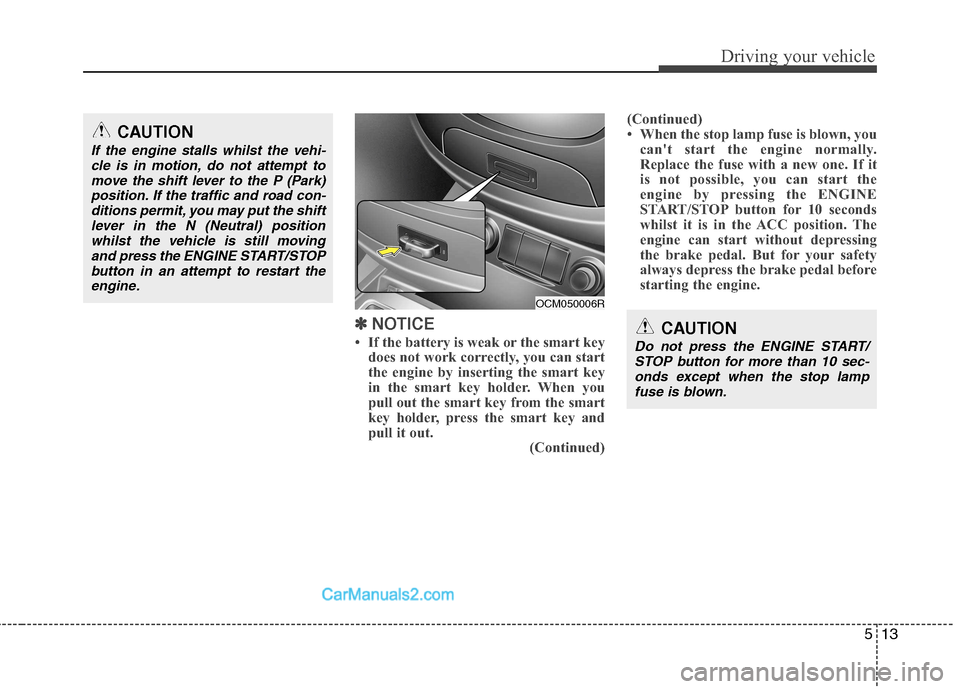
If the battery is weak or the smart key does not work correctly, you can start
the engine by inserting the smart key
in the smart key holder. When you
pull out the smart key from the smart
key holder, press the smart key and
pull it out. (Continued)(Continued)
When the stop lamp fuse is blown, you
can't start the engine normally.
Replace the fuse with a new one. If it
is not possible, you can start the
engine by pressing the ENGINE
START/STOP button for 10 seconds
whilst it is in the ACC position. The
engine can start without depressing
the brake pedal. But for your safety
always depress the brake pedal before
starting the engine.CAUTION
Do not press the ENGINE START/
STOP button for more than 10 sec-
onds except when the stop lampfuse is blown.
OCM050006R
CAUTION
If the engine stalls whilst the vehi- cle is in motion, do not attempt to
move the shift lever to the P (Park)position. If the traffic and road con-ditions permit, you may put the shift lever in the N (Neutral) position
whilst the vehicle is still movingand press the ENGINE START/STOPbutton in an attempt to restart the
engine.
Page 272 of 312
What to do in an emergency
4
6
IF THE ENGINE WILL NOT START
F030100AUN If engine cannot be cranked
1. If your vehicle has an automatic transaxle, be sure the shift lever is in N
(Neutral) or P (Park) and the emer-
gency brake is set.
2. Check the battery terminals and con- nections to ensure that these are cleanand also tight.
3. If the interior lights dim when the engine is cranked and the battery ter-
minals have been checked, a dis-
charged battery is indicated.
4. Do not attempt to push or tow start the vehicle, refer to "Jump Starting" for
information regarding engine starting
when the battery is discharged. F030200AFD
If engine turns over normally but
does not start
1. Check fuel level.
2. With the ignition switch in the LOCK/
OFF position, check all connectors at
ignition, coil and spark plugs.
Reconnect any that may be discon-
nected or loose.
3. Check the fuel line in the engine com- partment.
4. If the engine still does not start, call a HYUNDAI authorised repairer or seek
other qualified assistance.
WARNING
If the engine refuses to start, no attempt should be made to push or
tow start the vehicle. Vehicles withautomatic transaxle or fuel injec-
tion will not be able to be started inthis manner since no drive is trans-
mitted through the automatictransaxle whilst the engine is not
running, and in the case of fuel
injected derivatives, the fuel pump
will not operate under tow start
conditions. In addition, if the vehi-
cle is equipped with an exhaust cat-
alyst, damage to the catalyst may
result if the vehicle is tow started.