2011 Hyundai Azera PROGRAM
[x] Cancel search: PROGRAMPage 11 of 403

INDICATOR SYMBOLS ON THE INSTRUMENT CLUSTER
Seat belt warning light
High beam indicator
Turn signal indicator
Anti-lock brake system (ABS)
warning light*
Parking brake & Brake fluid
warning light
Engine oil pressure warning
light
Electronic stability program
(ESP) indicator*
Electronic stability program
(ESP) OFF indicator*
Malfunction indicator light
Smart cruise control (SCC)
malfunction indicator*
Smart cruise control (SCC)
sensor malfunction indicator*
Cruise control indicator*
Cruise control SET indicator*
Immobilizer indicator
Low fuel level warning light
❈For more detailed explanations, refer to “Instrument cluster” in section 4.
Charging system warning light
Tail light indicator
Front fog light indicator
Low windshield washer fluid
level warning lightElectric parking brake (EPB)
malfunction indicator*
AUTO HOLD indicator*
EPB
CRUISE
AUTO
HOLD
Engine coolant temperature
warning light
Door ajar warning light
Low tire pressure telltale*/
TPMS malfunction indicator*
PShift pattern indicatorAir bag warning light
Rear fog light indicator*
Overspeed warning light*
120
km/h
SET
* : if equipped
16
Introduction
Low beam indicator*
Trunk lid open warning light
Page 88 of 403

Features of your vehicle
12 4
Battery replacement
The transmitter uses a 3 volt lithium bat-
tery which will normally last for several
years. When replacement is necessary,
use the following procedure.
1. Insert a slim tool into the slot and gen-
tly pry open the transmitter center
cover.
2. Replace the battery with a new battery
(CR2032). When replacing the battery,
make sure the battery position.
3. Install the battery in the reverse order
of removal.
For transmitter replacement, see an
authorized HYUNDAI dealer for transmit-
ter reprogramming.
CAUTION
• The keyless entry system trans-
mitter is designed to give you
years of trouble-free use, howev-
er it can malfunction if exposed to
moisture or static electricity. If
you are unsure how to use your
transmitter or replace the battery,
contact an authorized HYUNDAI
dealer.
• Using the wrong battery can
cause the transmitter to malfunc-
tion. Be sure to use the correct
battery.
• To avoid damaging the transmit-
ter, don't drop it, get it wet, or
expose it to heat or sunlight.
CAUTION
An inappropriately disposed bat-
tery can be harmful to the environ-
ment and human health.
Dispose the battery according to
your local law(s) or regulation.
OVF041213
CAUTION
Keep the transmitter away from
electromagnetic materials that
blocks electromagnetic waves to
the key surface.
Page 137 of 403
461
Features of your vehicle
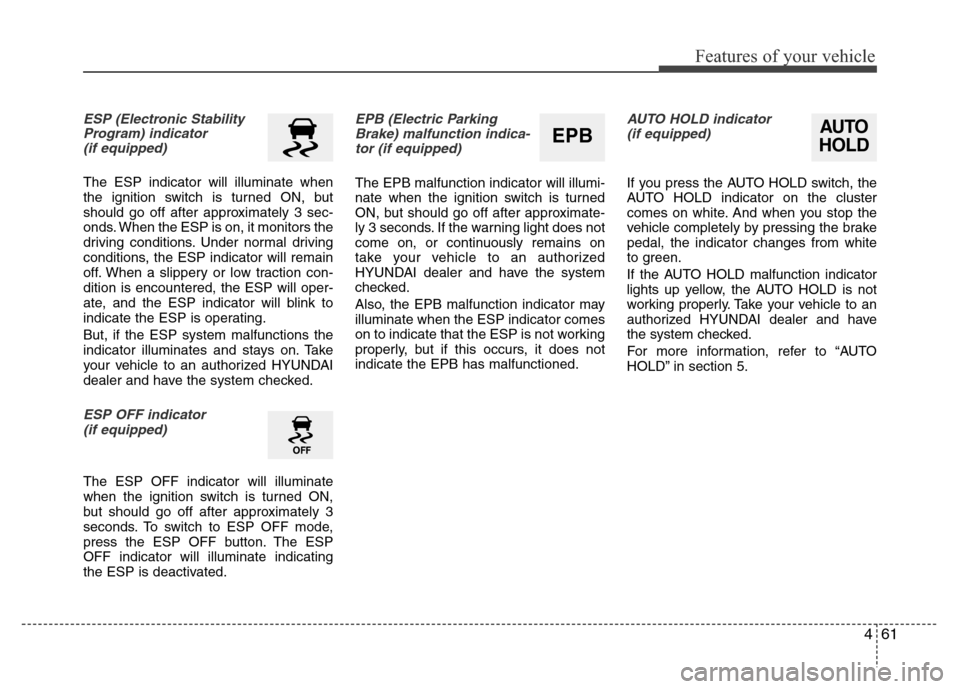
ESP (Electronic Stability
Program) indicator
(if equipped)
The ESP indicator will illuminate when
the ignition switch is turned ON, but
should go off after approximately 3 sec-
onds. When the ESP is on, it monitors the
driving conditions. Under normal driving
conditions, the ESP indicator will remain
off. When a slippery or low traction con-
dition is encountered, the ESP will oper-
ate, and the ESP indicator will blink to
indicate the ESP is operating.
But, if the ESP system malfunctions the
indicator illuminates and stays on. Take
your vehicle to an authorized HYUNDAI
dealer and have the system checked.
ESP OFF indicator
(if equipped)
The ESP OFF indicator will illuminate
when the ignition switch is turned ON,
but should go off after approximately 3
seconds. To switch to ESP OFF mode,
press the ESP OFF button. The ESP
OFF indicator will illuminate indicating
the ESP is deactivated.
EPB (Electric Parking
Brake) malfunction indica-
tor (if equipped)
The EPB malfunction indicator will illumi-
nate when the ignition switch is turned
ON, but should go off after approximate-
ly 3 seconds. If the warning light does not
come on, or continuously remains on
take your vehicle to an authorized
HYUNDAI dealer and have the system
checked.
Also, the EPB malfunction indicator may
illuminate when the ESP indicator comes
on to indicate that the ESP is not working
properly, but if this occurs, it does not
indicate the EPB has malfunctioned.
AUTO HOLD indicator
(if equipped)
If you press the AUTO HOLD switch, the
AUTO HOLD indicator on the cluster
comes on white. And when you stop the
vehicle completely by pressing the brake
pedal, the indicator changes from white
to green.
If the AUTO HOLD malfunction indicator
lights up yellow, the AUTO HOLD is not
working properly. Take your vehicle to an
authorized HYUNDAI dealer and have
the system checked.
For more information, refer to “AUTO
HOLD” in section 5.
AUTO
HOLDEPB
Page 191 of 403
4115
Features of your vehicle
Defogging logic
To reduce the probability of fogging up
the inside of the windshield, the air intake
or air conditioning are controlled auto-
matically according to certain conditions
such as or position. To cancel or
return the defogging logic, do the follow-
ing.
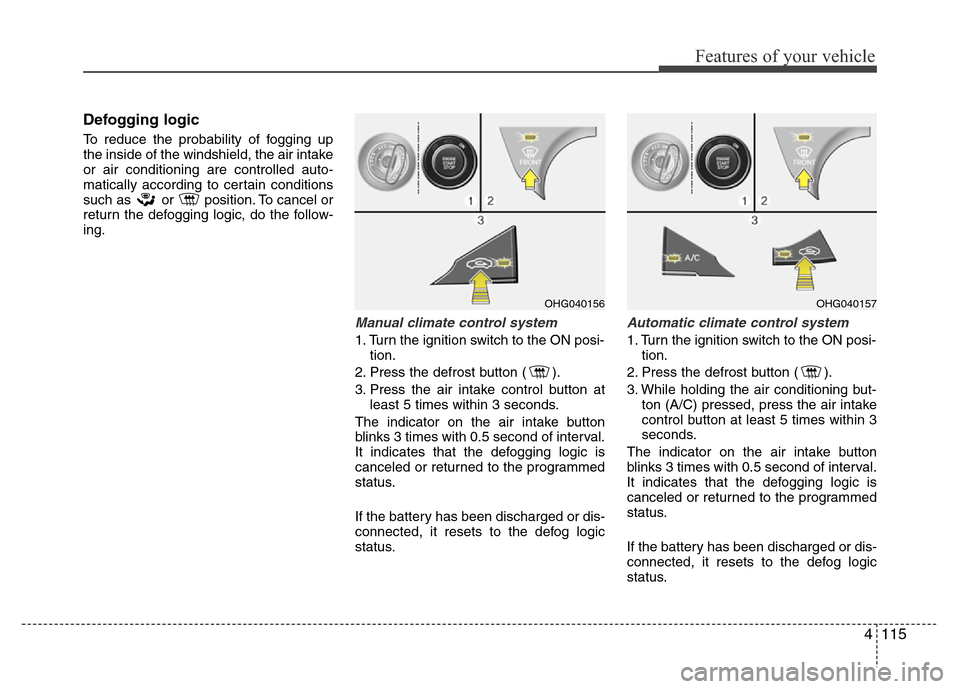
Manual climate control system
1. Turn the ignition switch to the ON posi-
tion.
2. Press the defrost button ( ).
3. Press the air intake control button at
least 5 times within 3 seconds.
The indicator on the air intake button
blinks 3 times with 0.5 second of interval.
It indicates that the defogging logic is
canceled or returned to the programmed
status.
If the battery has been discharged or dis-
connected, it resets to the defog logic
status.
Automatic climate control system
1. Turn the ignition switch to the ON posi-
tion.
2. Press the defrost button ( ).
3. While holding the air conditioning but-
ton (A/C) pressed, press the air intake
control button at least 5 times within 3
seconds.
The indicator on the air intake button
blinks 3 times with 0.5 second of interval.
It indicates that the defogging logic is
canceled or returned to the programmed
status.
If the battery has been discharged or dis-
connected, it resets to the defog logic
status.
OHG040156OHG040157
Page 247 of 403
Driving your vehicle
24 5
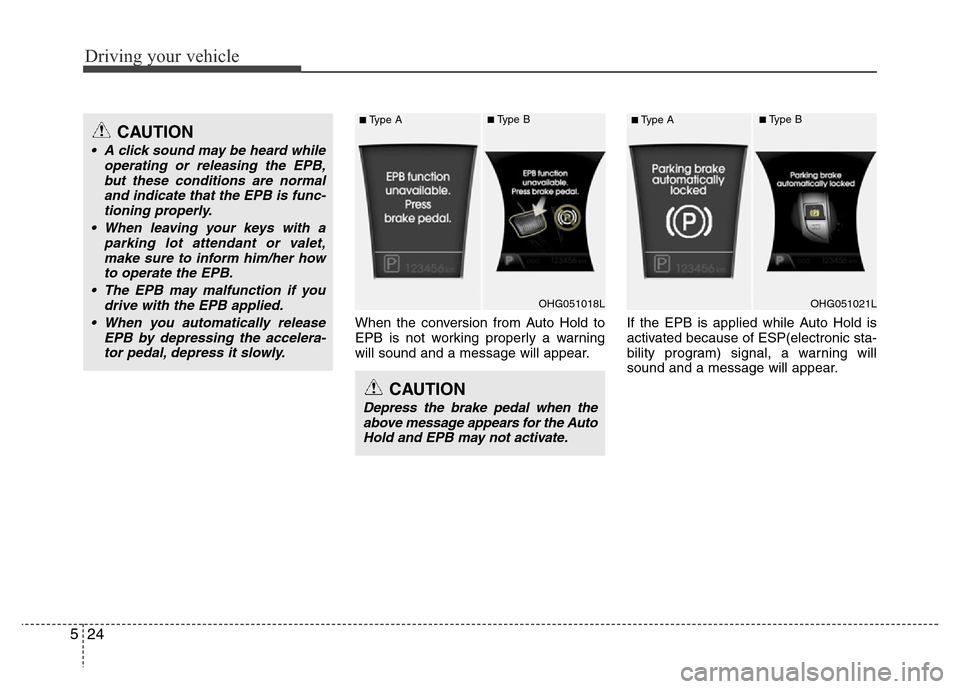
When the conversion from Auto Hold to
EPB is not working properly a warning
will sound and a message will appear.If the EPB is applied while Auto Hold is
activated because of ESP(electronic sta-
bility program) signal, a warning will
sound and a message will appear.
CAUTION
Depress the brake pedal when the
above message appears for the Auto
Hold and EPB may not activate.
CAUTION
• A click sound may be heard while
operating or releasing the EPB,
but these conditions are normal
and indicate that the EPB is func-
tioning properly.
• When leaving your keys with a
parking lot attendant or valet,
make sure to inform him/her how
to operate the EPB.
• The EPB may malfunction if you
drive with the EPB applied.
• When you automatically release
EPB by depressing the accelera-
tor pedal, depress it slowly.
OHG051018L
■Type A■Type B
OHG051021L
■Type A■Type B
Page 251 of 403

Driving your vehicle
28 5
(Continued)
• If the AUTO HOLD indicator lights
up yellow, the Auto Hold is not work-
ing properly. Take your vehicle to an
authorized HYUNDAI dealer and
have the system checked.
• While operating Auto Hold, you may
hear mechanical noise. However, it is
normal operating noise.Anti-lock brake system (ABS)
(if equipped)
The ABS continuously senses the speed
of the wheels. If the wheels are going to
lock, the ABS system repeatedly modu-
lates the hydraulic brake pressure to the
wheels.
When you apply your brakes under con-
ditions which may lock the wheels, you
may hear a “tik-tik’’ sound from the
brakes, or feel a corresponding sensation
in the brake pedal. This is normal and it
means your ABS is active.
In order to obtain the maximum benefit
from your ABS in an emergency situa-
tion, do not attempt to modulate your
brake pressure and do not try to pump
your brakes. Press your brake pedal as
hard as possible or as hard as the situa-
tion warrants and allow the ABS to con-
trol the force being delivered to the
brakes.
WARNING
ABS (or ESP) will not prevent acci-
dents due to improper or danger-
ous driving maneuvers. Even
though vehicle control is improved
during emergency braking, always
maintain a safe distance between
you and objects ahead. Vehicle
speeds should always be reduced
during extreme road conditions.
The braking distance for cars
equipped with an anti-lock braking
system (or Electronic Stability
Program system) may be longer
than for those without it in the fol-
lowing road conditions.
During these conditions the vehicle
should be driven at reduced
speeds:
• Rough, gravel or snow-covered
roads.
• With tire chains installed.
(Continued)
(Continued)
• On roads where the road surface
is pitted or has different surface
height.
The safety features of an ABS (or
ESP) equipped vehicle should not
be tested by high speed driving or
cornering. This could endanger the
safety of yourself or others.
WARNING
• Press the accelerator pedal slow-
ly when you start the vehicle.
• For your safety, cancel the Auto
Hold when you drive downhill or
back up the vehicle or park the
vehicle.
CAUTION
If there is a malfunction with the dri-
ver’s door, hood or trunk open
detection system, the Auto Hold
may not work properly.
Take your vehicle to an authorized
HYUNDAI dealer and have the sys-
tem checked.
Page 253 of 403
Driving your vehicle
30 5
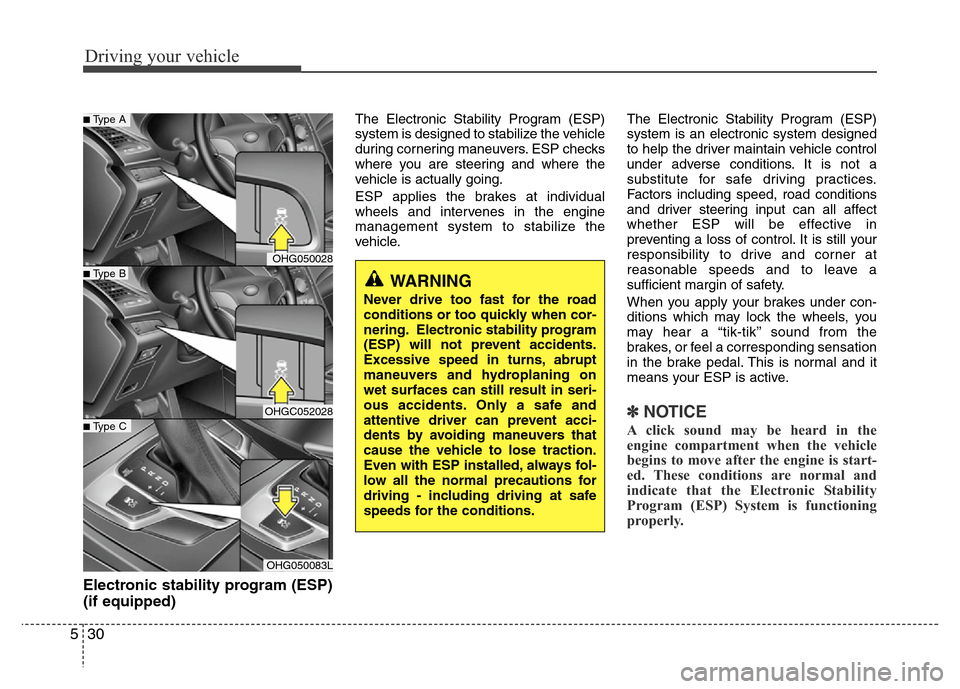
Electronic stability program (ESP)
(if equipped)
The Electronic Stability Program (ESP)
system is designed to stabilize the vehicle
during cornering maneuvers. ESP checks
where you are steering and where the
vehicle is actually going.
ESP applies the brakes at individual
wheels and intervenes in the engine
management system to stabilize the
vehicle.The Electronic Stability Program (ESP)
system is an electronic system designed
to help the driver maintain vehicle control
under adverse conditions. It is not a
substitute for safe driving practices.
Factors including speed, road conditions
and driver steering input can all affect
whether ESP will be effective in
preventing a loss of control. It is still your
responsibility to drive and corner at
reasonable speeds and to leave a
sufficient margin of safety.
When you apply your brakes under con-
ditions which may lock the wheels, you
may hear a “tik-tik’’ sound from the
brakes, or feel a corresponding sensation
in the brake pedal. This is normal and it
means your ESP is active.
✽NOTICE
A click sound may be heard in the
engine compartment when the vehicle
begins to move after the engine is start-
ed. These conditions are normal and
indicate that the Electronic Stability
Program (ESP) System is functioning
properly.
WARNING
Never drive too fast for the road
conditions or too quickly when cor-
nering. Electronic stability program
(ESP) will not prevent accidents.
Excessive speed in turns, abrupt
maneuvers and hydroplaning on
wet surfaces can still result in seri-
ous accidents. Only a safe and
attentive driver can prevent acci-
dents by avoiding maneuvers that
cause the vehicle to lose traction.
Even with ESP installed, always fol-
low all the normal precautions for
driving - including driving at safe
speeds for the conditions.
OHG050028
OHGC052028
OHG050083L
■Type B
■Type A
■Type C
Page 254 of 403
531
Driving your vehicle
ESP operation
ESP ON condition
• When the ignition is turned
ON, ESP and ESP OFF indi-
cator lights illuminate for
approximately 3 seconds,
then ESP is turned on.
• Press the ESP OFF button
after turning the ignition ON
to turn ESP off. (ESP OFF
indicator will illuminate). To
turn the ESP on, press the
ESP OFF button (ESP OFF
indicator light will go off).
• When starting the engine,
you may hear a slight ticking
sound. This is the ESP per-
forming an automatic system
self-check and does not indi-
cate a problem.When operating
When the ESP is in operation,
ESP indicator light blinks.
• When the Electronic Stability
Program is operating proper-
ly, you can feel a slight pulsa-
tion in the vehicle. This is only
the effect of brake control and
indicates nothing unusual.
• When moving out of the mud
or slippery road, the engine
rpm (revolution per minute)
may not be increased even if
you press the accelerator
pedal deeply. This is to main-
tain the stability and traction
of the vehicle and does not
indicate a problem.
ESP operation off
ESP OFF state
• To cancel ESP operation,
press the ESP OFF button
(ESP OFF indicator light illu-
minates).
• If the ignition switch is turned
to LOCK position when ESP
is off, ESP remains off. Upon
restarting the engine, the
ESP will automatically turn on
again.
-