Page 91 of 574

�Û�Ý�Û�Ý
�Û�Ý
To change the display, press the
INFO( / )buttononthesteering
wheel repeatedly until the main
menu appears (see page ).With the ignition switch in the ON
(II) position, the multi-inf ormation
display changes as shown on the
next page each time you press the
INFO ( / ) button or the SEL/
RESET button.
When you turn the ignition switch to
the ON (II) position, your last
selection is displayed.
In the multi-information display, the
system message is also displayed
(see page ) and you can
customize your vehicle control
settings (see page ).
The multi-inf ormation display in the
instrument panel displays various
inf ormation and messages when the
ignition switch is in the ON (II)
position. Some of the messages help
you operate your vehicle more
comf ortably. Others help to keep
you aware of the periodic
maintenance your vehicle needs f or
continued trouble-f ree driving.
You can also change the display by
pressing the select/reset knob in the
instrument panel.
When you open the driver’s door, a
‘‘Welcome’’ message is shown on the
multi-inf ormation display.
8894
97
CONT INUED
On vehicles with navigation system
Multi-Inf ormation Display
Inst rument s and Cont rols
87
SEL/RESET
BUTTON
INFO ( / )
BUTTON
10/01/26 18:38:25 31SZA620_092
2011 Pilot
Page 127 of 574

�Î
�Î
�Î
�Î �Î
�Î
�Î �Î
�Î
�Î �Î
�Î
�Î
�Î
�Î
�Î
To use the horn, press the center pad of the steering wheel.
Only on vehicles equipped with navigation system. Ref er to the navigation system manual.
If equipped
1:
2:
3:
4 : 4WD models only
Controls Near the Steering Wheel
Inst rument s and Cont rols
123
HORN HAZARD WARNING
BUTTON
Vehicle with navigation system is shown. GLASS HATCH RELEASE BUTTON/
POWER TAILGATE SWITCH FUEL FILL DOOR RELEASE
HANDLE POWER WINDOW
SWITCHES POWER DOOR LOCK MASTER
SWITCH MIRROR CONTROLS DRIVING POSITION MEMORY
SYSTEM VEHICLE STABILITY ASSIST
SYSTEM OFF SWITCH
PARKING SENSOR SYSTEM
SWITCH HEADLIGHT/TURN SIGNAL/
FRONT FOG LIGHTS
STEERING WHEEL AUDIO CONTROLS
(P.361)
PARKING BRAKE RELEASE
HANDLE STEERING WHEEL
ADJUSTMENT
VOICE CONTROL
BUTTONS WINDSHIELD WIPERS/
WASHERS
PASSENGER AIRBAG
OFF INDICATOR
VTM-4 LOCK
BUTTON
ACCESSORY POWER
SOCKET
SEAT HEATER
SWITCHES
CRUISE CONTROL
BUTTONS
MULTI-INFORMATION
BUTTONS REAR WINDOW
DEFOGGER/HEATED
MIRROR BUTTON
(P.126)
(P.432)
(P.386) (P.173) (P.171)
(P.138)
(P.165)
(P.395)
(P.145) (P.169) (P.133)(P.87)(P.350)
(P.164)
(P.
186 )
(P.130,
172)(P.
418 )
(P.
36)
(P.
124 )
(P.130)
(P.311)
BLUETOOTH
HANDSFREELINK SYSTEM
VOICE CONTROL BUTTONS1
3
3
3 3
3
2 4
3
3 3
3
10/01/26 18:44:12 31SZA620_128
2011 Pilot
Page 137 of 574
Make any steering wheel adjustment
bef ore you start driving.Push the lever under the steering
column all the way down.Push the lever up to lock the
steering wheel in position.
Make sure you have securely
locked the steering wheel in place
by trying to move it up, down, in,
and out.
Move the steering wheel up or
down, and in or out, so it points
toward your chest, not toward
your f ace. Make sure you can see
the instrument panel gauges and
indicators. 3.
4.
1.
2.
Steering Wheel A djustment
Inst rument s and Cont rols
133
Adjusting the steering wheel
position while driving may
cause you to lose control of the
vehicle and be seriously injured
inacrash.
Adjust the steering wheel only
when the vehicle is stopped.
10/01/26 18:45:43 31SZA620_138
2011 Pilot
Page 141 of 574
�µ�µ
�µ
�µ
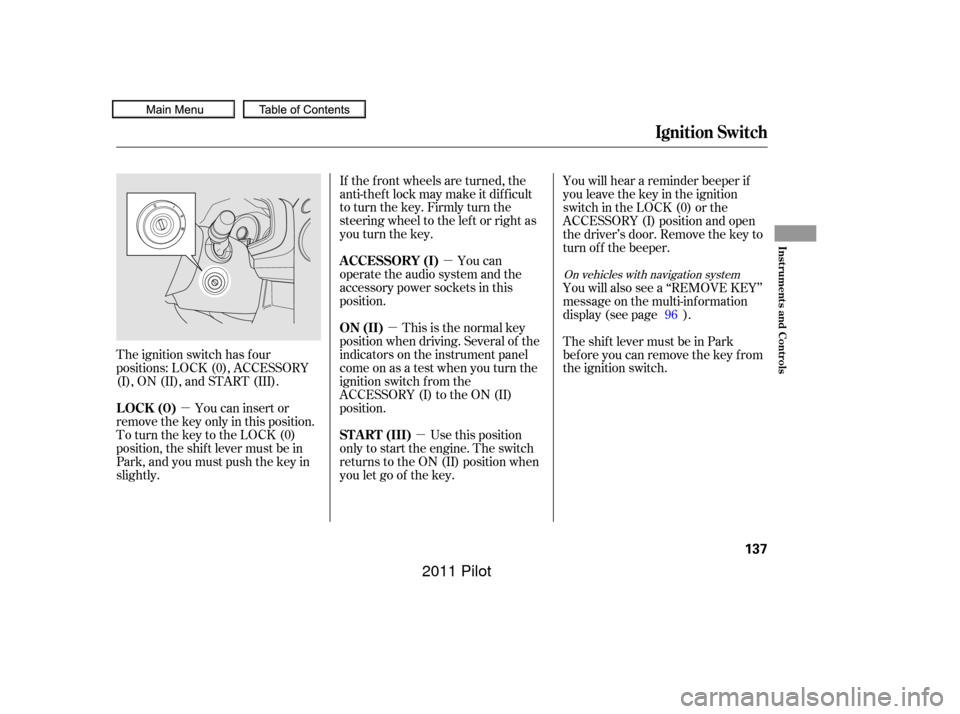
The ignition switch has f our
positions: LOCK (0), ACCESSORY
(I), ON (II), and START (III).
You can insert or
remove the key only in this position.
To turn the key to the LOCK (0)
position, the shif t lever must be in
Park, and you must push the key in
slightly. If the f ront wheels are turned, the
anti-theft lock may make it difficult
to turn the key. Firmly turn the
steering wheel to the lef t or right as
you turn the key.
You can
operate the audio system and the
accessory power sockets in this
position.
This is the normal key
position when driving. Several of the
indicators on the instrument panel
come on as a test when you turn the
ignition switch f rom the
ACCESSORY (I) to the ON (II)
position.
Use this position
only to start the engine. The switch
returns to the ON (II) position when
you let go of the key. You will hear a reminder beeper if
you leave the key in the ignition
switch in the LOCK (0) or the
ACCESSORY (I) position and open
the driver’s door. Remove the key to
turn of f the beeper.
You will also see a ‘‘REMOVE KEY’’
message on the multi-information
display (see page ).
TheshiftlevermustbeinPark
bef ore you can remove the key f rom
the ignition switch.
96
On vehicles with navigation system
Ignition Switch
LOCK (0) A CCESSORY (I)
ON (II)
ST A RT (III)
Inst rument s and Cont rols
137
10/01/26 18:46:14 31SZA620_142
2011 Pilot
Page 315 of 574
�Û�Ý�´
�µ
�´�µ
�´
�µ
CONT INUED
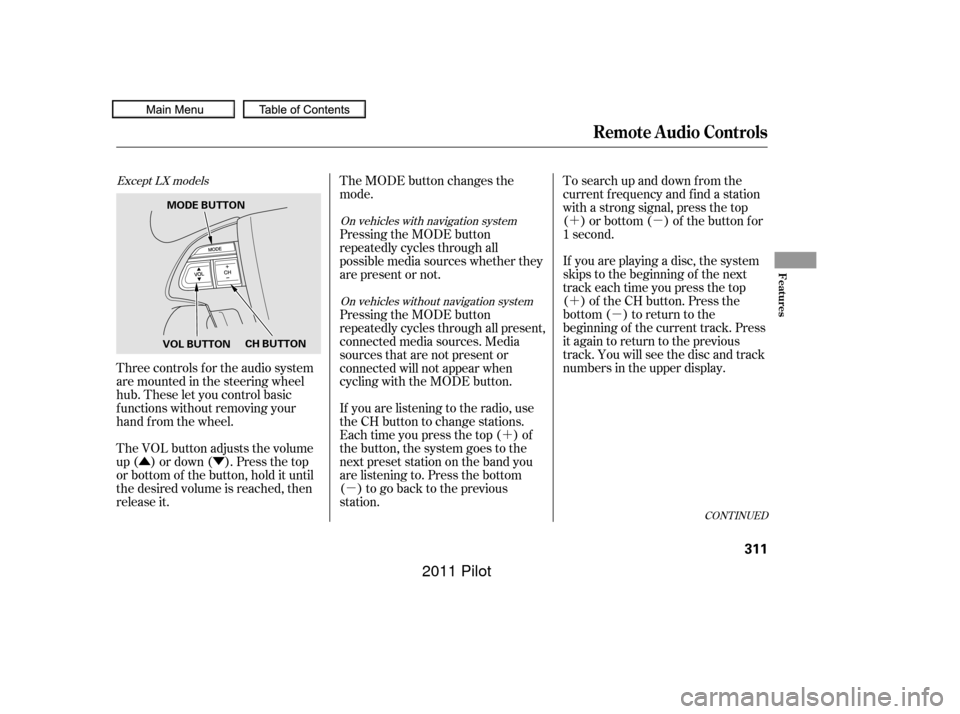
Three controls f or the audio system
are mounted in the steering wheel
hub. These let you control basic
f unctions without removing your
hand f rom the wheel.
The VOL button adjusts the volume
up ( ) or down ( ). Press the top
or bottom of the button, hold it until
the desired volume is reached, then
release it. If you are playing a disc, the system
skips to the beginning of the next
track each time you press the top
( ) of the CH button. Press the
bottom ( ) to return to the
beginning of the current track. Press
it again to return to the previous
track. You will see the disc and track
numbers in the upper display. To search up and down from the
current f requency and f ind a station
with a strong signal, press the top
( ) or bottom ( ) of the button for
1 second.
The MODE button changes the
mode.
If you are listening to the radio, use
the CH button to change stations.
Each time you press the top ( ) of
the button, the system goes to the
next preset station on the band you
are listening to. Press the bottom
( ) to go back to the previous
station. Pressing the MODE button
repeatedly cycles through all present,
connected media sources. Media
sources that are not present or
connected will not appear when
cycling with the MODE button. Pressing the MODE button
repeatedly cycles through all
possible media sources whether they
are present or not.
Except LX models
On vehicles with navigation system
On vehicles without navigation system
Remote Audio Controls
Features
311
VOL BUTTON CH BUTTON
MODE BUTTON
10/01/27 17:26:10 31SZA620_316
2011 Pilot
Page 354 of 574
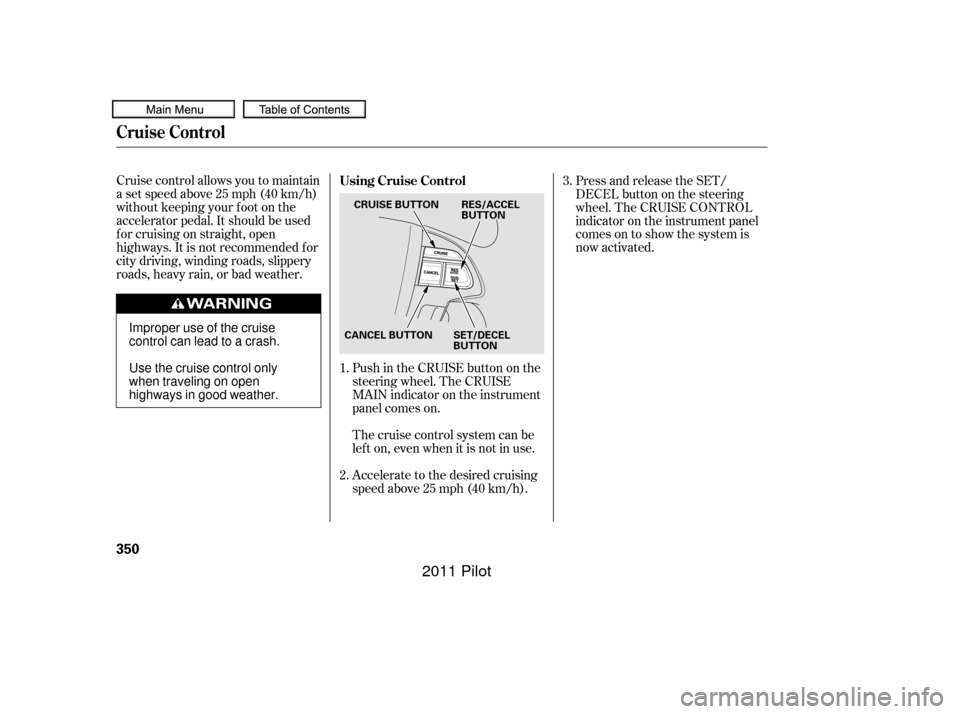
Cruise control allows you to maintain
asetspeedabove25mph(40km/h)
without keeping your f oot on the
accelerator pedal. It should be used
f or cruising on straight, open
highways. It is not recommended f or
city driving, winding roads, slippery
roads, heavy rain, or bad weather.Push in the CRUISE button on the
steering wheel. The CRUISE
MAIN indicator on the instrument
panel comes on.Press and release the SET/
DECELbuttononthesteering
wheel. The CRUISE CONTROL
indicator on the instrument panel
comes on to show the system is
now activated.
Accelerate to the desired cruising
speedabove25mph(40km/h). Thecruisecontrolsystemcanbe
lefton,evenwhenitisnotinuse.
1.
2. 3.
Using Cruise Control
Cruise Control
350
CRUISE BUTTON
CANCEL BUTTON SET/DECEL BUTTONRES/ACCEL
BUTTON
Improper use of the cruise
control can lead to a crash.
Use the cruise control only
when traveling on open
highways in good weather.
10/01/27 14:04:29 31SZA620_355
2011 Pilot
Page 356 of 574
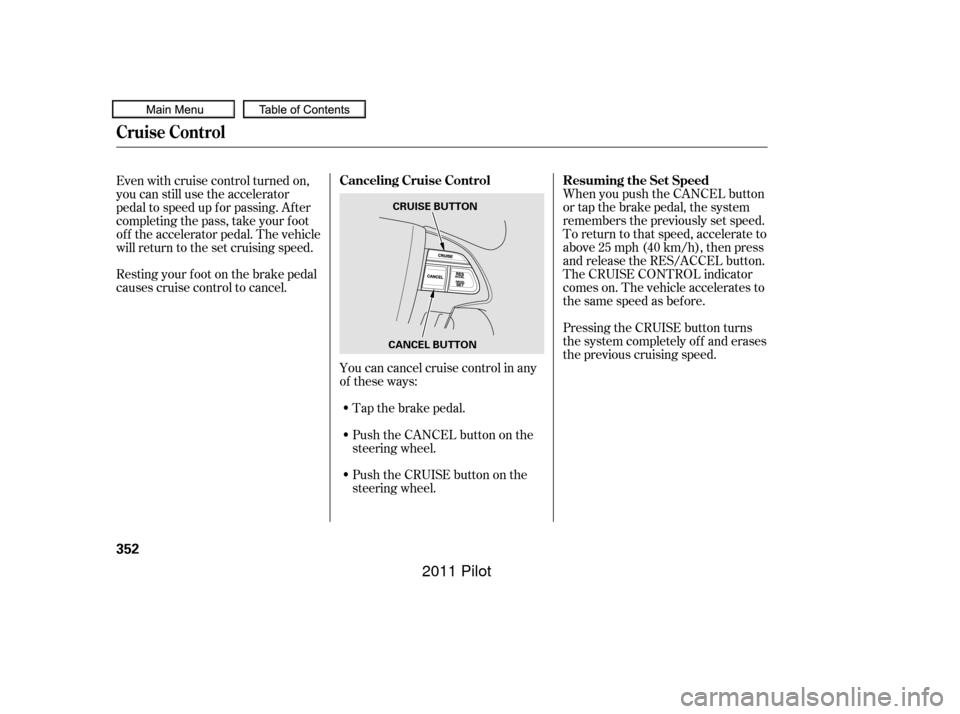
Tap the brake pedal.
Push the CANCEL button on the
steering wheel.
Resting your f oot on the brake pedal
causes cruise control to cancel.
You can cancel cruise control in any
of these ways:
Push the CRUISE button on the
steering wheel. When you push the CANCEL button
or tap the brake pedal, the system
remembers the previously set speed.
To return to that speed, accelerate to
above25mph(40km/h),thenpress
and release the RES/ACCEL button.
The CRUISE CONTROL indicator
comes on. The vehicle accelerates to
thesamespeedasbefore.
Pressing the CRUISE button turns
the system completely of f and erases
the previous cruising speed.
Even with cruise control turned on,
you can still use the accelerator
pedal to speed up f or passing. Af ter
completing the pass, take your foot
of f the accelerator pedal. The vehicle
will return to the set cruising speed.
Cruise Control
Resuming the Set Speed
Canceling Cruise Control
352
CANCEL BUTTON CRUISE BUTTON
10/01/27 14:04:40 31SZA620_357
2011 Pilot
Page 366 of 574
�Ì�Ì�Ì�Ì
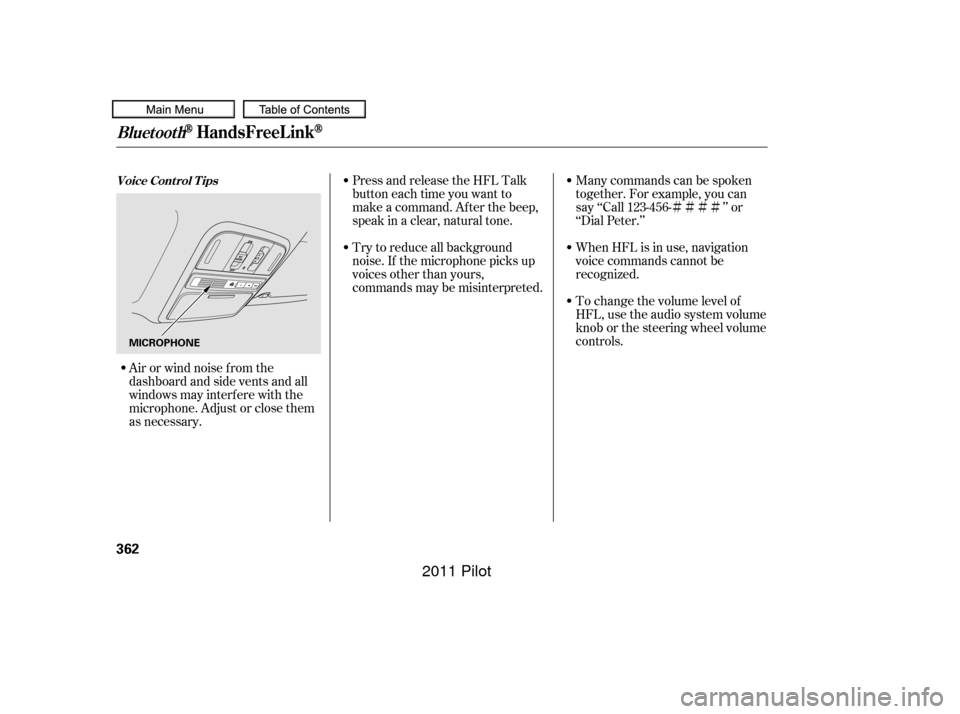
Try to reduce all background
noise. If the microphone picks up
voices other than yours,
commands may be misinterpreted. Many commands can be spoken
together. For example, you can
say ‘‘Call 123-456- ’’ or
‘‘Dial Peter.’’
Press and release the HFL Talk
button each time you want to
make a command. Af ter the beep,
speak in a clear, natural tone.
When HFL is in use, navigation
voice commands cannot be
recognized.
To change the volume level of
HFL, use the audio system volume
knob or the steering wheel volume
controls.
Airorwindnoisefromthe
dashboard and side vents and all
windows may interfere with the
microphone. Adjust or close them
as necessary.
BluetoothHandsFreeL ink
Voice Cont rol T ips
362
MICROPHONE
10/01/26 19:24:45 31SZA620_367
2011 Pilot