�Û�Ý
�Û�Ý Negative distance traveled means
your vehicle has passed the
maintenance required point. The system message will appear
again by pressing the INFO ( / )
button after canceling it.
You will also see the system
message every time you turn the
ignition switch to the ON (II)
position until you have the indicated
maintenance perf ormed by your
dealer.
Immediately have the service
perf ormed, and make sure to reset
the display as described on page .
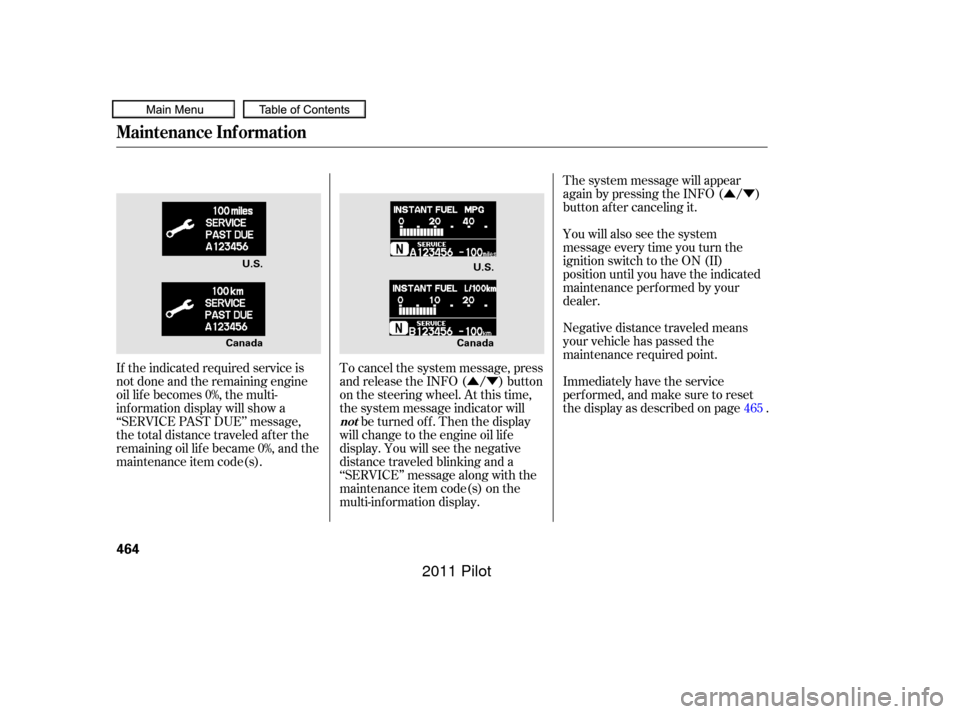
If the indicated required service is
not done and the remaining engine
oil lif e becomes 0%, the multi-
inf ormation display will show a
‘‘SERVICE PAST DUE’’ message,
the total distance traveled after the
remaining oil lif e became 0%, and the
maintenance item code(s). To cancel the system message, press
and release the INFO ( / ) button
on the steering wheel. At this time,
the system message indicator will
be turned of f . Then the display
will change to the engine oil lif e
display. You will see the negative
distance traveled blinking and a
‘‘SERVICE’’ message along with the
maintenance item code(s) on the
multi-inf ormation display. 465
Maintenance Inf ormation
not
464
U.S.
U.S.
Canada Canada
10/01/26 19:43:59 31SZA620_469
2011 Pilot
Press and hold the SEL/RESET
button on the steering wheel f or
more than 10 seconds. The
remaining engine oil lif e reset
mode will be shown on the multi-
inf ormation display.
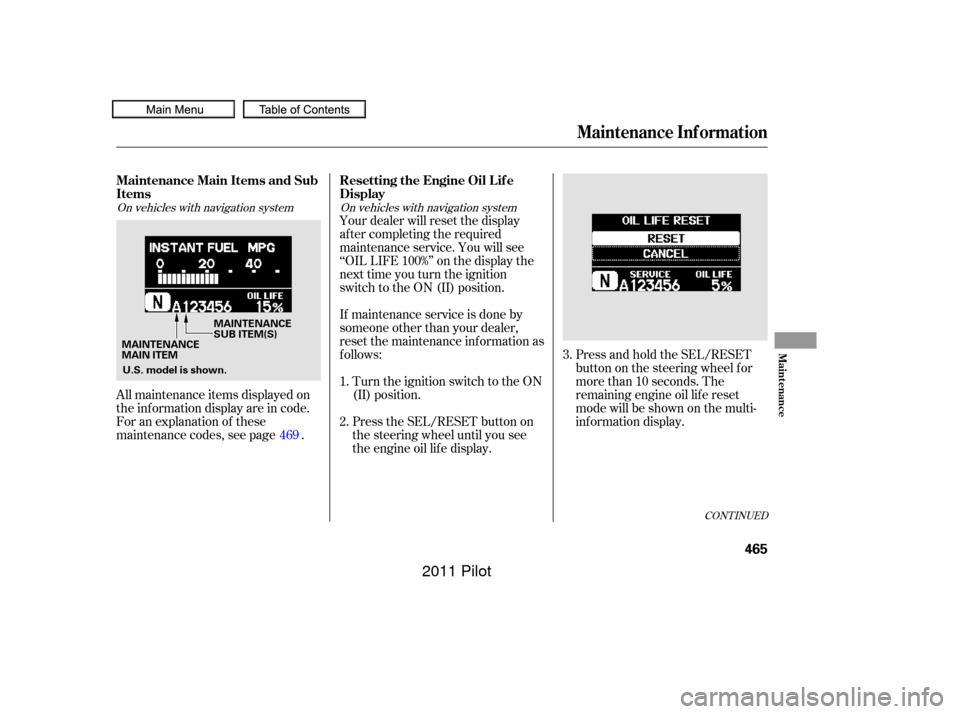
All maintenance items displayed on
the inf ormation display are in code.
For an explanation of these
maintenance codes, see page . Your dealer will reset the display
af ter completing the required
maintenance service. You will see
‘‘OIL LIFE 100%’’ on the display the
next time you turn the ignition
switch to the ON (II) position.
If maintenance service is done by
someone other than your dealer,
reset the maintenance inf ormation as
f ollows:
Turn the ignition switch to the ON
(II) position.
Press the SEL/RESET button on
the steering wheel until you see
the engine oil lif e display.
1.
2. 3.
469
CONT INUED
On vehicles with navigation system On vehicles with navigation system
Maintenance Main Items and Sub
Items Resetting the Engine Oil Lif e
Display
Maintenance Inf ormation
Maint enance
465
MAINTENANCE
MAIN ITEMMAINTENANCE
SUB ITEM(S)
U.S. model is shown.
10/01/26 19:44:13 31SZA620_470
2011 Pilot
�Û�Ý
Select ‘‘RESET’’ by pressing the
INFO ( / ) button, then press
the SEL/RESET button to reset
the engine oil lif e display. The
maintenance item code(s) will
disappear, and the engine oil lif e
will reset to ‘‘100.’’ If you want to
cancel the oil lif e reset mode,
select ‘‘CANCEL.’’ If you have the required service
done but do not reset the display, or
reset the display without doing the
service, the system will not show the
correct maintenance intervals. This
canleadtoseriousmechanical
problems because you will no longer
have an accurate record of when
maintenance is needed.
Your authorized Honda dealer
knows your vehicle best and can
provide competent, ef f icient service.
However, service at a dealer is not
mandatory to keep your warranties
in effect. Maintenance may be done
by any qualif ied service f acility or
person who is skilled in this type of
automotive service. Make sure to
have the service f acility or person
reset the display as previously
described. Keep all receipts as proof
of completion, and have the person
who does the work f ill out your
Honda Service History or Canadian
Maintenance Log. Check your
warranty booklet f or more
inf ormation.
4.
Maintenance Inf ormation
Important Maintenance
Precautions
466
U.S. model is shown.
10/01/26 19:44:20 31SZA620_471
2011 Pilot
�Î
�Î�Ì �Ì �Î
�Î
�µ�µ�Ì
�Î
�Î
Maintenance Inf ormation
469
Maintenance Main Items
Replace engine oil
Replace engine oil and oil filter
Inspect front and rear brakes
Check parking brake adjustment
Inspect these items: Tie rod ends, steering gear box, and boots
Suspension components
Driveshaft boots
Brake hoses and lines (including ABS/VSA)
All fluid levels and condition of fluids
Exhaust system
Fuel lines and connections Maintenance Sub Items
Rotate tires
Replace air cleaner element
Replace dust and pollen filter
Inspect drive belt
Replace transmission and transfer fluid
Replace spark plugs
Replace timing belt and inspect water pump
Inspect valve clearance
Replace engine coolant
Replace VTM-4 rear differential fluid
Symbol
Symbol
A B 1
2
3
4
5
61
1
22
See information on maintenance and emissions warranty on page . If the message, ‘‘SERVICE’’ does not appear more than 12 months after the
display is reset, change the engine oil every year.Independent of the maintenance messages in the information display,
replace the brake fluid every 3 years.
Inspect idle speed every 160,000 miles (256,000 km).
Adjust the valves during services A, B, 1, 2, or 3 if they are noisy.
:
NOTE : 467
1:
2 : 4WD models only
If you drive in dusty conditions, replace every 15,000
miles (24,000 km).
If you drive primarily in urban areas that have high
concentrations of soot in the air from industry and from
diesel-powered vehicles, replace every 15,000 miles
(24,000 km).
If you drive regularly in very high temperatures
(over 110°F, 43°C), in very low temperatures
(under 20°F, 29°C), or towing a trailer, replace every
60,000 miles (U.S.)/100,000 km (Canada).
Driving in mountainous areas at very low vehicle
speeds or trailer towing results in higher level of
mechanical (shear) stress to fluid. This requires
differential fluid changes more frequently than
recommended by the maintenance information. If you
regularly drive your vehicle under these conditions,
have the differential fluid changed at 7,500 miles
(12,000 km), then every 15,000 miles (24,000 km).
Maintenance Information
10/01/26 19:44:45 31SZA620_474
2011 Pilot