Page 338 of 574
�Ý�Û
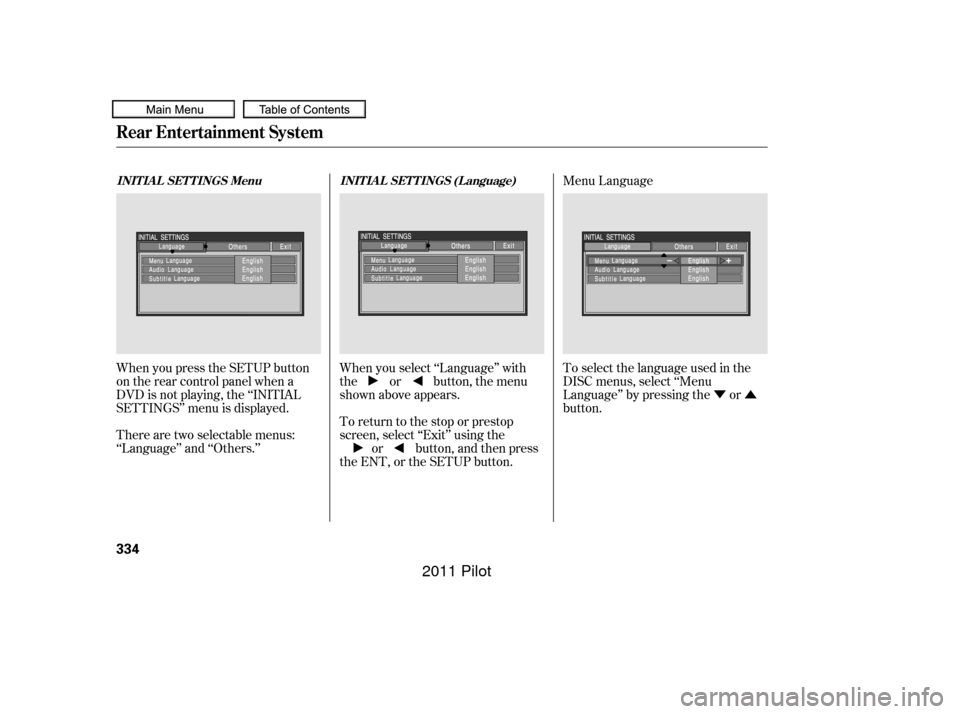
When you press the SETUP button
on the rear control panel when a
DVD is not playing, the ‘‘INITIAL
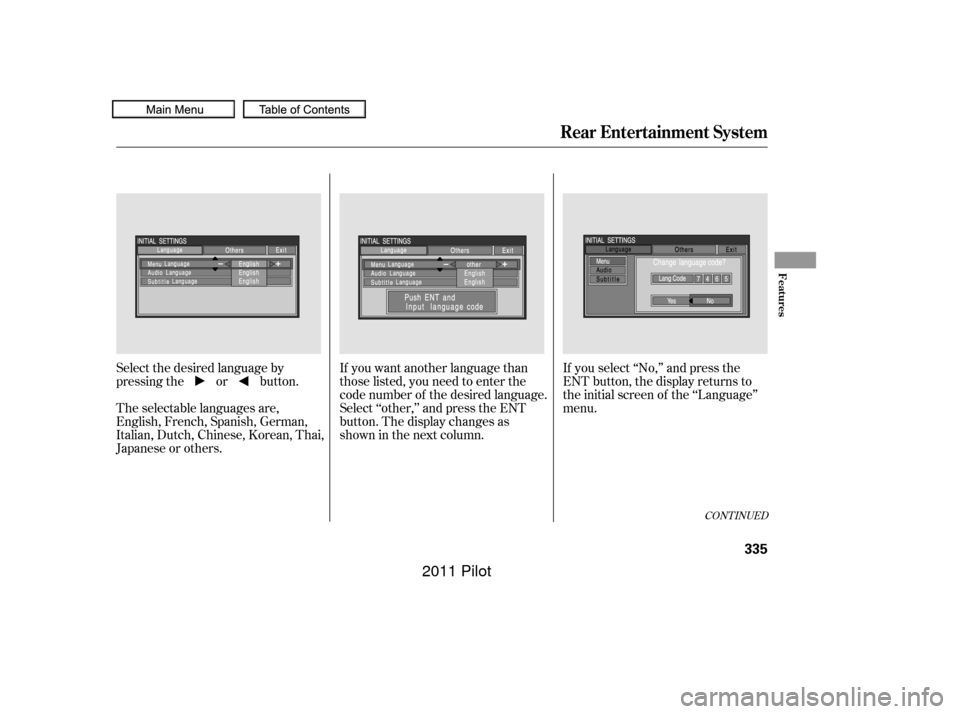
SETTINGS’’ menu is displayed. When you select ‘‘Language’’ with
the or button, the menu
shown above appears.
There are two selectable menus:
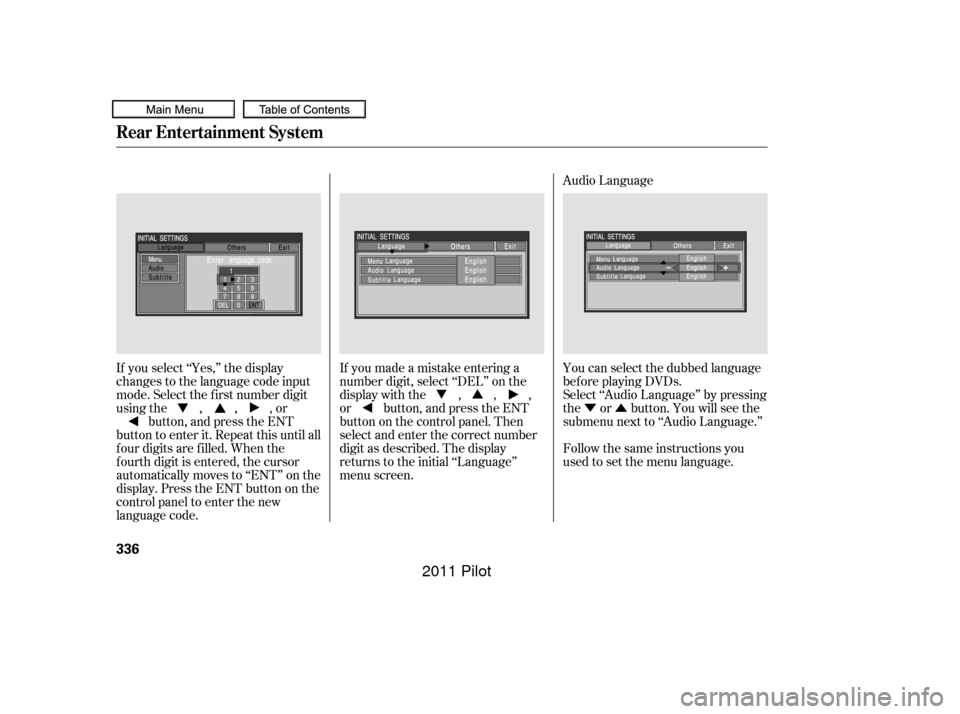
‘‘Language’’ and ‘‘Others.’’ Menu Language
To return to the stop or prestop
screen, select ‘‘Exit’’ using the or button, and then press
the ENT, or the SETUP button. To select the language used in the
DISC menus, select ‘‘Menu
Language’’ by pressing the or
button.
INITIAL SETTINGS Menu
INITIAL SETTINGS (Language)
Rear Entertainment System
334
10/01/26 19:20:08 31SZA620_339
2011 Pilot
Page 339 of 574
If you want another language than
those listed, you need to enter the
code number of the desired language.
Select ‘‘other,’’ and press the ENT
button. The display changes as
showninthenextcolumn.If you select ‘‘No,’’ and press the
ENT button, the display returns to
the initial screen of the ‘‘Language’’
menu.
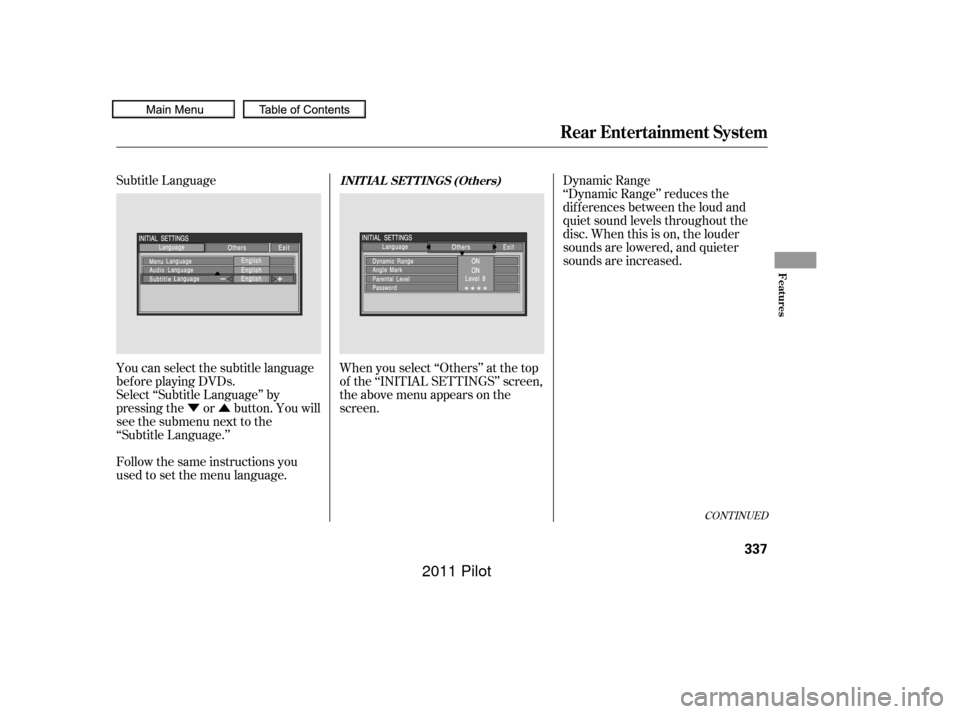
Select the desired language by
pressing the or button.
The selectable languages are,
English, French, Spanish, German,
Italian, Dutch, Chinese, Korean, Thai,
Japanese or others.
CONT INUED
Rear Entertainment System
Features
335
10/01/26 19:20:17 31SZA620_340
2011 Pilot
Page 340 of 574
�Ý�Û
Audio Language
If you select ‘‘Yes,’’ the display
changes to the language code input
mode. Select the f irst number digit
usingthe,,,or button, and press the ENT
button to enter it. Repeat this until all
f our digits are f illed. When the
f ourth digit is entered, the cursor
automatically moves to ‘‘ENT’’ on the
display. Press the ENT button on the
control panel to enter the new
language code. If you made a mistake entering a
number digit, select ‘‘DEL’’ on the
display with the , , ,
or button, and press the ENT
buttononthecontrolpanel.Then
select and enter the correct number
digit as described. The display
returns to the initial ‘‘Language’’
menu screen.
You can select the dubbed language
bef ore playing DVDs.
Select ‘‘Audio Language’’ by pressing
the or button. You will see the
submenu next to ‘‘Audio Language.’’
Follow the same instructions you
used to set the menu language.
Rear Entertainment System
336
10/01/26 19:20:30 31SZA620_341
2011 Pilot
Page 341 of 574
�Ý�Û
Subtitle Language
You can select the subtitle language
bef ore playing DVDs.
Select ‘‘Subtitle Language’’ by
pressing the or button. You will
see the submenu next to the
‘‘Subtitle Language.’’ Dynamic Range
‘‘Dynamic Range’’ reduces the
dif f erences between the loud and
quiet sound levels throughout the
disc. When this is on, the louder
sounds are lowered, and quieter
sounds are increased.
When you select ‘‘Others’’ at the top
of the ‘‘INITIAL SETTINGS’’ screen,
the above menu appears on the
screen.
Follow the same instructions you
used to set the menu language.
CONT INUED
INIT IA L SET T INGS (Ot hers)
Rear Entertainment System
Features
337
10/01/26 19:20:40 31SZA620_342
2011 Pilot
Page 371 of 574
�Î
�Î
CONT INUED
BluetoothHandsFreeL ink
Features
367
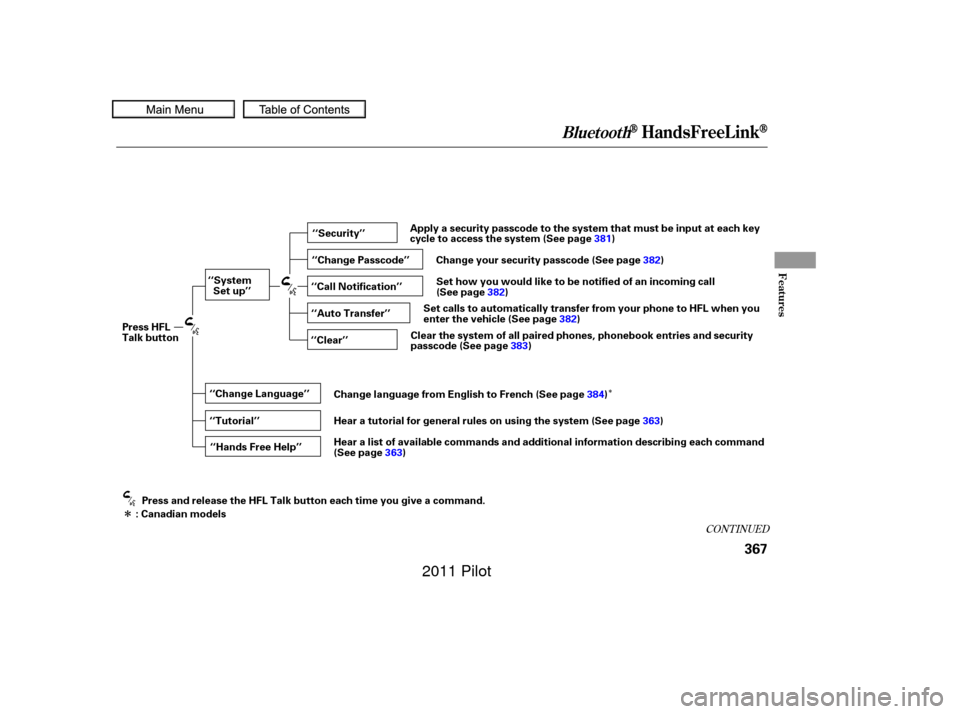
‘‘Change Language’’‘‘Hands Free Help’’
‘‘System
Set up’’
‘‘Tutorial’’ ‘‘Clear’’
‘‘Auto Transfer’’ ‘‘Call Notification’’ ‘‘Security’’
‘‘Change Passcode’’
Press HFL
Talk button
Press and release the HFL Talk button each time you give a command.
: Canadian models Apply a security passcode to the system that must be input at each key
cycle to access the system (See page
381)
Change your security passcode (See page 382)
Set how you would like to be notified of an incoming call
(See page 382)
Set calls to automatically transfer from your phone to HFL when you
enter the vehicle (See page 382)
Clear the system of all paired phones, phonebook entries and security
passcode (See page 383)
Change language from English to French (See page 384)
Hear a tutorial for general rules on using the system (See page 363)
Hear a list of available commands and additional information describing each command
(See page 363)
10/01/26 19:25:22 31SZA620_372
2011 Pilot
Page 387 of 574
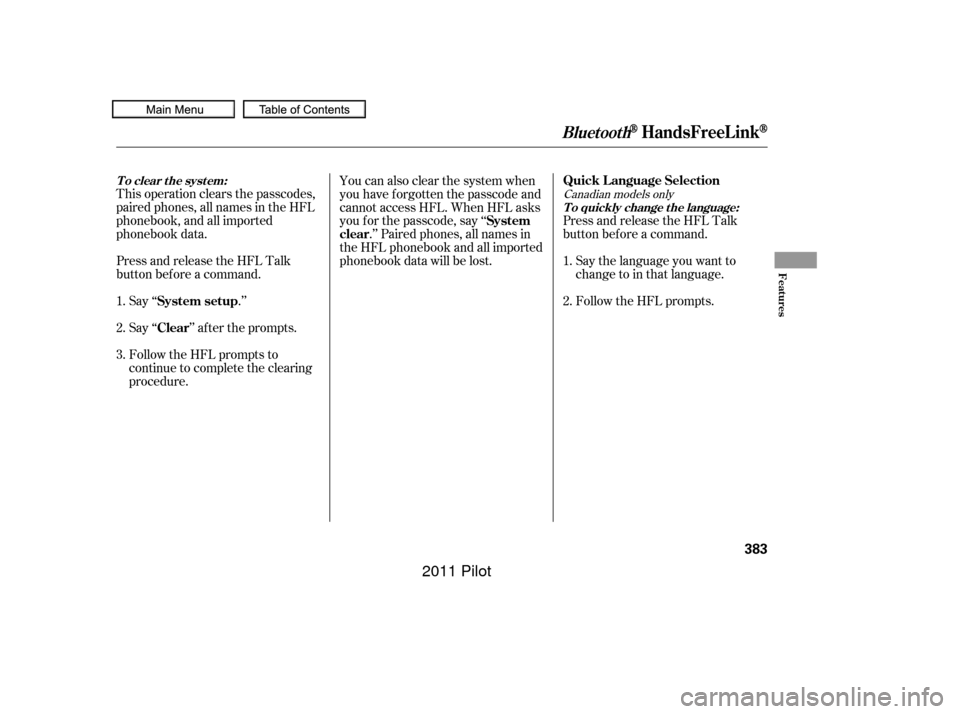
This operation clears the passcodes,
paired phones, all names in the HFL
phonebook, and all imported
phonebook data.
Press and release the HFL Talk
button bef ore a command.Say ‘‘ .’’
Say‘‘ ’’aftertheprompts.
Follow the HFL prompts to
continue to complete the clearing
procedure. Press and release the HFL Talk
button bef ore a command.
Say the language you want to
change to in that language.
Follow the HFL prompts.
You can also clear the system when
you have f orgotten the passcode and
cannot access HFL. When HFL asks
you f or the passcode, say ‘‘
.’’ Paired phones, all names in
the HFL phonebook and all imported
phonebook data will be lost.
1.
2.
3. 2. 1.Canadian models only
System setup
ClearQuick Language Selection
System
clear
BluetoothHandsFreeL ink
T o clear t he syst em:
T o quickly change the language:
Features
383
10/01/26 19:29:13 31SZA620_388
2011 Pilot
Page 388 of 574
Press and release the HFL Talk
button bef ore a command.Say ‘‘ .’’
Follow the HFL prompts to
change the language to English or
French. The
name and logos are
registered trademarks owned by
Bluetooth SIG, Inc. and any use of
such marks by Honda Motor Co.,
Ltd. is under license. Other
trademarks and trade names are
those of their respective owners.
If you have not named your paired
phone in the language you just
selected, HFL will ask you to name it
in the current language.
When French is your currently
selected language, you can give voice
commands in French.
1.
2.Bluetooth
Canadian models only
BluetoothHandsFreeL ink
Change Language
Change languageWireless Technology
To change the system languagebet ween English and French: Bluet oot h
384
10/01/26 19:29:23 31SZA620_389
2011 Pilot