Page 336 of 574
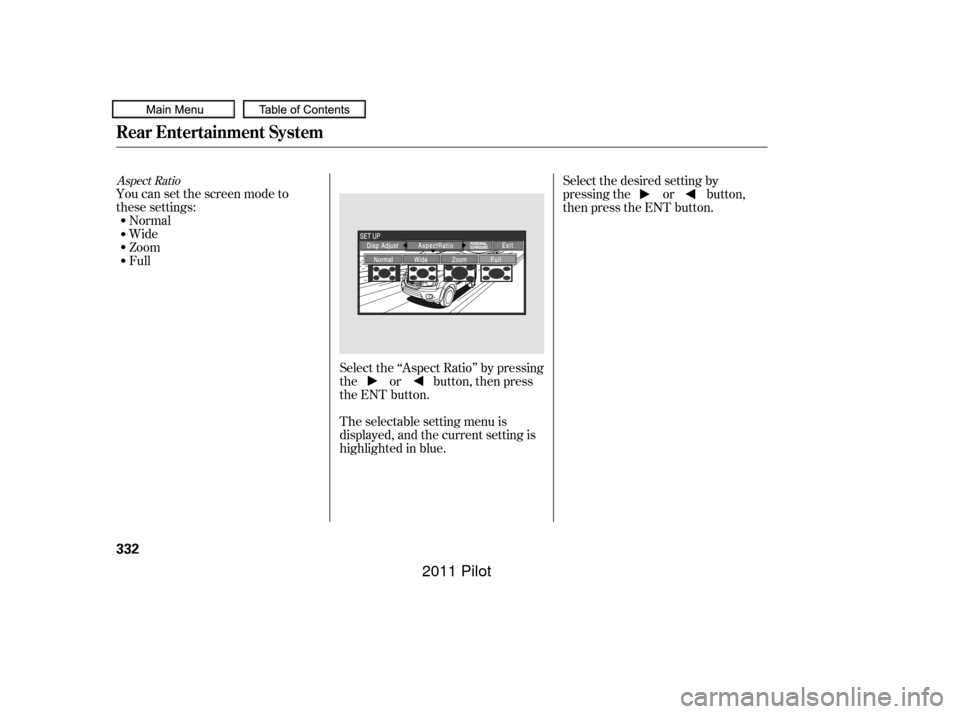
Select the ‘‘Aspect Ratio’’ by pressing
the or button, then press
the ENT button.
The selectable setting menu is
displayed, and the current setting is
highlighted in blue.
You can set the screen mode to
these settings:
Normal
Wide
Zoom
Full Select the desired setting by
pressing the or button,
then press the ENT button.
Aspect Ratio
Rear Entertainment System
332
10/01/26 19:19:50 31SZA620_337
2011 Pilot
Page 365 of 574
�µ�µ
Bluetooth
handsf reelink.honda.
com
www.honda.ca,HandsFreeLink(HFL)
allows you to place and receive
phone calls using voice commands,
without handling your cell phone.
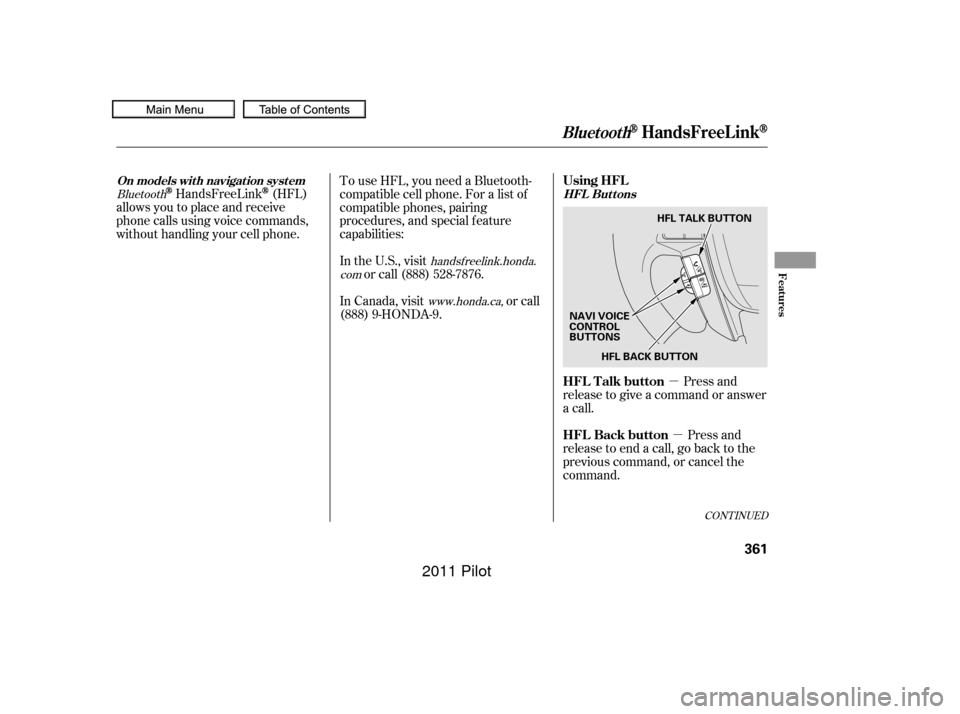
Press and
release to give a command or answer
a call.
Press and
release to end a call, go back to the
previous command, or cancel the
command.
To use HFL, you need a Bluetooth-
compatible cell phone. For a list of
compatible phones, pairing
procedures, and special f eature
capabilities:
In the U.S., visit
or call (888) 528-7876.
In Canada, visit or call
(888) 9-HONDA-9.
CONT INUED
On models wit h navigat ion syst em
HFL Buttons
BluetoothHandsFreeL ink
Using HFL
HFL Talk button
HFL Back button
Features
361
HFL BACK BUTTON
NAVI VOICE
CONTROL
BUTTONS HFL TALK BUTTON
10/01/26 19:24:36 31SZA620_366
2011 Pilot
Page 366 of 574
�Ì�Ì�Ì�Ì
Try to reduce all background
noise. If the microphone picks up
voices other than yours,
commands may be misinterpreted. Many commands can be spoken
together. For example, you can
say ‘‘Call 123-456- ’’ or
‘‘Dial Peter.’’
Press and release the HFL Talk
button each time you want to
make a command. Af ter the beep,
speak in a clear, natural tone.
When HFL is in use, navigation
voice commands cannot be
recognized.
To change the volume level of
HFL, use the audio system volume
knob or the steering wheel volume
controls.
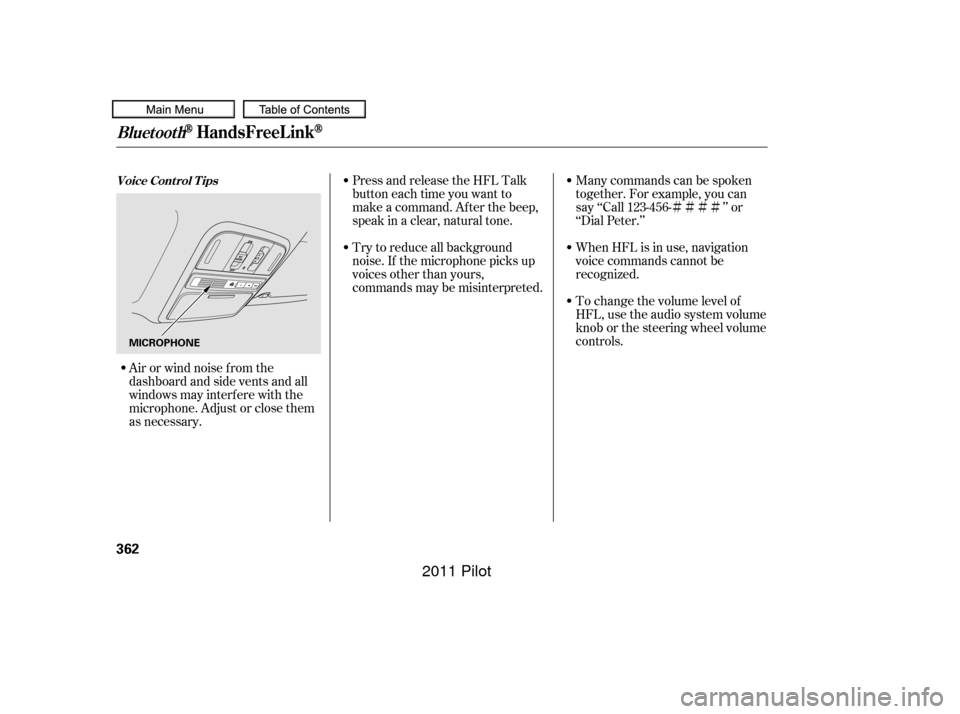
Airorwindnoisefromthe
dashboard and side vents and all
windows may interfere with the
microphone. Adjust or close them
as necessary.
BluetoothHandsFreeL ink
Voice Cont rol T ips
362
MICROPHONE
10/01/26 19:24:45 31SZA620_367
2011 Pilot
Page 367 of 574
CONT INUED
To hear general HFL inf ormation,
including help on pairing a phone
or setting up the system, say
‘‘Tutorial.’’
For help at any time, including a
list of available commands, say
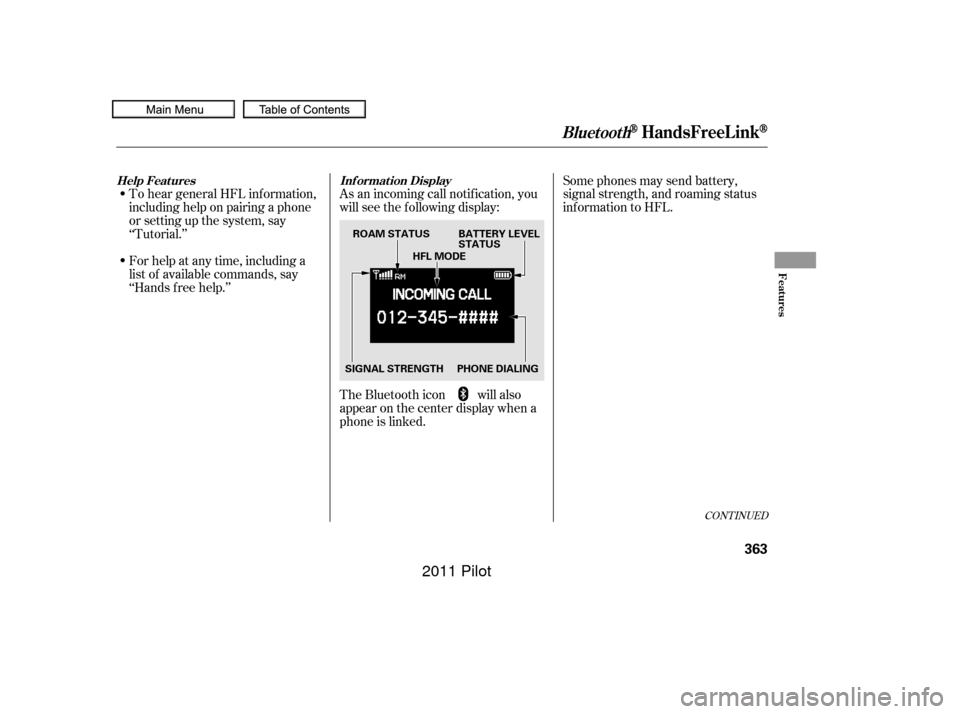
‘‘Hands f ree help.’’As an incoming call notif ication, you
will see the f ollowing display:
Some phones may send battery,
signal strength, and roaming status
inf ormation to HFL.
The Bluetooth icon will also
appear on the center display when a
phone is linked.
BluetoothHandsFreeL ink
Help Features Inf ormation Display
Features
363
PHONE DIALINGBATTERY LEVEL
STATUS
SIGNAL STRENGTH HFL MODE
ROAM STATUS
10/01/26 19:24:56 31SZA620_368
2011 Pilot
Page 368 of 574
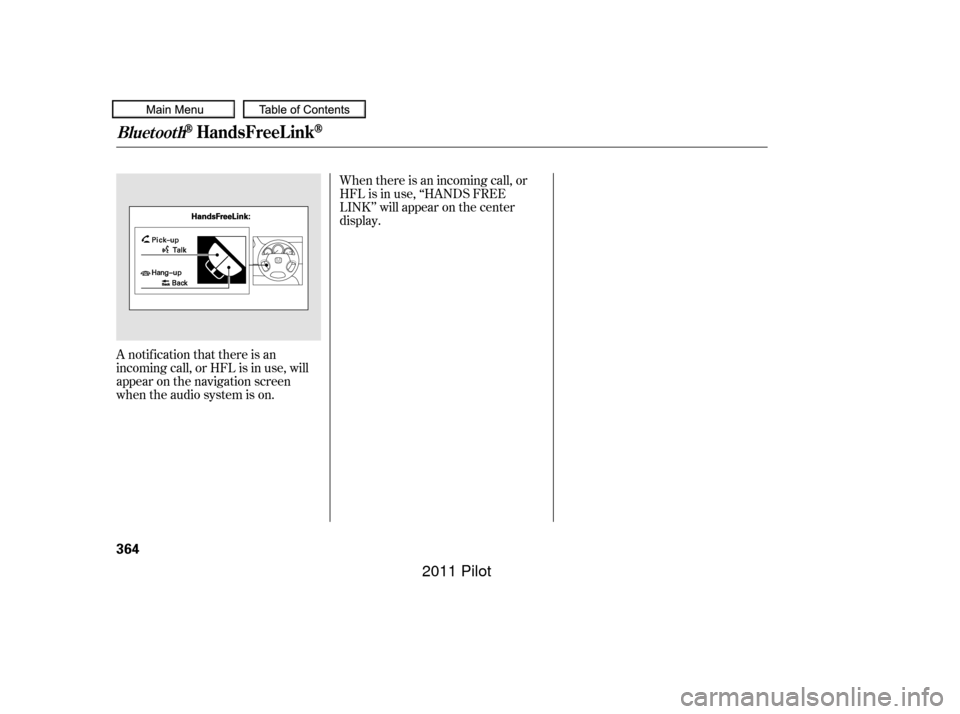
A notif ication that there is an
incoming call, or HFL is in use, will
appear on the navigation screen
when the audio system is on.When there is an incoming call, or
HFL is in use, ‘‘HANDS FREE
LINK’’ will appear on the center
display.
BluetoothHandsFreeL ink
364
10/01/26 19:25:01 31SZA620_369
2011 Pilot
Page 369 of 574
�Ì�Ì�Ì�Ì
CONT INUED
BluetoothHandsFreeL ink
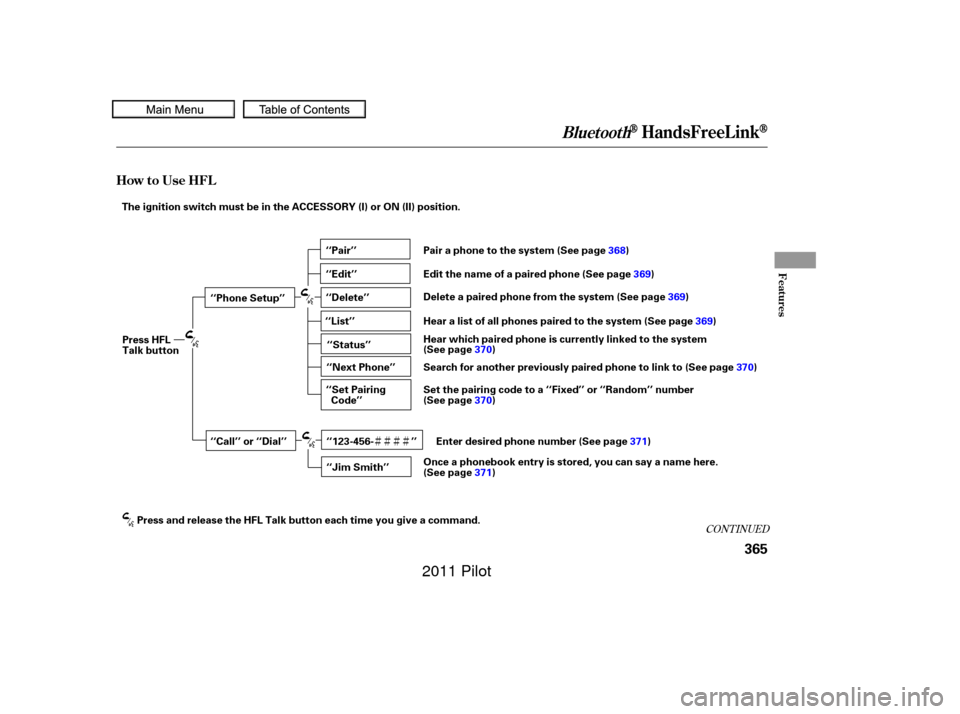
How to Use HFL
Features
365
‘‘Phone Setup’’
‘‘Call’’ or ‘‘Dial’’‘‘Pair’’
‘‘Edit’’
‘‘Delete’’
‘‘Jim Smith’’
‘‘Set Pairing
Code’’
The ignition switch must be in the ACCESSORY (I) or ON (II) position.
‘‘List’’‘‘Status’’
‘‘Next Phone’’
Press HFL
Talk button
Press and release the HFL Talk button each time you give a command. Pair a phone to the system (See page
368)
Edit the name of a paired phone (See page 369)
Delete a paired phone from the system (See page 369)
Hear a list of all phones paired to the system (See page 369)
Hear which paired phone is currently linked to the system
(See page 370)
Search for another previously paired phone to link to (See page 370)
Set the pairing code to a ‘‘Fixed’’ or ‘‘Random’’ number
(See page 370)
Enter desired phone number (See page 371)
Once a phonebook entry is stored, you can say a name here.
(See page 371)
‘‘123-456- ’’
10/01/26 19:25:07 31SZA620_370
2011 Pilot
Page 370 of 574
BluetoothHandsFreeL ink
366
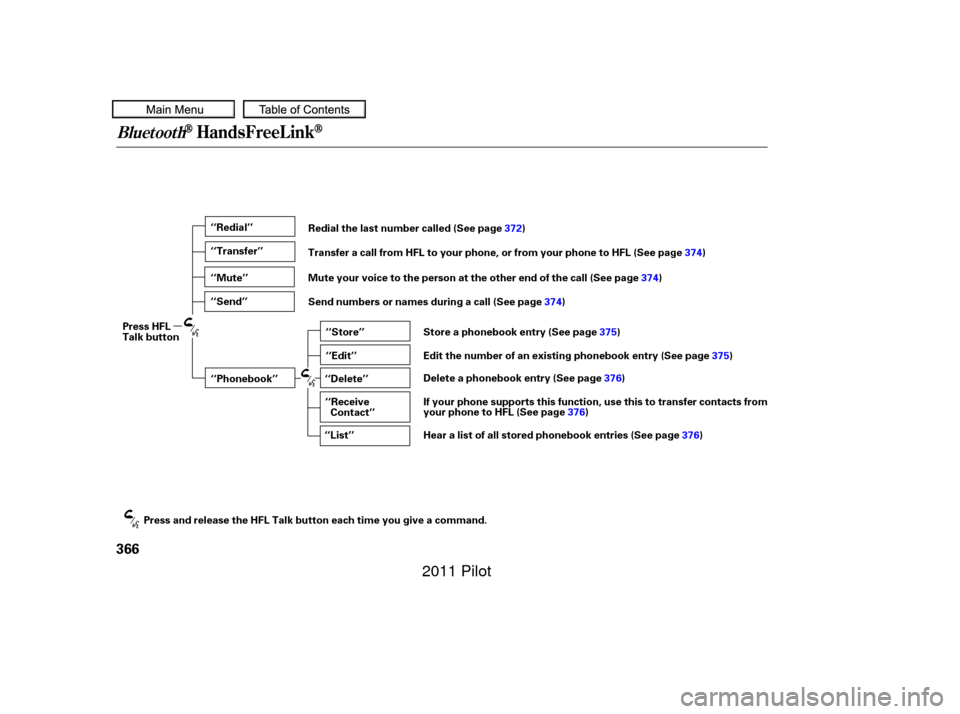
‘‘Redial’’
‘‘Transfer’’
‘‘Mute’’
‘‘Send’’‘‘Phonebook’’ ‘‘Store’’
‘‘Edit’’
‘‘Delete’’
‘‘Receive Contact’’
‘‘List’’
Press HFL
Talk button
Press and release the HFL Talk button each time you give a command. Redial the last number called (See page
372)
Transfer a call from HFL to your phone, or from your phone to HFL (See page 374)
Mute your voice to the person at the other end of the call (See page 374)
Send numbers or names during a call (See page 374)
Store a phonebook entry (See page 375)
Edit the number of an existing phonebook entry (See page 375)
Delete a phonebook entry (See page 376)
If your phone supports this function, use this to transfer contacts from
your phone to HFL (See page 376)
Hear a list of all stored phonebook entries (See page 376)
10/01/26 19:25:15 31SZA620_371
2011 Pilot
Page 371 of 574
�Î
�Î
CONT INUED
BluetoothHandsFreeL ink
Features
367
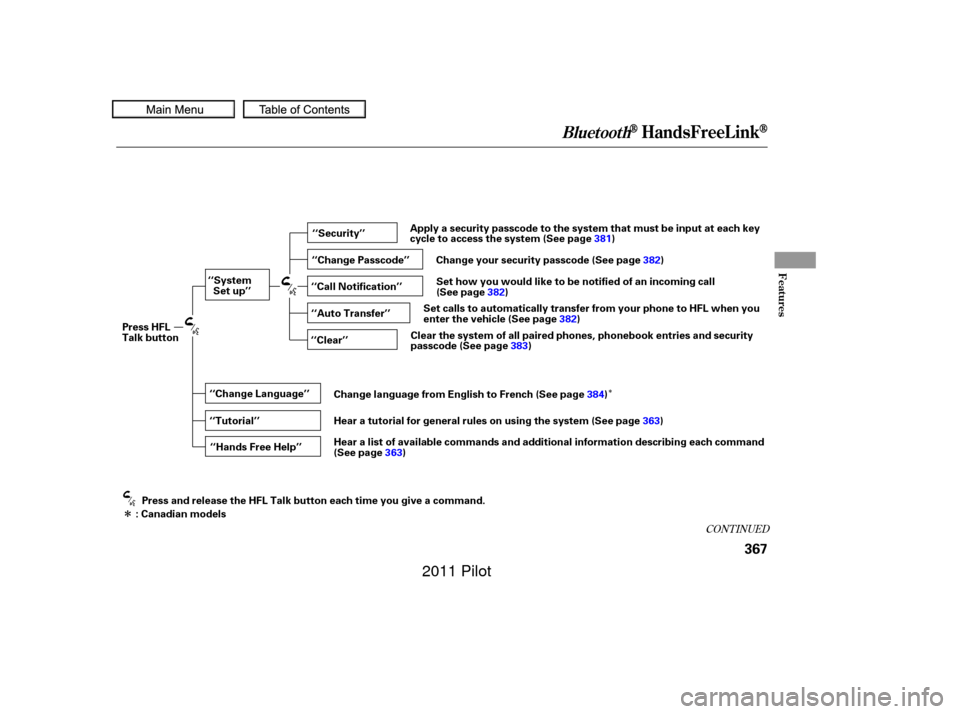
‘‘Change Language’’‘‘Hands Free Help’’
‘‘System
Set up’’
‘‘Tutorial’’ ‘‘Clear’’
‘‘Auto Transfer’’ ‘‘Call Notification’’ ‘‘Security’’
‘‘Change Passcode’’
Press HFL
Talk button
Press and release the HFL Talk button each time you give a command.
: Canadian models Apply a security passcode to the system that must be input at each key
cycle to access the system (See page
381)
Change your security passcode (See page 382)
Set how you would like to be notified of an incoming call
(See page 382)
Set calls to automatically transfer from your phone to HFL when you
enter the vehicle (See page 382)
Clear the system of all paired phones, phonebook entries and security
passcode (See page 383)
Change language from English to French (See page 384)
Hear a tutorial for general rules on using the system (See page 363)
Hear a list of available commands and additional information describing each command
(See page 363)
10/01/26 19:25:22 31SZA620_372
2011 Pilot