Page 483 of 722

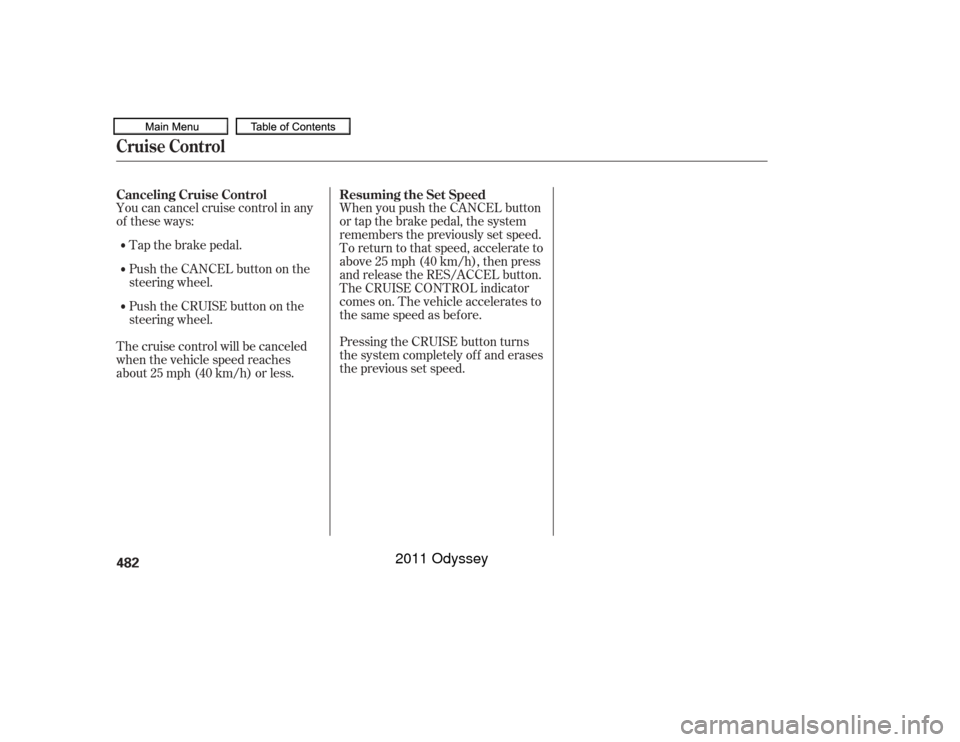
Cruise control allows you to maintain
asetspeedabove25mph(40km/h)
without keeping your f oot on the
accelerator pedal. It should be used
f or cruising on straight, open
highways. It is not recommended f or
city driving, winding roads, slippery
roads, heavy rain, or bad weather.Accelerate to the desired cruising
speedabove25mph(40km/h). Push the CRUISE button on the
steering wheel. The CRUISE
MAIN indicator on the instrument
panel comes on.Press and release the SET/
DECELbuttononthesteering
wheel. The CRUISE CONTROL
indicator on the instrument panel
comes on to show the system is
now activated.
Cruise control may not hold the set
speed when you are going up and
down hills. If your vehicle speed
increases going down a hill, use the
brakes to slow down. This will cancel
thecruisecontrol.Toresumetheset
speed, press the RES/ACCEL button.
The CRUISE CONTROL indicator
on the instrument panel will come
back on.
1.
2. 3.
Using Cruise ControlCruise Control480
CRUISE BUTTON RES/ACCEL
BUTTON
SET/DECEL
BUTTON
CANCEL BUTTON
Improper use of the cruise
control can lead to a crash.
Use the cruise control only
when traveling on open
highways in good weather.
10/07/17 10:38:46 31TK8600_485
2011 Odyssey
Page 485 of 722
You can cancel cruise control in any
of these ways:Tap the brake pedal.
Push the CANCEL button on the
steering wheel.
Push the CRUISE button on the
steering wheel.
The cruise control will be canceled
when the vehicle speed reaches
about 25 mph (40 km/h) or less. When you push the CANCEL button
or tap the brake pedal, the system
remembers the previously set speed.
To return to that speed, accelerate to
above25mph(40km/h),thenpress
and release the RES/ACCEL button.
The CRUISE CONTROL indicator
comes on. The vehicle accelerates to
thesamespeedasbefore.
Pressing the CRUISE button turns
the system completely of f and erases
the previous set speed.
Canceling Cruise Control
Resuming the Set SpeedCruise Control482
10/07/17 10:39:02 31TK8600_487
2011 Odyssey
Page 499 of 722
�µ�µ
�µ
�µ To change the volume level of
HFL, use the audio system volume
knob or the steering wheel volume
controls. Try to reduce all background
noise. If the microphone picks up
voices other than yours,
commands may be misinterpreted.
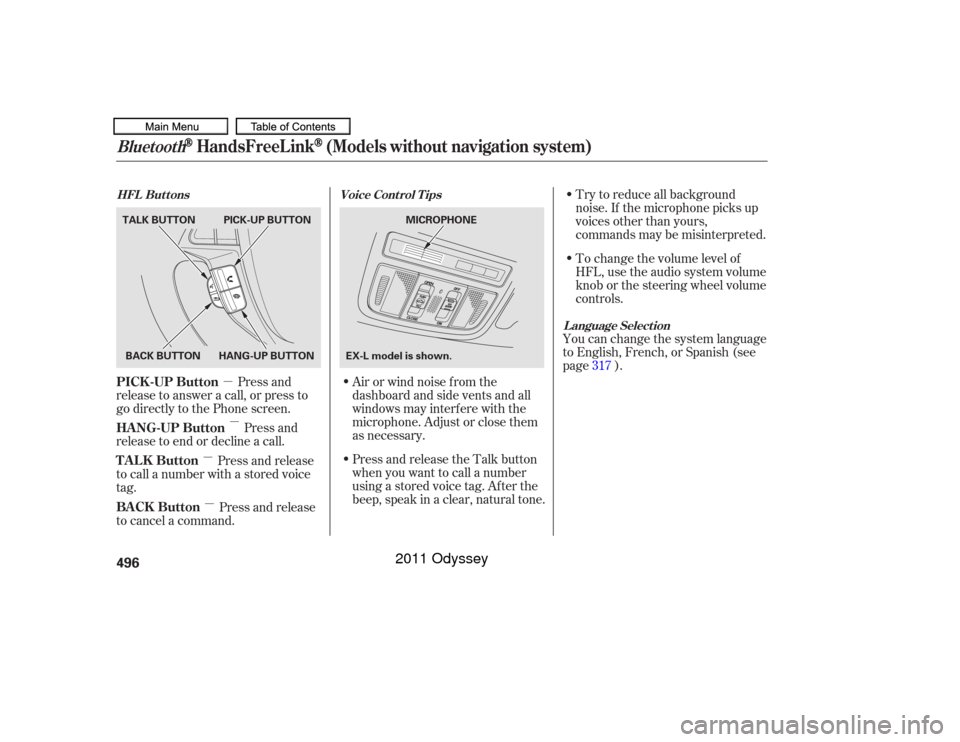
Press and
release to answer a call, or press to
go directly to the Phone screen.
Press and
release to end or decline a call. Airorwindnoisefromthe
dashboard and side vents and all
windows may interfere with the
microphone. Adjust or close them
as necessary.You can change the system language
to English, French, or Spanish (see
page ).
Press and release
to call a number with a stored voice
tag.
Press and release
to cancel a command. Press and release the Talk button
when you want to call a number
using a stored voice tag. Af ter the
beep, speak in a clear, natural tone. 317
Voice Cont rol T ips
HFL Buttons
L anguage Select ion
Bluetooth
HandsFreeL ink
(Models without navigation system)
PICK -UP Button
HANG-UP Button
TALK Button
BACK Button496BACK BUTTON
TALK BUTTON PICK-UP BUTTON
HANG-UP BUTTON MICROPHONE
EX-L model is shown.
10/07/17 10:40:57 31TK8600_501
2011 Odyssey
Page 517 of 722
�µ
�µ �µ
�Î
�Î
The f ollowing options are available
during a call:
When you receive a call, a
notif ication appears on the screen
(see page ).
To answer the call, press the
PICK-UPbuttononthesteering
wheel.
To end or decline the call, press the
HANG-UP button.
Allows you to transf er a
call f rom HFL to your phone, or
f rom your phone to HFL.
Allows you to mute your
voice. Allows you to send
numbers or names during a call. This
is usef ul when you call a menu-
driven phone system.
Availableonsomephones
:
497 During a Call
Receiving a CallTransfer
Mut e Dial T ones
Bluetooth
HandsFreeL ink
(Models without navigation system)
514
Example
10/07/17 10:43:30 31TK8600_519
2011 Odyssey
Page 520 of 722
�µ�µ
�µ �µ To change the volume level of
HFL, use the audio system volume
knob or the steering wheel volume
controls. Try to reduce all background
noise. If the microphone picks up
voices other than yours,
commands may be misinterpreted.
For help at any time, including a list
of available options, say ‘‘Help.’’
Refer to the navigation system
manual f or how to change the
system’s language between English,
French, and Spanish.
Press and release the Talk button
each time you want to make a
command. Af ter the beep, speak in
a clear, natural tone.
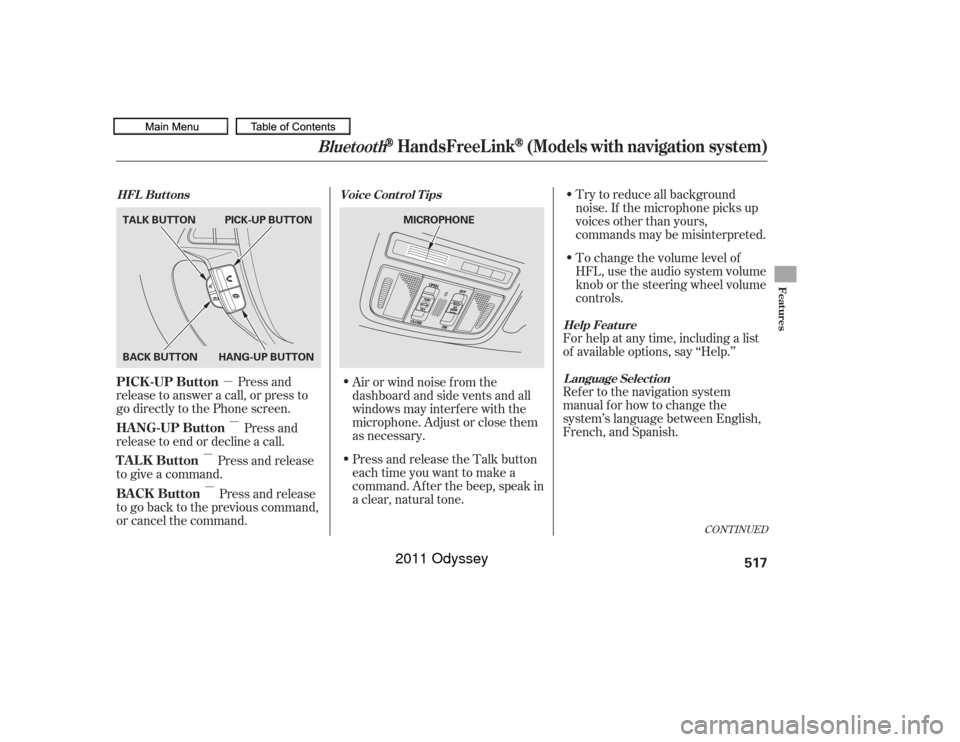
Press and
release to answer a call, or press to
go directly to the Phone screen.
Press and
release to end or decline a call.
Press and release
to give a command.
Press and release
to go back to the previous command,
or cancel the command. Airorwindnoisefromthe
dashboard and side vents and all
windows may interfere with the
microphone. Adjust or close them
as necessary.
CONT INUED
Help Feature
L anguage Select ion
Voice Cont rol T ips
HFL Buttons
PICK -UP Button
HANG-UP Button
TALK Button
BACK Button
Bluetooth
HandsFreeL ink
(Models with navigation system)
Features
517
MICROPHONE
TALK BUTTON
BACK BUTTON
HANG-UP BUTTONPICK-UP BUTTON
10/07/17 10:44:00 31TK8600_522
2011 Odyssey
Page 538 of 722
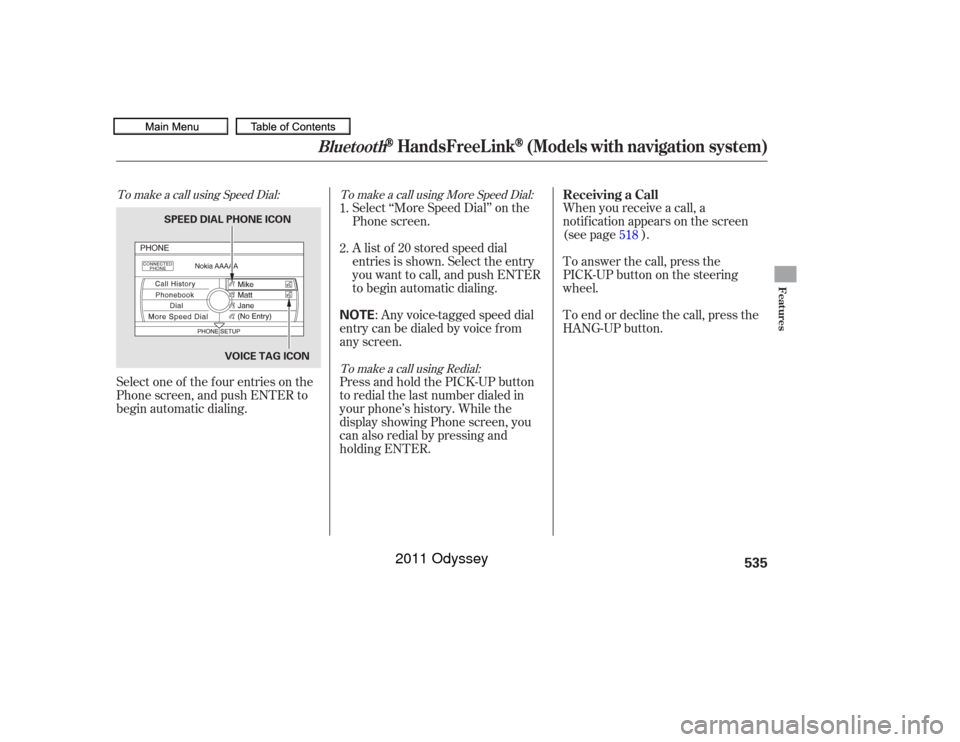
To make a call using Speed Dial:To make a call using More Speed Dial:
To make a call using Redial:Select one of the f our entries on the
Phone screen, and push ENTER to
begin automatic dialing. Select ‘‘More Speed Dial’’ on the
Phone screen.
When you receive a call, a
notif ication appears on the screen
(see page ).
To end or decline the call, press the
HANG-UP button. To answer the call, press the
PICK-UPbuttononthesteering
wheel.
A list of 20 stored speed dial
entries is shown. Select the entry
you want to call, and push ENTER
to begin automatic dialing.
: Any voice-tagged speed dial
entry can be dialed by voice f rom
any screen.
Press and hold the PICK-UP button
to redial the last number dialed in
your phone’s history. While the
display showing Phone screen, you
can also redial by pressing and
holding ENTER. 2. 1.
518
Receiving a Call
Bluetooth
HandsFreeL ink
(Models with navigation system)
Features
535
NOTE
VOICE TAG ICON
SPEED DIAL PHONE ICON
10/07/17 10:46:36 31TK8600_540
2011 Odyssey
Page 553 of 722
Removing parts f rom your vehicle,
or replacing components with
non-Honda components could
seriously af f ect your vehicle’s
handling, stability, and reliability.Larger or smaller wheels and tires
can interf ere with the operation of
your vehicle’s anti-lock brakes and
other systems.
Modif ying your steering wheel or
any other part of your vehicle’s
saf ety systems could make the
systems inef f ective.
Raising your vehicle with a
non-Honda suspension kit can
af f ect the handling, stability, and
reliability.
Herearesomeexamples: Lowering the vehicle with a non-
Honda suspension kit that
signif icantly reduces ground
clearance can allow the
undercarriage to hit speed bumps
or other raised objects, which
could cause the airbags to deploy. If you plan to modif y your vehicle,
consult your dealer.
Non-Honda wheels, because they
are a universal design, can cause
excessive stress on suspension
components and will not be
compatible with the tire pressure
monitoring system (TPMS).
Modif ying Your VehicleA ccessories and Modif ications550
10/07/17 10:48:34 31TK8600_555
2011 Odyssey
Page 561 of 722

Youshoulddothefollowingchecks
and adjustments bef ore you drive
your vehicle.Make sure all windows, mirrors,
and outside lights are clean and
unobstructed. Remove f rost, snow,
or ice.
Check that the hood is f ully closed.
Check that any items you may be
carrying are stored properly or
f astened down securely. Check the steering wheel
adjustment (see page ).
Make sure the doors and the
tailgate are securely closed and
locked.Fasten your seat belt. Check that
your passengers have f astened
their seat belts (see page ).
When you start the engine, check
the gauges and indicators in the
instrument panel, and the
messages on the inf ormation
display or multi-inf ormation
display (depending on models)
(seepages,,,and
).
Visually check the tires. If a tire
looks low, use a gauge to check its
pressure. Check the seat adjustment (see
pages and ).
Check the adjustment of the
inside and outside mirrors (see
pages and ).
3. 2.
1.
4. 5.
6.
7.
8. 9.
10. 15
176
175
198
197
63 64 77
90
143Preparing to Drive558
10/07/17 10:49:39 31TK8600_563
2011 Odyssey