Page 187 of 416
Playing the FM/AM Radio (LX model and EX model without navigation system)
Features
183
SEEK BUTTON A.SEL BUTTON
SCAN BUTTON
SEEK BUTTON
PRESET BUTTONS
VOL/SELECT KNOB
FM/AM BUTTON
BUTTON
BUTTON BUTTON
Page 188 of 416
�µ�µ�µ
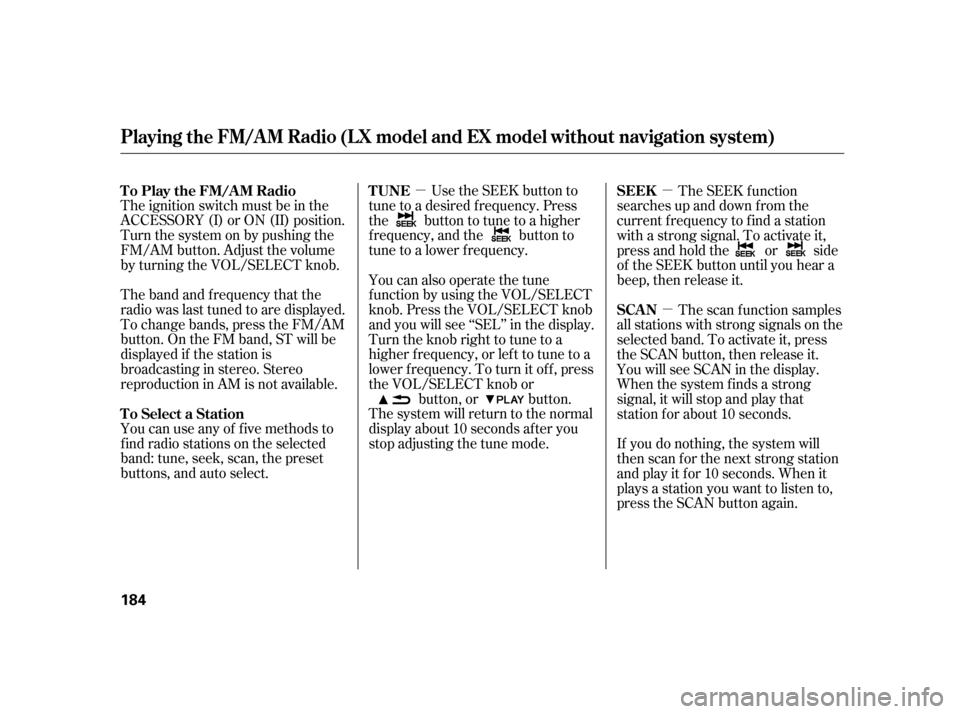
The ignition switch must be in the
ACCESSORY (I) or ON (II) position.
Turn the system on by pushing the
FM/AM button. Adjust the volume
by turning the VOL/SELECT knob.
The band and f requency that the
radio was last tuned to are displayed.
To change bands, press the FM/AM
button. On the FM band, ST will be
displayed if the station is
broadcasting in stereo. Stereo
reproduction in AM is not available.
You can use any of f ive methods to
find radio stations on the selected
band: tune, seek, scan, the preset
buttons, and auto select. Use the SEEK button to
tune to a desired f requency. Press
the button to tune to a higher
f requency, and the button to
tune to a lower f requency.
You can also operate the tune
f unction by using the VOL/SELECT
knob. Press the VOL/SELECT knob
and you will see ‘‘SEL’’ in the display.
Turn the knob right to tune to a
higher f requency, or lef t to tune to a
lower f requency. To turn it of f , press
the VOL/SELECT knob or button, or button.
The system will return to the normal
display about 10 seconds af ter you
stop adjusting the tune mode. The SEEK f unction
searches up and down f rom the
current f requency to f ind a station
with a strong signal. To activate it,
press and hold the or side
of the SEEK button until you hear a
beep, then release it.
The scan f unction samples
all stations with strong signals on the
selected band. To activate it, press
the SCAN button, then release it.
You will see SCAN in the display.
When the system finds a strong
signal, it will stop and play that
station f or about 10 seconds.
If you do nothing, the system will
then scan f or the next strong station
andplayitfor10seconds.Whenit
plays a station you want to listen to,
press the SCAN button again.
To Play the FM/AM Radio
To Select a Station
T UNE SEEK
SCAN
Playing the FM/AM Radio (LX model and EX model without navigation s ystem)
184
Page 189 of 416

�µ
�µ
�µ If you are
traveling and can no longer receive
your preset stations, you can use the
auto select feature to find stations in
the local area.
Press the A. SEL button. ‘‘A. SEL’’
f lashes in the display, and the system
goes into scan mode f or several
seconds. It stores the f requencies of
six AM and twelve FM stations in
the preset buttons. You will see a ‘‘0’’ displayed af ter
pressing a preset button if auto
select cannot f ind a strong station f or
that preset button.
If you do not like the stations auto
select has stored, you can store
other f requencies on the preset
buttons as previously described.
press the
A. SEL button. This restores the
presets you originally set.
For inf ormation on FM/AM radio
f requencies and reception, see page .
Each preset button can
store one f requency on AM and two
f requencies on FM.
Select the desired band, AM or
FM.
Usethetune,seek,orscan
function to tune the radio to a
desired station.
Repeat steps 1 through 3 to store a
total of six stations on AM and
twelve stations on FM.
Pick a preset button (1 6), then
press and hold it until you hear a
beep.
1. 2. 3.4.
214
To turn of f auto select,
AUTO SELECT
Preset
Playing the FM/AM Radio (LX model and EX model without navigation s ystem)
Features
185
Page 231 of 416
�µ�µ Press and
release to give a command or answer
a call.
Press and
release to end a call, go back to the
previous command, or cancel the
command.
To use HFL, you need a Bluetooth-
compatible cell phone. For a list of
compatible phones, pairing
procedures, and special f eature
capabilities:
In the U.S., visit
or call (888) 528-7876.
In Canada, visit
or call (888) 528-7876.
HandsFreeLink(HFL)
allows you to place and receive
phone calls using voice commands,
without handling your cell phone.
handsf reelink.honda.
com
www.handsfreelink.ca,
Bluetooth
CONT INUED
Using HFL
HFL Talk button
HFL Back button
HFL Buttons
BluetoothHandsFreeL ink(Models without navigation syst em)
Features
227
HFL TALK
BUTTON
HFL BACK BUTTON
Page 310 of 416

�Û�Ý
All the maintenance items displayed
in the multi-information display are
in code.
For an explanation of the
maintenance codes, see page . Your dealer will reset the display
af ter completing the required
maintenance service. You will see
‘‘OIL LIFE 100%’’ on the display the
next time you turn the ignition
switch to the ON (II) position.
Turn the ignition switch to the ON
(II) position. If the engine oil lif e is not
displayed, press the SEL/RESET
buttononthesteeringwheel
repeatedly.
Press and hold the SEL/RESET
button on the steering wheel f or
more than 10 seconds. The
remaining engine oil lif e reset
modewillbeshownonthemulti-
inf ormation display.
If maintenance service is done by
someone other than your dealer,
reset the Maintenance Minder as
f ollows: 1.
2. 3.
310
Maintenance Main Items and Sub
Items
Resetting the Engine Oil Lif e
Display
Maintenance Minder
306ENGINE OIL LIFE
DISPLAY
MESSAGE
DISPLAY
MAINTENANCE
SUB ITEMS SEL/RESET BUTTON
INFO BUTTONS ( / )
MAINTENANCE
MAIN ITEM LX and EX models
TM
Page 351 of 416
If your vehicle’s battery is
disconnected, or goes dead, the time
setting may be lost. To reset the time,
see page .
If your vehicle’s battery is
disconnected or goes dead, the audio
system may disable itself . The next
timeyouturnontheradio,youwill
see ‘‘ENTER CODE’’ in the
f requency display. Use the preset
buttons to enter the code (see page). The navigation system will also
disableitself.Thenexttimeyouturn
on the ignition switch, the system
will require you to enter a PIN
bef ore it can be used. Ref er to the
navigation system manual.
222
221On vehicles with navigation system
Checking the 12 Volt Battery
Maint enance
347


