Page 127 of 445
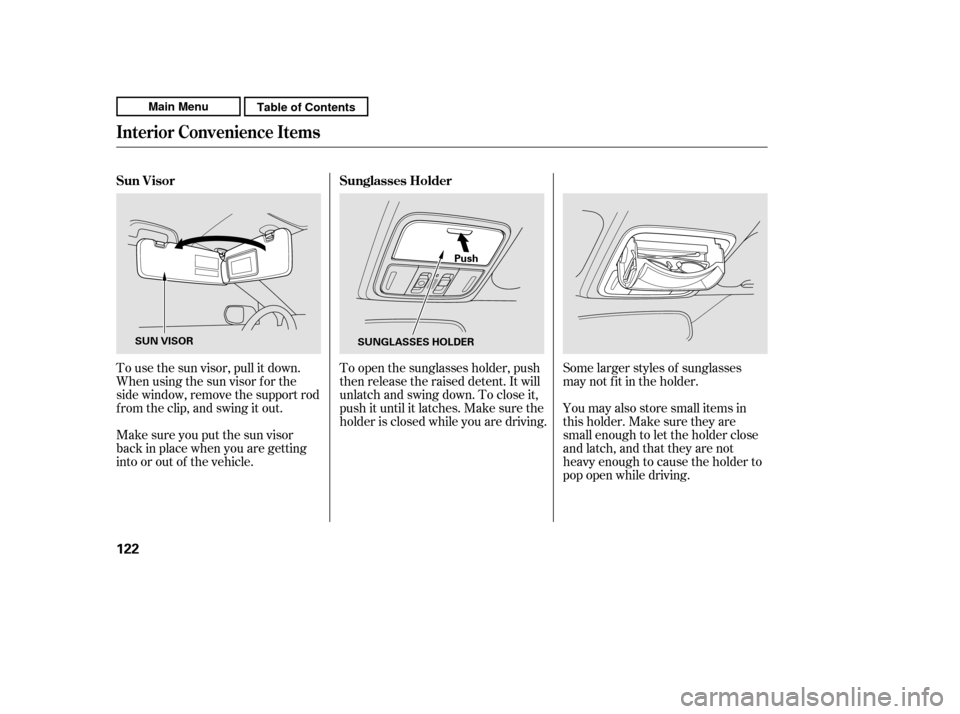
Some larger styles of sunglasses
may not f it in the holder.
You may also store small items in
thisholder.Makesuretheyare
small enough to let the holder close
and latch, and that they are not
heavy enough to cause the holder to
pop open while driving.
To open the sunglasses holder, push
then release the raised detent. It will
unlatch and swing down. To close it,
push it until it latches. Make sure the
holder is closed while you are driving.
To use the sun visor, pull it down.
Whenusingthesunvisorforthe
side window, remove the support rod
f rom the clip, and swing it out.
Make sure you put the sun visor
back in place when you are getting
into or out of the vehicle. Sunglasses Holder
Sun Visor
Interior Convenience Items
122
Push
SUN VISOR SUNGLASSES HOLDER
Main MenuTable of Contents
Page 128 of 445
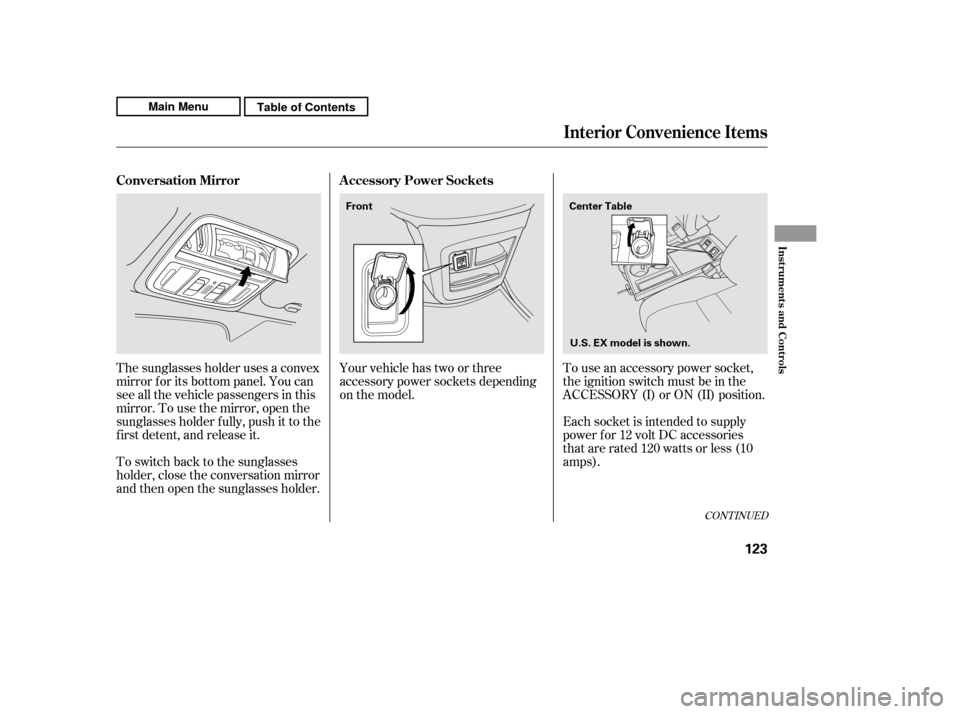
To use an accessory power socket,
the ignition switch must be in the
ACCESSORY (I) or ON (II) position.
Each socket is intended to supply
power f or 12 volt DC accessories
that are rated 120 watts or less (10
amps).
Your vehicle has two or three
accessory power sockets depending
on the model.
The sunglasses holder uses a convex
mirror f or its bottom panel. You can
see all the vehicle passengers in this
mirror. To use the mirror, open the
sunglasses holder f ully, push it to the
f irst detent, and release it.
To switch back to the sunglasses
holder, close the conversation mirror
and then open the sunglasses holder.
CONT INUED
A ccessory Power Sockets
Conversation Mirror
Interior Convenience Items
Inst rument s and Cont rols
123
Center Table
Front
U.S. EX model is shown.
Main MenuTable of Contents
Page 129 of 445
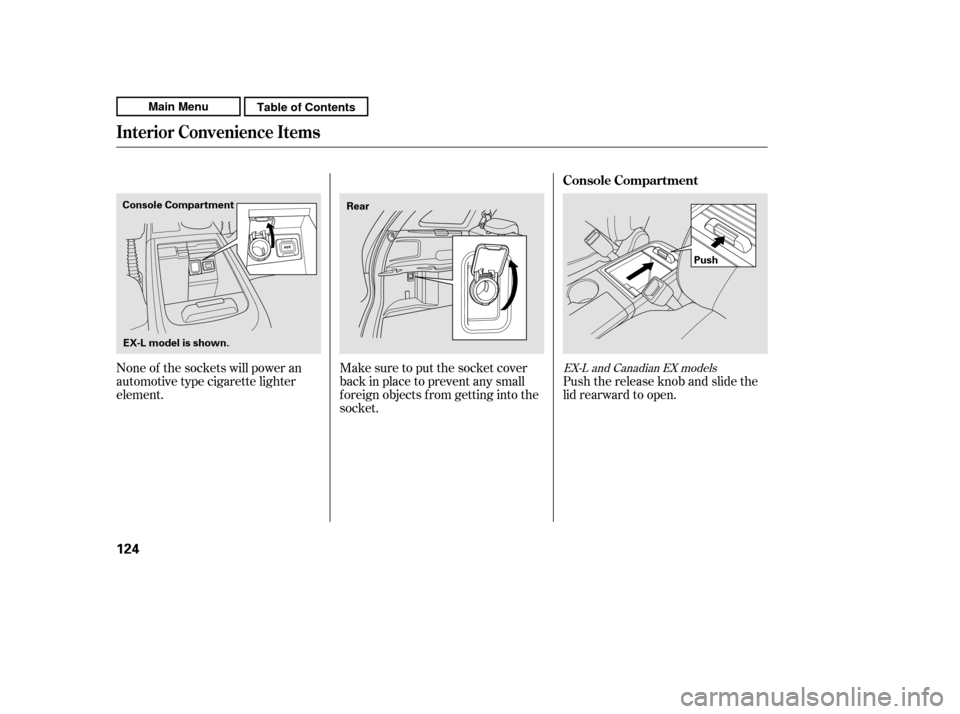
Make sure to put the socket cover
back in place to prevent any small
foreign objects from getting into the
socket.
None of the sockets will power an
automotive type cigarette lighter
element.
Push the release knob and slide the
lid rearward to open.EX-L and Canadian EX models
Console Compartment
Interior Convenience Items
124
Push
Console Compartment
Rear
EX-L model is shown.
Main MenuTable of Contents
Page 131 of 445
Af ter all doors and the tailgate are
closed tightly, the light fades out in
about 30 seconds.
The ceiling light (with the switch in
the center position) comes on when
you remove the key f rom the ignition
switch. If you do not open a door and
the tailgate, the light f ades out in
about 30 seconds.
If you leave any door or the tailgate
open without the key in the ignition
switch, the ceiling light goes of f af ter
3 minutes.
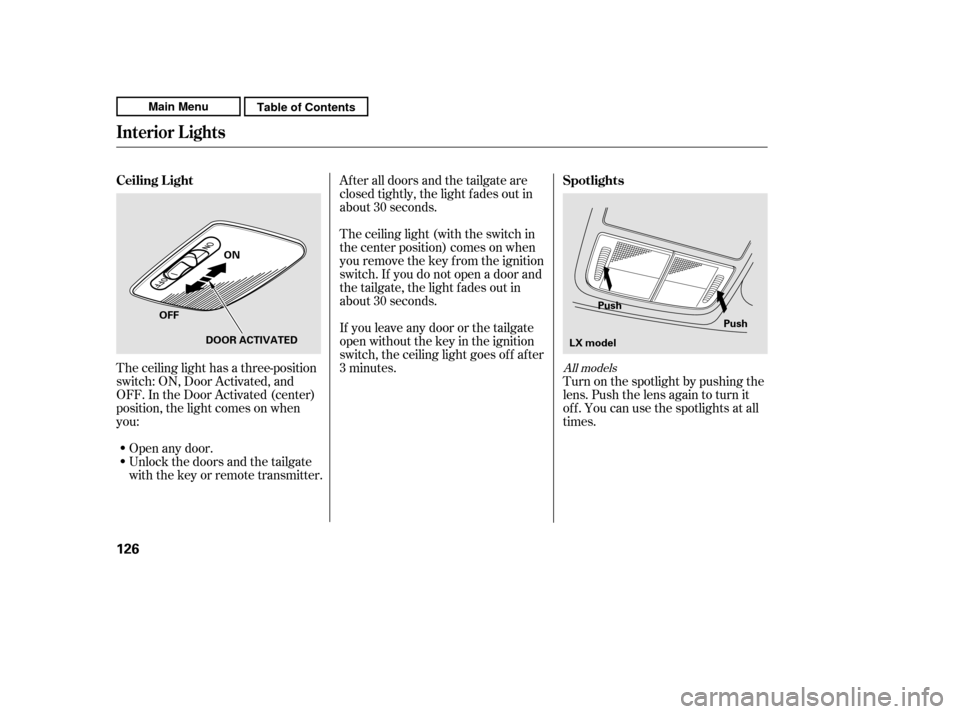
The ceiling light has a three-position
switch: ON, Door Activated, and
OFF. In the Door Activated (center)
position, the light comes on when
you:
Unlock the doors and the tailgate
with the key or remote transmitter.
Open any door. Turn on the spotlight by pushing the
lens. Push the lens again to turn it
of f . You can use the spotlights at all
times.
All models
Interior Lights
Spotlights
Ceiling L ight
126
Push
Push
ON
OFF DOOR ACTIVATED LX model
Main MenuTable of Contents
Page 134 of 445

The heating and air conditioning
system in your vehicle provides a
comf ortable driving environment in
all weather conditions.
The standard audio system has
many f eatures. This section
describes those f eatures and how to
use them.
Your vehicle has an anti-theft audio
system that requires a code number
to enable it.
The security system helps to
discourage vandalism and thef t of
your vehicle..............
Vents, Heating, and A/C . 130
...............
Climate Control System . 135
..........
Dual Temperature Control . 140
..............
Climate Control Sensors . 142
................................
Audio System . 143 ..........
Playing the AM/FM Radio . 145
................................
Playing a Disc . 149
.......
Disc Player Error Messages . 156
..........
Playing the FM/AM Radio . 157
................
Playing the XM
Radio . 161
.................................
Playing Discs . 166
...
Disc Changer Error Messages . 176
............................
PlayinganiPod
. 177
.................
iPod
Error Messages . 183
Playing a USB Flash Memory
........................................
Device . 184
USB Flash Memory Device Error
...................................
Messages . 193
..........
Playing the AM/FM Radio . 194
................
Playing the XM
Radio . 200
................................
Playing a Disc . 206
.......
Disc Player Error Messages . 214 ...................................
CD Changer . 215
.....
CD Changer Error Messages . 221
..........................
Playing a PC card . 222
.............
PC card Error Messages . 234
............................
PlayinganiPod
. 235
.................
iPod
Error Messages . 241
Playing a USB Flash Memory ........................................
Device . 242
USB Flash Memory Device Error ...................................
Messages . 249
............
AM/FM Radio Reception . 250
..................
Protecting Your Discs . 252
................
Remote Audio Controls . 255
...
Playing an Optional Audio Unit . 257
.................
Radio Thef t Protection . 258
..........................
Setting the Clock . 259
.........................................
Compass . 260
............................
Security System . 264
...
Rearview Camera and Monitor . 265
...............................
Cruise Control . 266
........
HandsFreeLink. 269
LX model
EX and EX-L models without navigationsystem
Canadian EX model and EX-L model without navigation system
EX-L model with navigation system Bluetooth
Except LX model
Features
Features
129
Main Menu
Page 136 of 445

Turn this dial to increase or decrease
the fan speed and airflow.
Turning this dial clockwise increases
the temperature of the airflow.When the recirculation indicator is
on, air f rom the vehicle’s interior is
sent throughout the system again.
When the indicator is off, air is
brought in f rom the outside of the
vehicle (fresh air mode).
The outside air intakes f or the
heating and cooling system are at
the base of the windshield. Keep this
area clear of leaves and other debris.
Thesystemshouldbeleftinfresh
air mode under almost all conditions.
Keeping the system in recirculation
mode, particularly with the A/C of f ,
can cause the windows to fog up.
Switch to recirculation mode when
driving through dusty or smoky
conditions, then return to fresh air
mode.
This button turns the air
conditioning on and of f . The
indicatorinthebuttonisonwhen
the A/C is on.
The system automatically
turns on the A/C and switches to
recirculation mode (see page to
use this setting). Air f lows f rom the
center and side vents in the
dashboard. Pressing the , A/C,
or any of the mode buttons cancels
MAX A/C, but the A/C stays on. Airf low is divided between
the vents in the dashboard and the
f loor vents. Air flows from the center
and corner vents in the dashboard.
Use the mode control buttons to
select the vents air flows from. Some
air will f low f rom the dashboard
corner vents in all modes.
This button turns the rear window
def ogger of f and on (see page ).
Pushing this button also turns the
power mirror heaters on and of f .
/
80
133
CONT INUED
Canadian models only
Vents, Heating, and A/C
Fan Control Dial
T emperature Control Dial
Air Conditioning (A/C) Button Recirculation Button
MAX A/C Button Mode Control
Rear Window Def ogger
Button
Features
131
Main MenuTable of Contents
Page 137 of 445

Air f lows f rom the f loor
vents.
When you select , the system
automatically switches to f resh air
mode. If you switch the mode f rom or to , the system
keeps the A/C on. The A/C
indicator will not come on if it was
off to start with.
To turn of f the A/C, press the A/C
button to illuminate the indicator,
then press it again to turn off the
A/C.
Airf low is divided between
the f loor vents and def roster vents at
the base of the windshield. Air f lows f rom the def roster
vents at the base of the windshield.
When you select or ,
the system automatically switches to
f resh air mode and turns on the A/C.
You cannot turn the A/C of f in this
mode.
Set the temperature to the lower
limit.
Make sure the A/C is of f .
Select and fresh air mode.
Set the f an to the desired speed. The heater uses engine coolant to
warm the air. If the engine is cold, it
will be several minutes bef ore you
f eel warm air coming f rom the
system.
Select .
When you select , the system
automatically switches to f resh air
mode. If you switch the mode
f rom or , the system
also automatically turns on the
A/C. This helps prevent the
windows f rom f ogging up
unintendedly. The A/C indicator
willnotcomeonifitwasoffto
start with (see the f irst column on
this page).
Set the f an to the desired speed.
Adjust the warmth of the air with
the temperature control dial.
When you switch to or
mode f rom , the A/C
turnsoff.Butifitwasontostart
with, the A/C stays on. The f low-through ventilation system
draws in outside air, circulates it
through the interior, then discharges
it through vents near the tailgate. 1.2. 3.4.1. 2. 3.
Vents, Heating, and A/C
Ventilation
Using the Heater
132
Main MenuTable of Contents
Page 138 of 445

Air conditioning places an extra load
on the engine. Watch the engine
coolant temperature gauge (see page). If it moves near the red zone,
turn of f the A/C until the gauge
reading returns to normal.
Turn on the A/C by pressing the
button. The indicator in the button
comesonwhenafanspeedis
selected.
Make sure the temperature is set
to maximum cool.
Select .
If the outside air is humid, select
recirculation mode. If the outside
air is dry, select f resh air mode.
Set the f an to the desired speed. you can
cool it down more rapidly by partially
opening the windows, turning on the
air conditioning, and setting the f an
to maximum speed in f resh air mode.
To cool the interior with MAX A/C: Set the f an to the desired speed.
Select MAX A/C.
The system automatically turns on
the A/C, selects , and
switches to recirculation mode.
Make sure the temperature is set
to maximum cool. Air conditioning, as it cools, removes
moisture from the air. When used in
combination with the heater, it
makes the interior warm and dry and
can prevent the windows f rom
f ogging up.
This setting is suitable f or all driving
conditions whenever the outside
temperature is above 32°F (0°C).
Turn the fan on.
Turn on the air conditioning.
Select and fresh air mode.
Adjust the temperature to your
pref erence.
1. 2. 3. 4. 5. 1. 2.3.4.
1.2. 3.
71
If the interior is very warm,Dehumidif y the Interior
Using the A /C
Vents, Heating, and A/C
Features
133
Main MenuTable of Contents