Page 163 of 388

Driving in tunnels.
Driving on a road beside a vertical
wall, steep clif f , or hill to the south
of you.
Driving on the lower level of a
multi-tiered road.
Driving on a single lane road
alongside dense trees taller than
50 ft. (15 m) to the south of you.
Large items carried on a roof rack.
There may be other geographic
situations that could af f ect XM Radio
reception. If your XM Radio service has expired
or you purchased your vehicle f rom
a previous owner, you can listen to a
sampling of the broadcasts available
on XM Radio. With the ignition
switch in the ACCESSORY (I) or ON
(II) position, push the power/volume
knob to turn on the audio system and
press the XM RADIO button. A
variety of music types and styles will
play.
If you decide to purchase XM Radio
service, contact XM
Radio at
,orat
1-800-852-9696. You will need to give
them your radio I.D. number and
your credit card number. To get your
radio I.D. number, press the TUNE
bar until ‘‘0’’ appears in the display.
Your I.D. will appear in the display. After you’ve registered with XM
Radio, keep your audio system in the
XM radio mode while you wait f or
activation. This should take about 30
minutes.
While waiting f or activation, make
sure your vehicle remains in an open
area with good reception. Once your
audio system is activated, you’ll be
able to listen to XM Radio broadcasts.
XM Radio will continue to send an
activation signal to your vehicle f or
at least 12 hours from the activation
request. If the service has not been
activated after 36 hours, contactXM
Radio. In Canada, contact XM
CANADA
.
As required by the FCC:
Changes or modif ications not expresslyapproved by the party responsible f or
compliance could void the user’sauthority to operate the equipment. www.xmradio.com
Audio System (Models with navigation system)
Receiving XM Radio Service
Features
159
Main Menu
Page 167 of 388
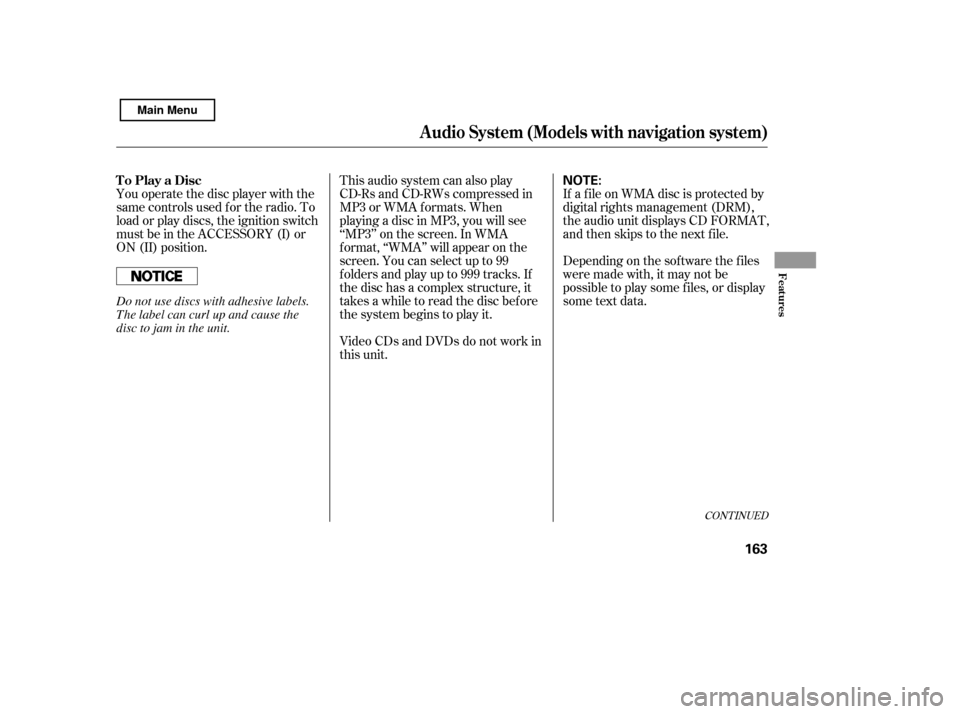
You operate the disc player with the
same controls used f or the radio. To
load or play discs, the ignition switch
must be in the ACCESSORY (I) or
ON (II) position.This audio system can also play
CD-Rs and CD-RWs compressed in
MP3 or WMA f ormats. When
playing a disc in MP3, you will see
‘‘MP3’’ on the screen. In WMA
f ormat, ‘‘WMA’’ will appear on the
screen. You can select up to 99
f olders and play up to 999 tracks. If
the disc has a complex structure, it
takes a while to read the disc before
the system begins to play it.If a f ile on WMA disc is protected by
digital rights management (DRM),
the audio unit displays CD FORMAT,
andthenskipstothenextfile.
Video CDs and DVDs do not work in
this unit. Depending on the sof tware the f iles
were made with, it may not be
possible to play some f iles, or display
some text data.
CONT INUED
To Play a Disc
Audio System (Models with navigation system)
Features
163
NOTE:
Do not use discs with adhesive labels.
The label can curl up and cause the
disc to jam in the unit.
Main Menu
Page 172 of 388

�Û�Ý�Î�Î
�ΠTo remove a disc f rom the audio unit,
f old back the screen by pressing the
OPEN button (see page ). Press
the disc eject button ( ) to
remove the disc. If you eject the disc,
but do not remove it f rom the slot,
the system will automatically reload
it af ter 10 seconds and put it in pause
mode. To begin playing, press the
CD button.
To return the screen to the upright
position, press the CLOSE button.
When playing a CD recorded with
text data, each track name is shown
on the audio display. With a disc
recorded in MP3 or WMA, the f older
number and the location are also
displayed.
You cannot close the screen if a disc
is partially inserted into its slot.
You can also eject the disc when the
ignition switch is of f .
If the disc was not recorded with text
data, only the track number is shown.
To scroll through the display, touch
the or icononthesideof the
screen.Togobacktotheprevious
display, touch the Return icon on the
screen.
Select the desired track/f ile by
touching the icon on the display. The
selected icon will be highlighted in
blue. The system begins to play the
selected track/f ile. With a disc in
MP3 or WMA, touch the f older icon
on the upper lef t of the screen to
move to the parent folder. The
current f older is highlighted in blue. To play the radio when a disc is
playing, press the AM/FM button or
touch the FM1, FM2, AM, XM1 , or
XM2 icon.If aPCcardisinthe
audio unit, touch the CARD icon to
play the PC card. Press the CD
button again or touch the CD icon to
switch back to the disc player.
If you turn the system of f while a
disc is playing, either with the
power/volume knob or by turning
of f the ignition switch, the disc will
stay in the drive. When you turn the
system back on, the disc will begin
playing where it lef t of f .
If equipped
: 164
Removing a DiscTo Stop Playing a Disc
Audio System (Models with navigation system)
168
Main Menu
Page 176 of 388

You operate the PC card player with
the same controls used f or the radio
and the disc player. To load or play a
card, the ignition switch must be in
the ACCESSORY (I) or ON (II)
position.
The PC card player reads and plays
cards in MP3 or WMA f ormats.
Depending on the f ormat, the screen
will indicate ‘‘MP3’’ or ‘‘WMA’’ when
a card is playing. The card limit of
the player is 99 f olders and 999
tracks. If the card has a complex
structure, it takes some time f or the
system to begin playing it.Never insert f oreign objects into
the PC card slot.
When you insert a PC card into
the slot, make sure you put it in
straight. If you cannot insert it,
remove it, and insert again.
To avoid damaging the card
reader, do not insert hard disc
drive cards into the PC card slot.
You cannot close the screen
(move it to the upright position)
until the PC card is inserted all the
way into its slot or removed.
Do not keep PC cards in the
vehicle. Direct sunlight and high
heat will damage them.
Based on PCMCIA 2.1/JEIDA 4.2,
the recommended PC cards f or the
PC card reader are:
CompactFlash
Flash ATA
SD memory card
Always use the recommended
memory card with the appropriate
adapter (if an adapter is needed).
Some memory cards will not work in
this unit.
To Play a PC Card
Audio System (Models with navigation system)
172
NOTE:
Main Menu
Page 186 of 388
�Î
�Î
�Î
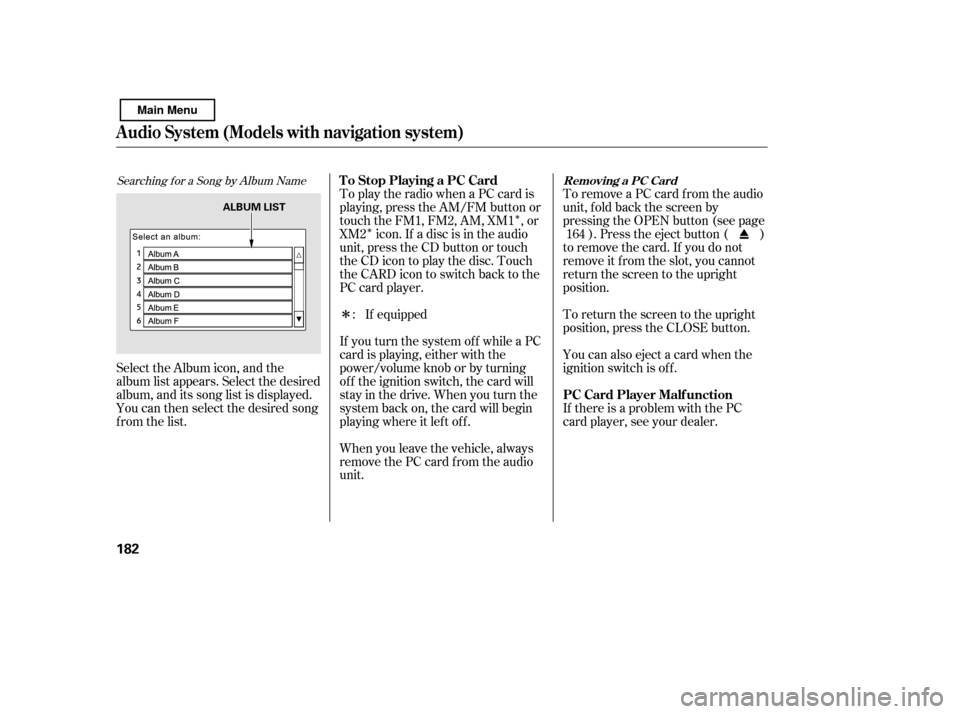
Searching f or a Song by Album Name
Select the Album icon, and the
album list appears. Select the desired
album, and its song list is displayed.
You can then select the desired song
from the list. To remove a PC card f rom the audio
unit, f old back the screen by
pressing the OPEN button (see page
). Press the eject button ( )
to remove the card. If you do not
remove it f rom the slot, you cannot
return the screen to the upright
position.
To return the screen to the upright
position, press the CLOSE button.
You can also eject a card when the
ignition switch is of f .
If there is a problem with the PC
card player, see your dealer.
To play the radio when a PC card is
playing, press the AM/FM button or
touch the FM1, FM2, AM, XM1 , or
XM2 icon. If a disc is in the audio
unit, press the CD button or touch
theCDicontoplaythedisc.Touch
the CARD icon to switch back to the
PC card player.
When you leave the vehicle, always
remove the PC card f rom the audio
unit.
If you turn the system of f while a PC
card is playing, either with the
power/volume knob or by turning
of f the ignition switch, the card will
stay in the drive. When you turn the
system back on, the card will begin
playing where it lef t of f .
If equipped
: 164
T o Stop Playing a PC Card
PC Card Player Malf unction
Removing a PC Card
Audio System (Models with navigation system)
182
ALBUM LIST
Main Menu
Page 188 of 388
�µ�´
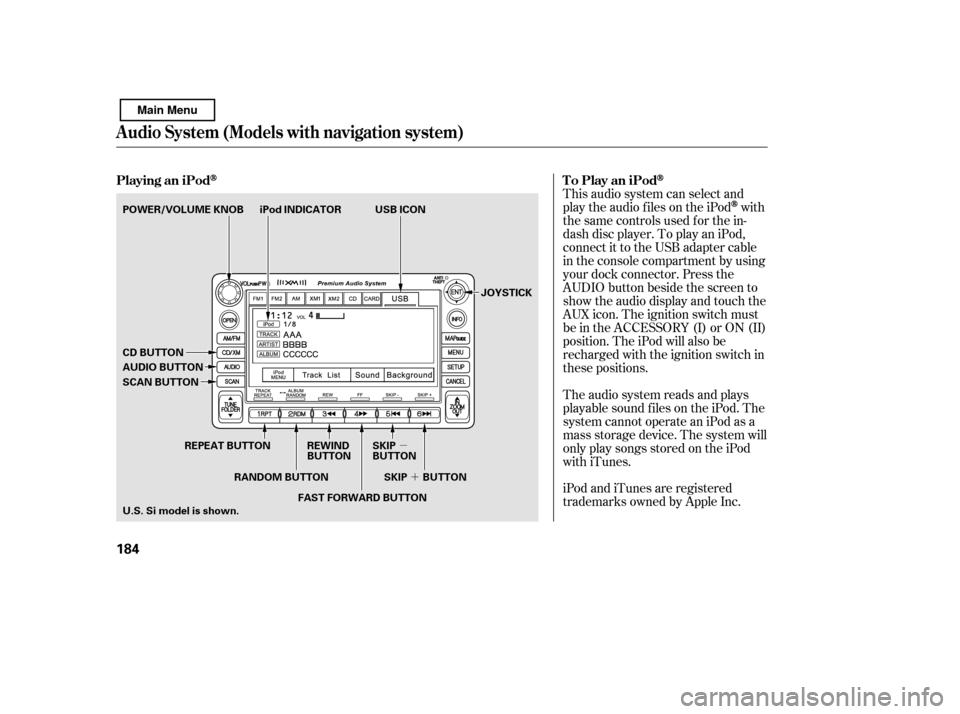
This audio system can select and
play the audio f iles on the iPod
with
the same controls used f or the in-
dash disc player. To play an iPod,
connect it to the USB adapter cable
in the console compartment by using
your dock connector. Press the
AUDIO button beside the screen to
show the audio display and touch the
AUX icon. The ignition switch must
be in the ACCESSORY (I) or ON (II)
position. The iPod will also be
recharged with the ignition switch in
these positions.
The audio system reads and plays
playable sound f iles on the iPod. The
system cannot operate an iPod as a
mass storage device. The system will
only play songs stored on the iPod
with iTunes.
iPod and iTunes are registered
trademarks owned by Apple Inc.
Playing an iPod
To Play an iPod
Audio System (Models with navigation system)
184
JOYSTICK
iPod INDICATOR USB ICON
AUDIO BUTTON
POWER/VOLUME KNOB
CD BUTTON
SCAN BUTTON
U.S. Si model is shown.
REPEAT BUTTON REWIND
BUTTONSKIP
BUTTON
FAST FORWARD BUTTON
RANDOM BUTTON SKIP BUTTON
Main Menu
Page 196 of 388

�Î
�Î
This audio system can select and
play the audio f iles f rom a USB f lash
memory device with the same
controls used f or the in-dash disc
player. To play a USB f lash memory
device, connect it to the USB adapter
cable in the console compartment.
The ignition switch must be in the
ACCESSORY (I) or ON (II) position.
Press the AUDIO button beside the
screen to show the audio display and
touch the AUX icon. The recommended USB f lash
memory devices are 256 MB or
higher, and f ormatted with the FAT
f ile system. Some digital audio
players may be compatible as well.
Some USB f lash memory devices
(such as devices with security lock-
out f eatures, etc.) will not work in
this audio unit.
Do not use a device such as a card
reader or hard drive as the device
or your f iles may be damaged.
Do not connect your USB f lash
memory device using a hub.
The audio system reads and plays
the audio f iles on the USB f lash
memory device in MP3, WMA or
AAC f ormats. Depending on the
f ormat, the display shows MP3,
WMA or AAC when a USB flash
memory device is playing. The USB
f lash memory device limit is up to
700 f olders or up to 65535 f iles.
Only AAC f ormat f iles recorded
with iTunes are playable on this
audio unit.
:
To Play a USB Flash Memory
Device
Audio System (Models with navigation system)
192
NOTE:
Main Menu
Page 219 of 388
�Ì�Ì�Ì�Ì
CONT INUED
BluetoothHandsFreeL ink
How to Use HFL
Features
215
‘‘Phone Setup’’
‘‘Call’’ or ‘‘Dial’’‘‘Pair’’
‘‘Edit’’
‘‘Delete’’
‘‘Jim Smith’’
‘‘Set Pairing
Code’’
The ignition switch must be in the ACCESSORY (I) or ON (II) position.
‘‘List’’‘‘Status’’
‘‘Next Phone’’
Press HFL
Talk button
Press and release the HFL Talk button each time you give a command. ‘‘123-456- ’’ (See page 218)
Pair a phone to the system
(See page 219)
Edit the name of a paired phone
(See page 219)
Delete a paired phone from the system
(See page 219)
Hear a list of all phones paired to the system
Hear which paired phone is currently linked to the system
(See page 220)
(See page 220)
Search for another previously paired phone to link to
Set the pairing code to a ‘‘Fixed’’ or ‘‘Random’’ number
(See page 220)
Enter desired phone number (See page 221)
Once a phonebook entry is stored, you can say a name here.
(See page 221)
Main Menu