Page 220 of 454
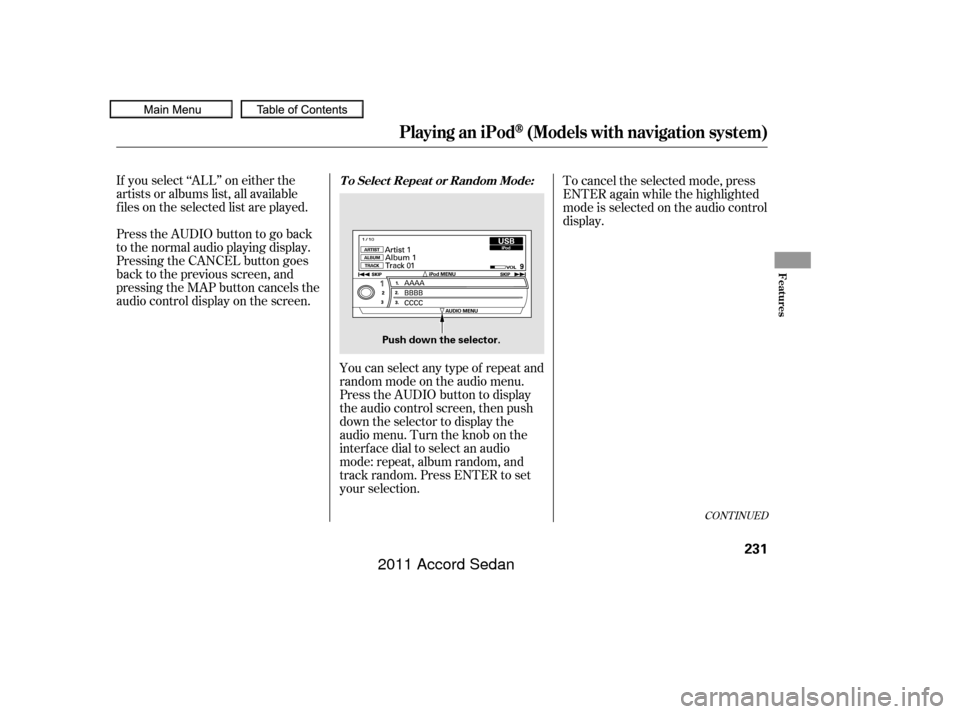
When you play CD-TEXT, you will
see the track name, artist name, and
album name on the screen. When
you play MP3/WMA discs, you will
see the track name and folder name
on the screen. If the disc was not
recorded with this inf ormation, it will
not be displayed. The player can play CD-TEXT, MP3,
and WMA formats.
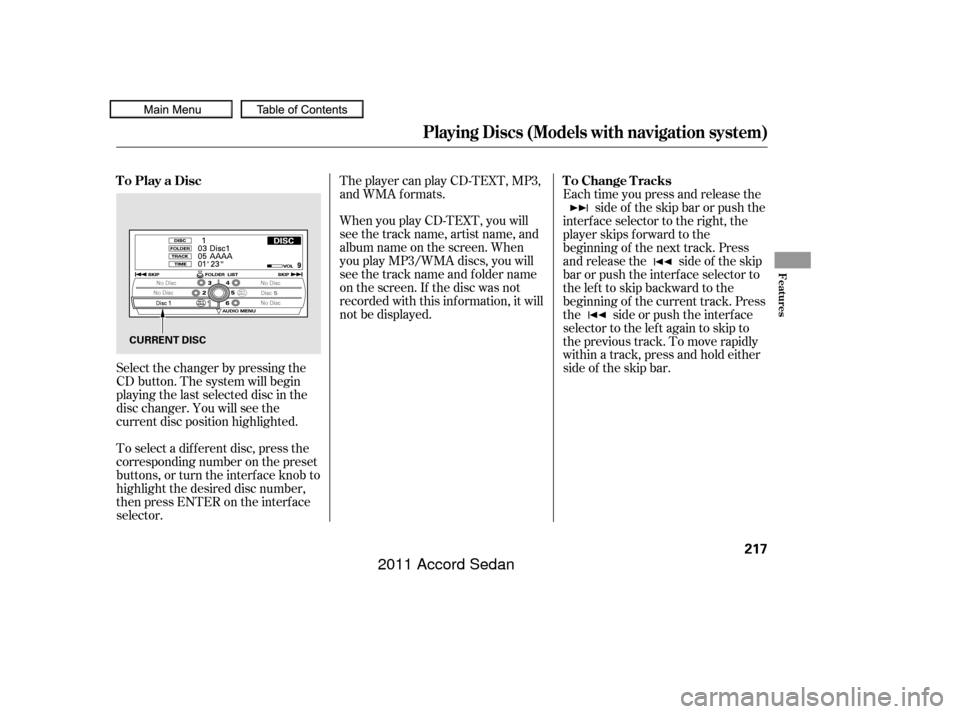
Select the changer by pressing the
CD button. The system will begin
playing the last selected disc in the
disc changer. You will see the
current disc position highlighted.
To select a dif f erent disc, press the
corresponding number on the preset
buttons, or turn the interf ace knob to
highlight the desired disc number,
then press ENTER on the interf ace
selector. Each time you press and release the
side of the skip bar or push the
interface selector to the right, the
player skips f orward to the
beginning of the next track. Press
and release the side of the skip
barorpushtheinterfaceselectorto
thelefttoskipbackwardtothe
beginning of the current track. Press
the side or push the interf ace
selector to the left again to skip to
the previous track. To move rapidly
within a track, press and hold either
side of the skip bar.
To Play a Disc
To Change Tracks
Playing Discs (Models with navigation system)
Features
217
CURRENT DISC
10/06/18 16:10:25 31TA5630_222
2011 Accord Sedan
Page 221 of 454
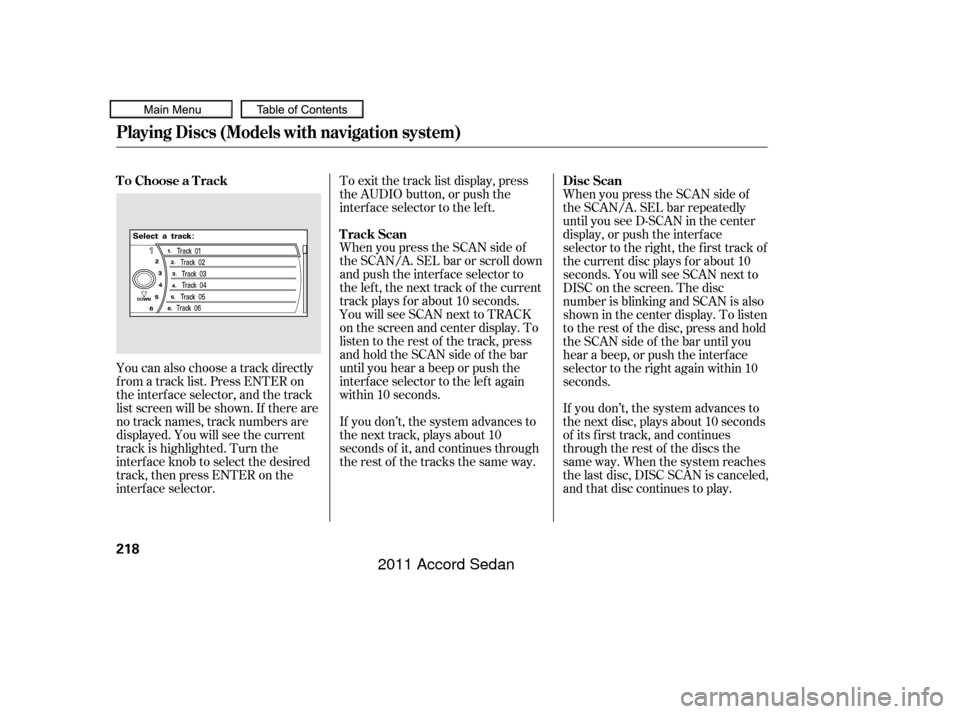
You can also choose a track directly
f rom a track list. Press ENTER on
the interf ace selector, and the track
list screen will be shown. If there are
no track names, track numbers are
displayed. You will see the current
track is highlighted. Turn the
interf ace knob to select the desired
track, then press ENTER on the
interf ace selector.To exit the track list display, press
the AUDIO button, or push the
interf ace selector to the lef t.
When you press the SCAN side of
the SCAN/A. SEL bar or scroll down
and push the interf ace selector to
the left, the next track of the current
track plays f or about 10 seconds.
You will see SCAN next to TRACK
on the screen and center display. To
listen to the rest of the track, press
andholdtheSCANsideof thebar
until you hear a beep or push the
interface selector to the left again
within 10 seconds.
If you don’t, the system advances to
the next track, plays about 10
seconds of it, and continues through
the rest of the tracks the same way.
When you press the SCAN side of
the SCAN/A. SEL bar repeatedly
until you see D-SCAN in the center
display, or push the interf ace
selector to the right, the first track of
the current disc plays f or about 10
seconds. You will see SCAN next to
DISC on the screen. The disc
number is blinking and SCAN is also
shown in the center display. To listen
to the rest of the disc, press and hold
the SCAN side of the bar until you
hear a beep, or push the interf ace
selector to the right again within 10
seconds.
If you don’t, the system advances to
the next disc, plays about 10 seconds
of its f irst track, and continues
through the rest of the discs the
same way. When the system reaches
the last disc, DISC SCAN is canceled,
and that disc continues to play.
To Choose a Track
Track ScanDisc Scan
Playing Discs (Models with navigation system)
218
10/06/18 16:10:33 31TA5630_223
2011 Accord Sedan
Page 222 of 454
To replay the current track
continuously, select TRACK
REPEAT, and press ENTER on the
interf ace selector. As a reminder,
you will see REPEAT next to
TRACKonthescreen.Toturnthis
f eature of f , highlight TRACK
REPEAT (if not already highlighted),
andpressENTERontheinterface
selector again.
You can select any type of repeat and
random modes by using the
interf ace dial.
Push the AUDIO button to display
the audio inf ormation on the screen,
then scroll down by pushing down
the selector to select the audio menu. To cancel the selected repeat or
random mode, have the selected
mode highlighted, then press
ENTER on the interf ace selector. Turn the interface knob to select a
desired repeat or random mode, then
press ENTER to set your selection.
T o Select Repeat or Random
Mode:
T rack Repeat
Playing Discs (Models with navigation system)
Features
219
Push down the selector.AUDIO MENU SCREEN
10/06/18 16:10:41 31TA5630_224
2011 Accord Sedan
Page 223 of 454
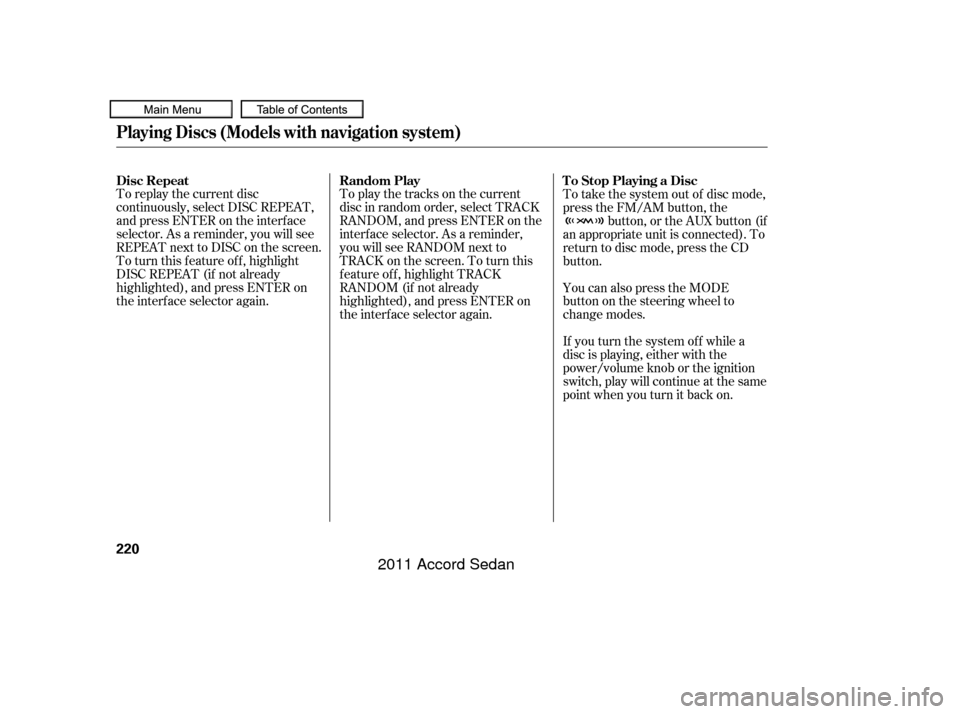
To replay the current disc
continuously, select DISC REPEAT,
andpressENTERontheinterface
selector. As a reminder, you will see
REPEAT next to DISC on the screen.
To turn this feature off, highlight
DISC REPEAT (if not already
highlighted), and press ENTER on
the interf ace selector again.To play the tracks on the current
disc in random order, select TRACK
RANDOM, and press ENTER on the
interf ace selector. As a reminder,
you will see RANDOM next to
TRACKonthescreen.Toturnthis
feature off, highlight TRACK
RANDOM (if not already
highlighted), and press ENTER on
the interf ace selector again.To take the system out of disc mode,
press the FM/AM button, the
button, or the AUX button (if
an appropriate unit is connected). To
return to disc mode, press the CD
button.
You can also press the MODE
buttononthesteeringwheelto
change modes.
If you turn the system of f while a
disc is playing, either with the
power/volume knob or the ignition
switch, play will continue at the same
point when you turn it back on.
Disc Repeat
Random Play To Stop Playing a Disc
Playing Discs (Models with navigation system)
220
10/06/18 16:10:47 31TA5630_225
2011 Accord Sedan
Page 225 of 454
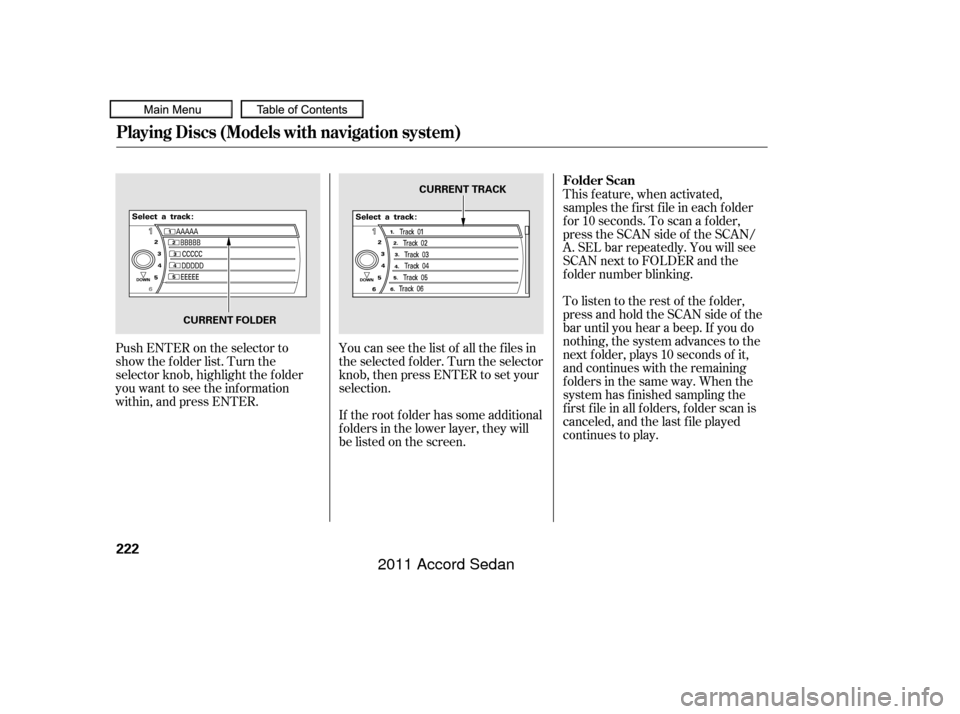
Push ENTER on the selector to
show the folder list. Turn the
selector knob, highlight the f older
you want to see the inf ormation
within, and press ENTER.You can see the list of all the f iles in
the selected f older. Turn the selector
knob, then press ENTER to set your
selection.
If the root f older has some additional
f olders in the lower layer, they will
belistedonthescreen. This feature, when activated,
samples the f irst f ile in each f older
f or 10 seconds. To scan a f older,
press the SCAN side of the SCAN/
A. SEL bar repeatedly. You will see
SCAN next to FOLDER and the
f older number blinking.
To listen to the rest of the folder,
press and hold the SCAN side of the
bar until you hear a beep. If you do
nothing, the system advances to the
next f older, plays 10 seconds of it,
and continues with the remaining
f olders in the same way. When the
system has f inished sampling the
f irst f ile in all f olders, f older scan is
canceled, and the last f ile played
continues to play.
Playing Discs (Models with navigation system)
Folder Scan
222
CURRENT TRACK
CURRENT FOLDER
10/06/18 16:11:02 31TA5630_227
2011 Accord Sedan
Page 226 of 454

This f eature, when activated, replays
all f iles in the selected f older. To
activate f older repeat mode, select
FOLDER REPEAT by using the
interf ace knob, and press ENTER on
the interf ace selector. You will see
REPEAT next to FOLDER on the
screen. To turn this f eature of f ,
highlight FOLDER REPEAT (if not
already highlighted), and press
ENTER on the interf ace selector
again.
Toselectanytypeof therepeat
modes, use the interf ace dial. For
more information, see page .This f eature, when activated, plays
all f iles in the current f older in
random order. To activate f older
random play, select FOLDER
RANDOM by using the interf ace
knob, and press ENTER on the
interf ace selector. You will see
RANDOM next to FOLDER on the
screen. To turn this f eature of f ,
highlight FOLDER RANDOM (if not
already highlighted), and press
ENTER on the interf ace selector
again.
Toselectanytypeof therandom
modes, use the interf ace dial. For
more information, see page .To remove the disc that is currently
playing, press the eject button. You
will see ‘‘EJECT’’ in the center
display. When you remove the disc
from the slot, the system
automatically enters the previous
modeAM,FM1,FM2,orXMRadio.
The system also begins the load
sequence so you can load another
disc. If you do not load another disc,
the load sequence is canceled, and
the system continues playing in the
previous mode.
If you do not remove the disc f rom
the slot, the system will reload the
disc af ter 10 seconds. To begin
playing the disc, press the CD button.
219
219
CONT INUED
Playing Discs (Models with navigation system)
Folder Repeat
Folder RandomRemoving Discs f rom the
Changer
Features
223
10/06/18 16:11:10 31TA5630_228
2011 Accord Sedan
Page 231 of 454
Install the dock connector to the
USB adapter cable securely. Connect your dock connector to
the iPod correctly and securely.
Pull out the USB connector f rom
the holder.
Some devices cannot be powered
or charged via the USB adapter. If
this is the case, use the accessory
adapter to supply power to your
device. We recommend backing up your
data bef ore playing it. Do not use an extension cable
between the USB adapter cable
equipped with your vehicle and
your dock connector. DonotkeeptheiPodinthe
vehicle. Direct sunlight and high
heat will damage it. Do not connect your iPod using a
hub.
UseonlycompatibleiPodswiththe
latest sof tware. iPods that are not
compatible will not work in this audio
unit.
1.2.
3.
Connect ing an iPod
Playing an iPod(Models with navigation system)
228
NOTE:
USB ADAPTER CABLE DOCK CONNECTOR
USB CONNECTOR
USB CONNECTOR
10/06/18 16:11:45 31TA5630_233
2011 Accord Sedan
Page 234 of 454
If you select ‘‘ALL’’ on either the
artists or albums list, all available
f iles on the selected list are played.
PresstheAUDIObuttontogoback
to the normal audio playing display.
Pressing the CANCEL button goes
back to the previous screen, and
pressing the MAP button cancels the
audio control display on the screen.You can select any type of repeat and
random mode on the audio menu.
Press the AUDIO button to display
the audio control screen, then push
down the selector to display the
audio menu. Turn the knob on the
interf ace dial to select an audio
mode: repeat, album random, and
track random. Press ENTER to set
your selection.To cancel the selected mode, press
ENTER again while the highlighted
mode is selected on the audio control
display.
CONT INUED
T o Select Repeat or Random Mode:
Playing an iPod(Models with navigation system)
Features
231
Push down the selector.
10/06/18 16:12:05 31TA5630_236
2011 Accord Sedan