2011 FORD TAURUS ignition
[x] Cancel search: ignitionPage 60 of 406
For maximum cooling performance (MAX A/C):
1. Press MAX A/C. The system will default to single-zone operation and
set the temperature to 60°F (16°C).
2. A/C,
andwill be selected.
3. Fan speed will be increased to the highest speed, but can be adjusted
as desired.
To aid in side window defogging/demisting in cold weather:
1. Select
.
2. Select A/C.
3. Adjust the temperature control to maintain comfort.
4. Set the fan to the highest speed.
5. Direct the outer instrument panel vents toward the side windows.
To increase airflow to the outer instrument panel vents, close the vents
located in the middle of the instrument panel.
REAR WINDOW DEFROSTER
R
The rear defroster control is located on the climate control panel and
works to clear the rear window of fog and thin ice.
The ignition must be on to operate the rear window defroster.
The rear defroster turns off automatically after 10 minutes or when the
ignition is turned off. To manually turn off the defroster before
10 minutes have passed, press the control again.
Do not use razor blades or other sharp objects to clean the inside
of the rear window or to remove decals from the inside of the
rear window. This may cause damage to the heated grid lines and
will not be covered by your warranty.
Climate Controls
60
2011 Taurus(500)
Owners Guide, 1st Printing
USA(fus)
Page 62 of 406

HEADLAMP CONTROL
Turns the lamps off.
Turns on the parking lamps,
instrument panel lamps, license
plate lamps and tail lamps.
Turns the low beam headlamps
on.
Autolamp control
The autolamp system provides light
sensitive automatic on-off control of
the exterior lights normally
controlled by the headlamp control.
•To turn autolamps on, rotate the
control to
.
•To turn autolamps off, rotate the
control from the autolamp
position.
The autolamp system also keeps the
lights on for a predetermined amount of time after the ignition switch is
turned to off. You can change the amount of time the lamps stay on by
using the programming procedure that follows:
Note:If the vehicle is equipped with autolamps, it will have the
headlamps on with windshield wipers feature.If the windshield
wipers are turned on, the exterior lamps will turn on with the headlamp
control in the autolamp position.
Autolamps - programmable exit delay
Programmable exit delay allows the length of the autolamp exit delay to
be changed.
To program the auto lamp exit time delay:
1. Start with the ignition off and the headlamp control in the autolamp
position.
2. Turn the headlamp control to off.
3. Turn the ignition on and then back to off.
Lights
62
2011 Taurus(500)
Owners Guide, 1st Printing
USA(fus)
Page 65 of 406

•The vehicle speed falls below 27 mph (43 km/h).
•The ambient light level is high enough that high beams are not
needed.
•Severe rain, snow or fog is detected.
•The camera is blocked.
Note:Activating the multi-function lever will put the headlamps in
manual high beam mode (constant or flash-to-pass) until the lever is
returned to the neutral position. To manually override the auto high
beam and go to low beam, the headlamp control must be taken out of
the
(autolamp) position.
Setting auto high beam sensitivity
The automatic high beam system has two sensitivity settings. The default
setting is near. If you would like the high beams to turn off when traffic
is further away, the sensitivity setting can be changed to far. The
procedure is as follows:
Preconditions:
•Vehicle is at a stop.
•Ignition is in the on position.
•The headlamp control is in the
position.
•High-beams are off.
Programming Sequence:
1. Turn the headlamp control from
(On) to(autolamp) three
times within two seconds, ending in
(On).
2. Cycle flash-to-pass three times using the multi-function lever.
3. The sensitivity setting has been changed.
Note: The programming sequence will end if either of the following
occur:
•The vehicle speed is not zero.
•The battery voltage is out of normal range.
Troubleshooting
If the automatic high beam camera becomes blocked, the high beams
may not come on automatically. They will only activate when they are
manually turned on with the multi-function lever.
Typical road dust, dirt and water spots will not affect the automatic high
beam system’s performance. However, in cold or inclement weather
Lights
65
2011 Taurus(500)
Owners Guide, 1st Printing
USA(fus)
Page 66 of 406

conditions, the automatic high beam system’s availability may be
decreased. In such conditions, the manual override may be used to turn
the high beams on or off.
For significant blockages (e.g. bird dropping, bug splatter, snow, or ice),
the automatic high beam system uses a blocked sensor computer
program. If a blockage is detected and no changes are observed, the
system will go into low beam mode until the blockage is cleared. If
blockages are repeatedly detected, the system will stay in low beam
mode for the remainder of the ignition cycle unless the system is able to
begin detecting other vehicles again.
If it appears that automatic control of the high beams is not functioning
properly, check the windshield in front of the camera for blockage.
Flash-to-pass
Pull and release to activate.
Daytime running lamps (DRL) (if equipped)
Turns the headlamps on with a reduced output.
To activate:
•the ignition must be in the on position,
•the headlamp control is in the off, autolamps or parking lamp position
and
•the transmission must be out of the P (Park) position.
WARNING:Always remember to turn on your headlamps at
dusk or during inclement weather. The Daytime Running Lamp
(DRL) system does not activate the tail lamps and generally may not
provide adequate lighting during these conditions. Failure to activate
your headlamps under these conditions may result in a collision.
Lights
66
2011 Taurus(500)
Owners Guide, 1st Printing
USA(fus)
Page 70 of 406

Ambient lighting (if equipped)
Illuminates footwells and cupholders
with a choice of several colors. The
ambient lighting control is located in
the center console storage area. To
activate, press and release the left
side of the control to cycle through
the color choices plus the off state.
Press the right side of the control to adjust color intensity.
The lights come on whenever the ignition is in either the on or accessory
position and the headlamps or parking lamps are on.
Note:The ambient lights will stay on until the ignition is placed in the
off position and either of the front doors are opened or the accessory
delay timer expires.
BULB REPLACEMENT
Lamp assembly condensation
Exterior lamps are vented to accommodate normal changes in pressure.
Condensation can be a natural by-product of this design. When moist air
enters the lamp assembly through the vents, there is a possibility that
condensation can occur when the temperature is cold. When normal
condensation occurs, a thin film of mist can form on the interior of the
lens. The thin mist eventually clears and exits through the vents during
normal operation. Clearing time may take as long as 48 hours under dry
weather conditions.
Examples of acceptable condensation are:
•Presence of thin mist (no streaks, drip marks or droplets)
•Fine mist covers less than 50% of the lens
Examples of unacceptable moisture (usually caused by a lamp water
leak) are:
•Water puddle inside the lamp
•Large water droplets, drip marks or streaks present on the interior of
the lens
Take your vehicle to a dealer for service if any of the above conditions of
unacceptable moisture are present.
Using the right bulbs
Replacement bulbs are specified in the chart below. Headlamp bulbs
must be marked with an authorized “D.O.T.” for North America and an
Lights
70
2011 Taurus(500)
Owners Guide, 1st Printing
USA(fus)
Page 80 of 406
Compass zone adjustment
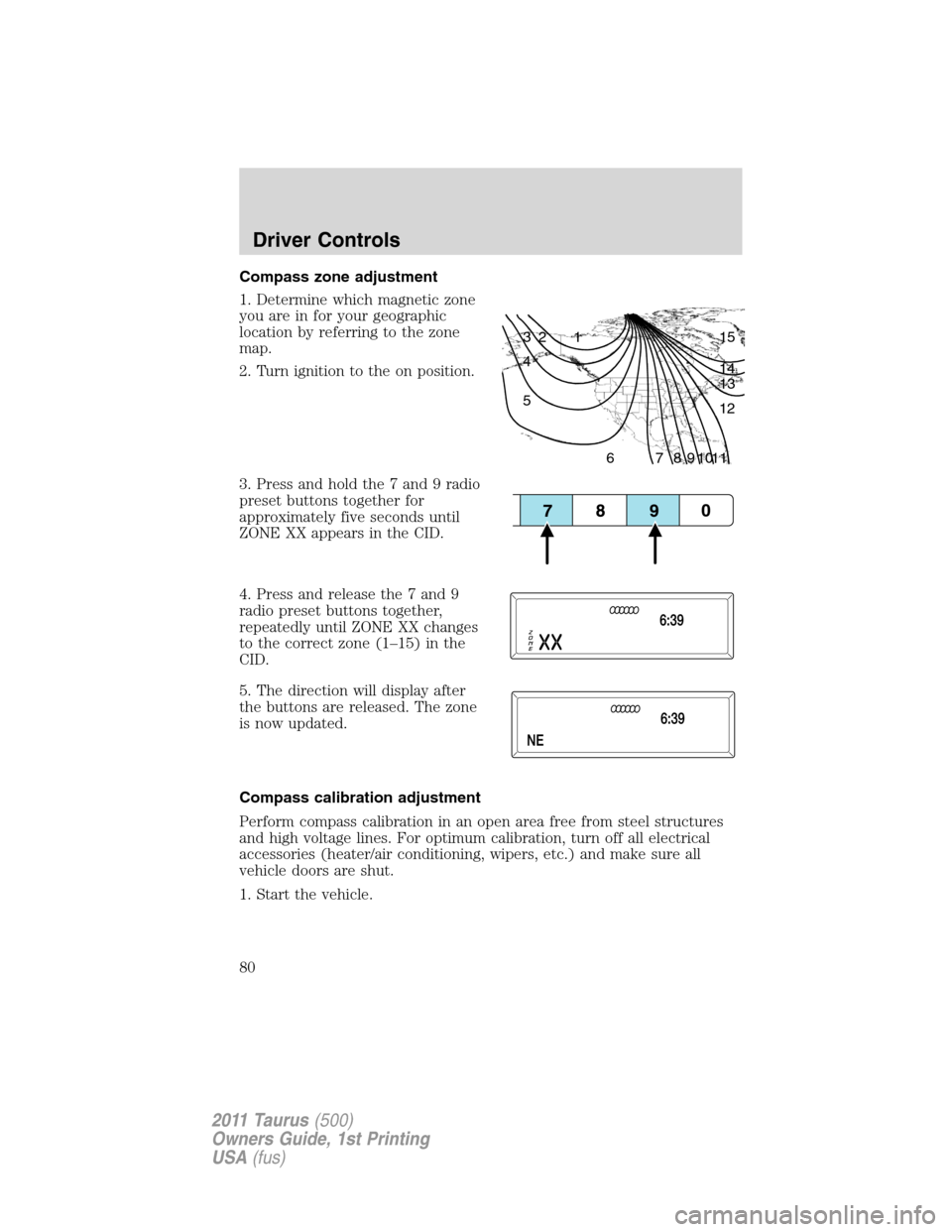
1. Determine which magnetic zone
you are in for your geographic
location by referring to the zone
map.
2. Turn ignition to the on position.
3. Press and hold the 7 and 9 radio
preset buttons together for
approximately five seconds until
ZONE XX appears in the CID.
4. Press and release the 7 and 9
radio preset buttons together,
repeatedly until ZONE XX changes
to the correct zone (1–15) in the
CID.
5. The direction will display after
the buttons are released. The zone
is now updated.
Compass calibration adjustment
Perform compass calibration in an open area free from steel structures
and high voltage lines. For optimum calibration, turn off all electrical
accessories (heater/air conditioning, wipers, etc.) and make sure all
vehicle doors are shut.
1. Start the vehicle.
1 2 3
4
5
6 7 8 9 101112 13 14 15
Driver Controls
80
2011 Taurus(500)
Owners Guide, 1st Printing
USA(fus)
Page 84 of 406
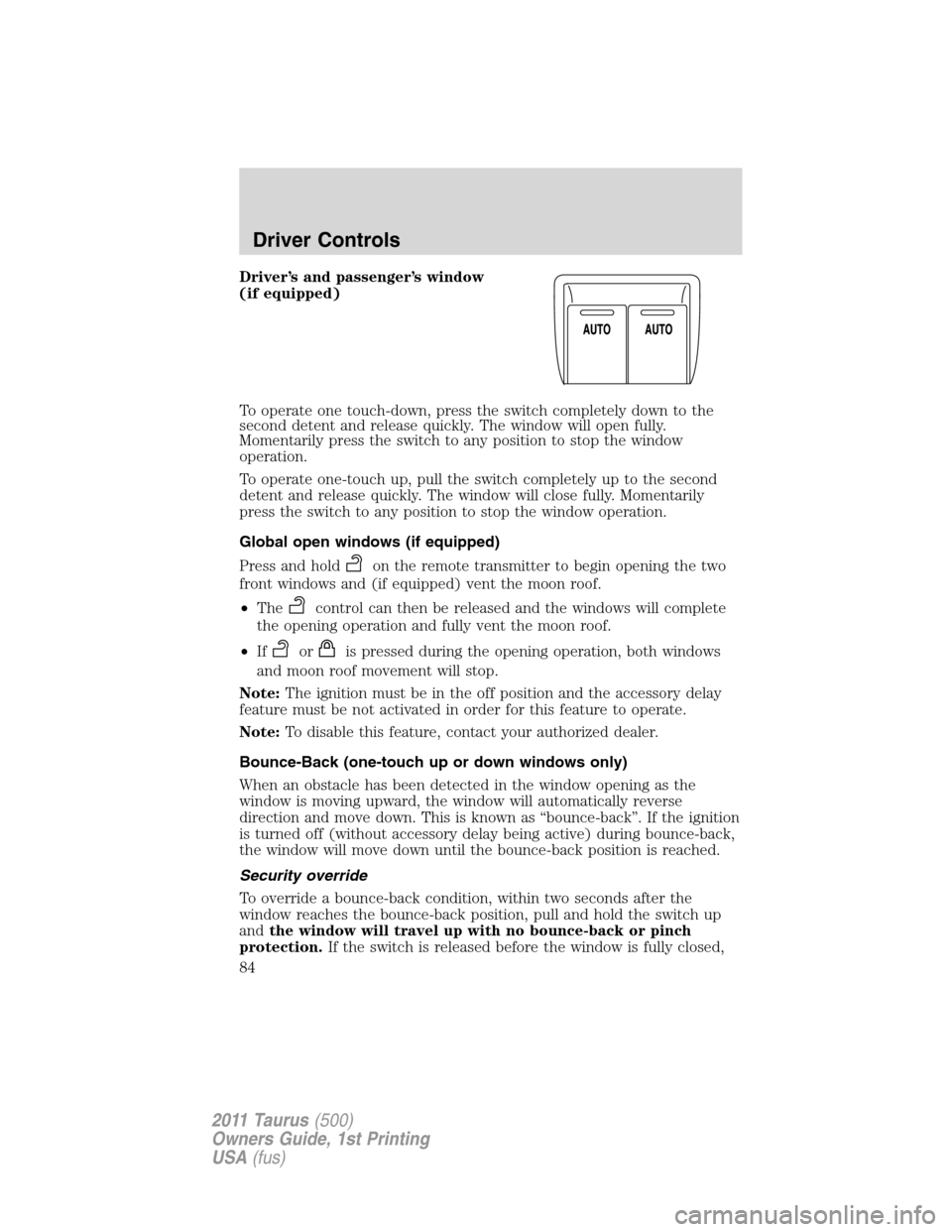
Driver’s and passenger’s window
(if equipped)
To operate one touch-down, press the switch completely down to the
second detent and release quickly. The window will open fully.
Momentarily press the switch to any position to stop the window
operation.
To operate one-touch up, pull the switch completely up to the second
detent and release quickly. The window will close fully. Momentarily
press the switch to any position to stop the window operation.
Global open windows (if equipped)
Press and hold
on the remote transmitter to begin opening the two
front windows and (if equipped) vent the moon roof.
•The
control can then be released and the windows will complete
the opening operation and fully vent the moon roof.
•If
oris pressed during the opening operation, both windows
and moon roof movement will stop.
Note:The ignition must be in the off position and the accessory delay
feature must be not activated in order for this feature to operate.
Note:To disable this feature, contact your authorized dealer.
Bounce-Back (one-touch up or down windows only)
When an obstacle has been detected in the window opening as the
window is moving upward, the window will automatically reverse
direction and move down. This is known as “bounce-back”. If the ignition
is turned off (without accessory delay being active) during bounce-back,
the window will move down until the bounce-back position is reached.
Security override
To override a bounce-back condition, within two seconds after the
window reaches the bounce-back position, pull and hold the switch up
andthe window will travel up with no bounce-back or pinch
protection.If the switch is released before the window is fully closed,
Driver Controls
84
2011 Taurus(500)
Owners Guide, 1st Printing
USA(fus)
Page 85 of 406

the window will stop. For example, this can be used to overcome the
resistance of ice on the window or seals.
Window lock
The window lock feature allows only
the driver to operate the power
windows.
To lock out all the window controls
(except for the driver’s) press the
right side of the control. Press the
left side to restore the window
controls.
Accessory delay
With accessory delay, the radio, power windows, and moon roof (if
equipped) operate for up to 10 minutes after the ignition switch is
turned from on to off or until one of the front doors are opened.
INTERIOR MIRROR
The interior rear view mirror has two pivot points on the support arm
which lets you adjust the mirror up or down and from side to side.
WARNING:Do not adjust the mirror while the vehicle is in
motion.
Automatic dimming interior rear view mirror (if equipped)
The interior rear view mirror has an auto-dimming function (optional on
the driver’s side exterior mirror). The electronic day/night mirror will
change from the normal (high reflective) state to the non-glare
(darkened) state when bright lights (glare) reach the interior mirror.
When the interior mirror detects bright light from behind the vehicle, the
interior rear view mirror and the driver’s side exterior mirror (if
equipped) will automatically adjust (darken) to minimize glare.
The mirrors will automatically return to the normal state whenever the
vehicle is placed in R (Reverse) to ensure a bright clear view when
backing up.
Do not block the sensors on the front and back of the interior
rear view mirror since this may impair proper mirror
performance.
Note:A rear center passenger and/or raised rear center headrest (if
equipped) may also block the light from reaching the sensor.
Driver Controls
85
2011 Taurus(500)
Owners Guide, 1st Printing
USA(fus)