Page 102 of 406
model manufactured before April 1, 1982). A garage door which cannot
detect an object, signaling the door to stop and reverse, does not meet
current U.S. federal safety standards. For more information, contact
HomeLink�at:www.homelink.comor1–800–355–3515.
Retain the original transmitter for use in other vehicles as well as for
future programming procedures (i.e. new HomeLink�equipped vehicle
purchase). It is also suggested that upon the sale of the vehicle, the
programmed Homelink�buttons be erased for security purposes, refer to
Programmingin this section.
Programming
Do not program HomeLink�with the vehicle parked in the garage.
Note:Your vehicle may require the ignition switch to be turned to the
accessory position for programming and/or operation of the HomeLink�.
It is also recommended that a new battery be placed in the hand-held
transmitter of the device being programmed to HomeLink�for quicker
training and accurate transmission of the radio-frequency signal.
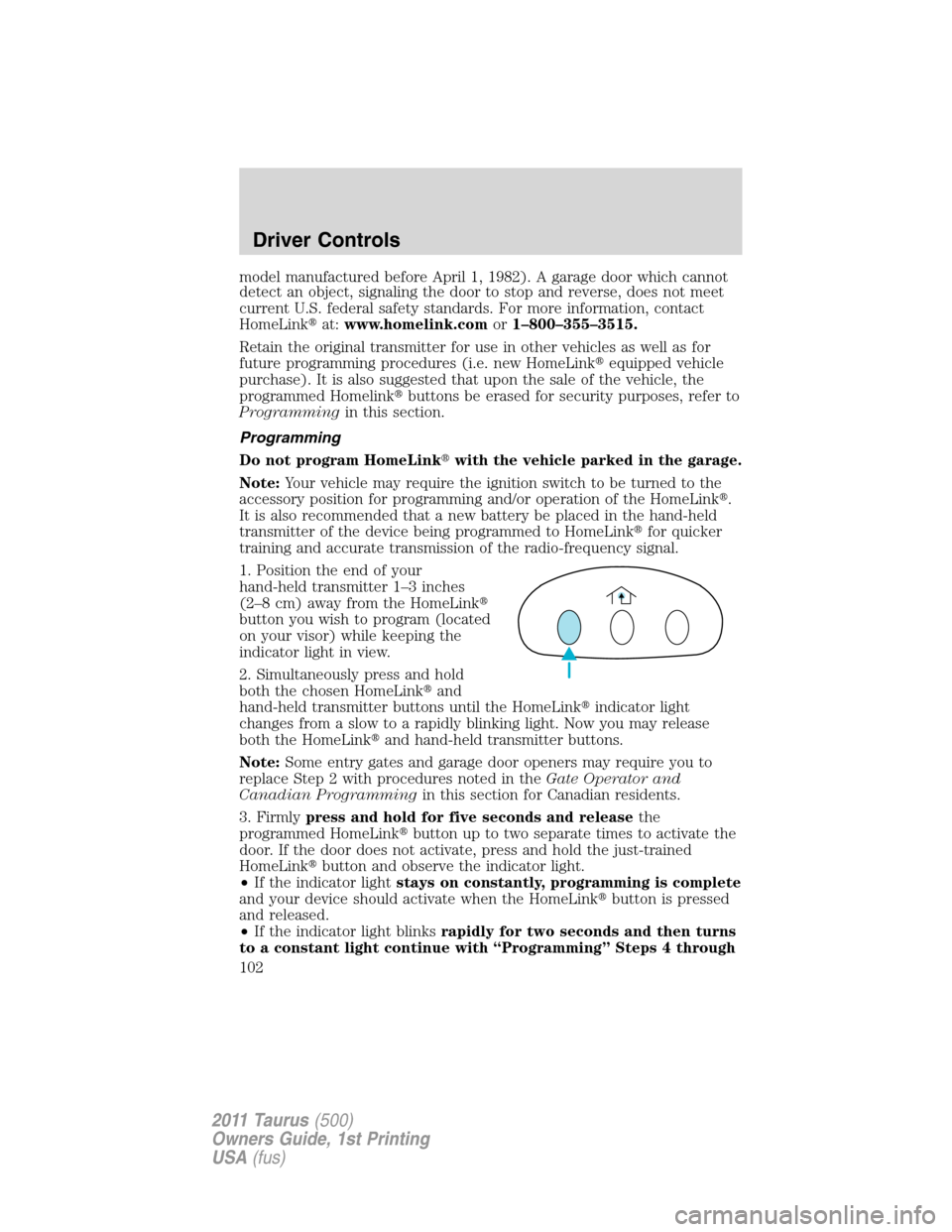
1. Position the end of your
hand-held transmitter 1–3 inches
(2–8 cm) away from the HomeLink�
button you wish to program (located
on your visor) while keeping the
indicator light in view.
2. Simultaneously press and hold
both the chosen HomeLink�and
hand-held transmitter buttons until the HomeLink�indicator light
changes from a slow to a rapidly blinking light. Now you may release
both the HomeLink�and hand-held transmitter buttons.
Note:Some entry gates and garage door openers may require you to
replace Step 2 with procedures noted in theGate Operator and
Canadian Programmingin this section for Canadian residents.
3. Firmlypress and hold for five seconds and releasethe
programmed HomeLink�button up to two separate times to activate the
door. If the door does not activate, press and hold the just-trained
HomeLink�button and observe the indicator light.
•If the indicator lightstays on constantly, programming is complete
and your device should activate when the HomeLink�button is pressed
and released.
•If the indicator light blinksrapidly for two seconds and then turns
to a constant light continue with “Programming” Steps 4 through
Driver Controls
102
2011 Taurus(500)
Owners Guide, 1st Printing
USA(fus)
Page 103 of 406
6to complete programming of a rolling code equipped device (most
commonly a garage door opener).
4. At the garage door opener receiver (motor-head unit) in the garage,
locate the “learn” or “smart” button (usually near where the hanging
antenna wire is attached to the unit).
5. Firmly press and release the “learn” or “smart” button. (The name and
color of the button may vary by manufacturer.)
Note:There are 30 seconds in which to initiate Step 6.
6. Return to the vehicle and firmlypress, hold for two seconds and
releasethe programmed HomeLink�button. Repeat the
press/hold/releasesequence again and, depending on the brand of the
garage door opener (or other rolling code equipped device), repeat this
sequence a third time to complete the programming.
HomeLink�should now activate your rolling code equipped device. To
program additional HomeLink�buttons begin with Step 1 in this section.
For questions or comments, please contact HomeLink�at
www.homelink.comor1–800–355–3515.
Gate Operator & Canadian Programming
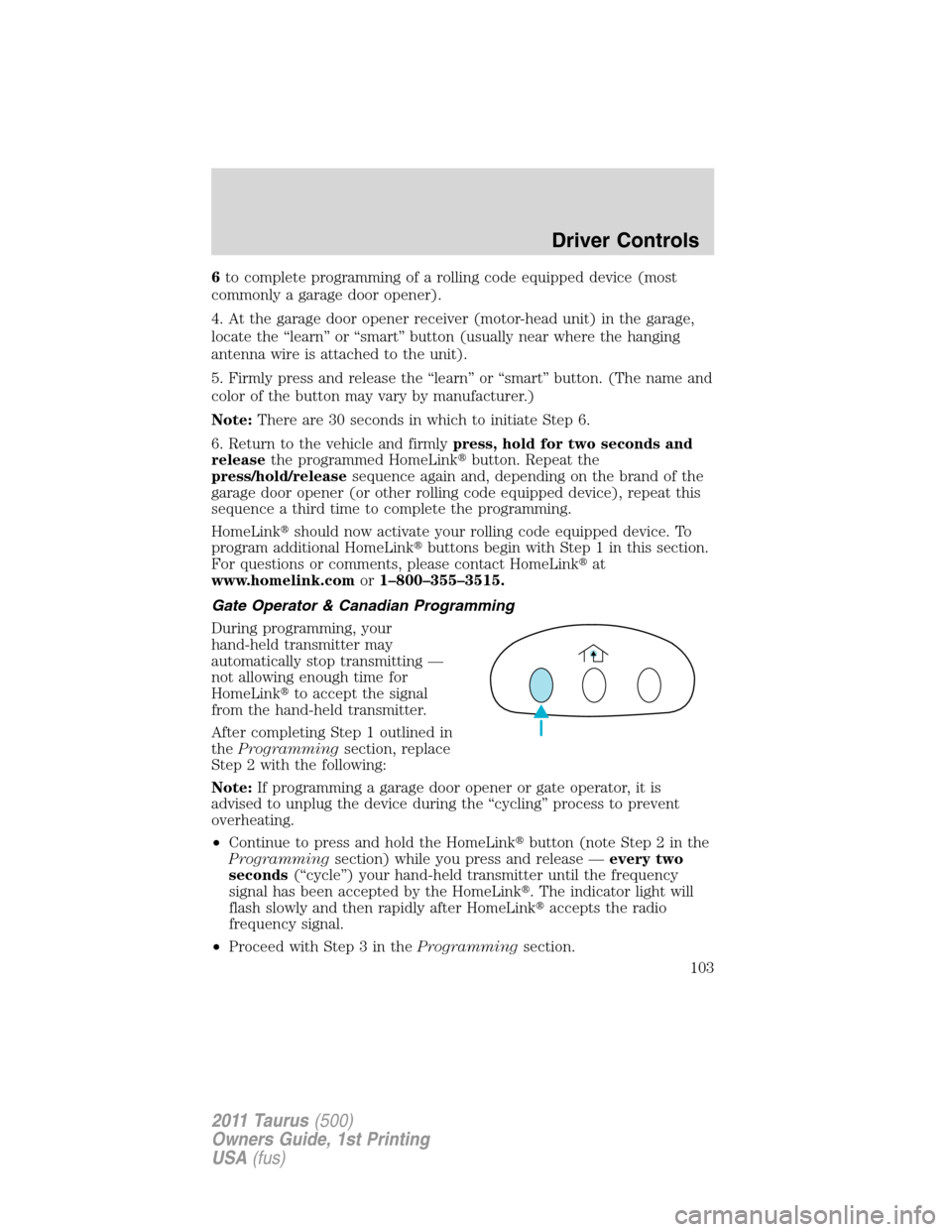
During programming, your
hand-held transmitter may
automatically stop transmitting —
not allowing enough time for
HomeLink�to accept the signal
from the hand-held transmitter.
After completing Step 1 outlined in
theProgrammingsection, replace
Step 2 with the following:
Note:If programming a garage door opener or gate operator, it is
advised to unplug the device during the “cycling” process to prevent
overheating.
•Continue to press and hold the HomeLink�button (note Step 2 in the
Programmingsection) while you press and release —every two
seconds(“cycle”) your hand-held transmitter until the frequency
signal has been accepted by the HomeLink�. The indicator light will
flash slowly and then rapidly after HomeLink�accepts the radio
frequency signal.
•Proceed with Step 3 in theProgrammingsection.
Driver Controls
103
2011 Taurus(500)
Owners Guide, 1st Printing
USA(fus)
Page 105 of 406
POSITIVE RETENTION FLOOR MAT
WARNING:Do not install additional floor mats on top of the
factory installed floor mats as they may interfere with the
accelerator or the brake pedals.
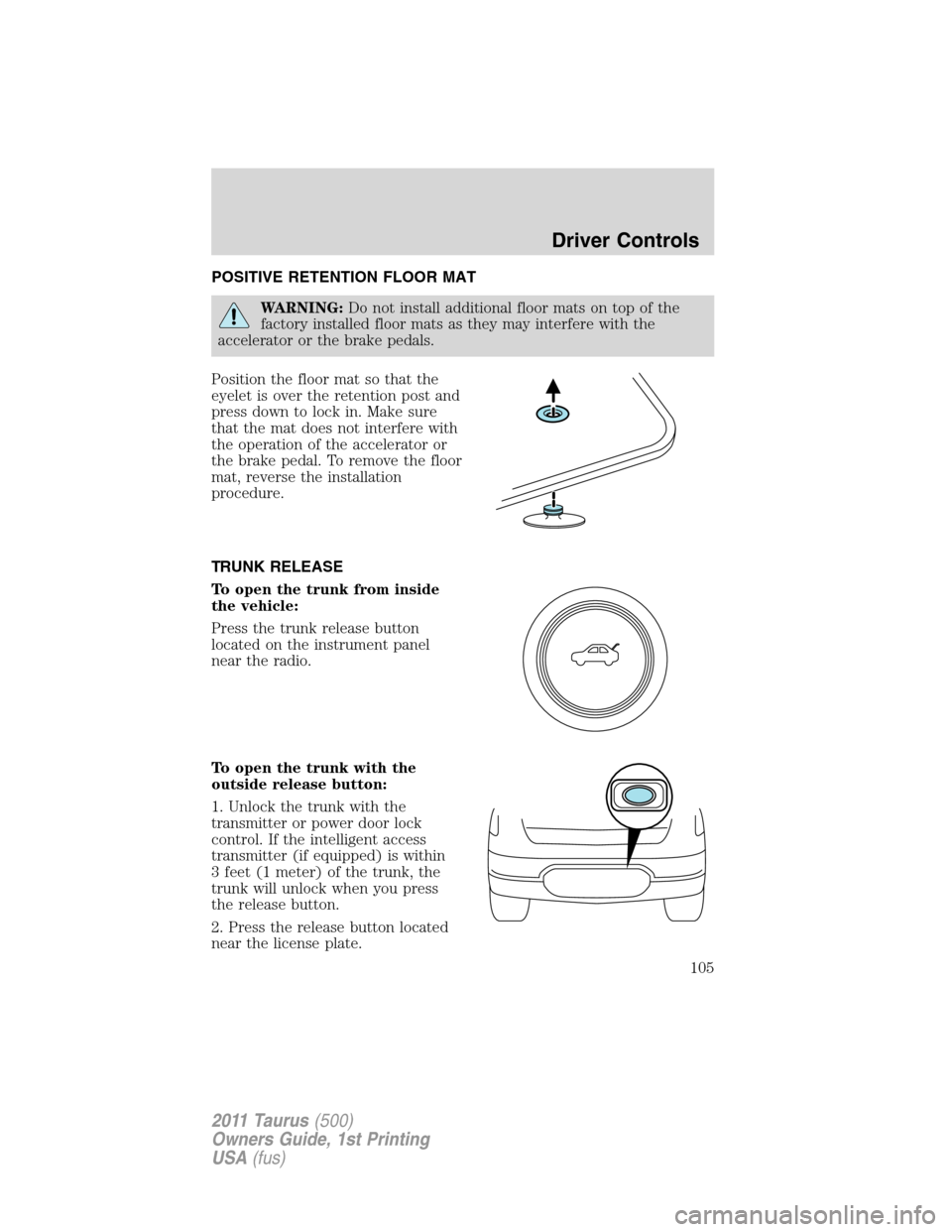
Position the floor mat so that the
eyelet is over the retention post and
press down to lock in. Make sure
that the mat does not interfere with
the operation of the accelerator or
the brake pedal. To remove the floor
mat, reverse the installation
procedure.
TRUNK RELEASE
To open the trunk from inside
the vehicle:
Press the trunk release button
located on the instrument panel
near the radio.
To open the trunk with the
outside release button:
1. Unlock the trunk with the
transmitter or power door lock
control. If the intelligent access
transmitter (if equipped) is within
3 feet (1 meter) of the trunk, the
trunk will unlock when you press
the release button.
2. Press the release button located
near the license plate.
Driver Controls
105
2011 Taurus(500)
Owners Guide, 1st Printing
USA(fus)
Page 405 of 406

for adults .................162–163, 165
for children .............................186
Occupant Classification
Sensor ......................................159
warning light
and chime ........................166–167
Safety restraints - LATCH
anchors ......................................194
Safety seats for children ..........190
Safety Compliance
Certification Label ....................370
Satellite Radio Information ........47
Scheduled Maintenance Guide
Normal Scheduled
Maintenance and Log .............385
What Maintenance Schedule
Should You Follow? ................382
Seats ..........................................138
child safety seats ....................190
cleaning ...................................323
climate control ..................54, 148
easy access/easyout
feature .....................................150
front seats .......................141, 147
heated ..............................146, 156
memory seat ...................124, 149
SecuriCode keyless entry
system ........................................129
SecuriLock passive anti-theft
system ........................................131
Servicing your vehicle ..............326
Setting the clock .........................33
SOS Post Crash Alert ...............185
Spare tire
(see Changing the Tire) ...........291
Spark plugs,
specifications .....................365, 369Specification chart,
lubricants ...................................366
Speed control ..............................88
Starting your vehicle ........235–237
jump starting ..........................305
push button start system .......238
Steering wheel
controls ......................................98
tilting .........................................77
Stereo
6-CD in dash .............................32
CD-MP3 .....................................32
SYNC�..........................................50
T
Temporary mobility kit .............295
Tilt steering wheel ......................77
Tire Pressure Monitoring
System (TPMS)
Tires, Wheels and Loading ....219
Tires ...........................203–204, 288
alignment ................................211
care ..........................................207
changing ..........................288, 291
checking the pressure ............207
inflating ...................................205
label .........................................218
replacing ..................................209
rotating ....................................212
safety practices .......................210
sidewall information ...............213
snow tires and chains ............223
spare tire .................................288
Temporary mobility kit ..........295
terminology .............................204
tire grades ...............................204
treadwear ........................203, 208
Towing .......................................231
Index
405
2011 Taurus(500)
Owners Guide, 1st Printing
USA(fus)