2011 FORD F150 instrument cluster
[x] Cancel search: instrument clusterPage 92 of 461

MULTI-FUNCTION LEVER
Windshield wiper:Rotate the end
of the control away from you to
increase the speed of the wipers;
rotate toward you to decrease the
speed of the wipers.
Speed-dependent wipers (if equipped):When the wiper control is set
to any of the interval settings except the longest pause setting, the pause
time between wiping will automatically adjust with the vehicle speed.
The faster your vehicle is travelling the shorter the pause time between
wipes will become.
Rain-sensing wipers (if equipped):The rain-sensing wipers,
designated with AUTO on the control, will automatically activate when
moisture is present on the windshield and the control is set to one of
five auto/interval moisture sensitivity settings. Rotate the end of the
control toward the windshield to increase the sensitivity. The speed of
the rain-sensing wipers will vary based on the amount of moisture
detected on the windshield and the auto/interval setting. There are no
interval (intermittent wipe) settings on vehicles with rain-sensing wipers.
The wipers will continue to wipe as long as the presence of moisture is
detected on the windshield. More or less wiping may occur depending on
humidity, mist or light rain, or road spray.
This feature can be enabled/disabled through the message center. Refer
toMessage centerin theInstrument Clusterchapter.
Keep the outside of the windshield clean, especially the area around the
rear view mirror where the sensor is located or rain sensor performance
may be affected.
Note:During winter driving conditions with ice, snow or a salty road
mist, inconsistent or unexpected wiping or smearing may occur. In these
conditions, you can lower the sensitivity to reduce the amount of
smearing or override the feature by selecting low- or high-speed wiping
or turning the wiper system off.
Note:The rain sensing wiper feature must be turned off before entering
a car wash.
o
Driver Controls
92
2011 F-150(f12)
Owners Guide, 1st Printing
USA(fus)
Page 93 of 461

Windshield washer:Press the end
of the stalk:
•briefly: causes a single swipe of
the wipers without washer fluid.
•a quick press and hold: the
wipers will swipe three times with
washer fluid.
•a long press and hold: the wipers and washer fluid will be activated for
up to ten seconds.
Note:Do not operate the washer when the washer reservoir is empty.
This may cause the washer pump to overheat. Check the washer fluid
level frequently. Do not operate the wipers when the windshield is dry.
This may scratch the glass, damage the wiper blades and cause the wiper
motor to burn out. Before operating the wiper on a dry windshield,
always use the windshield washer. In freezing weather, be sure the wiper
blades are not frozen to the windshield before operating the wipers.
Courtesy wipe feature:One extra wipe will occur a few seconds after
washing the front window to clear any excess washer fluid remaining on
the windshield. This feature can be enabled/disabled through the
message center. Refer toMessage centerin theInstrument Cluster
chapter.
Windshield wiper rainlamp feature (if equipped with autolamp)
When the windshield wipers are turned on during daylight, and the
headlamp control is in the autolamp position, the exterior lamps will turn
on after a brief delay and will remain on until the wipers are turned off.
TILT OR TILT/TELESCOPE STEERING COLUMN (IF EQUIPPED)
To adjust the steering column:
1. Pull the lever down to unlock the
steering column.
2. Adjust the steering wheel up or
down.
3. If also equipped with the
telescope feature, adjust the
steering wheel in or out.
4. While holding the steering wheel
in place, pull the lever up to its
original position to lock the steering column.
o
Driver Controls
93
2011 F-150(f12)
Owners Guide, 1st Printing
USA(fus)
Page 94 of 461

WARNING:Never adjust the steering column when the vehicle
is moving.
Power Tilt/Telescope Steering Column (if equipped)
The steering column can be
adjusted using the control on the
side of the steering column. Press
and hold the front or rear of the
control to adjust the telescope.
Press and hold the top or bottom of
the control to adjust the tilt.
Easy entry/exit feature
When you remove the key from the ignition, the column will move to the
full up and in position if this feature is activated through the message
center. Refer toMessage centerin theInstrument Clusterchapter.
When the key is inserted into the ignition, the column will return to the
previous setting.
Note:The easy entry/exit feature will prevent the steering wheel from
returning to the memory position until the key is inserted into the
ignition.
Memory feature
The steering column positions are saved when doing a memory set
function and can be recalled along with the vehicle personality features
when a memory position is selected through the remote entry
transmitter, keyless entry keypad or memory switch on the side of the
driver’s seat (if equipped with memory feature). Refer toFront seating
in theSeating and Safety Restraintschapter.
If the steering column adjustment control is pressed during memory
recall it will cancel the automatic operation and the column will respond
to manual adjustment of the control.
WARNING:Never adjust the steering column when the vehicle
is moving.
Driver Controls
94
2011 F-150(f12)
Owners Guide, 1st Printing
USA(fus)
Page 107 of 461
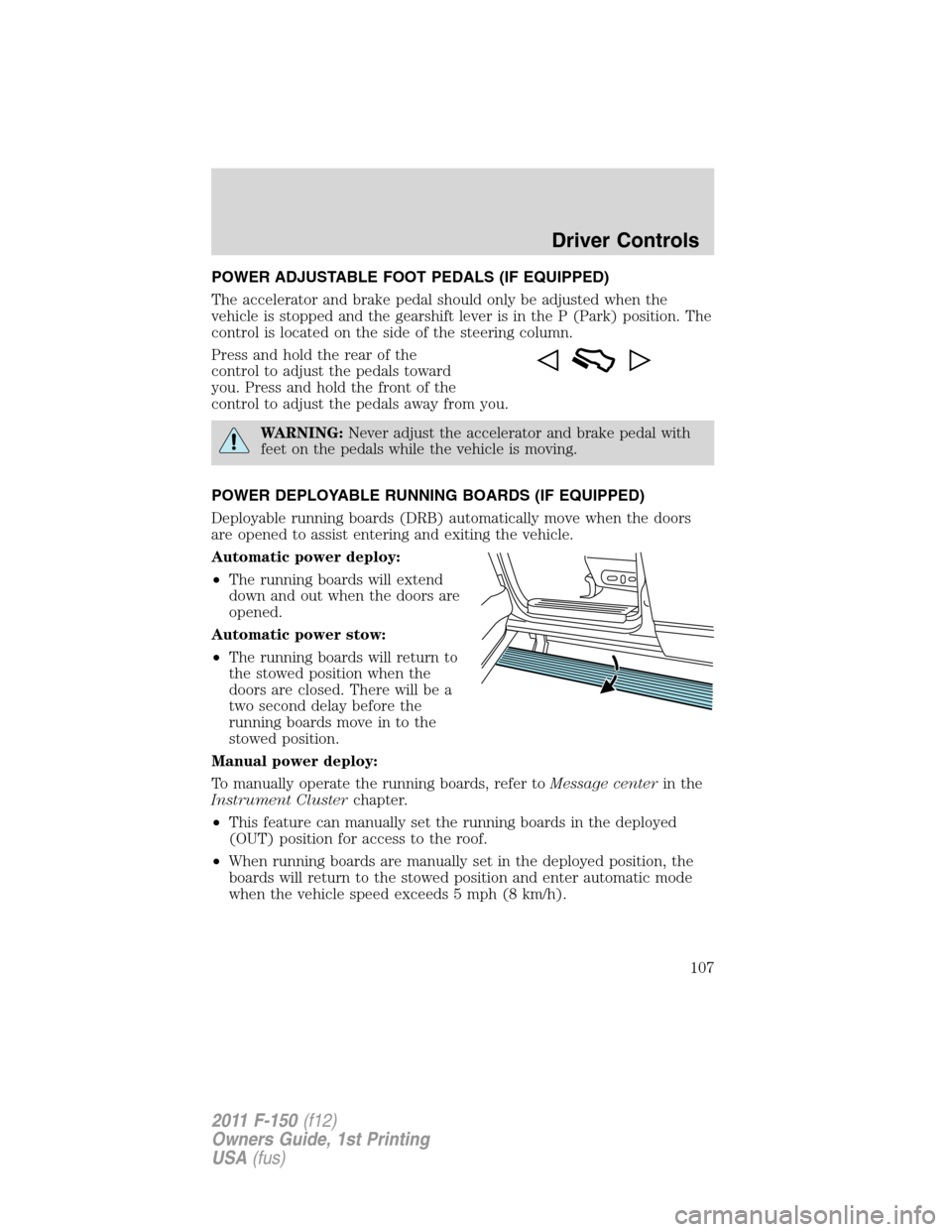
POWER ADJUSTABLE FOOT PEDALS (IF EQUIPPED)
The accelerator and brake pedal should only be adjusted when the
vehicle is stopped and the gearshift lever is in the P (Park) position. The
control is located on the side of the steering column.
Press and hold the rear of the
control to adjust the pedals toward
you. Press and hold the front of the
control to adjust the pedals away from you.
WARNING:Never adjust the accelerator and brake pedal with
feet on the pedals while the vehicle is moving.
POWER DEPLOYABLE RUNNING BOARDS (IF EQUIPPED)
Deployable running boards (DRB) automatically move when the doors
are opened to assist entering and exiting the vehicle.
Automatic power deploy:
•The running boards will extend
down and out when the doors are
opened.
Automatic power stow:
•The running boards will return to
the stowed position when the
doors are closed. There will be a
two second delay before the
running boards move in to the
stowed position.
Manual power deploy:
To manually operate the running boards, refer toMessage centerin the
Instrument Clusterchapter.
•This feature can manually set the running boards in the deployed
(OUT) position for access to the roof.
•When running boards are manually set in the deployed position, the
boards will return to the stowed position and enter automatic mode
when the vehicle speed exceeds 5 mph (8 km/h).
Driver Controls
107
2011 F-150(f12)
Owners Guide, 1st Printing
USA(fus)
Page 108 of 461

Enable/disable:
To enable/disable the power running board feature, refer toMessage
centerin theInstrument Clusterchapter.
•When this feature is disabled (OFF), the running boards will move to
the stowed position regardless of the position of the doors.
•When this feature is enabled (AUTO), the running boards will move
back to the correct positions based off of the door positions.
Bounce-back:
•If an object is in the way of the moving running board, the running
board will automatically bounce back in the reverse direction and
move to the end of travel.
Note:The running boards may operate slower in cooler temperatures. In
adverse conditions, debris such as mud, dirt, and salt may become
trapped in the running board mechanism, possibly leading to unwanted
noise. If this occurs, manually set the running boards to the deployed
position and flush the system (in particular the front and rear hinge
arms) with a high-pressure car wash wand.
Note:Do not use the running boards, front and rear hinge assemblies,
running board motors, or the running board under body mounts to lift
the vehicle when jacking. Please utilize proper jacking points. Refer to
Changing the tiresin theRoadside Emergencieschapter.
WARNING:In extreme climates, excessive ice buildup may
occur, causing the running boards not to deploy. Be sure that the
running boards have deployed, and have finished moving before
attempting to step on them. Note: The running boards will resume
normal function once the blockage is cleared.
WARNING:Turn off the running boards before jacking or
placing any object under the vehicle. Never place your hand
between the extended running board and the vehicle. A moving
running board may cause injury.
SPEED CONTROL (IF EQUIPPED)
With speed control set, you can maintain a set speed without keeping
your foot on the accelerator pedal.
Driver Controls
108
2011 F-150(f12)
Owners Guide, 1st Printing
USA(fus)
Page 109 of 461

WARNING:Do not use the speed control in heavy traffic or on
roads that are winding, slippery or unpaved.
Using speed controls
The speed controls are located on the steering wheel. The following
buttons work with speed control:
– SET +:Press to set a speed or to
increase or decrease the set speed.
CNCL (Cancel)/RSM (Resume):
Press to return cancel or resume a
set speed.
ON/OFF:Press to turn speed
control on or off.
The speed control system uses two
indicator lights in the
instrument cluster:
•an amber indicator light which illuminates when the system is on, and
•a green indicator light which illuminates when the system is engaged.
Setting speed control
To set speed control:
1. Press and release ON.
2. Accelerate to the desired speed.
3. Press and release SET +.
4. Take your foot off the accelerator pedal.
5. The green indicator
light on the instrument cluster will turn on.
Note:
•Vehicle speed may vary momentarily when driving up and down a
steep hill.
•If the vehicle speed increases above the set speed on a downhill, you
may want to apply the brakes to reduce the speed.
•If the vehicle speed decreases more than 10 mph (16 km/h) below
your set speed on an uphill, your speed control will disengage.
Driver Controls
109
2011 F-150(f12)
Owners Guide, 1st Printing
USA(fus)
Page 137 of 461

Refer toMessage centerin theInstrument Clusterchapter for MyKey™
system warnings displays.
Using MyKey™ with remote start systems
MyKey™ is not compatible with non Ford-approved aftermarket remote
start systems. If you choose to install a remote start system please see
your authorized dealer for a Ford approved remote start system.
The following information MAY help customers who choose to use a non
Ford-approved remote start system. The actions proved below do not
make MyKey™ compatible with non Ford-approved remote start system,
but it MAY help you to retain some MyKey™ functions.
Vehicles equipped with traditional keys
When using a non Ford-approved remote start system, the default
settings may recognize the remote start system as an additional admin
key with its associated privileges. This makes it NOT compatible with
MyKey™. The following action may help you to retain some MyKey™
functions:
1. Restart the engine when you insert a key into the ignition cylinder.
2. In addition to the key that you have already programmed as a
MyKey™, owners of vehicles equipped with traditional keys may want to
program the non Ford-approved remote start system as a MyKey™ if the
remote start fob is used by the MyKey™ driver.
To program a non Ford-approved remote start system as MyKey™, do
the following:
1. Enter the vehicle and close all doors.
2. Remote start the vehicle using a remote start fob.
3. Follow steps 1-4 in theCreate a MyKey™section.
Vehicles equipped with intelligent access key (push button start)
•It is not possible to program any remote start system as MyKey™ on
vehicles equipped with an intelligent access key (push button start).
Therefore, you should treat the remote start fob as you would any
other admin key. When the vehicle is started using remote start, the
system will stall the engine when you either enter the vehicle or shift
the vehicle into gear. Prior to the engine stall, the vehicle will have
administrative privileges. When you restart the engine, the vehicle will
identify the user as an admin or MyKey™ drive depending on the
settings of the actual key used to start the vehicle.
Note:For all vehicles, the number of MYKEY(S) PROGRAMMED or
ADMIN KEYS PROGRAMMED that is displayed in the MyKey™ system
Locks and Security
137
2011 F-150(f12)
Owners Guide, 1st Printing
USA(fus)
Page 141 of 461
Smart locks (if equipped)
This feature prevents you from locking yourself out of the vehicle if your
key is still in the ignition.
When you open the driver’s door and you lock the vehicle with the
power door lock control, all the doors will lock, then the driver’s door
will automatically unlock reminding you that your key is still in the
ignition.
The vehicle can still be locked, with the key in the ignition, using the
manual lock button on the door, locking the driver’s door with a key, by
simultaneously pressing button 7•8 and the 9•0 controls on the
remote entry keypad (if equipped), or using the
buttononthe
remote entry transmitter (if equipped).
Autolock feature (if equipped)
The autolock feature will lock all the doors when:
•all the doors are closed,
•the ignition is in the on position,
•you shift into any gear putting the vehicle in motion, and
•the vehicle attains a speed greater than 12 mph (20 km/h) for greater
than two seconds.
The autolock feature repeats when:
•any door is opened then closed while the ignition is in the on position
and the vehicle speed is 9 mph (15 km/h) or lower, and
•the vehicle then attains a speed greater than 12 mph (20 km/h) for
greater than two seconds.
Deactivating/activating autolock feature
There are four methods to enable/disable this feature:
•Through your authorized dealer,
•by using a power door unlock/lock procedure,
•using a keypad procedure (if equipped), or
•or by using the instrument cluster message center (if equipped). Refer
toMessage centerin theInstrument Clusterchapter.
Note:The autolock feature can be activated/deactivated independently
of the autounlock feature.
Locks and Security
141
2011 F-150(f12)
Owners Guide, 1st Printing
USA(fus)