Page 302 of 461
When towing, the reverse camera system will only see what is being
towed behind the vehicle. This might not provide adequate coverage as it
usually provides in normal operation and some objects might not be
seen.
Fixed guidelines and visual park aid alert features are only available
when the vehicle is in R (Reverse).
Manual zoom
The manual zoom feature assists drivers with connecting their vehicle to
a trailer for the purpose of towing. It allows the driver to manually zoom
closer to an object behind the vehicle. The zoomed image keeps the
bumper in the image to provide a reference.
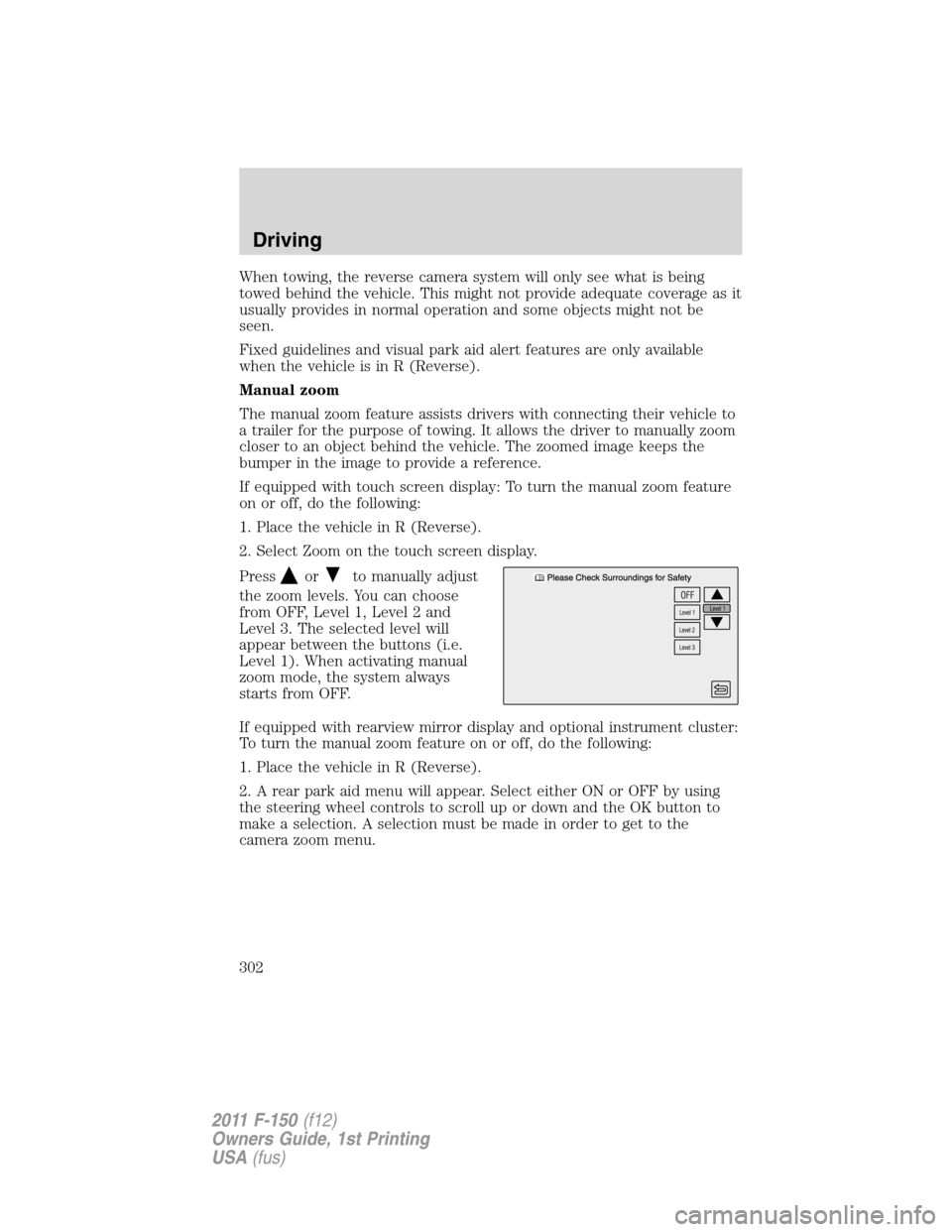
If equipped with touch screen display: To turn the manual zoom feature
on or off, do the following:
1. Place the vehicle in R (Reverse).
2. Select Zoom on the touch screen display.
Press
orto manually adjust
the zoom levels. You can choose
from OFF, Level 1, Level 2 and
Level 3. The selected level will
appear between the buttons (i.e.
Level 1). When activating manual
zoom mode, the system always
starts from OFF.
If equipped with rearview mirror display and optional instrument cluster:
To turn the manual zoom feature on or off, do the following:
1. Place the vehicle in R (Reverse).
2. A rear park aid menu will appear. Select either ON or OFF by using
the steering wheel controls to scroll up or down and the OK button to
make a selection. A selection must be made in order to get to the
camera zoom menu.
Driving
302
2011 F-150(f12)
Owners Guide, 1st Printing
USA(fus)
Page 303 of 461
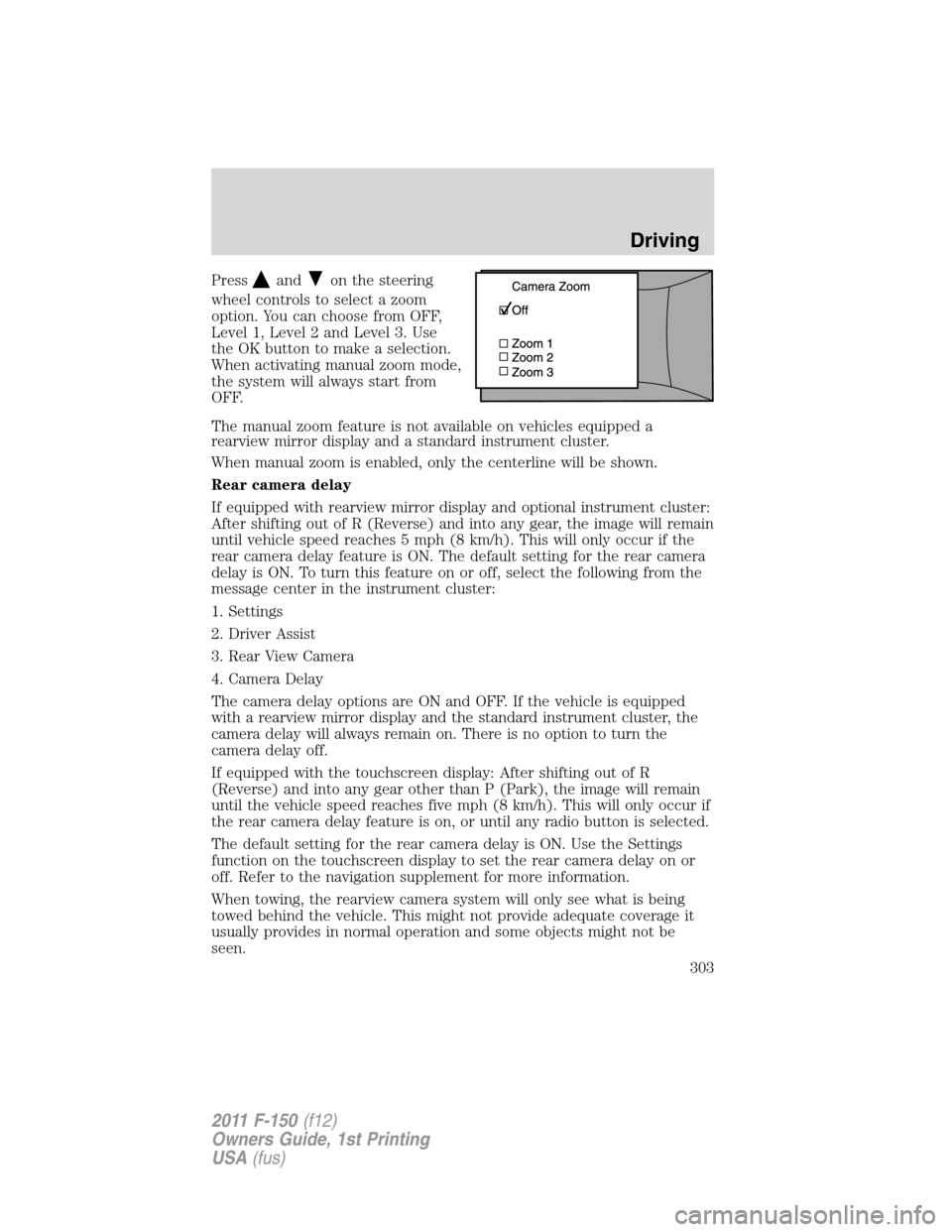
Pressandon the steering
wheel controls to select a zoom
option. You can choose from OFF,
Level 1, Level 2 and Level 3. Use
the OK button to make a selection.
When activating manual zoom mode,
the system will always start from
OFF.
The manual zoom feature is not available on vehicles equipped a
rearview mirror display and a standard instrument cluster.
When manual zoom is enabled, only the centerline will be shown.
Rear camera delay
If equipped with rearview mirror display and optional instrument cluster:
After shifting out of R (Reverse) and into any gear, the image will remain
until vehicle speed reaches 5 mph (8 km/h). This will only occur if the
rear camera delay feature is ON. The default setting for the rear camera
delay is ON. To turn this feature on or off, select the following from the
message center in the instrument cluster:
1. Settings
2. Driver Assist
3. Rear View Camera
4. Camera Delay
The camera delay options are ON and OFF. If the vehicle is equipped
with a rearview mirror display and the standard instrument cluster, the
camera delay will always remain on. There is no option to turn the
camera delay off.
If equipped with the touchscreen display: After shifting out of R
(Reverse) and into any gear other than P (Park), the image will remain
until the vehicle speed reaches five mph (8 km/h). This will only occur if
the rear camera delay feature is on, or until any radio button is selected.
The default setting for the rear camera delay is ON. Use the Settings
function on the touchscreen display to set the rear camera delay on or
off. Refer to the navigation supplement for more information.
When towing, the rearview camera system will only see what is being
towed behind the vehicle. This might not provide adequate coverage it
usually provides in normal operation and some objects might not be
seen.
Driving
303
2011 F-150(f12)
Owners Guide, 1st Printing
USA(fus)
Page 327 of 461

Fuse/Relay
LocationFuse Amp
RatingProtected Circuits
34 10A Reverse sensing system, 4x4 switch,
Rear video, Off road indicator (SVT
Raptor)
35 5A Hill descent switch (SVT Raptor)
36 10A Restraint control module, Occupant
classification system module
37 10A Trailer brake control
38 10A Delayed accessory – 110V power point,
Radio (AM/FM)
39 15A High beam headlamps
40 10A Rear park lamps
41 7.5A Passenger airbag deactivation indicator,
Upfitter switch (SVT Raptor)
42 5A Overdrive cancel switch
43 10A Not used (spare)
44 10A Not used (spare)
45 5A Not used (spare)
46 10A Climate controls module
47 15A Fog lamps, Exterior mirror turn signals
48 30A Circuit
BreakerPower rear windows, Power sliding back
window
49 Relay Delayed accessory
Power distribution box
The power distribution box is located in the engine compartment. The
power distribution box contains high-current fuses that protect your
vehicle’s main electrical systems from overloads.
WARNING:Always disconnect the battery before servicing high
current fuses.
WARNING:To reduce risk of electrical shock, always replace
the cover to the power distribution box before reconnecting the
battery or refilling fluid reservoirs.
Roadside Emergencies
327
2011 F-150(f12)
Owners Guide, 1st Printing
USA(fus)
Page 456 of 461

C
Capacities for refilling fluids ....410
Car2U�Home Automation
System .......................................114
Cargo management system ......127
CD ................................................49
Cell phone use ..............................9
Changing a tire .........................332
Child safety seats ......................208
attaching with tether
straps .......................................217
in front seat ....................209, 215
in rear seat ......................209, 215
LATCH .....................................215
recommendations ...................206
Child safety
seats - booster seats .................222
Cleaning your vehicle
engine compartment ..............357
instrument panel ............362–363
interior .....................................364
plastic parts ............................361
safety belts ..............................364
washing ....................................355
waxing .....................................356
wheels ......................................356
wiper blades ............................361
Climate control (see Air
conditioning or Heating) ...........66,
69, 71, 74
Clock adjust
AM/FM .......................................50
AM/FM Stereo ...........................49
Compass, electronic ....................96
calibration .................................97
set zone adjustment .................97
Console ........................................96Controls
power seat ...............................162
steering column ......................111
Coolant
checking and adding ..............381
refill capacities ................384, 410
specifications ..........................410
Cruise control
(see Speed control) ..................108
Customer Assistance ................321
Ford Extended Service
Plan ..................................422, 425
Getting assistance outside the
U.S. and Canada .....................352
Getting roadside assistance ...321
Getting the service
you need .................................347
Ordering additional owner’s
literature .................................353
Utilizing the
Mediation/Arbitration
Program ...................................351
D
Daytime running lamps
(see Lamps) ................................81
Defrost
rear window and rearview
mirrors ...........................69, 71, 74
windshield .....................69, 71, 74
Dipstick
automatic transmission
fluid ..........................................403
engine oil .................................375
Driving under special
conditions ..................297, 314, 317
sand .........................................316
snow and ice ...........................318
through water .................316, 320
Index
456
2011 F-150(f12)
Owners Guide, 1st Printing
USA(fus)
Page:
< prev 1-8 9-16 17-24