Page 23 of 449
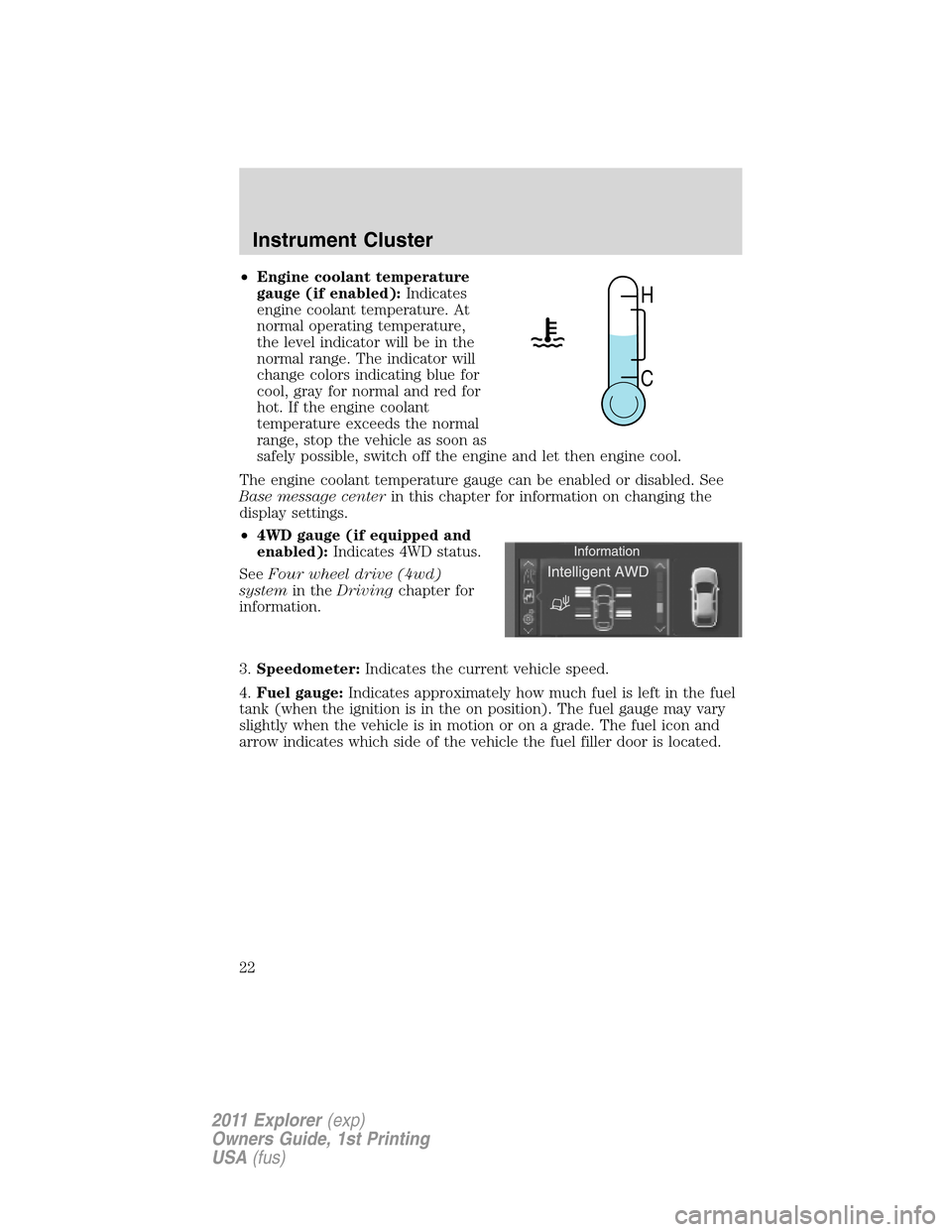
•Engine coolant temperature
gauge (if enabled):Indicates
engine coolant temperature. At
normal operating temperature,
the level indicator will be in the
normal range. The indicator will
change colors indicating blue for
cool, gray for normal and red for
hot. If the engine coolant
temperature exceeds the normal
range, stop the vehicle as soon as
safely possible, switch off the engine and let then engine cool.
The engine coolant temperature gauge can be enabled or disabled. See
Base message centerin this chapter for information on changing the
display settings.
•4WD gauge (if equipped and
enabled):Indicates 4WD status.
SeeFour wheel drive (4wd)
systemin theDrivingchapter for
information.
3.Speedometer:Indicates the current vehicle speed.
4.Fuel gauge:Indicates approximately how much fuel is left in the fuel
tank (when the ignition is in the on position). The fuel gauge may vary
slightly when the vehicle is in motion or on a grade. The fuel icon and
arrow indicates which side of the vehicle the fuel filler door is located.
H
C
Instrument Cluster
22
2011 Explorer(exp)
Owners Guide, 1st Printing
USA(fus)
Page 72 of 449

Touchscreen features (if equipped)
Press the lower right corner on the touchscreen to access these features.
1.
(Power):Press to activate/deactivate the climate control system.
When the system is off, outside air is prevented from entering the
vehicle through the vents.
2.Passenger settings:
•Press DUAL to turn on passenger side temperature control.
•Press the red arrow to increase the temperature and press the blue
arrow to decrease the temperature.
•Press
to control the heated seat (if equipped). Refer toHeated
seatsin theSeat and Safety Restraintschapter.
3.
(Fan speed):Press to + to increase or – to decrease fan speed.
4.
(Recirculated air):Press to activate/deactivate air recirculation
in the vehicle. Recirculated air may reduce the amount of time needed to
cool down the interior of the vehicle and may also help reduce undesired
odors from reaching the interior of the vehicle. Recirculated air engages
automatically when MAX A/C is selected on can be engaged manually in
any airflow mode except
(defrost). Recirculated air may turn off in
all airflow modes except MAX A/C to reduce fog potential.
1
112
10
3
987654
Climate Controls
71
2011 Explorer(exp)
Owners Guide, 1st Printing
USA(fus)
Page 74 of 449

11.Driver settings:
•Press the red arrow to increase the temperature and press the blue
arrow to decrease the temperature.
•Press
to control the heated seat (if equipped). Refer toHeated
seatsin theSeat and Safety Restraintschapter.
•Press and hold MyTemp to select a temperature you would like the
vehicle to remember and maintain for you.
Rear controls
To access, press ‘Rear’ in the lower right status bar. When the arrow icon is
down (
), you have access to the rear controls and they will display
along on the bottom of the screen under the Rear Climate heading.
•Pressto turn on/off the Rear Climate controls.
•Press ‘Rear Control’ to allow the rear seat passengers to have control
over of the rear auxiliary climate controls. Press again to control via
the touchscreen.
•Press the blue/red arrow to decrease/increase the temperature.
•Press
+/- to increase/decrease the fan speed.
To close access to the rear controls, press the arrow in the lower right
status bar again.
Climate control voice commands (if equipped)
The following voice commands are available at the main menu level of a
voice session. For example, press
and after the prompt, “Say a
command”, you may say any of the following commands:
•Climate On•Climate Off
•Climate Automatic•Climate My Temperature
•Climate Temperature <15.5–29.5>
degrees•Climate Temperature <60–85>
degrees
There are additional climate control commands but in order to access
them, you have to say “Climate” first, then when the system is ready to
listen, you may say any of the following commands:
•Automatic•Dual Off
•Off•On
•A/C Off•A/C On
•Max A/C On•Max A/C Off
•Defrost On•Defrost Off
Climate Controls
73
2011 Explorer(exp)
Owners Guide, 1st Printing
USA(fus)
Page 329 of 449
Standard fuse amperage rating and color
COLOR
Fuse
ratingMini fusesStandard
fusesMaxi fusesCartridge
maxi fuses
2A Grey Grey — —
3A Violet Violet — —
4A Pink Pink — —
5A Tan Tan — —
7.5A Brown Brown — —
10A Red Red — —
15A Blue Blue — —
20A Yellow Yellow Yellow Blue
25A Natural Natural — —
30A Green Green Green Pink
40A — — Orange Green
50A — — Red Red
60A — — Blue Yellow
70A — — Tan —
80A — — Natural —
Passenger compartment fuse panel
The fuse panel is located below and to the left of the steering wheel by
the brake pedal. Remove the panel cover to access the fuses.
To remove a fuse use the fuse puller tool provided on the fuse panel
cover.
Roadside Emergencies
328
2011 Explorer(exp)
Owners Guide, 1st Printing
USA(fus)
