2011 FORD EXPLORER ignition
[x] Cancel search: ignitionPage 84 of 449
INTERIOR LAMPS
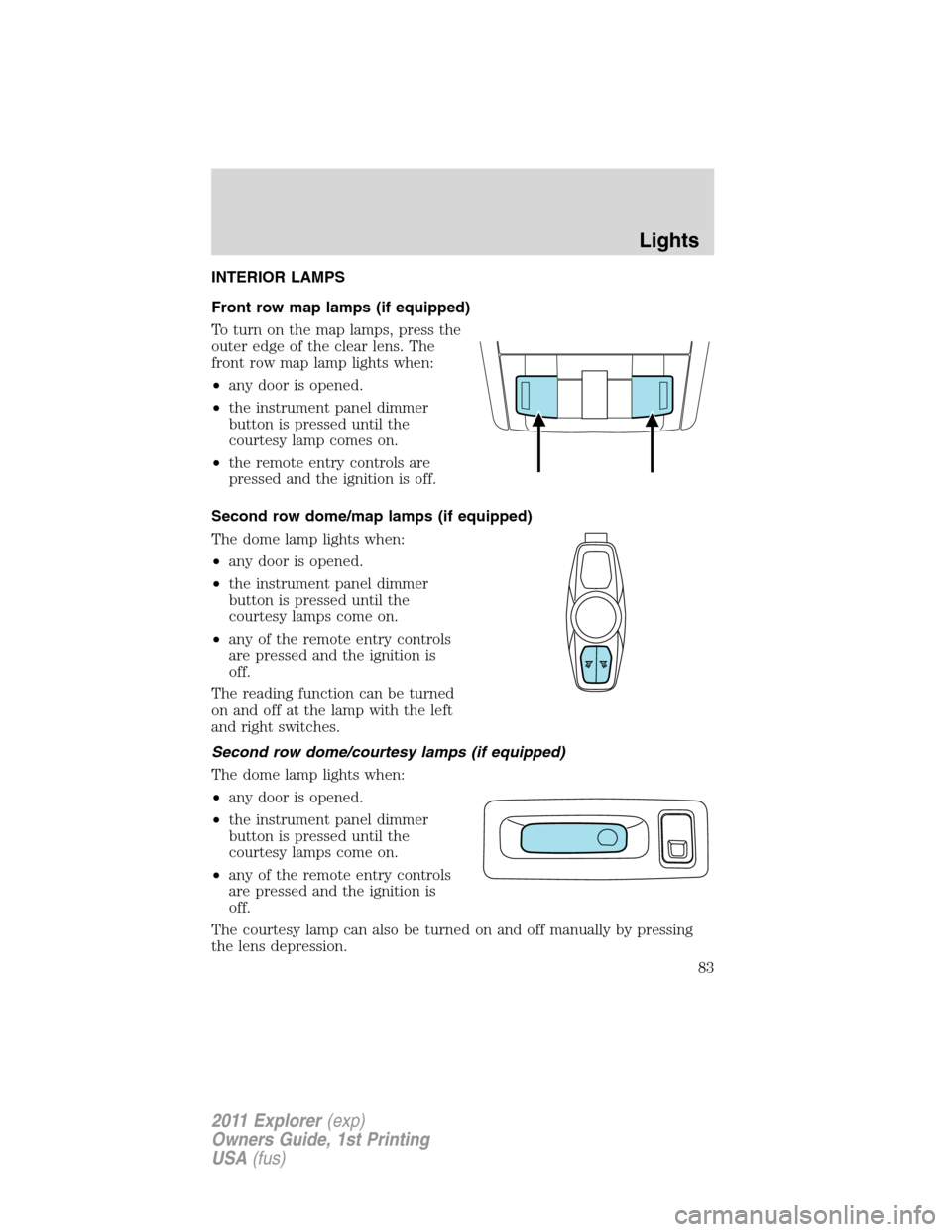
Front row map lamps (if equipped)
To turn on the map lamps, press the
outer edge of the clear lens. The
front row map lamp lights when:
•any door is opened.
•the instrument panel dimmer
button is pressed until the
courtesy lamp comes on.
•the remote entry controls are
pressed and the ignition is off.
Second row dome/map lamps (if equipped)
The dome lamp lights when:
•any door is opened.
•the instrument panel dimmer
button is pressed until the
courtesy lamps come on.
•any of the remote entry controls
are pressed and the ignition is
off.
The reading function can be turned
on and off at the lamp with the left
and right switches.
Second row dome/courtesy lamps (if equipped)
The dome lamp lights when:
•any door is opened.
•the instrument panel dimmer
button is pressed until the
courtesy lamps come on.
•any of the remote entry controls
are pressed and the ignition is
off.
The courtesy lamp can also be turned on and off manually by pressing
the lens depression.
Lights
83
2011 Explorer(exp)
Owners Guide, 1st Printing
USA(fus)
Page 85 of 449

Third row cargo lamp
The dome lamp lights when:
•any door is opened.
•the instrument panel dimmer
button is pressed until the
courtesy lamp comes on.
•any of the remote entry controls
are pressed and the ignition is
off.
The courtesy lamp can also be
turned on and off manually by
pressing the control switch.
Battery saver
The battery saver will shut off the exterior lamps and interior lamps,
except the hazard warning lamps if activated, 10 minutes after the
ignition control has been turned off. The system will not turn off the
parking lamps if they are on.
BULB REPLACEMENT
Lamp assembly condensation
Exterior lamps are vented to accommodate normal changes in pressure.
Condensation can be a natural by-product of this design. When moist air
enters the lamp assembly through the vents, there is a possibility that
condensation can occur when the temperature is cold. When normal
condensation occurs, a thin film of mist can form on the interior of the
lens. The thin mist eventually clears and exits through the vents during
normal operation. Clearing time may take as long as 48 hours under dry
weather conditions.
Examples of acceptable condensation are:
•Presence of thin mist (no streaks, drip marks or droplets)
•Fine mist covers less than 50% of the lens
Examples of unacceptable moisture (usually caused by a lamp water
leak) are:
•Water puddle inside the lamp
•Large water droplets, drip marks or streaks present on the interior of
the lens
Take your vehicle to a dealer for service if any of the above conditions of
unacceptable moisture are present.
Lights
84
2011 Explorer(exp)
Owners Guide, 1st Printing
USA(fus)
Page 99 of 449

The power point can switch to a fault mode when it is overloaded,
overheated, or shorted. For overloading and shorting conditions, unplug
your device and turn the ignition key off then on. For an overheating
condition, let the system cool off, then turn the ignition key off then on.
The 110V AC power point can provide power whenever the vehicle
ignition is in the on position and the power point green indicator light
located in the top left corner is turned on. Refer to the indicator light
code below for the power point status.
Indicator light codes
Green light is on — Power point is ready to supply power
Green light is off — Power point power supply is off. Ignition is not in
the on position
Green light is blinking — Power point is in fault mode
Note:The 110V AC power point will turn off after 13 minutes if the
ignition is in the on position without the engine running. Keep the
engine running or cycle the ignition before the 13 minute time-out to
keep the inverter on.
POWER WINDOWS
WARNING:Do not leave children unattended in the vehicle and
do not let children play with the power windows. They may
seriously injure themselves.
WARNING:When closing the power windows, you should verify
they are free of obstructions and ensure that children and/or
pets are not in the proximity of the window openings.
Press and pull the window switches
to open and close windows.
•Press down (to the first detent)
and hold the switch to open.
•Pull up (to the first detent) and
hold the switch to close.
Rear Window Buffeting:When one or both of the rear windows are
open, the vehicle may demonstrate a wind throb or buffeting noise. This
noise can be alleviated by lowering a front window approximately
2–3 inches (5–8 cm).
AUTO
Driver Controls
98
2011 Explorer(exp)
Owners Guide, 1st Printing
USA(fus)
Page 100 of 449

One-touch up or down
This feature allows the driver’s window (and passenger’s window, if equipped
with this feature) to open or close fully without holding the control down.
To operate one touch-down, press the switch completely down to the
second detent and release quickly. The window will open fully. Momentarily
press the switch to any position to stop the window operation.
To operate one-touch up, pull the switch completely up to the second
detent and release quickly. The window will close fully. Momentarily
press the switch to any position to stop the window operation.
Bounce-back
When the window is moving upward and an obstacle or a rough road
condition interferes with the window’s movement, the window will
automatically reverse direction and move down. This is known as
“bounce-back”. If the ignition is turned off (without accessory delay
being active) during bounce-back, the window will move down until the
bounce-back position is reached.
Security override
To override a bounce-back condition, within two seconds after the
window reaches the bounce-back position, pull and hold the switch up
andthe window will travel up with no bounce-back or pinch
protection.If the switch is released before the window is fully closed,
the window will stop. For example, this can be used to overcome the
resistance of ice on the window or seals.
Window lock
The window lock feature allows only
the driver and front passenger to
operate the power windows.
Press the control to lock out all
window controls (except the driver’s
and front passenger’s). Press it again
to restore the window controls.
Accessory delay
With accessory delay, the audio system, power windows and moon roof
(if equipped) operate for up to 10 minutes after the ignition is turned off
or until either front door is opened.
Driver Controls
99
2011 Explorer(exp)
Owners Guide, 1st Printing
USA(fus)
Page 106 of 449

Turning off speed control
To turn off the speed control, press OFF downward or turn off the ignition.
Note:When you turn off the speed control or the ignition, your speed
control set speed memory is erased.
ADAPTIVE CRUISE CONTROL (ACC) (IF EQUIPPED)
Adaptive cruise control (ACC) is much like speed control, only this
system is designed to automatically adjust your speed to maintain a
proper distance between you and the vehicle in front of you in the same
lane. The driver can select from one of four GAP settings, the controls
are located on the steering wheel.
At startup, the system sets the gap
to the last selected setting. Once
activated, the driver can deactivate
the system at any time by pressing
the brake pedal, pressing the
steering wheel ON/OFF control or pressing the RES/CNCL control. In
addition, the driver can temporarily increase the vehicle speed above the
current speed by manually pressing on the accelerator pedal.
WARNING:Always pay close attention to changing road
conditions, especially when using adaptive cruise control.
Adaptive cruise control cannot replace attentive driving. Failing to
follow any of the warnings below or failing to pay attention to the road
may result in a collision, serious injury or death.
WARNING:Adaptive cruise control is not a collision warning or
avoidance system. Additionally, adaptive cruise control will not
detect:
•Stationary or slow moving vehicles below 6 mph (10 km/h).
•Pedestrians or objects in the roadway.
•Oncoming vehicles in the same lane.
WARNING:Do not use the adaptive cruise control when
entering or leaving a highway, in heavy traffic or on roads that
are winding, slippery or unpaved.
WARNING:Do not use in poor visibility, specifically fog, rain,
spray or snow.
Driver Controls
105
2011 Explorer(exp)
Owners Guide, 1st Printing
USA(fus)
Page 110 of 449
Changing the set speed
There are three ways to change the set speed:
•Accelerate or brake to the desired speed and press SET upward and
release.
•Increase or decrease the speed by holding SET upward or downward
until the desired set speed is shown on the message center. The
vehicle speed will gradually change to the selected speed.
•Increase or decrease the speed in increments of 1 mph (2 km/h) by
briefly pressing the SET upward or downward.
The ACC may apply the brakes to slow the vehicle down to the new set
speed. The set speed will display continuously in the message center
while ACC is active.
Resuming the set speed
Press and release RES/CNCL. This will automatically return the vehicle
to the previously set speed. The set speed will display continuously in
the message center while ACC is active.
Note:Resume should only be used if the driver is aware of the set speed
and intends to return to it.
Low speed automatic cancellation
ACC is not functional at vehicle speeds below 16 mph (26 km/h). Once
the vehicle speed drops below 16 mph (26 km/h), an audible alarm will
sound and the automatic braking will be released.
Hilly condition usage
It is recommended that the driver select a lower gear position when ACC
is active in situations such as prolonged downhill driving on steep grades
(i.e., driving in mountainous areas). In these situations, additional engine
braking is needed to reduce the load on the vehicle’s regular brake
system to prevent them from overheating. For more information,
referenceAutomatic transmission operationin theDrivingchapter.
Note:If ACC is applying brakes for an extended period of time, an
audible alarm will sound and ACC will shut down. This is to allow the
brakes to cool down. When the brakes have cooled down, the ACC will
again function normally.
Turning off cruise control
Press OFF to turn off the cruise control.
Note:When you turn off the cruise control or the ignition, your cruise
control set speed memory is erased.
Driver Controls
109
2011 Explorer(exp)
Owners Guide, 1st Printing
USA(fus)
Page 125 of 449
WARNING:Make sure that the liftgate is closed to prevent
exhaust fumes from being drawn into the vehicle. This will also
prevent passengers and cargo from falling out. If you must drive with
the liftgate door open, keep the vehicle well ventilated so outside air
comes into the vehicle.
Liftgate ajar signal
If the liftgate is not fully latched, you will receive a “LIFTGATE AJAR”
message on the instrument panel. If you see this message, check the
liftgate door to ensure it is fully latched.
Note:In the event of a power failure, the latch can be accessed and
released from the inside using the access panel on the liftgate trim.
POWER LIFTGATE (IF EQUIPPED)
You can power open or close the liftgate with the following controls:
•Instrument panel control button
•Transmitter button
•Outside liftgate control button
•Control button on the liftgate
Opening and closing the power liftgate:
WARNING:Make sure all persons are clear of the power liftgate
area before using the power liftgate control.
WARNING:Keep keys out of reach of children. Do not allow
children to play near an open or moving power liftgate.
The liftgate will only operate with the vehicle in P (Park).
When the liftgate is being power closed, a chime will sound three times
as the liftgate begins to power close. A single chime indicates a problem
with the close request, caused by:
•the ignition is on and the transmission is not in P (Park);
•or the battery voltage is below the minimum operating voltage;
•or the vehicle speed is at or above 3 mph (5 km/h).
Driver Controls
124
2011 Explorer(exp)
Owners Guide, 1st Printing
USA(fus)
Page 126 of 449
If the liftgate reverses and starts to close after an open request, a fast
continuous chime indicates excessive load on the gate or a possible strut
failure. If any excessive load is removed and you still have a faster
chime, have the system serviced immediately by your authorized dealer.
Do not attempt to manually force the liftgate to travel faster than the
power system will permit. This will activate the obstacle detection
feature.
Note:Cycling the ignition prior to completely latching the liftgate could
result in damage to the liftgate and/or its power components. Make sure
the liftgate is fully latched before operating the vehicle.
Care should be exercised in starting the engine before the liftgate is fully
closed (latched). If the ignition is cycled during a liftgate power close
cycle and the liftgate is 6-10 inches (15–24 cm) from being latched, the
liftgate may reverse to the full open position. Verify that the gate is
closed before operating or moving the vehicle, especially in an enclosure,
like a garage or a parking structure. The liftgate or its components could
be damaged in an enclosure if the liftgate is open while the vehicle is
being operated.
When operating the power liftgate after a lower height than full-open has
been programmed, the liftgate can be fully opened by manually pushing
it upward to the maximum open position.
The power liftgate feature can be enabled or disabled using the message
center controls. With the setting turned off, power operation is disabled
from the liftgate handle button and from the control button on the
liftgate. The transmitter and instrument panel switch will still continue to
operate the liftgate regardless of the position state of the message
center. Refer toMessage centerin theInstrument Clusterchapter.
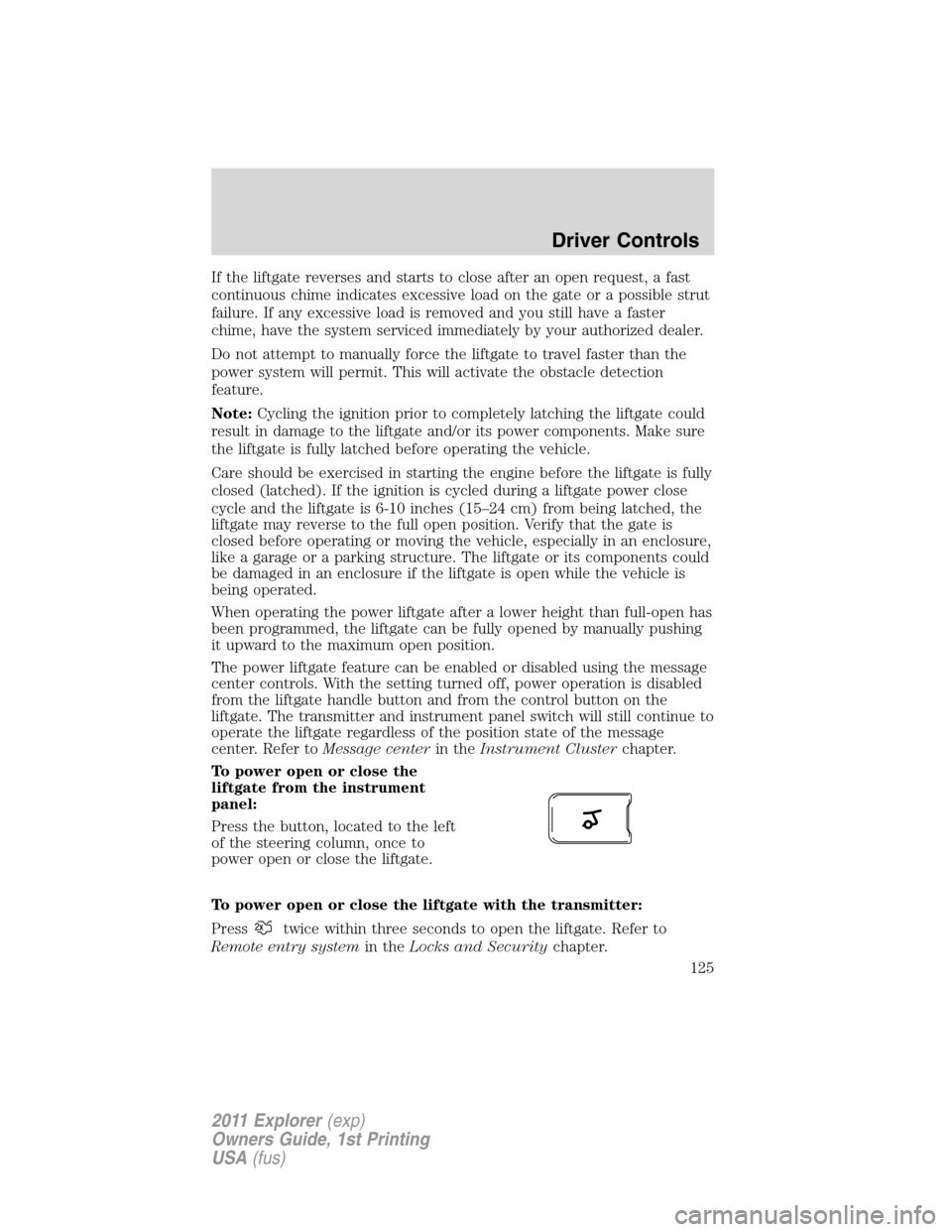
To power open or close the
liftgate from the instrument
panel:
Press the button, located to the left
of the steering column, once to
power open or close the liftgate.
To power open or close the liftgate with the transmitter:
Press
twice within three seconds to open the liftgate. Refer to
Remote entry systemin theLocks and Securitychapter.
Driver Controls
125
2011 Explorer(exp)
Owners Guide, 1st Printing
USA(fus)