Page 60 of 363

Note:If the battery is disconnected, discharged, or a new battery is
installed, the dimmer switch requires re-calibration. Rotate the dimmer
switch from the full dim position to the full dome/on position to reset.
This will ensure that your displays are visible under all lighting
conditions.
AIMING THE HEADLAMPS
The headlamps on your vehicle are properly aimed at the assembly plant.
If your vehicle has been in an accident, the alignment of your headlamps
should be checked by your authorized dealer.
Vertical aim adjustment
1. Park the vehicle directly in front of a wall or screen on a level surface,
approximately 25 feet (7.6 meters) away.
•(1) 8 feet (2.4 meters)
•(2) Center height of lamp to
ground
•(3) 25 feet (7.6 meters)
•(4) Horizontal reference line
2. Measure the height from the
center of your headlamp to the
ground and mark an 8 foot
(2.4 meter) horizontal reference line
on the vertical wall or screen at this
height (a piece of masking tape works well). The center of the lamp is
marked bya3mmcircle on the headlamp lens.
3. Turn on the low beam headlamps to illuminate the wall or screen and
open the hood. Cover the left-hand headlamp with an opaque cloth.
4. On the wall or screen you will
observe a light pattern with a
distinct horizontal edge of high
intensity light towards the right. If
this edge is not at the horizontal
reference line, the beam will need to
be adjusted.
Lights
60
2011 Escape Hybrid(ehv)
Owners Guide, 2nd Printing
USA(fus)
Page 71 of 363
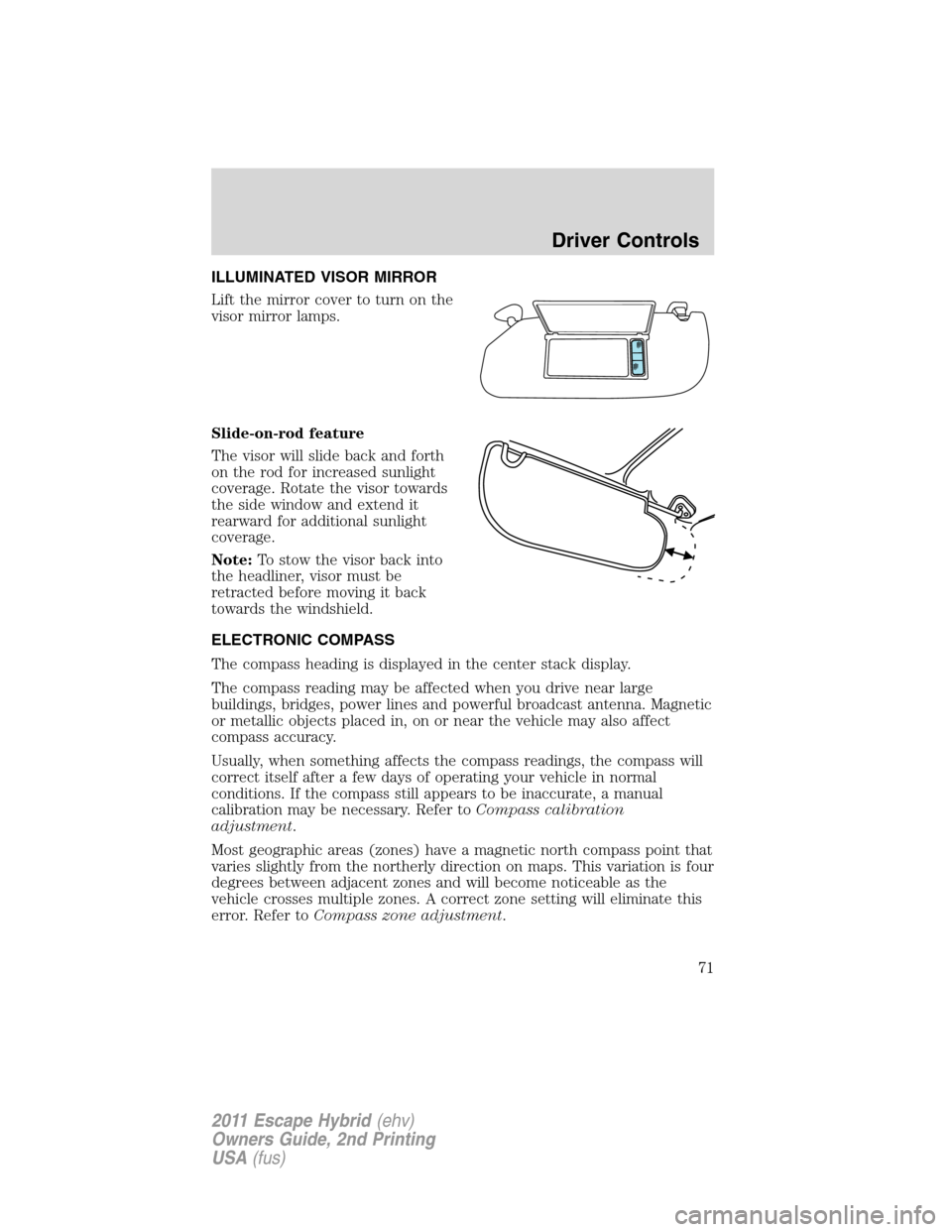
ILLUMINATED VISOR MIRROR
Lift the mirror cover to turn on the
visor mirror lamps.
Slide-on-rod feature
The visor will slide back and forth
on the rod for increased sunlight
coverage. Rotate the visor towards
the side window and extend it
rearward for additional sunlight
coverage.
Note:To stow the visor back into
the headliner, visor must be
retracted before moving it back
towards the windshield.
ELECTRONIC COMPASS
The compass heading is displayed in the center stack display.
The compass reading may be affected when you drive near large
buildings, bridges, power lines and powerful broadcast antenna. Magnetic
or metallic objects placed in, on or near the vehicle may also affect
compass accuracy.
Usually, when something affects the compass readings, the compass will
correct itself after a few days of operating your vehicle in normal
conditions. If the compass still appears to be inaccurate, a manual
calibration may be necessary. Refer toCompass calibration
adjustment.
Most geographic areas (zones) have a magnetic north compass point that
varies slightly from the northerly direction on maps. This variation is four
degrees between adjacent zones and will become noticeable as the
vehicle crosses multiple zones. A correct zone setting will eliminate this
error. Refer toCompass zone adjustment.
Driver Controls
71
2011 Escape Hybrid(ehv)
Owners Guide, 2nd Printing
USA(fus)
Page 72 of 363
Compass zone adjustment
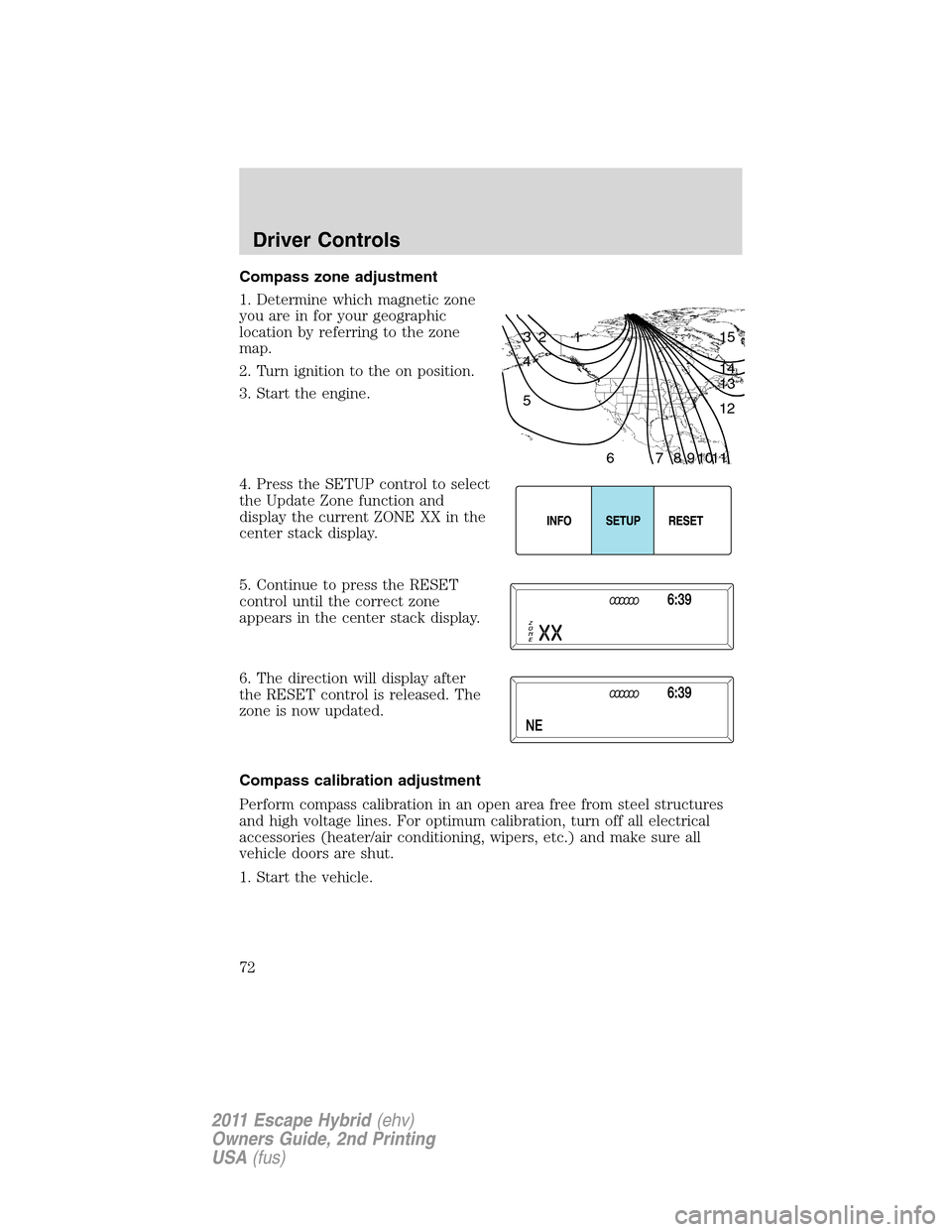
1. Determine which magnetic zone
you are in for your geographic
location by referring to the zone
map.
2. Turn ignition to the on position.
3. Start the engine.
4. Press the SETUP control to select
the Update Zone function and
display the current ZONE XX in the
center stack display.
5. Continue to press the RESET
control until the correct zone
appears in the center stack display.
6. The direction will display after
the RESET control is released. The
zone is now updated.
Compass calibration adjustment
Perform compass calibration in an open area free from steel structures
and high voltage lines. For optimum calibration, turn off all electrical
accessories (heater/air conditioning, wipers, etc.) and make sure all
vehicle doors are shut.
1. Start the vehicle.
1 2 3
4
5
6 7 8 9 101112 13 14 15
Driver Controls
72
2011 Escape Hybrid(ehv)
Owners Guide, 2nd Printing
USA(fus)
Page 73 of 363
2. To calibrate, press and hold the
RESET control for approximately
ten seconds until CAL appears.
Release the control.
3. Slowly drive the vehicle in a
circle (less than 3 mph [5 km/h]) until the CAL display changes to the
direction value. It may take up to five circles to complete calibration.
4. The compass is now calibrated.
CENTER CONSOLE
Your vehicle is equipped with a variety of console features. These
include:
1. Cupholders
2. Utility compartment console lid
has a CD holder, a business card
holder and two pen holders. The
utility compartment has a removable
bin with coin holder slots, a sliding
tray, a cell phone holder and CD
holders.
3. Rear power point
4. Rear cupholders
5. Small storage trays and (if equipped) an ambient light control switch.
WARNING:Use only soft cups in the cupholders. Hard objects
can injure you in a collision.
Driver Controls
73
2011 Escape Hybrid(ehv)
Owners Guide, 2nd Printing
USA(fus)
Page 78 of 363
Note:A rear center passenger and/or raised rear center headrest (if
equipped) may also block the light from reaching the sensor.
Do not clean the housing or glass of any mirror with harsh
abrasives, fuel or other petroleum-based cleaning products.
Note:If equipped with a rearview camera system, a video image will
display in the mirror or the navigation system display (if equipped) when
the vehicle is put in R (Reverse). As you shift into any other gear from R
(Reverse), the image will remain for a few seconds and then turn off.
Refer toRearview camera systemin theDrivingchapter.
EXTERIOR MIRRORS
Power side view mirrors
WARNING:Do not adjust the mirror while the vehicle is in
motion.
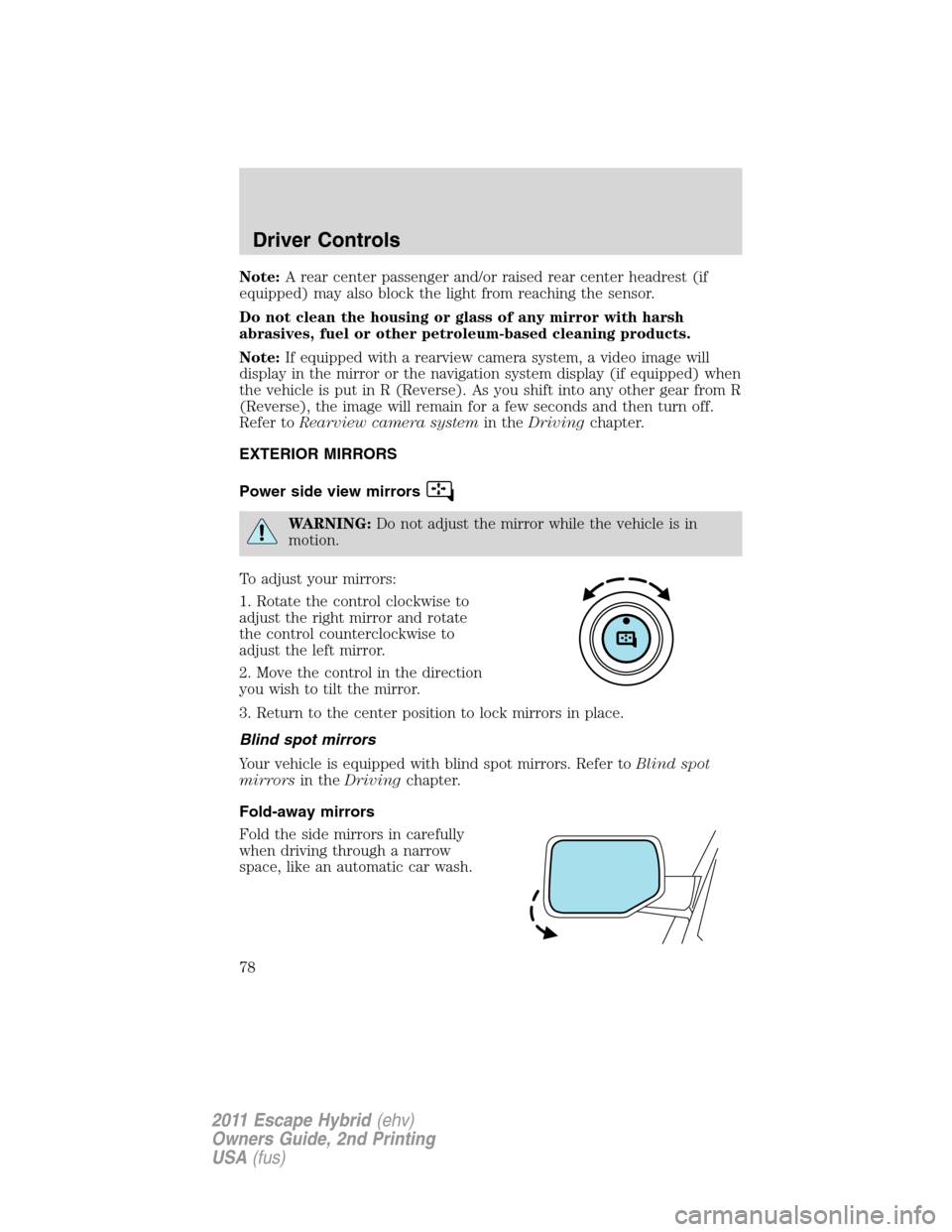
To adjust your mirrors:
1. Rotate the control clockwise to
adjust the right mirror and rotate
the control counterclockwise to
adjust the left mirror.
2. Move the control in the direction
you wish to tilt the mirror.
3. Return to the center position to lock mirrors in place.
Blind spot mirrors
Your vehicle is equipped with blind spot mirrors. Refer toBlind spot
mirrorsin theDrivingchapter.
Fold-away mirrors
Fold the side mirrors in carefully
when driving through a narrow
space, like an automatic car wash.
Driver Controls
78
2011 Escape Hybrid(ehv)
Owners Guide, 2nd Printing
USA(fus)
Page 81 of 363
Turning off speed control
To turn off the speed control, press OFF or turn off the ignition.
Note:When you turn off the speed control or the ignition, your speed
control set speed memory is erased.
STEERING WHEEL CONTROLS
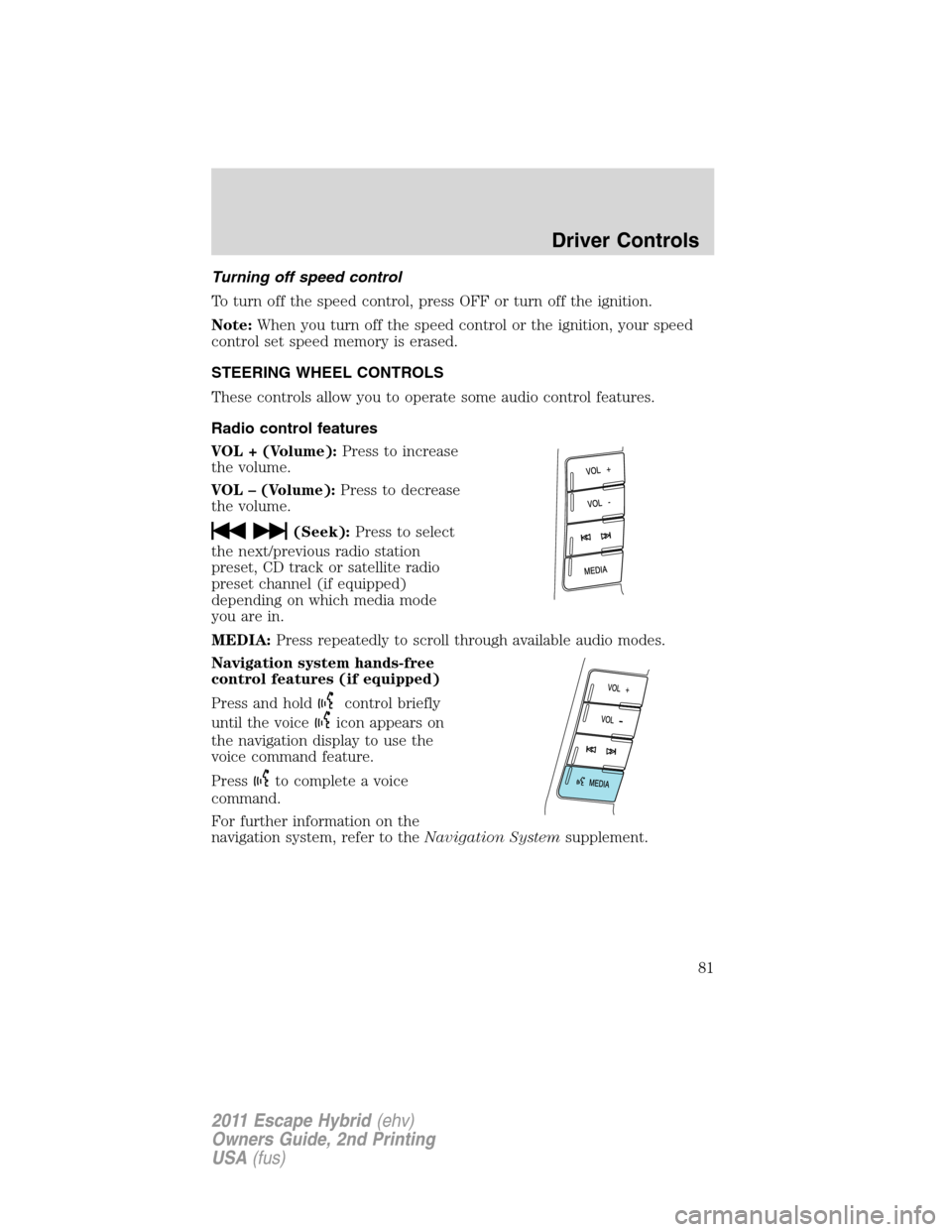
These controls allow you to operate some audio control features.
Radio control features
VOL + (Volume):Press to increase
the volume.
VOL – (Volume):Press to decrease
the volume.
(Seek):Press to select
the next/previous radio station
preset, CD track or satellite radio
preset channel (if equipped)
depending on which media mode
you are in.
MEDIA:Press repeatedly to scroll through available audio modes.
Navigation system hands-free
control features (if equipped)
Press and hold
control briefly
until the voice
icon appears on
the navigation display to use the
voice command feature.
Press
to complete a voice
command.
For further information on the
navigation system, refer to theNavigation Systemsupplement.
Driver Controls
81
2011 Escape Hybrid(ehv)
Owners Guide, 2nd Printing
USA(fus)
Page 82 of 363
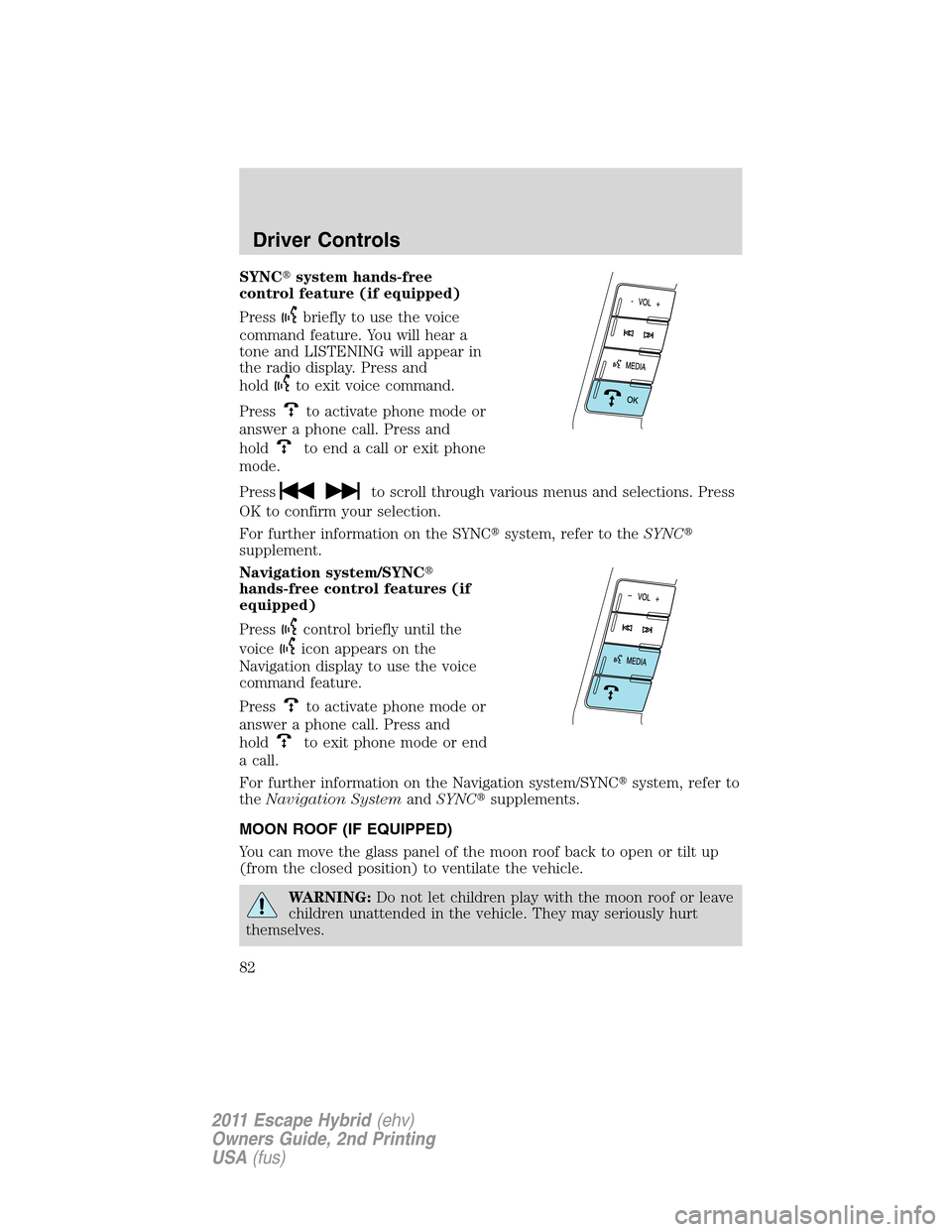
SYNC�system hands-free
control feature (if equipped)
Press
briefly to use the voice
command feature. You will hear a
tone and LISTENING will appear in
the radio display. Press and
hold
to exit voice command.
Press
to activate phone mode or
answer a phone call. Press and
hold
to end a call or exit phone
mode.
Press
to scroll through various menus and selections. Press
OK to confirm your selection.
For further information on the SYNC�system, refer to theSYNC�
supplement.
Navigation system/SYNC�
hands-free control features (if
equipped)
Press
control briefly until the
voice
icon appears on the
Navigation display to use the voice
command feature.
Press
to activate phone mode or
answer a phone call. Press and
hold
to exit phone mode or end
a call.
For further information on the Navigation system/SYNC�system, refer to
theNavigation SystemandSYNC�supplements.
MOON ROOF (IF EQUIPPED)
You can move the glass panel of the moon roof back to open or tilt up
(from the closed position) to ventilate the vehicle.
WARNING:Do not let children play with the moon roof or leave
children unattended in the vehicle. They may seriously hurt
themselves.
Driver Controls
82
2011 Escape Hybrid(ehv)
Owners Guide, 2nd Printing
USA(fus)
Page 96 of 363
MYKEY™
The MyKey™ feature allows you to program a restricted driving mode to
promote good driving habits. All but one of the keys programmed to the
vehicle can be activated as a MyKey™. The key will remain restricted
until MyKey™ is cleared. Any remaining keys are referred to as an
“administrator key” or admin key. The admin key can be used to create a
MyKey™, program optional MyKey™ settings, and clear the MyKey™
feature. When the MyKey™ feature is enabled the user can use system
check in the message center to see how many MyKeys™ and admin keys
are programmed to the vehicle, and how many total miles have been
driven with the MyKey™ active.
MyKey™ restricted features
Standard settings – These settings cannot be changed
•The audio system will be muted whenever Belt-Minder�is activated
until the safety belts are buckled. Refer to theSeating and Safety
Restraintschapter for a detailed description of Belt-Minder�
operation.
•Low fuel warnings are displayed in the message center followed by a
chime when the distance to empty value reaches 75 miles (120 km).
•The reverse sensing system cannot be turned off.
Optional settings – These settings can be changed
•Vehicle speed is limited to 80 mph (130 km/h). Visual warnings are
displayed followed by a chime when the vehicle speed has reached
80 mph (130 km/h).
•Visual warnings are displayed followed by a chime when a preselected
vehicle speed of 45, 55 or 65 mph (75, 90, or 105 km/h) is exceeded
•The maximum volume of the audio system is limited to 45%. MYKEY
VOLUME LIMITED will be displayed in the radio or (if equipped)
navigation screen when attempting to exceed the limited volume
•The AdvanceTrac�system cannot be turned off. When this optional
setting is on, the MyKey™ user will not be able to deactivate the
system.Note:It may be beneficial to deactivate the AdvanceTrac�
system if the vehicle is stuck in snow, mud, or sand.
Locks and Security
96
2011 Escape Hybrid(ehv)
Owners Guide, 2nd Printing
USA(fus)
![FORD ESCAPE HYBRID 2011 2.G Owners Manual 2. To calibrate, press and hold the
RESET control for approximately
ten seconds until CAL appears.
Release the control.
3. Slowly drive the vehicle in a
circle (less than 3 mph [5 km/h]) until the CAL](/manual-img/11/4886/w960_4886-72.png "FORD ESCAPE HYBRID 2011 2.G Owners Manual 2. To calibrate, press and hold the
RESET control for approximately
ten seconds until CAL appears.
Release the control.
3. Slowly drive the vehicle in a
circle (less than 3 mph [5 km/h]) until the CAL")