Page 180 of 497
Closing Sunroof — Express
Press the switch forward and release it within one-half
second and the sunroof will close automatically from any
position. The sunroof will close fully and stop automati-
cally. This is called “Express Close”. During Express
Close operation, any movement of the switch will stop
the sunroof.
Closing Sunroof — Manual Mode
To close the sunroof, press and hold the switch in the
forward position. Any release of the switch will stop the
movement and the sunroof will remain in a partially
closed condition until the switch is pushed and held
forward again.
Pinch Protect Feature
This feature will detect an obstruction in the opening of
the sunroof during Express Close operation. If an ob-
struction in the path of the sunroof is detected, thesunroof will automatically retract. Remove the obstruc-
tion if this occurs. Next, press the switch forward and
release to Express Close.
Pinch Protect Override
If a known obstruction (ice, debris, etc.) prevents closing
and moves the sunroof in the opposite direction, press
the switch forward and hold. This allows the sunroof to
move towards the closed position.
NOTE:
Pinch protection is disabled while the switch is
pressed.
Venting Sunroof — Express
Press and release the �Vent�button within one-half sec-
ond and the sunroof will open to the vent position. This
is called “Express Vent”, and it will occur regardless of
sunroof position. During Express Vent operation, any
movement of the switch will stop the sunroof.
3
UNDERSTANDING THE FEATURES OF YOUR VEHICLE 177
Page 188 of 497
WARNING!
Do not operate this vehicle with a console compart-
ment lid in the open position. Cellular phones, music
players, and other handheld electronic devices
should be stowed while driving. Use of these devices
while driving can cause an accident due to distrac-
tion, resulting in death or injury.
CARGO AREA FEATURES
Cargo Light
The cargo area light is activated by opening the liftgate,
opening any door, or by rotating the dimmer control on
the multifunction lever to the extreme top position.
Cargo Tie-Down Hooks
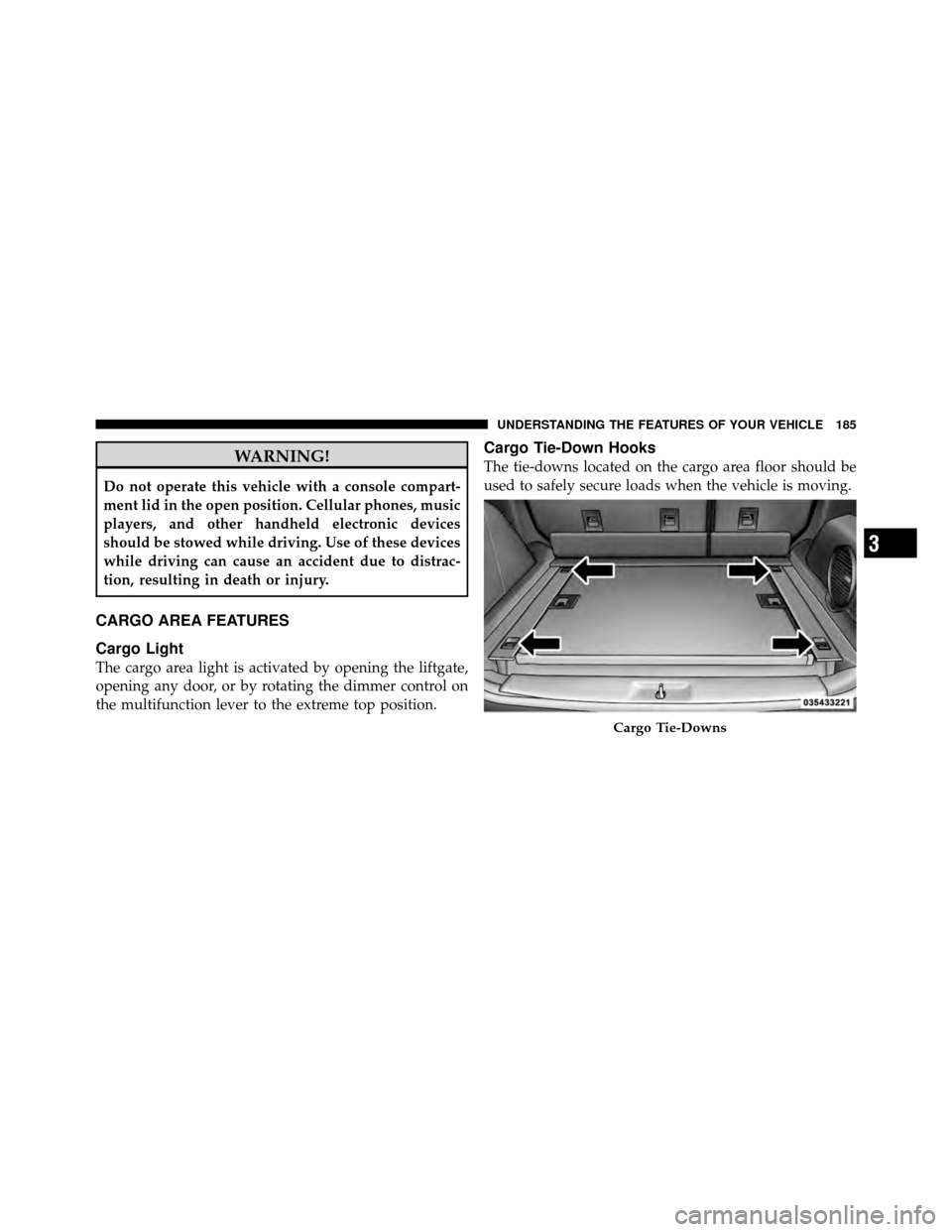
The tie-downs located on the cargo area floor should be
used to safely secure loads when the vehicle is moving.
Cargo Tie-Downs
3
UNDERSTANDING THE FEATURES OF YOUR VEHICLE 185
Page 190 of 497
Cargo Load Floor — If Equipped
The panel in the load floor is reversible for added utility.
One side features a plastic lined tray which can hold a
variety of items. The maximum load capacity of the load
floor is 400 lbs (181 kg).
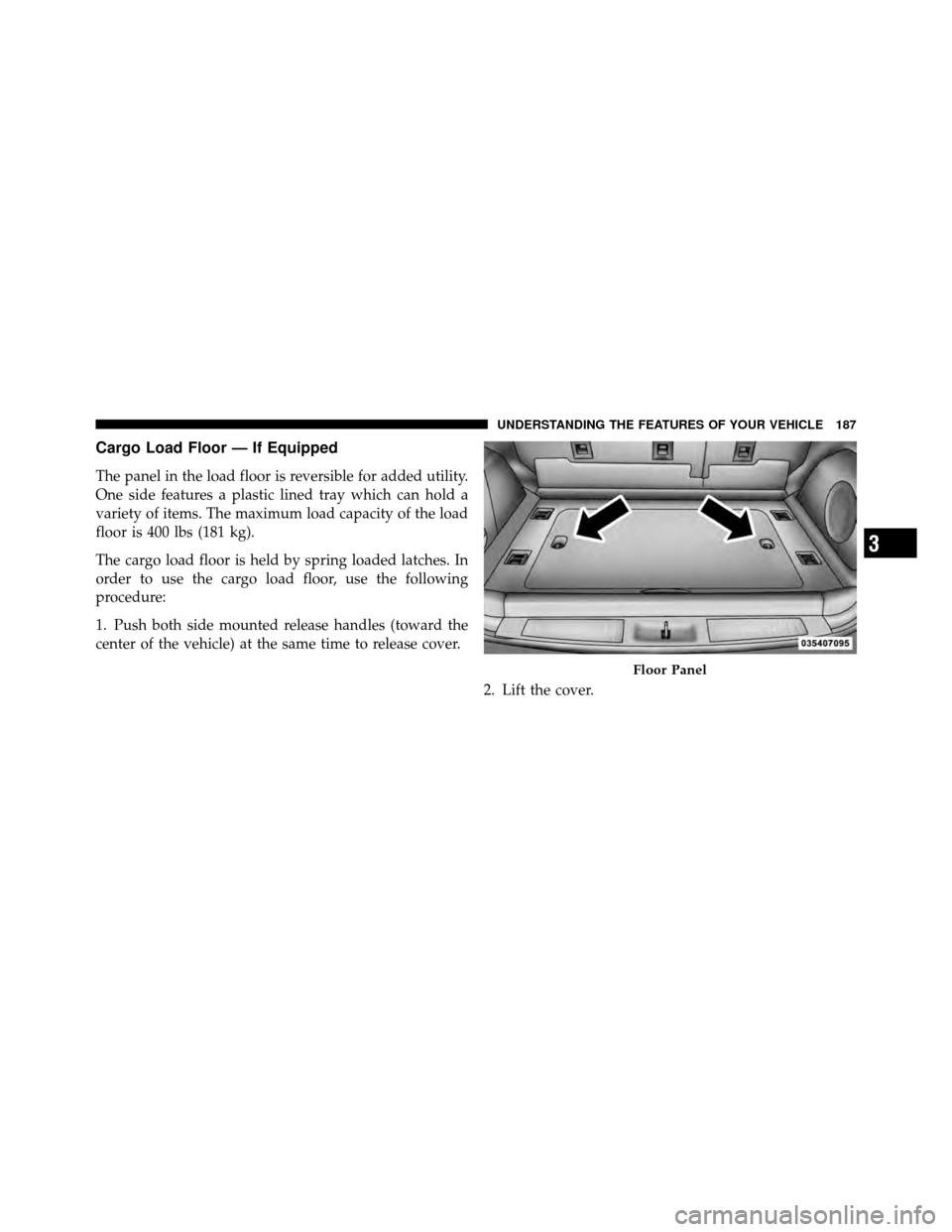
The cargo load floor is held by spring loaded latches. In
order to use the cargo load floor, use the following
procedure:
1. Push both side mounted release handles (toward the
center of the vehicle) at the same time to release cover.2. Lift the cover.
Floor Panel
3
UNDERSTANDING THE FEATURES OF YOUR VEHICLE 187
Page 201 of 497

INSTRUMENT CLUSTER DESCRIPTIONS
1. Fuel Gauge
The fuel gauge shows level of fuel in tank when ignition
switch is in the ON/RUN position.
2. Fuel Door ReminderThis symbol indicates the side of the vehicle
where the fuel cap is located.
3. Temperature Gauge
The temperature gauge shows engine coolant tempera-
ture. Any reading within the normal range indicates that
the engine cooling system is operating satisfactorily. The gauge pointer will likely indicate a higher tempera-
ture when driving in hot weather, up mountain grades,
or when towing a trailer. It should not be allowed to
exceed the upper limits of the normal operating range.
CAUTION!
Driving with a hot engine cooling system could
damage your vehicle. If the temperature gauge reads
“H” pull over and stop the vehicle. Idle the vehicle
with the air conditioner turned off until the pointer
drops back into the normal range. If the pointer
remains on the “H” and you hear continuous chimes,
turn the engine off immediately and call an autho-
rized dealership for service.
198 UNDERSTANDING YOUR INSTRUMENT PANEL
Page 203 of 497

normal, turn the engine off immediately and call for
service. Refer to “If Your Engine Overheats” in “What To
Do In Emergencies” for further information.
7. Speedometer
Shows the vehicles speed.
8. High Beam IndicatorThis indicator shows that the high beam head-
lights are on. Push the multifunction lever forward
to switch the headlights to high beam, and pull toward
yourself (normal position) to return to low beam.
9. Vehicle Security Light — If Equipped This light will flash at a fast rate for approxi-
mately 15 seconds, when the vehicle security
alarm is arming, and then will flash slowly
until the vehicle is disarmed. 10. Electronic Stability Control (ESC) Activation/
Malfunction Indicator Light — If Equipped
The “ESC Activation/Malfunction Indicator
Light” in the instrument cluster will come on
when the ignition switch is turned to the
ON/RUN position. It should go out with the
engine running. If the “ESC Activation/Malfunction In-
dicator Light” comes on continuously with the engine
running, a malfunction has been detected in the ESC
system. If this light remains on after several ignition
cycles, and the vehicle has been driven several miles
(kilometers) at speeds greater than 30 mph (48 km/h), see
your authorized dealer as soon as possible to have the
problem diagnosed and corrected.
NOTE:
•The “ESC Off Indicator Light” and the “ESC
Activation/Malfunction Indicator Light” come on mo-
mentarily each time the ignition switch is turned to
ON/RUN.
200 UNDERSTANDING YOUR INSTRUMENT PANEL
Page 204 of 497

•Each time the ignition is turned to ON/RUN, the ESC
system will be ON, even if it was turned off previously.
•The ESC system will make buzzing or clicking sounds
when it is active. This is normal; the sounds will stop
when ESC becomes inactive following the maneuver
that caused the ESC activation.
11. TOW/HAUL Indicator — If Equipped The TOW/HAUL button is located on the gear
shift bezel. This light will illuminate when the
TOW/HAUL button has been selected.
12. Turn Signal Indicators The arrow will flash with the exterior turn signal
when the turn signal lever is operated. If the vehicle electronics sense that the vehicle is driven
more than 1 mile (1.6 km) with either turn signal on, a
continuous chime will sound to alert you to turn the
signals off. If either indicator flashes at a rapid rate, check
for a defective outside light bulb.
13. Transmission Temperature Warning Light —
If Equipped
This light indicates that there is excessive trans-
mission fluid temperature that might occur
with severe usage such as trailer towing. If this
light comes on, stop the vehicle and run the
engine at idle or faster with the transmission in NEU-
TRAL until the light goes off.
CAUTION!
Continuous driving with the Transmission Tempera-
ture Warning Light illuminated will eventually cause
severe transmission damage or transmission failure.
4
UNDERSTANDING YOUR INSTRUMENT PANEL 201
Page 207 of 497

the light is flashing when the engine is running, imme-
diate service is required and you may experience reduced
performance, an elevated/rough idle or engine stall and
your vehicle may require towing. The light will come on
when the ignition is first turned to ON/RUN and remain
on briefly as a bulb check. If the light does not come on
during starting, have the system checked by an autho-
rized dealer.
16. Electronic Stability Control (ESC) OFF Indicator
Light — If EquippedThis light indicates the Electronic Stability Con-
trol (ESC) is off.
17. Charging System Light This light shows the status of the electrical charg-
ing system. The light should come on when the
ignition switch is first turned to ON/RUN and remain on
briefly as a bulb check. If the light stays on or comes on while driving, turn off some of the vehicle’s non-essential
electrical devices or increase engine speed (if at idle). If
the charging system light remains on, it means that the
vehicle is experiencing a problem with the charging
system. Obtain SERVICE IMMEDIATELY. See an autho-
rized dealer.
If jump starting is required, refer to “Jump Starting
Procedures” in “What To Do In Emergencies”.
18. SERV (Service) 4WD Indicator — If Equipped
The “SERV 4WD Indicator Light” will come on
when the ignition key is turned to the ON/
RUN position and will stay on for two seconds.
If the light stays on or comes on during driv-
ing, it means that the 4WD system is not functioning
properly and that service is required.
204 UNDERSTANDING YOUR INSTRUMENT PANEL
Page 213 of 497

ODOMETER button on the instrument cluster. To reset
the oil change indicator system (after performing the
scheduled maintenance), refer to the following proce-
dure:1. Turn the ignition switch to the ON/RUN position.
Do not start the engine.
2. Fully depress the accelerator pedal slowly three
times within 10 seconds.
3. Turn the ignition switch to the OFF/LOCK position.
NOTE: If the indicator message illuminates when you
start the vehicle, the oil change indicator system did not
reset. If necessary, repeat this procedure.
27. Malfunction Indicator Light (MIL) The Malfunction Indicator Light (MIL) is part of
an onboard diagnostic system, called OBD, that
monitors engine and automatic transmission con-
trol systems. The light will illuminate when the key is in the ON/RUN position, before engine start. If the bulb
does not come on when turning the key from OFF to
ON/RUN, have the condition checked promptly.
Certain conditions, such as a loose or missing gas cap,
poor fuel quality, etc., may illuminate the MIL after
engine start. The vehicle should be serviced if the light
stays on through several of your typical driving cycles. In
most situations, the vehicle will drive normally and will
not require towing.
CAUTION!
Prolonged driving with the MIL on could cause
damage to the engine control system. It also could
affect fuel economy and drivability. If the MIL is
flashing, severe catalytic converter damage and
power loss will soon occur. Immediate service is
required.
210 UNDERSTANDING YOUR INSTRUMENT PANEL