Page 252 of 557
Grab the cover handle and pull it toward you. As the
cover nears the liftgate opening, guide the rear attach-
ment posts (on both ends of the cover) into the notches in
the trim panels. Lower the cover to position the posts into
the bottom of the notches and release the handle.WARNING!
A cargo cover that is unsecured in the vehicle could
cause injury in a collision. It could become airborne
during a sudden stop and strike someone inside the
vehicle. Do not store the cargo cover on the cargo
floor or in the passenger compartment. Remove the
cover from the vehicle when taken from its mount-
ing. Do not store it in the vehicle.
REAR WINDOW FEATURES
Rear Window Wiper/Washer
The rear window wiper/washer control is located on the
left side of the steering column.
Positioning Retractable Cargo Area Cover
250 UNDERSTANDING THE FEATURES OF YOUR VEHICLE
Page 258 of 557

▫Customer Programmable Features —
Uconnect Touch™ 4.3 Settings ........... 280
▫ Customer Programmable Features —
Uconnect Touch™ System 8.4 Settings ...... 293
� Video Entertainment System (VES)™ — If
Equipped ............................ 307
� iPod�/USB/MP3 Control — If Equipped ..... 308
� Steering Wheel Audio Controls —
If Equipped .......................... 308
▫ Right-Hand Switch Functions ............ 309
▫ Left-Hand Switch Functions For Radio
Operation .......................... 309
▫ Left-Hand Switch Functions For Media
(i.e., CD) Operation ................... 309 �
CD/DVD Disc Maintenance .............. 310
� Radio Operation And Mobile Phones ....... 310
� Climate Controls ...................... 311
▫ General Overview .................... 311
▫ Climate Control Functions .............. 318
▫ Automatic Temperature Control (ATC) ..... 319
▫ Rear Automatic Temperature Control
(ATC) — If Equipped ................. 321
▫ Rear Blower Control .................. 323
▫ Rear Temperature Control .............. 324
▫ Rear Mode Control ................... 324
▫ Operating Tips ...................... 325
256 UNDERSTANDING YOUR INSTRUMENT PANEL
Page 270 of 557
ELECTRONIC VEHICLE INFORMATION CENTER
(EVIC)
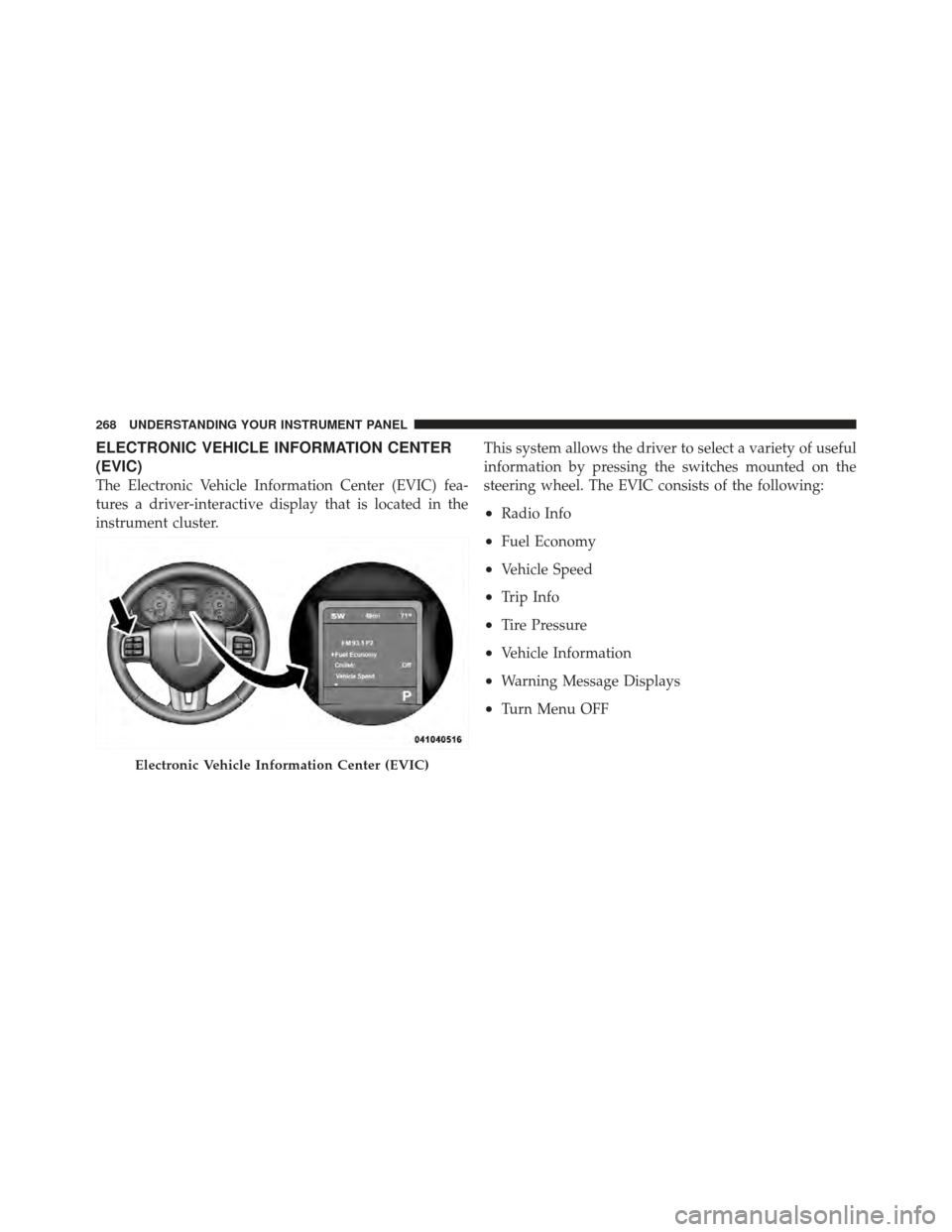
The Electronic Vehicle Information Center (EVIC) fea-
tures a driver-interactive display that is located in the
instrument cluster.This system allows the driver to select a variety of useful
information by pressing the switches mounted on the
steering wheel. The EVIC consists of the following:
•Radio Info
•Fuel Economy
•Vehicle Speed
•Trip Info
•Tire Pressure
•Vehicle Information
•Warning Message Displays
•Turn Menu OFF
Electronic Vehicle Information Center (EVIC)
268 UNDERSTANDING YOUR INSTRUMENT PANEL
Page 271 of 557
The system allows the driver to select information by
pressing the following buttons mounted on the steering
wheel:UP Button
Press and release the UP button to scroll up-
ward through the main menus (Fuel Economy,
Vehicle Info, Tire PSI, Cruise, Messages, Units)
and sub-menus.
DOWN Button Press and release the DOWN button to scroll
downward through the main menus and sub-
menus.
SELECT Button Press and release the SELECT button for access
to main menus or sub-menus. Press and hold
the SELECT button for two seconds to reset
features.
EVIC Steering Wheel Buttons
4
UNDERSTANDING YOUR INSTRUMENT PANEL 269
Page 288 of 557

your selection, touch the Headlights With Wipers soft-
key and select ON or OFF. Then touch the arrow back
soft-key.
•Auto High Beams
Touch the Auto High Beams soft-key to change this
display. When this feature is selected, the high beam
headlights will deactivate automatically under certain
conditions. To make your selection, touch the Auto High
Beams soft-key and select ON or OFF. Then touch the
arrow back soft-key. Refer to “Lights/SmartBeam™ — If
Equipped” in “Understanding The Features Of Your
Vehicle” for further information.
•Daytime Running Lights
Touch the Daytime Running Lights soft-key to change
this display. When this feature is selected, the headlights
will turn on whenever the engine is running. To make your selection, touch the Daytime Running Lights soft-
key and select ON or OFF. Then touch the arrow back
soft-key.
•Steering Directed Lights
Touch the Steering Directed Lights soft-key to change this
display. When this feature is selected, the headlights turn
relative to a change in direction of the steering wheel. To
make your selection, touch the Steering Directed Lights
soft-key and select ON or OFF. Then touch the arrow
back soft-key.
•Flash Headlights With Lock
Touch the Flash Headlights With Lock soft-key to change
this display. When this feature is selected, the headlights
will flash when the doors are locked or unlocked with the
Remote Keyless Entry (RKE) transmitter. This feature
may be selected with or without the sound horn on lock
286 UNDERSTANDING YOUR INSTRUMENT PANEL
Page 302 of 557

•Headlights With Wipers — If Equipped
When this feature is selected, and the headlight switch is
in the AUTO position, the headlights will turn on ap-
proximately 10 seconds after the wipers are turned on.
The headlights will also turn off when the wipers are
turned off if they were turned on by this feature. To make
your selection, touch the Headlights With Wipers soft-
key, until a check-mark appears next to setting, showing
that setting has been selected. Touch the back arrow
soft-key to return to the previous menu.
•Auto Dim High Beams — If Equipped
When this feature is selected, the high beam headlights
will deactivate automatically under certain conditions. To
make your selection, touch the Auto High Beams soft-
key, until a check-mark appears next to setting, showing
that setting has been selected. Touch the back arrow
soft-key to return to the previous menu. Refer to “Lights/
SmartBeam™ — If Equipped” in “Understanding The
Features Of Your Vehicle” for further information.
•Daytime Running Lights
When this feature is selected, the headlights will turn on
whenever the engine is running. To make your selection,
touch the Daytime Running Lights soft-key, until a
check-mark appears next to setting, showing that setting
has been selected. Touch the back arrow soft-key to
return to the previous menu.
•Steering Directed Lights
When this feature is selected, the headlights turn relative
to a change in direction of the steering wheel. To make
your selection, touch the Steering Directed Lights soft-
key, until a check-mark appears next to setting, showing
that setting has been selected. Touch the back arrow
soft-key to return to the previous menu.
•Flash Headlights With Lock
When this feature is selected, the headlights will flash
when the doors are locked or unlocked with the Remote
Keyless Entry (RKE) transmitter. This feature may be
300 UNDERSTANDING YOUR INSTRUMENT PANEL
Page 310 of 557

•Two wireless infrared headsets allow rear seat passen-
gers to listen to the same or individual audio sources.Audio/Video RCA Jacks (AUX Jacks)
on the rear of the center console enable
the monitor to display video directly
from a video camera, connect video
games for display on the screen, or
play music directly from an MP3
player.
1. Video in (yellow)
2. Left audio in (white)
3. Right audio in (red)
NOTE: Refer to your “Uconnect Touch™ User ’s
Manual” for detailed operating instructions.iPod�/USB/MP3 CONTROL — IF EQUIPPED
This feature allows an iPod� or external USB device to be
plugged into the USB port.
iPod� control supports Mini, 4G, Photo, Nano, 5G iPod�
and iPhone� devices. Some iPod� software versions may
not fully support the iPod� control features. Please visit
Apple’s website for software updates.
For further information, refer to the Uconnect Touch™
User ’s Manual.
STEERING WHEEL AUDIO CONTROLS — IF
EQUIPPED
The remote sound system controls are located on the rear
surface of the steering wheel. The left and right-hand
controls are rocker-type switches with a pushbutton in
the center of each switch. Reach behind the steering
wheel to access the switches.
308 UNDERSTANDING YOUR INSTRUMENT PANEL
Page 311 of 557

Right-Hand Switch Functions
•
Press the top of the switch to increase the volume.
•Press the bottom of the switch to decrease the volume.
•Press the button in the center of the switch to change
modes (i.e., AM, FM, etc.).
Left-Hand Switch Functions For Radio Operation
•
Press the top of the switch to SEEK the next listenable
station up from the current setting.
•Press the bottom of the switch to SEEK the next
listenable station down from the current setting.
•Press the button in the center of the switch to tune to
the next preset that you have programmed.
Left-Hand Switch Functions For Media (i.e., CD)
Operation
•
Press the top of the switch once to listen to the next
track.
•Press the bottom of the switch once either to listen to
the beginning of the current track or to listen to the
beginning of the previous track if it is within one
second after the current track begins to play.
Remote Sound Controls (Back View Of Steering Wheel)
4
UNDERSTANDING YOUR INSTRUMENT PANEL 309