Page 199 of 557
Rotating the left dimmer control upward with the park-
ing lights or headlights on will increase the brightness of
the instrument panel lights.
Rotating the right dimmer control upward with the park-
ing lights or headlights on will increase the brightness of
the door map pockets and cupholders, if equipped.
Dome Light Position
Rotate the dimmer control completely upward to the
second detent to turn on the interior lights. The interior
lights will remain on when the dimmer control is in this
position.
Interior Light Defeat (OFF)
Rotate the dimmer control to the extreme bottom off
position. The interior lights will remain off when the
doors are open.
Parade Mode (Daytime Brightness Feature)
Rotate the dimmer control upward to the first detent.
This feature brightens all text displays such as the
odometer, EVIC (if equipped), and radio when the park-
ing lights or headlights are on.
Dimmer Controls
3
UNDERSTANDING THE FEATURES OF YOUR VEHICLE 197
Page 217 of 557

WARNING! (Continued)
•Before using the ParkSense�Rear Park Assist
system, it is strongly recommended that the ball
mount and hitch ball assembly is disconnected
from the vehicle when the vehicle is not used for
towing. Failure to do so can result in injury or
damage to vehicles or obstacles because the hitch
ball will be much closer to the obstacle than the
rear fascia when the warning display turns on the
single flashing arc and sounds the continuous
tone. Also, the sensors could detect the ball mount
and hitch ball assembly, depending on its size and
shape, giving a false indication that an obstacle is
behind the vehicle.
PARKVIEW� REAR BACK UP CAMERA — IF
EQUIPPED
Your vehicle may be equipped with the ParkView� Rear
Back Up Camera that allows you to see an on-screen
image of the rear surroundings of your vehicle whenever
the shift lever is put into REVERSE. The image will be
displayed on the radio touchscreen display along with a
caution note to “check entire surroundings” across the
top of the screen. After five seconds this note will
disappear. The ParkView� camera is located on the rear
of the vehicle above the rear License plate.
When the vehicle is shifted out of REVERSE, the rear
camera mode is exited and the navigation or audio screen
appears again.
3
UNDERSTANDING THE FEATURES OF YOUR VEHICLE 215
Page 219 of 557

WARNING!
Drivers must be careful when backing up even when
using the ParkView�Rear Back Up Camera. Always
check carefully behind your vehicle, and be sure to
check for pedestrians, animals, other vehicles, ob-
structions, or blind spots before backing up. You are
responsible for the safety of your surroundings and
must continue to pay attention while backing up.
Failure to do so can result in serious injury or death.
CAUTION!
•To avoid vehicle damage, ParkView� should only
be used as a parking aid. The ParkView �camera is
unable to view every obstacle or object in your
drive path.
(Continued)
CAUTION! (Continued)
•To avoid vehicle damage, the vehicle must be
driven slowly when using ParkView�to be able to
stop in time when an obstacle is seen. It is recom-
mended that the driver look frequently over his/
her shoulder when using ParkView�.
NOTE: If snow, ice, mud, or any foreign substance
builds up on the camera lens, clean the lens, rinse with
water, and dry with a soft cloth. Do not cover the lens.
Turning ParkView� On Or Off —
With Touch Screen Radio
1. Turn the Radio on.
2. Press the “More” soft-key.
3. Press the “Settings” soft-key.
4. Press the “Safety & Driving Assistance” soft-key.
3
UNDERSTANDING THE FEATURES OF YOUR VEHICLE 217
Page 224 of 557

Programming HomeLink�
Before You Begin
If you have not trained any of the HomeLink� buttons,
erase all channels before you begin training.
To do this, press and hold the two outside buttons for
20 seconds until the red indicator flashes.
It is recommended that a new battery be placed in the
handheld transmitter of the device that is being copied to
HomeLink� for more efficient training and accurate
transmission of the radio-frequency signal.
Your vehicle should be parked outside of the garage
when programming.
1. Turn the ignition switch to the ON/RUN position.
2. Hold the battery side of the handheld transmitter
away from the HomeLink� button you wish to program. Place the handheld transmitter 1–3 in (3-8 cm) away from
the HomeLink�
button you wish to program while
keeping the indicator light in view.
3. Simultaneously press and hold both the chosen
HomeLink� button and the handheld transmitter button
until the HomeLink� indicator changes from a slow to a
rapidly blinking light, then release both the HomeLink�
and handheld transmitter buttons.
Watch for the HomeLink� indicator to change flash rates.
When it changes, it is programmed. It may take up to
30 seconds or longer in rare cases. The garage door may
open and close while you train.
NOTE:
•Some gate operators and garage door openers may
require you to replace Step 3 with procedures noted in
the “Gate Operator/Canadian Programming” section.
222 UNDERSTANDING THE FEATURES OF YOUR VEHICLE
Page 226 of 557

6. Firmly press and release the LEARN or TRAINING
button. The name and color of the button may vary by
manufacturer.
NOTE:You have 30 seconds in which to initiate the next
step after the LEARN button has been pressed.
7. Return to the vehicle and press the programmed
HomeLink� button twice (holding the button for two
seconds each time). If the device is plugged in and
activates, programming is complete.
If the device does not activate, press the button a third
time (for two seconds) to complete the training.
If you have any problems, or require assistance, please
call toll-free 1–800–355–3515 or, on the Internet at
www.HomeLink.com for information or assistance.
To program the remaining two HomeLink� buttons,
repeat each step for each remaining button. DO NOT
erase the channels.Gate Operator/Canadian Programming
Canadian radio-frequency laws require transmitter sig-
nals to “time-out” (or quit) after several seconds of
transmission – which may not be long enough for
HomeLink� to pick up the signal during programming.
Similar to this Canadian law, some U.S. gate operators are
designed to “time-out” in the same manner.
It may be helpful to unplug the device during the cycling
process to prevent possible overheating of the garage
door or gate motor.
If you are having difficulties programming a garage door
opener or a gate operator, replace “Programming
HomeLink�” Step 3 with the following:
3. Continue to press and hold the HomeLink� button,
while you press and release (“cycle”), your handheld
transmitter every two seconds until HomeLink� has
224 UNDERSTANDING THE FEATURES OF YOUR VEHICLE
Page 232 of 557

Sunroof Maintenance
Use only a nonabrasive cleaner and a soft cloth to clean
the glass panel.
Ignition Off Operation
For vehicles not equipped with the Electronic Vehicle
Information Center (EVIC), the power sunroof switch
will remain active for 45 seconds after the ignition switch
is turned to the LOCK position. Opening either front
door will cancel this feature.
For vehicles equipped with the EVIC, the power sunroof
switch will remain active for up to 10 minutes after the
ignition switch is turned to the LOCK position. Opening
either front door will cancel this feature.
NOTE:The delay time if programmable using the
Uconnect Touch™ system. Refer to “Uconnect Touch™
System” in “Understanding Your Instrument Panel” for
further information.
Sunroof Fully Closed
Press the switch forward and release to ensure that the
sunroof is fully closed.
ELECTRICAL POWER OUTLETS
A 12 Volt (13 Amp) power outlet located in the center
console below the radio. The power outlet has power
available when the ignition switch in the ON/RUN or
ACC position.
230 UNDERSTANDING THE FEATURES OF YOUR VEHICLE
Page 258 of 557

▫Customer Programmable Features —
Uconnect Touch™ 4.3 Settings ........... 280
▫ Customer Programmable Features —
Uconnect Touch™ System 8.4 Settings ...... 293
� Video Entertainment System (VES)™ — If
Equipped ............................ 307
� iPod�/USB/MP3 Control — If Equipped ..... 308
� Steering Wheel Audio Controls —
If Equipped .......................... 308
▫ Right-Hand Switch Functions ............ 309
▫ Left-Hand Switch Functions For Radio
Operation .......................... 309
▫ Left-Hand Switch Functions For Media
(i.e., CD) Operation ................... 309 �
CD/DVD Disc Maintenance .............. 310
� Radio Operation And Mobile Phones ....... 310
� Climate Controls ...................... 311
▫ General Overview .................... 311
▫ Climate Control Functions .............. 318
▫ Automatic Temperature Control (ATC) ..... 319
▫ Rear Automatic Temperature Control
(ATC) — If Equipped ................. 321
▫ Rear Blower Control .................. 323
▫ Rear Temperature Control .............. 324
▫ Rear Mode Control ................... 324
▫ Operating Tips ...................... 325
256 UNDERSTANDING YOUR INSTRUMENT PANEL
Page 270 of 557
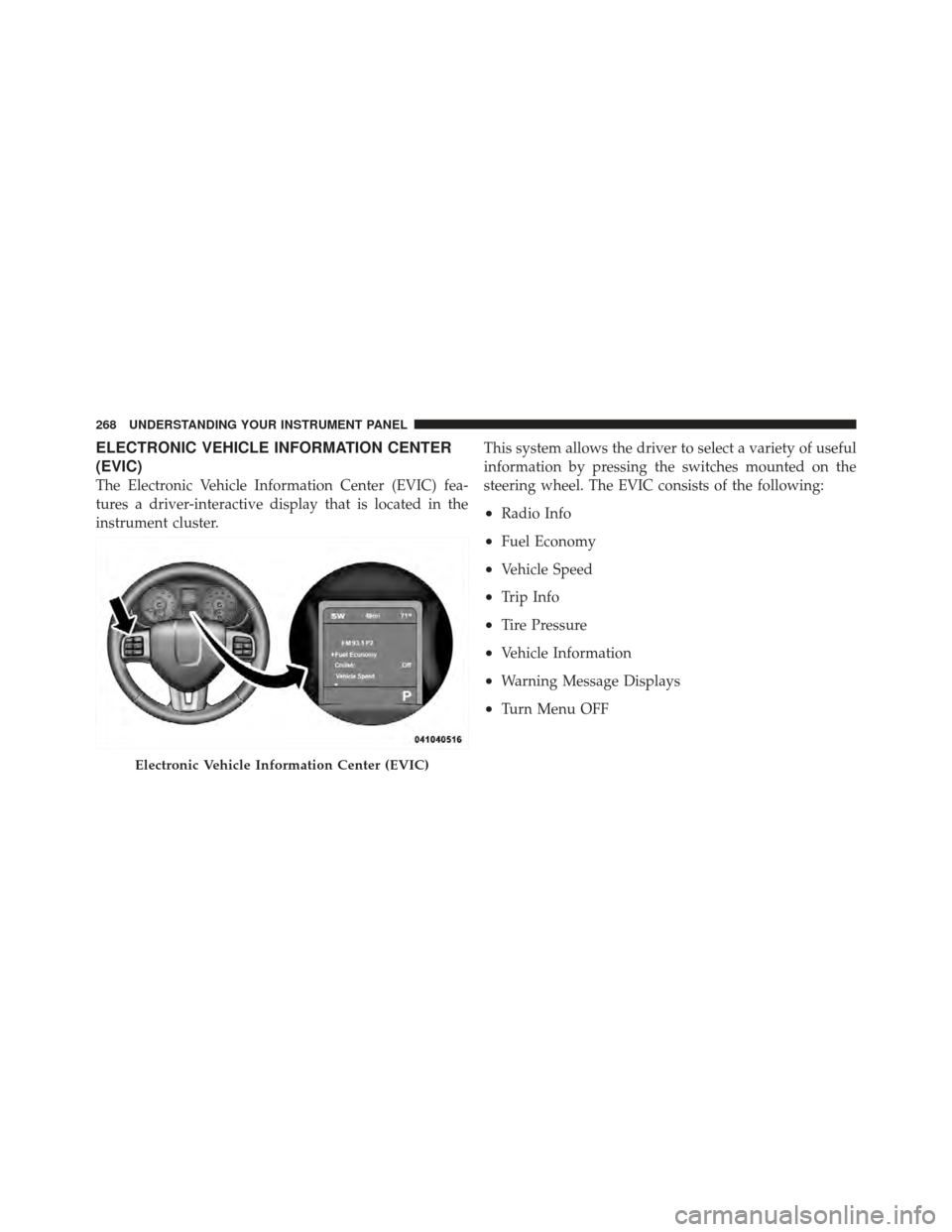
ELECTRONIC VEHICLE INFORMATION CENTER
(EVIC)
The Electronic Vehicle Information Center (EVIC) fea-
tures a driver-interactive display that is located in the
instrument cluster.This system allows the driver to select a variety of useful
information by pressing the switches mounted on the
steering wheel. The EVIC consists of the following:
•Radio Info
•Fuel Economy
•Vehicle Speed
•Trip Info
•Tire Pressure
•Vehicle Information
•Warning Message Displays
•Turn Menu OFF
Electronic Vehicle Information Center (EVIC)
268 UNDERSTANDING YOUR INSTRUMENT PANEL