Page 179 of 562

during a remote start. Refer to “Remote Starting System
— If Equipped” in “Things to Know Before Starting Your
Vehicle” for further information.
WARNING!
•Persons who are unable to feel pain to the skin
because of advanced age, chronic illness, diabetes,
spinal cord injury, medication, alcohol use, ex-
haustion, or other physical conditions must exer-
cise care when using the steering wheel heater. It
may cause burns even at low temperatures, espe-
cially if used for long periods.
•Do not place anything on the steering wheel that
insulates against heat, such as a blanket or cush-
ion. This may cause the steering wheel heater to
overheat.
ADJUSTABLE PEDALS — IF EQUIPPED
The adjustable pedals system is designed to allow a greater
range of driver comfort for steering wheel tilt and seat
position. This feature allows the brake, accelerator, and
clutch pedals (if equipped) to move toward or away from the
driver to provide improved position with the steering wheel.
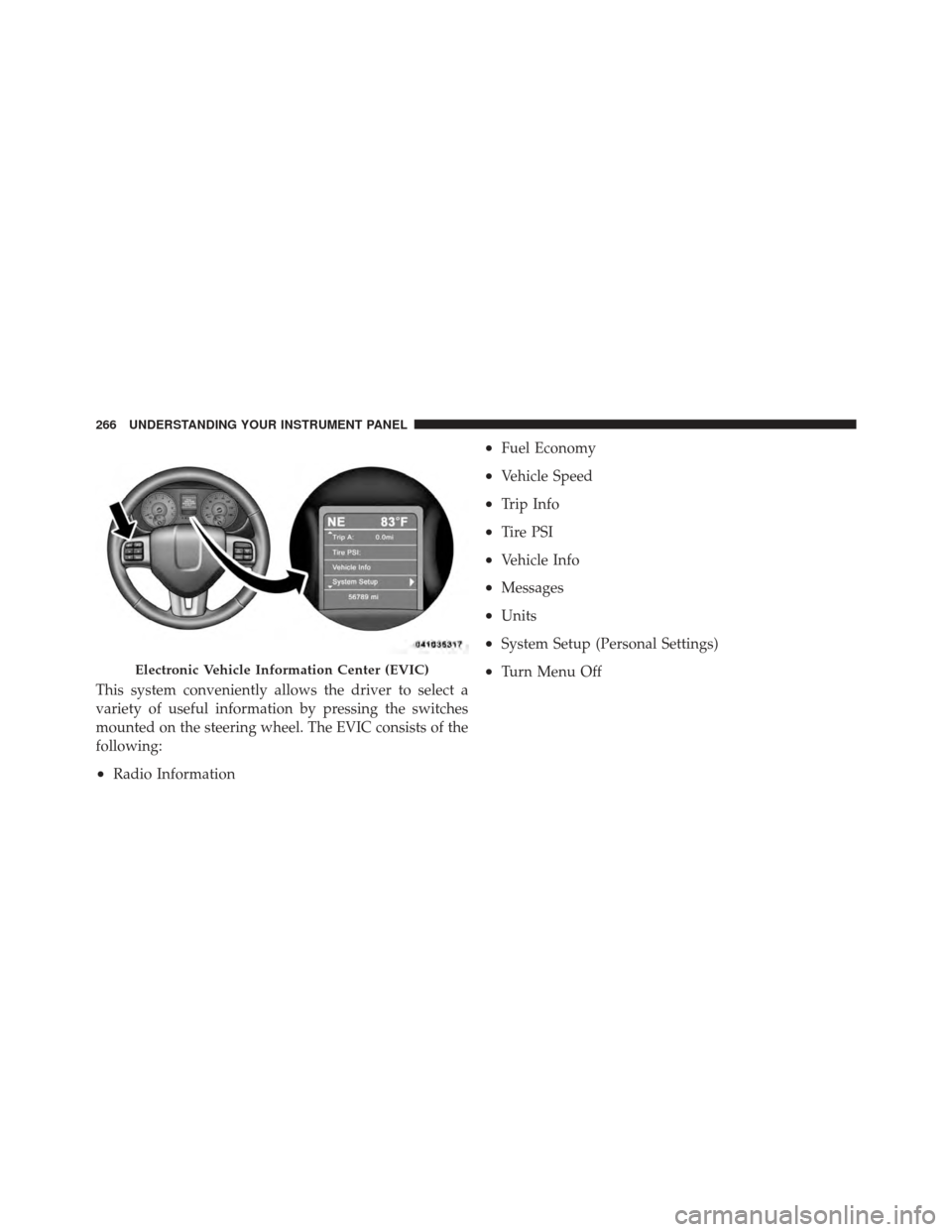
The switch is located on the left side of the steering column.
Adjustable Pedal Switch
3
UNDERSTANDING THE FEATURES OF YOUR VEHICLE 177
Page 181 of 562
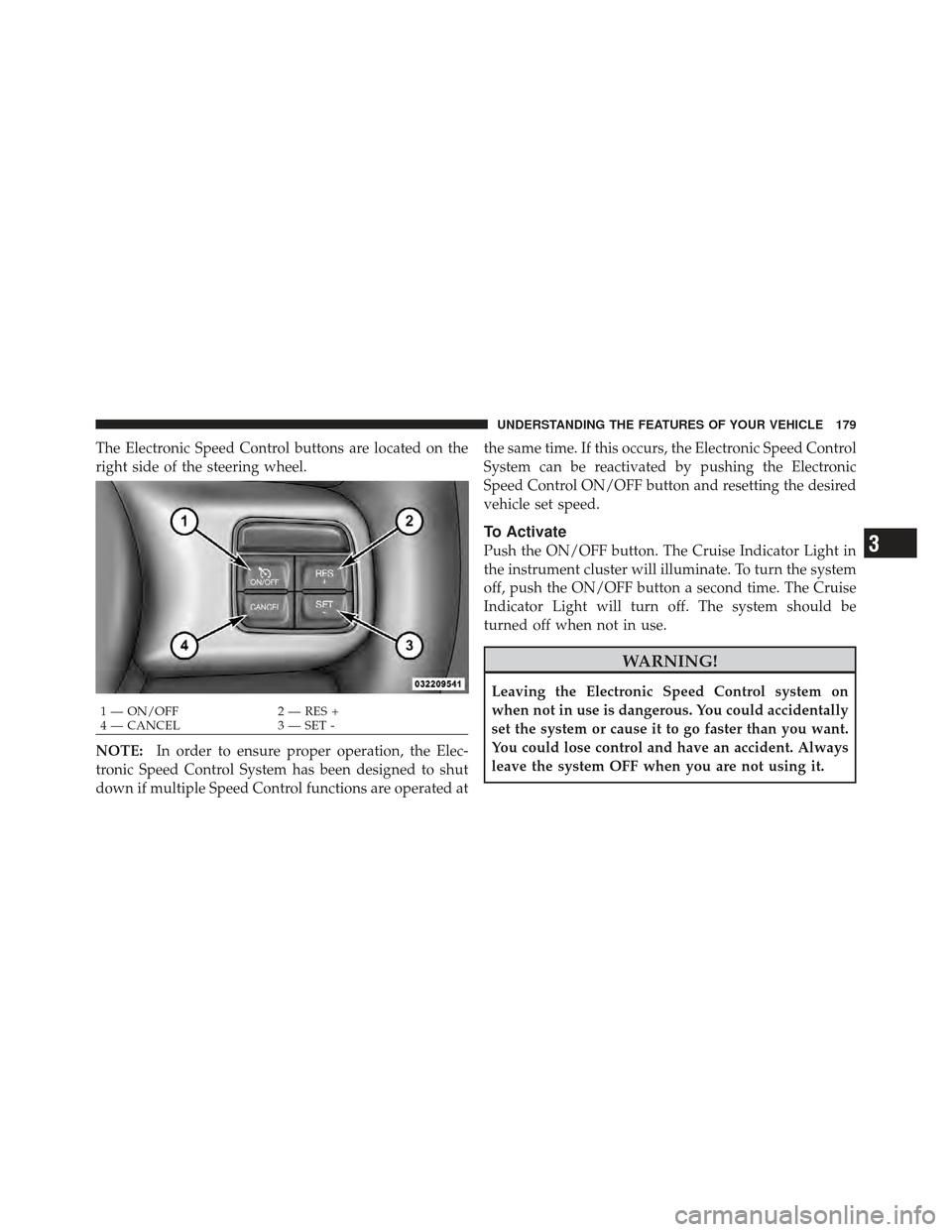
The Electronic Speed Control buttons are located on the
right side of the steering wheel.
NOTE:In order to ensure proper operation, the Elec-
tronic Speed Control System has been designed to shut
down if multiple Speed Control functions are operated at the same time. If this occurs, the Electronic Speed Control
System can be reactivated by pushing the Electronic
Speed Control ON/OFF button and resetting the desired
vehicle set speed.
To Activate
Push the ON/OFF button. The Cruise Indicator Light in
the instrument cluster will illuminate. To turn the system
off, push the ON/OFF button a second time. The Cruise
Indicator Light will turn off. The system should be
turned off when not in use.
WARNING!
Leaving the Electronic Speed Control system on
when not in use is dangerous. You could accidentally
set the system or cause it to go faster than you want.
You could lose control and have an accident. Always
leave the system OFF when you are not using it.
1 — ON/OFF
2 — RES +
4 — CANCEL 3 — SET -
3
UNDERSTANDING THE FEATURES OF YOUR VEHICLE 179
Page 247 of 562

▫Controlling The iPod� Or External USB
Device Using Radio Buttons ............. 312
▫ Play Mode ......................... 312
▫ List Or Browse Mode ................. 314
▫ Bluetooth Streaming Audio (BTSA) ........ 316
� Video Entertainment System (VES)™ — If
Equipped ............................ 317
� Steering Wheel Audio Controls —
If Equipped .......................... 319
▫ Radio Operation ..................... 319
▫ CD Player ......................... 320
� CD/DVD Disc Maintenance .............. 320
� Radio Operation And Mobile Phones ....... 321
� Climate Controls ...................... 321 ▫
Manual Heating And Air Conditioning
System — If Equipped ................. 321
▫ Three-Zone Temperature Control — If
Equipped .......................... 325
▫
Rear Manual Climate Control — If Equipped. . 330
▫ Automatic Temperature Control (ATC) — If
Equipped .......................... 333
▫ Summer Operation ................... 343
▫ Winter Operation .................... 343
▫ Vacation/Storage .................... 343
▫ Window Fogging .................... 344
▫ Outside Air Intake ................... 344
▫ Operating Tips ...................... 344
▫ A/C Air Filter— If Equipped ............ 345
4
UNDERSTANDING YOUR INSTRUMENT PANEL 245
Page 265 of 562
CMTC Reset Buttons
CMTC Reset Button
Press the STEP button located on the steering wheel to
scroll through sub menus (i.e., Trip Functions: AVG Fuel
Economy, DTE, Elapsed Time, and Units).
To reset the display shown, turn the ignition switch to the
ON position, then press and hold the RESET button for
approximately two seconds.
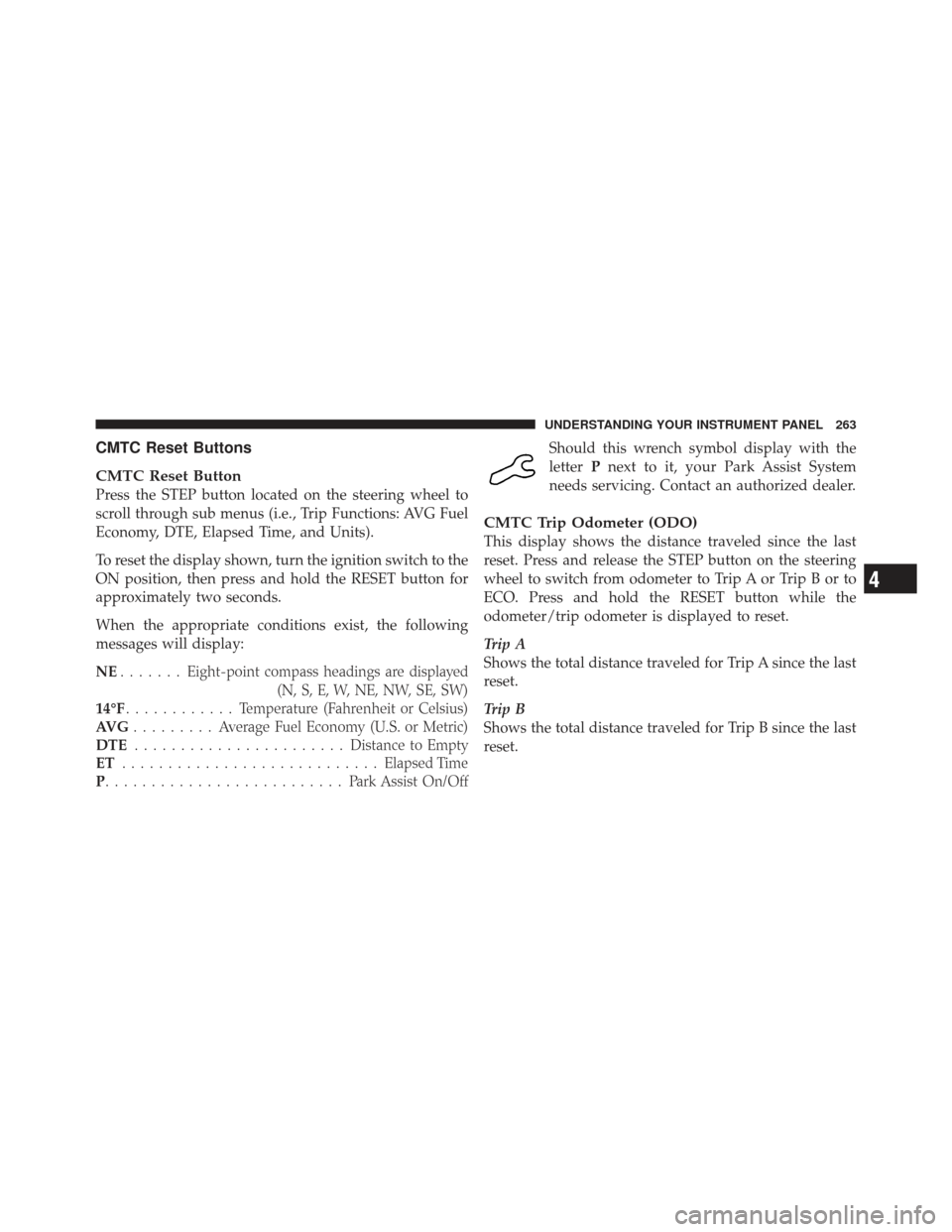
When the appropriate conditions exist, the following
messages will display:
NE....... Eight-point compass headings are displayed
(N, S, E, W, NE, NW, SE, SW)
14°F ............ T emperature (Fahrenheit or Celsius)
AV G ......... Average Fuel Economy (U.S. or Metric)
DTE ....................... Distance to Empty
ET ............................ Elapsed Time
P .......................... Park Assist On/OffShould this wrench symbol display with the
letter
Pnext to it, your Park Assist System
needs servicing. Contact an authorized dealer.
CMTC Trip Odometer (ODO)
This display shows the distance traveled since the last
reset. Press and release the STEP button on the steering
wheel to switch from odometer to Trip A or Trip B or to
ECO. Press and hold the RESET button while the
odometer/trip odometer is displayed to reset.
Trip A
Shows the total distance traveled for Trip A since the last
reset.
Trip B
Shows the total distance traveled for Trip B since the last
reset.
4
UNDERSTANDING YOUR INSTRUMENT PANEL 263
Page 268 of 562
This system conveniently allows the driver to select a
variety of useful information by pressing the switches
mounted on the steering wheel. The EVIC consists of the
following:
•Radio Information
•Fuel Economy
•Vehicle Speed
•Trip Info
•Tire PSI
•Vehicle Info
•Messages
•Units
•System Setup (Personal Settings)
•Turn Menu OffElectronic Vehicle Information Center (EVIC)
266 UNDERSTANDING YOUR INSTRUMENT PANEL
Page 269 of 562
The system allows the driver to select information by
pressing the following buttons mounted on the steering
wheel:UP Button
Press and release the UP button to scroll up-
ward through the main menus (Fuel Economy,
Vehicle Info, Tire PSI, Cruise, Messages, Units,
System Setup) and sub-menus.
DOWN Button Press and release the DOWN button to scroll
downward through the main menus and sub-
menus.
SELECT Button The SELECT button allows access to informa-
tion in EVIC submenus, selects some feature
settings, and resets some EVIC features. The
EVIC prompts the driver when the SELECT
button can be used by displaying the right arrow graphic.
EVIC Steering Wheel Buttons
4
UNDERSTANDING YOUR INSTRUMENT PANEL 267
Page 321 of 562
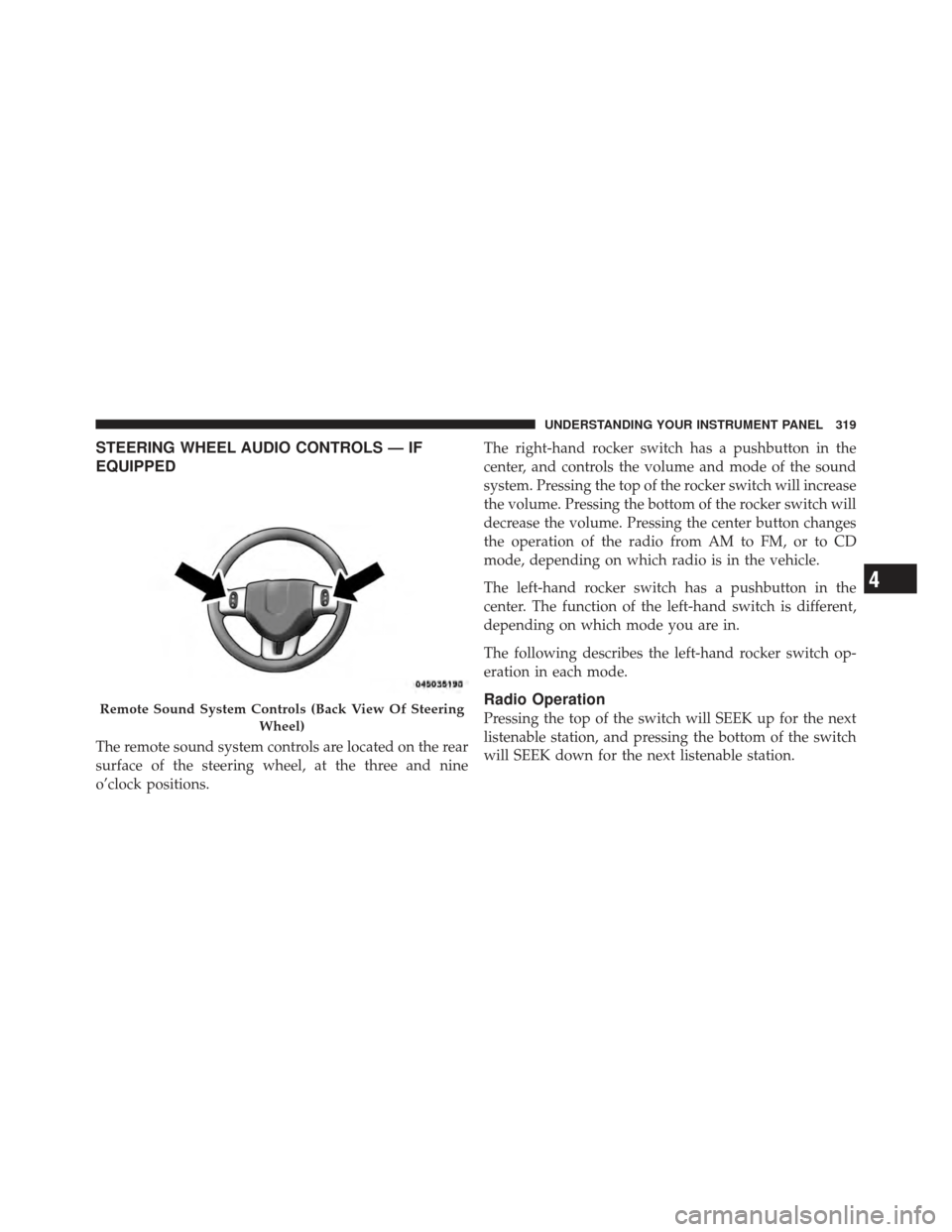
STEERING WHEEL AUDIO CONTROLS — IF
EQUIPPED
The remote sound system controls are located on the rear
surface of the steering wheel, at the three and nine
o’clock positions.The right-hand rocker switch has a pushbutton in the
center, and controls the volume and mode of the sound
system. Pressing the top of the rocker switch will increase
the volume. Pressing the bottom of the rocker switch will
decrease the volume. Pressing the center button changes
the operation of the radio from AM to FM, or to CD
mode, depending on which radio is in the vehicle.
The left-hand rocker switch has a pushbutton in the
center. The function of the left-hand switch is different,
depending on which mode you are in.
The following describes the left-hand rocker switch op-
eration in each mode.
Radio Operation
Pressing the top of the switch will SEEK up for the next
listenable station, and pressing the bottom of the switch
will SEEK down for the next listenable station.Remote Sound System Controls (Back View Of Steering
Wheel)
4
UNDERSTANDING YOUR INSTRUMENT PANEL 319
Page 350 of 562

▫Flowing/Rising Water ................. 363
▫ Shallow Standing Water ............... 364
� Power Steering ....................... 365
▫ Power Steering Fluid Check ............. 366
� Parking Brake ........................ 367
� Anti-Lock Brake System (ABS) ............ 369
▫ Anti-Lock Brake Warning Light .......... 371
� Electronic Brake Control System ........... 371
▫ Traction Control System (TCS) ........... 371
▫ Brake Assist System (BAS) .............. 372
▫ Electronic Stability Control (ESC) ......... 373
� Tire Safety Information ................. 377
▫ Tire Markings ....................... 377 ▫
Tire Identification Number (TIN) ......... 380
▫ Tire Terminology And Definitions ......... 381
▫ Tire Loading And Tire Pressure .......... 382
� Tires — General Information ............. 386
▫ Tire Pressure ....................... 386
▫ Tire Inflation Pressures ................ 387
▫ Tire Pressures For High-Speed Operation . . . 388
▫ Radial-Ply Tires ..................... 389
▫ Spare Tire Matching Original Equipped Tire
And Wheel – If Equipped .............. 389
▫ Compact Spare Tire – If Equipped ........ 390
▫ Full Size Spare – If Equipped ............ 391
▫ Limited-Use Spare – If Equipped ......... 391
348 STARTING AND OPERATING