Page 85 of 452
▫To Set A Desired Speed ................ 144
▫ To Deactivate ....................... 144
▫ To Resume Speed .................... 144
▫ To Vary The Speed Setting .............. 145
▫ To Accelerate For Passing .............. 145
� Overhead Console ..................... 146
▫ Courtesy/Reading Lights .............. 147
� Compass/Temperature Mini-Trip Computer . . . 147
▫ US/M Button ....................... 148
▫ Reset Button ........................ 148
▫ Step Button ........................ 149
▫ Average Fuel Economy (AVG ECO) ....... 149
▫ Distance To Empty (DTE) .............. 149 ▫
Trip Odometer (ODO) ................. 150
▫ Elapsed Time (ET) ................... 150
▫ C/T Button ........................ 150
▫ Global Reset ........................ 151
▫ Compass/Temperature Display .......... 151
▫ Automatic Compass Calibration .......... 152
▫ Manual Compass Calibration ............ 152
▫ To Put Into A Calibration Mode .......... 152
▫ Outside Temperature .................. 153
� Garage Door Opener — If Equipped ........ 153
▫ Programming HomeLink� .............. 155
▫ Gate Operator/Canadian Programming .... 157
▫ Using HomeLink� ................... 158
3
UNDERSTANDING THE FEATURES OF YOUR VEHICLE 83
Page 148 of 452
WARNING!
Electronic Speed Control can be dangerous where the
system cannot maintain a constant speed. Your ve-
hicle could go too fast for the conditions, and you
could lose control and have an accident. Do not use
Electronic Speed Control in heavy traffic or on roads
that are winding, icy, snow-covered or slippery.
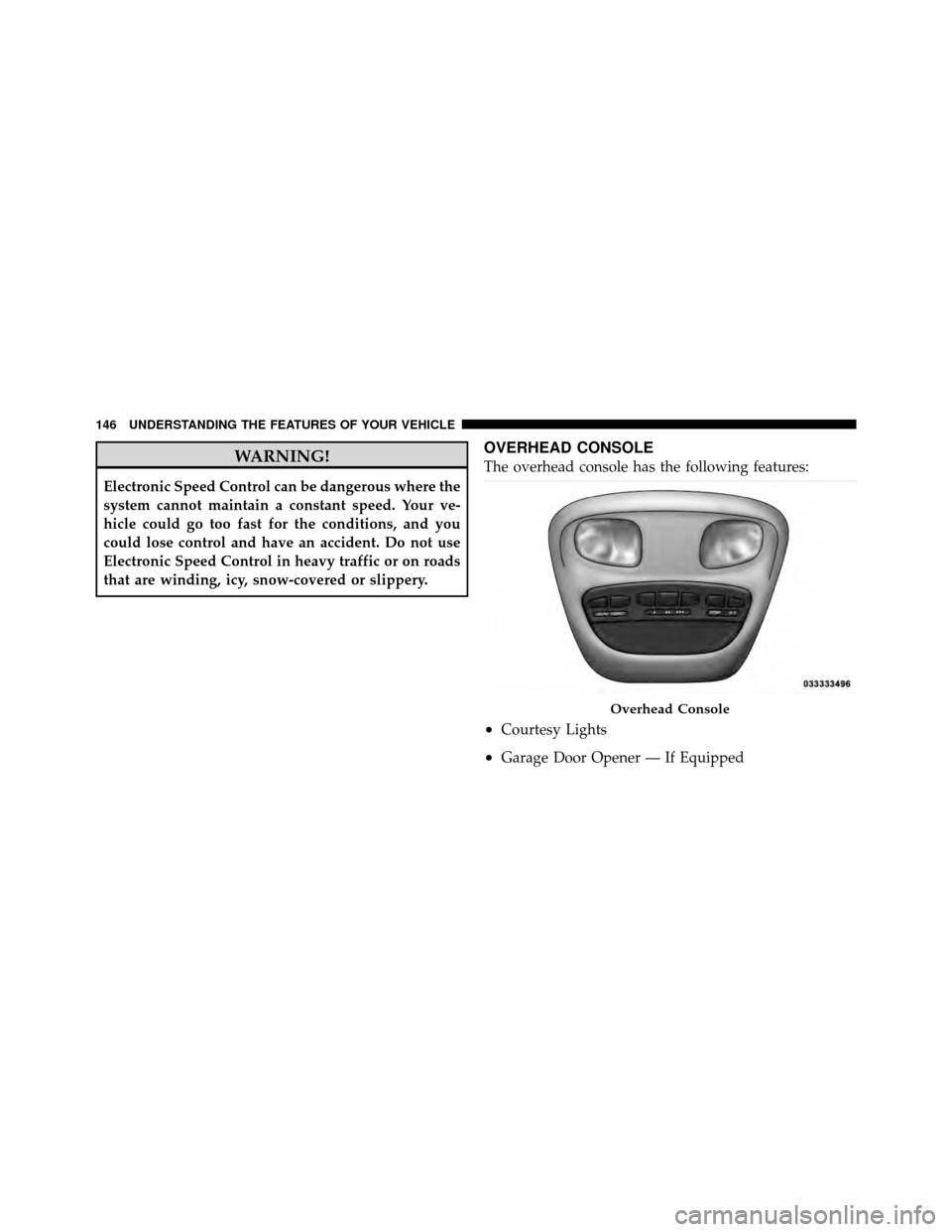
OVERHEAD CONSOLE
The overhead console has the following features:
•Courtesy Lights
•Garage Door Opener — If Equipped
Overhead Console
146 UNDERSTANDING THE FEATURES OF YOUR VEHICLE
Page 155 of 452
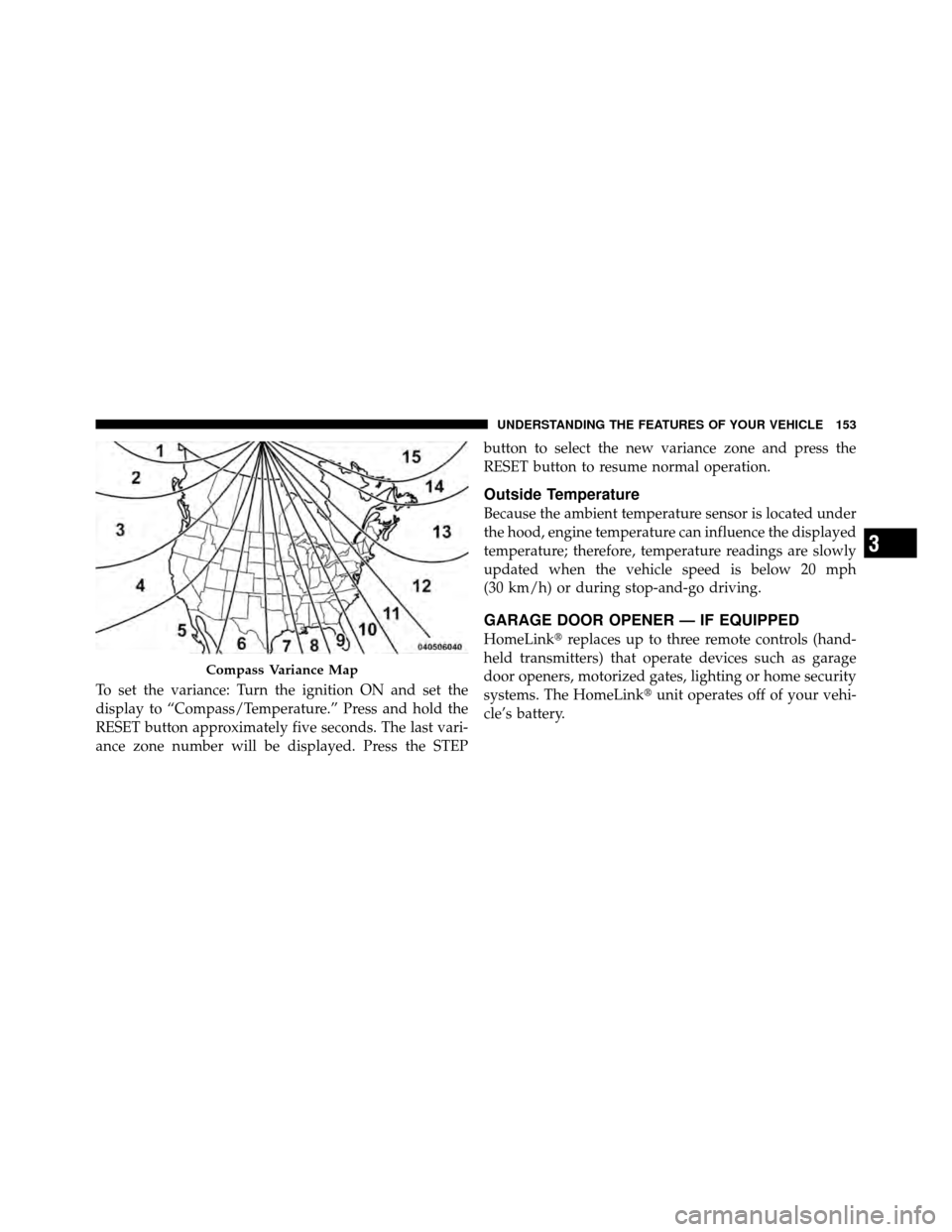
To set the variance: Turn the ignition ON and set the
display to “Compass/Temperature.” Press and hold the
RESET button approximately five seconds. The last vari-
ance zone number will be displayed. Press the STEPbutton to select the new variance zone and press the
RESET button to resume normal operation.
Outside Temperature
Because the ambient temperature sensor is located under
the hood, engine temperature can influence the displayed
temperature; therefore, temperature readings are slowly
updated when the vehicle speed is below 20 mph
(30 km/h) or during stop-and-go driving.
GARAGE DOOR OPENER — IF EQUIPPED
HomeLink�
replaces up to three remote controls (hand-
held transmitters) that operate devices such as garage
door openers, motorized gates, lighting or home security
systems. The HomeLink� unit operates off of your vehi-
cle’s battery.
Compass Variance Map
3
UNDERSTANDING THE FEATURES OF YOUR VEHICLE 153
Page 156 of 452
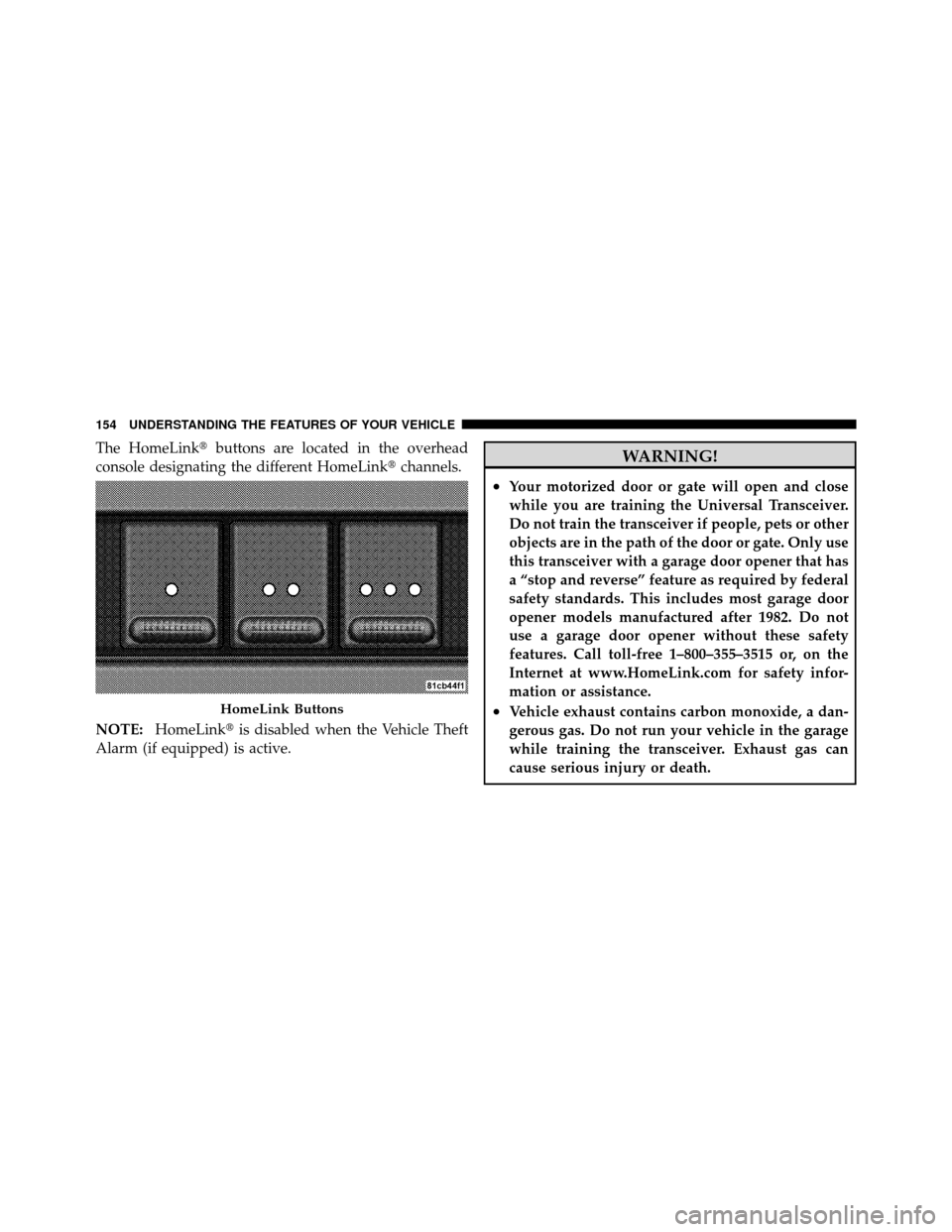
The HomeLink�buttons are located in the overhead
console designating the different HomeLink� channels.
NOTE: HomeLink� is disabled when the Vehicle Theft
Alarm (if equipped) is active.WARNING!
•Your motorized door or gate will open and close
while you are training the Universal Transceiver.
Do not train the transceiver if people, pets or other
objects are in the path of the door or gate. Only use
this transceiver with a garage door opener that has
a “stop and reverse” feature as required by federal
safety standards. This includes most garage door
opener models manufactured after 1982. Do not
use a garage door opener without these safety
features. Call toll-free 1–800–355–3515 or, on the
Internet at www.HomeLink.com for safety infor-
mation or assistance.
•Vehicle exhaust contains carbon monoxide, a dan-
gerous gas. Do not run your vehicle in the garage
while training the transceiver. Exhaust gas can
cause serious injury or death.HomeLink Buttons
154 UNDERSTANDING THE FEATURES OF YOUR VEHICLE
Page 158 of 452
If the signal is too weak to train, replace the battery in the
handheld transmitter.
NOTE:Some gate operators and garage door openers
may require you to replace Step 3 with procedures noted
in the “Gate Operator/Canadian Programming” section.
4. Press and hold the just-trained HomeLink� button. If
the indicator(s) blink rapidly for two seconds and then
remains constant, continue with the next section: “Pro-
gramming A Rolling Code System”.
NOTE: After training a HomeLink� channel, if the
garage door does not operate with HomeLink� and the
garage door opener was manufactured after 1995, the
garage door opener may have rolling code. If so, proceed
to Step 5 “Programming A Rolling Code System.”
5. Programming A Rolling Code System
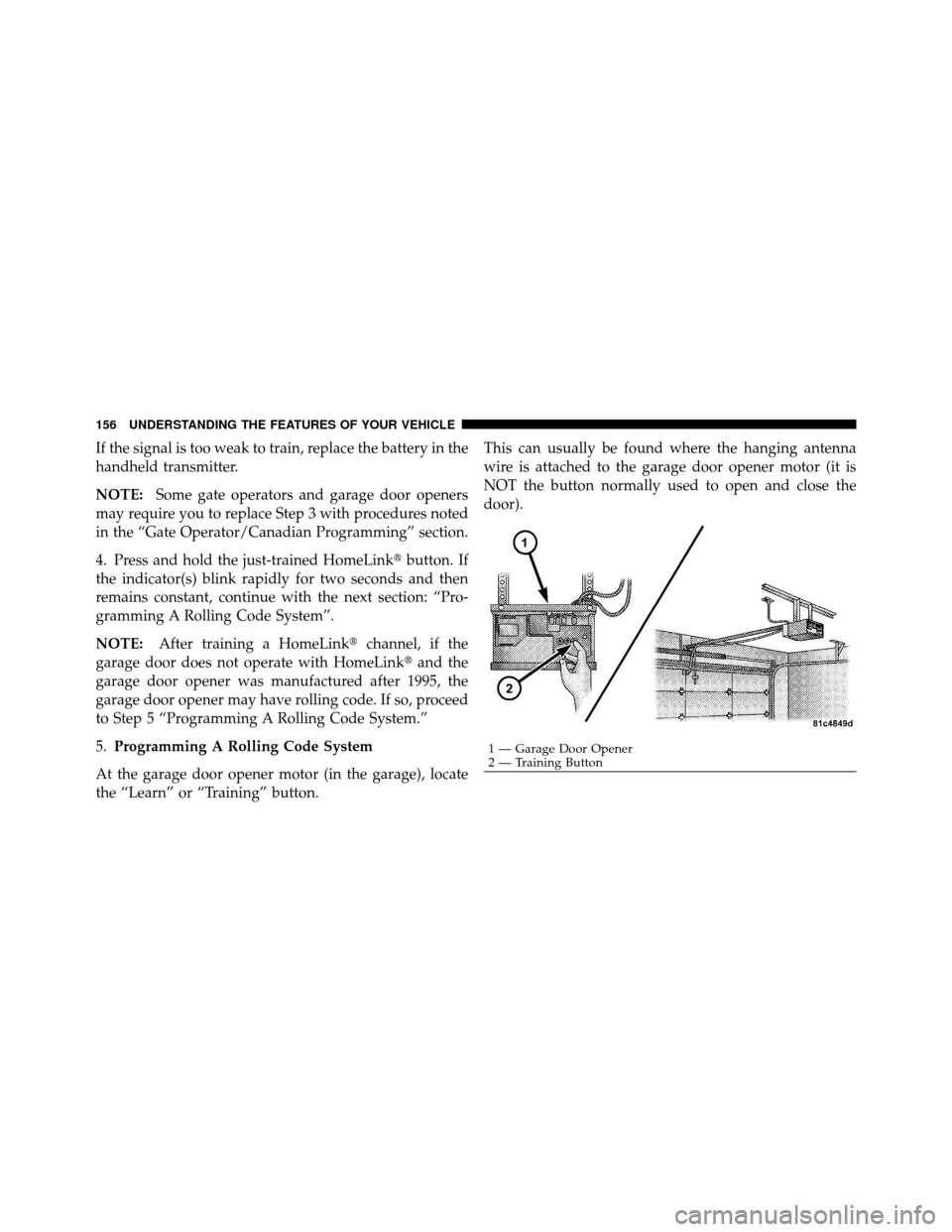
At the garage door opener motor (in the garage), locate
the “Learn” or “Training” button. This can usually be found where the hanging antenna
wire is attached to the garage door opener motor (it is
NOT the button normally used to open and close the
door).
1 — Garage Door Opener
2 — Training Button
156 UNDERSTANDING THE FEATURES OF YOUR VEHICLE
Page 159 of 452
6. Firmly press and release the LEARN or TRAINING
button. The name and color of the button may vary by
manufacturer.
NOTE:You have 30 seconds in which to initiate the next
step after the LEARN button has been pressed.
7. Return to the vehicle and press the programmed
HomeLink� button twice (holding the button for two
seconds each time). If the device is plugged in and
activates, programming is complete.
If the device does not activate, press the button a third
time (for two seconds) to complete the training.
If you are have any problems, or require assistance,
please call toll-free 1–800–355–3515 or, on the Internet at
www.HomeLink.com for information or assistance.
To program the remaining two HomeLink� buttons,
repeat each step for each remaining button. DO NOT
erase the channels.Gate Operator/Canadian Programming
Canadian radio-frequency laws require transmitter sig-
nals to “time-out” (or quit) after several seconds of
transmission – which may not be long enough for
HomeLink� to pick up the signal during programming.
Similar to this Canadian law, some U.S. gate operators are
designed to “time-out” in the same manner.
It may be helpful to unplug the device during the cycling
process to prevent possible overheating of the garage
door or gate motor.
If you are having difficulties programming a garage door
opener or a gate operator, replace “Programming
HomeLink,” Step 3, with the following:
3. Continue to press and hold the HomeLink� button,
while you press and release (“cycle”), your handheld
transmitter every two seconds until HomeLink� has
successfully accepted the frequency signal. The indica-
tor(s) will change from a slow flash to a rapid flash
when trained.
3
UNDERSTANDING THE FEATURES OF YOUR VEHICLE 157
Page 160 of 452
If you unplugged the device for training, plug it back in
at this time.
Then proceed with Step 4 under, “Programming
HomeLink�,” earlier in this section.
Using HomeLink�
To operate, press and release the programmed
HomeLink�button. Activation will now occur for the
trained device (i.e., garage door opener, gate operator,
security system, entry door lock, home/office lighting,
etc.,). The handheld transmitter of the device may also be
used at any time.
Reprogramming A Single HomeLink� Button
To reprogram a channel that has been previously trained,
follow these steps:
1. Turn the ignition switch to the ON/RUN position. 2. Press and hold the desired HomeLink
�button for
20 seconds until the indicator(s) starts to flash. Do not
release the button.
3. Without releasing the button, proceed with Program-
ming HomeLink�, Step #2, and follow all remaining
steps.
Security
It is advised to erase all channels before you sell or turn
in your vehicle.
To do this, press and hold the two outside buttons for
20 seconds until the indicators begin to flash. Note that
all channels will be erased. Individual channels cannot be
erased.
The HomeLink� Universal Transceiver is disabled when
the Vehicle Theft Alarm is active.
158 UNDERSTANDING THE FEATURES OF YOUR VEHICLE
Page 161 of 452
Troubleshooting Tips
If you are having trouble programming HomeLink�, here
are some of the most common solutions:
•Replace the battery in the original transmitter.
•Press the LEARN button on the garage door opener to
complete the training for Rolling Code.
•Did you unplug the device for training and remember
to plug it back in?
If you have any problems, or require assistance, please
call toll-free 1–800–355–3515 or, on the Internet at
www.HomeLink.com, for information or assistance.
General Information
This device complies with FCC rules part 15 and Industry
Canada RSS-210. Operation is subject to the following
two conditions:
1. This device may not cause harmful interference. 2. This device must accept any interference that may be
received including interference that may cause undesired
operation.
NOTE:
The transmitter has been tested and it complies
with FCC and IC rules. Changes or modifications not
expressly approved by the party responsible for compli-
ance could void the user ’s authority to operate the
device.
The term “IC” before the certification/registration num-
ber only signifies that Industry Canada technical specifi-
cations were met.
3
UNDERSTANDING THE FEATURES OF YOUR VEHICLE 159