Page 37 of 566
WARNING!
Avoid trapping anyone in a vehicle in a collision.
Remember that the rear doors can only be opened
from the outside when the Child-Protection locks are
engaged.
NOTE: For emergency exit with the system engaged,
move the lock knob up (unlocked position), roll down the
window and open the door with the outside door handle.
KEYLESS ENTER-N-GO
The Passive Entry system is an enhancement to the
vehicle’s Remote Keyless Entry (RKE) system and a
feature of Keyless Enter-N-Go. This feature allows you to
lock and unlock the vehicle’s door(s) without having to
press the RKE transmitter lock or unlock buttons. NOTE:
•Passive Entry may be programmed ON/OFF; refer to
“Uconnect Touch™ Settings” in “Understanding Your
Instrument Panel” for further information.
•If wearing gloves on your hands, or if it has been
raining on the Passive Entry door handle, the unlock
sensitivity can be affected, resulting in a slower re-
sponse time.
•If the vehicle is unlocked by the RKE transmitter or
Passive Entry and no door goes ajar within 60 seconds,
the vehicle will re-lock and if equipped will arm the
theft alarm.
2
THINGS TO KNOW BEFORE STARTING YOUR VEHICLE 35
Page 45 of 566
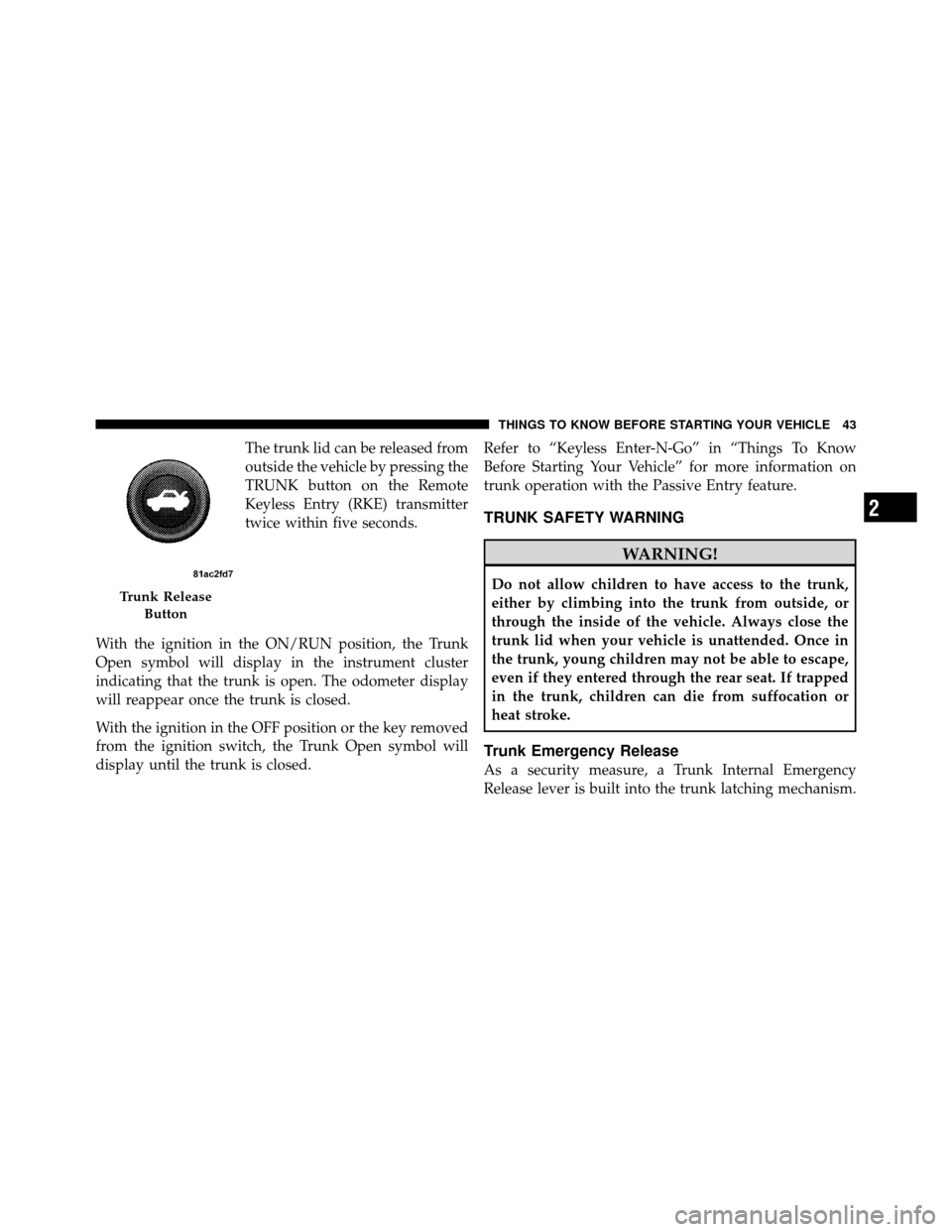
The trunk lid can be released from
outside the vehicle by pressing the
TRUNK button on the Remote
Keyless Entry (RKE) transmitter
twice within five seconds.
With the ignition in the ON/RUN position, the Trunk
Open symbol will display in the instrument cluster
indicating that the trunk is open. The odometer display
will reappear once the trunk is closed.
With the ignition in the OFF position or the key removed
from the ignition switch, the Trunk Open symbol will
display until the trunk is closed. Refer to “Keyless Enter-N-Go” in “Things To Know
Before Starting Your Vehicle” for more information on
trunk operation with the Passive Entry feature.
TRUNK SAFETY WARNING
WARNING!
Do not allow children to have access to the trunk,
either by climbing into the trunk from outside, or
through the inside of the vehicle. Always close the
trunk lid when your vehicle is unattended. Once in
the trunk, young children may not be able to escape,
even if they entered through the rear seat. If trapped
in the trunk, children can die from suffocation or
heat stroke.
Trunk Emergency Release
As a security measure, a Trunk Internal Emergency
Release lever is built into the trunk latching mechanism.
Trunk Release
Button
2
THINGS TO KNOW BEFORE STARTING YOUR VEHICLE 43
Page 177 of 566
Front Heated Seat Operations — Vehicles
Equipped With Uconnect Touch™ 8.4 and 8.4 Nav:
Press the “Controls” soft-key located on the Uconnect
Touch™ display.Press the “Driver” or “Passenger” seat soft-key
once to select HI-level heating. Press the soft-
key a second time to select LO-level heating.
Press the soft-key a third time to shut the
heating elements OFF.
NOTE: Once a heat setting is selected, heat will be felt
within two to five minutes.
When the HI-level setting is selected, the heater will
provide a boosted heat level during the first four minutes
of operation. Then, the heat output will drop to the
normal HI-level. If the HI-level setting is selected, the system will automatically switch to LO-level after a
maximum of 60 minutes of continuous operation. At that
time, the display will change from HI to LO, indicating
the change. The LO-level setting will turn OFF automati-
cally after a maximum of 45 minutes.
Vehicle Equipped With Remote Start
On models that are equipped with remote start, the
driver ’s heated seat can be programmed to come on
during a remote start. Refer to “Remote Starting System
— If Equipped” in “Things To Know Before Starting Your
Vehicle” for further information.
Rear Heated Seats
On some models, the two outboard seats are equipped
with heated seats. The heated seat switches for these
seats are located on the rear of the center console.
3
UNDERSTANDING THE FEATURES OF YOUR VEHICLE 175
Page 207 of 566
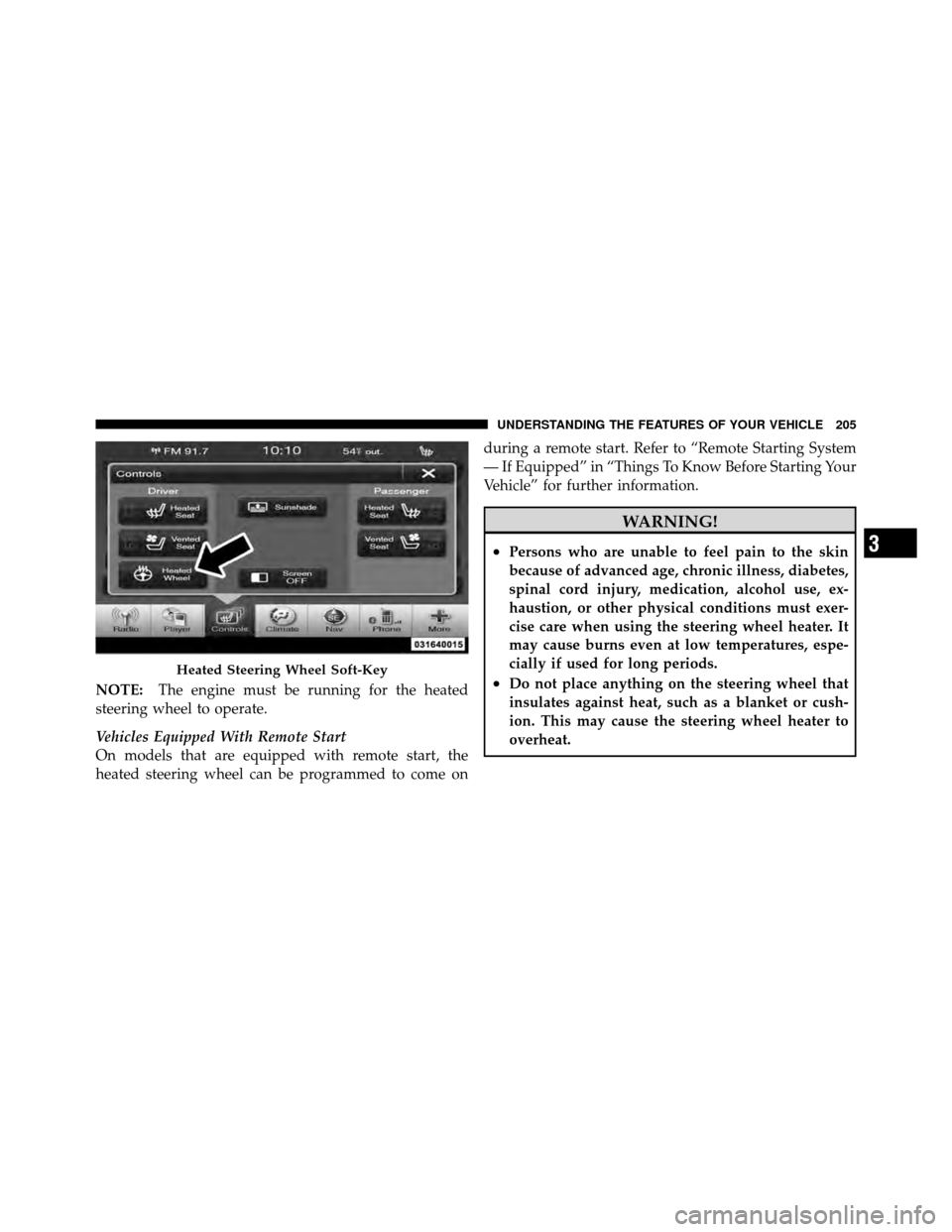
NOTE:The engine must be running for the heated
steering wheel to operate.
Vehicles Equipped With Remote Start
On models that are equipped with remote start, the
heated steering wheel can be programmed to come on during a remote start. Refer to “Remote Starting System
— If Equipped” in “Things To Know Before Starting Your
Vehicle” for further information.
WARNING!
•Persons who are unable to feel pain to the skin
because of advanced age, chronic illness, diabetes,
spinal cord injury, medication, alcohol use, ex-
haustion, or other physical conditions must exer-
cise care when using the steering wheel heater. It
may cause burns even at low temperatures, espe-
cially if used for long periods.
•Do not place anything on the steering wheel that
insulates against heat, such as a blanket or cush-
ion. This may cause the steering wheel heater to
overheat.Heated Steering Wheel Soft-Key
3
UNDERSTANDING THE FEATURES OF YOUR VEHICLE 205
Page 290 of 566
of this message type are�Turn Signal On�(if a turn signal
is left on) and �Lights On�(if driver leaves the vehicle).
•Unstored Messages Until RUN
These messages deal primarily with the Remote Start
feature. This message type is displayed until the ignition
is in the RUN state. Examples of this message type are
�Remote Start Aborted - Door Ajar� and�Press Brake
Pedal and Push Button to Start�.
•Five Second Unstored Messages
When the appropriate conditions occur, this type of
message takes control of the main display area for five
seconds and then returns to the previous screen. Ex-
amples of this message type are �Memory System Un-
available - Not in Park� and�Automatic High Beams On�.
The Reconfigurable Telltales section is divided into the
white telltales area on the right, amber telltales in the
middle, and red telltales on the left.
EVIC White Telltale Lights
This area will show reconfigurable white caution tell-
tales. These telltales include:
•Shift Lever Status
The shift lever status “P,R,N,D,L,6,5,4,3,2,1” are dis-
played indicating the shift lever position. Telltales
“6,5,4,3,2,1” indicate the Electronic Range Select (ERS)
feature has been engaged and the gear selected is dis-
played. For further information on ERS, refer to “Starting
And Operating”
•Electronic Speed Control ON This light will turn on when the electronic
speed control is ON. For further information,
refer to “Electronic Speed Control” in “Under-
standing The Features Of Your Vehicle.”
288 UNDERSTANDING YOUR INSTRUMENT PANEL
Page 308 of 566
unlocked with the Remote Keyless Entry (RKE) transmit-
ter. To make your selection, touch the Flash Lights With
Lock soft-key and select ON or OFF. Then touch the
arrow back soft-key.
•Sound Horn With Remote Start
Touch the Sound Horn With Remote Start soft-key to
change this display. When this feature is selected, the
horn will sound when the remote start is activated. To
make your selection, touch the Sound Horn With Remote
Start soft-key and select ON or OFF. Then touch the
arrow back soft-key.
•Sound Horn With Lock
Touch the Sounds Horn With Lock soft-key to change this
display. When this feature is selected, the horn will chirp
when the doors are locked or unlocked with the Remote
Keyless Entry (RKE) transmitter. To make your selection,
touch the Sound Horn With Lock soft-key and select ON
or OFF. Then touch the arrow back soft-key.
•Remote Door Unlock Order
Touch the Remote Door Unlock Order soft-key to change
this display. When Unlock Driver Door Only On 1st Press
is selected, only the driver’s door will unlock on the first
press of the Remote Keyless Entry (RKE) transmitter
UNLOCK button. When Unlock Driver Door Only On 1st
Press is selected, you must press the RKE transmitter
UNLOCK button twice to unlock the passenger’s doors.
When Unlock All Doors On 1st Press is selected, all of the
doors will unlock on the first press of the RKE transmitter
UNLOCK button.
NOTE: If the vehicle is equipped with Keyless Enter-
N-Go (Passive Entry) and the EVIC is programmed to
Unlock All Doors On 1st Press, all doors will unlock no
matter which Passive Entry equipped door handle is
grasped. If Unlock Driver Door Only On 1st Press is
programmed, only the driver ’s door will unlock when
the driver ’s door is grasped. With Passive Entry, if
Unlock Driver Door Only On 1st Press is programmed,
306 UNDERSTANDING YOUR INSTRUMENT PANEL
Page 309 of 566
touching the handle more than once will only result in
the driver ’s door opening. If Unlock Driver Door Only
On 1st Press is selected, once the driver door is opened,
the interior door lock/unlock switch can be used to
unlock all the doors (or use the RKE transmitter).
•Memory Linked to FOB
Touch the Memory Linked to FOB soft-key to change this
display. This feature provides automatic driver seat po-
sitioning to enhance driver mobility when entering and
exiting the vehicle, driver 1 and driver 2 last mode,
settings and presets. To make your selection, touch the
Memory Linked to FOB soft-key and select ON or OFF.
Then touch the arrow back soft-key.
NOTE: The seat will return to the memorized seat
location (if Recall Memory with Remote Key Unlock is set
to ON) when the RKE transmitter is used to unlock the
door. Refer to “Driver Memory Seat” in “Understanding
The Features Of Your Vehicle” for further information.
•Passive Entry (Keyless Enter-N-Go)
Touch the Passive Entry soft-key to change this display.
This feature allows you to lock and unlock the vehicle’s
door(s) without having to press the RKE transmitter lock
or unlock buttons. To make your selection, touch the
Passive Entry soft-key and select ON or OFF. Then touch
the arrow back soft-key. Refer to “Keyless Enter-N-Go” in
“Things To Know Before Starting Your Vehicle”.
Heated Seats
•
Auto Heated Seats
Touch the Auto Heated Seats soft-key to change this
display. When this feature is selected, the driver’s heated
seat will automatically turn on when temperatures are
below 40° F (4.4° C). To make your selection, touch the
Auto Heated Seats soft-key and select ON or OFF. Then
touch the arrow back soft-key.
4
UNDERSTANDING YOUR INSTRUMENT PANEL 307
Page 314 of 566
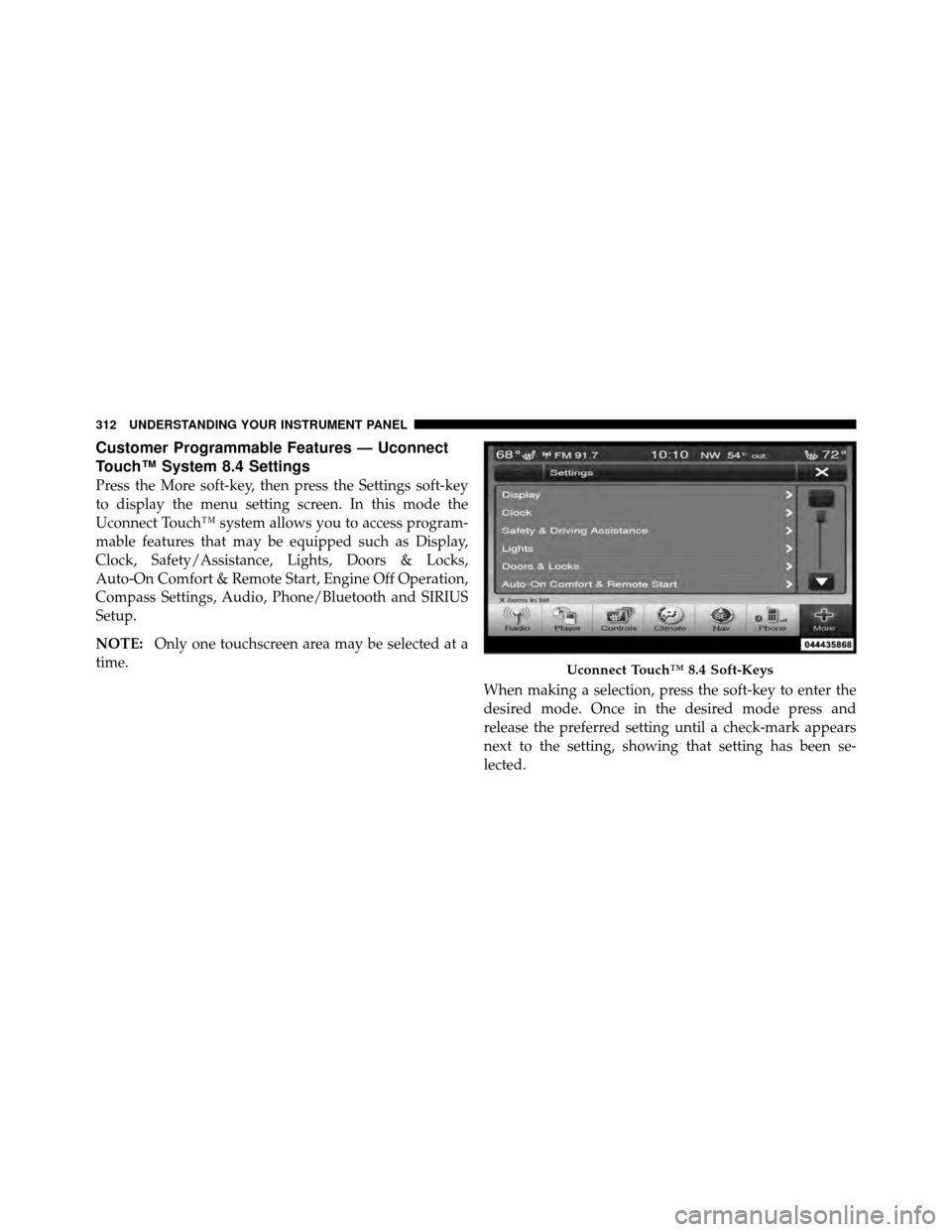
Customer Programmable Features — Uconnect
Touch™ System 8.4 Settings
Press the More soft-key, then press the Settings soft-key
to display the menu setting screen. In this mode the
Uconnect Touch™ system allows you to access program-
mable features that may be equipped such as Display,
Clock, Safety/Assistance, Lights, Doors & Locks,
Auto-On Comfort & Remote Start, Engine Off Operation,
Compass Settings, Audio, Phone/Bluetooth and SIRIUS
Setup.
NOTE:Only one touchscreen area may be selected at a
time.
When making a selection, press the soft-key to enter the
desired mode. Once in the desired mode press and
release the preferred setting until a check-mark appears
next to the setting, showing that setting has been se-
lected.
Uconnect Touch™ 8.4 Soft-Keys
312 UNDERSTANDING YOUR INSTRUMENT PANEL