Page 90 of 566
WARNING! (Continued)
•Always make sure that objects cannot fall into the
driver footwell while the vehicle is moving. Ob-
jects can become trapped under the brake pedal
and accelerator pedal causing a loss of vehicle
control.
•If required, mounting posts must be properly
installed, if not equipped from the factory.
Failure to properly follow floor mat installation or
mounting can cause interference with the brake
pedal and accelerator pedal operation causing loss
of control of the vehicle.
Periodic Safety Checks You Should Make Outside
The Vehicle
Tires
Examine tires for excessive tread wear and uneven wear
patterns. Check for stones, nails, glass, or other objectslodged in the tread or sidewall. Inspect the tread for cuts
and cracks. Inspect sidewalls for cuts, cracks and bulges.
Check the wheel nuts for tightness. Check the tires
(including spare) for proper cold inflation pressure.
Lights
Have someone observe the operation of exterior lights
while you work the controls. Check turn signal and high
beam indicator lights on the instrument panel.
Door Latches
Check for positive closing, latching, and locking.
Fluid Leaks
Check area under vehicle after overnight parking for fuel,
engine coolant, oil, or other fluid leaks. Also, if gasoline
fumes are detected or if fuel, power steering fluid, or
brake fluid leaks are suspected, the cause should be
located and corrected immediately.
88 THINGS TO KNOW BEFORE STARTING YOUR VEHICLE
Page 99 of 566
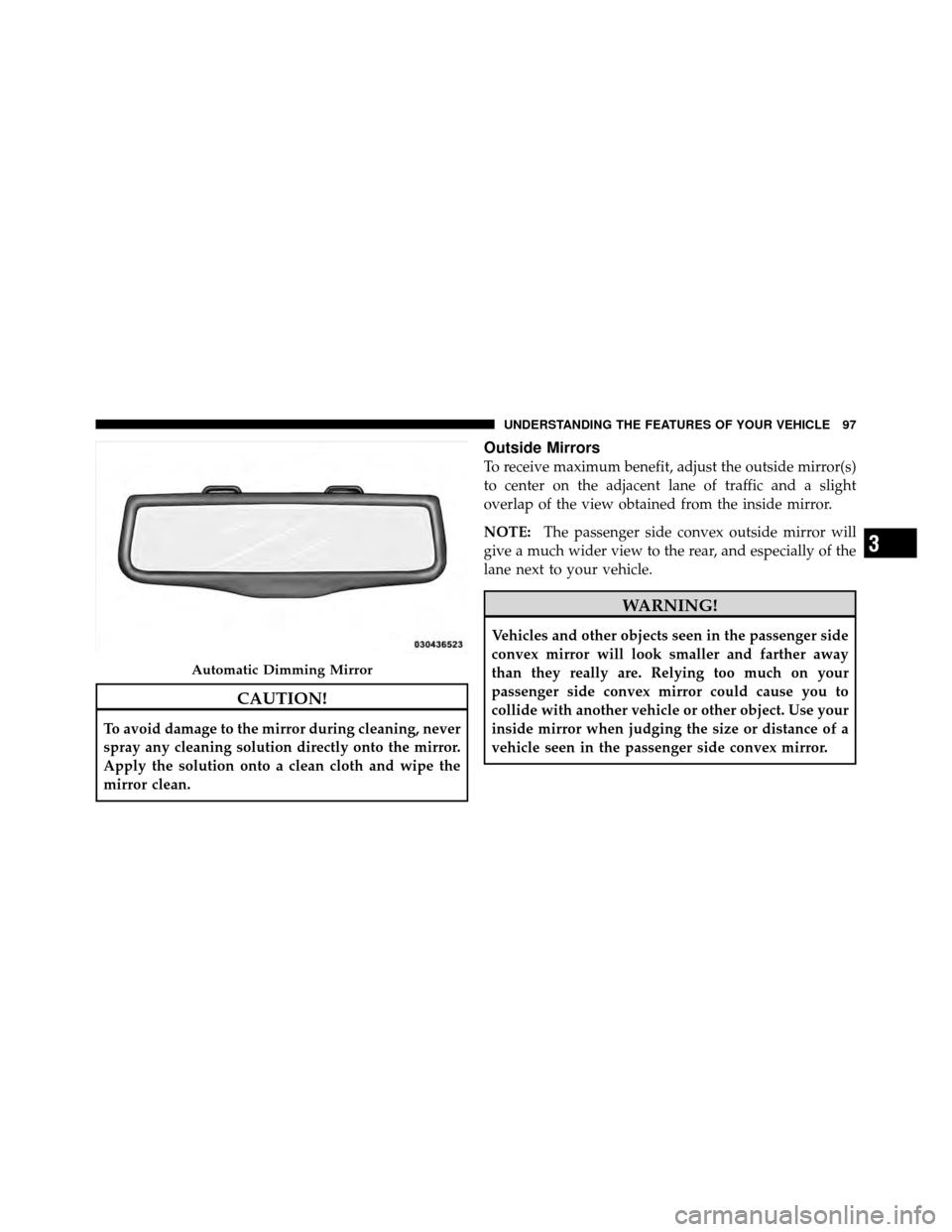
CAUTION!
To avoid damage to the mirror during cleaning, never
spray any cleaning solution directly onto the mirror.
Apply the solution onto a clean cloth and wipe the
mirror clean.
Outside Mirrors
To receive maximum benefit, adjust the outside mirror(s)
to center on the adjacent lane of traffic and a slight
overlap of the view obtained from the inside mirror.
NOTE:The passenger side convex outside mirror will
give a much wider view to the rear, and especially of the
lane next to your vehicle.
WARNING!
Vehicles and other objects seen in the passenger side
convex mirror will look smaller and farther away
than they really are. Relying too much on your
passenger side convex mirror could cause you to
collide with another vehicle or other object. Use your
inside mirror when judging the size or distance of a
vehicle seen in the passenger side convex mirror.
Automatic Dimming Mirror
3
UNDERSTANDING THE FEATURES OF YOUR VEHICLE 97
Page 103 of 566
desired position. To use the extender feature of the sun
visor, grab the extender which is located at the rear of the
visor and pull rearward.
BLIND SPOT MONITORING — IF EQUIPPED
The Blind Spot Monitoring (BSM) system uses two radar-
based sensors, located inside the rear bumper fascia, todetect highway licensable vehicles (automobiles, trucks,
motorcycles, etc.) that enter the blind spot zones from the
rear/front/side of the vehicle.
When the vehicle is started, the BSM warning light will
momentarily illuminate in both outside rear view mirrors
to let the driver know that the system is operational. The
Slide-On-Rod FeatureRear Detection Zones
3
UNDERSTANDING THE FEATURES OF YOUR VEHICLE 101
Page 104 of 566

BSM system sensors operate when the vehicle is in any
forward gear or REVERSE and enters stand by mode
when the vehicle is in PARK.
The BSM detection zone covers approximately one lane
on both sides of the vehicle (11 ft or 3.35 m). The zonestarts at the outside rear view mirror and extends ap-
proximately 20 ft (6 m) to the rear of the vehicle. The BSM
system monitors the detection zones on both sides of the
vehicle when the vehicle speed reaches approximately
6 mph (10 km/h) or higher and will alert the driver of
vehicles in these areas.
NOTE:
•The BSM system does NOT alert the driver about
rapidly approaching vehicles that are outside the
detection zones.
•The BSM system detection zone DOES NOT change if
your vehicle is towing a trailer. Therefore, visually
verify the adjacent lane is clear for both your vehicle
and trailer before making a lane change. If the trailer
or other object (i.e., bicycle, sports equipment) extends
beyond the side of your vehicle, this may result in the
BSM warning light remaining illuminated the entire
time the vehicle is in a forward gear.
BSM Warning Light
102 UNDERSTANDING THE FEATURES OF YOUR VEHICLE
Page 105 of 566
The area on the rear fascia where the radar sensors are
located must remain free of snow, ice, and dirt/road
contamination so that the BSM system can function
properly. Do not block the area of the rear fascia where
the radar sensors are located with foreign objects (bum-
per stickers, bicycle racks, etc.).
The BSM system notifies the driver of objects in the
detection zones by illuminating the BSM warning light
located in the outside mirrors in addition to sounding an
audible (chime) alert and reducing the radio volume.
Refer to “Modes Of Operation” for further information.
The BSM system monitors the detection zone from three
different entry points (side, rear, front) while driving to
see if an alert is necessary. The BSM system will issue an
alert during these types of zone entries.Entering From The Side
Vehicles that move into your adjacent lanes from either
side of the vehicle.
Side Monitoring
3
UNDERSTANDING THE FEATURES OF YOUR VEHICLE 103
Page 106 of 566
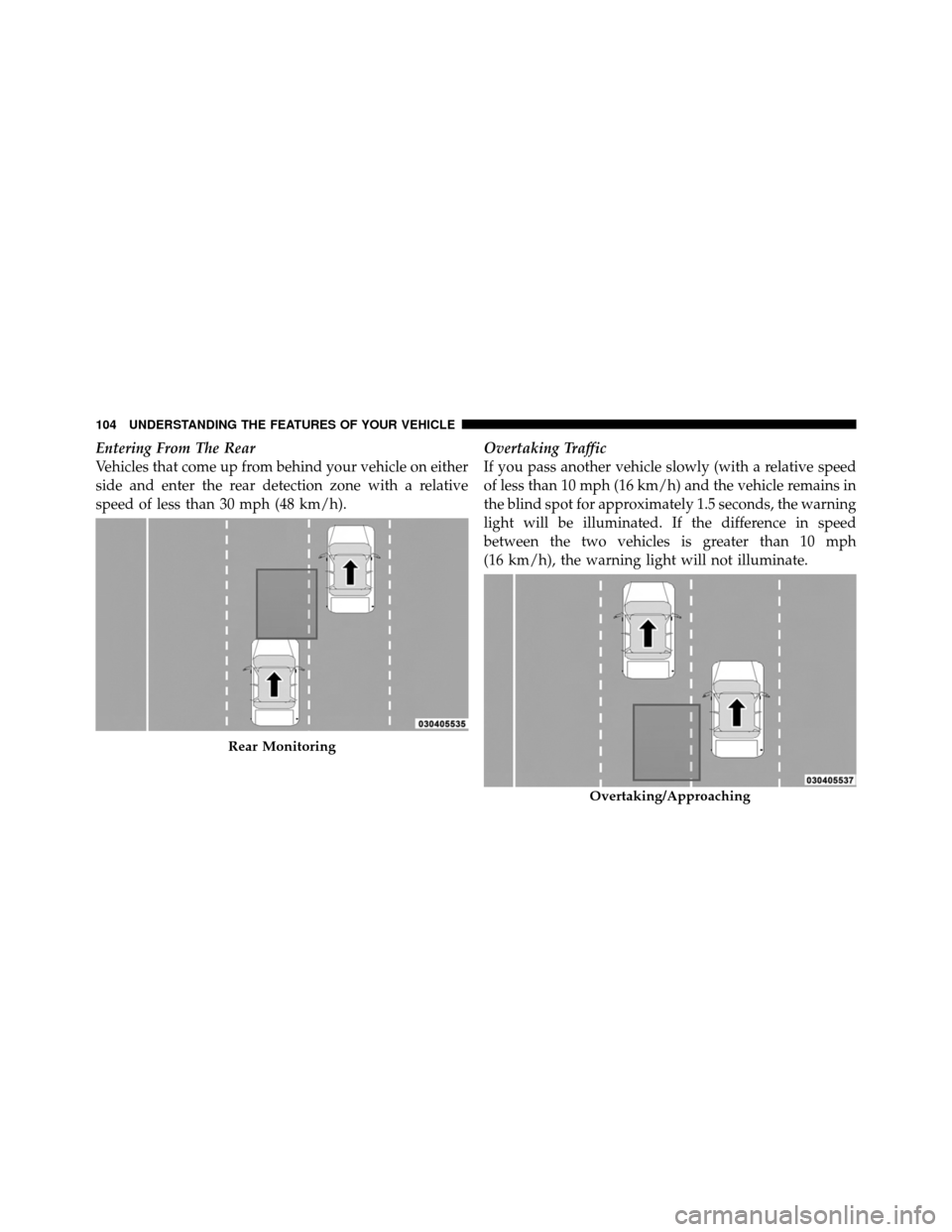
Entering From The Rear
Vehicles that come up from behind your vehicle on either
side and enter the rear detection zone with a relative
speed of less than 30 mph (48 km/h).Overtaking Traffic
If you pass another vehicle slowly (with a relative speed
of less than 10 mph (16 km/h) and the vehicle remains in
the blind spot for approximately 1.5 seconds, the warning
light will be illuminated. If the difference in speed
between the two vehicles is greater than 10 mph
(16 km/h), the warning light will not illuminate.
Rear Monitoring
Overtaking/Approaching
104 UNDERSTANDING THE FEATURES OF YOUR VEHICLE
Page 125 of 566
If the phone is not reachable and the Uconnect™ Phone is
operational, you may reach the emergency number as
follows:
•Press thebutton to begin,
•After the “Listening” prompt and the following beep,
say “Emergency” and the Uconnect™ Phone will
instruct the paired mobile phone to call the emergency
number. This feature is supported in the U.S., Canada,
and Mexico.
NOTE:
•The emergency number dialed is based on the country
where the vehicle is purchased (911 for the U.S. and
Canada and 060 for Mexico). The number dialed may
not be applicable with the available mobile service and
area.
•The Uconnect™ Phone does slightly lower your
chances of successfully making a phone call as to that
for the mobile phone directly.
WARNING!
Your phone must be turned on and connected to the
Uconnect™ Phone to allow use of this vehicle feature
in emergency situations, when the mobile phone has
network coverage and stays connected to the
Uconnect™ Phone.
Towing Assistance
If you need towing assistance:
•Press thebutton to begin,
•After the “Listening” prompt and the following beep,
say “Towing Assistance”.
3
UNDERSTANDING THE FEATURES OF YOUR VEHICLE 123
Page 153 of 566
•The Uconnect™ Phone does slightly lower your
chances of successfully making a phone call as to that
for the mobile phone directly.
WARNING!
Your phone must be turned on and connected to the
Uconnect™ Phone to allow use of this vehicle feature
in emergency situations, when the mobile phone has
network coverage and stays connected to the
Uconnect™ Phone.
Towing Assistance
If you need towing assistance:
•Press thebutton to begin.
•After the “Listening” prompt and the following beep,
say “Towing Assistance”.NOTE:
•The towing assistance call may also be initiated by
touch.
•The towing assistance number dialed is based on the
country where the vehicle is purchased (1-800-528-
2069 for the U.S., 1-877-213-4525 for Canada, 55-14-
3454 for Mexico City and 1-800-712-3040 for outside
Mexico City in Mexico). Please refer to the Chrysler
Group LLC 24-Hour “Towing Assistance” coverage
details in the Warranty Information Booklet and on the
24–Hour Towing Assistance Card.
Voice Mail Calling
To learn how to access your voice mail, refer to “Working
with Automated Systems”.
Working With Automated Systems
This method is used in instances where one generally has
to press numbers on the mobile phone keypad while
navigating through an automated telephone system.
3
UNDERSTANDING THE FEATURES OF YOUR VEHICLE 151