Page 235 of 490

CAUTION!
•Leaving the iPod�or external USB device (or any
supported device) anywhere in the vehicle in
extreme heat or cold can alter the operation or
damage the device. Follow the device manufactur-
er ’s guidelines.
•Placing items on the iPod� or external USB device,
or connections to the iPod� or external USB device
in the vehicle, can cause damage to the device
and/or to the connectors.
WARNING!
Do not plug in or remove the iPod� or external USB
device while driving. Failure to follow this warning
could result in an accident.
Bluetooth Streaming Audio (BTSA)
Music can be streamed from your cellular phone to the
Uconnect™ phone system.
Controlling BTSA Using Radio Buttons
To get into the BTSA mode, press either “AUX” button on
the radio or press the VR button and say “Bluetooth
Streaming Audio”.
Play Mode
When switched to BTSA mode, some audio devices can
start playing music over the vehicle’s audio system, but
some devices require the music to be initiated on the
device first, then it will get streamed to the Uconnect™
phone system. Seven devices can be paired to the
Uconnect™ phone system, but just one can be selected
and played.
Selecting Different Audio Device
1. Press PHONE button to begin.
4
UNDERSTANDING YOUR INSTRUMENT PANEL 233
Page 237 of 490
Your vehicle is equipped with a state of the art audio
amplifier that provides 5.1-channel simulated surround
sound from any stereo audio source. A new feature of the
KICKER�audio system offers the ability to choose sur-
round sound for any audio source.
“Audio Surround” is optimized for front seat passengers
for any audio source. This surround effect is available for
audio from any source – AM/FM/CD/ Satellite Radio or
AUX – and is activated through the Electronic Vehicle
Information Center (EVIC). Refer to “Driver-Selectable
Surround Sound (DSS)” under “Electronic Vehicle Infor-
mation Center (EVIC)” in “Understanding Your Instru-
ment Panel”. DSS modes for audio sources are “Stereo” and “Audio
Surround,” which is surround sound equalized for the
front seat occupants. Please note that DSS effects are
dependent on the mix of the original recording. Some
audio will sound better in DSS modes, others in Stereo
mode.
NOTE:
Depending on the audio source, the output may
sound better in stereo or DDS surround mode.
When in “Audio Surround” mode, balance is set auto-
matically. Fader control is available in surround mode
but should be set to the center position for optimal
surround performance.
4
UNDERSTANDING YOUR INSTRUMENT PANEL 235
Page 238 of 490
STEERING WHEEL AUDIO CONTROLS —
IF EQUIPPED
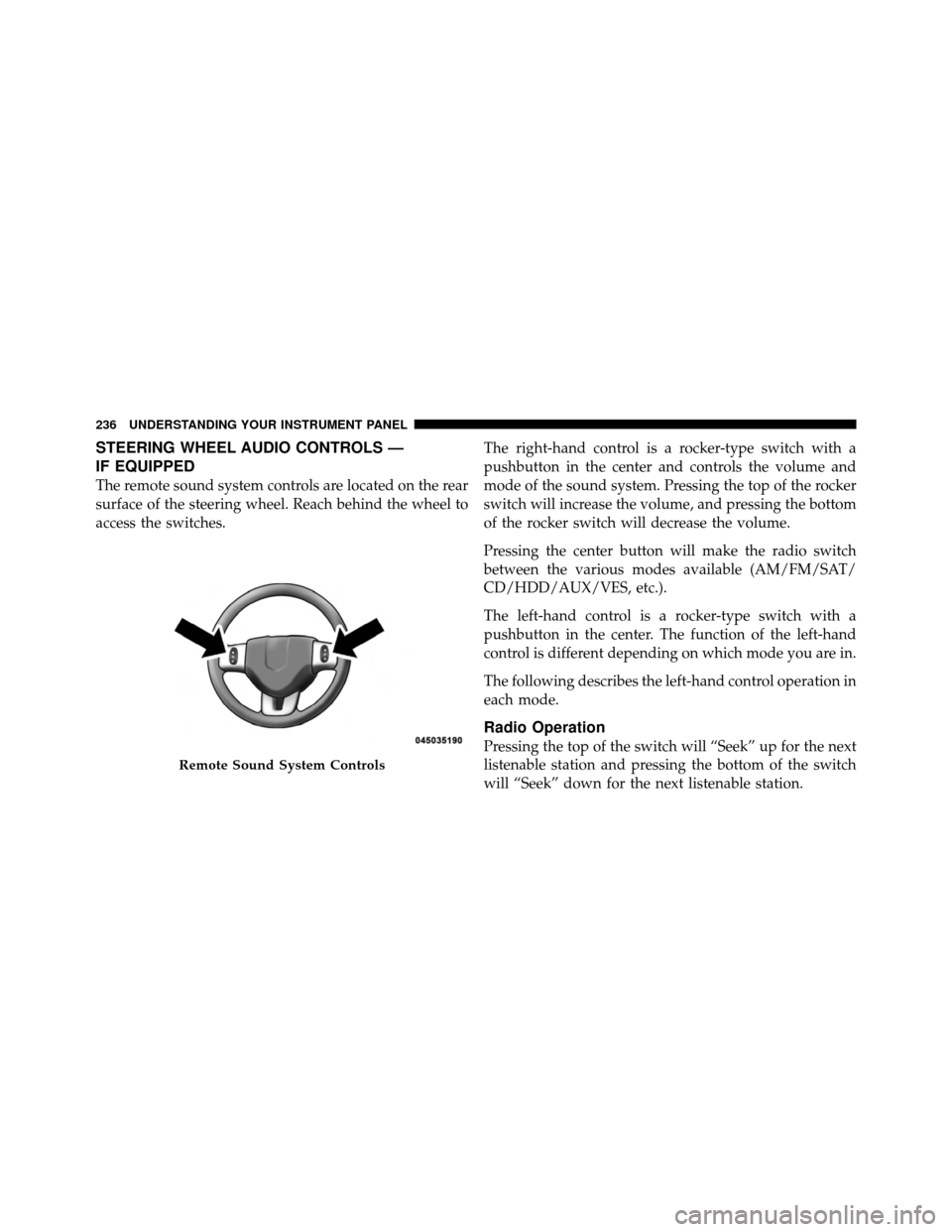
The remote sound system controls are located on the rear
surface of the steering wheel. Reach behind the wheel to
access the switches.The right-hand control is a rocker-type switch with a
pushbutton in the center and controls the volume and
mode of the sound system. Pressing the top of the rocker
switch will increase the volume, and pressing the bottom
of the rocker switch will decrease the volume.
Pressing the center button will make the radio switch
between the various modes available (AM/FM/SAT/
CD/HDD/AUX/VES, etc.).
The left-hand control is a rocker-type switch with a
pushbutton in the center. The function of the left-hand
control is different depending on which mode you are in.
The following describes the left-hand control operation in
each mode.
Radio Operation
Pressing the top of the switch will “Seek” up for the next
listenable station and pressing the bottom of the switch
will “Seek” down for the next listenable station.
Remote Sound System Controls
236 UNDERSTANDING YOUR INSTRUMENT PANEL
Page 481 of 490
Overheating, Engine................... 178,349
Owner’s Manual (Operator Manual) .........4,461
Paint Care ............................. 412
Panic Alarm ............................ 25
Parking Brake .......................... 278
Passing Light ........................... 144
Personal Settings ........................ 199
Pets .................................. 79
Phone, Cellular .......................... 94
Phone, Hands-Free (Uconnect™) .............. 94
Placard, Tire and Loading Information ......... 296
Power Brakes ............................ 281
Deck Lid Release ..................... 40
Distribution Center (Fuses) .............. 421
Door Locks ......................... 31
Mirrors ............................ 91
Outlet (Auxiliary Electrical Outlet) ........ 162Seats
............................. 128
Steering ........................... 277
Sunroof ........................... 159
Windows ........................... 38
Power Steering Fluid ..................... 435
Pregnant Women and Seat Belts .............. 55
Preparation for Jacking .................... 363
Pretensioners Seat Belts ........................... 53
Programmable Electronic Features ............ 199
Programming Transmitters
(Remote Keyless Entry) .................... 21
Radial Ply Tires ......................... 303
Radiator Cap (Coolant Pressure Cap) .......... 405
Radio Operation ........................ 238
Radio Remote Controls .................... 236
Rear Cupholder ......................... 167
Rear Seat, Folding ....................... 136
10
INDEX 479