Page 319 of 562
Previous Track
Use the SEEK DOWN button, or press the VR button on
the radio and say “Previous Track” to jump to the
previous track music on your cellular phone.
Browse
Browsing is not available on a BTSA device. Only the
current song that is playing will display info.
VIDEO ENTERTAINMENT SYSTEM (VES)™ — IF
EQUIPPED
The optional Video Entertainment System (VES)™ is
available with:
•One or two video screens
•Third row swivel screen — If Equipped
•Additional single-disc DVD player with two-screen
system
•Battery-powered two-channel remote control
•Two remote headphones
•Integrated remote storage in either screen location
•Three different medias can be played simultaneously
(Cabin speakers and Headphone Channels 1 and 2)
•Easy menu-driven functions on touch-screen radios
•Video and audio input jacks available in rear seating
area
•Ten different medias to choose from in each screen
(AM, FM, Sirius Radio, Sirius Backseat TV™, DVD1,
DVD2, Hard Disc Drive (HDD), AUX in radio, AUX1,
AUX2)
4
UNDERSTANDING YOUR INSTRUMENT PANEL 317
ProCarManuals.com
Page 321 of 562
STEERING WHEEL AUDIO CONTROLS — IF
EQUIPPED
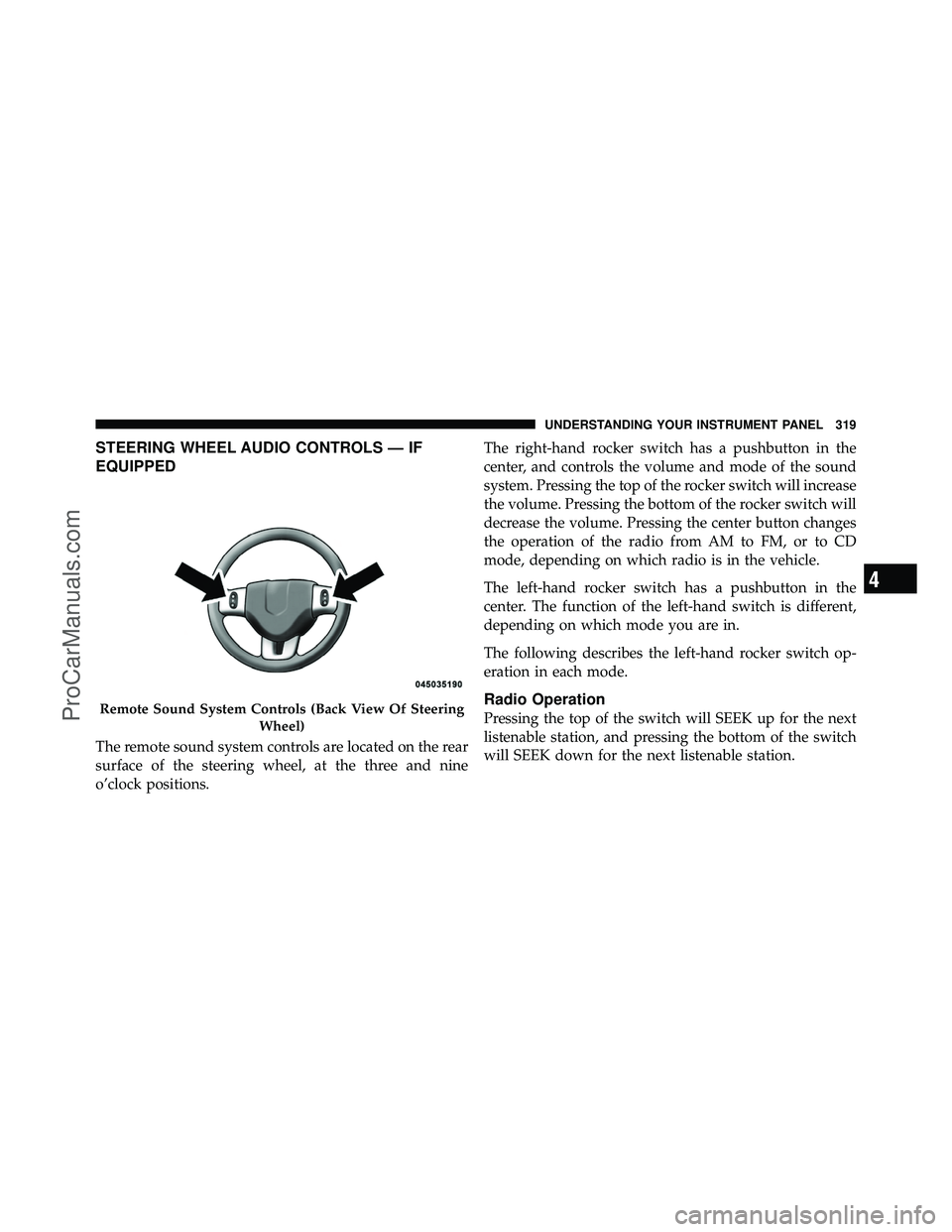
The remote sound system controls are located on the rear
surface of the steering wheel, at the three and nine
o’clock positions.The right-hand rocker switch has a pushbutton in the
center, and controls the volume and mode of the sound
system. Pressing the top of the rocker switch will increase
the volume. Pressing the bottom of the rocker switch will
decrease the volume. Pressing the center button changes
the operation of the radio from AM to FM, or to CD
mode, depending on which radio is in the vehicle.
The left-hand rocker switch has a pushbutton in the
center. The function of the left-hand switch is different,
depending on which mode you are in.
The following describes the left-hand rocker switch op-
eration in each mode.
Radio Operation
Pressing the top of the switch will SEEK up for the next
listenable station, and pressing the bottom of the switch
will SEEK down for the next listenable station.Remote Sound System Controls (Back View Of Steering
Wheel)
4
UNDERSTANDING YOUR INSTRUMENT PANEL 319
ProCarManuals.com
Page 557 of 562
Speedometer........................... 256
Starting ............................... 351
Automatic Transmission ................ 351
Cold Weather ....................... 352
Engine Fails to Start .................. 352
Remote ............................ 29
Starting and Operating .................... 351
Starting Procedures ...................... 351
Steering Power .......................... 365,366
Tilt Column ........................ 175
Wheel, Heated ...................... 176
Wheel, Tilt ......................... 175
Steering Wheel Audio Controls .............. 319
Steering Wheel Mounted Sound System
Controls .............................. 319
Storage ............................ 217,506
Storage Bin ............................ 217
Storage, Vehicle ...................... 343,506Storing Your Vehicle
...................... 506
Stow \bn Go (Fold in Floor) Seats ............. 139
Sun Roof .............................. 204
Sunglasses Storage ....................... 194
Sunroof Maintenance ..................... 206
Supplemental Restraint System - Airbag ........ 72
Synthetic Engine Oil ...................... 474
System, Remote Starting .................... 29
Tachometer ............................ 249
Telescoping Steering Column ............... 175
Temperature Control, Automatic (ATC) ........ 333
Temperature Gauge, Engine Coolant .......259,439
Tether Anchor, Child Restraint ............... 91
Tilt Steering Column ..................... 175
Tire and Loading Information Placard ......... 382
Tire Identification Number (TIN) ............. 380
Tire Markings .......................... 377
Tire Safety Information .................... 377
10
INDEX 555
ProCarManuals.com