Page 205 of 494
ELECTRONIC VEHICLE INFORMATION CENTER
(EVIC) – IF EQUIPPED
The Electronic Vehicle Information Center (EVIC) fea-
tures a driver-interactive display that is located in the
instrument cluster.The EVIC consists of the following:•Compass Heading Display (N, S, E, W, NE, NW, SE,
SW)
•Mileage (Avg/MPG)
•Miles To Empty
•Low Tire Information (Tire Pressure Monitor System
(TPMS) Displays) — if equipped
•Timer
•Units
•System Warnings (Door Ajar, etc.)
•Personal Settings (Customer-Programmable Features)
•Outside Temperature Display (°F or °C)
•Audio Mode Displays – 12 preset Radio Stations or CD
Title and Track number when playingElectronic Vehicle Information Center (EVIC)
4
UNDERSTANDING YOUR INSTRUMENT PANEL 203
Page 212 of 494
one or more 360–degree turns (in an area free from large
metal or metallic objects) until the CAL indicator in the
EVIC turns off. The compass will now function normally.
NOTE:A good calibration requires a level surface and
an environment free from large metallic objects such as
buildings, bridges, underground cables, railroad tracks,
etc.
Manual Compass Calibration
If the compass appears erratic or inaccurate, and the
variance has been properly set, you may wish to manu-
ally recalibrate the compass. To manually calibrate the
compass:
1. Start the engine. Leave the shift lever in PARK in order
to enter the EVIC Programming Menus.
2. Press and release the MENU button until “Personal
Settings” displays in the EVIC. 3. Press and release the DOWN button until “Calibrate
Compass Yes” displays in the EVIC.
4. Press and release the SELECT button and the “CAL”
indicator will quit flashing.
5. Drive the vehicle slowly (under 5 mph / 8 km/h),
completing one or more circles (in an area free from large
metal or metallic objects) until the “CAL” indicator turns
off. The compass will now function normally.Compass Variance
Compass Variance is the difference between Magnetic
North and Geographic North. To compensate for the
differences, the variance should be set for the zone where
the vehicle is driven, per the zone map. Once properly
set, the compass will automatically compensate for the
differences and provide the most accurate compass head-
ing.
210 UNDERSTANDING YOUR INSTRUMENT PANEL
Page 262 of 494
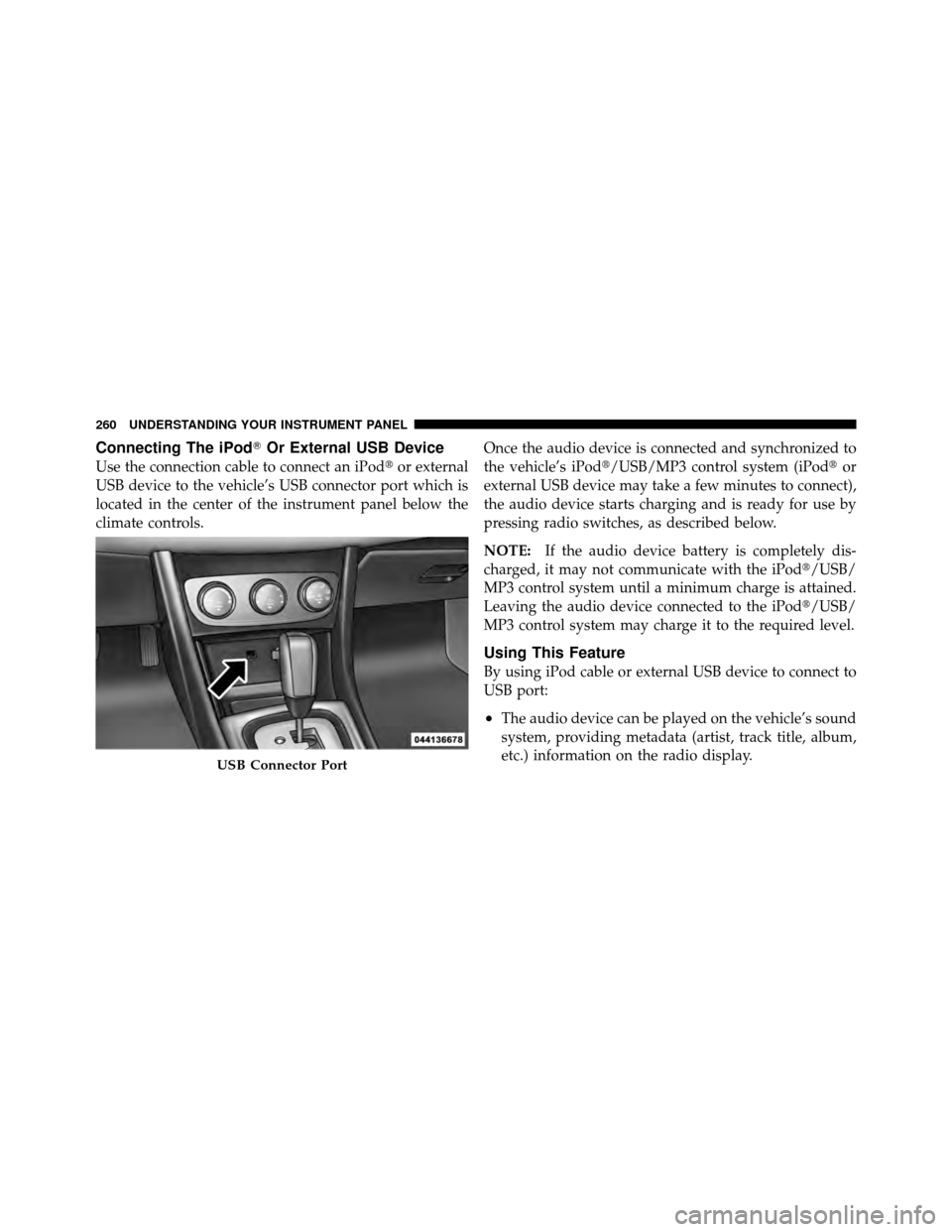
Connecting The iPod�Or External USB Device
Use the connection cable to connect an iPod �or external
USB device to the vehicle’s USB connector port which is
located in the center of the instrument panel below the
climate controls. Once the audio device is connected and synchronized to
the vehicle’s iPod�/USB/MP3 control system (iPod�
or
external USB device may take a few minutes to connect),
the audio device starts charging and is ready for use by
pressing radio switches, as described below.
NOTE: If the audio device battery is completely dis-
charged, it may not communicate with the iPod�/USB/
MP3 control system until a minimum charge is attained.
Leaving the audio device connected to the iPod�/USB/
MP3 control system may charge it to the required level.
Using This Feature
By using iPod cable or external USB device to connect to
USB port:
•The audio device can be played on the vehicle’s sound
system, providing metadata (artist, track title, album,
etc.) information on the radio display.
USB Connector Port
260 UNDERSTANDING YOUR INSTRUMENT PANEL
Page 264 of 494
•A single press backward <> will
jump backward or forward respectively, for five
seconds.
•Use the << SEEKandSEEK >> buttons to jump to the
previous or next track. Pressing the SEEK>> button
during play mode will jump to the next track in the
list, or press the VR button and say �Next or Previous
Track�.
•While a track is playing, press the INFObutton to see
the associated metadata (artist, track title, album, etc.)
for that track. Pressing the INFObutton again jumps
to the next screen of data for that track. Once all
screens have been viewed, the last INFObutton press
will go back to the play mode screen on the radio.
•Pressing the REPEATbutton will change the audio
device mode to repeat the current playing track or
press the VR button and say �Repeat ON�or�Repeat
Off�.
•Press the SCANbutton to use iPod�/USB/MP3 de-
vice scan mode, which will play the first 10 seconds of
each track in the current list and then forward to the
next song. To stop SCAN mode and start playing the
desired track, when it is playing the track, press the
SCAN button again. During Scan mode, pressing the
<< SEEK andSEEK >> buttons will select the previ-
ous and next tracks.
•RND button (available on sales code RES radio only):
Pressing this button toggles between Shuffle ON and
Shuffle OFF modes for the iPod� or external USB
device, or press the VR button and say �Shuffle ON�or
�Shuffle Off�.IftheRND icon is showing on the radio
display, then the shuffle mode is ON.
262 UNDERSTANDING YOUR INSTRUMENT PANEL
Page 269 of 494
•Press the button in the center of the switch to change
modes (i.e., AM, FM, etc.).
Left-Hand Switch Functions For Radio Operation
•
Press the top of the switch to SEEK the next listenable
station up from the current setting.
•Press the bottom of the switch to SEEK the next
listenable station down from the current setting.
•Press the button in the center of the switch to tune to
the next preset that you have programmed.
Left-Hand Switch Functions For Media (i.e., CD)
Operation
•
Press the top of the switch once to listen to the next
track.
•Press the bottom of the switch once either to listen to
the beginning of the current track or to listen to thebeginning of the previous track if it is within one
second after the current track begins to play.
•Press the switch up or down twice to listen to the
second track, three times to listen to the third track,
and so forth.
•Press the button located in the center of the switch to
change to the next preset that you have programmed.
CD/DVD DISC MAINTENANCE
To keep a CD/DVD in good condition, take the following
precautions:
1. Handle the disc by its edge; avoid touching the
surface.
2. If the disc is stained, clean the surface with a soft cloth,
wiping from center to edge.
3. Do not apply paper or tape to the disc; avoid scratch-
ing the disc.
4
UNDERSTANDING YOUR INSTRUMENT PANEL 267
Page 289 of 494
▫Trailer Towing Weights
(Maximum Trailer Weight Ratings) ........ 362
▫ Trailer And Tongue Weight ............. 363
▫ Towing Requirements ................. 364
▫ Towing Tips ........................ 368 �
Recreational Towing
(Behind Motorhome, Etc.) ................ 369
▫ Towing This Vehicle
Behind Another Vehicle ................ 369
5
STARTING AND OPERATING 287
Page 302 of 494

DRIVING ON SLIPPERY SURFACES
Acceleration
Rapid acceleration on snow covered, wet, or other slip-
pery surfaces may cause the driving wheels to pull
erratically to the right or left. This phenomenon occurs
when there is a difference in the surface traction under
the front (driving) wheels.
WARNING!
Rapid acceleration on slippery surfaces is dangerous.
Unequal traction can cause sudden pulling of the
front wheels. You could lose control of the vehicle
and possibly have a collision. Accelerate slowly and
carefully whenever there is likely to be poor traction
(ice, snow, wet, mud, loose sand, etc.).
Traction
When driving on wet or slushy roads, it is possible for a
wedge of water to build up between the tire and road
surface. This is hydroplaning and may cause partial or
complete loss of vehicle control and stopping ability. To
reduce this possibility, the following precautions should
be observed:
1. Slow down during rainstorms or when the roads are
slushy.
2. Slow down if the road has standing water or puddles.
3. Replace the tires when tread wear indicators first
become visible.
4. Keep tires properly inflated.
5. Maintain sufficient distance between your vehicle and
the vehicle in front of you to avoid a collision in a sudden
stop.
300 STARTING AND OPERATING
Page 304 of 494

CAUTION! (Continued)
•Driving through standing water may cause dam-
age to your vehicle’s drivetrain components. Al-
ways inspect your vehicle’s fluids (i.e., engine oil,
transmission, axle, etc.) for signs of contamination
(i.e., fluid that is milky or foamy in appearance)
after driving through standing water. Do not con-
tinue to operate the vehicle if any fluid appears
contaminated, as this may result in further dam-
age. Such damage is not covered by the New
Vehicle Limited Warranty.
•Getting water inside your vehicle’s engine can
cause it to lock up and stall out, and cause serious
internal damage to the engine. Such damage is not
covered by the New Vehicle Limited Warranty.
WARNING!
•Driving through standing water limits your vehi-
cle’s traction capabilities. Do not exceed 5 mph
(8 km/h) when driving through standing water.
•Driving through standing water limits your vehi-
cle’s braking capabilities, which increases stop-
ping distances. Therefore, after driving through
standing water, drive slowly and lightly press on
the brake pedal several times to dry the brakes.
•Getting water inside your vehicle’s engine can
cause it to lock up and stall out, and leave you
stranded.
•Failure to follow these warnings may result in
injuries that are serious or fatal to you, your
passengers, and others around you.
302 STARTING AND OPERATING