2011 CHRYSLER TOWN AND COUNTRY instrument cluster
[x] Cancel search: instrument clusterPage 270 of 573
25. Electronic Throttle Control (ETC) LightThis light informs you of a problem with the
Electronic Throttle Control (ETC) system. The
light will come on when the ignition is first
turned to ON/RUN and remain on briefly as a
bulb check. If the light does not come on during starting,
have the system checked by an authorized dealer.
If a problem is detected, the light will come on while the
engine is running. Cycle the ignition key when the
vehicle has completely stopped and the shift lever is
placed in the PARK position, the light should turn off.
If the light remains lit with the engine running, your
vehicle will usually be drivable; however, see an autho-
rized dealer for service as soon as possible. If the light is
flashing when the engine is running, immediate service is
required and you may experience reduced performance,
an elevated/rough idle or engine stall and your vehicle
may require towing.COMPASS MINI-TRIP COMPUTER (CMTC) —
IF EQUIPPED
NOTE:
•The compass on your vehicle is self-calibrating, elimi-
nating the need to manually calibrate the compass.
•If the vehicle is equipped with the manufacturers gps
(Navigation Radio), the NAV system will provide the
compass direction, and the variance and calibration
menus will be unavailable. The compass will perform
accurately, based on GPS signals instead of the Earth’s
magnetic field.
The Compass Mini-Trip Computer is located in the
instrument cluster and features a driver-interactive dis-
play (displays information on outside temperature, com-
pass direction, and trip information).
4
UNDERSTANDING YOUR INSTRUMENT PANEL 267
Page 274 of 573
2. Press and hold the RESET button (for approximately
10 seconds) until the current variance zone number is
displayed.
3. Release the RESET button, then press and hold again
for approximately 10 seconds, until the direction is
displayed, with the CAL indicator on continuously in the
display.
4. To complete the compass calibration, drive the vehicle
in one or more complete 360–degree circles, under 5 mph
(8 km/h) in an area free from power lines and large
metallic objects, until the CAL indicator turns off. The
compass will now function normally.
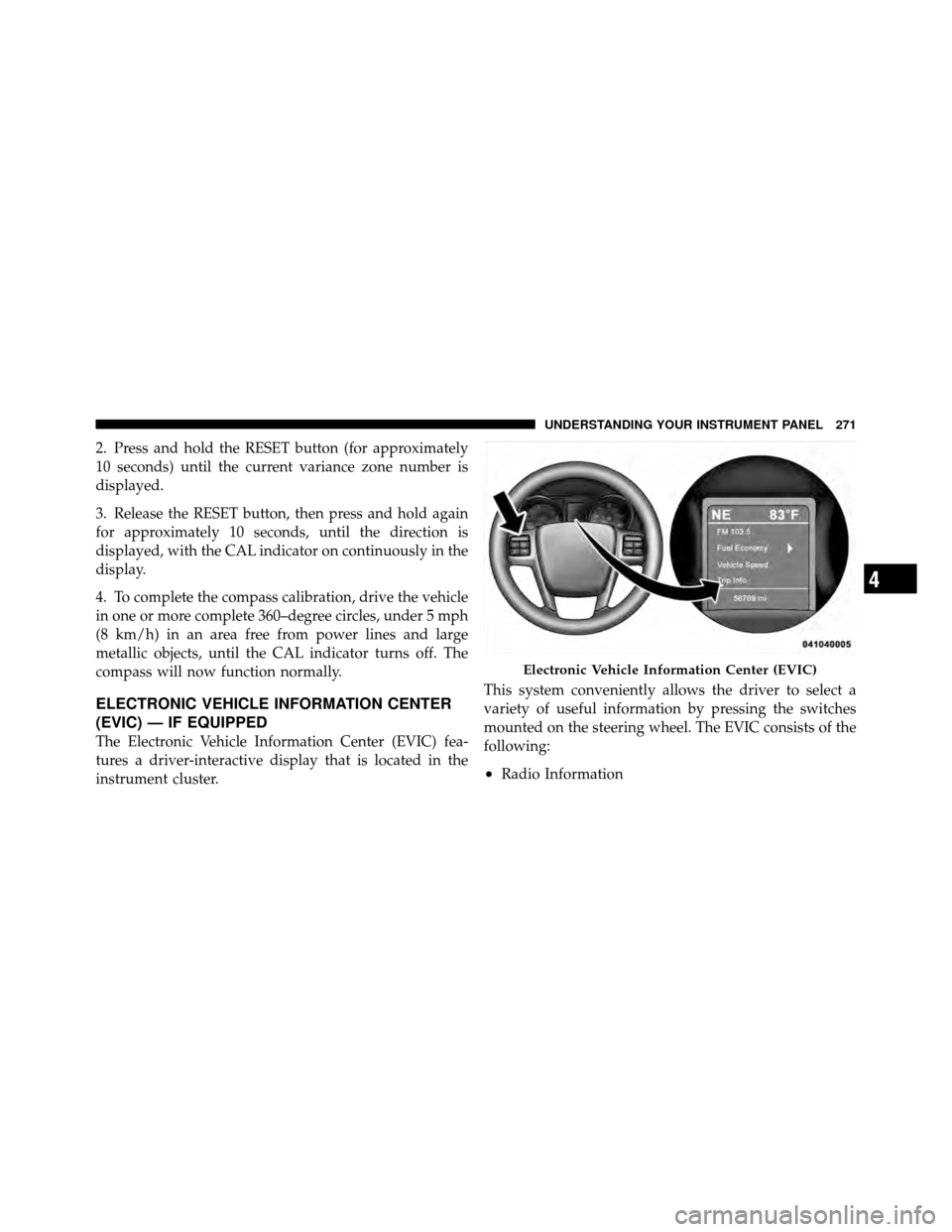
ELECTRONIC VEHICLE INFORMATION CENTER
(EVIC) — IF EQUIPPED
The Electronic Vehicle Information Center (EVIC) fea-
tures a driver-interactive display that is located in the
instrument cluster.This system conveniently allows the driver to select a
variety of useful information by pressing the switches
mounted on the steering wheel. The EVIC consists of the
following:
•Radio Information
Electronic Vehicle Information Center (EVIC)
4
UNDERSTANDING YOUR INSTRUMENT PANEL 271
Page 369 of 573
The electronically-controlled transmission provides a
precise shift schedule. The transmission electronics are
self-calibrating; therefore, the first few shifts on a new
vehicle may be somewhat abrupt. This is a normal
condition, and precision shifts will develop within a few
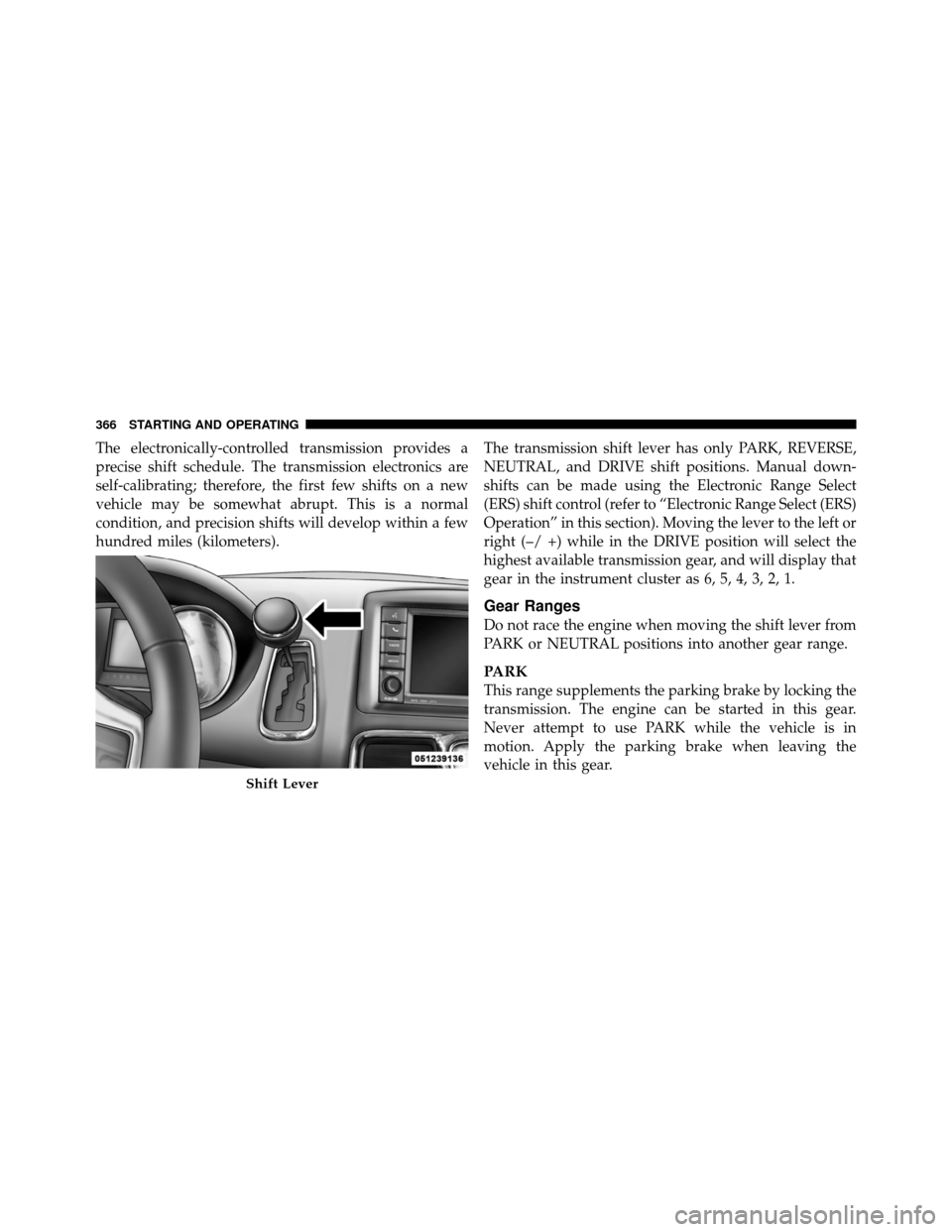
hundred miles (kilometers).The transmission shift lever has only PARK, REVERSE,
NEUTRAL, and DRIVE shift positions. Manual down-
shifts can be made using the Electronic Range Select
(ERS) shift control (refer to “Electronic Range Select (ERS)
Operation” in this section). Moving the lever to the left or
right (–/ +) while in the DRIVE position will select the
highest available transmission gear, and will display that
gear in the instrument cluster as 6, 5, 4, 3, 2, 1.
Gear Ranges
Do not race the engine when moving the shift lever from
PARK or NEUTRAL positions into another gear range.
PARK
This range supplements the parking brake by locking the
transmission. The engine can be started in this gear.
Never attempt to use PARK while the vehicle is in
motion. Apply the parking brake when leaving the
vehicle in this gear.
Shift Lever
366 STARTING AND OPERATING
Page 371 of 573
WARNING! (Continued)
•Never leave children alone in a vehicle. Leaving
unattended children in a vehicle is dangerous for a
number of reasons. A child or others could be
seriously or fatally injured. Do not leave the key fob
in the ignition switch. A child could operate power
windows, other controls, or move the vehicle.
The following indicators should be used to ensure that
you have placed the shift lever into the PARK position:
•When moving the shift lever into PARK, firmly move
the lever all the way forward until it stops.
•Look at the shift indicator window on the instrument
cluster to ensure the shift lever is in the PARK position.
•When engaged in PARK, you will not be able to move
the shift lever rearward without moving the shift lever
to the right.
CAUTION!
Before moving the shift lever out of PARK, you must
turn the ignition switch from LOCK to ON so the
shift lever is released. Otherwise, damage to the shift
lever could result.
REVERSE
This range is for moving the vehicle backward. Shift into
REVERSE only after the vehicle has come to a complete
stop.
NEUTRAL
This range is used when vehicle is standing for pro-
longed periods with engine running. Engine may be
started in this range. Set the parking brake and shift the
transmission into PARK if you must leave the vehicle.
368 STARTING AND OPERATING
Page 372 of 573
WARNING!
Do not coast in NEUTRAL and never turn off the
ignition to coast down a hill. These are unsafe
practices that limit your response to changing traffic
or road conditions. You might lose control of the
vehicle and have a collision.
DRIVE
This range should be used for most city and highway
driving. It provides the smoothest upshifts, downshifts,
and best fuel economy. However, when frequent trans-
mission shifting occurs, such as when operating the
vehicle under heavy loading conditions, (i.e., in hilly
terrain, traveling into strong head winds or while towing
heavy trailers), use the Electronic Range Select (ERS)
mode to select the “5” range. Under these conditions,
using the “5” range will improve performance and
extend transmission life by reducing excessive shifting
and heat buildup.
Electronic Range Select (ERS) Operation
The Electronic Range Select (ERS) shift control allows
you to move the shift lever to the left (-) or right (+) when
the shift lever is in the DRIVE position, this allows the
selection of the desired top gear. For example, if you shift
the transmission into third gear, the transmission will
never shift above third gear, but can shift down into
second or first gear automatically, when needed.
Switching from ERS to DRIVE can be done at any vehicle
speed. To shift from DRIVE mode to ERS mode, move the
shift lever to the left (-) once. The current gear will be
maintained as the top gear. To disable ERS, simply press
and hold the shift lever to the right (+) until “D” is
displayed in the instrument cluster odometer.
5
STARTING AND OPERATING 369
Page 379 of 573
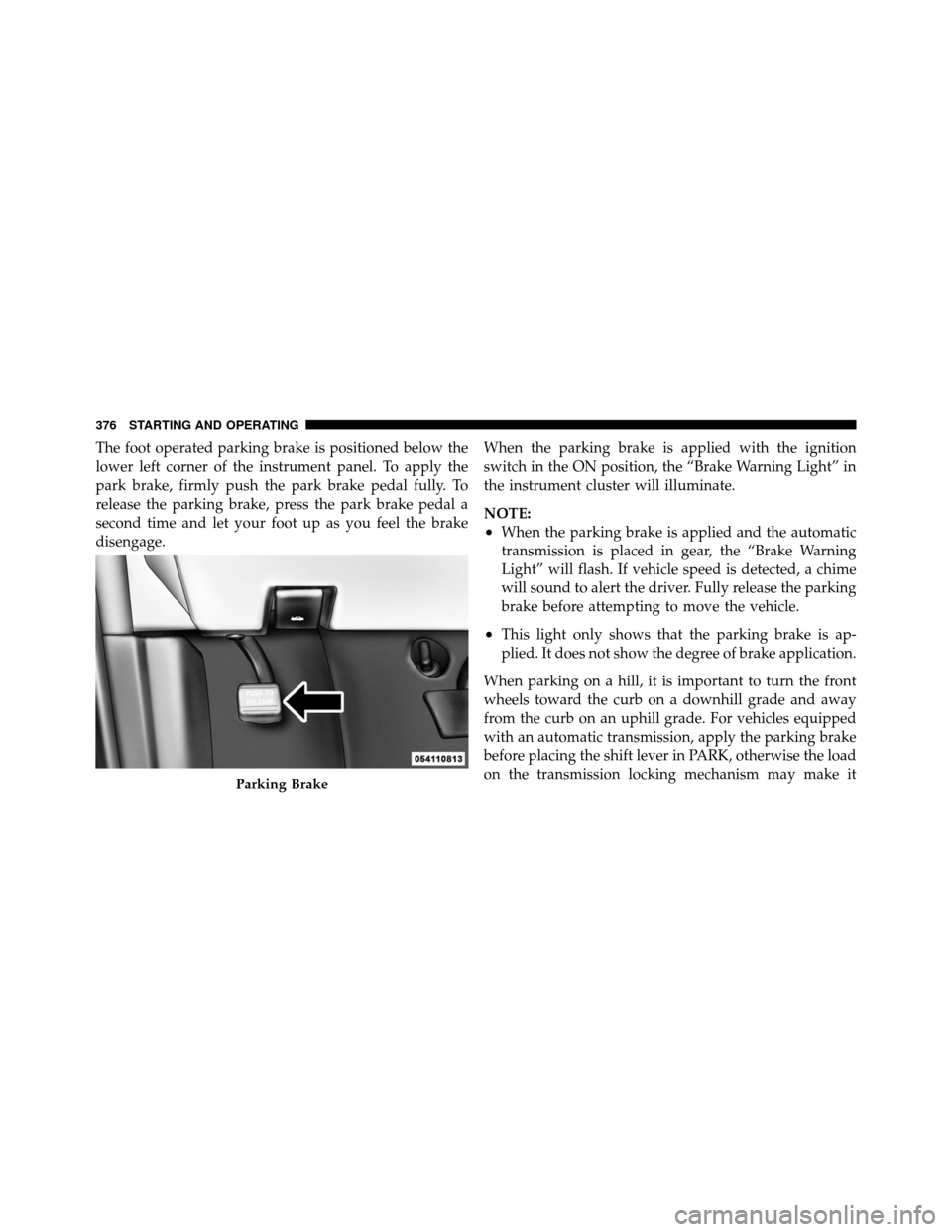
The foot operated parking brake is positioned below the
lower left corner of the instrument panel. To apply the
park brake, firmly push the park brake pedal fully. To
release the parking brake, press the park brake pedal a
second time and let your foot up as you feel the brake
disengage.When the parking brake is applied with the ignition
switch in the ON position, the “Brake Warning Light” in
the instrument cluster will illuminate.
NOTE:
•When the parking brake is applied and the automatic
transmission is placed in gear, the “Brake Warning
Light” will flash. If vehicle speed is detected, a chime
will sound to alert the driver. Fully release the parking
brake before attempting to move the vehicle.
•This light only shows that the parking brake is ap-
plied. It does not show the degree of brake application.
When parking on a hill, it is important to turn the front
wheels toward the curb on a downhill grade and away
from the curb on an uphill grade. For vehicles equipped
with an automatic transmission, apply the parking brake
before placing the shift lever in PARK, otherwise the load
on the transmission locking mechanism may make it
Parking Brake
376 STARTING AND OPERATING
Page 383 of 573

Brake Force Distribution (EBD) systems are not function-
ing. Immediate repair to the ABS system is required.
Consult with your authorized dealer service center as
soon as possible.
ELECTRONIC BRAKE CONTROL SYSTEM
Your vehicle is equipped with an advanced electronic
brake control system that includes the Traction Control
System (TCS), Brake Assist System (BAS) and Electronic
Stability Control (ESC). These systems complement the
Anti-Lock Brake System (ABS) by optimizing the vehicle
braking capability during emergency braking maneu-
vers.
Traction Control System (TCS)
The Traction Control System (TCS) monitors the amount
of wheel spin of each of the driven wheels. If wheel spin
is detected, brake pressure is applied to the slipping
wheel(s) and engine power is reduced, to provide en-
hanced acceleration and stability. A feature of the TCSfunctions similarly to a limited-slip differential, and
controls the wheel spin across a driven axle. If one wheel
on a driven axle is spinning faster than the other, the
system will apply the brake of the spinning wheel. This
will allow more engine torque to be applied to the wheel
that is not spinning. This feature remains active even if
the ESC is in the “Partial Off” mode.
The “ESC Activation/Malfunction Indicator Light” (in
the instrument cluster) will start to flash as soon as the
tires lose traction and the wheels begin to spin. This
indicates that the TCS is active. If the indicator light
flashes during acceleration, ease up on the accelerator
and apply as little throttle as possible. Be sure to adapt
your speed and driving to the prevailing road conditions,
and do not switch off the ESC or TCS.
380 STARTING AND OPERATING
Page 387 of 573
NOTE:
•To improve the vehicle’s traction when driving with
snow chains, or starting off in deep snow, sand or
gravel, it may be desirable to switch to the “Partial
Off” mode by pressing the “ESC Off” switch. Once the
situation requiring ESC to be switched to the “Partial
Off” mode is overcome, turn ESC back on by momen-
tarily pressing the “ESC Off” switch. This may be done
while the vehicle is in motion.
•When in “Partial Off” mode, the enhanced vehicle
stability offered by the ESC system is reduced.
ESC Activation/Malfunction Indicator Light And
ESC OFF Indicator Light
The “ESC Activation/Malfunction Indicator
Light” in the instrument cluster will come on
when the ignition switch is turned to the ON
position. It should turn off with the enginerunning. If the “ESC Activation/Malfunction Indicator
Light” comes on continuously with the engine running, a
malfunction has been detected in the ESC system. If this
light remains on after several ignition cycles, and the
vehicle has been driven several miles (kilometers) at
speeds greater than 30 mph (48 km/h), see your autho-
rized dealer as soon as possible to have the problem
diagnosed and corrected.
The “ESC Activation/Malfunction Indicator Light” (lo-
cated in the instrument cluster) starts to flash as soon as
the tires lose traction and the ESC system becomes active.
The “ESC Activation/Malfunction Indicator Light” also
flashes when TCS is active. If the “ESC Activation/
Malfunction Indicator Light” begins to flash during ac-
celeration, ease up on the accelerator and apply as little
throttle as possible. Be sure to adapt your speed and
driving to the prevailing road conditions.
384 STARTING AND OPERATING