Page 85 of 536

Exhaust Gas
WARNING!
Exhaust gases can injure or kill. They contain carbon
monoxide (CO), which is colorless and odorless.
Breathing it can make you unconscious and can
eventually poison you. To avoid breathing (CO),
follow these safety tips:
Do not run the engine in a closed garage or in confined
areas any longer than needed to move your vehicle in or
out of the area.
If it is necessary to sit in a parked vehicle with the engine
running, adjust your heating or cooling controls to force
outside air into the vehicle. Set the blower at high speed. If you are required to drive with the trunk/liftgate open,
make sure that all windows are closed and the climate
control BLOWER switch is set at high speed. DO NOT
use the recirculation mode.
The best protection against carbon monoxide entry into
the vehicle body is a properly maintained engine exhaust
system.
Whenever a change is noticed in the sound of the exhaust
system, when exhaust fumes can be detected inside the
vehicle, or when the underside or rear of the vehicle is
damaged, have a competent mechanic inspect the com-
plete exhaust system and adjacent body areas for broken,
damaged, deteriorated, or mispositioned parts. Open
seams or loose connections could permit exhaust fumes
to seep into the passenger compartment. In addition,
inspect the exhaust system each time the vehicle is raised
for lubrication or oil change. Replace as required.2
THINGS TO KNOW BEFORE STARTING YOUR VEHICLE 83
Page 252 of 536
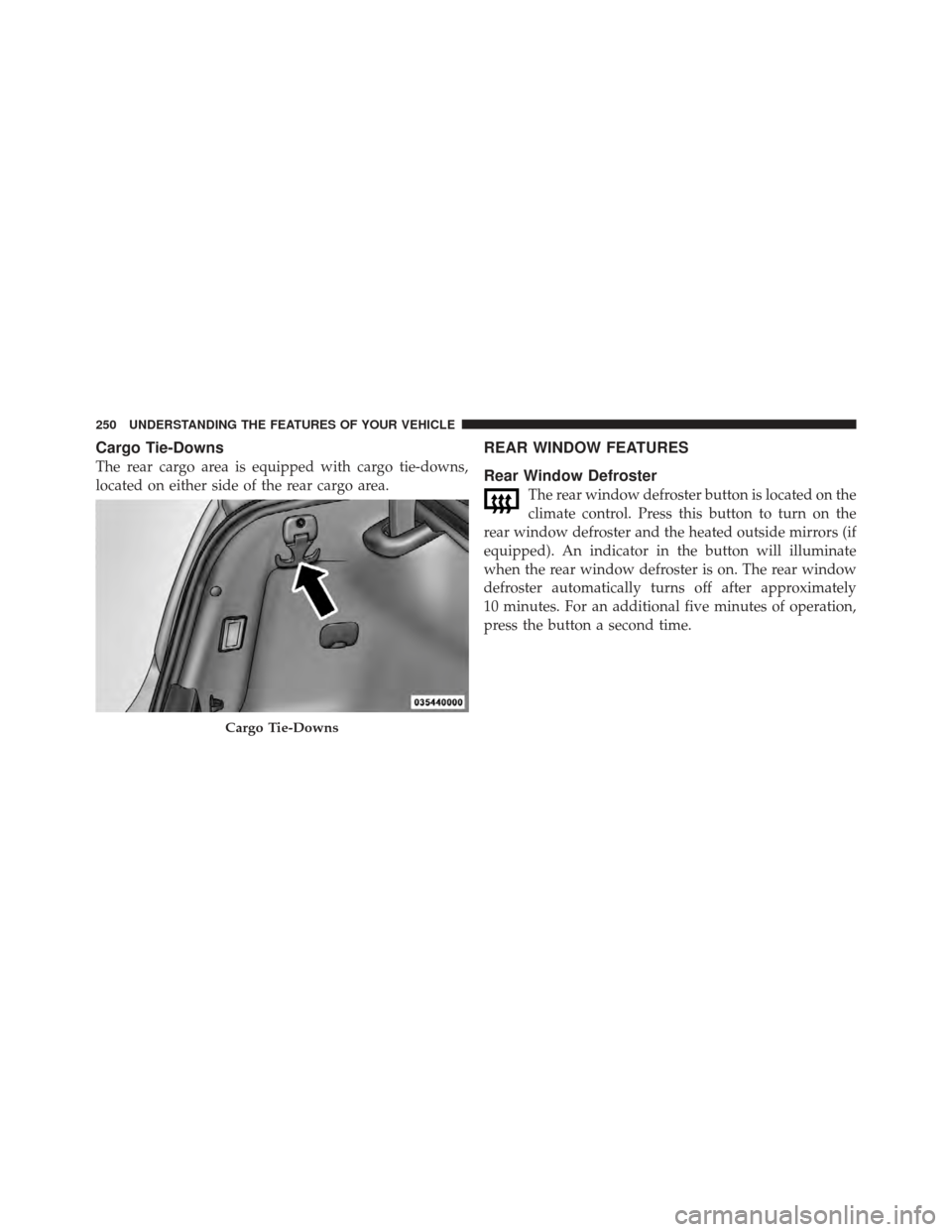
Cargo Tie-Downs
The rear cargo area is equipped with cargo tie-downs,
located on either side of the rear cargo area.
REAR WINDOW FEATURES
Rear Window Defroster
The rear window defroster button is located on the
climate control. Press this button to turn on the
rear window defroster and the heated outside mirrors (if
equipped). An indicator in the button will illuminate
when the rear window defroster is on. The rear window
defroster automatically turns off after approximately
10 minutes. For an additional five minutes of operation,
press the button a second time.
Cargo Tie-Downs
250 UNDERSTANDING THE FEATURES OF YOUR VEHICLE
Page 258 of 536
▫Turn Menu Off ...................... 282
� Uconnect Touch™ Settings ............... 283
▫ Hard-Keys ......................... 283
▫ Soft-Keys .......................... 283
▫ Customer Programmable Features —
Uconnect Touch™ System 8.4 Settings ...... 283
� Setting The Analog Clock ................ 298
� iPod�/USB/MP3 Control — If Equipped ..... 299
� Steering Wheel Audio Controls ............ 299
▫ Radio Operation ..................... 300 ▫
CD Player ......................... 300
� CD/DVD Disc Maintenance .............. 300
� Radio Operation And Mobile Phones ....... 301
� Climate Controls ...................... 301
▫ General Overview .................... 302
▫ Climate Control Functions .............. 307
▫ Automatic Temperature Control (ATC) ..... 308
▫ Operating Tips ...................... 310
256 UNDERSTANDING YOUR INSTRUMENT PANEL
Page 259 of 536
INSTRUMENT PANEL FEATURES
1 — Air Outlet7 — ESC Off Switch 13 — Engine Start/Stop Button
2 — Instrument Cluster 8 — Uconnect Touch™ System Hard Controls 14 — Trunk Release Button
3 — Hazard Switch 9 — SD Memory Card Slot 15 — Dimmer Controls
4 — Uconnect Touch™ System 10 — Power Outlet 16 — Hood Release
5 — Climate Control Hard Controls 11 — CD/DVD Slot 17 — Headlight Switch
6 — Glove Compartment 12 — Storage Compartment 18 — Analog Clock
4
UNDERSTANDING YOUR INSTRUMENT PANEL 257
Page 285 of 536

Uconnect TOUCH™ SETTINGS
The Uconnect Touch™ system uses a combination of soft
and hard keys located on the center of the instrument
panel that allows you to access and change the customer
programmable features.
Hard-Keys
Hard-Keys are located below the Uconnect Touch™
system in the center of the instrument panel. In addition,
there is a Scroll/Enter control knob located on the right
side of the Climate Controls in the center of the instru-
ment panel. Turn the control knob to scroll through
menus and change settings (i.e., 30, 60, 90), press the
center of the control knob one or more times to select or
change a setting (i.e., ON, OFF).
Soft-Keys
Soft-Keys are accessible on the Uconnect Touch™ display.
Customer Programmable Features — Uconnect
Touch™ System 8.4 Settings
Press the More soft-key, then press the Settings soft-key
to display the menu setting screen. In this mode the
Uconnect Touch™ system allows you to access program-
mable features that may be equipped such as Display,
Clock, Safety/Assistance, Lights, Doors & Locks,
Auto-On Comfort & Remote Start, Engine Off Operation,
Compass Settings, Audio, Phone/Bluetooth and SIRIUS
Setup.
4
UNDERSTANDING YOUR INSTRUMENT PANEL 283
Page 303 of 536

3. Do not apply paper or tape to the disc; avoid scratch-
ing the disc.
4. Do not use solvents such as benzene, thinner, cleaners,
or anti-static sprays.
5. Store the disc in its case after playing.
6. Do not expose the disc to direct sunlight.
7. Do not store the disc where temperatures may become
too high.
NOTE:If you experience difficulty in playing a particu-
lar disc, it may be damaged (i.e., scratched, reflective
coating removed, a hair, moisture or dew on the disc)
oversized, or have protection encoding. Try a known
good disc before considering disc player service.
RADIO OPERATION AND MOBILE PHONES
Under certain conditions, the mobile phone being on in
your vehicle can cause erratic or noisy performance from your radio. This condition may be lessened or eliminated
by relocating the mobile phone antenna. This condition is
not harmful to the radio. If your radio performance does
not satisfactorily “clear” by the repositioning of the
antenna, it is recommended that the radio volume be
turned down or off during mobile phone operation when
not using Uconnect™ (if equipped).
CLIMATE CONTROLS
The air conditioning and heating system is designed to
make you comfortable in all types of weather. This
system can be operated through either the Automatic
Climate Controls on the instrument panel or through the
Uconnect Touch™ system display.
When the Uconnect Touch™ system is in different modes
(Radio, Player, Settings, More, etc.) the driver and pas-
senger temperature settings will be indicated at the top of
the display.
4
UNDERSTANDING YOUR INSTRUMENT PANEL 301
Page 304 of 536
General Overview
Hard-Keys
The hard-keys are located below the Uconnect Touch™
screen, in the center of the instrument panel.
Soft-Keys
Soft-keys are accessible on the Uconnect Touch™ system
screen.
Automatic Climate Controls — Hard-keys
Uconnect Touch™ System 8.4 Automatic TemperatureControls — Soft-keys
302 UNDERSTANDING YOUR INSTRUMENT PANEL
Page 305 of 536

Button Descriptions
(Applies To Both Hard-keys And Soft-keys)
1. A/C Button
Press and release to change the current Air Conditioning
(A/C) setting, the indicator illuminates when A/C is ON.
Performing this function will cause the automatic opera-
tion to switch into manual mode and the AUTO indicator
will turn off.
2. Recirculation Button
Press and release to change the current setting, the
indicator illuminates when ON.3. Blower Control
Blower control is used to regulate the amount of air
forced through the climate system. There are seven
blower speeds available. Adjusting the blower will cause
automatic mode to switch to manual operation. The
speeds can be selected using either hard-heys or soft-keys
as follows:
Hard-key
The blower speed increases as you turn the control
clockwise from the lowest blower setting. The blower
speed decreases as you turn the knob counter-clockwise.
Soft-key — Uconnect Touch™ System 8.4
Use the small blower icon to reduce the blower setting
and the large blower icon to increase the blower setting.
Blower can also be selected by pressing the blower bar
area between the icons.
4
UNDERSTANDING YOUR INSTRUMENT PANEL 303