2011 CHEVROLET EQUINOX ignition
[x] Cancel search: ignitionPage 9 of 446

Black plate (3,1)Chevrolet Equinox Owner Manual - 2011
In Brief 1-3
A.Air Vents on page 8‑5.
B. Turn and Lane‐Change Lever. See Turn and Lane-Change
Signals on page 6‑3.
Exterior Lamp Controls on
page 6‑1.
Fog Lamps on page 6‑3
(If Equipped).
C. Instrument Cluster on page 5‑9.
D. Windshield Wiper/Washer on
page 5‑4.
Rear Window Wiper/Washer on
page 5‑5.
E. Power Door Locks on page 2‑7.
F. Instrument Panel Storage on
page 4‑1.
G. Safety Locks on page 2‑8.
H. AM-FM Radio on page 7‑11.
Navigation System
(If Equipped). See Navigation
System Manual. I. Data Link Connector (DLC).
See Malfunction Indicator Lamp
on page 5‑14.
J. Cruise Control on page 9‑44.
K. Instrument Panel Illumination
Control on page 6‑4.
L. Steering Wheel Adjustment on
page 5‑2.
M. Horn on page 5‑3.
N. Steering Wheel Controls on
page 5‑3.
O. Ignition Positions on page 9‑28.
P. Climate Control Systems on
page 8‑1 (If Equipped).
Automatic Climate Control
System on page 8‑3
(If Equipped).
Q. Shift Lever. See Shifting Into
Park on page 9‑32.
R. Fuel Economy Mode on
page 9‑38 (If Equipped). S.
StabiliTrak®System on
page 9‑43.
T. Cupholders on page 4‑1.
U. Power Outlets on page 5‑7.
V. CD Player on page 7‑19.
W. Driver Information Center Buttons (If Equipped). See
Driver Information Center (DIC)
on page 5‑22.
X. Hazard Warning Flashers on
page 6‑3.
Y. Glove Box on page 4‑1.
Page 10 of 446
Black plate (4,1)Chevrolet Equinox Owner Manual - 2011
1-4 In Brief
Initial Drive
Information
This section provides a brief
overview about some of the
important features that may or may
not be on your specific vehicle.
For more detailed information, refer
to each of the features which can be
found later in this owner manual.
Remote Keyless Entry
(RKE) System
The Remote Keyless Entry (RKE)
transmitter will work up to
60 m (195 ft) away from the vehicle.
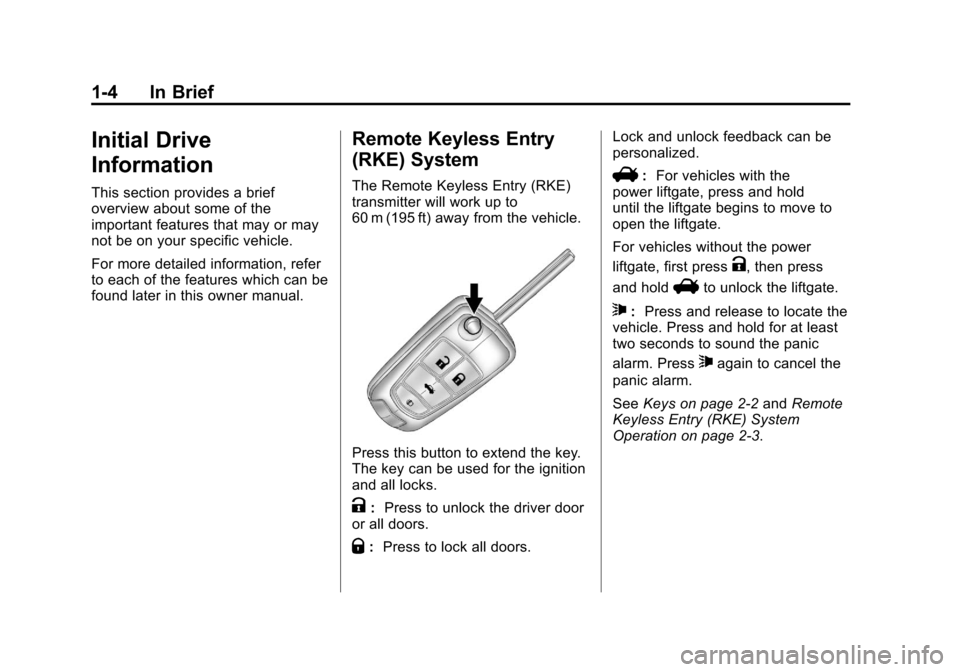
Press this button to extend the key.
The key can be used for the ignition
and all locks.
K:Press to unlock the driver door
or all doors.
Q: Press to lock all doors. Lock and unlock feedback can be
personalized.
V:
For vehicles with the
power liftgate, press and hold
until the liftgate begins to move to
open the liftgate.
For vehicles without the power
liftgate, first press
K, then press
and hold
Vto unlock the liftgate.
7: Press and release to locate the
vehicle. Press and hold for at least
two seconds to sound the panic
alarm. Press
7again to cancel the
panic alarm.
See Keys on page 2‑2 andRemote
Keyless Entry (RKE) System
Operation on page 2‑3.
Page 16 of 446
Black plate (10,1)Chevrolet Equinox Owner Manual - 2011
1-10 In Brief
The vehicle will also automatically
save driver seat and outside mirror
positions to the current driver
Remote Keyless Entry (RKE)
transmitter when the ignition is
turned off. These automatically
stored positions are referred to as
RKE Memory positions.
Storing Button Memory Positions
To save positions into Button
Memory:
1. Adjust the driver seat, seatbackrecliner, and both outside mirrors
to the desired driving positions.
2. Press and release the MEM (Memory) button.
3. Press “1”until a beep sounds.
4. Repeat Steps 1 through 3 for a second driver using “2.”To recall the manually saved Button
Memory positions, press and hold
“1”
or“2.” The driver seat and
outside mirrors move to the
positions stored to those buttons
when pressed. Releasing “1”or“2”
before the stored positions are
reached stops the recall.
To automatically recall RKE Memory
positions, unlock the driver door
with the RKE transmitter and open
the driver door. If the driver door is
already open, pressing the RKE
transmitter Kbutton will also
activate the RKE Memory recall.
The driver seat and outside mirrors
will move to the previously saved
RKE Memory positions.
See “Memory Seat and Mirrors”
under Power Seat Adjustment on
page 3‑3 for more information. Easy Exit Driver Seat
This feature moves the seat
rearward allowing the driver more
room to exit the vehicle.
To activate, turn the ignition off and
open the driver door. If the driver
door is already open, turning the
ignition off will activate the easy exit
driver seat.
This feature can be turned on or off
using the vehicle personalization
menu. See
“Easy Exit Driver Seat”
under Vehicle Personalization on
page 5‑32 for more information.
Page 17 of 446
Black plate (11,1)Chevrolet Equinox Owner Manual - 2011
In Brief 1-11
Heated Seats
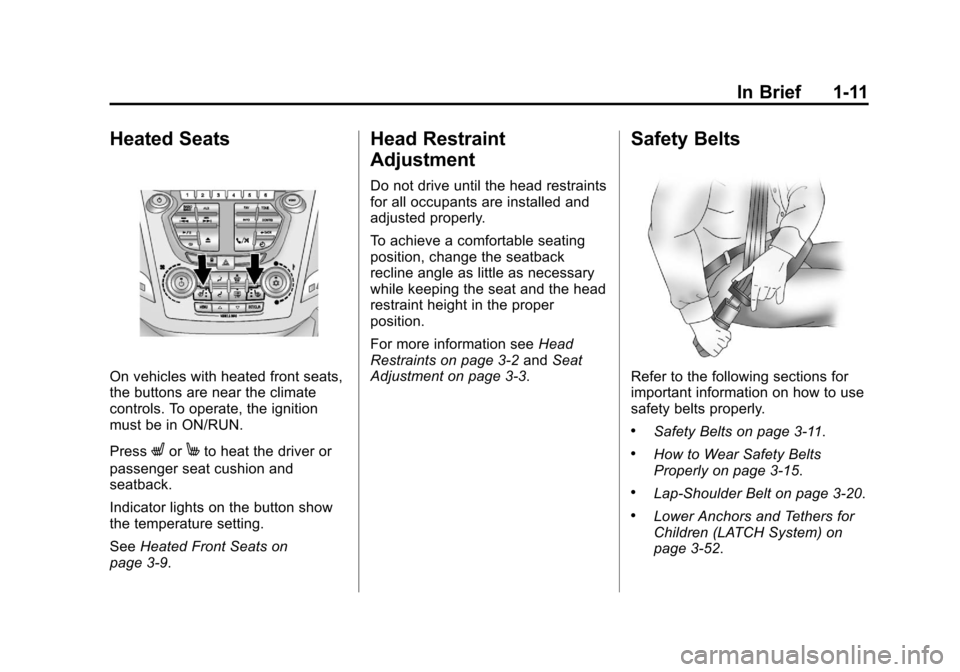
On vehicles with heated front seats,
the buttons are near the climate
controls. To operate, the ignition
must be in ON/RUN.
Press
LorMto heat the driver or
passenger seat cushion and
seatback.
Indicator lights on the button show
the temperature setting.
See Heated Front Seats on
page 3‑9.
Head Restraint
Adjustment
Do not drive until the head restraints
for all occupants are installed and
adjusted properly.
To achieve a comfortable seating
position, change the seatback
recline angle as little as necessary
while keeping the seat and the head
restraint height in the proper
position.
For more information see Head
Restraints on page 3‑2 andSeat
Adjustment on page 3‑3.
Safety Belts
Refer to the following sections for
important information on how to use
safety belts properly.
.Safety Belts on page 3‑11.
.How to Wear Safety Belts
Properly on page 3‑15.
.Lap-Shoulder Belt on page 3‑20.
.Lower Anchors and Tethers for
Children (LATCH System) on
page 3‑52.
Page 24 of 446
Black plate (18,1)Chevrolet Equinox Owner Manual - 2011
1-18 In Brief
Parking Brake
To set the parking brake, hold the
regular brake pedal down, then
push the parking brake pedal down.
If the ignition is on, the brake
system warning light will come on.
SeeBrake System Warning Light on
page 5‑16.
To release the parking brake, hold
the regular brake pedal down, then
push down momentarily on the
parking brake pedal until you feel
the pedal release. Slowly pull your
foot up off the park brake pedal. See
Parking Brake on page 9‑40.
Transmission
Electronic Range Select
(ERS) Mode
ERS or manual mode allows for the
selection of the range of gear
positions. Use this mode when
driving down hill or towing a trailer
to limit the top gear and vehicle
speed.
To use this feature:
1. Move the shift lever to
M (Manual Mode).
2. Press the plus/minus button on the shift lever, to increase or
decrease the gear range
available.
See Manual Mode on page 9‑37 for
more information.
Fuel Economy Mode
Vehicles with a 2.4L engine have a
Fuel Economy Mode. When
engaged, fuel economy mode can
improve the vehicle's fuel economy.
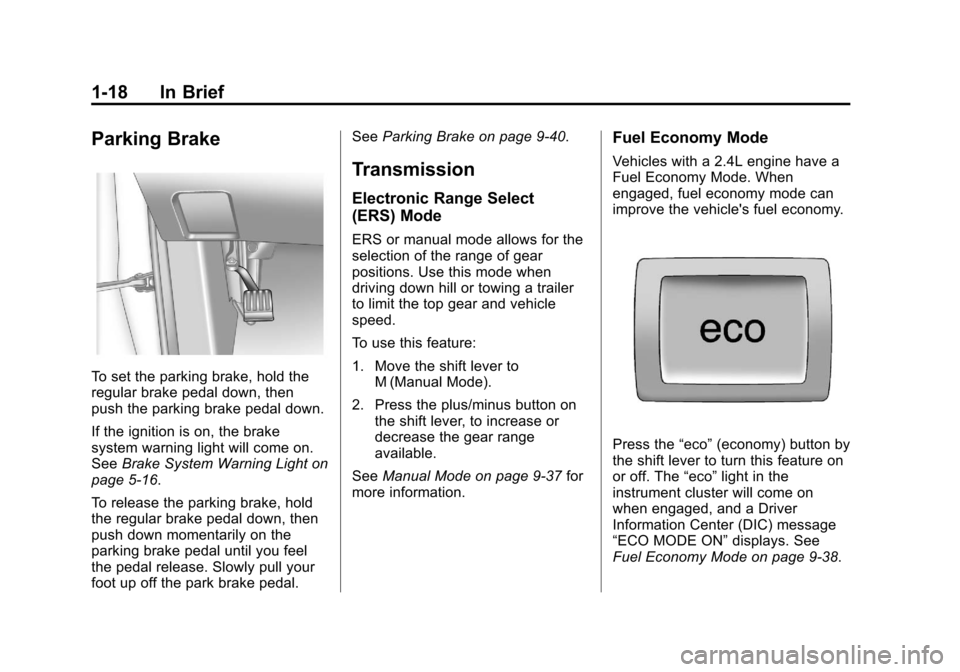
Press the “eco”(economy) button by
the shift lever to turn this feature on
or off. The “eco”light in the
instrument cluster will come on
when engaged, and a Driver
Information Center (DIC) message
“ECO MODE ON” displays. See
Fuel Economy Mode on page 9‑38.
Page 32 of 446
Black plate (26,1)Chevrolet Equinox Owner Manual - 2011
1-26 In Brief
Engine Oil Life System
The engine oil life system calculates
engine oil life based on vehicle use
and displays the CHANGE ENGINE
OIL SOON message when it is time
to change the engine oil and filter.
The oil life system should be reset
to 100% only following an oil
change.
Resetting the Oil Life System
1. Turn the ignition to ON/RUN,with the engine off.
2. Press the DIC menu button to display the Vehicle
Information menu.
3. Press either the up or down arrows to view REMAINING
OIL LIFE.
4. Press the SET/CLEAR button until 100% is displayed.
5. Turn the key to LOCK/OFF. Or:
1. Turn the ignition to ON/RUN with
the engine off.
2. Fully press and release the accelerator pedal three times
within five seconds.
See Engine Oil Life System on
page 10‑14.
Fuel E85 (85% Ethanol)
Vehicles that have a FlexFuel badge
and a yellow fuel cap can use either
unleaded gasoline or ethanol fuel
containing up to 85% ethanol (E85).
See Fuel E85 (85% Ethanol) on
page 9‑56. For all other vehicles,
use only the unleaded gasoline
described under Recommended
Fuel on page 9‑53.
Driving for Better Fuel
Economy
Driving habits can affect fuel
mileage. Here are some driving tips
to get the best fuel economy
possible.
.Avoid fast starts and accelerate
smoothly.
.Brake gradually and avoid
abrupt stops.
.Avoid idling the engine for long
periods of time.
.When road and weather
conditions are appropriate, use
cruise control.
.Always follow posted speed
limits or drive more slowly when
conditions require.
.Keep vehicle tires properly
inflated.
.Combine several trips into a
single trip.
Page 38 of 446
Black plate (2,1)Chevrolet Equinox Owner Manual - 2011
2-2 Keys, Doors and Windows
Keys and Locks
Keys
{WARNING
Leaving children in a vehicle with
the ignition key is dangerous for
many reasons. Children or others
could be badly injured or even
killed. They could operate the
power windows or other controls
or even make the vehicle move.
The windows will function with the
keys in the ignition and children
could be seriously injured or killed
if caught in the path of a closing
window. Do not leave the keys in
a vehicle with children.
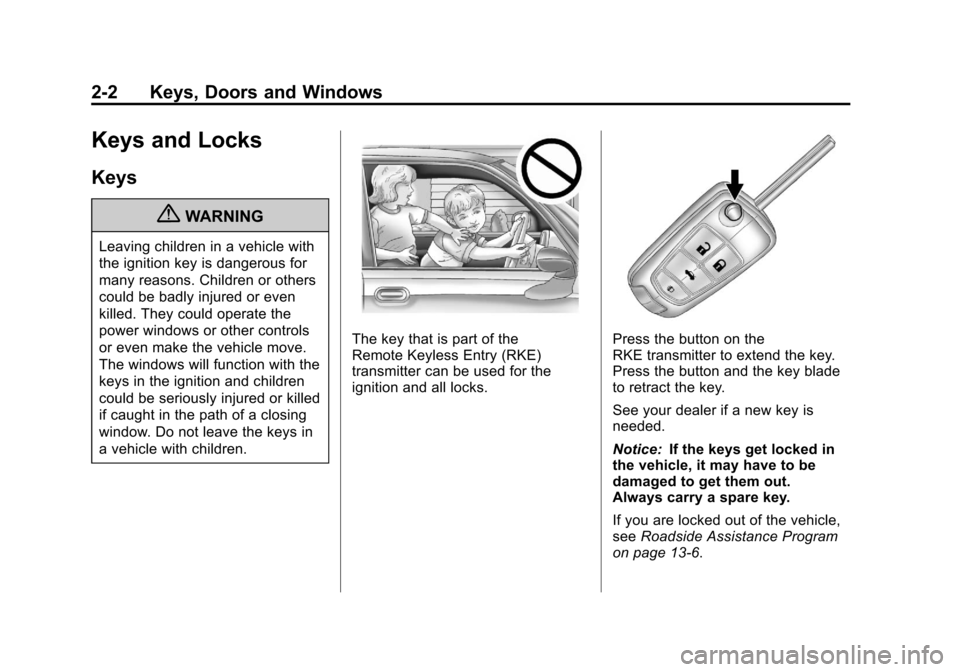
The key that is part of the
Remote Keyless Entry (RKE)
transmitter can be used for the
ignition and all locks.Press the button on the
RKE transmitter to extend the key.
Press the button and the key blade
to retract the key.
See your dealer if a new key is
needed.
Notice:If the keys get locked in
the vehicle, it may have to be
damaged to get them out.
Always carry a spare key.
If you are locked out of the vehicle,
see Roadside Assistance Program
on page 13‑6.
Page 40 of 446
Black plate (4,1)Chevrolet Equinox Owner Manual - 2011
2-4 Keys, Doors and Windows
PressingKmay also disarm
the theft-deterrent system.
See Anti-Theft Alarm System on
page 2‑12.
V(Remote Liftgate Release):
First press
K, then press and hold
Vto unlock the liftgate. For
vehicles with the power liftgate,
press and hold
Vuntil the liftgate
begins to move to open the liftgate.
7(Vehicle Locator/Panic
Alarm): Press and release one
time to locate the vehicle. The
exterior lamps flash and the horn
chirps. Press and hold
7for at least
two seconds to sound the panic
alarm. The horn sounds and the
turn signals flash until
7is pressed
again or the key is placed in the
ignition and turned to ON/RUN.
/(Remote Vehicle Start): For
vehicles with this feature, first press
Qthen press and hold/to start
the engine from outside the vehicle
using the RKE transmitter. See
Remote Vehicle Start on page 2‑5
for additional information.
Programming Transmitters to
the Vehicle
Only RKE transmitters programmed
to this vehicle will work. If a
transmitter is lost or stolen, a
replacement can be purchased and
programmed through your dealer.
When the replacement transmitter is
programmed to this vehicle, all
remaining transmitters must also be
reprogrammed. Any lost or stolen
transmitters will no longer work
once the new transmitter is
programmed.
Battery Replacement
Replace the battery if the REPLACE
BATTERY IN REMOTE KEY
message displays in the DIC. See
“Replace Battery in Remote Key”
under Key and Lock Messages on
page 5‑29.
The battery is not rechargeable.
To replace the battery:
1. Push the button on the transmitter to extend the key.
2. Remove the battery cover by prying with a finger.
3. Remove the battery by pushing on the battery and sliding it
toward the keyblade.
4. Insert the new battery, positive side facing up. Push the battery
down until it is held in place.
Replace with a CR2032 or
equivalent battery.
5. Snap the battery cover back on to the transmitter.