2011 CHEVROLET EQUINOX 9-2
[x] Cancel search: 9-2Page 1 of 446

Black plate (1,1)Chevrolet Equinox Owner Manual - 2011
2011 Chevrolet Equinox Owner ManualM
In Brief. . . . . . . . . . . . . . . . . . . . . . . . 1-1
Instrument Panel . . . . . . . . . . . . . . 1-2
Initial Drive Information . . . . . . . . 1-4
Vehicle Features . . . . . . . . . . . . . 1-19
Performance and Maintenance . . . . . . . . . . . . . . . . 1-24
Keys, Doors and Windows . . . 2-1
Keys and Locks . . . . . . . . . . . . . . . 2-2
Doors . . . . . . . . . . . . . . . . . . . . . . . . . . 2-8
Vehicle Security . . . . . . . . . . . . . . 2-12
Exterior Mirrors . . . . . . . . . . . . . . . 2-14
Interior Mirrors . . . . . . . . . . . . . . . . 2-16
Windows . . . . . . . . . . . . . . . . . . . . . 2-16
Roof . . . . . . . . . . . . . . . . . . . . . . . . . . 2-19
Seats and Restraints . . . . . . . . . 3-1
Head Restraints . . . . . . . . . . . . . . . 3-2
Front Seats . . . . . . . . . . . . . . . . . . . . 3-3
Rear Seats . . . . . . . . . . . . . . . . . . . 3-10
Safety Belts . . . . . . . . . . . . . . . . . . 3-11
Airbag System . . . . . . . . . . . . . . . . 3-27
Child Restraints . . . . . . . . . . . . . . 3-43 Storage
. . . . . . . . . . . . . . . . . . . . . . . 4-1
Storage Compartments . . . . . . . . 4-1
Additional Storage Features . . . 4-2
Roof Rack System . . . . . . . . . . . . . 4-3
Instruments and Controls . . . . 5-1
Controls . . . . . . . . . . . . . . . . . . . . . . . 5-2
Warning Lights, Gauges, and
Indicators . . . . . . . . . . . . . . . . . . . . 5-8
Information Displays . . . . . . . . . . 5-22
Vehicle Messages . . . . . . . . . . . . 5-26
Vehicle Personalization . . . . . . . 5-32
Lighting . . . . . . . . . . . . . . . . . . . . . . . 6-1
Exterior Lighting . . . . . . . . . . . . . . . 6-1
Interior Lighting . . . . . . . . . . . . . . . . 6-4
Lighting Features . . . . . . . . . . . . . . 6-4
Infotainment System . . . . . . . . . 7-1
Introduction . . . . . . . . . . . . . . . . . . . . 7-1
Radio . . . . . . . . . . . . . . . . . . . . . . . . . 7-11
Audio Players . . . . . . . . . . . . . . . . 7-19
Rear Seat Infotainment . . . . . . . 7-33
Phone . . . . . . . . . . . . . . . . . . . . . . . . 7-46 Climate Controls
. . . . . . . . . . . . . 8-1
Climate Control Systems . . . . . . 8-1
Air Vents . . . . . . . . . . . . . . . . . . . . . . . 8-5
Maintenance . . . . . . . . . . . . . . . . . . . 8-6
Driving and Operating . . . . . . . . 9-1
Driving Information . . . . . . . . . . . . . 9-2
Starting and Operating . . . . . . . 9-28
Engine Exhaust . . . . . . . . . . . . . . 9-34
Automatic Transmission . . . . . . 9-35
Drive Systems . . . . . . . . . . . . . . . . 9-38
Brakes . . . . . . . . . . . . . . . . . . . . . . . 9-39
Ride Control Systems . . . . . . . . 9-41
Cruise Control . . . . . . . . . . . . . . . . 9-44
Object Detection Systems . . . . 9-46
Fuel . . . . . . . . . . . . . . . . . . . . . . . . . . 9-53
Towing . . . . . . . . . . . . . . . . . . . . . . . 9-59
Conversions and Add-Ons . . . 9-68
Page 26 of 446
Black plate (20,1)Chevrolet Equinox Owner Manual - 2011
1-20 In Brief
Setting the Time and Date
1. Press the CONFIG button.
2. Select Time and Date Settings.
3. Select Set Time or Set Date.
4. Turn the MENU/SELECT knob toadjust the highlighted value.
5. Press the MENU/SELECT knob to select the next value.
6. To save the time or date and return to the Time and Date
Settings menu, press the BACK
0button at any time or press
the MENU/SELECT knob after
adjusting the minutes or year.
Setting the 12/24 Hour Format
1. Press the CONFIG button.
2. Select Time and Date Settings.
3. Highlight 12/24 Hour Format.
4. Press the MENU/SELECT button to select the 12 hour or
24 hour display format. Setting the Month & Day Format
1. Press the CONFIG button.
2. Select Time and Date Settings.
3. Highlight Month & Day Format.
4. Press the MENU/SELECT knob
to select MM/DD (month/day) or
DD/MM (day/month).
Setting the Auto Time Adjust
1. Press the CONFIG button.
2. Select Time and Date Settings.
3. Highlight Auto Time Adjust.
4. Press the MENU/SELECT knob to turn Auto Time Adjust on
or off.
Satellite Radio
Vehicles with an XM™ Satellite
Radio tuner and a valid XM Satellite
Radio subscription can receive
XM programming.
XM Satellite Radio Service
XM is a satellite radio service based
in the 48 contiguous United States
and 10 Canadian provinces. XM
Satellite Radio has a wide variety of
programming and commercial-free
music, coast to coast, and in
digital-quality sound. A fee is
required to receive the XM service.
For more information refer to:
.www.xmradio.com or call
1-800-929-2100 (U.S.).
.www.xmradio.ca or call
1-877-438-9677 (Canada).
For more information, see Satellite
Radio on page 7‑14.
Page 33 of 446
Black plate (27,1)Chevrolet Equinox Owner Manual - 2011
In Brief 1-27
.Replace the vehicle's tires with
the same TPC Spec number
molded into the tire's sidewall
near the size.
.Follow recommended scheduled
maintenance.
Roadside Assistance
Program
U.S.:1-800-243-8872
TTY Users: 1-888-889-2438
Canada: 1-800-268-6800
As the owner of a new Chevrolet,
you are automatically enrolled in the
Roadside Assistance program. This
program provides technically trained
advisors who are available 24 hours
a day, 365 days a year, to give
minor repair information or make
towing arrangements.
For more information see Roadside
Assistance Program on page 13‑6. Roadside Assistance and OnStar
If you have a current OnStar
subscription, press the
Qbutton
and the current GPS location will be
sent to an OnStar advisor who will
assess your problem, contact
Roadside Assistance, and relay
your exact location to get the help
you need.
Online Owner Center
The Online Owner Center is a
complimentary service that includes
online service reminders, vehicle
maintenance tips, online owner
manual, special privileges,
and more.
Sign up today at:
www.chevyownercenter.com
(U.S.) or www.gm.ca (Canada).
OnStar®
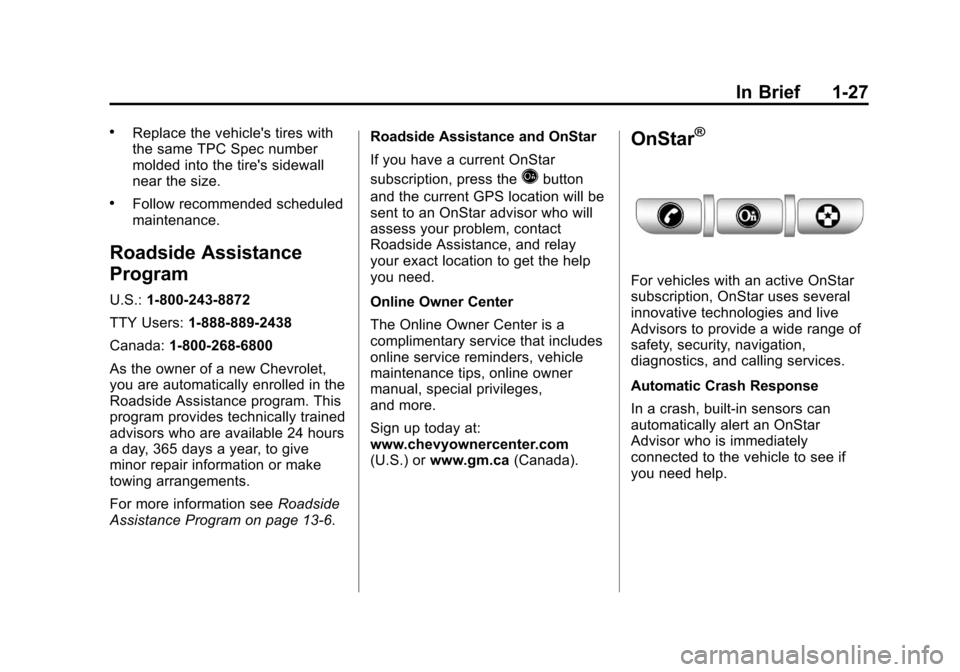
For vehicles with an active OnStar
subscription, OnStar uses several
innovative technologies and live
Advisors to provide a wide range of
safety, security, navigation,
diagnostics, and calling services.
Automatic Crash Response
In a crash, built‐in sensors can
automatically alert an OnStar
Advisor who is immediately
connected to the vehicle to see if
you need help.
Page 182 of 446
Black plate (14,1)Chevrolet Equinox Owner Manual - 2011
7-14 Infotainment System
Press and releasegSEEK or
lSEEK to jump forward or back
30 seconds in the time shift buffer.
When the radio station is changed,
the buffer is cleared and
automatically restarted for the
current station. Content from a
previously tuned station is no longer
available.
The time shift feature is not
available while recording or with
other sources of playback.
Pausing AM/FM with the Vehicle
Turned Off
If AM/FM is paused when the
vehicle is turned off, the radio
continues to buffer the current radio
station for up to 20 minutes. If the
vehicle is turned back on within
20 minutes, the radio resumes
playback from the paused point.
Satellite Radio
Vehicles with an XM™ Satellite
Radio tuner and a valid XM Satellite
Radio subscription can receive
XM programming.
XM Satellite Radio Service
XM is a satellite radio service based
in the 48 contiguous United States
and 10 Canadian provinces. XM
Satellite Radio has a wide variety of
programming and commercial-free
music, coast-to-coast, and in
digital-quality sound. If XM service
needs to be reactivated, the radio
will display “No Subscription Please
Renew on channel XM1.” A service
fee is required to receive the XM
service. For more information,
contact XM at www.xmradio.com or
call 1-800-929-2100 in the U.S. and
www.xmradio.ca or call
1-877-438-9677 in Canada.
Control Buttons
The buttons used to control the
XM radio are:
RADIO/BAND: Press to turn the
radio on and choose between AM,
FM, and XM™, if equipped.
gSEEK /lSEEK: Press to go
to the previous or next station.
FAV: Press to open the
favorites list.
k: Press to pause and resume
time shifted data. See “Time Shifting
(Radio with CD/DVD and MEM)” in
this section.
1 to 6: Press to select preset
stations.
MENU/SEL: Turn to select stations.
Press to open the XM Satellite
Radio menu.
Page 185 of 446

Black plate (17,1)Chevrolet Equinox Owner Manual - 2011
Infotainment System 7-17
XM Messages
XL (Explicit Language
Channels):These channels, or any
others, can be blocked by request,
by calling 1-800-929-2100 in the
U.S. and 1-877-438-9677 in
Canada.
XM Updating: The encryption code
in the receiver is being updated, no
action is required. This process
should take no longer than
30 seconds.
Loading XM: The audio system is
acquiring and processing audio and
text data; no action is needed. This
message should disappear shortly.
Channel Off Air: This channel is
not currently in service. Tune in to
another channel.
Channel Unauth: This channel is
blocked or cannot be received with
your XM Subscription package. Channel Unavailable:
This
previously assigned channel is no
longer assigned. Tune to another
station.
No Artist Info: The system is
working properly. No artist
information is available at this
time on this channel.
No Title Info: The system is
working properly. No song title
information is available at this
time on this channel.
No CAT Info: The system is
working properly. No category
information is available at this time
on this channel.
No Information: The system is
working properly. No text or
informational messages are
available at this time on this
channel. No Subscription Please Renew:
XM subscription needs to be
reactivated. Contact XM at
www.xmradio.com or call
1-800-929-2100 in the U.S. and
www.xmradio.ca or call
1-877-438-9677 in Canada.
No XM Signal:
The system is
working properly. The vehicle may
be in a location where the XM signal
is being blocked. When the vehicle
is moved into an open area, the
signal should return.
CAT Not Found: The system is
working properly. There are no
channels available for the selected
category.
XM Radio ID: If tuned to channel 0,
this message alternates with the
XM Radio 8‐digit radio ID label.
This label is needed to activate
the service.
Page 239 of 446
Black plate (1,1)Chevrolet Equinox Owner Manual - 2011
Driving and Operating 9-1
Driving and
Operating
Driving Information
Defensive Driving . . . . . . . . . . . . . 9-2
Drunk Driving . . . . . . . . . . . . . . . . . 9-2
Control of a Vehicle . . . . . . . . . . . 9-3
Braking . . . . . . . . . . . . . . . . . . . . . . . 9-4
Steering . . . . . . . . . . . . . . . . . . . . . . . 9-5
Off-Road Recovery . . . . . . . . . . . . 9-6
Loss of Control . . . . . . . . . . . . . . . . 9-7
Off-Road Driving . . . . . . . . . . . . . . 9-8
Driving on Wet Roads . . . . . . . 9-18
Highway Hypnosis . . . . . . . . . . . 9-19
Hill and Mountain Roads . . . . . 9-19
Winter Driving . . . . . . . . . . . . . . . 9-20
If the Vehicle is Stuck . . . . . . . . 9-22
Vehicle Load Limits . . . . . . . . . . 9-22
Starting and Operating
New Vehicle Break-In . . . . . . . . 9-28
Ignition Positions . . . . . . . . . . . . 9-28
Starting the Engine . . . . . . . . . . 9-30
Retained AccessoryPower (RAP) . . . . . . . . . . . . . . . 9-31
Engine Coolant Heater . . . . . . . 9-32
Shifting Into Park . . . . . . . . . . . . 9-32
Shifting Out of Park . . . . . . . . . . 9-33
Parking Over Things That Burn . . . . . . . . . . . . . . . . . . 9-34
Engine Exhaust
Engine Exhaust . . . . . . . . . . . . . . 9-34
Running the Vehicle WhileParked . . . . . . . . . . . . . . . . . . . . . 9-35
Automatic Transmission
Automatic Transmission . . . . . 9-35
Manual Mode . . . . . . . . . . . . . . . . 9-37
Fuel Economy Mode . . . . . . . . . 9-38
Drive Systems
All-Wheel Drive . . . . . . . . . . . . . . 9-38
Brakes
Antilock BrakeSystem (ABS) . . . . . . . . . . . . . . 9-39
Parking Brake . . . . . . . . . . . . . . . 9-40
Brake Assist . . . . . . . . . . . . . . . . . 9-40
Hill Start Assist (HSA) . . . . . . . 9-41
Ride Control Systems
Traction Control System (TCS) . . . . . . . . . . . . . . 9-41
StabiliTrak
®System . . . . . . . . . 9-43
Cruise Control
Cruise Control . . . . . . . . . . . . . . . 9-44
Object Detection Systems
Ultrasonic Parking Assist . . . . 9-46
Rear Vision Camera (RVC) . . . . . . . . . . . . . 9-48
Page 240 of 446
Black plate (2,1)Chevrolet Equinox Owner Manual - 2011
9-2 Driving and Operating
Fuel
Fuel . . . . . . . . . . . . . . . . . . . . . . . . . 9-53
Recommended Fuel . . . . . . . . . 9-53
Gasoline Specifications(U.S. and Canada Only) . . . . 9-54
California Fuel
Requirements . . . . . . . . . . . . . . 9-54
Fuels in Foreign Countries . . . 9-54
Fuel Additives . . . . . . . . . . . . . . . 9-54
Fuel E85 (85% Ethanol) . . . . . 9-56
Filling the Tank . . . . . . . . . . . . . . 9-57
Filling a Portable Fuel Container . . . . . . . . . . . . . . . . . . . 9-59
Towing
General TowingInformation . . . . . . . . . . . . . . . . . 9-59
Driving Characteristics and
Towing Tips . . . . . . . . . . . . . . . . 9-60
Trailer Towing . . . . . . . . . . . . . . . . 9-64
Towing Equipment . . . . . . . . . . . 9-67
Trailer Sway Control (TSC) . . . . . . . . . . . . . . 9-68
Conversions and Add-Ons
Add-On ElectricalEquipment . . . . . . . . . . . . . . . . . 9-68
Driving Information
Defensive Driving
Defensive driving means “always
expect the unexpected.” The first
step in driving defensively is to wear
your safety belt. See Safety Belts on
page 3‑11.
{WARNING
Assume that other road users
(pedestrians, bicyclists, and other
drivers) are going to be careless
and make mistakes. Anticipate
what they might do and be ready.
In addition:
.Allow enough following
distance between you and
the driver in front of you.
.Focus on the task of driving.
(Continued)
WARNING (Continued)
Driver distraction can cause
collisions resulting in injury or
possible death. These simple
defensive driving techniques
could save your life.
Drunk Driving
{WARNING
Drinking and then driving is
very dangerous. Your reflexes,
perceptions, attentiveness, and
judgment can be affected by even
a small amount of alcohol. You
can have a serious —or even
fatal —collision if you drive after
drinking. Do not drink and drive
or ride with a driver who has
been drinking.
(Continued)
Page 258 of 446
Black plate (20,1)Chevrolet Equinox Owner Manual - 2011
9-20 Driving and Operating
Winter Driving
Driving on Snow or Ice
Drive carefully when there is snow
or ice between the tires and the
road, creating less traction or grip.
Wet ice can occur at about 0°C
(32°F) when freezing rain begins to
fall, resulting in even less traction.
Avoid driving on wet ice or in
freezing rain until roads can be
treated with salt or sand.
Drive with caution, whatever the
condition. Accelerate gently so
traction is not lost. Accelerating too
quickly causes the wheels to spin
and makes the surface under the
tires slick, so there is even
less traction.
Try not to break the fragile traction.
If you accelerate too fast, the drive
wheels will spin and polish the
surface under the tires even more.The
Antilock Brake System (ABS)
on page 9‑39 improves vehicle
stability during hard stops on
slippery roads, but apply the brakes
sooner than when on dry pavement.
Allow greater following distance on
any slippery road and watch for
slippery spots. Icy patches can
occur on otherwise clear roads in
shaded areas. The surface of a
curve or an overpass can remain icy
when the surrounding roads are
clear. Avoid sudden steering
maneuvers and braking while
on ice.
Turn off cruise control on slippery
surfaces.
Blizzard Conditions
Being stuck in snow can be a
serious situation. Stay with the
vehicle unless there is help nearby.
If possible, use the Roadside
Assistance Program on page 13‑6.
To get help and keep everyone in
the vehicle safe:
.Turn on the hazard warning
flashers.
.Tie a red cloth to an outside
mirror.
{WARNING
Snow can trap engine exhaust
under the vehicle. This may
cause exhaust gases to get
inside. Engine exhaust contains
Carbon Monoxide (CO) which
cannot be seen or smelled.
It can cause unconsciousness
and even death.
(Continued)