2011 CHEVROLET CRUZE steering
[x] Cancel search: steeringPage 115 of 394

Black plate (3,1)Chevrolet Cruze Owner Manual - 2011
Instruments and Controls 5-3
on page 7‑24orBluetooth (Voice
Recognition) on page 7‑28, the
OnStar Owner's Guide, or the
separate Navigation System Manual
for more information.
$ i(Mute/End Call): Press to
silence the vehicle speakers only.
Press again to turn the sound on.
For vehicles with OnStar or
Bluetooth systems, press to reject
an incoming call, or end a
current call.
_SRC^(Rotary Control): Press
to select an audio source.
Toggle up or down to select the next
or previous favorite radio station,
CD, or MP3 track.
+
x− (Volume): Press + to
increase the volume. Press −to
decrease the volume.
Horn
Press near the horn symbols or
press on the steering wheel pad to
sound the horn.
Windshield Wiper/Washer
The windshield wiper lever is on the
side of the steering column. With
the ignition in ACC/ACCESSORY or
ON/RUN, move the windshield
wiper lever to select the wiper
speed.
2: Fast wipes.
1: Slow wipes.
&(Adjustable Interval Wipes):
Turn the band up for more frequent
wipes or down for less frequent
wipes.
9(Off): Turns the windshield
wipers off.
3(Mist): Single wipe, briefly
move the wiper down. Several
wipes, hold the wiper lever down.
Clear ice and snow from the wiper
blades before using them. If they
are frozen to the windshield,
carefully loosen or thaw them.
Damaged wiper blades should be
replaced. See Wiper Blade
Replacement on page 10‑29.
Heavy snow or ice can overload the
wipers. A circuit breaker stops them
until the motor cools.
Page 127 of 394
Black plate (15,1)Chevrolet Cruze Owner Manual - 2011
Instruments and Controls 5-15
.Make sure the electrical system
is not wet. The system could be
wet if the vehicle was driven
through a deep puddle of water.
The condition is usually
corrected when the electrical
system dries out. A few driving
trips should turn the light off.
.Make sure to fuel the vehicle
with quality fuel. Poor fuel quality
causes the engine not to run as
efficiently as designed and can
cause: stalling after start-up,
stalling when the vehicle is
changed into gear, misfiring,
hesitation on acceleration,
or stumbling on acceleration.
These conditions might go away
once the engine is warmed up.
If one or more of these
conditions occurs, change the
fuel brand used. It will require at
least one full tank of the proper
fuel to turn the light off.
SeeRecommended Fuel on
page 9‑40. If none of the above have made the
light turn off, your dealer can check
the vehicle. The dealer has the
proper test equipment and
diagnostic tools to fix any
mechanical or electrical problems
that might have developed.Emissions Inspection and
Maintenance Programs
Some state/provincial and local
governments may have programs to
inspect the on-vehicle emission
control equipment. For the
inspection, the emission system test
equipment is connected to the
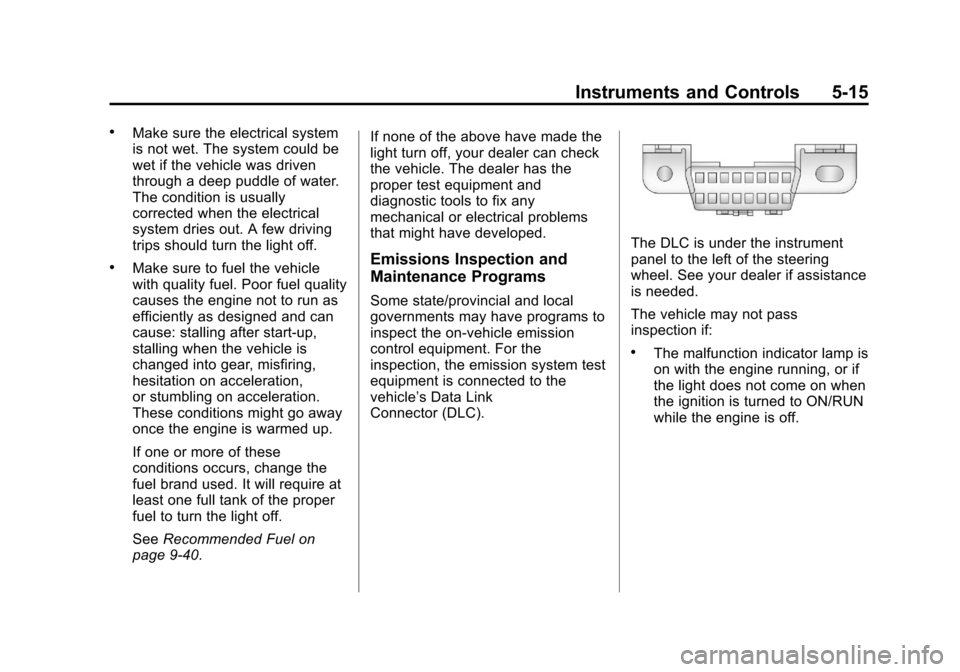
vehicle’s Data Link
Connector (DLC).
The DLC is under the instrument
panel to the left of the steering
wheel. See your dealer if assistance
is needed.
The vehicle may not pass
inspection if:
.The malfunction indicator lamp is
on with the engine running, or if
the light does not come on when
the ignition is turned to ON/RUN
while the engine is off.
Page 130 of 394
Black plate (18,1)Chevrolet Cruze Owner Manual - 2011
5-18 Instruments and Controls
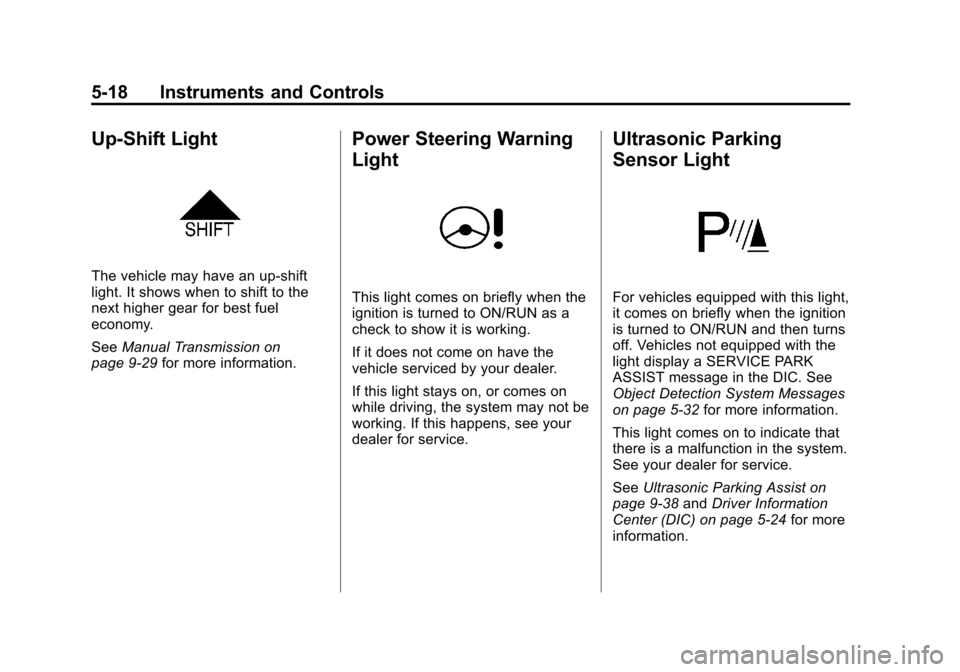
Up-Shift Light
The vehicle may have an up-shift
light. It shows when to shift to the
next higher gear for best fuel
economy.
SeeManual Transmission on
page 9‑29 for more information.
Power Steering Warning
Light
This light comes on briefly when the
ignition is turned to ON/RUN as a
check to show it is working.
If it does not come on have the
vehicle serviced by your dealer.
If this light stays on, or comes on
while driving, the system may not be
working. If this happens, see your
dealer for service.
Ultrasonic Parking
Sensor Light
For vehicles equipped with this light,
it comes on briefly when the ignition
is turned to ON/RUN and then turns
off. Vehicles not equipped with the
light display a SERVICE PARK
ASSIST message in the DIC. See
Object Detection System Messages
on page 5‑32 for more information.
This light comes on to indicate that
there is a malfunction in the system.
See your dealer for service.
See Ultrasonic Parking Assist on
page 9‑38 andDriver Information
Center (DIC) on page 5‑24 for more
information.
Page 136 of 394
Black plate (24,1)Chevrolet Cruze Owner Manual - 2011
5-24 Instruments and Controls
Door Ajar Light
For vehicles equipped with this light,
it comes on when a door is open or
not secured. Vehicles not equipped
with a light display a DIC message.
SeeDoor Ajar Messages on
page 5‑29 for more information.
Information Displays
Driver Information
Center (DIC)
The vehicle may have a Driver
Information Center (DIC). The DIC
displays information about your
vehicle. It also displays warning
messages if a system problem is
detected. See Vehicle Messages
(Canada Base Level) on page 5‑27
or Vehicle Messages (Canada
Uplevel and United States) on
page 5‑28 for more information. All
messages appear in the DIC display
located in the center of the
instrument panel cluster.
DIC Operation and Displays
The DIC has different displays
which can be accessed by using the
DIC buttons located on the turn
signal lever located on the left side
of the steering wheel. The DIC
displays trip, fuel, and warning
messages if a system problem is
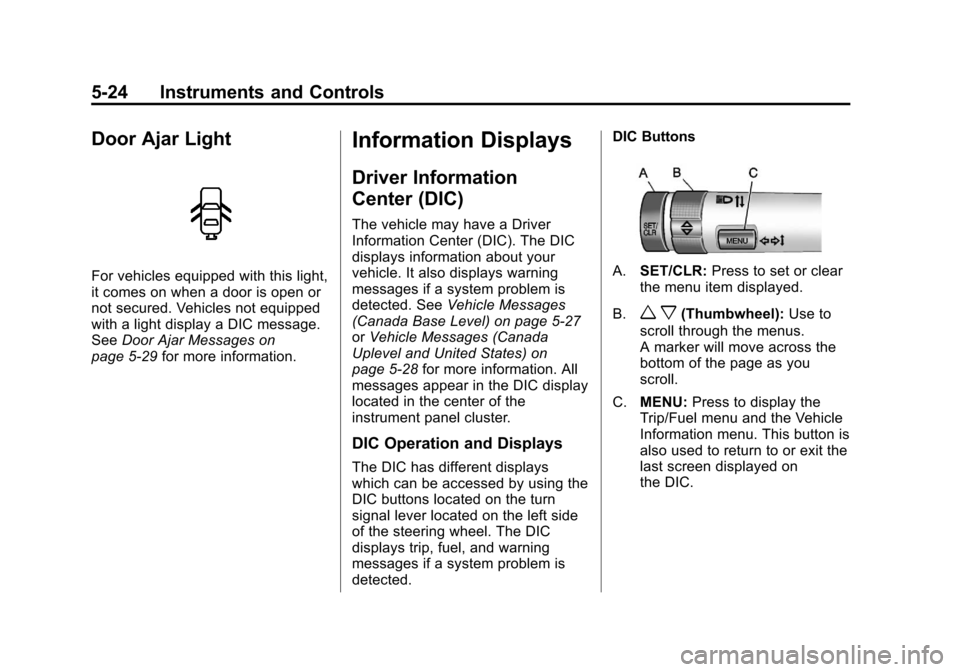
detected. DIC Buttons
A.
SET/CLR: Press to set or clear
the menu item displayed.
B.
w x(Thumbwheel): Use to
scroll through the menus.
A marker will move across the
bottom of the page as you
scroll.
C. MENU: Press to display the
Trip/Fuel menu and the Vehicle
Information menu. This button is
also used to return to or exit the
last screen displayed on
the DIC.
Page 140 of 394
Black plate (28,1)Chevrolet Cruze Owner Manual - 2011
5-28 Instruments and Controls
On the Canadian base level cluster,
vehicle messages appear as code
numbers.
25:Left front turn indicator failure
26: Left rear turn indicator failure
27: Right front turn indicator failure
28: Right rear turn indicator failure
35: Replace battery in radio remote
control
53: Tighten gas cap
68: Service power steering
75: Service air conditioner
82: Change engine oil soon
84: Engine power is reduced
95: Service airbagVehicle Messages
(Canada Uplevel and
United States)
DIC messages display when the
status of the vehicle has changed
and action may be needed to
correct the condition. Multiple
messages appear one after another.
Press any of the DIC buttons on the
turn signal lever to acknowledge
and clear them from the display.
More urgent messages cannot be
cleared from the DIC display. All
messages should be taken
seriously. Clearing messages will
not correct the problem.
On the Canadian uplevel cluster
and on vehicles sold in the United
States, vehicle messages are
displayed as text. The messages
and information about them follow.
Battery Voltage and
Charging Messages
BATTERY SAVER ACTIVE
This message displays when the
vehicle has detected that the battery
voltage is dropping beyond a
reasonable point. The battery saver
system starts reducing certain
features of the vehicle that you may
be able to notice. At the point that
features are disabled, this message
is displayed. It means that the
vehicle is trying to save the charge
in the battery. Turn off unnecessary
accessories to allow the battery to
recharge.
LOW BATTERY
This message is displayed when the
battery voltage is low. See Battery
on page 10‑26 for more information.
Page 144 of 394
Black plate (32,1)Chevrolet Cruze Owner Manual - 2011
5-32 Instruments and Controls
Object Detection System
Messages
PARK ASSIST OFF
This message is displayed when the
park assist system has been turned
off. SeeUltrasonic Parking Assist
on page 9‑38.
SERVICE PARK ASSIST
This message is displayed if there is
a problem with the park assist
system. Take the vehicle to your
dealer for service.
Ride Control System
Messages
SERVICE TRACTION
CONTROL
This message displays when there
is a problem with the Traction
Control System (TCS). See Traction
Control System (TCS) on
page 9‑33.
SERVICE STABILITRAK
This message displays if there is a
problem with the StabiliTrak®
system. See StabiliTrak®System on
page 9‑34.
Airbag System Messages
SERVICE AIRBAG
This message displays if there is a
problem with the airbag system.
Take the vehicle to your dealer for
service.
Security Messages
THEFT ATTEMPTED
This message displays if the vehicle
detects a tamper condition.
Service Vehicle Messages
SERVICE AC SYSTEM
This message is displays if there is
a problem with the air conditioning
system. Take the vehicle to your
dealer for service.
SERVICE POWER STEERING
This message is displays if there is
a problem with the power steering
system. Take the vehicle to your
dealer for service.
SERVICE STEERING
COLUMN LOCK
This message is displays if there is
a problem with the steering column
lock. Take the vehicle to your dealer
for service.
SERVICE VEHICLE SOON
This message is displays if there is
a problem with the vehicle. Take the
vehicle to your dealer for service.
Page 145 of 394
Black plate (33,1)Chevrolet Cruze Owner Manual - 2011
Instruments and Controls 5-33
Starting the Vehicle
Messages
TURN STEERING WHEEL
TURN KEY OFF THEN ON
This message is displays when the
steering column is locked. Try
turning the steering wheel while
turning the vehicle off and then back
on to unlock the steering column.
TURN STEERING WHEEL
START VEHICLE AGAIN
This message is displays when the
steering column is locked. Try
turning the steering wheel while
starting the vehicle to unlock the
steering column.
Tire Messages
SERVICE TIRE MONITOR
SYSTEM
This message displays if there is a
problem with the Tire Pressure
Monitor System (TPMS). SeeTire
Pressure Monitor Operation on
page 10‑53 for more information.
TIRE LEARNING ACTIVE
This message displays when the
system is learning new tires. See
Tire Pressure Monitor Operation on
page 10‑53for more information.
TIRE PRESSURE LOW ADD
AIR TO TIRE
On vehicles with the Tire Pressure
Monitor System (TPMS), this
message displays when the
pressure in one or more of the
vehicle's tires is low. There is also an icon with the
warning that will indicate the
location of the low tire
The low tire pressure warning light
will also come on. See
Tire
Pressure Light on page 5‑20.
If a tire pressure message appears
on the DIC, stop as soon as you
can. Inflate the tires by adding air
until the tire pressure is equal to the
values shown on the Tire and
Loading Information label. See Tires
on page 10‑42, Vehicle Load Limits
on page 9‑12, and Tire Pressure on
page 10‑50.
You can receive more than one tire
pressure message at a time. To
read the other messages that may
have been sent at the same time,
press the set/reset button. The DIC
also shows the tire pressure values.
See Driver Information Center (DIC)
on page 5‑24.
Page 146 of 394
Black plate (34,1)Chevrolet Cruze Owner Manual - 2011
5-34 Instruments and Controls
Transmission Messages
SERVICE TRANSMISSION
This message displays if there is a
problem with the transmission. See
your dealer.
TRANSMISSION HOT—IDLE
ENGINE
This message displays and a chime
sounds if the transmission fluid in
the vehicle gets hot. Driving with the
transmission fluid temperature high
can cause damage to the vehicle.
Stop the vehicle and let it idle to
allow the transmission to cool. This
message clears when the fluid
temperature reaches a safe level.
Vehicle Reminder
Messages
ICE POSSIBLE DRIVE
WITH CARE
This message is displays when ice
conditions are possible.
STEERING COLUMN IS
LOCKED
This message is displays when the
steering column is locked.
Vehicle
Personalization
The audio system controls are used
to access the personalization
menus for customizing vehicle
features.
CONFIG (Configuration): Press to
access the Configuration
Settings menu.
MENU or MENU/SEL knob
(depending on system): Press the
center of this knob to enter the
menus and select menu items. Turn
the knob to scroll through the
menus.
BACK: Press to exit or move
backwards in a menu.