2011 CHEVROLET CRUZE sensor
[x] Cancel search: sensorPage 123 of 394
Black plate (11,1)Chevrolet Cruze Owner Manual - 2011
Instruments and Controls 5-11
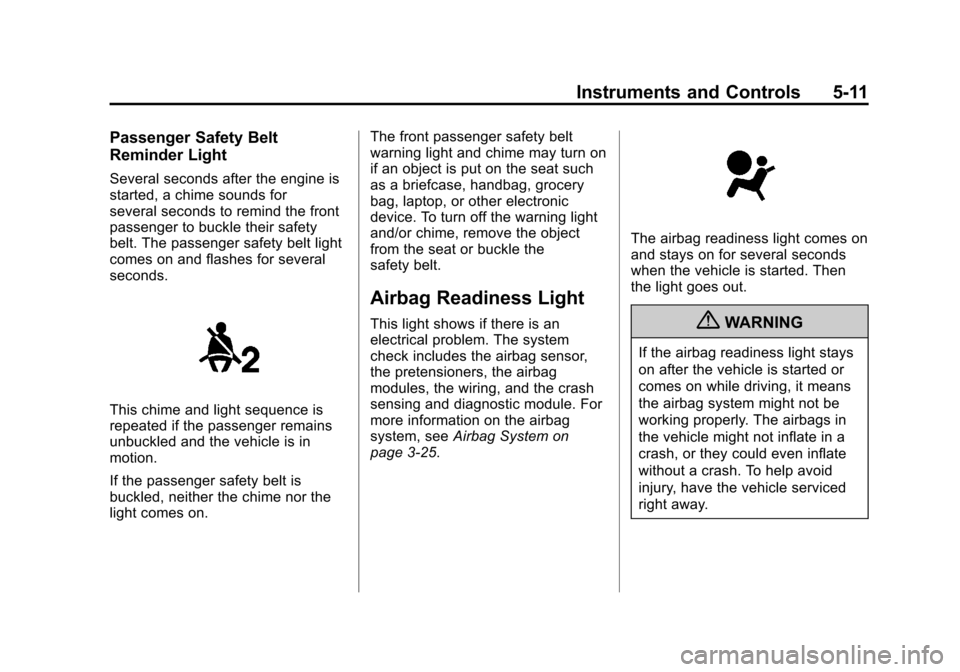
Passenger Safety Belt
Reminder Light
Several seconds after the engine is
started, a chime sounds for
several seconds to remind the front
passenger to buckle their safety
belt. The passenger safety belt light
comes on and flashes for several
seconds.
This chime and light sequence is
repeated if the passenger remains
unbuckled and the vehicle is in
motion.
If the passenger safety belt is
buckled, neither the chime nor the
light comes on.The front passenger safety belt
warning light and chime may turn on
if an object is put on the seat such
as a briefcase, handbag, grocery
bag, laptop, or other electronic
device. To turn off the warning light
and/or chime, remove the object
from the seat or buckle the
safety belt.
Airbag Readiness Light
This light shows if there is an
electrical problem. The system
check includes the airbag sensor,
the pretensioners, the airbag
modules, the wiring, and the crash
sensing and diagnostic module. For
more information on the airbag
system, see
Airbag System on
page 3‑25.
The airbag readiness light comes on
and stays on for several seconds
when the vehicle is started. Then
the light goes out.
{WARNING
If the airbag readiness light stays
on after the vehicle is started or
comes on while driving, it means
the airbag system might not be
working properly. The airbags in
the vehicle might not inflate in a
crash, or they could even inflate
without a crash. To help avoid
injury, have the vehicle serviced
right away.
Page 130 of 394
Black plate (18,1)Chevrolet Cruze Owner Manual - 2011
5-18 Instruments and Controls
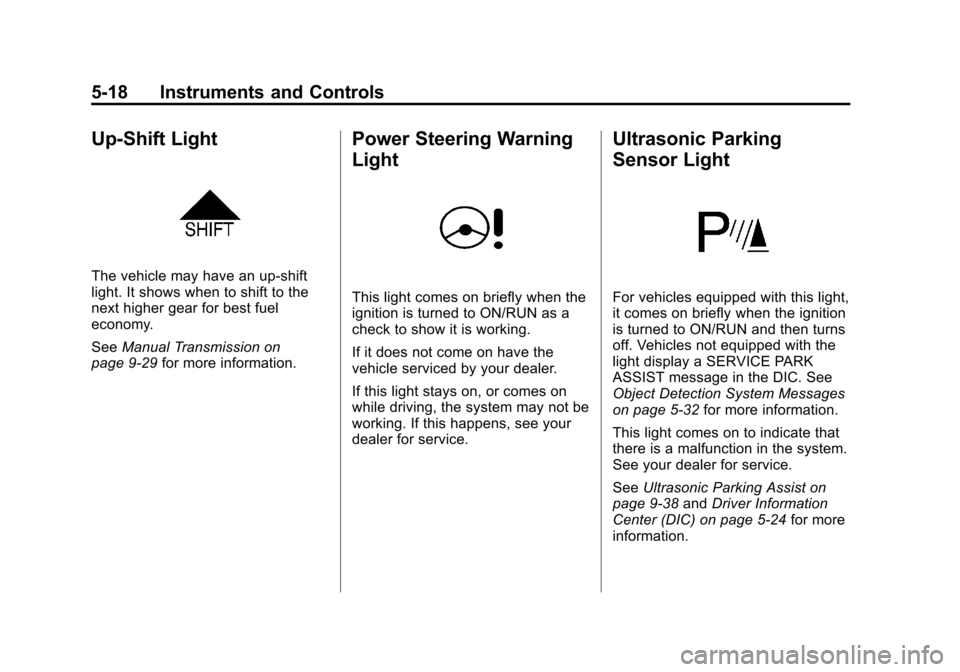
Up-Shift Light
The vehicle may have an up-shift
light. It shows when to shift to the
next higher gear for best fuel
economy.
SeeManual Transmission on
page 9‑29 for more information.
Power Steering Warning
Light
This light comes on briefly when the
ignition is turned to ON/RUN as a
check to show it is working.
If it does not come on have the
vehicle serviced by your dealer.
If this light stays on, or comes on
while driving, the system may not be
working. If this happens, see your
dealer for service.
Ultrasonic Parking
Sensor Light
For vehicles equipped with this light,
it comes on briefly when the ignition
is turned to ON/RUN and then turns
off. Vehicles not equipped with the
light display a SERVICE PARK
ASSIST message in the DIC. See
Object Detection System Messages
on page 5‑32 for more information.
This light comes on to indicate that
there is a malfunction in the system.
See your dealer for service.
See Ultrasonic Parking Assist on
page 9‑38 andDriver Information
Center (DIC) on page 5‑24 for more
information.
Page 147 of 394
Black plate (35,1)Chevrolet Cruze Owner Manual - 2011
Instruments and Controls 5-35
Entering the Personalization
Menus
1. Press CONFIG to access theConfiguration Settings menu.
2. Turn the MENU or MENU/SEL knob to highlight Vehicle
Settings. Press the CONFIG
button until Vehicle is highlighted
on vehicles with navigation
system only.
3. Press the center of the MENU or MENU/SEL knob to select the
Vehicle Settings menu. Key myst
be in the run position.
The following list of menu items will
be available:
.Climate and Air Quality
.Comfort and Convenience
.Collision/Detection Systems
.Languages
.Lighting
.Power Door Locks
.Remote Locking, Unlocking,
Starting
.Return to Factory Settings
Turn the MENU or MENU/SEL knob
to highlight the menu. Press the
knob to select it. Each of the menus
is detailed in the following
information.
Vehicles with a Navigation system
will display a check mark to indicate
this feature is on.
Climate and Air Quality
If equipped, select the Climate and
Air Quality menu and the following
will be displayed:
.Auto Fan Speed
.Air Quality Sensor
.Remote Start Auto Heat Seats
.Auto Defog
.Auto Rear Defog Auto Fan Speed
This will allow you to select the
automatic fan speed. This feature
sets the climate control fan speed to
maintain the interior temperature.
Press the MENU or MENU/SEL
knob when Auto Fan Speed is
highlighted to open the menu. Turn
the knob to highlight High, Medium,
or Low. Press the BACK button to
confirm the selection and move
back to the last menu.
Air Quality Sensor
This will allow you to select whether
the system will operate at high or
low sensitivity. Only vehicles with
the automatic climate control will
have this option.
Press the MENU or MENU/SEL
knob when Air Quality Sensor is
highlighted to open the menu. Turn
the knob to highlight High Sensitivity
or Low Sensitivity. Press the BACK
button to confirm the selection and
move back to the last menu.
Page 154 of 394
Black plate (2,1)Chevrolet Cruze Owner Manual - 2011
6-2 Lighting
5(Headlamps):Turns the
headlamps on together with the
lamps listed below. A warning chime
sounds if the driver door is opened
when the ignition switch is off and
the headlamps are on.
.Parking Lamps
.Taillamps
.License Plate Lamps
.Instrument Panel Lights
.Side Marker Lamps
#(Front Fog Lamps): For
vehicles with fog lamps, press to
turn the lamps on or off.
See Front Fog Lamps on page 6‑4.
When the lights are on,
;will be
lit. See Lamps On Reminder on
page 5‑23.
Headlamp High/
Low-Beam Changer
2 3Headlamp High/Low‐Beam
Changer: Push the turn signal/lane
change lever away from you to turn
the high beams on.
Pull the lever toward you to return to
low beams.
This indicator light turns on in the
instrument panel cluster when the
high‐beam headlamps are on.
Flash-to-Pass
To flash the high beams, pull the
turn signal/lane change lever all the
way toward you. Then release it.
Daytime Running
Lamps (DRL)
Daytime Running Lamps (DRL) can
make it easier for others to see the
front of your vehicle during the day.
Fully functional daytime running
lamps are required on all vehicles
first sold in Canada.
This indicator light turns on in the
instrument panel cluster when the
DRL are on.
A light sensor on top of the
instrument panel makes the DRL
work, so be sure it is not covered.
Page 155 of 394
Black plate (3,1)Chevrolet Cruze Owner Manual - 2011
Lighting 6-3
The DRL system makes the low‐
beam headlamps come on at a
reduced brightness when the
following conditions are met:
.The ignition is in the ON/
RUN mode.
.The exterior lamps control is
in AUTO.
.The engine is running.
When the DRL are on, only the low‐
beam headlamps, at a reduced level
of brightness, will be on. The
taillamps, sidemarker, instrument
panel, and other lamps will not
be on.
The headlamps automatically
change from DRL to the regular
headlamps depending on the
darkness of the surroundings. The
other lamps that come on with the
headlamps will also come on.
When it is bright enough outside,
the headlamps go off and the DRL
come on. To turn the DRL lamps off or on
again, turn the exterior lamps
control to the off position and then
release. For vehicles first sold in
Canada, the DRL lamps cannot be
turned off.
Automatic Headlamp
System
When it is dark enough outside and
the exterior lamps control is in the
automatic position, the headlamps
come on automatically. See
Exterior
Lamp Controls on page 6‑1.
The vehicle has a light sensor
located on top of the instrument
panel. Make sure it is not covered,
or the headlamps will be on when
they are not needed.
The system may also turn on the
headlamps when driving through a
parking garage or tunnel.
Hazard Warning Flashers
|
Hazard Warning Flasher:
Press and momentarily hold this
button located on the instrument
panel above the climate control
system, to make the front and rear
turn signal lamps flash on and off.
This warns others that you are
having trouble. Press and
momentarily hold again to turn the
flashers off.
Page 195 of 394
Black plate (3,1)Chevrolet Cruze Owner Manual - 2011
Climate Controls 8-3
Rear Window Defogger
<(Rear Defogger):Press to turn
the rear window defogger on or off.
The rear window defogger turns off
after about 10 minutes. It can also
be turned off by turning the ignition
to ACC/ACCESSORY or LOCK/
OFF. If turned on again it runs for
about five minutes before
turning off.
Do not drive the vehicle until all the
windows are clear.
Notice: Do not use a razor blade
or sharp object to clear the inside
rear window. Do not adhere
anything to the defogger grid
lines in the rear glass. These
actions may damage the rear
defogger. Repairs would not be
covered by your warranty.
Heated Seats (If Equipped): Press
to turn the heated seats on or off.
See Heated Front Seats on
page 3‑7
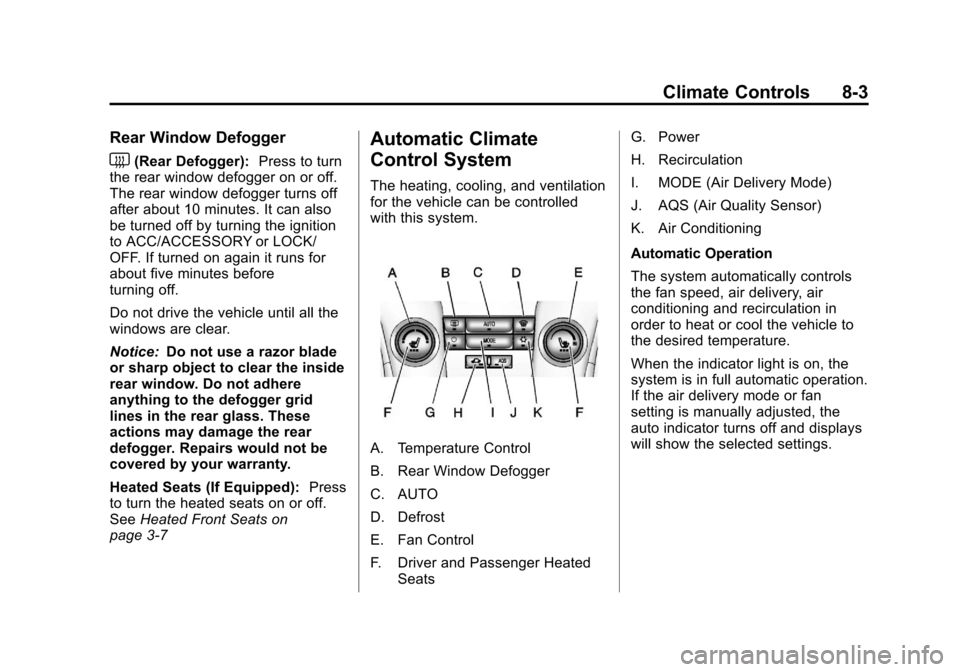
Automatic Climate
Control System
The heating, cooling, and ventilation
for the vehicle can be controlled
with this system.
A. Temperature Control
B. Rear Window Defogger
C. AUTO
D. Defrost
E. Fan Control
F. Driver and Passenger Heated Seats G. Power
H. Recirculation
I. MODE (Air Delivery Mode)
J. AQS (Air Quality Sensor)
K. Air Conditioning
Automatic Operation
The system automatically controls
the fan speed, air delivery, air
conditioning and recirculation in
order to heat or cool the vehicle to
the desired temperature.
When the indicator light is on, the
system is in full automatic operation.
If the air delivery mode or fan
setting is manually adjusted, the
auto indicator turns off and displays
will show the selected settings.
Page 197 of 394
Black plate (5,1)Chevrolet Cruze Owner Manual - 2011
Climate Controls 8-5
h(Recirculation):Press to turn
on recirculation. An indicator light
comes on. Air is recirculated to
quickly cool the inside of the vehicle
or prevent outside air and odors
from entering.
Automatic Air Recirculation:
When the AUTO indicator light is
on, the air is automatically
recirculated as needed to help
quickly cool the inside of the
vehicle.
AQS (Air Quality Sensor): For
vehicles with an air quality sensor,
the climate control system adjusts to
limit some exhaust fumes from
being pulled inside your vehicle.
Press the AQS button on the
climate control to activate the air
quality sensor. The air quality
sensor will not maintain recirculation
for an extended period to prevent
the air inside the vehicle from
becoming too dry or stuffy. To adjust
the sensitivity of the Air Quality Control, see Climate and Air Quality
under
Vehicle Personalization on
page 5‑34.
Auto Defog: The climate control
system may have a sensor to
automatically detect high humidity
inside the vehicle. When high
humidity is detected, the climate
control system may adjust to
outside air supply and turn on the
air conditioner. If the climate control
system does not detect possible
window fogging, it returns to normal
operation. To turn Auto Defog off or
on, see Climate and Air Quality
under Vehicle Personalization on
page 5‑34.Rear Window Defogger
=(Rear Window Defogger):
Press to turn the rear window
defogger on or off.
The rear window defogger turns
off automatically after about
10 minutes. If turned on again it
runs for about five minutes before
turning off.
The rear window defogger can be
set to automatic operation, see
Climate and Air Quality under
Vehicle Personalization on
page 5‑34. When auto rear defog is
selected, the rear window defogger
turns on automatically when the
interior temperature is cold and the
outside temperature is about 40°F
and below. The auto rear defogger
turns off automatically after about
10 minutes. At higher speeds, the
rear window defogger may stay on
continuously.
Page 198 of 394

Black plate (6,1)Chevrolet Cruze Owner Manual - 2011
8-6 Climate Controls
For vehicles with heated outside
rearview mirrors, they turn on when
the rear window defogger button is
on and help to clear fog or frost from
the surface of the mirrors. See
Heated Mirrors on page 2‑12.
Notice:Do not try to clear frost
or other material from the inside
of the front windshield and rear
window with a razor blade or
anything else that is sharp. This
may damage the rear window
defogger grid and affect your
radio's ability to pick up stations
clearly. The repairs wouldn't be
covered by your warranty.
Heated Seats (If Equipped): Press
to turn the heated seats on or off.
See Heated Front Seats on
page 3‑7. Remote Start Climate Control
Operation:
For vehicles with the
remote vehicle start feature, the
climate control system may run
when the vehicle is started remotely.
The system will default to a heating
or cooling mode depending on the
outside temperature and then go
back to the previous settings. See
Remote Vehicle Start on page 2‑5.
The rear window defogger turns on
if it is cold outside.
Sensors
The solar sensor, located on top of
the instrument panel near the
windshield, monitors the solar heat.
The climate control system uses the
sensor information to adjust the
temperature, fan speed,
recirculation, and air delivery mode
for best comfort.
If the sensor is covered, the
automatic climate control system
may not work properly.
Air Vents
Adjustable air vents are in the
center and on the side of the
instrument panel.
Move the slats (A) to change the
direction of the airflow.