2011 CHEVROLET CORVETTE remote control
[x] Cancel search: remote controlPage 163 of 428
Black plate (43,1)Chevrolet Corvette Owner Manual - 2011
Instruments and Controls 5-43
.The vehicle is experiencing
Electromagnetic
Interference (EMI). Some
locations, such as airports,
automatic toll booths, and some
gas stations have EMI fields
which may interfere with the
keyless access transmitter.
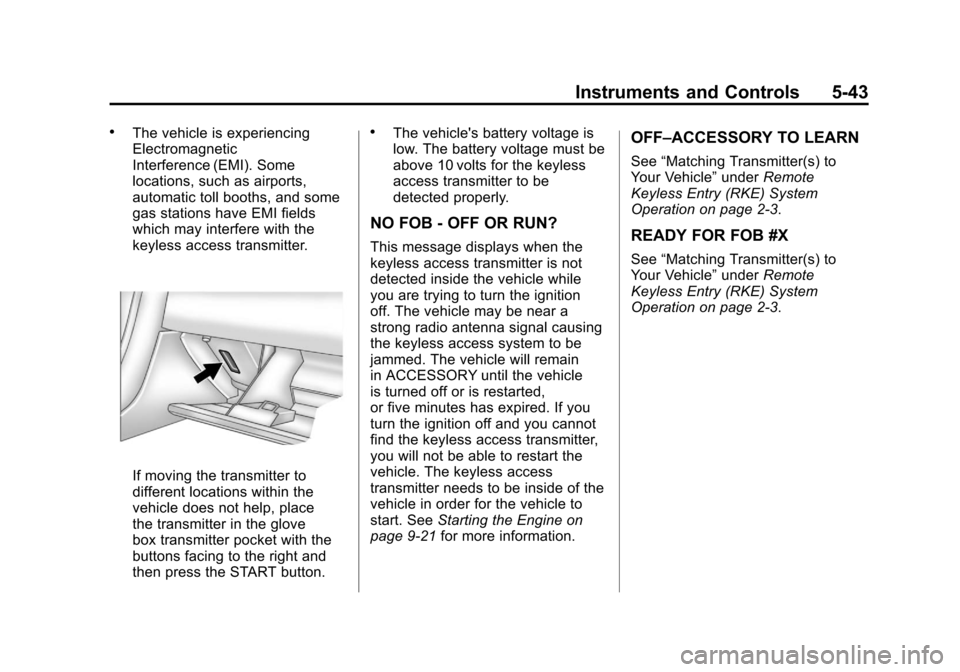
If moving the transmitter to
different locations within the
vehicle does not help, place
the transmitter in the glove
box transmitter pocket with the
buttons facing to the right and
then press the START button.
.The vehicle's battery voltage is
low. The battery voltage must be
above 10 volts for the keyless
access transmitter to be
detected properly.
NO FOB - OFF OR RUN?
This message displays when the
keyless access transmitter is not
detected inside the vehicle while
you are trying to turn the ignition
off. The vehicle may be near a
strong radio antenna signal causing
the keyless access system to be
jammed. The vehicle will remain
in ACCESSORY until the vehicle
is turned off or is restarted,
or five minutes has expired. If you
turn the ignition off and you cannot
find the keyless access transmitter,
you will not be able to restart the
vehicle. The keyless access
transmitter needs to be inside of the
vehicle in order for the vehicle to
start. SeeStarting the Engine on
page 9‑21 for more information.
OFF–ACCESSORY TO LEARN
See“Matching Transmitter(s) to
Your Vehicle” underRemote
Keyless Entry (RKE) System
Operation on page 2‑3.
READY FOR FOB #X
See “Matching Transmitter(s) to
Your Vehicle” underRemote
Keyless Entry (RKE) System
Operation on page 2‑3.
Page 178 of 428
Black plate (58,1)Chevrolet Corvette Owner Manual - 2011
5-58 Instruments and Controls
When the mode you want is
selected, press the OPTION button
to set your choice and advance to
the next personal option.
Approach Lights:This option
briefly turns on the parking lamps,
the high-beam headlamps and the
back-up lamps during low light
periods when the keyless access
transmitter is used to unlock the
vehicle.
Press the OPTION button until
APPROACH LIGHTS appears on
the display, then press the RESET
button to scroll through the following
modes:
.OFF
.ON (default)
If you choose OFF, this option will
turn off. If you choose ON, the parking
lamps, the high-beam headlamps,
and the back-up lamps will come
on for 20 seconds during low light
periods when all of the following
occurs:
.You press the unlock button on
the keyless access transmitter.
.Both of the doors are closed.
.The vehicle is off or in RAP.
The lamps remain on for 20 seconds
or until a door is opened, the lock
button on the keyless access
transmitter is pressed or the vehicle
is no longer off or in RAP.
See Remote Keyless Entry (RKE)
System on page 2‑3 for more
information. When the mode you want is
selected, press the OPTION button
to set your choice and advance to
the next personal option.
Twilight Delay:
This option allows
you to set the amount of time
you want the parking lamps and
high-beam headlamps to remain on
after you exit the vehicle. This will
occur when the vehicle is off or in
RAP and the headlamps are on due
to the automatic headlamp system.
The parking lamps and high-beam
headlamps will remain on until the
driver selected time expires, the
exterior lamp control is activated
or the vehicle is no longer off or
in RAP.
Page 184 of 428
Black plate (64,1)Chevrolet Corvette Owner Manual - 2011
5-64 Instruments and Controls
Universal Remote
System
SeeRadio Frequency Statement on
page 13‑19 for information
regarding Part 15 of the Federal
Communications Commission
(FCC) rules and Industry Canada
Standards RSS-210/220/310.
The FCC Grant of Equipment
Authorization Certificate number
is KOBFTE05A.
The Canadian Registration
ID number is 3521A-FTE05A.
Universal Remote System
Programming
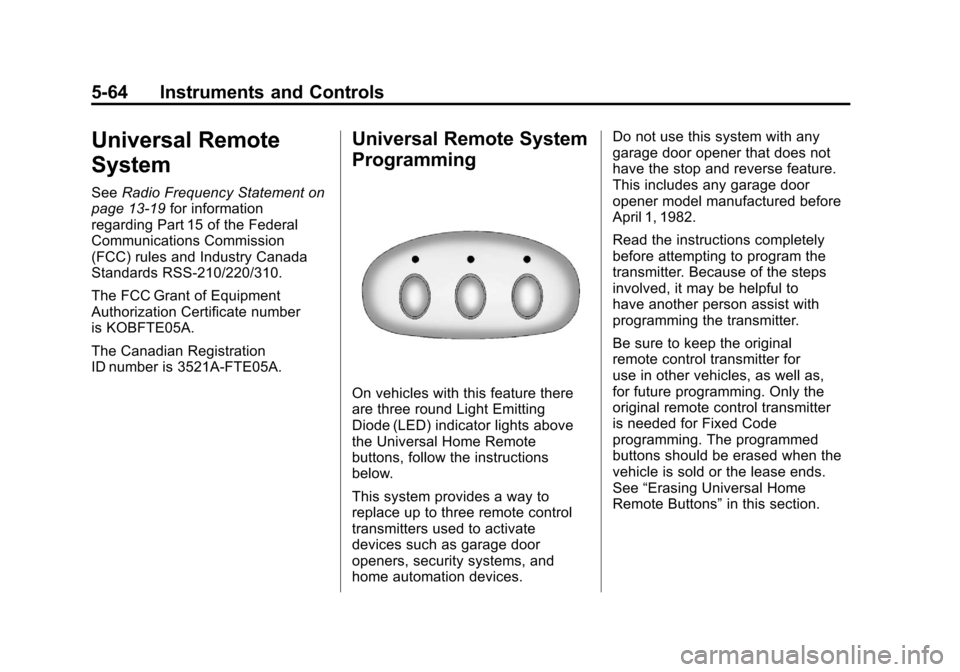
On vehicles with this feature there
are three round Light Emitting
Diode (LED) indicator lights above
the Universal Home Remote
buttons, follow the instructions
below.
This system provides a way to
replace up to three remote control
transmitters used to activate
devices such as garage door
openers, security systems, and
home automation devices. Do not use this system with any
garage door opener that does not
have the stop and reverse feature.
This includes any garage door
opener model manufactured before
April 1, 1982.
Read the instructions completely
before attempting to program the
transmitter. Because of the steps
involved, it may be helpful to
have another person assist with
programming the transmitter.
Be sure to keep the original
remote control transmitter for
use in other vehicles, as well as,
for future programming. Only the
original remote control transmitter
is needed for Fixed Code
programming. The programmed
buttons should be erased when the
vehicle is sold or the lease ends.
See
“Erasing Universal Home
Remote Buttons” in this section.
Page 185 of 428
Black plate (65,1)Chevrolet Corvette Owner Manual - 2011
Instruments and Controls 5-65
Park the vehicle outside of the
garage when programming a garage
door. Be sure that people and
objects are clear of the garage door
or gate that is being programmed.
Programming Universal Home
Remote—Rolling Code
For questions or help programming
the Universal Home Remote
System, call 1-866-572-2728
or go to learcar2u.com.
Most garage door openers sold
after 1996 are Rolling Code units.
Programming a garage door opener
involves time-sensitive actions, so
read the entire procedure before
starting. Otherwise, the device will
time out and the procedure will have
to be repeated. To program up to three devices:
1. Press START or put the vehicle
in accessory mode. See Ignition
Positions on page 9‑20 for
additional information.
Programming can only occur
when the vehicle is running or
in accessory mode.
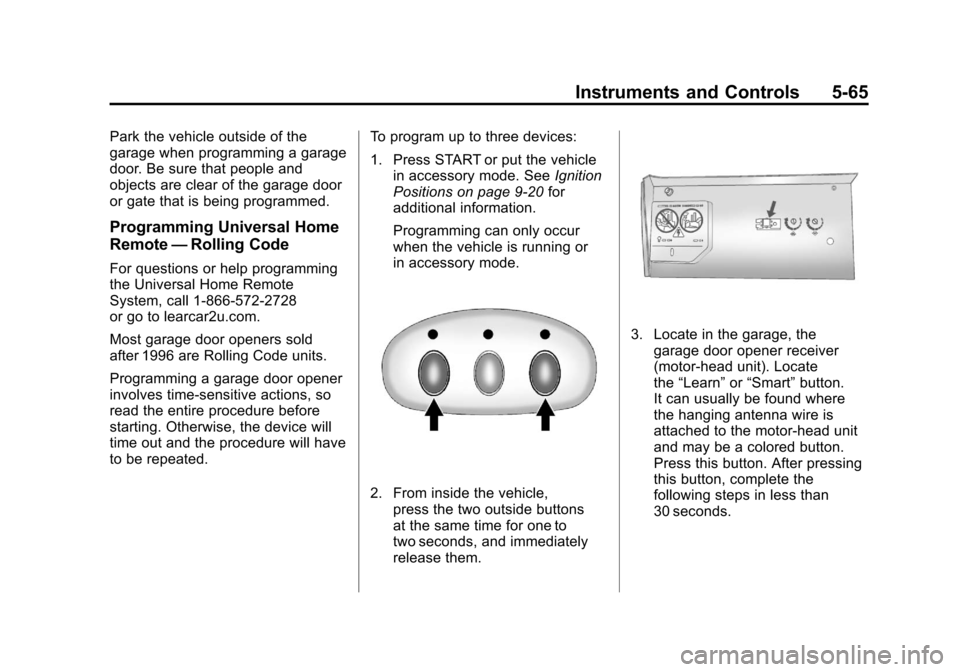
2. From inside the vehicle, press the two outside buttons
at the same time for one to
two seconds, and immediately
release them.
3. Locate in the garage, thegarage door opener receiver
(motor-head unit). Locate
the “Learn” or“Smart” button.
It can usually be found where
the hanging antenna wire is
attached to the motor-head unit
and may be a colored button.
Press this button. After pressing
this button, complete the
following steps in less than
30 seconds.
Page 186 of 428
Black plate (66,1)Chevrolet Corvette Owner Manual - 2011
5-66 Instruments and Controls
4. Immediately return to thevehicle. Press and hold the
Universal Home Remote button
that will be used to control the
garage door until the garage
door moves. The indicator light,
above the selected button,
should slowly blink. This button
may need to be held for up to
20 seconds.
5. Immediately, within one second, release the button when
the garage door moves.
The indicator light blinks rapidly
until programming is complete.
6. Press and release the same button again. The garage door
should move, confirming that
programming is successful and
complete. To program another Rolling Code
device such as an additional garage
door opener, a security device,
or home automation device, repeat
Steps 1-6, choosing a different
function button in Step 4 than
what was used for the garage
door opener.
If these instructions do not work,
the garage door opener is probably
a Fixed Code unit. Follow the
Programming instructions that follow
for a Fixed Code garage door
opener.
Programming Universal Home
Remote
—Fixed Code
For questions or help programming
the Universal Home Remote
System, call 1-866-572-2728
or go to learcar2u.com. Most garage door openers sold
before 1996 are Fixed Code units.
Programming a garage door opener
involves time-sensitive actions, so
read the entire procedure before
starting. Otherwise, the device will
time out and the procedure will have
to be repeated.
To program up to three devices:
1. Press START or put the vehicle
in accessory mode. See Ignition
Positions on page 9‑20 for
additional information.
Programming can only occur
when the vehicle is running or in
accessory mode.
Page 187 of 428
Black plate (67,1)Chevrolet Corvette Owner Manual - 2011
Instruments and Controls 5-67
2. To verify that the garage dooropener is a Fixed Code unit,
remove the battery cover on the
hand held transmitter supplied
by the manufacturer of the
garage door opener motor.
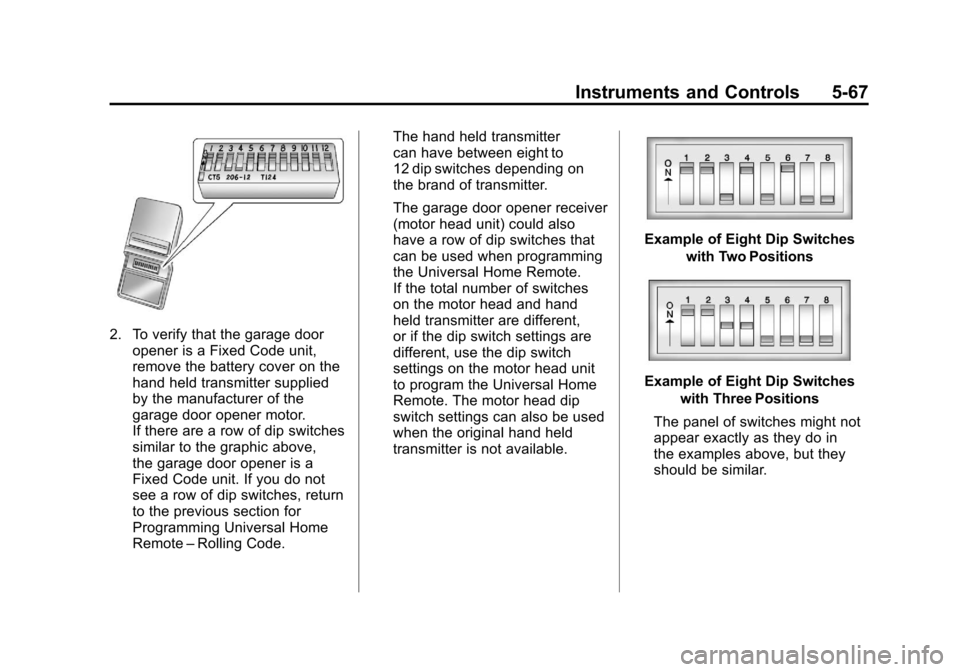
If there are a row of dip switches
similar to the graphic above,
the garage door opener is a
Fixed Code unit. If you do not
see a row of dip switches, return
to the previous section for
Programming Universal Home
Remote –Rolling Code. The hand held transmitter
can have between eight to
12 dip switches depending on
the brand of transmitter.
The garage door opener receiver
(motor head unit) could also
have a row of dip switches that
can be used when programming
the Universal Home Remote.
If the total number of switches
on the motor head and hand
held transmitter are different,
or if the dip switch settings are
different, use the dip switch
settings on the motor head unit
to program the Universal Home
Remote. The motor head dip
switch settings can also be used
when the original hand held
transmitter is not available.
Example of Eight Dip Switches
with Two Positions
Example of Eight Dip Switcheswith Three Positions
The panel of switches might not
appear exactly as they do in
the examples above, but they
should be similar.
Page 188 of 428
Black plate (68,1)Chevrolet Corvette Owner Manual - 2011
5-68 Instruments and Controls
The switch positions on the
hand-held transmitter could be
labeled, as follows:
.A switch in the up position
could be labeled as“Up,”
“+,” or“On.”
.A switch in the down
position could be labeled
as “Down,” “−,” or“Off.”
.A switch in the middle
position could be labeled as
“Middle,” “0,” or“Neutral.”
3. Write down the eight to 12 switch settings from left to right as
follows:
.When a switch is in the up
position, write “Left.”
.When a switch is in the
down position, write “Right.”
.If a switch is set between
the up and down position,
write“Middle.”
The switch settings written
down in Step 3 now
become the button strokes
to be entered into the
Universal Home Remote
in Step 5. Be sure to enter
the switch settings written
down in Step 3, in order
from left to right, into the
Universal Home Remote,
when completing Step 5.
4. From inside the vehicle, first firmly press all three buttons
at the same time for about
three seconds. Release the
buttons to put the Universal
Home Remote into
programming mode.
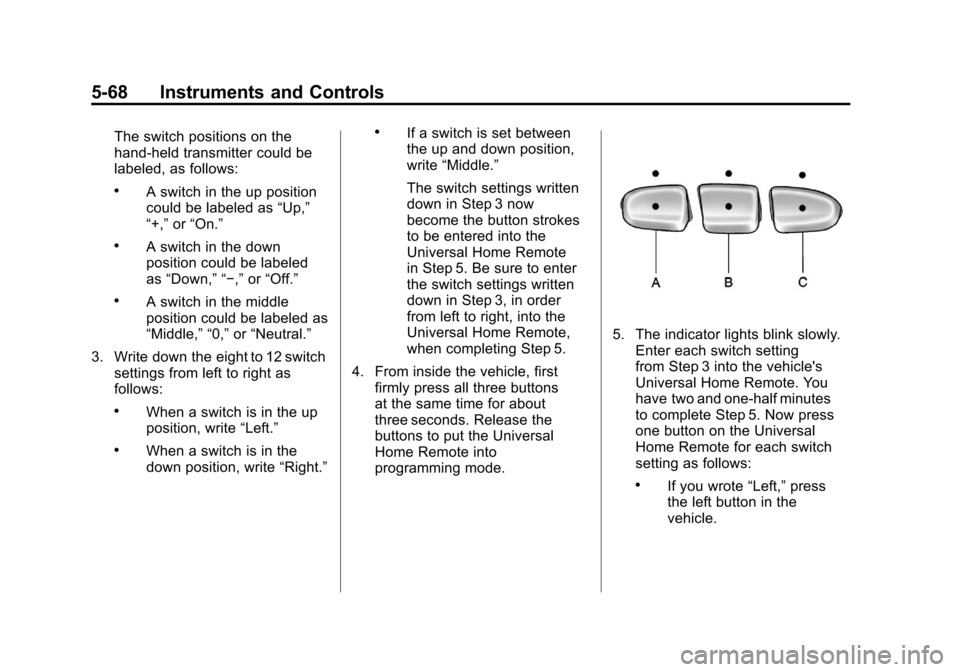
5. The indicator lights blink slowly.Enter each switch setting
from Step 3 into the vehicle's
Universal Home Remote. You
have two and one-half minutes
to complete Step 5. Now press
one button on the Universal
Home Remote for each switch
setting as follows:
.If you wrote “Left,”press
the left button in the
vehicle.
Page 189 of 428
Black plate (69,1)Chevrolet Corvette Owner Manual - 2011
Instruments and Controls 5-69
.If you wrote“Right,”press
the right button in the
vehicle.
.If you wrote “Middle,”press
the middle button in the
vehicle.
6. After entering all of the switch positions, again, firmly press and
release all three buttons at the
same time. The indicator lights
turn on.
7. Press and hold the button that will be used to control the
garage door until the garage
door moves. The indicator
light above the selected button
should slowly blink. This button
may need to be held for up to
55 seconds. 8. Immediately release the button
when the garage door moves.
The indicator light blinks rapidly
until programming is complete.
9. Press and release the same button again. The garage door
should move, confirming that
programming is successful and
complete.
To program another Fixed Code
device such as an additional garage
door opener, a security device,
or home automation device, repeat
Steps 1-9, choosing a different
button in Step 7 than what was
used for the garage door opener.
Universal Remote System
Operation
Press and hold the appropriate
button for at least half of a second.
The indicator light comes on while
the signal is being transmitted.
Operation can occur:
.If the vehicle is in
accessory mode.
.If the vehicle is in running.
.If the vehicle is in Retained
Accessory Mode (RAP).
See Retained Accessory
Power (RAP) on page 9‑21 for
more information.
.Up to an additional 10 minutes
after RAP finishes.
.Up to 10 minutes after any door
is opened.