2011 CHEVROLET CORVETTE change time
[x] Cancel search: change timePage 150 of 428

Black plate (30,1)Chevrolet Corvette Owner Manual - 2011
5-30 Instruments and Controls
You can start or stop the elapsed
time by pressing the RESET button.
To reset the elapsed time to zero,
press the RESET button for
three seconds while the timer
is displayed.
Pressing and holding the RESET
button for at least 10 seconds will
reset the timer display to the time
since last ignition cycle.
Average Speed:Press the TRIP
button until the average speed is
displayed, such as:
.AVERAGE SPEED 100 km/h or
.AVERAGE SPEED 62 MPH
Press and hold the RESET button to
reset to 0.0 km/h (mph). Engine Oil Life:
Press the TRIP
button until the engine oil life is
displayed, such as OIL LIFE
REMAINING 89%.
This is an estimate of the engine
oil's remaining useful life. It will
show 100% when the system is
reset after an oil change. It will
alert you to change the oil on a
schedule consistent with your
driving conditions.
When the remaining oil life is low,
the system will alert you with the
message CHANGE ENGINE OIL.
Remember, you must reset the
engine oil life system yourself
after each oil change. It will not
reset itself. To reset the system,
see Engine Oil Life System on
page 10‑22. Be careful not to
reset the engine oil life system accidentally at any time other than
when the oil has just been changed.
It cannot be reset accurately until
the next oil change.
See
Scheduled Maintenance on
page 11‑2 andEngine Oil on
page 10‑15 for more information.
OPTION Button
The OPTION button allows you
to access the PERSONAL
OPTIONS menu and customize
the personalization settings on your
vehicle. See Vehicle Personalization
on page 5‑55 for more information.
RESET Button
The RESET button, used along
with other buttons, will reset
system functions and turn off or
acknowledge messages on the DIC.
Page 161 of 428

Black plate (41,1)Chevrolet Corvette Owner Manual - 2011
Instruments and Controls 5-41
LOW OIL PRESSURE
This message displays if low
oil pressure levels occur. If this
message appears while the engine
is running, stop the engine and do
not operate it until the cause of low
oil pressure is corrected. Severe
damage to the engine can result.
A sound will be heard when this
message is displayed. SeeEngine
Oil on page 10‑15.
Engine Power Messages
ENGINE DRAG CONTROL
ACTIVE
This message displays when
engine drag control is active.
When driving in a lower gear in
rainy, snowy, or icy conditions and
then letting up on the accelerator
or downshifting, the rear wheels
may begin to slip and this message
displays. This message stays on for
a few seconds following the engine
drag control event.
REDUCED ENGINE POWER
If this message displays and the
check engine light comes on,
a noticeable reduction in the
vehicle's performance may occur.
If the REDUCED ENGINE POWER
message is displayed, but there
is no reduction in performance,
proceed to your destination. The
performance may be reduced the
next time the vehicle is driven.
The vehicle may be driven at a
reduced speed while the REDUCED
ENGINE POWER message is
displayed, but acceleration and
speed may be reduced. Anytime
the check engine light stays on,
the vehicle should be taken to
your dealer as soon as possible
for diagnosis and repair. See
Malfunction Indicator Lamp on
page 5‑18 for more information.
Multiple chimes sound when this
message is displayed. To acknowledge the message, press
the RESET button. The message
reappears every five minutes until
this condition changes.
If the REDUCED ENGINE
POWER message is displayed in
combination with the COOLANT
OVER TEMPERATURE message,
see
Engine Overheating on
page 10‑34.
Fuel System Messages
CHECK GAS CAP
This message displays if the fuel
cap has not been fully tightened.
Check the fuel cap to make
sure that it is on properly. Once
tightened, it takes at least one
overnight park to reset or clear this
message. If both the CHECK GAS
CAP message and the malfunction
indicator lamp in the instrument
panel cluster are on, you may need
to see your dealer for service.
See Malfunction Indicator Lamp on
page 5‑18 for more information.
Page 191 of 428
Black plate (1,1)Chevrolet Corvette Owner Manual - 2011
Lighting 6-1
Lighting
Exterior Lighting
Exterior Lamp Controls . . . . . . . . 6-1
Exterior Lamps OffReminder . . . . . . . . . . . . . . . . . . . . 6-2
Headlamp High/Low-Beam Changer . . . . . . . . . . . . . . . . . . . . . 6-2
Flash-to-Pass . . . . . . . . . . . . . . . . . 6-2
Daytime Running Lamps (DRL) . . . . . . . . . . . . . . . . 6-2
Twilight Sentinel . . . . . . . . . . . . . . 6-3
Hazard Warning Flashers . . . . . 6-4
Turn and Lane-Change Signals (Auto Signal) . . . . . . . . . . . . . . . . 6-4
Fog Lamps . . . . . . . . . . . . . . . . . . . . 6-5
Interior Lighting
Instrument Panel Illumination Control . . . . . . . . . . . . . . . . . . . . . . 6-5
Courtesy Lamps . . . . . . . . . . . . . . 6-6
Reading Lamps . . . . . . . . . . . . . . . 6-6
Lighting Features
Entry/Exit Lighting . . . . . . . . . . . . . 6-6
Battery Power Protection . . . . . . 6-7
Exterior Lighting Battery Saver . . . . . . . . . . . . . . . . . . . . . . . . 6-7
Exterior Lighting
Exterior Lamp Controls
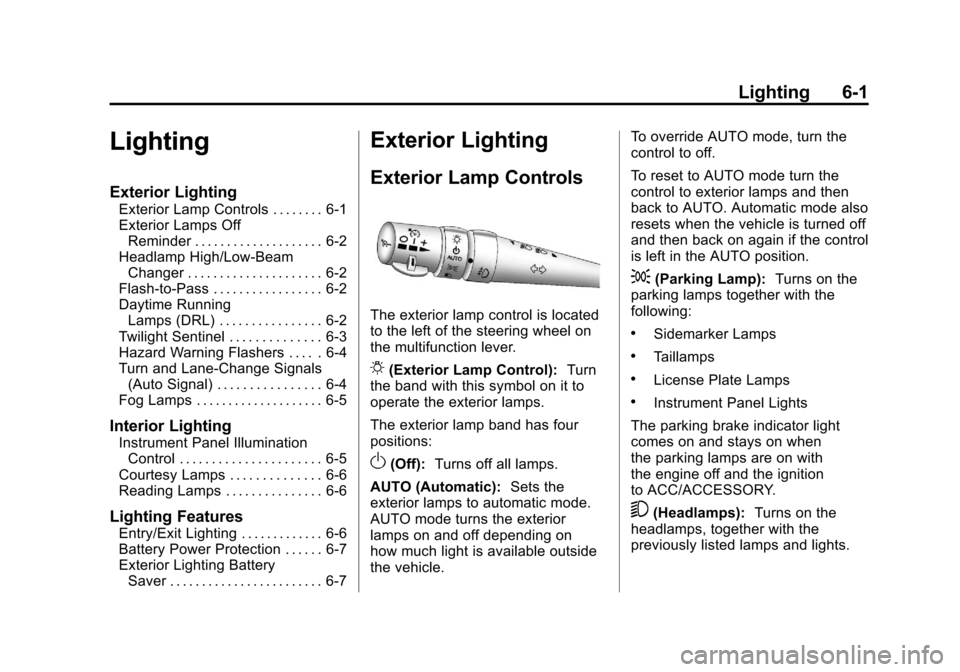
The exterior lamp control is located
to the left of the steering wheel on
the multifunction lever.
O(Exterior Lamp Control): Turn
the band with this symbol on it to
operate the exterior lamps.
The exterior lamp band has four
positions:
O(Off): Turns off all lamps.
AUTO (Automatic): Sets the
exterior lamps to automatic mode.
AUTO mode turns the exterior
lamps on and off depending on
how much light is available outside
the vehicle. To override AUTO mode, turn the
control to off.
To reset to AUTO mode turn the
control to exterior lamps and then
back to AUTO. Automatic mode also
resets when the vehicle is turned off
and then back on again if the control
is left in the AUTO position.
;(Parking Lamp):
Turns on the
parking lamps together with the
following:
.Sidemarker Lamps
.Taillamps
.License Plate Lamps
.Instrument Panel Lights
The parking brake indicator light
comes on and stays on when
the parking lamps are on with
the engine off and the ignition
to ACC/ACCESSORY.
5(Headlamps): Turns on the
headlamps, together with the
previously listed lamps and lights.
Page 192 of 428
Black plate (2,1)Chevrolet Corvette Owner Manual - 2011
6-2 Lighting
Exterior Lamps Off
Reminder
A warning chime will sound if the
exterior lamp control is left on in
either the headlamp or parking lamp
position and the driver's door is
opened with the ignition off.
Headlamp High/
Low-Beam Changer
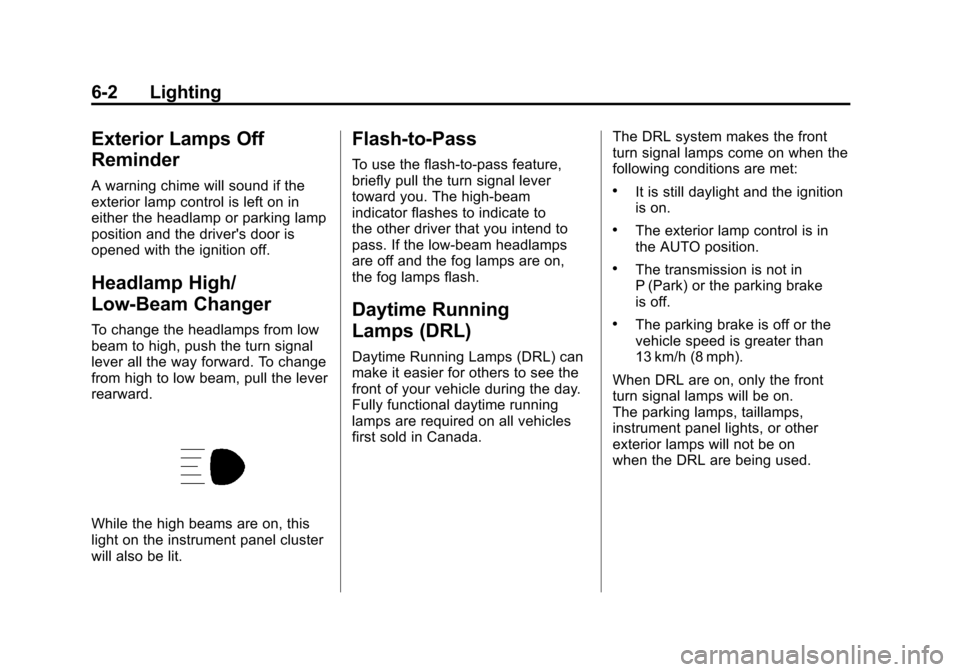
To change the headlamps from low
beam to high, push the turn signal
lever all the way forward. To change
from high to low beam, pull the lever
rearward.
While the high beams are on, this
light on the instrument panel cluster
will also be lit.
Flash-to-Pass
To use the flash-to-pass feature,
briefly pull the turn signal lever
toward you. The high-beam
indicator flashes to indicate to
the other driver that you intend to
pass. If the low-beam headlamps
are off and the fog lamps are on,
the fog lamps flash.
Daytime Running
Lamps (DRL)
Daytime Running Lamps (DRL) can
make it easier for others to see the
front of your vehicle during the day.
Fully functional daytime running
lamps are required on all vehicles
first sold in Canada.The DRL system makes the front
turn signal lamps come on when the
following conditions are met:
.It is still daylight and the ignition
is on.
.The exterior lamp control is in
the AUTO position.
.The transmission is not in
P (Park) or the parking brake
is off.
.The parking brake is off or the
vehicle speed is greater than
13 km/h (8 mph).
When DRL are on, only the front
turn signal lamps will be on.
The parking lamps, taillamps,
instrument panel lights, or other
exterior lamps will not be on
when the DRL are being used.
Page 193 of 428

Black plate (3,1)Chevrolet Corvette Owner Manual - 2011
Lighting 6-3
When it is dark enough outside, the
front turn signal lamps turn off and
the normal low-beam headlamps
turn on.
When it is bright enough outside,
the regular lamps go off, and the
front turn signal lamps will take over.
If the vehicle is started in a dark
garage, the automatic headlamp
system comes on immediately.
Once the vehicle leaves the garage,
it takes approximately one minute
for the automatic headlamp system
to change to DRL if it is light
outside. During that delay, the
instrument panel cluster may not
be as bright as usual. Make sure
the instrument panel brightness
knob is in the full bright position.
SeeInstrument Panel Illumination
Control on page 6‑5 for more
information. If it is dark enough outside and
the exterior lamp control is off,
a HEADLAMPS SUGGESTED
message will display on the Driver's
Information Center (DIC). See
Lamp
Messages on page 5‑44.
Turning the exterior lamp control
to off a second time, or turning
on the headlamps will remove
the HEADLAMPS SUGGESTED
message in the DIC. If the parking
lamps or the fog lamps were turned
on instead, the HEADLAMPS
SUGGESTED message will
continue to be displayed.
The regular headlamp system
should be turned on when needed.
To turn off the DRL, turn the exterior
lamp control to the off position or
shift into P (Park). The DRL will
stay off until the control is toggled
again or the vehicle is shifted out
of P (Park).
This procedure applies only
to vehicles first sold in the
United States.Twilight Sentinel
Twilight Sentinel®is an automatic
headlamp system. When activated,
this feature turns your headlamps
and parking lamps on and off by
sensing how dark it is outside.
Be sure not to cover the light sensor
on the top of the instrument panel.
AUTO: Activates the system.
If the band is already in the AUTO
position when you start your vehicle,
Twilight Sentinel is automatically
enabled.
If it is dark outside, your vehicle
headlamps and parking lamps will
turn on automatically.
Once it is bright enough outside, the
headlamps and parking lamps will
automatically turn back off.
Twilight Sentinel may also turn on
when you drive through a dimly
lit area.
Page 194 of 428
Black plate (4,1)Chevrolet Corvette Owner Manual - 2011
6-4 Lighting
Once you leave the dimly lit area,
it may take about one minute
before the Twilight Sentinel turns
off. During this brief delay, the
instrument cluster may not be as
bright as usual. Make sure the
instrument panel dimmer is set to
full brightness. SeeInstrument
Panel Illumination Control on
page 6‑5.
To temporarily disable Twilight
Sentinel, turn the band to
O.
To turn Twilight Sentinel back on,
turn the band to
Oagain, then
release it.
If the Twilight Sentinel has the
headlamps turned on and you turn
the ignition off, the headlamps will
stay on for a period of time while
you leave the vehicle.
Use the Driver Information Center to
turn Twilight Sentinel on or off and
to increase or decrease the length
of the delayed illumination period. See
“Personal Options” under
Vehicle Personalization on
page 5‑55.
The regular headlamp system
should be turned on when needed.
Hazard Warning Flashers
The hazard warning flashers warns
others that you have a problem.
The button is located near the
center of the instrument panel.
|: Press to make the front and
rear turn signal lamps flash on
and off. Press again to turn the
flashers off.
The hazard warning flashers work
no matter what mode the ignition is
in, even if the ignition is turned off.
When the hazard warning flashers
are on, the turn signals will
not work.
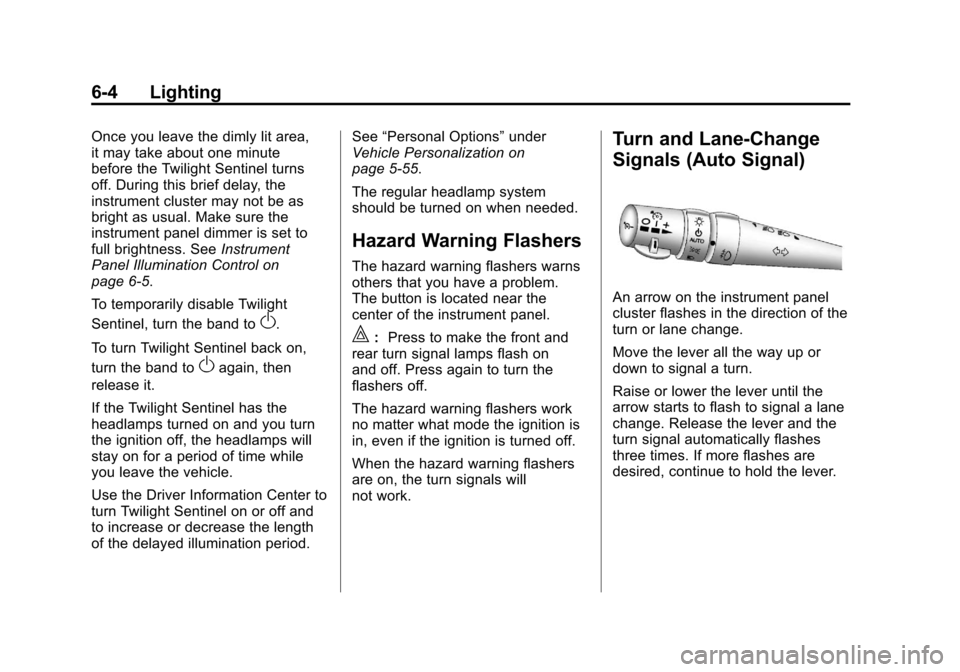
Turn and Lane-Change
Signals (Auto Signal)
An arrow on the instrument panel
cluster flashes in the direction of the
turn or lane change.
Move the lever all the way up or
down to signal a turn.
Raise or lower the lever until the
arrow starts to flash to signal a lane
change. Release the lever and the
turn signal automatically flashes
three times. If more flashes are
desired, continue to hold the lever.
Page 217 of 428

Black plate (19,1)Chevrolet Corvette Owner Manual - 2011
Infotainment System 7-19
Pairing Information
.Up to five cell phones can be
paired to the Bluetooth system.
.The pairing process is disabled
when the vehicle is moving.
.Pairing only needs to be
completed once, unless the
pairing information on the cell
phone changes or the cell phone
is deleted from the system.
.Only one paired cell phone can
be connected to the Bluetooth
system at a time.
.If multiple paired cell phones
are within range of the system,
the system connects to the first
available paired cell phone in
the order that they were first
paired to the system. To link
to a different paired phone, see
“Linking to a Different Phone”
later in this section.Pairing a Phone
1. Press and hold
b
gfor
two seconds.
2. Say “Bluetooth”.
3. Say “Pair”. The system responds
with instructions and a four‐digit
PIN number. The PIN number is
used in Step 5.
4. Start the pairing process on the cell phone that you want to pair.
For help with this process, see
your cell phone manufacturers
user guide.
5. Locate the device named “Your
Vehicle” in the list on the cell
phone. Follow the instructions
on the cell phone to enter the
PIN number that was provided in
Step 3. After the PIN number is
successfully entered, the system
prompts you to provide a name
for the paired cell phone. This name will be used to
indicate which phones are
paired and connected to the
vehicle, see
“Listing All Paired
and Connected Phones” later in
this section for more information.
6. Repeat Steps 1 through 5 to pair additional phones.
Listing All Paired and Connected
Phones
The system can list all cell phones
paired to it. If a paired cell phone is
also connected to the vehicle, the
system responds with “is connected”
after that phone name.
1. Press and hold
b gfor
two seconds.
2. Say “Bluetooth”.
3. Say “List”.
Page 218 of 428

Black plate (20,1)Chevrolet Corvette Owner Manual - 2011
7-20 Infotainment System
Deleting a Paired Phone
If the phone name you want to
delete is unknown, see“Listing All
Paired and Connected Phones”.
1. Press and hold
b gfor
two seconds.
2. Say “Bluetooth”.
3. Say “Delete”. The system asks
for which phone to delete.
4. Say the name of the phone you want to delete.
Connecting to a Different Phone
To connect to a different cell phone,
the Bluetooth system looks for the
next available cell phone in the
order in which all the available cell
phones were paired. Depending
on which cell phone you want to
connect to, you may have to use
this command several times.
1. Press and hold
b gfor
two seconds.
2. Say “Bluetooth”. 3. Say
“Change phone”.
.If another cell phone is
found, the response will be
“
connected”.
.If another cell phone is not
found, the original phone
remains connected.
Storing and Deleting Phone
Numbers
The system can store up to
30 phone numbers as name tags
in the Hands Free Directory that is
shared between the Bluetooth and
OnStar systems.
The following commands are used
delete and store phone numbers.
Store:This command will store
a phone number, or a group of
numbers as a name tag Digit Store:
This command allows
a phone number to be stored as a
name tag by entering the digits one
at a time.
Delete: This command is used to
delete individual name tags.
Delete All Name Tags: This
command deletes all stored name
tags in the Hands Free Calling
Directory and the OnStarTurn by
Turn Destinations Directory.
Using the “Store”Command
1. Press and hold
b gfor
two seconds.
2. Say “Store”.
3. Say the phone number or group of numbers you want to store all
at once with no pauses, then
follow the directions given by the
system to save a name tag for
this number.