2011 CHEVROLET COLORADO ignition
[x] Cancel search: ignitionPage 35 of 392
Black plate (9,1)Chevrolet Colorado Owner Manual - 2011
Keys, Doors and Windows 2-9
3. Slide the lower end fitting ontothe top bolt. The tailgate will now
stay in the partially opened
position.
4. Repeat Steps 2 and 3 for the driver side.
If you would like to close the
tailgate, the bracket cannot be in the
partially opened position. Use the
top position on the bracket to
anchor it on the bottom bolt.Vehicle Security
This vehicle has theft-deterrent
features; however, they do not make
it impossible to steal.
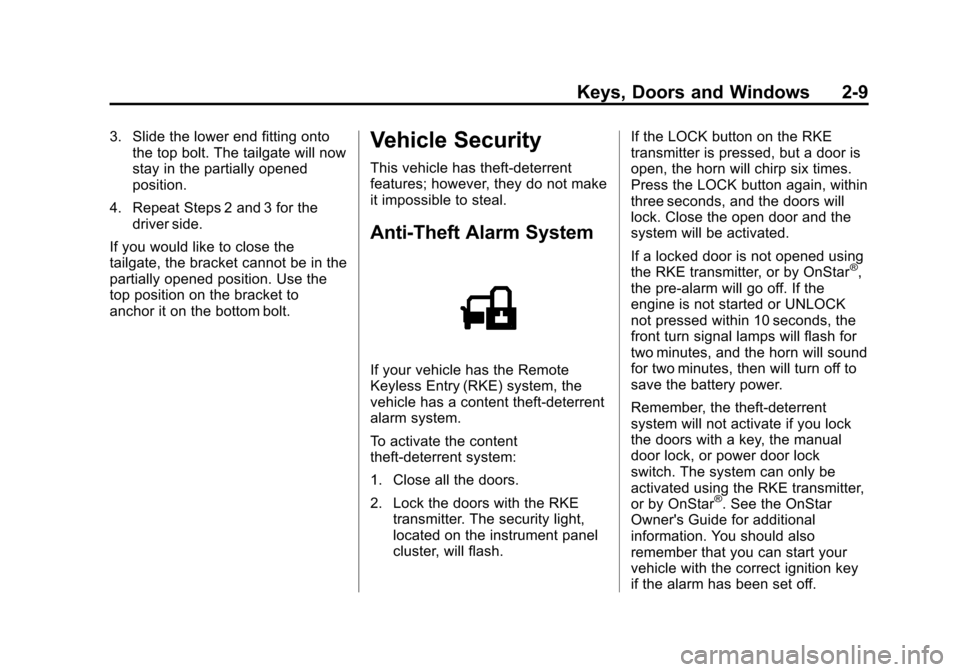
Anti-Theft Alarm System
If your vehicle has the Remote
Keyless Entry (RKE) system, the
vehicle has a content theft-deterrent
alarm system.
To activate the content
theft-deterrent system:
1. Close all the doors.
2. Lock the doors with the RKE transmitter. The security light,
located on the instrument panel
cluster, will flash. If the LOCK button on the RKE
transmitter is pressed, but a door is
open, the horn will chirp six times.
Press the LOCK button again, within
three seconds, and the doors will
lock. Close the open door and the
system will be activated.
If a locked door is not opened using
the RKE transmitter, or by OnStar
®,
the pre-alarm will go off. If the
engine is not started or UNLOCK
not pressed within 10 seconds, the
front turn signal lamps will flash for
two minutes, and the horn will sound
for two minutes, then will turn off to
save the battery power.
Remember, the theft-deterrent
system will not activate if you lock
the doors with a key, the manual
door lock, or power door lock
switch. The system can only be
activated using the RKE transmitter,
or by OnStar
®. See the OnStar
Owner's Guide for additional
information. You should also
remember that you can start your
vehicle with the correct ignition key
if the alarm has been set off.
Page 36 of 392

Black plate (10,1)Chevrolet Colorado Owner Manual - 2011
2-10 Keys, Doors and Windows
Here is how to avoid setting off the
alarm by accident:
.If you do not want to activate the
theft-deterrent system, the
vehicle should be locked with
the door key after the doors are
closed.
.Always unlock a door with the
RKE transmitter. Unlocking a
door any other way will set off
the alarm.
If you set off the alarm by accident,
you can turn off the alarm by
pressing UNLOCK on the RKE
transmitter. The alarm will not stop if
you try to unlock a door any
other way.
Testing the Alarm
To test the alarm:
1. From inside the vehicle, activate the system by locking the doors
with the RKE transmitter.
2. Unlock the door with the manual door lock and open the door.
This should set off the alarm. 3. To turn the alarm off, press the
UNLOCK button on the RKE
transmitter or start the engine.
If the alarm does not sound when it
should but the lights flash, check to
see if the horn works. The horn fuse
may be blown. To replace the fuse,
see Fuses and Circuit Breakers on
page 10‑40.
If the alarm does not sound or the
front turn signal lamps do not flash,
see your dealer for service.
Immobilizer
See Radio Frequency Statement on
page 13‑17 for information
regarding Part 15 of the Federal
Communications Commission (FCC)
rules and Industry Canada
Standards RSS-210/220/310.
Immobilizer Operation
(PASS-Key III+
Canada Only)
This vehicle has a passive
theft-deterrent system.
The system is automatically armed
when the key is removed from the
ignition.
The system is automatically
disarmed when the key is turned to
ON/RUN.
You do not have to manually arm or
disarm the system.
The security light comes on if there
is a problem with arming or
disarming the theft-deterrent
system.
The key uses a transponder that
matches an immobilizer control unit
in the vehicle. Only the correct key
starts the vehicle. If the key is ever
damaged, the vehicle may not start.
When trying to start the vehicle,
if the engine does not start and the
security light comes on, there may
Page 37 of 392

Black plate (11,1)Chevrolet Colorado Owner Manual - 2011
Keys, Doors and Windows 2-11
be a problem with the theft-deterrent
system. Turn the ignition off and try
again.
If the engine still does not start, and
the key appears to be undamaged,
try another ignition key. Check the
fuse. SeeFuses and Circuit
Breakers on page 10‑40. If the
engine still does not start with the
other key, the vehicle needs service.
If the vehicle does start, the first key
may be faulty. See your dealer who
can service the theft-deterrent
system and have a new key made.
It is possible for the theft-deterrent
system decoder to learn the
transponder value of a new or
replacement key. Up to 10 keys can
be programmed for the vehicle. The
following procedure is for
programming additional keys only.
Canadian Owners: If the keys are
lost or damaged, only a dealer can
service the theft-deterrent system to
have new ones made. Two current
driver's keys are required to
program additional keys. To program a new key:
1. Verify that the new key has
PK3+ stamped on it.
2. Insert the current driver's key in the ignition and start the engine.
If the engine does not start see
your dealer for service.
3. After the engine has started, turn the key to LOCK/OFF, and
remove the key.
4. Insert the second current driver's key in the ignition and start the
engine within ten seconds of
removing the previous key. If the
engine does not start see your
dealer for service.
5. After the engine has started, turn the key to LOCK/OFF, and
remove the key. Insert the key to
be programmed and turn it to
ON/RUN within ten seconds of
removing the previous key.
The security light turns off once
the key has been programmed. 6. Repeat Steps 1 through 5 if
additional keys are to be
programmed.
If the security light comes on and
stays on while driving, the engine
will restart if you turn it off. However,
the theft-deterrent system is not
working properly and must be
serviced by your dealer. The vehicle
is not protected by the
theft-deterrent system at this time.
In an emergency, contact Roadside
Assistance. See Roadside
Assistance Program (U.S. and
Canada) on page 13‑7 orRoadside
Assistance Program (Mexico) on
page 13‑9.
Do not leave the key or device that
disarms or deactivates the theft
deterrent system in the vehicle.
Page 38 of 392

Black plate (12,1)Chevrolet Colorado Owner Manual - 2011
2-12 Keys, Doors and Windows
Immobilizer Operation
(Passlock U.S. Only)
Passlock®is a passive
theft-deterrent system that enables
fuel if the vehicle is started with a
valid key. If an incorrect key is used
or the ignition lock cylinder is
tampered with, the fuel system is
disabled and the vehicle does not
start.
The security light turns off
approximately five seconds after the
engine is started. See Security Light
on page 5‑18.
If the engine stalls and the security
light flashes, wait about 10 minutes
until the light stops flashing before
trying to restart the engine. Release
the key from START as soon as the
engine starts.
If the engine does not start after
three tries, the vehicle needs
service. If the engine is running and the
security light comes on, the engine
restarts if you turn the engine off.
However, the Passlock®system is
not working properly and must be
serviced by your dealer. The vehicle
is not protected by Passlock
®at this
time. See your dealer for service.
In an emergency, call the Roadside
Assistance Center. See Roadside
Assistance Program (U.S. and
Canada) on page 13‑7 orRoadside
Assistance Program (Mexico) on
page 13‑9.
Do not leave the key or device that
disarms or deactivates the theft
deterrent system in the vehicle.
Exterior Mirrors
Convex Mirrors
{WARNING
A convex mirror can make things,
like other vehicles, look farther
away than they really are. If you
cut too sharply into the right lane,
you could hit a vehicle on the
right. Check the inside mirror or
glance over your shoulder before
changing lanes.
The passenger side mirror is convex
shaped. A convex mirror's surface is
curved so more can be seen from
the driver seat.
Page 52 of 392
Black plate (8,1)Chevrolet Colorado Owner Manual - 2011
3-8 Seats and Restraints
Heated Front Seats
{WARNING
If you cannot feel temperature
change or pain to the skin, the
seat heater may cause burns
even at low temperatures. To
reduce the risk of burns, people
with such a condition should use
care when using the seat heater,
especially for long periods of
time. Do not place anything on
the seat that insulates against
heat, such as a blanket, cushion,
cover or similar item. This may
cause the seat heater to
overheat. An overheated seat
heater may cause a burn or may
damage the seat.
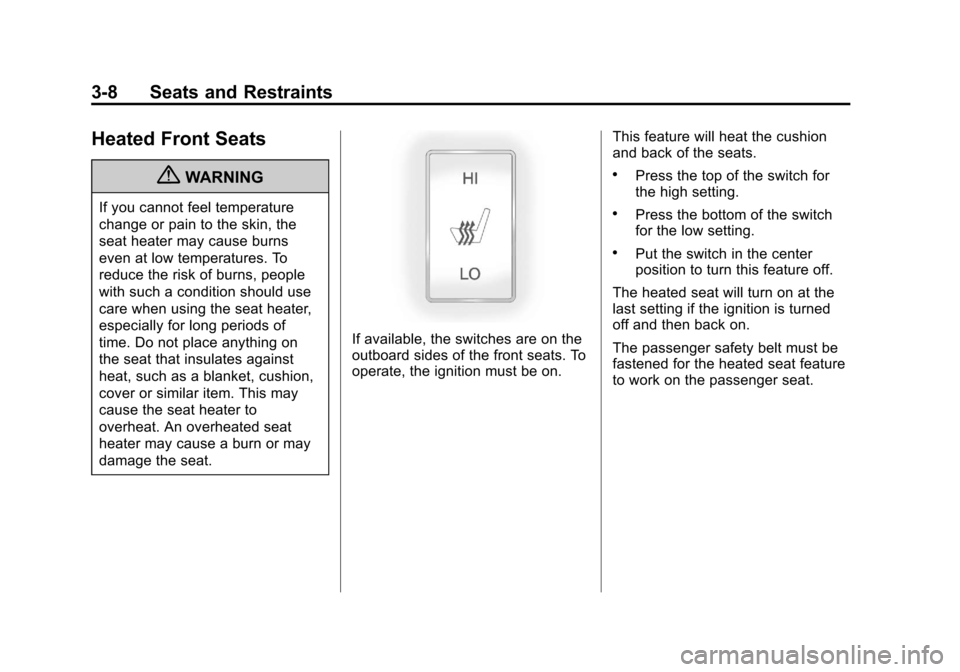
If available, the switches are on the
outboard sides of the front seats. To
operate, the ignition must be on.This feature will heat the cushion
and back of the seats.
.Press the top of the switch for
the high setting.
.Press the bottom of the switch
for the low setting.
.Put the switch in the center
position to turn this feature off.
The heated seat will turn on at the
last setting if the ignition is turned
off and then back on.
The passenger safety belt must be
fastened for the heated seat feature
to work on the passenger seat.
Page 81 of 392

Black plate (37,1)Chevrolet Colorado Owner Manual - 2011
Seats and Restraints 3-37
{WARNING
For up to 10 seconds after the
ignition is turned off and the
battery is disconnected, an airbag
can still inflate during improper
service. You can be injured if you
are close to an airbag when it
inflates. Avoid yellow connectors.
They are probably part of the
airbag system. Be sure to follow
proper service procedures, and
make sure the person performing
work for you is qualified to do so.
Adding Equipment to the
Airbag-Equipped Vehicle
Q: Is there anything I might addto or change about the vehicle
that could keep the airbags
from working properly?
A: Yes. If you add things that
change the vehicle's frame,
bumper system, height, front end
or side sheet metal, they may keep the airbag system from
working properly. Changing or
moving any parts of the front
seats, safety belts, the airbag
sensing and diagnostic module,
steering wheel, instrument
panel, roof-rail airbag modules,
ceiling headliner or pillar garnish
trim, front sensors, or airbag
wiring can affect the operation of
the airbag system.
In addition, the vehicle may have
a passenger sensing system for
the right front passenger
position, which includes sensors
that are part of the passenger
seat. The passenger sensing
system may not operate properly
if the original seat trim is
replaced with non-GM covers,
upholstery or trim, or with
GM covers, upholstery or trim
designed for a different vehicle.
Any object, such as an
aftermarket seat heater or a
comfort enhancing pad or
device, installed under or on top
of the seat fabric, could alsointerfere with the operation of
the passenger sensing system.
This could either prevent proper
deployment of the passenger
airbag(s) or prevent the
passenger sensing system from
properly turning off the
passenger airbag(s). See
Passenger Sensing System on
page 3‑32.
If you have any questions, call
Customer Assistance. The
phone numbers and addresses
for Customer Assistance are in
Step Two of the Customer
Satisfaction Procedure in this
manual. See
Customer
Satisfaction Procedure (U.S. and
Canada) on page 13‑1 or
Customer Satisfaction
Procedure (Mexico) on
page 13‑3.
Page 114 of 392
Black plate (2,1)Chevrolet Colorado Owner Manual - 2011
5-2 Instruments and Controls
Controls
Steering Wheel
Adjustment
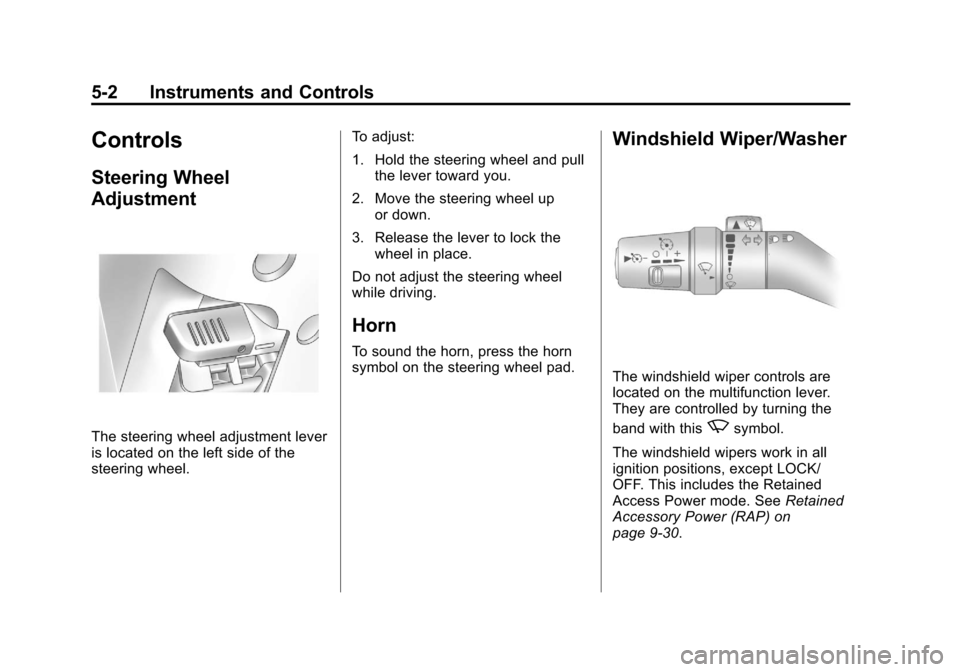
The steering wheel adjustment lever
is located on the left side of the
steering wheel.To adjust:
1. Hold the steering wheel and pull
the lever toward you.
2. Move the steering wheel up or down.
3. Release the lever to lock the wheel in place.
Do not adjust the steering wheel
while driving.
Horn
To sound the horn, press the horn
symbol on the steering wheel pad.
Windshield Wiper/Washer
The windshield wiper controls are
located on the multifunction lever.
They are controlled by turning the
band with this
zsymbol.
The windshield wipers work in all
ignition positions, except LOCK/
OFF. This includes the Retained
Access Power mode. See Retained
Accessory Power (RAP) on
page 9‑30.
Page 116 of 392
Black plate (4,1)Chevrolet Colorado Owner Manual - 2011
5-4 Instruments and Controls
The compass can be calibrated by
driving the vehicle in circles at
8 km/h (5 mph) or less until the
display reads a direction.
Compass Variance
The mirror is set to zone eight.
If you do not live in zone eight or
drive out of the area, the compass
variance needs to be changed to
the appropriate zone.
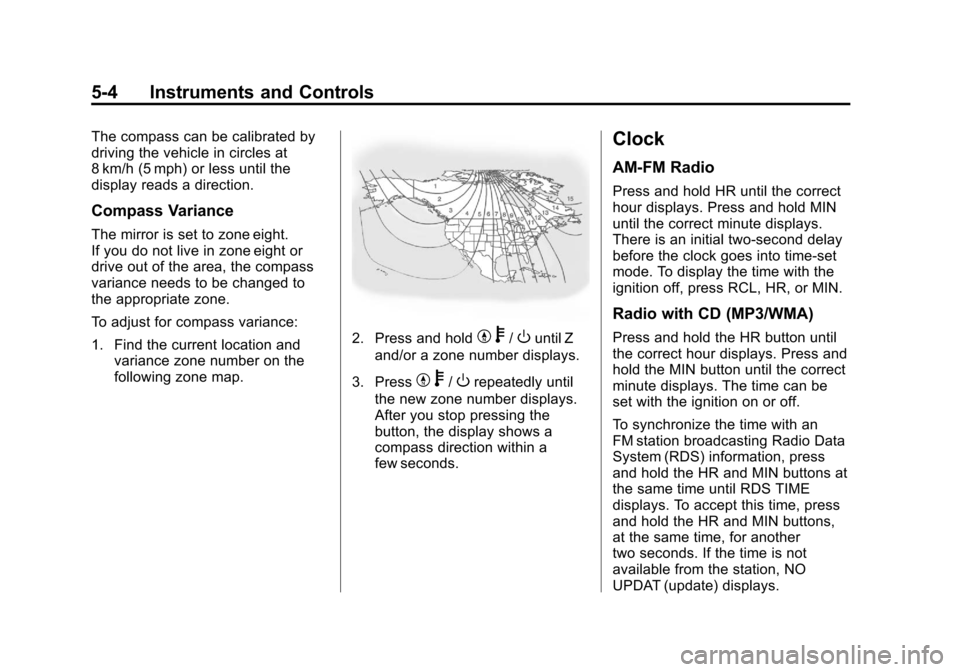
To adjust for compass variance:
1. Find the current location andvariance zone number on the
following zone map.
2. Press and holdYb/Ountil Z
and/or a zone number displays.
3. Press
Y b/Orepeatedly until
the new zone number displays.
After you stop pressing the
button, the display shows a
compass direction within a
few seconds.
Clock
AM-FM Radio
Press and hold HR until the correct
hour displays. Press and hold MIN
until the correct minute displays.
There is an initial two-second delay
before the clock goes into time-set
mode. To display the time with the
ignition off, press RCL, HR, or MIN.
Radio with CD (MP3/WMA)
Press and hold the HR button until
the correct hour displays. Press and
hold the MIN button until the correct
minute displays. The time can be
set with the ignition on or off.
To synchronize the time with an
FM station broadcasting Radio Data
System (RDS) information, press
and hold the HR and MIN buttons at
the same time until RDS TIME
displays. To accept this time, press
and hold the HR and MIN buttons,
at the same time, for another
two seconds. If the time is not
available from the station, NO
UPDAT (update) displays.