Page 15 of 328
Black plate (9,1)Chevrolet Aveo Owner Manual - 2011
In Brief 1-9
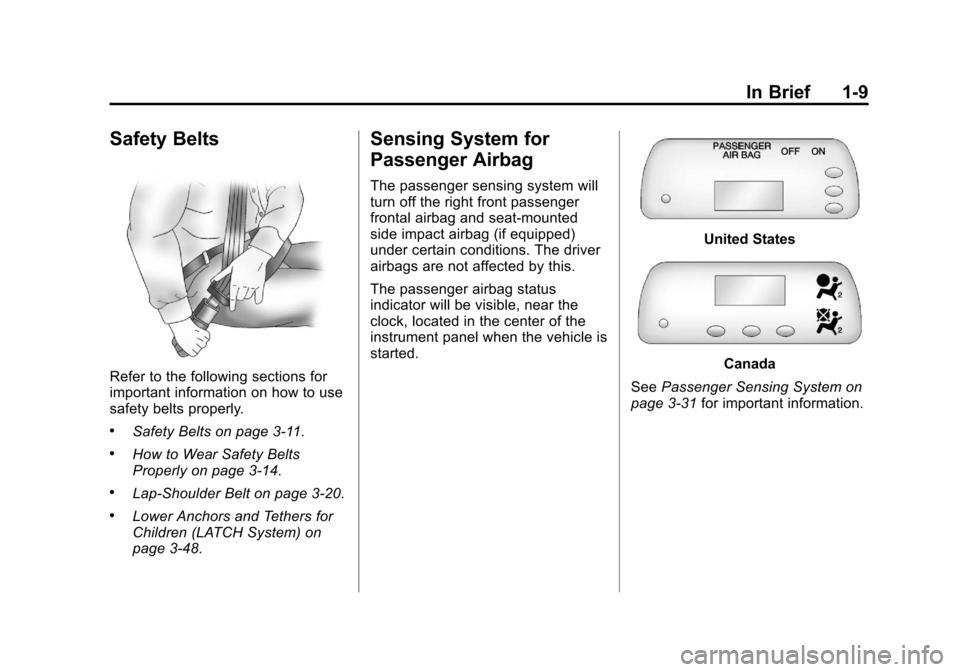
Safety Belts
Refer to the following sections for
important information on how to use
safety belts properly.
.Safety Belts on page 3‑11.
.How to Wear Safety Belts
Properly on page 3‑14.
.Lap-Shoulder Belt on page 3‑20.
.Lower Anchors and Tethers for
Children (LATCH System) on
page 3‑48.
Sensing System for
Passenger Airbag
The passenger sensing system will
turn off the right front passenger
frontal airbag and seat‐mounted
side impact airbag (if equipped)
under certain conditions. The driver
airbags are not affected by this.
The passenger airbag status
indicator will be visible, near the
clock, located in the center of the
instrument panel when the vehicle is
started.
United States
Canada
See Passenger Sensing System on
page 3‑31 for important information.
Page 17 of 328
Black plate (11,1)Chevrolet Aveo Owner Manual - 2011
In Brief 1-11
Steering Wheel
Adjustment
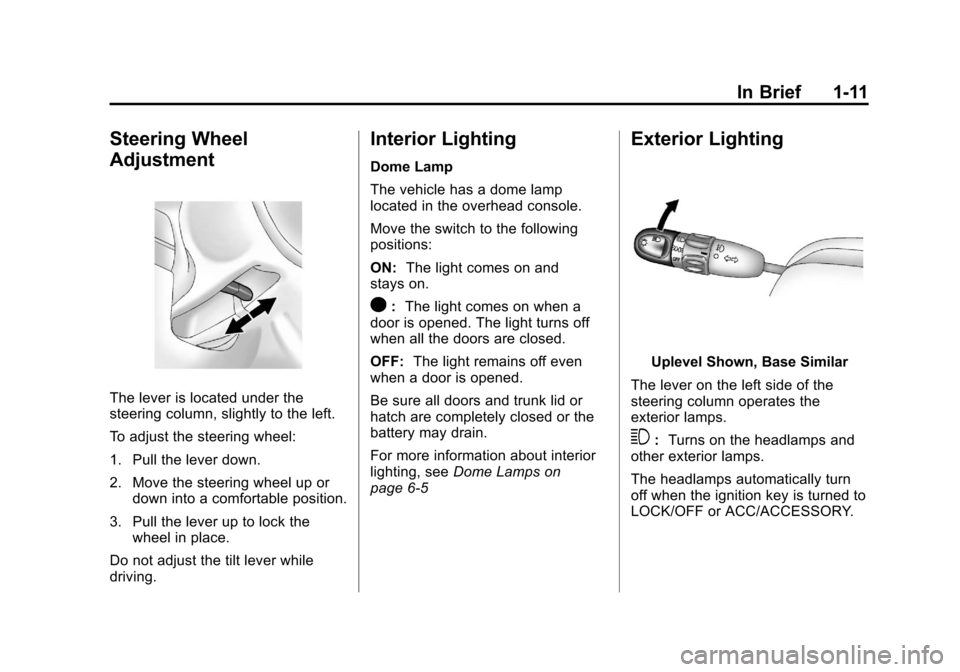
The lever is located under the
steering column, slightly to the left.
To adjust the steering wheel:
1. Pull the lever down.
2. Move the steering wheel up ordown into a comfortable position.
3. Pull the lever up to lock the wheel in place.
Do not adjust the tilt lever while
driving.
Interior Lighting
Dome Lamp
The vehicle has a dome lamp
located in the overhead console.
Move the switch to the following
positions:
ON: The light comes on and
stays on.
O: The light comes on when a
door is opened. The light turns off
when all the doors are closed.
OFF: The light remains off even
when a door is opened.
Be sure all doors and trunk lid or
hatch are completely closed or the
battery may drain.
For more information about interior
lighting, see Dome Lamps on
page 6‑5
Exterior Lighting
Uplevel Shown, Base Similar
The lever on the left side of the
steering column operates the
exterior lamps.
3: Turns on the headlamps and
other exterior lamps.
The headlamps automatically turn
off when the ignition key is turned to
LOCK/OFF or ACC/ACCESSORY.
Page 21 of 328
Black plate (15,1)Chevrolet Aveo Owner Manual - 2011
In Brief 1-15
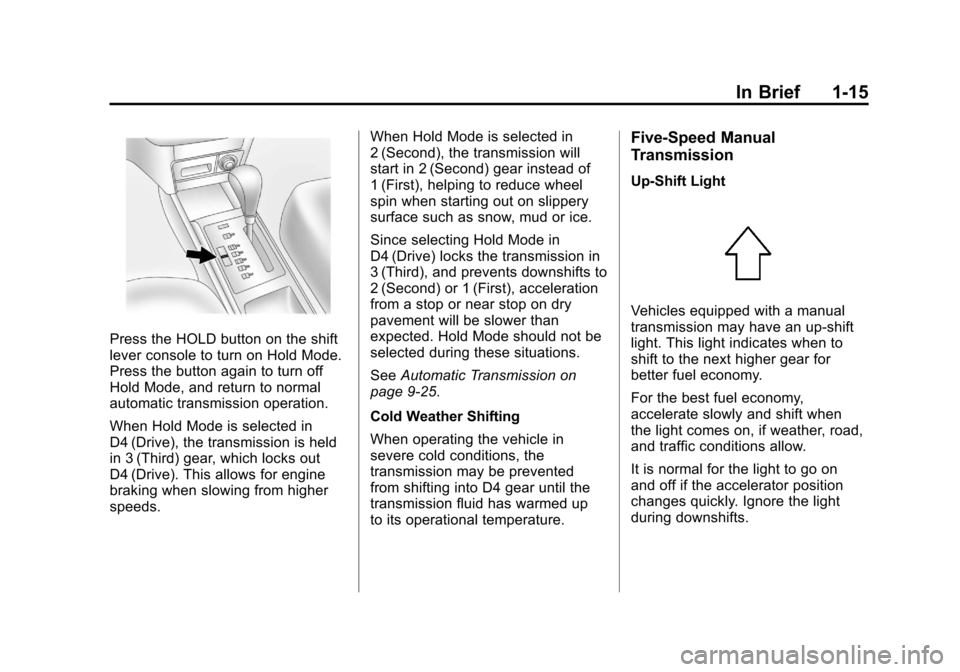
Press the HOLD button on the shift
lever console to turn on Hold Mode.
Press the button again to turn off
Hold Mode, and return to normal
automatic transmission operation.
When Hold Mode is selected in
D4 (Drive), the transmission is held
in 3 (Third) gear, which locks out
D4 (Drive). This allows for engine
braking when slowing from higher
speeds.When Hold Mode is selected in
2 (Second), the transmission will
start in 2 (Second) gear instead of
1 (First), helping to reduce wheel
spin when starting out on slippery
surface such as snow, mud or ice.
Since selecting Hold Mode in
D4 (Drive) locks the transmission in
3 (Third), and prevents downshifts to
2 (Second) or 1 (First), acceleration
from a stop or near stop on dry
pavement will be slower than
expected. Hold Mode should not be
selected during these situations.
See
Automatic Transmission on
page 9‑25.
Cold Weather Shifting
When operating the vehicle in
severe cold conditions, the
transmission may be prevented
from shifting into D4 gear until the
transmission fluid has warmed up
to its operational temperature.
Five-Speed Manual
Transmission
Up‐Shift Light
Vehicles equipped with a manual
transmission may have an up-shift
light. This light indicates when to
shift to the next higher gear for
better fuel economy.
For the best fuel economy,
accelerate slowly and shift when
the light comes on, if weather, road,
and traffic conditions allow.
It is normal for the light to go on
and off if the accelerator position
changes quickly. Ignore the light
during downshifts.
Page 22 of 328
Black plate (16,1)Chevrolet Aveo Owner Manual - 2011
1-16 In Brief
Reverse Lockout
The manual transmission is
equipped with a lock ring to prevent
shifting into R (Reverse). To shift
into R (Reverse), press down the
clutch pedal, lift up the ring on
the shift lever, and shift into
R (Reverse). Let up on the clutch
pedal slowly while pressing the
accelerator pedal.
SeeManual Transmission on
page 9‑29.Vehicle Features
Radio(s)
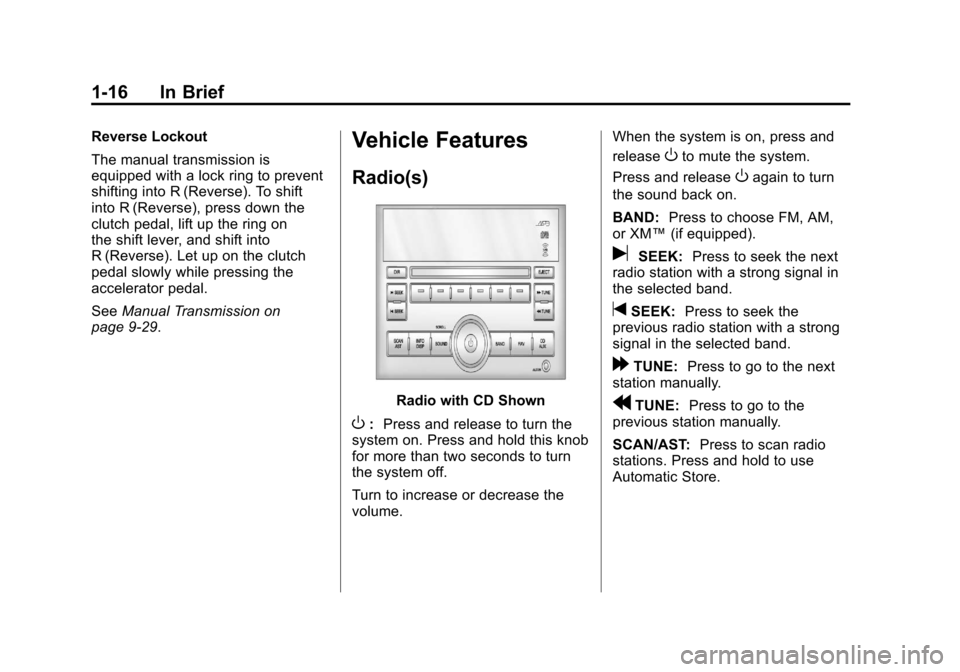
Radio with CD Shown
O: Press and release to turn the
system on. Press and hold this knob
for more than two seconds to turn
the system off.
Turn to increase or decrease the
volume. When the system is on, press and
release
Oto mute the system.
Press and release
Oagain to turn
the sound back on.
BAND: Press to choose FM, AM,
or XM™ (if equipped).
uSEEK:Press to seek the next
radio station with a strong signal in
the selected band.
tSEEK: Press to seek the
previous radio station with a strong
signal in the selected band.
[TUNE: Press to go to the next
station manually.
rTUNE: Press to go to the
previous station manually.
SCAN/AST: Press to scan radio
stations. Press and hold to use
Automatic Store.
Page 27 of 328
Black plate (21,1)Chevrolet Aveo Owner Manual - 2011
In Brief 1-21
Performance and
Maintenance
Tire Pressure Monitor
This vehicle may have a Tire
Pressure Monitor System (TPMS).
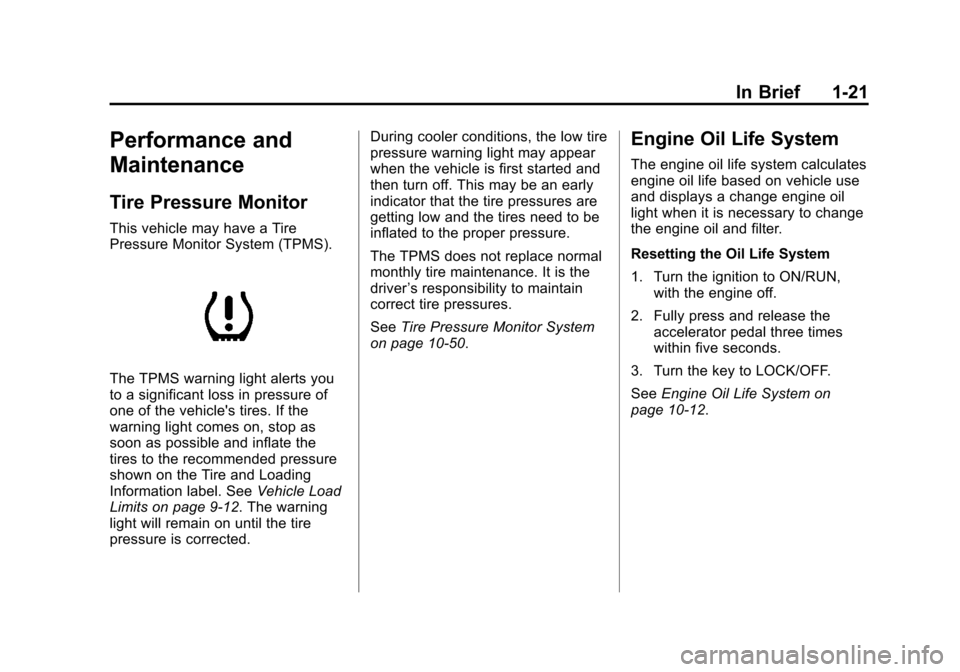
The TPMS warning light alerts you
to a significant loss in pressure of
one of the vehicle's tires. If the
warning light comes on, stop as
soon as possible and inflate the
tires to the recommended pressure
shown on the Tire and Loading
Information label. SeeVehicle Load
Limits on page 9‑12. The warning
light will remain on until the tire
pressure is corrected. During cooler conditions, the low tire
pressure warning light may appear
when the vehicle is first started and
then turn off. This may be an early
indicator that the tire pressures are
getting low and the tires need to be
inflated to the proper pressure.
The TPMS does not replace normal
monthly tire maintenance. It is the
driver
’s responsibility to maintain
correct tire pressures.
See Tire Pressure Monitor System
on page 10‑50.
Engine Oil Life System
The engine oil life system calculates
engine oil life based on vehicle use
and displays a change engine oil
light when it is necessary to change
the engine oil and filter.
Resetting the Oil Life System
1. Turn the ignition to ON/RUN, with the engine off.
2. Fully press and release the accelerator pedal three times
within five seconds.
3. Turn the key to LOCK/OFF.
See Engine Oil Life System on
page 10‑12.
Page 30 of 328
Black plate (24,1)Chevrolet Aveo Owner Manual - 2011
1-24 In Brief
OnStar®
For vehicles with an active OnStar
subscription, OnStar uses several
innovative technologies and live
advisors to provide a wide range
of safety, security, navigation,
diagnostics, and calling services.
Automatic Crash Response
In a crash, built‐in sensors can
automatically alert an OnStar
advisor who is immediately
connected to the vehicle to
see if you need help.
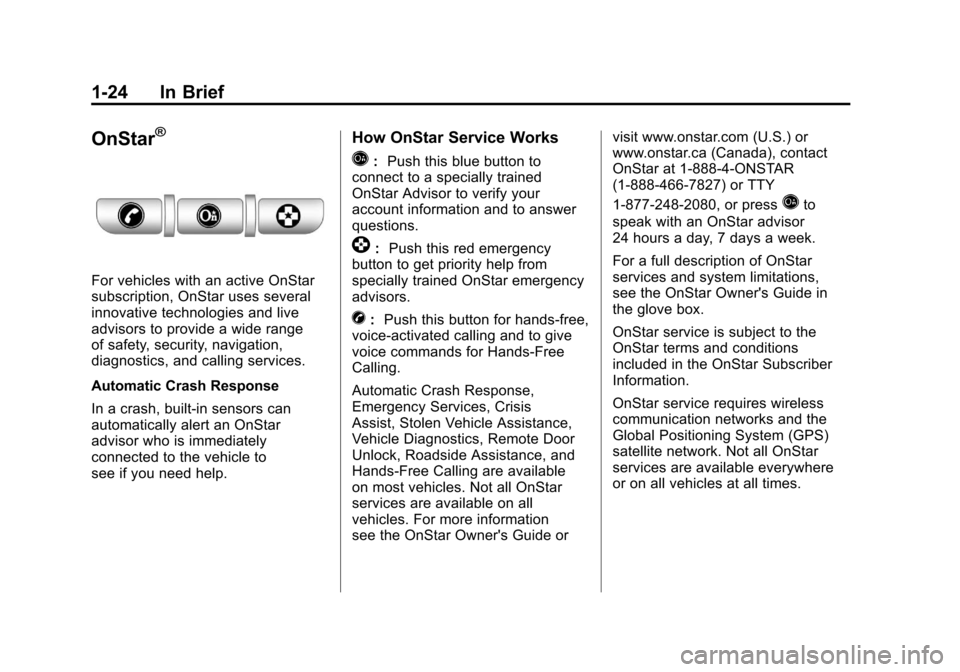
How OnStar Service Works
Q:Push this blue button to
connect to a specially trained
OnStar Advisor to verify your
account information and to answer
questions.
]: Push this red emergency
button to get priority help from
specially trained OnStar emergency
advisors.
X: Push this button for hands‐free,
voice‐activated calling and to give
voice commands for Hands‐Free
Calling.
Automatic Crash Response,
Emergency Services, Crisis
Assist, Stolen Vehicle Assistance,
Vehicle Diagnostics, Remote Door
Unlock, Roadside Assistance, and
Hands‐Free Calling are available
on most vehicles. Not all OnStar
services are available on all
vehicles. For more information
see the OnStar Owner's Guide or visit www.onstar.com (U.S.) or
www.onstar.ca (Canada), contact
OnStar at 1-888-4-ONSTAR
(1‐888‐466‐7827) or TTY
1‐877‐248‐2080, or press
Qto
speak with an OnStar advisor
24 hours a day, 7 days a week.
For a full description of OnStar
services and system limitations,
see the OnStar Owner's Guide in
the glove box.
OnStar service is subject to the
OnStar terms and conditions
included in the OnStar Subscriber
Information.
OnStar service requires wireless
communication networks and the
Global Positioning System (GPS)
satellite network. Not all OnStar
services are available everywhere
or on all vehicles at all times.
Page 33 of 328
Black plate (1,1)Chevrolet Aveo Owner Manual - 2011
Keys, Doors and Windows 2-1
Keys, Doors and
Windows
Keys and Locks
Keys . . . . . . . . . . . . . . . . . . . . . . . . . . 2-2
Remote Keyless Entry (RKE)System . . . . . . . . . . . . . . . . . . . . . . 2-3
Remote Keyless Entry (RKE) System Operation . . . . . . . . . . . 2-3
Door Locks . . . . . . . . . . . . . . . . . . . 2-5
Central Door Unlocking System . . . . . . . . . . . . . . . . . . . . . . 2-6
Door Ajar Reminder . . . . . . . . . . . 2-6
Safety Locks . . . . . . . . . . . . . . . . . . 2-6
Doors
Trunk . . . . . . . . . . . . . . . . . . . . . . . . . 2-7
Liftgate (Hatchback) . . . . . . . . . . 2-9
Vehicle Security
Vehicle Security . . . . . . . . . . . . . . 2-10
Anti-Theft Alarm System . . . . . 2-10
Immobilizer . . . . . . . . . . . . . . . . . . 2-12
Immobilizer Operation . . . . . . . 2-12
Exterior Mirrors
Convex Mirrors . . . . . . . . . . . . . . 2-13
Manual Mirrors . . . . . . . . . . . . . . . 2-13
Power Mirrors . . . . . . . . . . . . . . . . 2-13
Heated Mirrors . . . . . . . . . . . . . . . 2-14
Interior Mirrors
Manual Rearview Mirror . . . . . . 2-14
Windows
Windows . . . . . . . . . . . . . . . . . . . . . 2-14
Manual Windows . . . . . . . . . . . . 2-15
Power Windows . . . . . . . . . . . . . 2-15
Sun Visors . . . . . . . . . . . . . . . . . . . 2-16
Roof
Sunroof . . . . . . . . . . . . . . . . . . . . . . 2-16
Page 34 of 328
Black plate (2,1)Chevrolet Aveo Owner Manual - 2011
2-2 Keys, Doors and Windows
Keys and Locks
Keys
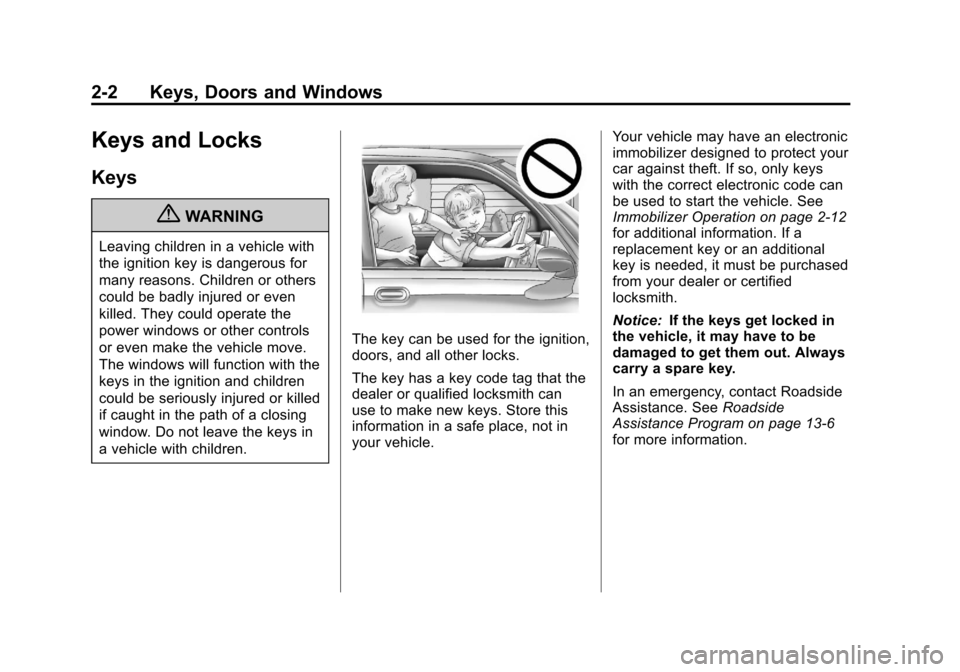
{WARNING
Leaving children in a vehicle with
the ignition key is dangerous for
many reasons. Children or others
could be badly injured or even
killed. They could operate the
power windows or other controls
or even make the vehicle move.
The windows will function with the
keys in the ignition and children
could be seriously injured or killed
if caught in the path of a closing
window. Do not leave the keys in
a vehicle with children.
The key can be used for the ignition,
doors, and all other locks.
The key has a key code tag that the
dealer or qualified locksmith can
use to make new keys. Store this
information in a safe place, not in
your vehicle.Your vehicle may have an electronic
immobilizer designed to protect your
car against theft. If so, only keys
with the correct electronic code can
be used to start the vehicle. See
Immobilizer Operation on page 2‑12
for additional information. If a
replacement key or an additional
key is needed, it must be purchased
from your dealer or certified
locksmith.
Notice:
If the keys get locked in
the vehicle, it may have to be
damaged to get them out. Always
carry a spare key.
In an emergency, contact Roadside
Assistance. See Roadside
Assistance Program on page 13‑6
for more information.