2011 CADILLAC ESCALADE EXT belt
[x] Cancel search: beltPage 115 of 508

Black plate (59,1)Cadillac Escalade EXT Owner Manual - 2011
Seats and Restraints 3-59
6. To tighten the belt, push downon the child restraint, pull the
shoulder portion of the belt to
tighten the lap portion of the belt,
and feed the shoulder belt back
into the retractor. When installing
a forward-facing child restraint,
it may be helpful to use your
knee to push down on the child
restraint as you tighten the belt. Try to pull the belt out of the
retractor to make sure the
retractor is locked. If the
retractor is not locked, repeat
Steps 5 and 6.
7. Before placing a child in the child restraint, make sure it is
securely held in place. To check,
grasp the child restraint at the
safety belt path and attempt
to move it side‐to‐side and
back‐and‐forth. When the child
restraint is properly installed,
there should be no more than
2.5 cm (1 in) of movement. If the vehicle is equipped with the
passenger sensing system, and
when the passenger sensing
system has turned off the right front
passenger frontal airbag, the off
indicator in the passenger airbag
status indicator should light and stay
lit when you start the vehicle. See
Passenger Airbag Status Indicator
on page 5‑14.
If a child restraint has been installed
and the on indicator is lit, see
“If the On Indicator is Lit for a Child
Restraint”
underPassenger Sensing
System on page 3‑32 for more
information.
To remove the child restraint,
unbuckle the vehicle safety belt and
let it return to the stowed position.
Page 131 of 508

Black plate (1,1)Cadillac Escalade EXT Owner Manual - 2011
Instruments and Controls 5-1
Instruments and
Controls
Controls
Steering Wheel Adjustment . . . 5-2
Steering Wheel Controls . . . . . . 5-2
Heated Steering Wheel . . . . . . . 5-4
Horn . . . . . . . . . . . . . . . . . . . . . . . . . . 5-4
Windshield Wiper/Washer . . . . . 5-5
Compass . . . . . . . . . . . . . . . . . . . . . 5-5
Clock . . . . . . . . . . . . . . . . . . . . . . . . . 5-7
Power Outlets . . . . . . . . . . . . . . . . . 5-7
Cigarette Lighter . . . . . . . . . . . . . . 5-8
Ashtrays . . . . . . . . . . . . . . . . . . . . . . 5-9
Warning Lights, Gauges, and
Indicators
Warning Lights, Gauges, andIndicators . . . . . . . . . . . . . . . . . . . . 5-9
Instrument Cluster . . . . . . . . . . . 5-10
Speedometer . . . . . . . . . . . . . . . . 5-11
Odometer . . . . . . . . . . . . . . . . . . . . 5-11
Trip Odometer . . . . . . . . . . . . . . . 5-11 Tachometer . . . . . . . . . . . . . . . . . . 5-11
Fuel Gauge . . . . . . . . . . . . . . . . . . 5-11
Engine Coolant Temperature
Gauge . . . . . . . . . . . . . . . . . . . . . . 5-12
Safety Belt Reminders . . . . . . . 5-12
Airbag Readiness Light . . . . . . 5-13
Passenger Airbag Status
Indicator . . . . . . . . . . . . . . . . . . . . 5-14
Charging System Light . . . . . . 5-15
Malfunction Indicator Lamp . . . . . . . . . . . . . 5-15
Brake System Warning Light . . . . . . . . . . . . . . . . . . . . . . . 5-18
Antilock Brake System (ABS) Warning Light . . . . . . . . . . . . . . 5-19
Tow/Haul Mode Light . . . . . . . . 5-19
StabiliTrak
®Indicator Light . . . 5-20
Tire Pressure Light . . . . . . . . . . 5-20
Engine Oil Pressure Light . . . . 5-21
Security Light . . . . . . . . . . . . . . . . 5-21
High-Beam on Light . . . . . . . . . 5-21
Front Fog Lamp Light . . . . . . . . 5-22
Lamps on Reminder . . . . . . . . . 5-22
Cruise Control Light . . . . . . . . . 5-22
Information Displays
Driver Information Center (DIC) . . . . . . . . . . . . . . . 5-23
Vehicle Messages
Vehicle Messages . . . . . . . . . . . 5-27
Battery Voltage and ChargingMessages . . . . . . . . . . . . . . . . . . 5-28
Brake System Messages . . . . 5-28
Door Ajar Messages . . . . . . . . . 5-28
Engine Cooling System Messages . . . . . . . . . . . . . . . . . . 5-29
Engine Oil Messages . . . . . . . . 5-30
Engine Power Messages . . . . 5-31
Fuel System Messages . . . . . . 5-31
Key and Lock Messages . . . . . 5-31
Lamp Messages . . . . . . . . . . . . . 5-31
Object Detection System Messages . . . . . . . . . . . . . . . . . . 5-32
Ride Control System Messages . . . . . . . . . . . . . . . . . . 5-32
Airbag System Messages . . . . 5-33
Anti-Theft Alarm System Messages . . . . . . . . . . . . . . . . . . 5-33
Tire Messages . . . . . . . . . . . . . . . 5-34
Page 142 of 508

Black plate (12,1)Cadillac Escalade EXT Owner Manual - 2011
5-12 Instruments and Controls
Engine Coolant
Temperature Gauge
This gauge shows the engine
coolant temperature.
If the indicator on the gauge
moves towards the shaded area on
the thermostat, it means that the
engine coolant has overheated.If the vehicle has been operating
under normal driving conditions, pull
off the road, stop the vehicle and
turn off the engine as soon as
possible.
See
Engine Overheating on
page 10‑22.
Safety Belt Reminders
Driver Safety Belt Reminder
Light
When the engine is started, a chime
sounds for several seconds to
remind a driver to fasten the safety
belt, unless the driver safety belt is
already buckled.
The safety belt light flashes for
several seconds, then comes on
solid for several more. This chime and light sequence are
repeated if the driver remains
unbuckled and the vehicle is in
motion. If the driver safety belt is
already buckled, neither the chime
nor the light comes on.
Passenger Safety Belt
Reminder Light
For vehicles equipped with the
passenger safety belt reminder
light, several seconds after the
engine is started, a chime sounds
for several seconds to remind the
front passenger to buckle their
safety belt. The passenger safety
belt light, located on the overhead
console, comes on and stays on
for several seconds, flashes for
several more seconds and then
comes on solid for several more.
Page 143 of 508

Black plate (13,1)Cadillac Escalade EXT Owner Manual - 2011
Instruments and Controls 5-13
This chime and light sequence is
repeated if the passenger remains
unbuckled and the vehicle is in
motion.
If the passenger safety belt is
buckled, neither the chime nor the
light comes on.
The front passenger safety belt
warning light and chime may turn on
if an object is put on the seat such
as a briefcase, handbag, grocery
bag, laptop or other electronic
device. To turn off the warning light
and or chime, remove the object
from the seat or buckle the
safety belt.
Airbag Readiness Light
The system checks the airbag's
electrical system for possible
malfunctions. If the light stays on it
indicates there is an electrical
problem. The system check
includes the airbag sensor, the
pretensioners, the airbag modules,
the wiring, and the crash sensing
and diagnostic module. For more
information on the airbag system,
seeAirbag System on page 3‑25.
The airbag readiness light comes
on solid for a few seconds when the
engine is started. If the light does
not come on then, have it fixed
immediately.
{WARNING
If the airbag readiness light stays
on after the vehicle is started or
comes on while driving, it means
the airbag system might not be
working properly. The airbags in
the vehicle might not inflate in a
crash, or they could even inflate
without a crash. To help avoid
injury, have the vehicle serviced
right away.
If there is a problem with the airbag
system, a Driver Information Center
(DIC) message can also come on.
See Airbag System Messages on
page 5‑33 for more information.
Page 145 of 508
Black plate (15,1)Cadillac Escalade EXT Owner Manual - 2011
Instruments and Controls 5-15
{WARNING
If the airbag readiness light ever
comes on and stays on, it means
that something may be wrong
with the airbag system. To help
avoid injury to yourself or others,
have the vehicle serviced right
away. SeeAirbag Readiness
Light on page 5‑13 for more
information, including important
safety information.
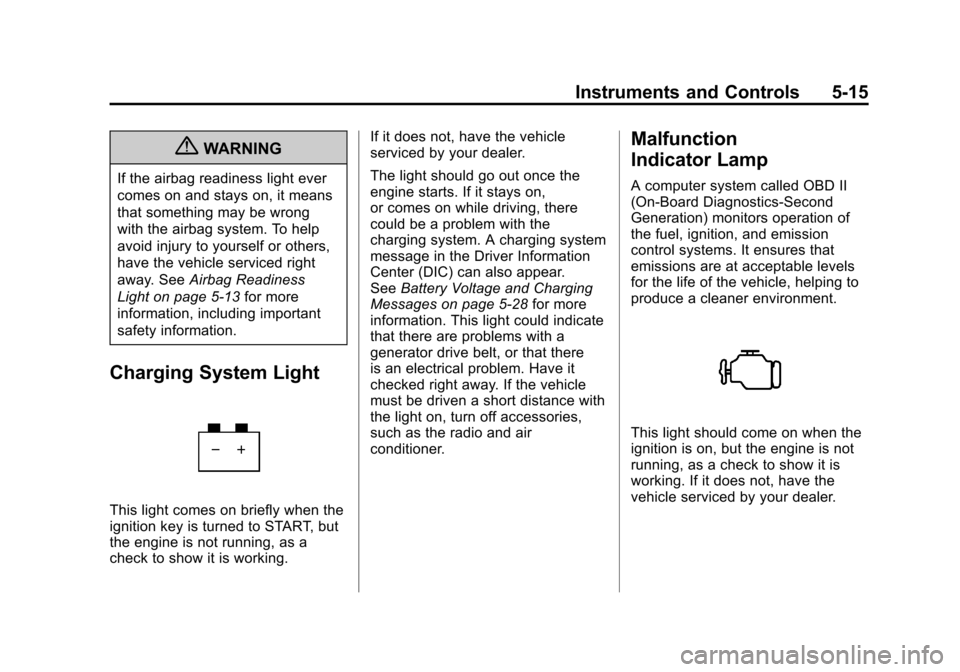
Charging System Light
This light comes on briefly when the
ignition key is turned to START, but
the engine is not running, as a
check to show it is working. If it does not, have the vehicle
serviced by your dealer.
The light should go out once the
engine starts. If it stays on,
or comes on while driving, there
could be a problem with the
charging system. A charging system
message in the Driver Information
Center (DIC) can also appear.
See
Battery Voltage and Charging
Messages on page 5‑28 for more
information. This light could indicate
that there are problems with a
generator drive belt, or that there
is an electrical problem. Have it
checked right away. If the vehicle
must be driven a short distance with
the light on, turn off accessories,
such as the radio and air
conditioner.
Malfunction
Indicator Lamp
A computer system called OBD II
(On-Board Diagnostics-Second
Generation) monitors operation of
the fuel, ignition, and emission
control systems. It ensures that
emissions are at acceptable levels
for the life of the vehicle, helping to
produce a cleaner environment.
This light should come on when the
ignition is on, but the engine is not
running, as a check to show it is
working. If it does not, have the
vehicle serviced by your dealer.
Page 199 of 508

Black plate (9,1)Cadillac Escalade EXT Owner Manual - 2011
Infotainment System 7-9
Guidance Volume
Adjust the volume of voice guidance
prompts:
1. Press the CONFIG controlbutton to enter the menu
options, then press CONFIG
again, repeatedly until Nav is
selected or press the Nav
screen button.
2. Press Voice Prompt.
3. Press + or –screen buttons to
increase or to decrease the
volume of the voice prompts.
The system responds with the
adjusted voice level.
See “Voice Prompt ”under
Configure Menu on page 7‑64 for
more information.
Cleaning the Display Screen
Use a soft clean cotton cloth
dampened with clean water.
Radio
AM-FM Radio
Notice: Before adding any
sound equipment to the vehicle,
such as an audio system, CD
player, CB radio, mobile
telephone, or two-way radio,
make sure that it can be added
by checking with your dealer.
Also, check federal rules
covering mobile radio and
telephone units. If sound
equipment can be added, it is
very important to do it properly.
Added sound equipment can
interfere with the operation of the
vehicle's engine, radio, or other
systems, and even damage
them. The vehicle's systems can
interfere with the operation of
sound equipment that has been
added. Notice:
The chime signals related
to safety belts, parking brake, and
other functions of the vehicle
operate through the navigation
system. If that equipment is
replaced or additional equipment
is added to the vehicle, the
chimes may not work. Make sure
that replacement or additional
equipment is compatible with the
vehicle before installing it. See
“Accessories and Modifications”
in the vehicle's owner manual.
Playing the Radio
O/n(Power/Volume):
1. Press to turn the audio system on and off.
2. Turn to increase or to decrease the volume.
Page 288 of 508
Black plate (2,1)Cadillac Escalade EXT Owner Manual - 2011
9-2 Driving and Operating
Fuel
Fuel . . . . . . . . . . . . . . . . . . . . . . . . . 9-58
Recommended Fuel . . . . . . . . . 9-58
Gasoline Specifications . . . . . . 9-59
California FuelRequirements . . . . . . . . . . . . . . 9-59
Fuels in Foreign Countries . . . 9-59
Fuel Additives . . . . . . . . . . . . . . . 9-59
Fuel E85 (85% Ethanol) . . . . . 9-60
Filling the Tank . . . . . . . . . . . . . . 9-62
Filling a Portable Fuel Container . . . . . . . . . . . . . . . . . . . 9-63
Towing
General TowingInformation . . . . . . . . . . . . . . . . . 9-64
Driving Characteristics and Towing Tips . . . . . . . . . . . . . . . . 9-64
Trailer Towing . . . . . . . . . . . . . . . . 9-68
Towing Equipment . . . . . . . . . . . 9-72
Conversions and Add-Ons
Add-On Electrical Equipment . . . . . . . . . . . . . . . . . 9-75
Driving Information
Defensive Driving
Defensive driving means “always
expect the unexpected.” The
first step in driving defensively
is to wear your safety belt. See
Safety Belts on page 3‑10.
{WARNING
Assume that other road users
(pedestrians, bicyclists, and other
drivers) are going to be careless
and make mistakes. Anticipate
what they might do and be ready.
In addition:
.Allow enough following
distance between you and
the driver in front of you.
.Focus on the task of driving.
(Continued)
WARNING (Continued)
Driver distraction can cause
collisions resulting in injury or
possible death. These simple
defensive driving techniques
could save your life.
Drunk Driving
{WARNING
Drinking and then driving is
very dangerous. Your reflexes,
perceptions, attentiveness, and
judgment can be affected by even
a small amount of alcohol. You
can have a serious —or even
fatal —collision if you drive after
drinking. Do not drink and drive or
ride with a driver who has been
drinking. Ride home in a cab; or if
you are with a group, designate a
driver who will not drink.
Page 291 of 508

Black plate (5,1)Cadillac Escalade EXT Owner Manual - 2011
Driving and Operating 9-5
Steering in Emergencies
There are times when steering can
be more effective than braking. For
example, you come over a hill and
find a truck stopped in your lane,
or a car suddenly pulls out from
nowhere, or a child darts out from
between parked cars and stops right
in front of you. These problems can
be avoided by braking—if you can
stop in time. But sometimes you
cannot stop in time because there
is no room. That is the time for
evasive action —steering around
the problem.
The vehicle can perform very
well in emergencies like these.
First apply the brakes. See Braking
on page 9‑3. It is better to remove
as much speed as possible from a
collision. Then steer around the
problem, to the left or right
depending on the space available.
An emergency like this requires
close attention and a quick decision.
If holding the steering wheel at the
recommended 9 and 3 o'clock
positions, it can be turned a full
180 degrees very quickly without
removing either hand. But you have
to act fast, steer quickly, and just as
quickly straighten the wheel once
you have avoided the object.
The fact that such emergency
situations are always possible is a
good reason to practice defensive
driving at all times and wear safety
belts properly.
Off-Road Recovery
The vehicle's right wheels can drop
off the edge of a road onto the
shoulder while driving.
If the level of the shoulder is only
slightly below the pavement,
recovery should be fairly easy.
Ease off the accelerator and
then, if there is nothing in the
way, steer so that the vehicle
straddles the edge of the pavement.