2011 CADILLAC ESCALADE EXT fuel
[x] Cancel search: fuelPage 153 of 508

Black plate (23,1)Cadillac Escalade EXT Owner Manual - 2011
Instruments and Controls 5-23
Information Displays
Driver Information
Center (DIC)
Your vehicle has a Driver
Information Center (DIC).
The DIC displays information
about your vehicle. It also displays
warning messages if a system
problem is detected. The DIC
also allows some features to be
customized. SeeVehicle
Personalization on page 5‑35 for
more information.
All messages will appear in the DIC
display located in the center of the
instrument panel cluster.
The DIC comes on when the ignition
is on. After a short delay, the DIC
will display the information that was
last displayed before the engine
was turned off.
Operation and Displays
The DIC has different displays
which can be accessed by pressing
the DIC buttons located on the
instrument panel, next to the
steering wheel.
The DIC displays trip, fuel, and
vehicle system information, and
warning messages if a system
problem is detected. A digital
speedometer also appears at the
bottom of the DIC display. The
digital speedometer can be
enabled or disabled. See “DISPLAY
DIGITAL SPEED” underVehicle
Personalization on page 5‑35 for
more information. DIC Buttons
The buttons are the trip/fuel, vehicle
information, customization, and set/
reset buttons. The button functions
are detailed in the following pages.
3(Trip/Fuel):
Press to display
the odometer, trip odometer, fuel
range, average economy, fuel used,
timer, transmission temperature,
instantaneous economy, and
average vehicle speed.
Page 154 of 508

Black plate (24,1)Cadillac Escalade EXT Owner Manual - 2011
5-24 Instruments and Controls
The compass and outside air
temperature will also be shown in
the display. The temperature will be
shown in °C or °F depending on the
units selected.
T(Vehicle Information):Press
to display the oil life, units, tire
pressure readings for vehicles with
the Tire Pressure Monitor System
(TPMS), compass zone setting, and
compass recalibration.
U(Customization): Press to
customize the feature settings
on the vehicle. See Vehicle
Personalization on page 5‑35 for
more information.
V(Set/Reset): Press to set or
reset certain functions and to turn
off or acknowledge messages on
the DIC.
Trip/Fuel Menu Items
3(Trip/Fuel): Press to scroll
through the following menu items:
Odometer
Press the trip/fuel button until
ODOMETER displays. This display
shows the distance the vehicle has
been driven in either kilometers (km)
or miles (mi).
To switch between English and
metric measurements, see “Units”
later in this section.
Trip Odometer
Press the trip/fuel button until TRIP
displays. This display shows the
current distance traveled in either
kilometers (km) or miles (mi) since
the last reset for the trip odometer.
The trip odometer can be reset to
zero by pressing the set/reset
button while the trip odometer is
displayed. Fuel Range
Press the trip/fuel button until FUEL
RANGE displays. This display
shows the approximate number of
remaining kilometers (km) or
miles (mi) the vehicle can be driven
without refueling. The display will
show LOW if the fuel level is low.
The fuel range estimate is based on
an average of the vehicle's fuel
economy over recent driving history
and the amount of fuel remaining in
the fuel tank. This estimate will
change if driving conditions change.
For example, if driving in traffic and
making frequent stops, this display
may read one number, but if the
vehicle is driven on a freeway, the
number may change even though
the same amount of fuel is in the
fuel tank. This is because different
driving conditions produce different
fuel economies. Generally, freeway
driving produces better fuel
economy than city driving.
Fuel range cannot be reset.
Page 155 of 508

Black plate (25,1)Cadillac Escalade EXT Owner Manual - 2011
Instruments and Controls 5-25
Average Economy
Press the trip/fuel button until
AVERAGE ECONOMY displays.
This display shows the approximate
average liters per 100 kilometers
(L/100 km) or miles per gallon
(mpg). This number is calculated
based on the number of L/100 km
(mpg) recorded since the last time
this menu item was reset. To reset
AVERAGE ECONOMY, press and
hold the set/reset button.
Fuel Used
Press the trip/fuel button until
FUEL USED displays. This display
shows the number of liters (L) or
gallons (gal) of fuel used since the
last reset of this menu item. To reset
the fuel used information, press and
hold the set/reset button while FUEL
USED is displayed.
Timer
Press the trip/fuel button until
TIMER displays. This display can be
used as a timer.To start the timer, press the
set/reset button while TIMER is
displayed. The display will show the
amount of time that has passed
since the timer was last reset, not
including time the ignition is off.
Time will continue to be counted as
long as the ignition is on, even if
another display is being shown on
the DIC. The timer will record
up to 99 hours, 59 minutes and
59 seconds (99:59:59) after which
the display will return to zero.
To stop the timer, press the set/reset
button briefly while TIMER is
displayed.
To reset the timer to zero, press
and hold the set/reset button while
TIMER is displayed.
Transmission Temperature
Press the trip/fuel button until
TRANS TEMP displays. This
display shows the temperature of
the automatic transmission fluid in
either degrees Celsius (°C) or
degrees Fahrenheit (°F).Instantaneous Economy
If your vehicle has this display,
press the trip/fuel button until INST
ECON displays. This display shows
the current fuel economy at a
particular moment and will change
frequently as driving conditions
change. This display shows the
instantaneous fuel economy in liters
per 100 kilometers (L/100 km) or
miles per gallon (mpg). Unlike
average economy, this screen
cannot be reset.
The display may also show if the
vehicle is currently in V4, V6 or
V8 mode. See
Active Fuel
Management™ on page 9‑36for
more information.
Average Vehicle Speed
Press the trip/fuel button until
AVERAGE SPEED displays. This
display shows the average speed in
kilometers per hour (km/h) or miles
per hour (MPH).
Blank Display
This display shows no information.
Page 161 of 508

Black plate (31,1)Cadillac Escalade EXT Owner Manual - 2011
Instruments and Controls 5-31
Engine Power Messages
ENGINE POWER IS REDUCED
This message displays and a chime
sounds when the cooling system
temperature gets too hot and the
engine further enters the engine
coolant protection mode. See
Engine Overheating on page 10‑22
for further information.
This message also displays when
the vehicle's engine power is
reduced. Reduced engine power
can affect the vehicle's ability to
accelerate. If this message is on,
but there is no reduction in
performance, proceed to your
destination. The performance may
be reduced the next time the vehicle
is driven. The vehicle may be driven
at a reduced speed while this
message is on, but acceleration and
speed may be reduced. Anytime
this message stays on, the vehicle
should be taken to your dealer for
service as soon as possible.
Fuel System Messages
FUEL LEVEL LOW
This message displays and a chime
sounds if the fuel level is low. Refuel
as soon as possible. SeeFuel
Gauge on page 5‑11 andFuel on
page 9‑58 for more information.
TIGHTEN GAS CAP
This message may display along
with the check engine light on the
instrument panel cluster if the
vehicle's fuel cap is not tightened
properly. See Malfunction Indicator
Lamp on page 5‑15. Reinstall the
fuel cap fully. See Filling the Tank
on page 9‑62. The diagnostic
system can determine if the fuel
cap has been left off or improperly
installed. A loose or missing fuel
cap allows fuel to evaporate into the
atmosphere. A few driving trips with
the cap properly installed should
turn this light and message off.
Key and Lock Messages
REPLACE BATTERY IN
REMOTE KEY
This message displays if a Remote
Keyless Entry (RKE) transmitter
battery is low. The battery needs to
be replaced in the transmitter. See
“Battery Replacement” under
Remote Keyless Entry (RKE)
System Operation on page 2‑3.
Lamp Messages
TURN SIGNAL ON
This message displays and a chime
sounds if a turn signal is left on for
1.2 km (0.75 mile). Move the turn
signal/multifunction lever to the off
position.
Page 174 of 508

Black plate (44,1)Cadillac Escalade EXT Owner Manual - 2011
5-44 Instruments and Controls
To select a setting, press the
set/reset button while the desired
setting is displayed on the DIC.
EXIT FEATURE SETTINGS
This feature allows you to exit the
feature settings menu.
Press the customization button until
PRESS
VTO EXIT FEATURE
SETTINGS appears in the DIC
display. Press the set/reset button
once to exit the menu.
If you do not exit, pressing the
customization button again will
return you to the beginning of the
feature settings menu.
Exiting the Feature
Settings Menu
The feature settings menu will be
exited when any of the following
occurs:
.The vehicle is no longer in
ON/RUN.
.The trip/fuel or vehicle
information DIC buttons are
pressed.
.The end of the feature settings
menu is reached and exited.
.A 40 second time period has
elapsed with no selection made.
Universal Remote
System
See Radio Frequency Statement on
page 13‑20 for information
regarding Part 15 of the Federal
Communications Commission (FCC)
rules and Industry Canada
Standards RSS-210/220/310.
Universal Remote System
Programming
Vehicles with the Universal Remote
System will have these buttons
located in the headliner.
Page 287 of 508

Black plate (1,1)Cadillac Escalade EXT Owner Manual - 2011
Driving and Operating 9-1
Driving and
Operating
Driving Information
Defensive Driving . . . . . . . . . . . . . 9-2
Drunk Driving . . . . . . . . . . . . . . . . . 9-2
Control of a Vehicle . . . . . . . . . . . 9-3
Braking . . . . . . . . . . . . . . . . . . . . . . . 9-3
Steering . . . . . . . . . . . . . . . . . . . . . . . 9-4
Off-Road Recovery . . . . . . . . . . . . 9-5
Loss of Control . . . . . . . . . . . . . . . . 9-6
Off-Road Driving . . . . . . . . . . . . . . 9-7
Driving on Wet Roads . . . . . . . 9-18
Highway Hypnosis . . . . . . . . . . . 9-19
Hill and Mountain Roads . . . . . 9-19
Winter Driving . . . . . . . . . . . . . . . 9-20
If the Vehicle is Stuck . . . . . . . . 9-22
Vehicle Load Limits . . . . . . . . . . 9-23
Truck-Camper LoadingInformation . . . . . . . . . . . . . . . . . 9-29
Starting and Operating
New Vehicle Break-In . . . . . . . . 9-30
Adjustable Throttle and BrakePedal . . . . . . . . . . . . . . . . . . . . . . . 9-30
Ignition Positions . . . . . . . . . . . . 9-31
Starting the Engine . . . . . . . . . . 9-32
Engine Heater . . . . . . . . . . . . . . . 9-34
Retained Accessory Power (RAP) . . . . . . . . . . . . . . . 9-34
Shifting Into Park . . . . . . . . . . . . 9-35
Shifting Out of Park . . . . . . . . . . 9-36
Parking Over Things That Burn . . . . . . . . . . . . . . . . . . 9-36
Active Fuel Management™ . . . . . . . . . . . . . 9-36
Engine Exhaust
Engine Exhaust . . . . . . . . . . . . . . 9-37
Running the Vehicle While
Parked . . . . . . . . . . . . . . . . . . . . . 9-38
Automatic Transmission
Automatic Transmission . . . . . 9-38
Manual Mode . . . . . . . . . . . . . . . . 9-41
Tow/Haul Mode . . . . . . . . . . . . . . 9-42
Drive Systems
All-Wheel Drive . . . . . . . . . . . . . . 9-43
Brakes
Antilock BrakeSystem (ABS) . . . . . . . . . . . . . . 9-43
Parking Brake . . . . . . . . . . . . . . . 9-44
Brake Assist . . . . . . . . . . . . . . . . . 9-45
Ride Control Systems
StabiliTrak®System . . . . . . . . . 9-45
Locking Rear Axle . . . . . . . . . . . 9-48
Continuous Damping Control (CDC) . . . . . . . . . . . . . . 9-48
Automatic Level Control . . . . . 9-48
Cruise Control
Cruise Control . . . . . . . . . . . . . . . 9-49
Object Detection Systems
Ultrasonic Parking Assist . . . . 9-52
Rear Vision Camera (RVC) . . . . . . . . . . . . . 9-54
Page 288 of 508
Black plate (2,1)Cadillac Escalade EXT Owner Manual - 2011
9-2 Driving and Operating
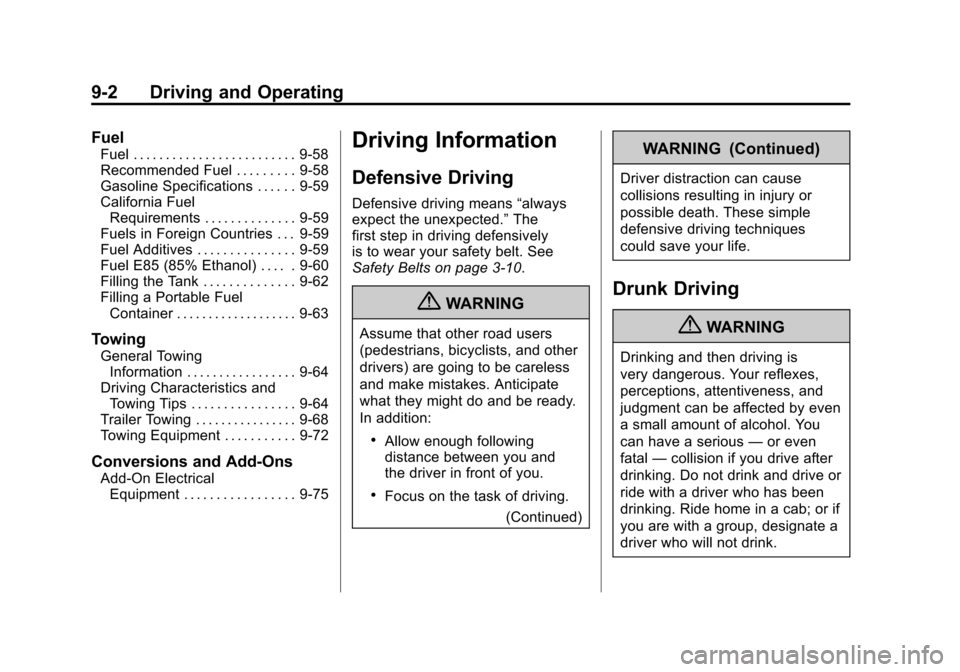
Fuel
Fuel . . . . . . . . . . . . . . . . . . . . . . . . . 9-58
Recommended Fuel . . . . . . . . . 9-58
Gasoline Specifications . . . . . . 9-59
California FuelRequirements . . . . . . . . . . . . . . 9-59
Fuels in Foreign Countries . . . 9-59
Fuel Additives . . . . . . . . . . . . . . . 9-59
Fuel E85 (85% Ethanol) . . . . . 9-60
Filling the Tank . . . . . . . . . . . . . . 9-62
Filling a Portable Fuel Container . . . . . . . . . . . . . . . . . . . 9-63
Towing
General TowingInformation . . . . . . . . . . . . . . . . . 9-64
Driving Characteristics and Towing Tips . . . . . . . . . . . . . . . . 9-64
Trailer Towing . . . . . . . . . . . . . . . . 9-68
Towing Equipment . . . . . . . . . . . 9-72
Conversions and Add-Ons
Add-On Electrical Equipment . . . . . . . . . . . . . . . . . 9-75
Driving Information
Defensive Driving
Defensive driving means “always
expect the unexpected.” The
first step in driving defensively
is to wear your safety belt. See
Safety Belts on page 3‑10.
{WARNING
Assume that other road users
(pedestrians, bicyclists, and other
drivers) are going to be careless
and make mistakes. Anticipate
what they might do and be ready.
In addition:
.Allow enough following
distance between you and
the driver in front of you.
.Focus on the task of driving.
(Continued)
WARNING (Continued)
Driver distraction can cause
collisions resulting in injury or
possible death. These simple
defensive driving techniques
could save your life.
Drunk Driving
{WARNING
Drinking and then driving is
very dangerous. Your reflexes,
perceptions, attentiveness, and
judgment can be affected by even
a small amount of alcohol. You
can have a serious —or even
fatal —collision if you drive after
drinking. Do not drink and drive or
ride with a driver who has been
drinking. Ride home in a cab; or if
you are with a group, designate a
driver who will not drink.
Page 293 of 508

Black plate (7,1)Cadillac Escalade EXT Owner Manual - 2011
Driving and Operating 9-7
Off-Road Driving
Vehicles with 22‐inch tire/wheel
assemblies should not be driven
off-road except on a level, solid
surface.
Many of the vehicle design features
that help make the vehicle more
responsive on paved roads during
poor weather conditions also help
make it better suited for off‐road
use than conventional passenger
vehicles. The vehicle does not have
features usually thought to be
necessary for extended or severe
off‐road use such as special
underbody shielding and transfer
case low gear range.
The airbag system is designed to
work properly under a wide range of
conditions, including off‐road usage.
Always wear your safety belt and
observe safe driving speeds,
especially on rough terrain.Drinking and driving can be very
dangerous on any road and this is
certainly true for off-road driving.
At the very time you need special
alertness and driving skills, your
reflexes, perceptions, and judgment
can be affected by even a small
amount of alcohol. You could have a
serious
—or even fatal —accident
if you drink and drive or ride with a
driver who has been drinking.
Off-roading can be great fun but has
some definite hazards. The greatest
of these is the terrain itself. When
off-road driving, traffic lanes are not
marked, curves are not banked, and
there are no road signs. Surfaces
can be slippery, rough, uphill,
or downhill.
Avoid sharp turns and abrupt
maneuvers. Failure to operate the
vehicle correctly off‐road could
result in loss of vehicle control or
vehicle rollover. Off-roading involves some new
skills. That is why it is very
important that you read these
driving tips and suggestions to help
make off-road driving safer and
more enjoyable.
Before You Go Off-Roading
.Have all necessary maintenance
and service work done.
.Make sure there is enough fuel,
that fluid levels are where they
should be, and that the spare
tire is fully inflated.
.Be sure to read all the
information about all-wheel-drive
vehicles in this manual.
.Make sure all underbody
shields, if the vehicle has them,
are properly attached.