2011 CADILLAC ESCALADE EXT air condition
[x] Cancel search: air conditionPage 112 of 508

Black plate (56,1)Cadillac Escalade EXT Owner Manual - 2011
3-56 Seats and Restraints
5. To tighten the belt, push downon the child restraint, pull the
shoulder portion of the belt to
tighten the lap portion of the belt,
and feed the shoulder belt back
into the retractor. When installing
a forward-facing child restraint,
it may be helpful to use your
knee to push down on the child
restraint as you tighten the belt.
Try to pull the belt out of the
retractor to make sure the
retractor is locked. If the
retractor is not locked, repeat
Steps 4 and 5. 6. If the child restraint has a top
tether, follow the child restraint
manufacturer's instructions
regarding the use of the top
tether. See Lower Anchors and
Tethers for Children (LATCH
System) on page 3‑48.
7. Before placing a child in the child restraint, make sure it is
securely held in place. To check,
grasp the child restraint at the
safety belt path and attempt
to move it side‐to‐side and
back‐and‐forth. When the child
restraint is properly installed,
there should be no more than
2.5 cm (1 in) of movement.
To remove the child restraint,
unbuckle the vehicle safety belt and
let it return to the stowed position.
If the top tether is attached to a top
tether anchor, disconnect it.
Securing Child Restraints
(Right Front Seat
Position)
This vehicle has airbags. A rear
seat is a safer place to secure a
forward-facing child restraint. See
Where to Put the Restraint on
page 3‑46.
In addition, the vehicle may have a
passenger sensing system which is
designed to turn off the right front
passenger frontal airbag under
certain conditions. See Passenger
Sensing System on page 3‑32 and
Passenger Airbag Status Indicator
on page 5‑14 for more information,
including important safety
information.
A label on the sun visor says,
“Never put a rear-facing child seat in
the front.” This is because the risk to
the rear-facing child is so great if the
airbag deploys.
Page 113 of 508

Black plate (57,1)Cadillac Escalade EXT Owner Manual - 2011
Seats and Restraints 3-57
{WARNING
A child in a rear-facing child
restraint can be seriously
injured or killed if the right front
passenger airbag inflates.
This is because the back of the
rear-facing child restraint would
be very close to the inflating
airbag. A child in a forward-facing
child restraint can be seriously
injured or killed if the right front
passenger airbag inflates and the
passenger seat is in a forward
position.
The vehicle may have a
passenger sensing system which
is designed to turn off the right
front passenger frontal airbag
under certain conditions.(Continued)
WARNING (Continued)
Even if the passenger sensing
system, if equipped, has turned
off the right front passenger
frontal airbag, no system is
fail-safe. No one can guarantee
that an airbag will not deploy
under some unusual
circumstance, even though
it is turned off.
Secure rear-facing child
restraints in a rear seat, even if
the airbag is off. If you secure a
forward-facing child restraint in
the right front seat, always move
the front passenger seat as far
back as it will go. It is better to
secure the child restraint in a
rear seat.
SeePassenger Sensing System
on page 3‑32 for additional
information. If the child restraint has the LATCH
system, see
Lower Anchors and
Tethers for Children (LATCH
System) on page 3‑48 for how and
where to install the child restraint
using LATCH. If a child restraint is
secured using a safety belt and it
uses a top tether, see Lower
Anchors and Tethers for Children
(LATCH System) on page 3‑48 for
top tether anchor locations.
Do not secure a child seat in a
position without a top tether anchor
if a national or local law requires
that the top tether be anchored, or if
the instructions that come with the
child restraint say that the top strap
must be anchored.
In Canada, the law requires that
forward-facing child restraints have
a top tether, and that the tether be
attached.
Page 145 of 508
Black plate (15,1)Cadillac Escalade EXT Owner Manual - 2011
Instruments and Controls 5-15
{WARNING
If the airbag readiness light ever
comes on and stays on, it means
that something may be wrong
with the airbag system. To help
avoid injury to yourself or others,
have the vehicle serviced right
away. SeeAirbag Readiness
Light on page 5‑13 for more
information, including important
safety information.
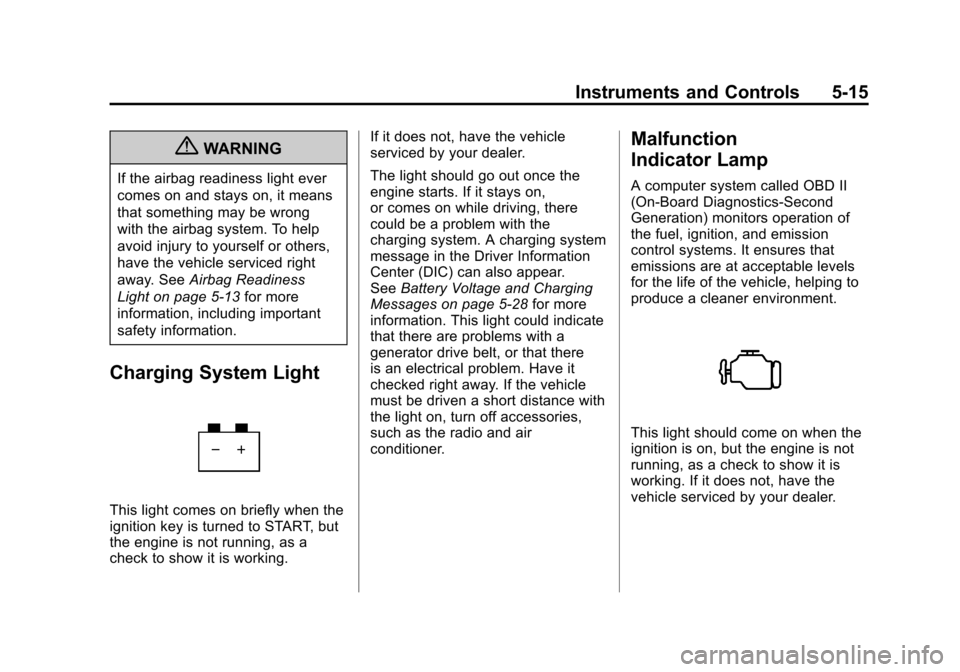
Charging System Light
This light comes on briefly when the
ignition key is turned to START, but
the engine is not running, as a
check to show it is working. If it does not, have the vehicle
serviced by your dealer.
The light should go out once the
engine starts. If it stays on,
or comes on while driving, there
could be a problem with the
charging system. A charging system
message in the Driver Information
Center (DIC) can also appear.
See
Battery Voltage and Charging
Messages on page 5‑28 for more
information. This light could indicate
that there are problems with a
generator drive belt, or that there
is an electrical problem. Have it
checked right away. If the vehicle
must be driven a short distance with
the light on, turn off accessories,
such as the radio and air
conditioner.
Malfunction
Indicator Lamp
A computer system called OBD II
(On-Board Diagnostics-Second
Generation) monitors operation of
the fuel, ignition, and emission
control systems. It ensures that
emissions are at acceptable levels
for the life of the vehicle, helping to
produce a cleaner environment.
This light should come on when the
ignition is on, but the engine is not
running, as a check to show it is
working. If it does not, have the
vehicle serviced by your dealer.
Page 146 of 508

Black plate (16,1)Cadillac Escalade EXT Owner Manual - 2011
5-16 Instruments and Controls
If the Malfunction Indicator Lamp
comes on and stays on while the
engine is running, this indicates that
there is an OBD II problem and
service is required.
Malfunctions often are indicated by
the system before any problem is
apparent. Being aware of the light
can prevent more serious damage
to the vehicle. This system assists
the service technician in correctly
diagnosing any malfunction.
Notice:If the vehicle is
continually driven with this light
on, after a while, the emission
controls might not work as well,
the vehicle fuel economy might
not be as good, and the engine
might not run as smoothly. This
could lead to costly repairs that
might not be covered by the
vehicle warranty. Notice:
Modifications made to the
engine, transmission, exhaust,
intake, or fuel system of the
vehicle or the replacement of
the original tires with other
than those of the same Tire
Performance Criteria (TPC) can
affect the vehicle's emission
controls and can cause this light
to come on. Modifications to
these systems could lead to
costly repairs not covered by
the vehicle warranty. This
could also result in a failure
to pass a required Emission
Inspection/Maintenance test.
See Accessories and
Modifications on page 10‑3.
This light comes on during a
malfunction in one of two ways:
Light Flashing: A misfire condition
has been detected. A misfire
increases vehicle emissions and
could damage the emission control
system on the vehicle. Diagnosis
and service might be required. To prevent more serious damage to
the vehicle:
.Reduce vehicle speed.
.Avoid hard accelerations.
.Avoid steep uphill grades.
.If towing a trailer, reduce the
amount of cargo being hauled as
soon as it is possible.
If the light continues to flash, when
it is safe to do so, stop the vehicle.
Find a safe place to park the
vehicle. Turn the vehicle off, wait at
least 10 seconds, and restart the
engine. If the light is still flashing,
follow the previous steps and see
your dealer for service as soon as
possible.
Light On Steady: An emission
control system malfunction has
been detected on the vehicle.
Diagnosis and service might be
required.
Page 154 of 508

Black plate (24,1)Cadillac Escalade EXT Owner Manual - 2011
5-24 Instruments and Controls
The compass and outside air
temperature will also be shown in
the display. The temperature will be
shown in °C or °F depending on the
units selected.
T(Vehicle Information):Press
to display the oil life, units, tire
pressure readings for vehicles with
the Tire Pressure Monitor System
(TPMS), compass zone setting, and
compass recalibration.
U(Customization): Press to
customize the feature settings
on the vehicle. See Vehicle
Personalization on page 5‑35 for
more information.
V(Set/Reset): Press to set or
reset certain functions and to turn
off or acknowledge messages on
the DIC.
Trip/Fuel Menu Items
3(Trip/Fuel): Press to scroll
through the following menu items:
Odometer
Press the trip/fuel button until
ODOMETER displays. This display
shows the distance the vehicle has
been driven in either kilometers (km)
or miles (mi).
To switch between English and
metric measurements, see “Units”
later in this section.
Trip Odometer
Press the trip/fuel button until TRIP
displays. This display shows the
current distance traveled in either
kilometers (km) or miles (mi) since
the last reset for the trip odometer.
The trip odometer can be reset to
zero by pressing the set/reset
button while the trip odometer is
displayed. Fuel Range
Press the trip/fuel button until FUEL
RANGE displays. This display
shows the approximate number of
remaining kilometers (km) or
miles (mi) the vehicle can be driven
without refueling. The display will
show LOW if the fuel level is low.
The fuel range estimate is based on
an average of the vehicle's fuel
economy over recent driving history
and the amount of fuel remaining in
the fuel tank. This estimate will
change if driving conditions change.
For example, if driving in traffic and
making frequent stops, this display
may read one number, but if the
vehicle is driven on a freeway, the
number may change even though
the same amount of fuel is in the
fuel tank. This is because different
driving conditions produce different
fuel economies. Generally, freeway
driving produces better fuel
economy than city driving.
Fuel range cannot be reset.
Page 156 of 508

Black plate (26,1)Cadillac Escalade EXT Owner Manual - 2011
5-26 Instruments and Controls
Vehicle Information Menu
Items
T(Vehicle Information):Press
to scroll through the following menu
items:
Oil Life
Press the vehicle information
button until OIL LIFE REMAINING
displays. This display shows an
estimate of the oil's remaining
useful life. If you see 99% OIL LIFE
REMAINING on the display, that
means 99% of the current oil life
remains. The engine oil life system
will alert you to change the oil on a
schedule consistent with your
driving conditions.
When the remaining oil life is low,
the CHANGE ENGINE OIL SOON
message will appear on the display.
See “CHANGE ENGINE OIL SOON”
under Engine Oil Messages on
page 5‑30. You should change the
oil as soon as you can. See Engine
Oil on page 10‑8. In addition to the
engine oil life system monitoring the
oil life, additional maintenance is recommended in the Maintenance
Schedule in this manual. See
Scheduled Maintenance on
page 11‑2
for more information.
Remember, you must reset the OIL
LIFE display yourself after each oil
change. It will not reset itself. Also,
be careful not to reset the OIL LIFE
display accidentally at any time
other than when the oil has just
been changed. It cannot be reset
accurately until the next oil change.
To reset the engine oil life system,
see Engine Oil Life System on
page 10‑12.
Units
Press the vehicle information button
until UNITS displays. This display
allows you to select between metric
or English units of measurement.
Once in this display, press the
set/reset button to select between
METRIC or ENGLISH units.
All of the vehicle information will
then be displayed in the unit of
measurement selected. Tire Pressure
On vehicles with the Tire Pressure
Monitor System (TPMS), the
pressure for each tire can be viewed
in the DIC. The tire pressure will be
shown in either kilopascals (kPa)
or pounds per square inch (psi).
Press the vehicle information button
until the DIC displays FRONT
TIRES kPa (PSI) LEFT ##
RIGHT ##. Press the vehicle
information button again until the
DIC displays REAR TIRES kPa
(PSI) LEFT ## RIGHT ##.
If a low tire pressure condition is
detected by the system while
driving, a message advising you to
add air in a specific tire will appear
in the display. See
Tire Pressure on
page 10‑54 andTire Messages on
page 5‑34 for more information.
If the tire pressure display shows
dashes instead of a value, there
may be a problem with your vehicle.
If this consistently occurs, see your
dealer for service.
Page 159 of 508

Black plate (29,1)Cadillac Escalade EXT Owner Manual - 2011
Instruments and Controls 5-29
LEFT REAR DOOR OPEN
This message displays and a chime
sounds if the driver side rear door is
not fully closed and the vehicle is
shifted out of P (Park). Stop and turn
off the vehicle, check the door for
obstructions, and close the door
again. Check to see if the message
still appears on the DIC.
PASSENGER DOOR OPEN
This message displays and a chime
sounds if the front passenger door
is not fully closed and the vehicle is
shifted out of P (Park). Stop and turn
off the vehicle, check the door for
obstructions, and close the door
again. Check to see if the message
still appears on the DIC.
RIGHT REAR DOOR OPEN
This message displays and a chime
sounds if the passenger side rear
door is not fully closed and the
vehicle is shifted out of P (Park).
Stop and turn off the vehicle, checkthe door for obstructions, and close
the door again. Check to see if the
message still appears on the DIC.
Engine Cooling System
Messages
ENGINE HOT A/C
(Air Conditioning)
TURNED OFF
This message displays when the
engine coolant becomes hotter than
the normal operating temperature.
See
Engine Coolant Temperature
Gauge on page 5‑12. To avoid
added strain on a hot engine,
the air conditioning compressor
automatically turns off. When the
coolant temperature returns to
normal, the air conditioning
compressor turns back on. You can
continue to drive your vehicle.
If this message continues to appear,
have the system repaired by your
dealer as soon as possible to avoid
damage to the engine.
ENGINE OVERHEATED IDLE
ENGINE
Notice: If you drive the vehicle
while the engine is overheating,
severe engine damage may
occur. If an overheat warning
appears on the instrument panel
cluster and/or DIC, stop the
vehicle as soon as possible.
See Engine Overheating on
page 10‑22 for more information.
This message displays when the
engine coolant temperature is too
hot. Stop and allow the vehicle to
idle until it cools down. See Engine
Coolant Temperature Gauge on
page 5‑12.
See Overheated Engine Protection
Operating Mode on page 10‑24 for
information on driving to a safe
place in an emergency.
Page 163 of 508

Black plate (33,1)Cadillac Escalade EXT Owner Manual - 2011
Instruments and Controls 5-33
STABILITRAK OFF
If your vehicle has StabiliTrak, this
message displays when you turn off
StabiliTrak, or when the stability
control has been automatically
disabled. To limit wheel spin and
realize the full benefits of the
stability enhancement system, you
should normally leave StabiliTrak
on. However, you should turn
StabiliTrak off if your vehicle gets
stuck in sand, mud, ice, or snow
and you want to rock your vehicle
to attempt to free it, or if you are
driving in extreme off-road
conditions and require more wheel
spin. SeeIf the Vehicle is Stuck on
page 9‑22. To turn the StabiliTrak
system on or off, see StabiliTrak
®
System on page 9‑45.
There are several conditions that
can cause this message to appear.
.One condition is overheating,
which could occur if StabiliTrak
activates continuously for an
extended period of time.
.The message also displays if the
brake system warning light is on.
SeeBrake System Warning
Light on page 5‑18.
.The message could display if the
stability system takes longer
than usual to complete its
diagnostic checks due to driving
conditions.
.The message displays if an
engine or vehicle related
problem has been detected
and the vehicle needs service.
See your dealer.
The message turns off as soon as
the conditions that caused the
message to be displayed are no
longer present.
TRACTION CONTROL OFF
If your vehicle has StabiliTrak, this
message displays when the Traction
Control System (TCS) is turned off.
Adjust your driving accordingly. See
StabiliTrak
®System on page 9‑45
for more information.
Airbag System Messages
SERVICE AIR BAG
This message displays if there is a
problem with the airbag system.
Have your dealer inspect the
system for problems. See Airbag
Readiness Light on page 5‑13 and
Airbag System on page 3‑25 for
more information.
Anti-Theft Alarm System
Messages
SERVICE THEFT DETERRENT
SYSTEM
This message displays when there
is a problem with the theft-deterrent
system. The vehicle may or may not
restart so you may want to take the
vehicle to your dealer before turning
off the engine. See Immobilizer
Operation on page 2‑17 for more
information.